

Easily add tracking code snippets, conversion pixels, or other scripts required by third party services for analytics, marketing,…

About DCO Comment Attachment
DCO Comment Attachment is a plugin that allows your website visitors to attach various types of files with their comments, including images, videos, and documents. You can customize the settings to control the file size, attachment requirements, and whether the attachment is embedded or displayed as a link. The plugin also offers features such as multiple uploads, moderating comments with attachments, and displaying attachments on your website using a shortcode.Screenshots


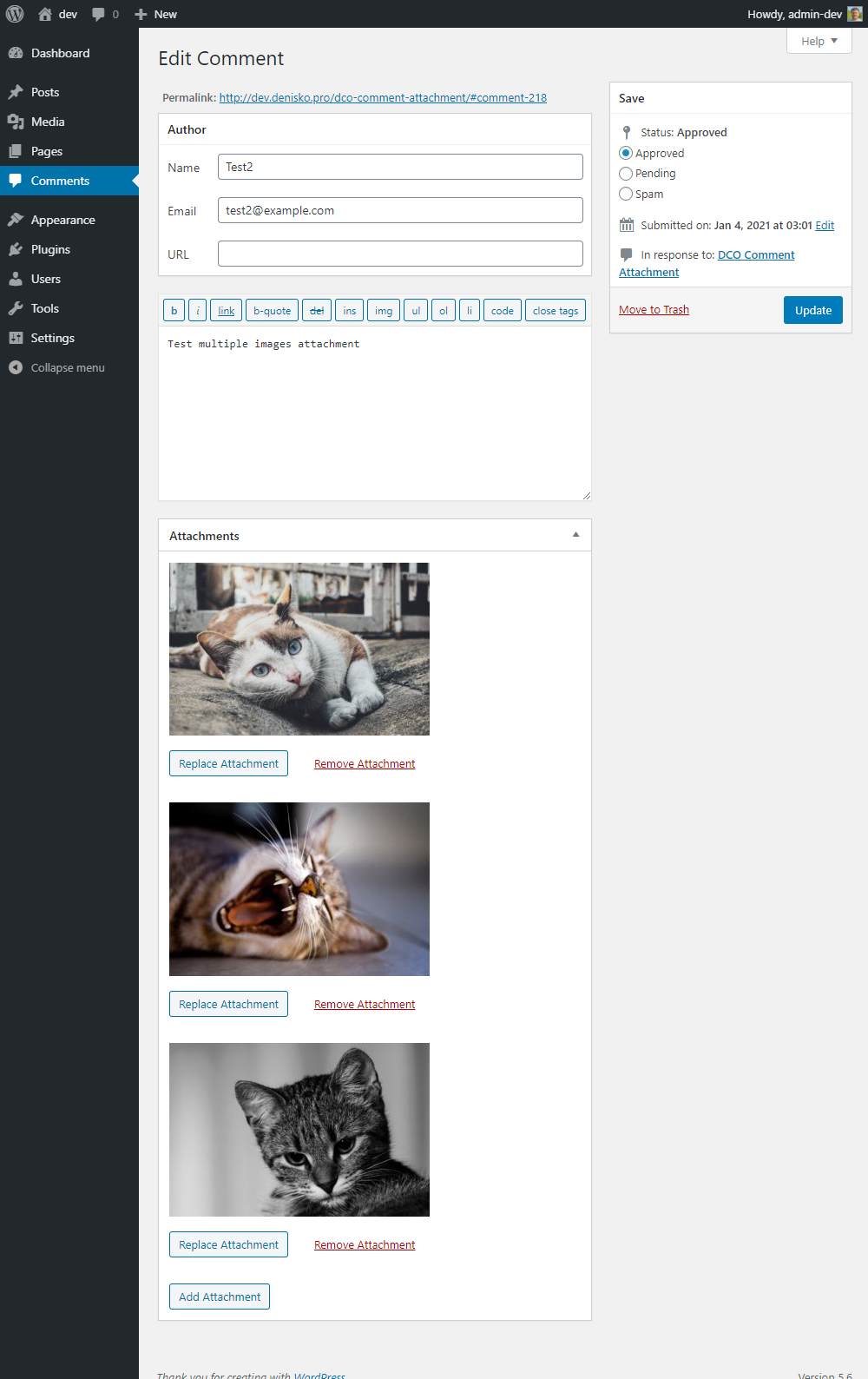


Changelog
2.4.0
- Added bulk delete attachments action on the Comments screen.
- Added the
[dco_ca]shortcode for display attachments attached to comments (see FAQ for details). - Fixed bug: now if there is no attachment, the empty array is not saved to the database.
2.3.1
- Fixed a bug with the accept attribute of the attachment upload field.
- Added compatibility with Loco Translate plugin.
2.3.0
- Added allowed file types to the file input dialog box. (thank you @pranciskus)
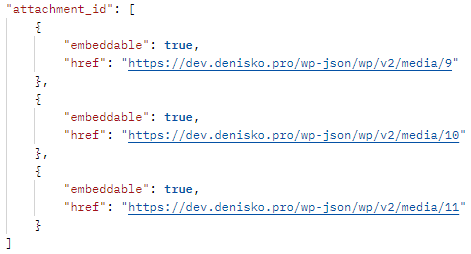
- Added REST API support (thank you @daohoangson)
- Added
dco_ca_force_download_misc_attachmentsfilter for force download files instead of open. - Improved check/uncheck allowed file types on Settings page.
- Fixed “Trying to get property ‘comment_ID’ of non-object” bug. (thank you @pranciskus)
2.2.0
- Added drag and drop support for attachment input field.
- Improved “Link thumbnail?” option. Link to a new tab and an attachment page (thank you @nourijp) is now supported.
- Fixed bug with “Manually moderate comments with attachments” option. (thank you @thompro)
- Removed “Attach to commented post?” option from the Settings page. You can use the
dco_ca_attach_to_postfilter instead.
2.1.1
- Added new filters for the attachment markup customization:
dco_ca_get_attachment_previewanddco_ca_get_attachment_preview_image.
2.1.0
- Added links to attached attachments to the new comment notification email.
- Added the feature to force moderation comments with attachments.
- Added compatible with SVG Support plugin.
2.0.0
- Added the feature to upload multiple files.
- Added support for some lightbox plugins (see FAQ for details).
- Added additional markup to the form elements (thank you @matthewmcvickar)
- Added error handling for JavaScript on the frontend (thank you @mrbalkon)
- Improved Settings page
- Filter
dco_ca_form_element_autoembed_links_notificationis deprecated. Usedco_ca_form_element_autoembed_linksinstead. - Type
autoembed-links-notificationfor form_element function is deprecated. Useautoembed-linksinstead.
1.3.1
- Fixed image embed bug when attachment url has get parameters (thank you @deepreef)
1.3.0
- Added the feature to link a thumbnail to a full-size image.
- Added the feature for restrict uploading attachments only to logged users.
- Added notification about automatically embedded links, when it’s enabled.
- Fixed bug with incorrect display of attachment types that do not support embedding. (thank you @nazzareno)
- Removed jQuery dependency on the frontend.
1.2.1
- Fixed Quick Edit Comment function bug (thank you @bbceg)
1.2.0
- Added the feature for autoembed links in comment text. You can disable it in Settings -> DCO Comment Attachment.
- Introduced
dco_ca_disable_display_attachmenthook. Now you can display attachment in custom place withadd_filter('dco_ca_disable_display_attachment', '__return_true');filter anddco_ca()->display_attachment()function.
1.1.2
- Fixed display of empty allowed types if the website administrator has forbidden the upload of all extensions of this type. (thank you @nunofrsilva)
1.1.1
- Added filters for the attachment field customization
1.1.0
- Now you can select and deselect Allowed File Types by the type in one click.
- Added
dco_ca_disable_attachment_fieldhook for disable the upload attachment field. - Reduced the effect of mime types filtering. Now it applies only for comment attachment upload.
- Added the feature to attach an attachment to a commented post.
1.0.0
- Initial Release