

The Elementor Website Builder has it all: drag and drop page builder, pixel perfect design, mobile responsive editing,…

About WP EXtra
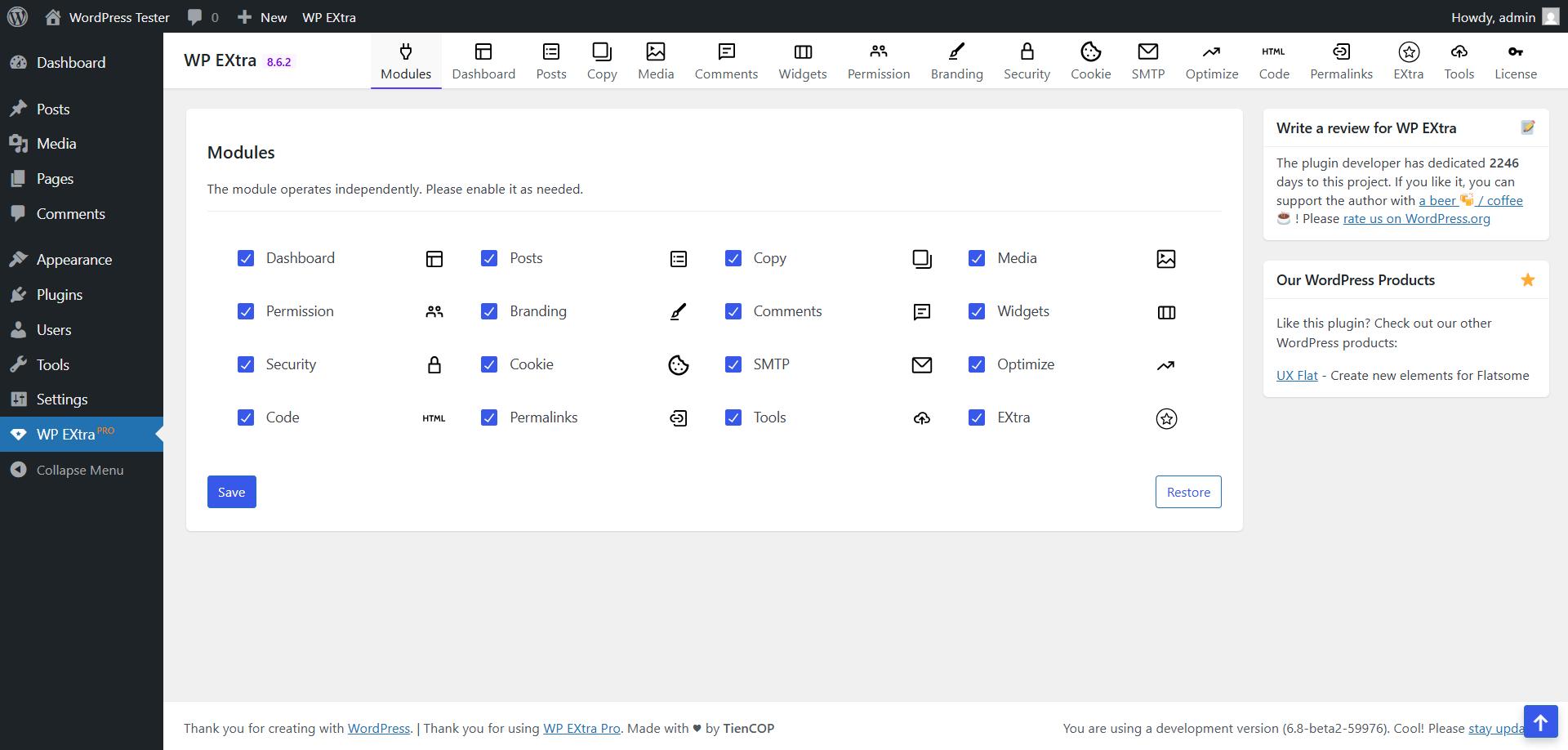
This tool is a must-have for your website as it offers a range of useful features. It can disable the new Gutenberg Editor, customize the default editor, automatically save images, create draft clones of posts or pages, prevent content copying, optimize images for SEO, change the admin login URL, and hide the admin bar for non-admin users. It's a great way to streamline your website management and improve your SEO efforts.Screenshots

Frequently asked questions
What is WP Extra?
WP Extra is a WordPress plugin designed to optimize your site instantly with one-click activation. It offers easy fixes and features for WordPress.
What are some key features of WP Extra?
WP Extra includes features like disabling the Gutenberg editor, customizing the MCE editor, and automatically saving images from posts to the gallery. It also provides a persistent publish button and a post/page cloning function.
How does WP Extra help with website security and SEO?
For security, WP Extra allows you to securely change the admin login URL and hide the admin bar from non-admin users on the frontend. For SEO, it automatically optimizes images by setting Title, Alt-Text, Caption, and Description upon upload.
Can WP Extra prevent content copying?
Yes, WP Extra includes a "Do Not Copy" feature that prevents users from copying content and disables right-clicking on your site.
Changelog
8.6.1
- [FIX] Settings
8.6.0
- [NEW] Turbo
- [NEW] Quicklink
- [NEW] Bottom AdminBar
- [NEW] Remove Blocks
- [NEW] MCE Excerpt
- [FIX] SMTP
- [FIX] 404 to Home
8.5.5
- [NEW] SSL Content Fixer
- [NEW] Scroll to top Admin Area
- [NEW] Email notifications
8.5.4
- [FIX] Export to SQL
8.5.3
- [NEW] Export to SQL
8.5.2
- [FIX] Settings UI
8.5.1
- [FIX] Settings UI
8.5.0
- [FIX] Settings UI
8.4.9
- [FIX] Settings UI
- [FIX] Sidebar
8.4.8
- [NEW] Sidebar Widgets
- [FIX] TOC
- [FIX] SMTP
8.4.7
- [FIX] Settings UI
8.4.6
- [FIX] Settings UI
- [FIX] Modules
8.4.5
- [FIX] MCE Unlink
8.4.4
- [FIX] Settings UI
- [FIX] Module Duplicate
8.4.3
- [FIX] Settings UI
- [FIX] List Media
- [FIX] Fix wp-includes, wp-content
8.4.2
- [FIX] Fix Media
8.4.1
- [FIX] Language
8.4.0
- [FIX] Settings UI
- [NEW] Valid Email Domain
8.3.2
- [FIX] Settings UI
- [NEW] Module Duplicate
- [FIX] SMTP
8.3.2
- [FIX] Settings UI
- [FIX] MCE TOC
8.3.1
- [FIX] MCE TOC
8.3.0
- [FIX] MCE Clean HTML
- [NEW] MCE TOC
- [NEW] Module Cookie
8.2.2
- [FIX] Module Htaccess
- [FIX] Module Admins
- [FIX] Settings UI
8.2.1
- [FIX] Clean HTML
- [FIX] Duplicate Taxonomy
8.2.0
- [FIX] Scroll To Top
- [FIX] Classic Editor
- [FIX] Admin Bar
8.1.2
- [FIX] Clean HTML
- [FIX] Settings UI
8.1.1
- [FIX] Settings UI
8.1.0
- [NEW] TinyMCE Category Description
- [FIX] Settings UI
8.1
- [FIX] TinyMCE Plugins
- [FIX] Code CSS
8.0
- [FIX] Signature
- [FIX] Code CSS
7.9
- [FIX] Modules
- [FIX] TinyMCE Plugins
7.8
- [NEW] Modules
- [NEW] Basic Mode
7.7
- [NEW] Duplicate Term
- [FIX] Auto Save Images
7.6
- [FIX] Update readme.txt
- [FIX] TinyMCE Letter Spacing
7.5
- [NEW] TinyMCE Letter Spacing
- [NEW] Remove all tag links
- [FIX] Auto Save Images
- [FIX] Image Filename
7.4
- [NEW] TinyMCE Text Case
7.3
- [NEW] WooCommerce 8.6 compatibility
- [NEW] Delete Attached Media
7.2
- [FIX] AntiSpam
- [FIX] Login URL
7.1
- [NEW] AntiSpam
7.0
- [FIX] Settings UI
- [NEW] Cookie
6.9
- [FIX] Settings UI
- [REMOVE] Related Post
- [NEW] Extension to Pages
- [FIX] Custom Email
6.8
- [FIX] WP-Editor
- [FIX] Test Email
6.7
- [FIX] Related Searches
6.6
- [FIX] Settings UI
- [FIX] Missing Error
- [FIX] Duplicate
- [FIX] Help & Screen Options
- [NEW] 404 to Random
6.5
- [FIX] Tool Reset
6.4
- [FIX] Publish Button
6.3
- [FIX] Settings UI
- [NEW] Auto Save Images
- [FIX] Test Email
6.2
- [PRO] Image Columns
- [NEW] Duplicate Page
- [FIX] TinyMCE Plugins
- [FIX] Publish Button
- [FIX] Dashboard
6.1
- [FIX] Image metadata
- [FIX] Code Scripts
- [FIX] CSS Admin Bar
- [NEW] Default featured image
6.0
- Updated plugin settings UI.
5.9
- Fix Clear whitespace in JS and CSS
- Add Defer CSS & JS
5.2
- Add Classic Widgets
- Fix Auto Save Image
5.1
- Maintenance mode
4.1
- Woocommerce Admin Disabled
4.0
- Add Custom CSS
- Fix MCE Editor
- Fix Login Background
3.8
- Fix Allow SVG
3.7
- Add Login Background
- Add Who Can Access This Plugin
- Update MCE Editor Classic
- Fix Move Auto Remove P Tag to MCE
- Add Quick Remove Menu Admin
- Remove Update Theme & Plugin
- Remove Download Theme & Plugin
- Remove SSL (HTTPS)
- Add Minify CSS (Admin)
3.6
- Update SMTP Gmail & Other
3.5
- Add Dashboard Columns (Full width)
- Fix Allow SVG
- Fix SSL (HTTPS)
- Fix Auto Remove P Tag
- Fix MCE Flatsome
3.4
- Add Update Theme & Plugin
- Add Download Theme & Plugin
3.3
- Add Clone Widgets
- Fix Icon Shortcode
3.2
- Add MCE Table, Underline
- Add Auto Resize Image
- Fix Disables Gutenberg Editor
- Fix Auto Featured Image
- Fix MCE Flatsome
- Remove Optimize (Minify HTML, CSS & JS)
- Remove Lazy Image
3.1
- Update Remove Category URL
- Fix reCAPTCHA use integration module CF7
3.0
- Update Optimize (Minify HTML, CSS & JS)
- Update Lazy Image
- Fix Do Not Copy
- Fix Auchor link
2.2
- Clean CSS
- Fix Auto Save Images
2.1
- Beauty CSS
- 404 to Homepage
2.0
- First install of the plugin
- Initial release

