

Just another contact form plugin. Simple but flexible.
About Malcure Malware Scanner — #1 Toolset for WordPress Malware Removal
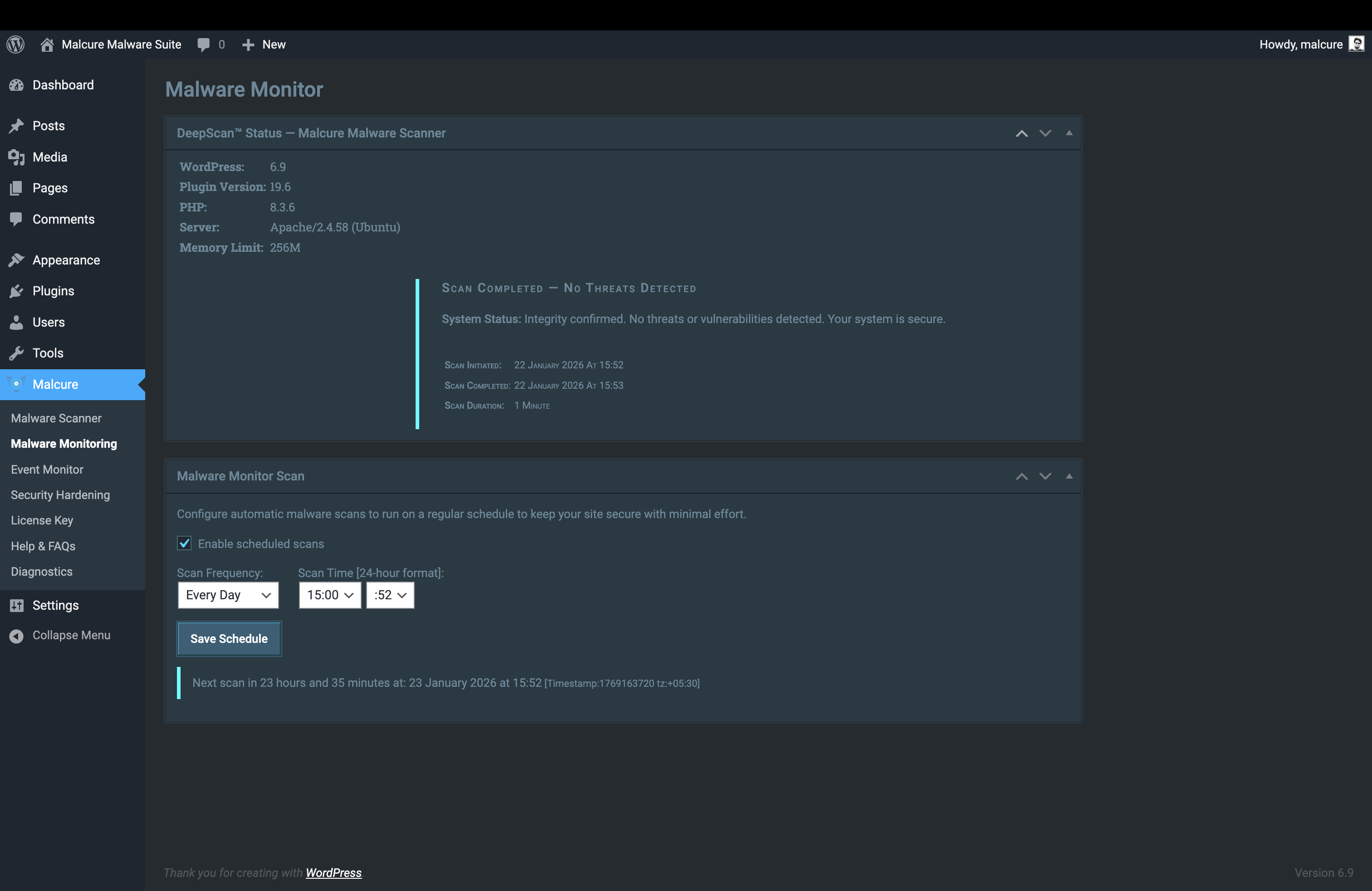
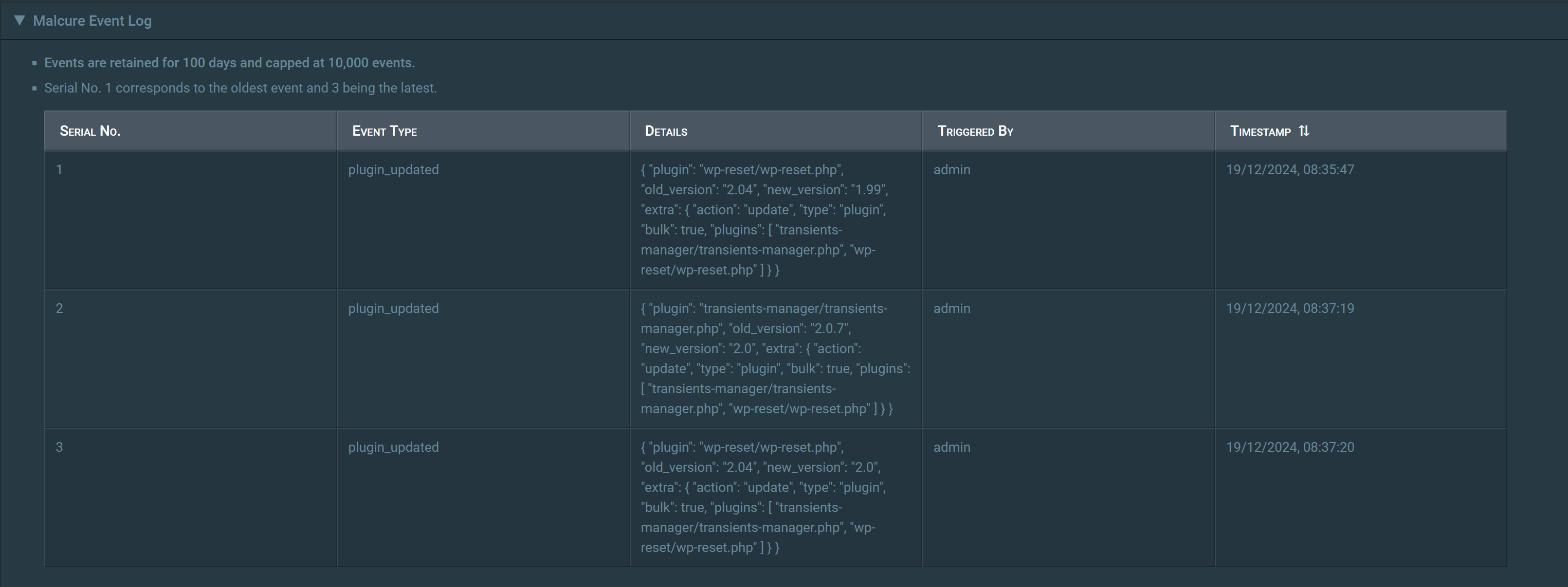
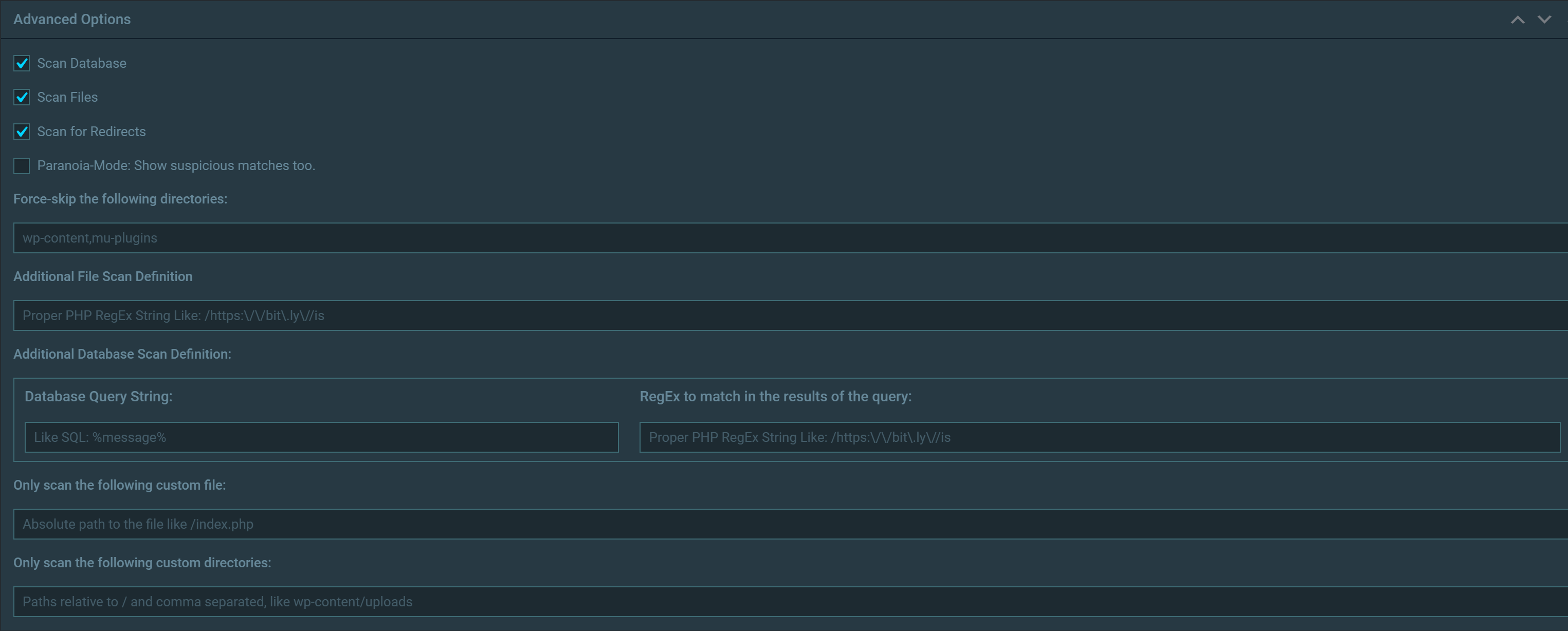
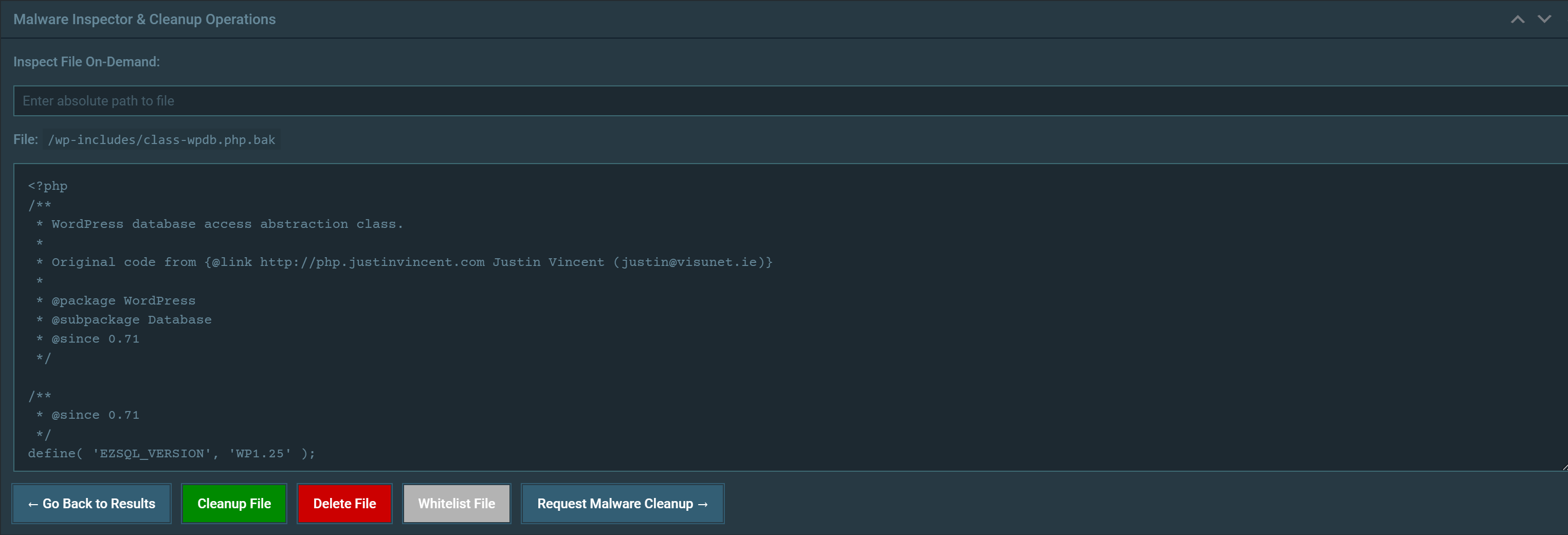
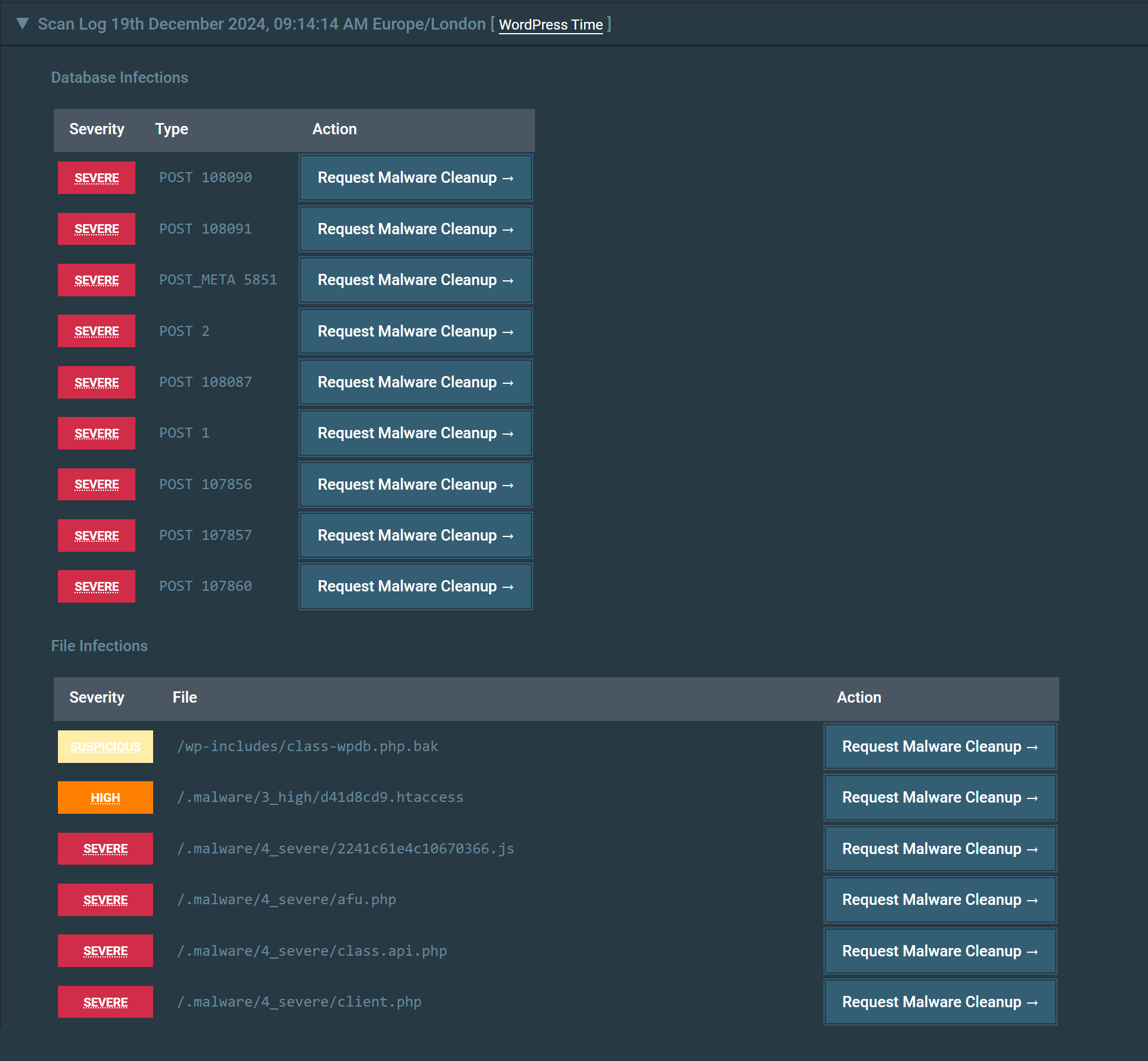
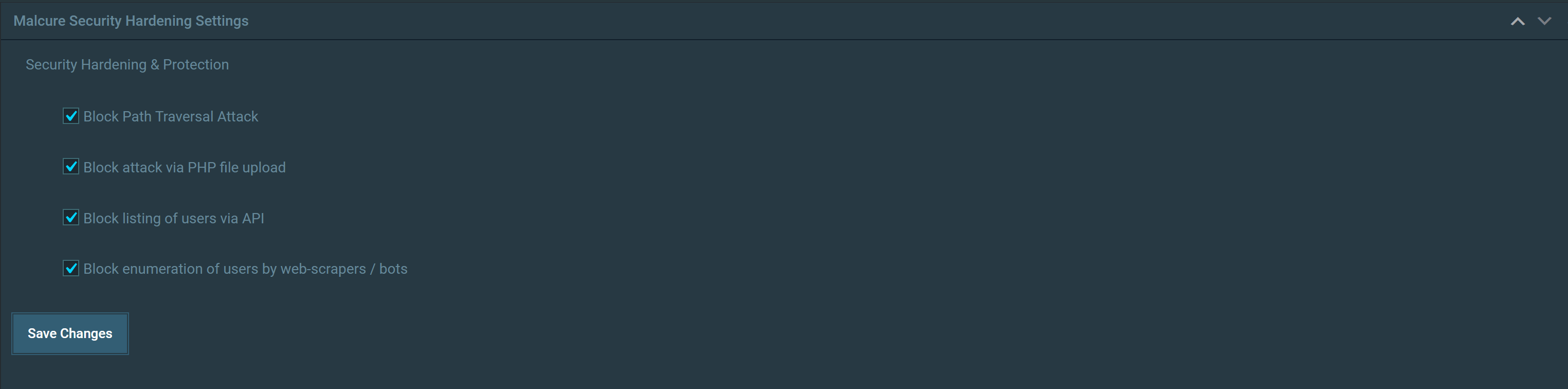
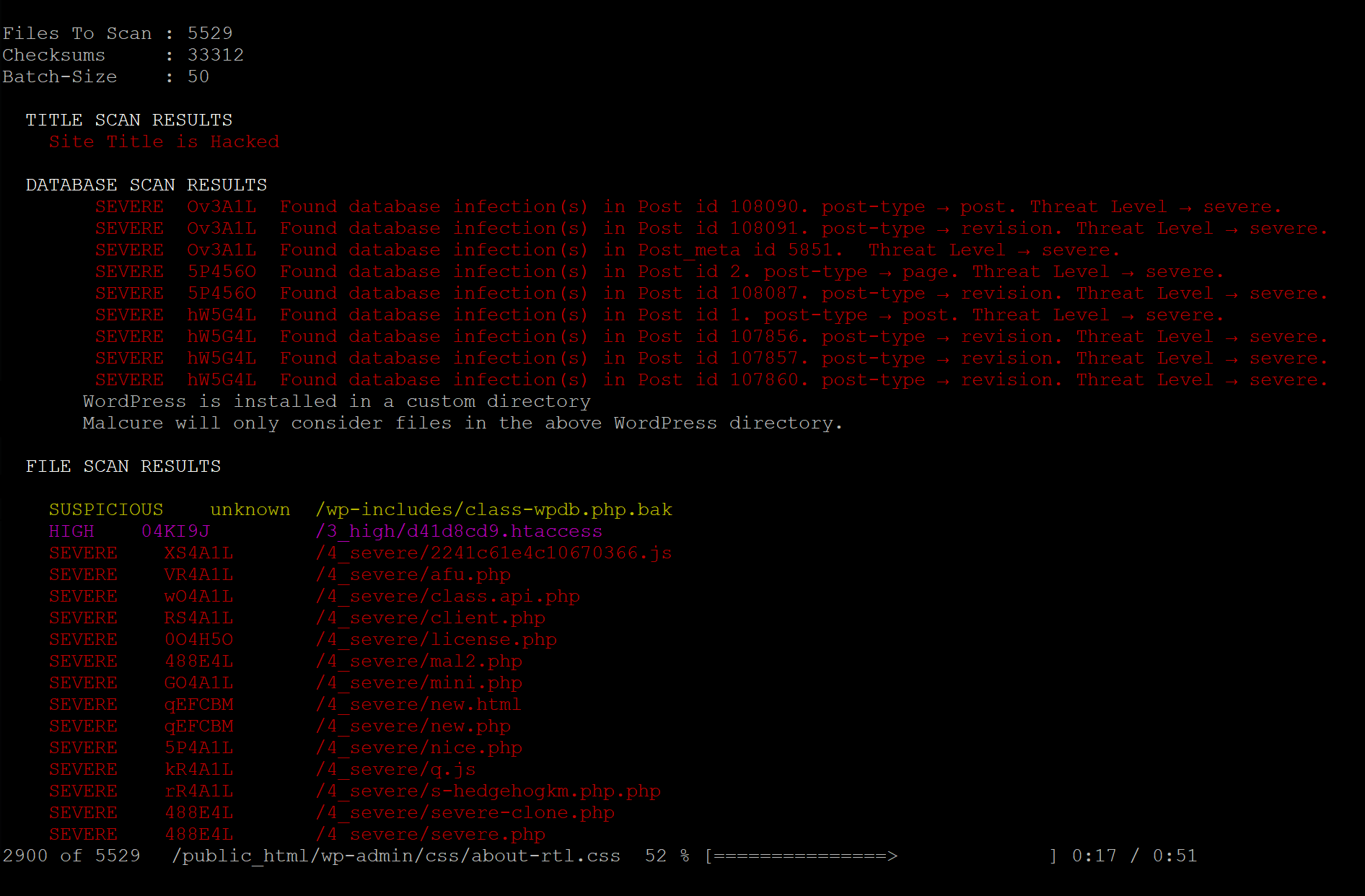
Malcure is a plugin that helps clean up hacked WordPress websites. It scans your files and database for malware, viruses, and other security threats, and helps you remove them. It also offers features like Google Search Console integration, detailed infection classification, and a comprehensive security event log.Screenshots
Frequently asked questions
What is Malcure Malware Scanner?
Malcure Malware Scanner is a WordPress plugin designed for cleaning up hacked WordPress websites. It is trusted by over 10,000 site owners and helps detect and remove various security threats.
What types of threats can Malcure Malware Scanner detect?
It can detect malicious redirects, viruses, malware, infections, security threats, trojans, backdoors, dolohen, code injections, and over 50,000+ security threats and vulnerabilities. It also scans for specific malware variants like C99, R57, RootShell, and Crystal Shell.
What does the scanner cover?
The scanner covers all WordPress files, including backups, archives, images, hidden files, and logs, as well as the database. It performs a 'Full-find Infection Scanner' to thoroughly check for hidden WordPress malware.
Does Malcure Malware Scanner offer any logging features?
Yes, it includes a comprehensive WordPress security event log. This feature allows for ultimate WordPress security event tracking to help identify the root cause of security issues and trace critical events.
Changelog
16.5
- Minor: UI Update.
- Bugfix: Added license link for easy access.
16.4
- Bugfix: Fixed database query to scan options.
16.3
- Bugfix: Fixed UI not reflecting infection when infection detected in database.
- Bugfix: Fixed infection detected in database being missed in certain conditions.
16.2
- Bugfix: In certain conditions, suspicious files inside WP core directories would not show up on rescan.
- Bugfux: Not all sessions of the current user were terminated.
16.1
- Feature: Add logging for theme deletion and plugin deletion.
- Compatibility: Works with Multisite Newtwork of WordPress.
- Minor: Updated capturing URL of failed logins.
- Minor: Better logging for checksum fetching failures.
- Minor: Other UI updates.
16.0
- Bugfix: Scanner Page could break on large sites.
- Minor: Other code refactoring and optimizations.
15.9
- Feature: Activation via WP CLI asks for license key so that it doesn’t show in the shell history.
- Feature: Capture IP for events automatically.
- Bugfix: Metabox not showing sometimes.
- Minor: Show plugin version when in WP CLI.
- Minor: UI improvements.
15.8
- Feature: Faster Database Scans.
- Bugfix: Fixed shuffle_salts function.
- Bugfix: Fixed destroy_sessions function.
- Minor: Limited event log to 10,000 entries.
- Minor: More details for upgrade event in event log.
- Minor: Added serial number to the event log.
- Minor: Updated screenshots.
15.7
- Bugfix: Fixed issues with hidden meta-boxes.
- Bugfix: Fixed styling / sorting of Event Log.
15.6
- Feature: Comprehensive Event Log.
- Bugfix: Fixed issues with missing meta-boxes.
15.5
- Bugfix: Fixed issues with missing PHP function.
- Bugfix: Session buttons were not working.
- UX: Updated UX to sit better with branding.
- UX: Better UX with license management.
15.4
- Bugfix: Some paths were not queued for scan.
15.3
- Feature: Windows / Server / IIS compatible.
- Bugfix: Malware not reported when using WP CLI.
- Others: Various other refactorings.
15.2
- Bugfix: Redirect Hack Test is more robust.
- Bugfix: Scanning single file using WP CLI wasn’t working.
- Better documentation for WP CLI usage.
15.1
- Bugfix: Database scan breks on strict hosts.
15.0
- Major: Scan database using batch processing.
- Ability to scan slow and large databases.
- Bugfix: Attempt to validate malware patterns.
- Bugfix: Checking site redirects throws warning under certain conditions.
14.3
- Changed default UI to dark skin.
- Added file blacklist.
14.2
- Updated logging.
- Made redirect scan optional.
- Other minor UI updates.
14.1
- Updated to exclude database records of a few security plugins.
14.0
- Bugfix: Incorrect activations displayed in Malcure Advanced Edition.
13.9
- Feature: Consistent UI.
13.8
- Feature: Allow clearing logs (Advanced Edition).
- Bugfix: Reset via WP CLI would fail.
- Several UI Updates.
- Several UX Updates.
- Updated WP CLI Help / Documentation.
13.7
- Bugfix: File Inspector doesn’t reset when inspecting a new file.
- Bugfix: Unreadable files are not reported.
- Bugfix: Infection count is not copied in Advanced Edition.
13.6
- Minor Bugfix: Some hosts deny access to certain files.
- Minor Bugfix: Sometimes WP CLI scan times out.
- Minor Bugfix: Consolidated file validation calls.
- Major Update: Retired HTTP based scan via WP CLI.
13.5.1
- Minor Bugfix: Audio notifications not working by default.
13.5
- Feature: Audio notifications on scan completion.
- Bugfix: Better locale detection.
13.4
- Minor UI Update.
- Tweak to reduce load on API Server.
13.3
- Bugfix: Fully compatible with PHP 8.2.
- Bugfix: Fixed timeout issues. Our server is slow and we are working to expand our infrastructure and costs.
- Feature: Verbose details when copying results (Advanced Edition).
13.2
- Bugfix: Some ajax actions throw PHP warnings.
13.1
- Bugfix: Aggregate Scan-speed and start-time broken on second iteration.
13.0
- UX: Mouse-wheel event to update the scan speed slider.
- UX: Updated the default scan speed to 11.
- UX: Realistic time remaining on second iteration.
12.9
- Bugfix: File incorrectly being reported as a file inside core direrctories.
12.8
- Bugfix: Notification doesn’t show correct message in some cases.
12.7
- Major UX improvements.
- Feature: Better notification system.
- Feature: WordPress Salt Shuffler.
12.6
- Feature: Added ability to save scan-log to a file when used with WP-CLI.
12.5
- Bugfix: Fixed formatting of copied results.
- Bugfix: Fixed js error when trying to repair a file.
12.4
- Bugfix: Error thrown when repairing a file.
- Bugfix: UI not reflecting the updated version of signatures.
- Bugfix: Better file filtering when WordPress is installed in a custom directory.
- Bugfix: Better verbosity in WP CLI.
- Feature: Major revamp in CLI functions.
- Feature: Major revamp in CLI function documentation.
12.3
- Bugfix: Better support for symlinks on some web-hosts.
- Bugfix: Minor performance optimisations.
12.2
- Bugfix: Better support for symlinks.
- Bugfix: Results do not reset on rescan.
12.1
- Bugfix: Emergency Release. Missing function hrtime in PHP 5.6 breaks the plugin.
12.0
- Bugfix: Definition updates not available when automating with WP CLI.
- Feature: Ability to force reset in unattended mode with WP CLI
- Bugfix: Inconsistency with get_home_path and ABSPATH.
- Feature: Report timings during scan.
- Feature: Report when WordPress is installed in a custom directory.
- Feature: Many UX improvements.
- Feature: Many code optimisations / refactoring, ability to traverse into softlinks.
11.9
- Bugfix: Scan failure reported as suspicious.
- Bugfix: Core file not reported if suspicious.
- Bugfix: Mismatching of version.php.
- Feature: Reset plugin settings via CLI.
- Feature: Other CLI improvements.
11.8
- Feature: Massive speed optimizations.
- Feature: Switched to more secure hash.
11.7
- Bugfix: Invalid suspicious incident count.
11.6
- New Feature: Infection Count.
11.5
- Bugfix: User not alerted by out of date definitions under certain conditions.
11.4
- Bugfix: User not alerted by out of date definitions.
11.3
- Better UX with CLI.
- Output detailed setup information during scan via CLI.
- Output customer info on license page.
11.2
- Bugfix: Definition Update Available notice doesn’t get removed after updating definitions.
- Bugfix: Incorrect reflection of meta_id as post_id in database scan results.
11.1
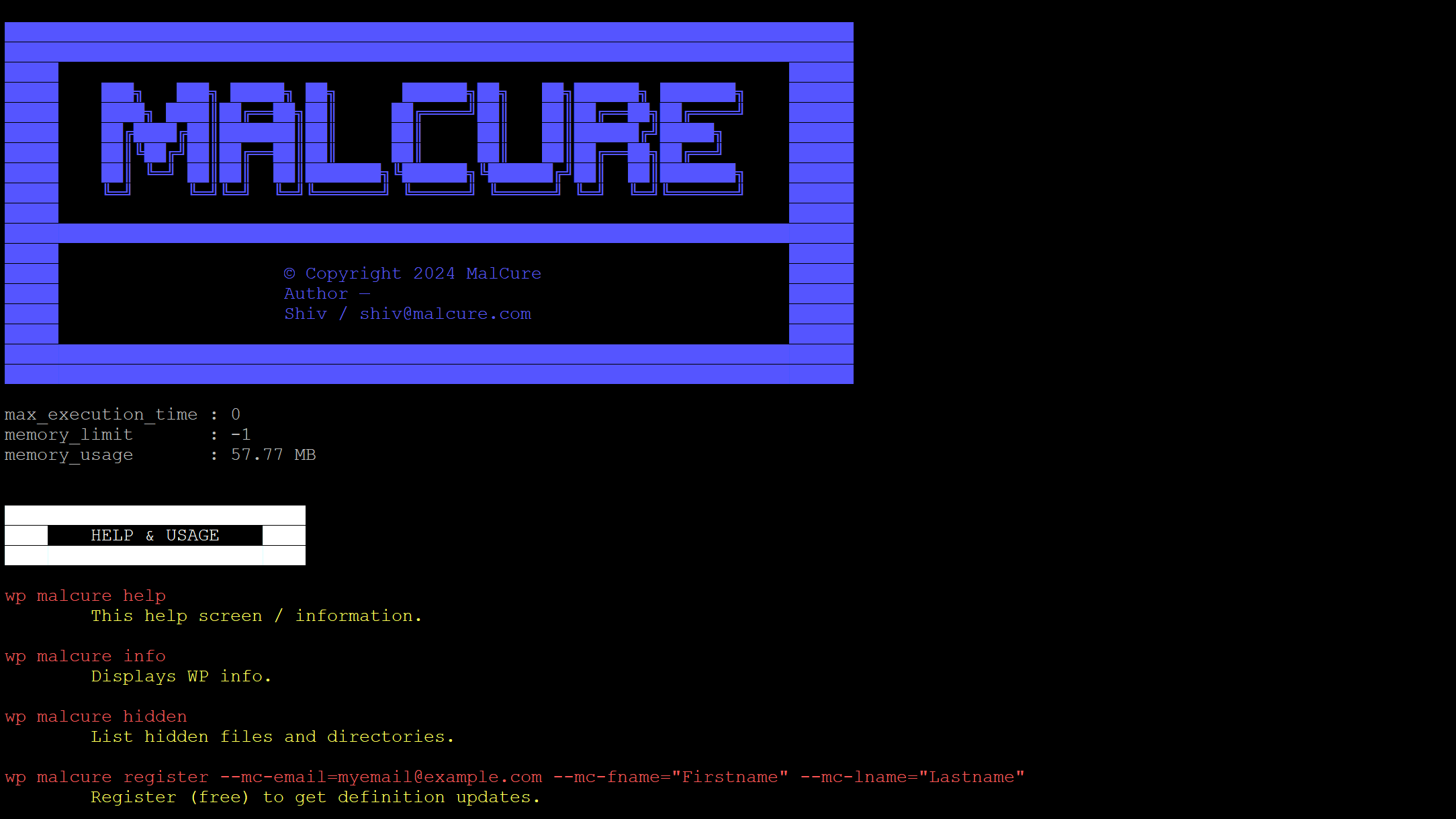
- Enhancement: Report max_execution_time, memory_limit and memory_usage on WP CLI.
- UX: User-sessions-list takes up huge amount of vertical space on multi-user sites. Shifted it down.
11.0
- Bugfix: Visibly display message if site is experience an HTTP error.
10.9
- Bugfix: CLI scan dies after the default apache timeout on mod_php.
- Bugfix: Prioritised core files.
10.8
- Bugfix: CLI scan dies after the default apache timeout on mod_php.
- Bugfix: Fixed an error if PHP DOM extension php-xml is missing.
10.7
- Feature: Skin changer to configure UI for long working hours.
10.6
- Bugfix: Scan fails to initialize on large databases or huge number of files.
- Bugfix: CLI fails to clear infection status.
- Feature: Several other UI updates.
- Others: Code refactoring.
10.5
- Feature: UI updates.
- Feature: Disabled skipping binary files.
- Bugfix: Several minor bugfixes.
10.4
- Feature: Major UI overhaul.
- Feature: Added DeepScan™ & SpeedScan.
- Bugfix: Warning thrown when optimising checksums.
- Bugfix: Fixed the Copy button copying invalid file format to clipboard.
- Bugfix: Several scan optimisations.
10.3
- Bugfix: Prevent third-party metaboxes from polluting the UI.
10.2
- Major Bugfix: Prevent engine stats error / delays from hanging the UI.
10.1
- Feature: WP-CLI progressbar shows the file being scanned.
- Bugfix: WP-CLI colors remain affected if infection is detected.
- Bugfix: De-duplication of scan when batch size is 1.
10.0
- Bugfix: Advanced version throws error when running via WP-CLI
9.9
- Bugfix: Cannot activate license from commandline.
- Bugfix: WP CLI scan timesout in certain conditions.
- Bugfix: WP CLI scan throws fatal error in certain conditions.
- Several UI fixes.
9.8
- Bugfix: Logs generating PHP warnings.
9.7
- Added error control operator to suppress errors if allow_url_fopen is not available.
9.6
- Updated readme documentation.
9.5
- Minor UI Fixes
9.4
- Improvement: License activation shouldn’t accept empty key.
9.3
- Recommit due to previous commit failure..
- Branding update.
- Bugfix: Definition-auto-update broken on WP CLI.
9.2
- Branding update.
- Bugfix: Definition-auto-update broken on WP CLI.
9.1
- UI bugfixes.
9.0
- Minor bugfixes.
- Added support button to report plugin issues.
8.9
- Minor bugfixes.
8.8
- Bugfix: Regression slowing down the scan.
8.7
- Option to disable automatic-definition updates.
- Theme checksums from the API.
8.6
- Bugfix: Suspicious files not reported sometimes.
- Updated first-run experience.
8.5
- Minor UI Updates.
8.4
- Major Bugfix: severe infections were missed sometimes.
- Bugfix: Report accurate definition count.
8.3
- Several minor bugfixes, optimizations and code refactoring.
8.2
- Bugfix: Files in root are ignored sometimes.
- Bugfix: Scan Only Dir not working.
8.1
- Feature: Check rougue redirects
8.0
- Added automation routines.
7.9
- Fixed a bug with capabilities.
7.8
- Added timestamp label on clean-scan notice.
7.7
- Bugfix: Manually entered search strings are not found (Advanced Version only).
7.6
- Bugfix: Fallback to default locale checksums in case checksums are not available.
7.5
- UI updates.
- Better message for clean site status.
7.4
- Bugfix: Updated textdomain as per specs “The text domain must match the slug of the plugin”.
7.3
- Added verbose license status.
7.2
- Whitelist module update.
- Fixed missing asset throwing 404.
7.1
- UI improvements plus CSS refactorings.
7.0
- UI, Dashboard and branding updates.
6.9
- Clean, repair, whitelist, unwhitelist files.
- Major UI improvements.
- Real-time display of the file being scanned.
- Updated styles to match system / browser dark-mode.
- Major feature launch for Malcure Advanced Edition.
6.8
- Bugfix: License is not deactivated on plugin deactivation.
- Better cleanup on uninstall / deactivation.
- Better UI indicators for features available only in Advanced Edition.
- Tested and removed broken functions from CLI which only have full integration in Advanced Edition.
6.7
- Fixed a warning on WP CLI.
- Updated compatibility with WordPress 5.4.1.
- Admin notice experience update.
6.6
- Several performance improvements and minor bugfixes.
6.5
- Tweaked checksum validity.
- Fixed compatibility error with wp_timezone_string on old WP installs.
6.4
- Scan-speed optimizations.
6.3
- Reuploaded due to svn issue.
6.2
- Show user role in user sessions.
6.1
- Bugfix: File repair operations throw error in error log if the operation fails.
- Update: List malware definition / signature version visibly on the CLI as well as web-UI.
- Several other minor updates.
6.0
- Bugfix: Show relevant notices only to relevant user-levels.
- Bugfix: Signup prompt breaks because of $ instead of jQuery.
- Bugfix: Title scan doesn’t give reliable results.
5.9
- Fixes to time format in logs.
- Bugfix: Dashboard widget shows for all user-roles.
- Alternative async scan in WP CLI mode.
5.8
- Better handling of cleaned up files in scan logs.
- Multiple UI updates to “Logs” view.
- Bugfix: Scan status doesn’t clear on clean scan.
5.7
- Feature: File clean up operations.
- Better visibility of support options.
5.6
- Disabled paranoid mode by default.
- Scan comments for malware-spam.
5.5
- Optimised scan for filesize.
- Added signature reporting in WP CLI.
- Minor bugfix in database scan.
5.4
- Bugfix: Typo in variable name.
5.3
- Feature: Malware scan logs for last 30 days.
- Implemented help section.
- Included links to T&C and privacy policy.
- Better first-run experience.
- Optimized memory usage.
5.2
- Linked results to infection details.
- Implemented notice before navigating away from results.
5.1
- Bugfix: Scan breaks if path has non-Latin1 characters.
- Bugfix: Force a premium checksum update on license activation.
- Bugfix: File name and path doesn’t change in file inspector.
5.0
- Bugfix: Definition check times-out.
- UI updates.
4.9
- Fixed a bug that would break results in case of invalid response.
4.8
- Added infection details.
- Optimized performance.
4.7
- UX Revamp from the ground up.
4.6
- Bugfix: File scan results wouldn’t show up sometimes.
4.5
- Fixed: Scroll to results wouldn’t work when infnection is detected.
- Updated default no. of files per batch for faster scans.
4.4
- Bugfix: Definition update won’t trigger sometimes.
- Bugfix: Result actionable wouldn’t trigger sometimes.
- Bugfix: Plugin throws php warnings due to typo in function definition.
4.3
- Updated firewall settings.
- Ability to reset plugin data.
- Compatibility with WordPress 5.3.

