

Just another contact form plugin. Simple but flexible.
About TJ Custom CSS
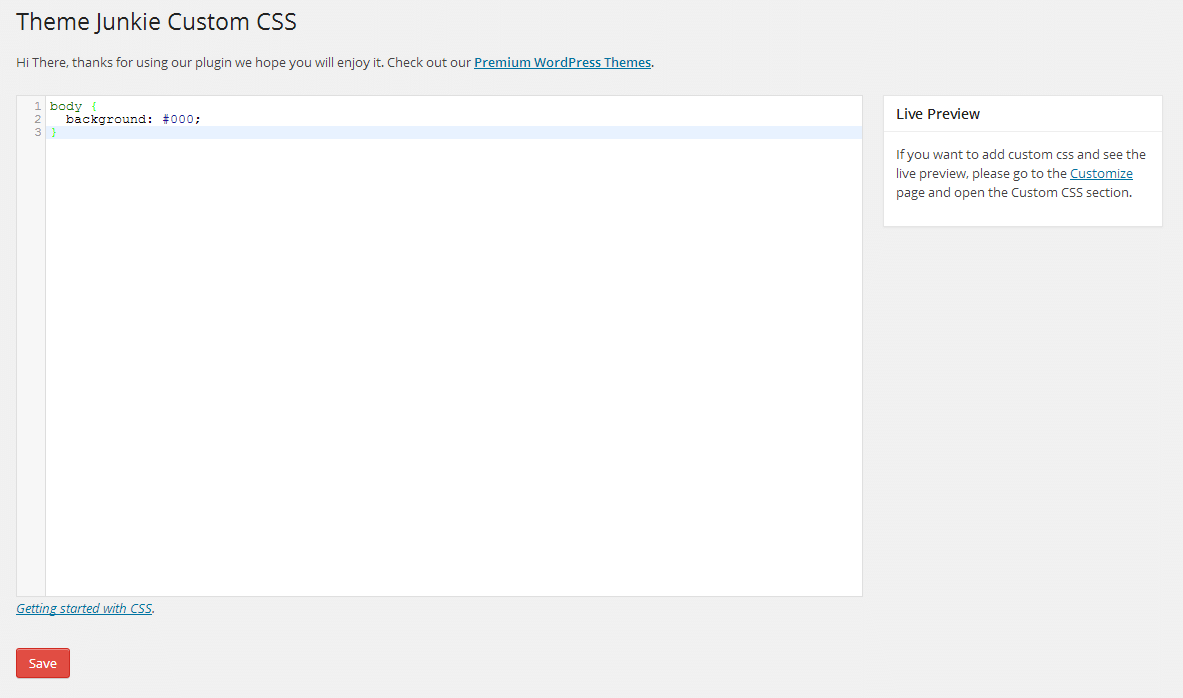
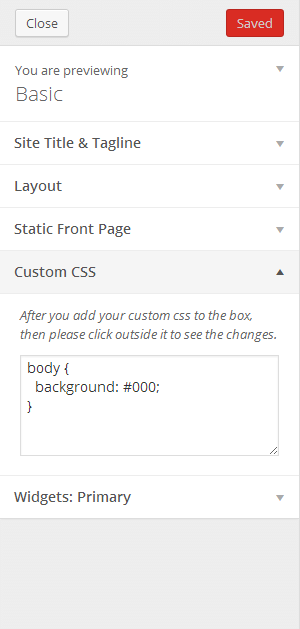
This plugin allows you to easily add custom CSS code to your WordPress website without editing theme or plugin files. It offers two ways to add the code, either through the Appearance menu or using the Live Preview feature in the Customizer. It also comes with features like live preview, easy-to-use interface, and the option to uninstall if needed.Screenshots
Frequently asked questions
What is TJ Custom CSS?
TJ Custom CSS is a WordPress plugin that allows you to easily add custom CSS code to your WordPress website. It provides a custom CSS manager on the administration page. This plugin helps override theme or plugin default styles without editing core files.
How can I add custom CSS using this plugin?
You can add custom CSS in two ways. First, go to Appearance → Custom CSS and input your code in the provided textarea. Second, for a live preview, navigate to Appearance → Customize and open the Custom CSS section tab.
What are the key features of TJ Custom CSS?
Key features include no configuration needed, live preview functionality, and ease of use. It also serves as a child theme alternative for customization and has an uninstall procedure.
Who developed TJ Custom CSS?
TJ Custom CSS was developed by Theme Junkie. You can also check out the Github repo to contribute to its development.
Changelog
0.1.6 – Feb 26, 2016
- Support WordPress 4.4.2
- Change text domain to
theme-junkie-custom-css
0.1.5 – 9/08/2015
- Fixed some selecter being striped
0.1.4 – 9/06/2015
- Support WordPress 4.3
- Update language
- Sanitize output with
wp_filter_nohtml_ksesto prevent user add any HTML code to the custom css
0.1.3 – 9/04/2014
- Tested for WordPress 4.0
0.1.2 – 8/26/2014
- Fixed:
stripslasheserror when using customizer.
0.1.1 – 8/18/2014
- Allow html entities in css selector eg.
#id > .class
0.1 – 4/20/2014
- Initial Release

