

Enables the previous "classic" editor and the old-style Edit Post screen with TinyMCE, Meta Boxes, etc. Supports all…

About Toggle wpautop
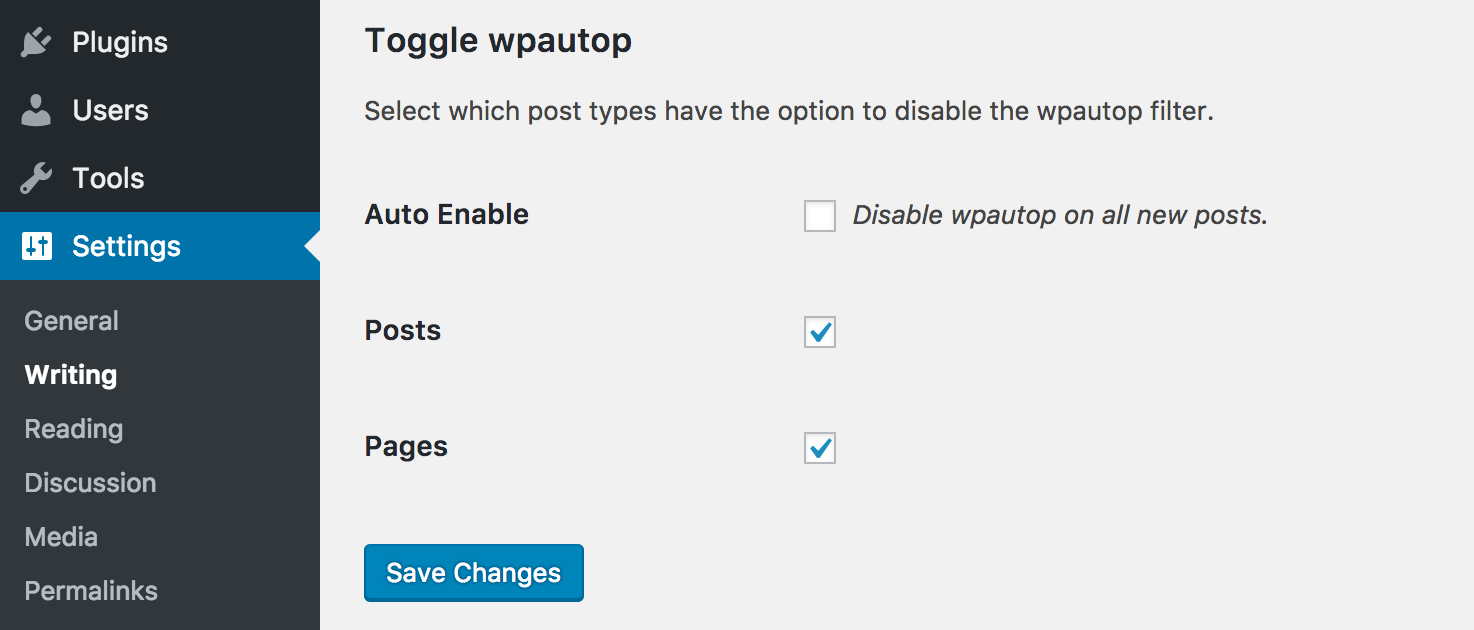
This plugin adds a checkbox to the post editor that allows you to disable the wpautop filter for individual posts. It also adds a class to the post_class filter to help with CSS styling. Please note that this plugin does not support the block editor, but works with custom post types and the Classic Editor Plugin.Screenshots

Frequently asked questions
What does the Toggle wpautop plugin do?
The Toggle wpautop plugin allows you to easily disable the default wpautop filter on a post-by-post basis. It adds a checkbox to the publish meta box on the post edit screen to control this setting.
Why would I want to disable wpautop?
The wpautop filter replaces double line breaks with <p> tags and single line breaks with <br /> tags. This can sometimes cause issues when you are inputting a lot of HTML markup in the post editor.
Does this plugin work with the block editor?
This plugin does not support the block editor. However, it should continue to work without issue when used with custom post types and the Classic Editor Plugin.
What other features does this plugin offer?
The plugin also adds a 'wpautop' or 'no-wpautop' class to the post_class filter. This can be helpful for CSS styling based on whether wpautop is enabled or disabled for a post.
Changelog
1.3.0
- Fixed minor sanitization of within the admin
- Fixed minor WPCS and PHPCS notices
- Updated plugin branding for .org
- Updated readme to link to the Classic Editor Plugin
- Updated deployment process to make releases easier
1.2.5
- Fixing an issue where http://translate.wordpress.org did not detect the stable version correctly.
1.2.4
- A few additional steps to make the plugin accessible to http://translate.wordpress.org.
1.2.3
- Move translations to http://translate.wordpress.org.
1.2.2
- Fixing PHP syntax error.
1.2.1
- Added ability for i18n using grunt-wp-i18n
- Added english default .pot
- Added minor security hardening so the class file would exit if called directly
- Updated code formatting to be more inline with WordPress coding standards
- Updated some method descriptions
- Updated plugin description to be more… descriptive.
1.2.0
- Add a setting to disable wpautop automatically on new posts.
- Add filter (lp_wpautop_show_private_pt) for enabling the plugin on private post types.
1.1.2
- Fixing bug that was preventing other settings on the writing page from saving.
1.1.1
- Fixing bug where users upgrading from 1.0 would not receive the defaults for settings that were introduced in 1.1.
1.1
- Adding the ability to choose which post types have the option to disable the wpautop filter on the Settings->Writing page.
- When activating the plugin for the first time, all post types are set to have the ability to disable the wpautop filter. This can be changed on the Settings->Writing page.
- Adding an uninstall hook to remove all traces of the plugin.
1.0
- Hello world!

