

The Elementor Website Builder has it all: drag and drop page builder, pixel perfect design, mobile responsive editing,…
About Rearrange Woocommerce Products
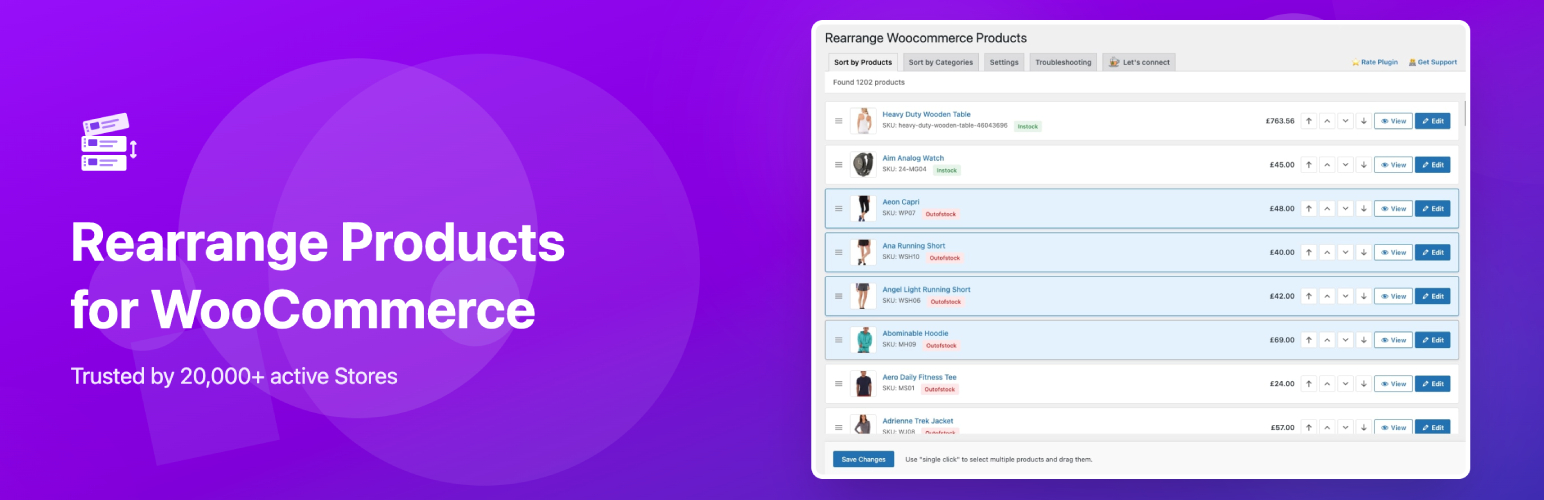
The Rearrange WooCommerce Products plugin allows you to customize the sort order of your products on your WooCommerce shop page. With drag-and-drop functionality, you can easily reorder products and customize sorting for specific categories. This plugin enhances the user experience, improves SEO performance, and increases conversions.Screenshots


Frequently asked questions
What is the Rearrange WooCommerce Products plugin?
The Rearrange WooCommerce Products plugin is a powerful tool that allows you to customize the sort order of your shop page. It gives you full control over your product sorting, allowing you to tailor the shopping experience to your customers' needs.
How does the Rearrange WooCommerce Products plugin work?
The Rearrange WooCommerce Products plugin has an intuitive 'drag and drop' functionality that makes reordering your products effortless. You can say goodbye to manual sorting and easily rearrange your products to optimize navigation and enhance user engagement.
What are the benefits of using the Rearrange WooCommerce Products plugin?
The benefits of using the Rearrange WooCommerce Products plugin include effortless customization of your shop page sort order, optimized navigation, enhanced user engagement, simple 'drag and drop' functionality, and improved product presentation to boost sales.
Are there any important notes to consider before using the Rearrange WooCommerce Products plugin?
Yes, there are some important notes to consider before using the Rearrange WooCommerce Products plugin. If you're using a page builder plugin to showcase your products, please be aware that this plugin may not be compatible. It's recommended to reach out to the developers of your page builder plugin for further guidance. Additionally, once you deactivate or delete the plugin, any rearrangements of all products cannot be reversed. If you're reordering products by categories, please keep in mind that the rearrangements will be reversed upon deactivating or deleting the plugin.
What should I do if the sort order I changed is not working on my Shop page?
If the sort order you changed is not working on your Shop page, please follow these steps: 1. Go to WordPress Admin > Appearance > Customize. 2. Select 'Woocommerce' from the left and go to 'Product Catalogue'. 3. Check for 'Default Product Sorting'. 4. Make sure it is set to 'Default sorting (custom ordering + name)'.
Changelog
Version 4.3.1
- tested with wordpress version 6.7.1
- tested with woocommerce version 9.5.2
Version 4.3.0
- Added settings to enable/disable override main loop or all loops
- tested with wordpress version 6.5.3
- tested with woocommerce version 8.9.1
Version 4.2.0
- Make plugin compatible with HPOS ( High-Performance Order Storage )
- tested with wordpress version 6.4
- tested with woocommerce version 8.2.1
Version 4.1.7
- Fix – under admin, some products not visible while sorting by category
- tested with wordpress version 6.3
- tested with woocommerce version 8.0.1
Version 4.1.6
- Fix enqueue_assets hook not checking hook name properly when site is using different language.
Ref: https://wordpress.org/support/topic/products-are-no-longer-displayed-in-categories/#post-16934448
Version 4.1.5
- Fix sort by “Latest” option not working
Version 4.1.4
- tested with wordpress version 6.2.2
- tested with woocommerce version 7.9.0
- Added fix where products were missing on categories pages
- Added fix where is_product_category() was not working
- other minor bug fixes & cleanup
Version 4.1.3
- tested with wordpress version 6.2.0
- tested with woocommerce version 7.7.0
- moved the plugin pages to top level of admin menu
- bug fixes
Version 4.1.2
- tested with wordpress version 6.1.1
- tested with woocommerce version 7.2.0
- added page for troubleshooting guidelines
Version 4.1.1
- Added translations for:
- English (Canada)
- English (UK)
- French (France)
- Spanish (Colombia)
- Spanish (Venezuela)
- Russian
- Hindi
- Spanish (Ecuador)
- Chinese (China)
- Spanish (Spain)
Version 4.0.9
- added Troubleshooting steps for fix missing products issue
- tested with woocommerce version 6.5.1
Version 4.0.8
- updated all node/npm packages to latest stable version
- tested with wordpress version 5.9.3
- tested with woocommerce version 6.4.1
- added notes for developers for contributing to plugin
Version 4.0.5
- added global translation support
Version 4.0.4
- added plugin translation support
Version 4.0.3
- minor security patch to escape sql query
Version 4.0.2
- minor security patch
- tested with woocommerce version 6.3.1
Version 4.0.1
- delete entries from postmeta table when plugin uninstalled/deleted from admin
- fixed the issue that was making navigation menus unordered
Version 4.0.0
- Fixes made for user roles and permissions checking
Version 3.0.9
- Do not escape post title
Version 3.0.8
- Updated code to follow WPCS Protocol
- Check for plugin authorization properly
- Add CSRF security on Ajax requests
Version 3.0.7
- Security fixes: disable direct code file access from browser
Version 3.0.6
- Minor security fixes
Version 3.0.5
- Security Fixes: Removed nonpriv handlers
- Security Fixes: Added security to remove all SQL injections added as input
- Minor fix for checking product loop inside pre_get_posts hook
Version 3.0.4
- Fixed: While sorting by categories, some products that are added recently were not visible.
- Code re-factoring and cleanup.
Version 3.0.3
- Fixed: Keep default sort order on frontend if it was not updated for Categories.
Version 3.0.2
- Fixed: Category orders not showing any products due to meta_query not found.
Version 3.0.1
- Re-published the files as in v3.0.0, the files were not published properly
Version 3.0.0
- Ability to sort products by any product category
- Ability to select multiple products by single click and sort them at once
- Removed feature to sort by Tags as it was not being used and also had unresolvable bug due to WC limitations
- Tested for Woocommerce Version 5.7.1 and WordPress Version 5.8.1
- Code cleanup
Version 2.3.6
- Tested for Woocommerce Version 4.8.0 and WordPress Version 5.6
- Code cleanup
Version 2.3.5
- Tested for Woocommerce Version 4.7.0 and WordPress Version 5.5.3
- Tested with Storefront Theme Version 2.9.0
- Minor bug fixes with Group by Categories & Tags sorting.
- In group by categories parent category was also including products from child categories. So they were repeated to 2 places. This has been updated to show products exactly below their parent categories only. (changed ‘include_children’ to “false” in tax_query)
- Styling issue fixed for long product names
- Added button to expand/collapse all categories & tags
Version 2.3.1
- Tested for Woocommerce Version 4.3.1 and WordPress Version 5.4.2
- Added important notices for sorting by categories and tags
Version 2.3.0
- Added feature to group and sort by Product Tags
- Added feature to move products up, down, top, bottom of the list using arrow buttons
- Added serial numbers(not ID) to each products so it can give us idea on which product’s sort order we changed
- Added current user check for “manage_woocommerce” capability
- Plugin information updated to properly show “tested upto” version of Woocommerce
- Added security to disable direct access to the plugin PHP files
Version 2.2.0
- Added expand/collapse feature on categories to clear the clutter
- Fixed a minor bug that was happening while activating the plugin
- Tested for Woocommerce Version 4.0.0 and WordPress Version 5.3.2
Version 2.1.2
- Hide Products from list that are set as “private”
- Added a fix for bug that was checking the user role
- Tested for Woocommerce Version 3.7.1 and WordPress Version 5.2.4
Version 2.1.1
- Added shortcut button to edit products
- Tested for Woocommerce Version 3.7.0 and WordPress Version 5.2.3
Version 2.0.0
- Added feature to group products by categories
- Added feature to preview product info from same page
- Added some minor bug fixes
- Tested for latest Woocommerce version 3.6.3
Version 1.1.1
- Added fix as the plugin was not working for some people. As it was using static table prefix “wp_”. So changed it to dynamic table prefix to work will all kind of WP Databases.
- Tested for latest Woocommerce version 3.5.3
Version 1.1.0
- Added capability to handle huge amount of products.
- Combined multiple sql update queries into one query.
Version 1.0.0
- Initial release.

