

The Elementor Website Builder has it all: drag and drop page builder, pixel perfect design, mobile responsive editing,…
About Social Share Buttons, Social Sharing Icons, Click to Tweet — Social Media Plugin by Social Snap
Social Snap is a WordPress social sharing plugin that helps drive more traffic and increase engagement by leveraging the power of social media. It offers customizable social share and follow buttons, placement options, and is lightweight and fast-loading. The plugin also has a Pro version with additional features like social login, social auto-posting, and content locking.Screenshots








Frequently asked questions
What is Social Snap?
Social Snap is a WordPress social sharing plugin designed to help drive traffic and increase engagement through social media. It allows visitors to easily share content on various social networks. The plugin is designed with a high-end UX/UI, making it suitable for both beginners and advanced users.
What social networks do Social Snap buttons support?
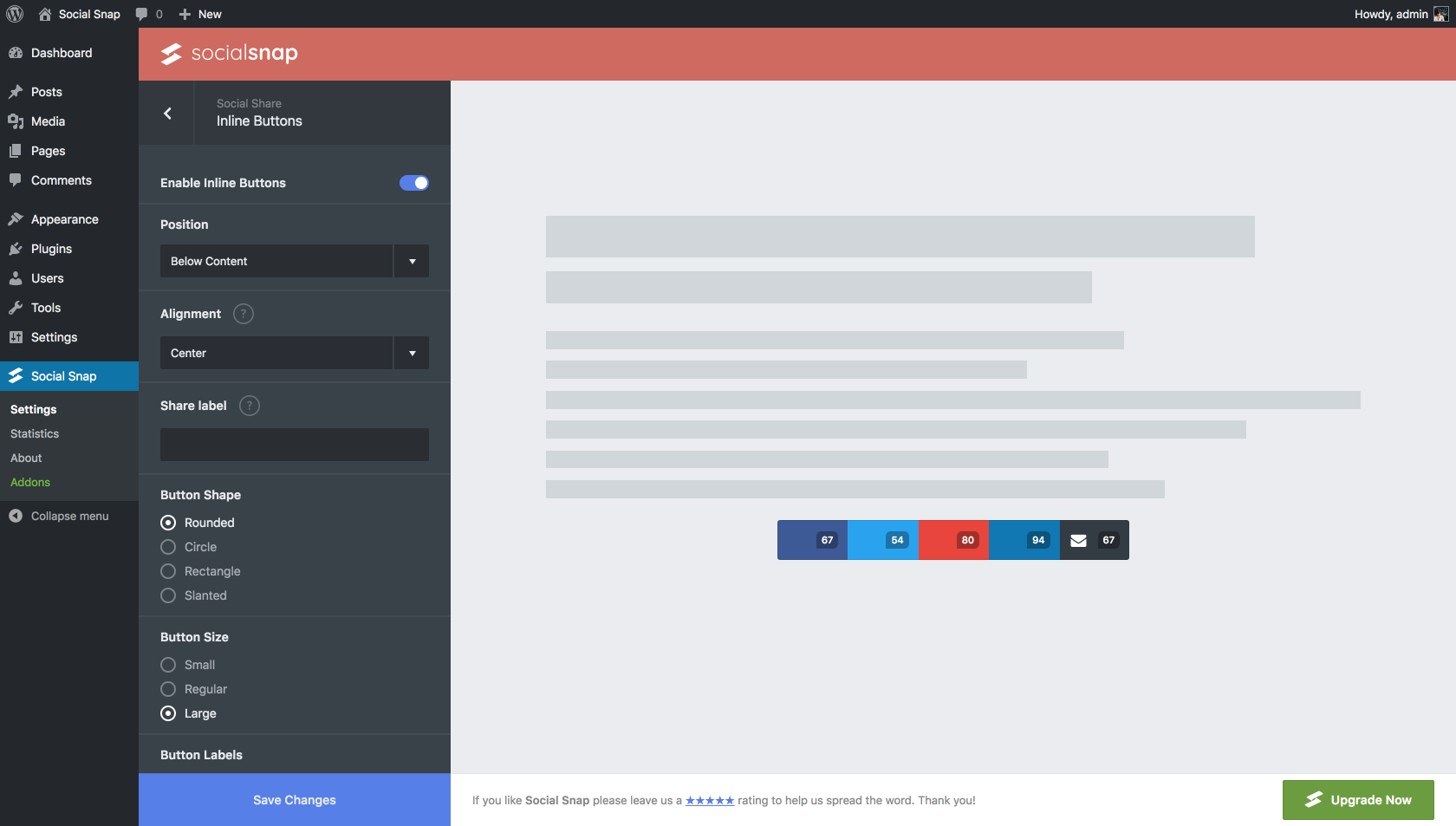
Social Snap supports share buttons for popular social networks including Facebook, X (Twitter), and LinkedIn. It also offers options to share via Mix, Email, Print, and Copy Link. Users can choose which share buttons to display and can also utilize a 'More Networks' button to hide additional options.
How does Social Snap affect website performance?
Social Snap is designed for fast performance, loading asynchronously and using vector icons. This approach ensures that the plugin does not slow down your website, unlike some other social sharing plugins. The developers focused on making its performance top-notch.
Can I customize the share buttons?
Yes, Social Snap allows for easy customization of its social share buttons. You can edit share button labels and display different buttons for mobile and desktop screens. It also offers the ability to display individual and/or total share counts.
Changelog
1.3.6
- Improved: Security
1.3.5
- Added: Option to allow share all popup on custom buttons.
- Fixed: Oversized X (Twitter) logo.
- Improved: Security
- Improved: PHP Compatibility
1.3.4
- Updated: X (Twitter) logo.
1.3.3
- Fixed: Custom style not working.
1.3.2
- Improved: Security.
1.3.1
- Added: Translation option for follow links.
- Added: Compatibility with Bricks Builder.
- Fixed: On media buttons break image height.
- Fixed: “Powered By” link was enabled by default.
1.3
- Fixed: Custom query args not included in share link.
- Fixed: On media buttons add white space below image.
- Fixed: Twitter share popup height.

