

Enables the previous "classic" editor and the old-style Edit Post screen with TinyMCE, Meta Boxes, etc. Supports all…

About Videopack
Videopack is a plugin for WordPress that enhances video functionality on your website. It allows you to generate thumbnails from your videos, create a responsive video player, and provide multiple resolutions for your videos. You can also create a video gallery using Videopack. However, please note that it is not compatible with the Block Editor and requires the Classic Editor.Screenshots
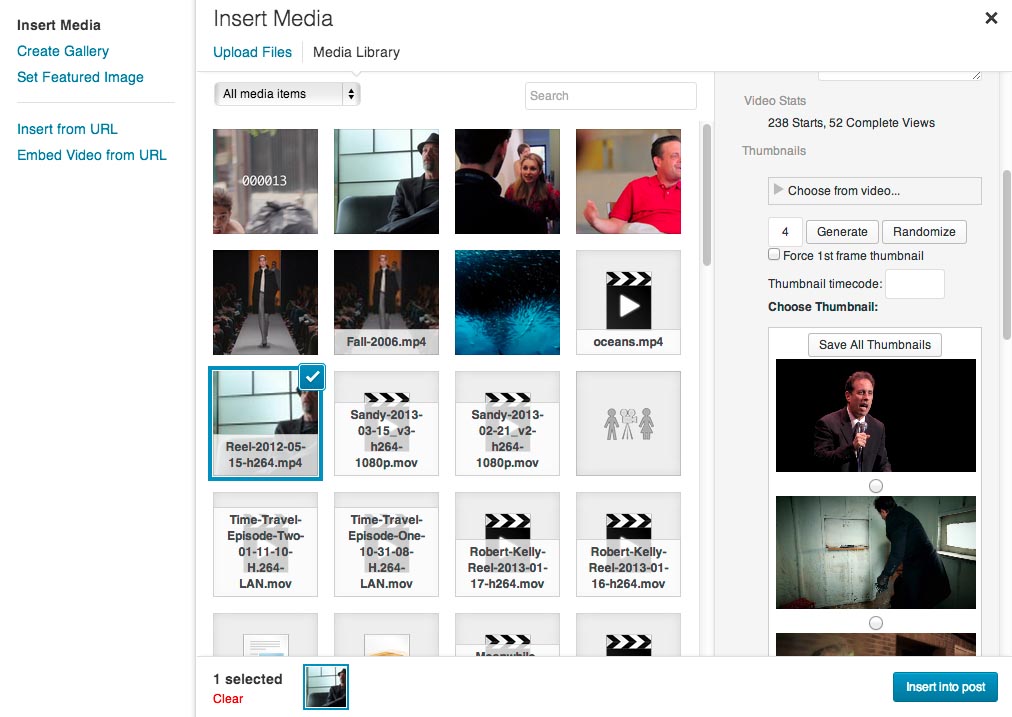
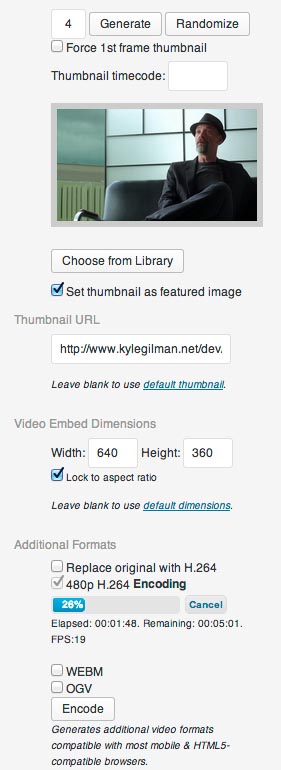
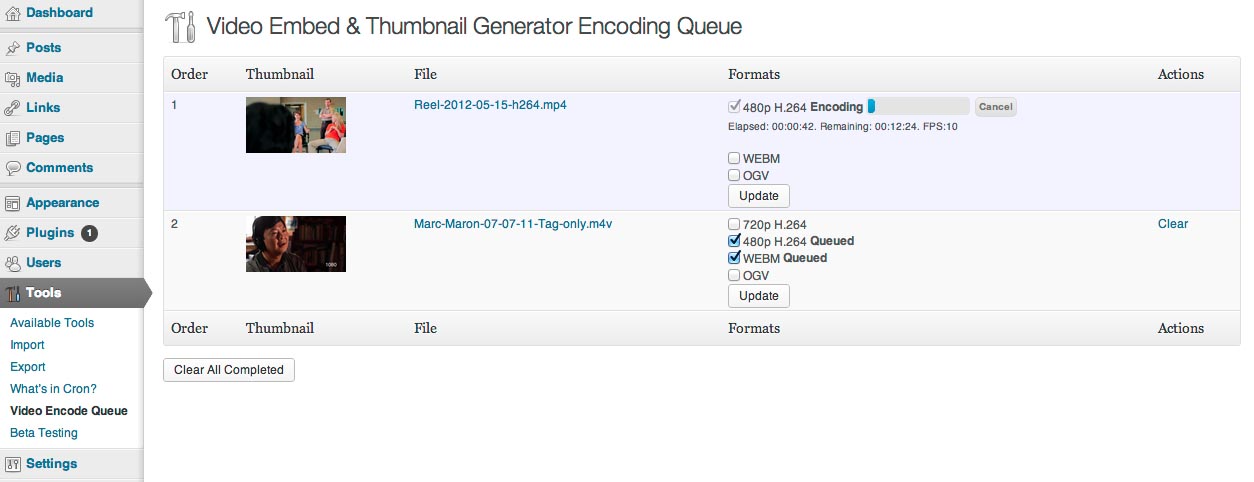
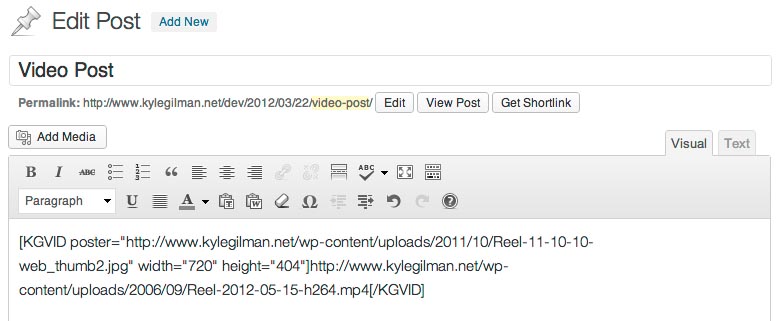
Frequently asked questions
What options does the video plugin add to the WordPress Media Library?
The video plugin adds several options to any video uploaded to the WordPress Media Library. It allows you to generate thumbnails from your video if it can be played natively in your browser or if you have FFMPEG installed on your server.
Can Videopack automatically select the closest H.264 resolution to the size of the player?
Yes, if you provide multiple H.264 resolutions, Videopack can automatically select the one closest to the size of the player or a resolution of your choice. It also provides a button for users to manually select the resolution.
What can Videopack be used for?
Videopack can be used to create a flexible, responsive video player by using the shortcode generated in the post editor. It can also be used to create a popup video gallery using options similar to the WordPress image gallery shortcode.
Can advertisements be added to videos using Videopack?
Yes, you can add advertisements to your videos using the Videopack Ads premium add-on. The add-on can be purchased from the Add-ons tab of the Videopack Settings page or on the Videopack website.
Is Videopack compatible with the Block Editor?
No, Videopack is not compatible with the Block Editor. It is recommended to continue using the Classic Editor.
Changelog
4.10.3 – Januray 27, 2025
- Fixed bug that left FFMPEG settings enabled when FFMPEG is not present on server.
- Fixed bug that limited the list of users to email encoding errors to.
- Updated Video.js to v8.20.0, Freemius SDK to v2.11.0, and Symfony/Process to v5.4.47
4.10.2 – May 8, 2024
- Fixed bug that prevented disabling the “Set all videos to expand to 100% of their containers” setting.
- Better resizing for the settings page sample video.
4.10.1 – April 7, 2024
- Switched custom database query for looking up attachment IDs via URLs to the WordPress function attachment_url_to_postid() which could result in some video URLs no longer returning attachment IDs when the video player code is generated. That would prevent features like video play recording in the WordPress database, and would only apply to shortcodes that don’t include attachment IDs. Please let me know if this happens to you.
- Revised thumbnail generation to work with PNG as a fallback when GD is not configured to support JPG.
- Fixed “replace original” encoding when newly-encoded files are a different format from the original. Original formats are now deleted after the replacement encode format is complete.
- Added extra check that attachment files are deleted when deleting encoded video formats.
- Fixed bug that always enabled the custom format encode setting.
- Fixed typo in FFMPEG rotation test filename.
- Made sample video on the Videopack settings page responsive.
- Added WordPress Playground Blueprint for easy plugin previews.
- Added a VIDEOPACK_FREEMIUS_ENABLED constant to disable loading Freemius.
- Confirmed compatibility with FFMPEG v7.0
- Updated Freemius SDK to v2.7.0
4.10 – March 24, 2024
- Changed browser-thumbnail upload process to use blobs instead of data URLs and switched to wp_handle_upload instead of custom process for enhanced security.
- Removed Video.js v7
- Restored Freemius SDK after accidentally disabling it in 4.9.6.
- Changed audio codec for VP8/VP9 encoding from libvorbis to libopus.
- Updated FFMPEG status checking to account for log output changes in FFMPEG version 6.1
- Fixed errors when FFMPEG “Encode quality control method” was set to Average Bit Rate.
- Added custom hooks related to thumbnail generation.
- Updated Video.js to v8.10.0 and Symfony/Process to v5.4.36
4.9.6 – February 26, 2024
- Fixed uninstall routine for more complete cleanup when deleting the plugin.
- Disabled Chromecast overlay button on videos used to make thumbnails.
- Removed comma after final parameter in function call that caused errors in PHP versions earlier than 7.3.
4.9.5 – February 7, 2024
- Fixed bug that failed to save some Videopack settings when they were disabled.
- Fixed thumbnail rotation bug for vertical videos when using FFMPEG versions earlier than 6.0.
- Fixed bug that set the “FFMPEG Exists” option to an invalid value when upgrading to Videopack v4.8. If no settings that triggered a check for FFMPEG were changed in the year since then, FFMPEG would not execute.
- Improved options validation and FFMPEG test encode process.
- Removed “Insert title above video” option when inserting videos into posts.
4.9.4 – January 23, 2024
- Fixed bugs that interfered with Media Library functions that don’t involve videos, including image gallery editing.
- Improved text track (subtitle/caption) box.
4.9.3 – January 22, 2024
- Multiple fixes for in-browser thumbnail generation to make the process more stable.
- Restored inline “autoplay” attribute to Video.js video elements.
- Enabled default Video.js keyboard controls.
- Prevented page scrolling while pop-up video gallery is open.
- Replaced WordPress Default player elements with Videopack-generated ones for compatibility with URLs that contain query strings.
- Updated method for determining the location of FFMPEG on the server to allow automatic discovery in the system PATH.
- Updated Video.js to v8.9.0, Freemius SDK to v2.6.2 and Symfony/Process to v5.4.34.
4.9.2 – January 13, 2024
- Fixed unpausable audio on autoplayed Video.js players (including Video Galleries).
- Fixed WordPress Default player initialization.
- Fixed unnecessary override of some canonical redirect filters.
- Improved saving thumbnails generated by FFMPEG.
- Improved manual selection of thumbnails from the Media Library.
- Improved saving plugin settings.
- Added filters for customizing video source URLs, and removed unnecessary query strings.
- Removed unnecessary browser console debugging messages.
4.9.1 – November 10, 2023
- Improved in-browser thumbnail generating process.
- Improved animated GIF detection.
- Added option to change default behavior when inserting videos into a post.
- Added check for Videopack embed URLs to maintain embedding functionality after attachment pages were disabled in new WordPress 6.4 installations.
- Updated Video.js to v8.6.1 and Freemius SDK to v2.6.0.
4.9 – September 12, 2023
- Removed Video.js v5.
- Removed support for FFMPEG versions older than approximately 10 years.
- Added options for skip forward/backward buttons in Video.js v8 players.
- Fixed bug that rotated vertical videos incorrectly when encoding video formats.
- Restored video thumbnail watermark previews on the settings page.
- Improved methods for determining the mime type of URLs and animated GIF detection.
- Revised FFMPEG scaling method to use the “scale” video filter instead of -s
- Removed width setting from custom video encoding formats. Width will be calculated automatically to match the aspect ratio of the original video.
- Added new sample video to plugin settings page.
- Updated Video.js to v8.5.2 and v7.21.5
- Updated Freemius SDK to 2.5.12
- Updated Symfony/Process to v5.4.28

