

Just another contact form plugin. Simple but flexible.

About WP Subtitle
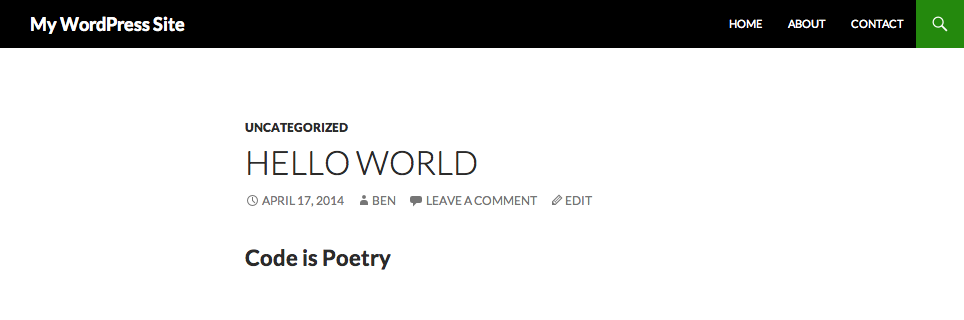
The WP Subtitle plugin allows you to add a subtitle to your pages and posts. You can display or retrieve the subtitle using the provided API, and customize the appearance of the subtitle using parameters. The plugin also supports integration with WooCommerce, Yoast SEO, and SEOPress plugins.Screenshots


Frequently asked questions
What does the WP Subtitle plugin do?
The WP Subtitle plugin allows you to add subtitles (also called sub-headings) to your pages, posts, or custom post types. This short line of text is typically displayed beneath the main title.
How can I display the subtitle in my theme?
You can display the subtitle in your theme template files using the 'do_action' function with 'plugins/wp_subtitle/the_subtitle'. This function accepts parameters for 'before', 'after', 'post_id', and 'default_value'.
How can I retrieve the subtitle programmatically?
You can retrieve the subtitle programmatically using the 'apply_filters' function with 'plugins/wp_subtitle/get_subtitle'. This filter also accepts parameters for 'before', 'after', and 'post_id', and allows for a default value if no subtitle exists.
What parameters are available for displaying or getting the subtitle?
The available parameters are 'before' (text to place before the subtitle), 'after' (text to place after the subtitle), and 'post_id' (the ID of the post, page, or custom post type). For displaying, there is also 'default_value'.
Changelog
3.4.1
- Security: Resolve XSS issue by improving sanitization when saving subtitle custom field.
- Pass the current post object to the
wps_subtitle_field_placeholderfilter. Props Dominik Schilling.
3.4
- Added support for the SEOPress plugin. Props @chriselkins.
- You can now update the subtitle via the REST API. Props @chriselkins.
3.3.1
- Fixed broken closing H2 tag for WooCommerce subtitle. Props @faktorvier.
3.3
- New API for displaying the subtitle using
do_action( 'plugins/wp_subtitle/the_subtitle' ). - New API for getting the subtitle using
apply_filters( 'plugins/wp_subtitle/get_subtitle', '' ). - Admin column title now matches the meta box title if altered using the
wps_meta_box_titlefilter.
3.2
- Fix WordPress 5.0 compatibility – check
use_block_editor_for_post_type.
3.1
- Added
%%wps_subtitle%%placeholders for Yoast SEO compatibility. - WooCommerce compatibility. Go to
WooCommerce > Settings > Products > Displayfor settings. - Added
wps_subtitle_field_positionfilter to show subtitle admin fieldbefore_title,after_titleor in meta box. - Use metabox UI if editing in Gutenberg.
3.0
- Make
wps_subtitleavailable via WordPress REST API.
2.9.1
- Fix preview not rendering correct template and other post meta.
2.9
- Add support for post revisions. Props Fabian Marz.
- As of WordPress 4.3 no need to
esc_attr()ANDhtmlentities()– can mess up special characters.
2.8.1
- Fix PHP warning –
get_admin_subtitle_value()should be declared static.
2.8
- Allow subtitle to contain HTML (same as main post title ).
- Add
wps_default_subtitlefilter. - Use
WP_Subtitleclass to validate saving of subtitle in the admin.
2.7.1
- Fix incorrect post ID reference preventing subtitle from saving.
2.7
- Trim subtitle by default.
- Apply wptexturize() on subtitle.
- Use WP_Subtitle class to manage post subtitle.
2.6
- Security Update: Sanitize
$_REQUESTand$_GETwhen establishing post type in the admin. - Added quick edit support for subtitle. Props Fabian Marz and sun.
- Allow subtitle post meta key to be filtered using
wps_subtitle_key. - Add German translation. Props hatsumatsu.
2.5
- Add [wp_subtitle] shortcode.
- Do not use variable for textdomain – causes issues for parsers.
- Declare methods as public or private.
2.4.1
- Fix PHP notice warning on 404 error page. Props Jay Williams.
- Add a little space above subtitle field when below title field in admin.
2.4
- Add subtitle admin column.
2.3.2
- Show subtitle admin field when adding new post. Props Gabriel Doty.
2.3.1
- Security Update: Ensure subtitles are sanitized when saving.
2.3
- Prevent subtitle fields from displaying on post types for which support has not been added using add_post_type_support(). Previously the fields were displayed but the subtitle would not be saved.
- Escape subtitle admin field value – fixes issues with subtitles with quotes.
2.2
- Added ‘wps_subtitle_use_meta_box’ filter to allow the edit field to be displayed in a meta box (the old way).
- Moved subtitle field from meta box to below title field in WordPress 3.5+ (props Tor Morten)
2.1
- Ready for translation – .pot file added.
- Added deprecated function warnings if WP_DEBUG enabled.
- Fix static method warnings.
- Only include admin functionality when needed.
2.0.1
- Use
<?phpinstead of just<?. - Break out some of the code into separate functions.
2.0
- Added custom post type support – use add_post_type_support( ‘{post_type}’, ‘wps_subtitle’ ).
- Added ‘wps_meta_box_title’ filter.
- Added ‘wps_subtitle’ filter.
- Added ‘wps_subtitle_field_description’ filter.
- Fixed bug in more recent versions of WordPress.
1.0
- First version.

