

WooCommerce Shipping & Tax offers automated tax calculation, shipping label printing, smoother payment setup, and other hosted services…
About Advanced Custom Fields: Image Aspect Ratio Crop Field
This plugin is for Advanced Custom Fields and allows users to crop their uploaded images to a specific aspect ratio or pixel size. It also generates thumbnails for the cropped images and allows users to re-crop the original image if needed. The plugin is compatible with WordPress 4.9 or later, PHP 5.6 or later, and Advanced Custom Fields 5.8 or later (Pro or Free).Screenshots
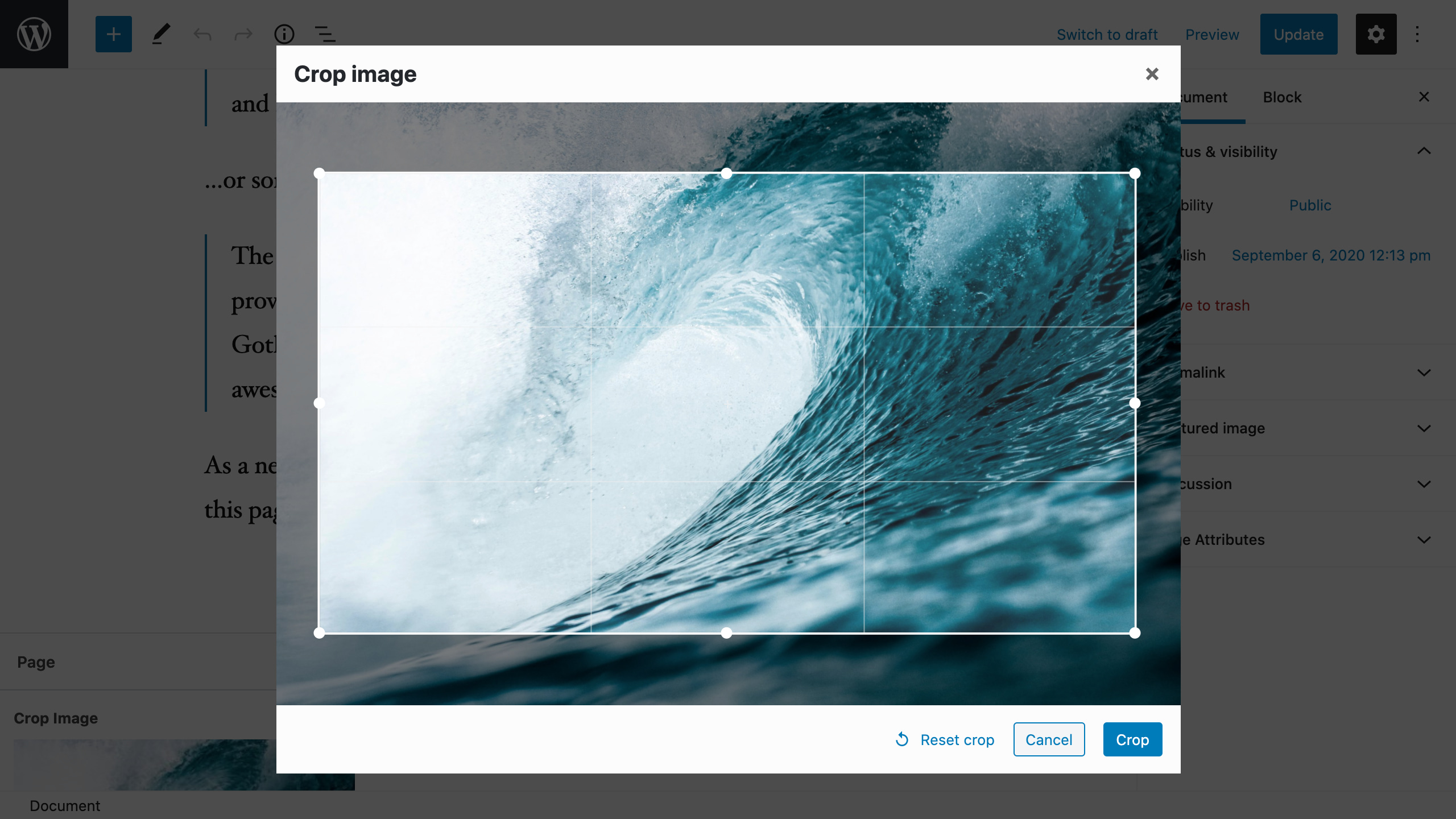
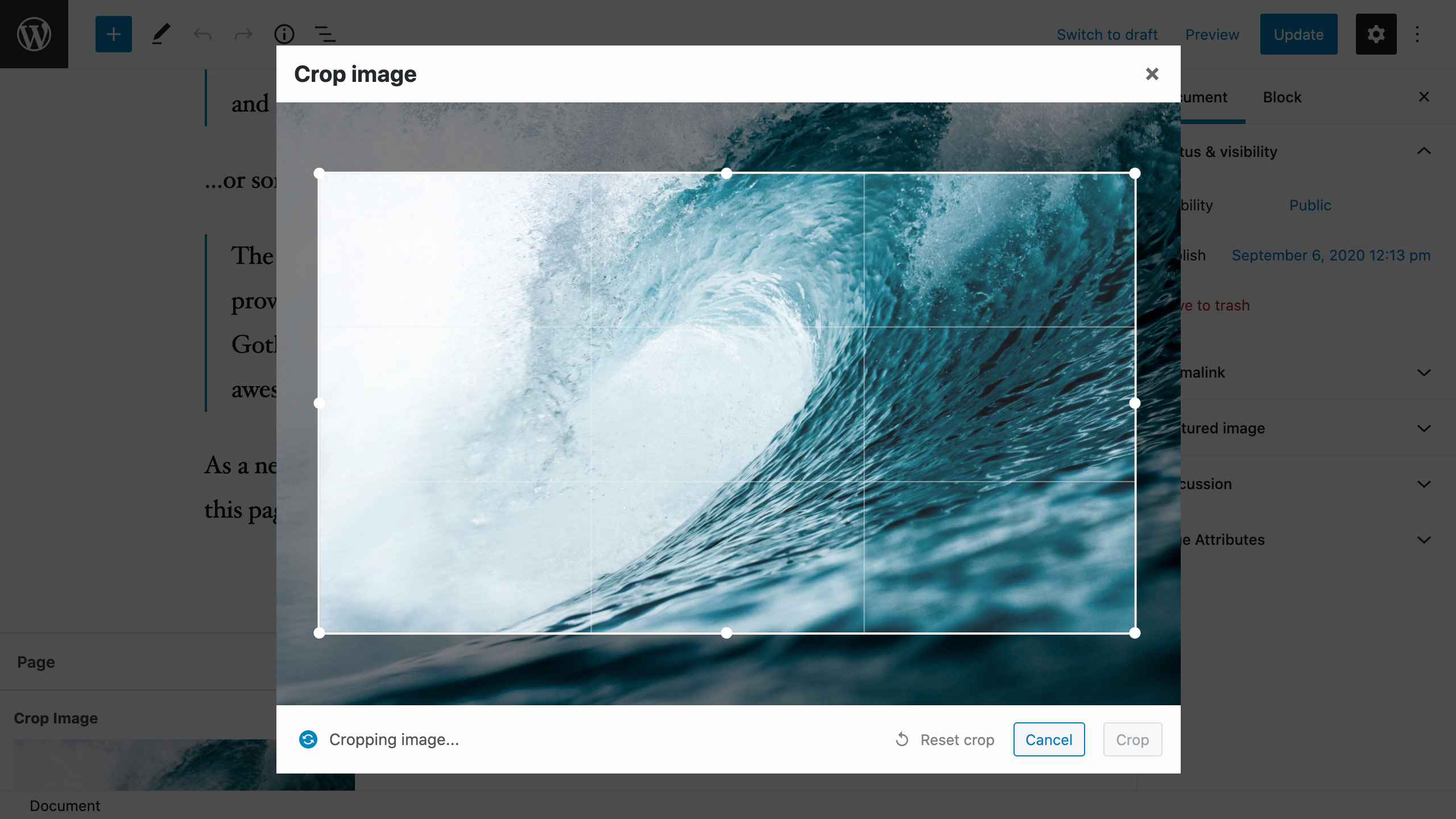
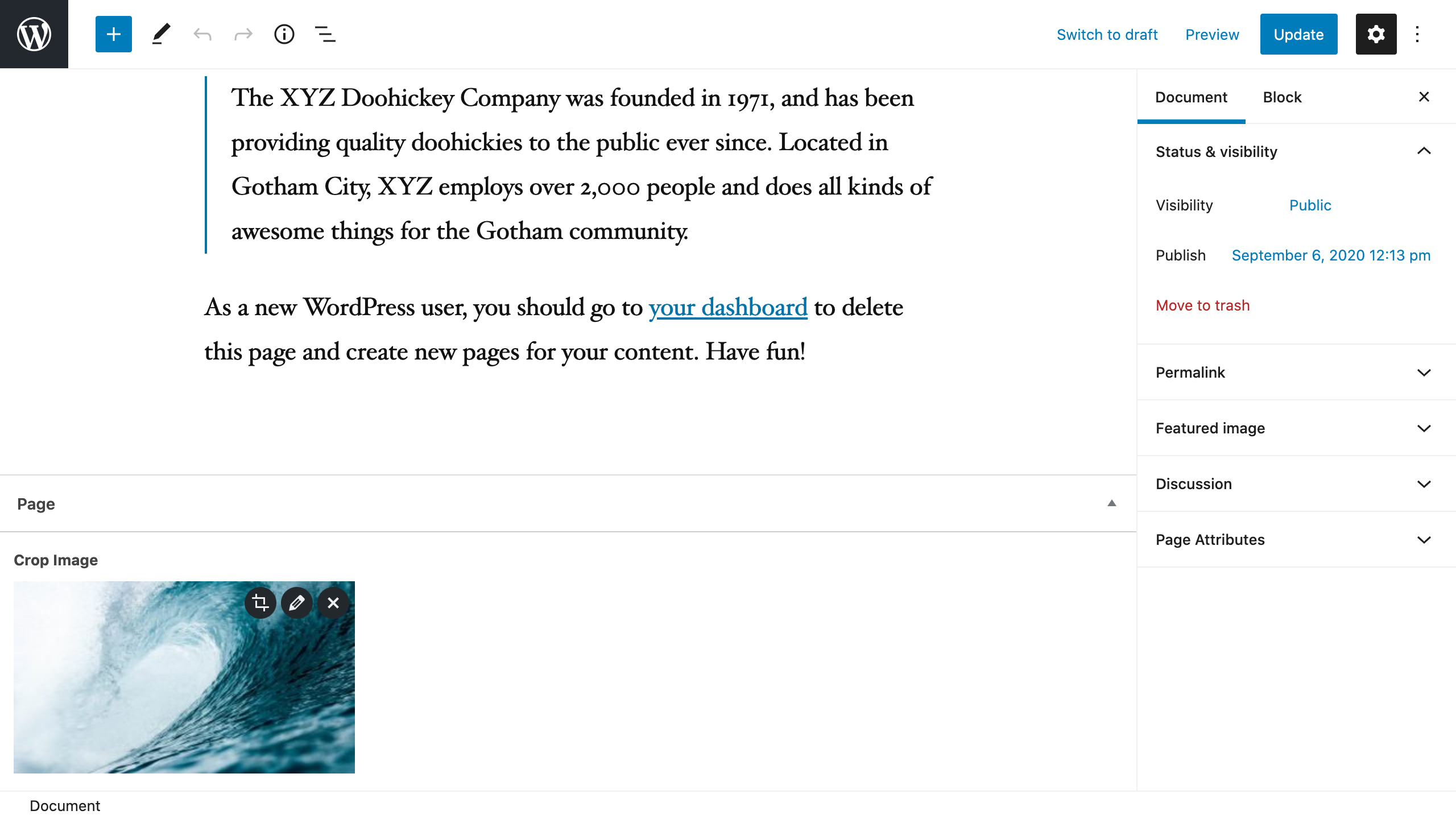
Frequently asked questions
What does this plugin do?
This plugin provides an Advanced Custom Fields field that enables users to crop images to a specific aspect ratio or pixel size after uploading. It creates a new cropped image variant in the gallery and saves it to the post, also generating thumbnails for the new image. Users can re-crop the original image at any time from the post page.
What are the different cropping modes available?
There are three modes of operation: aspect ratio, pixel size, and free crop. These options can be selected when creating the field in ACF field options.
How does the aspect ratio mode work?
In aspect ratio mode, the user selects an area from the image that matches the defined aspect ratio. The pixel size is not important, and the cropped area is then saved from the original image.
How does the pixel size mode work?
In pixel size mode, the user selects an area from the image, which can be larger than the defined pixel size but not smaller. The aspect ratio of the selection is locked according to the pixel size, and after cropping, the image is automatically scaled down to the specified pixel size.
Changelog
6.0.3 (2023-08-17)
- Fix: Bump compatibility to WP 6.3
- Fix: Fixed deprecation errors in PHP 8.1
- Fix: Fixed warning about aiarc_temp_post_id if post is updated outside admin screen
- Fix: Improved mime validation for frontend crop
6.0.2 (2022-08-24)
- Fix: Bump compatibility to WP 6.0
6.0.1 (2022-02-01)
- Fix: Bump compatibility to WP 5.9
Note: I’m currently working on version 7.0.0 of the plugin. This release will retain all the core functionality of the plugin, but it will feature a much improved code structure. This will make it easier to extend and to add more features to the plugin. Until 7.0.0 is released, I will not be adding any more features in the 6.x.x branch of the plugin. Despite this, bug fixes are of course provided. I have a lot of ideas for new features and improvements once 7.0.0 is released, so stay tuned!
6.0.0 (2021-10-20)
- Breaking change: Changed how minimum and maximum image pixel sizes work
- Minimum image size previously only affected the original uploaded file in aspect ratio mode. Now crop area must be larger than minimum dimensions.
- Maximum image size previously only affected the original uploaded file in aspect ratio mode. Now if cropped area is larger than maximum dimensions, final image will be scaled down to maximum dimensions.
- These changes do not apply to free crop mode, free crop minimum and maximum dimensions are disabled.
- Pixel size mode has always had minimum dimensions. Enforcing maximum dimensions are now disabled for pixel size mode since the image is always scaled down to pixel size.
5.1.4 (2021-09-18)
- Fix: Bump compatibility to WP 5.8
5.1.3 (2021-09-18)
- Fix: Fix potential issue with translations, see this thread for more information
5.1.2 (2021-03-11)
- Fix: Bump stable tag
5.1.1 (2021-03-11)
- Fix: Bump compatiblity to WP 5.7
5.1.0 (2021-01-30)
- Feature: Added REST API compatibility mode. This enables you to crop images in the WordPress administration interface with admin-ajax.php instead of the REST API. You can enable this by going to Plugins -> ACF Image Aspect Ratio Crop -> Settings. Please note that this is a temporary fix for sites that don’t have REST API enabled. The compatibility mode will be removed in a future major release of the plugin.
- Fix: Improved error logging
5.0.6 (2021-01-28)
- Fix: Fix error caused by wrong parameter order in PHP 8
5.0.5 (2020-12-22)
- Fix: Fixed compatibility issue with Polylang Pro 2.9
5.0.4 (2020-12-13)
- Fix: Fixed compatibility issue with WordPress 5.6 REST API changes
- Fix: Fixed issue with front-end image crop where crop image field overwrite another crop image field
- Change: Bumped tested up to WordPress 5.6
5.0.3 (2020-12-03)
- Fix: Fixed bug where cropping didn’t work in a multisite subsite
5.0.2 (2020-11-30)
- Fix: Updated translation strings
5.0.1 (2020-11-30)
- Fix: Fixed compatibility issue with Yoast SEO that caused a bug where media modal didn’t open
5.0.0 (2020-11-30)
- Breaking change: REST API is now used for cropping image instead of admin-ajax
- Feature: Added frontend image crop. This allows you to use crop functionality with ACF forms on the front-end, even if the user does not have access to the media library.
I’d like to take this moment to announce that I have a GitHub Sponsors page. Maintaining this plugin is a lot of work and front-end image crop is one of those features I don’t use personally but I was requested so many times had to add it to the plugin, which took multiple days of work.
If you find this feature useful or if you otherwise want to support the development of this plugin, please consider supporting me on GitHub Sponsors. Thank you!
4.1.4 (2020-11-19)
- Bump stable tag
4.1.3 (2020-11-19)
- Fix: WPML: Fixed issue with WPML where cropped images were visible in the media gallery
- Fix: WPML: When duplicating post to translation in WPML, image fields are now changed to translated version
- Fix: Fixed issue where PHP error messages printed on the page pushed the cropper modal outside the browser window
4.1.2 (2020-10-16)
- Fix: PHP Notice when saving ACF options page with delete unused images enabled
4.1.1 (2020-10-14)
- Fix: Check that original image exists before using it during cropping process
- Fix: Improve compatibility with Polylang Pro by using translated version of the attachment when duplicating post to another language
4.1.0 (2020-10-07)
- Feature: Add
aiarc_jpeg_qualityfilter to change crop JPEG quality - Fix: Remove unnecessarily verbose debugging
4.0.6 (2020-10-03)
- Fix: Issue where image is incorrectly cropped if image has EXIF rotation and exceeds big image threshold
5.0.0-beta1 (13.09.2020)
- Breaking change: REST API is now used for cropping image instead of admin-ajax
- Feature: Added frontend image crop. Please be aware of the following limitations:
- It’s currently not possible to limit upload file size for front-end uploads
- It’s currently not possible to to limit file format for front-end uploads. JPEG, PNG and GIF images are allowed
- It’s currently not possible to limit height and width for front-end uploads. This means that pixel crop images may be smaller than the target but they will still have the correct aspect ratio.
4.0.5 (2020-09-06)
- Fix: Bump version
4.0.4 (2020-09-06)
- Change: Update screenshots to reflect latest plugin and WordPress versions
4.0.3 (2020-09-05)
- Change: Update dependencies
- Fix: Improve misaligned crop, edit and delete buttons on ACF 5.9
- Fix: Use custom button styles instead of WordPress defaults. This is paving the way for front end crop since themes can’t wreak havoc on the modal styles.
- Fix: Improve cropper responsive scaling on mobile devices
4.0.2 (2020-08-17)
- Fix: Removed unused vendor folder
3.4.1 (2020-08-17)
- Fix: Fixed issue where min height and width are not set when using pixel size (Backported from v4.0.1)
4.0.1 (2020-08-17)
- Fix: Fixed issue where min height and width are not set when using pixel size
- Fix: Increase remote GET timeout from 5 seconds to 25 seconds
4.0.0 (2020-08-17)
- Breaking change: Minimum required PHP version is now 5.6
- Breaking change: Minimum required ACF version is now 5.8. An earlier version might work but this is the earliest version that has automated tests
- Breaking change: wp_remote_get is used instead of Guzzle when fetching remote images. This doesn’t change much unless you are using filters to change the remove image fetching behavior
- Change: Checked compatibility with WordPress 5.5
3.4.0
- Feature: Added compatibility with WPGraphQL
- Feature: Added filters to customize behavior, thanks @urlund on GitHub!
3.3.2
- Fix: Fixed issue where pixel size image is not scaled when it matches the aspect ratio
- Fix: Fixed file name when using free crop, use actual file dimensions instead of 0x0
3.3.1
- Fix: Fixed issue where hidden required field prevented saving custom fields
- Fix: Remove duplicated field hint
3.3.0
- Feature: Added option for free cropping, special thanks to @phildittrich on GitHub for contributing this feature
- Fix: Fixed issue where min height and min width are not save when using pixel size option
3.2.0
- Feature: Added an option to use a pixel size instead of aspect ratio. Check the readme for more information about how it works.
- Fix: Fixed images displaying in wrong rotation in WP < 5.3
- Fix: Visual bug fixes to cropper and field edit buttons to prevent overflowing of elements
- Change: updated tested WP version to 5.4
3.1.12
- Fix: Improved compatibility with WordPress 5.3 large image handing
- Fix: Allow closing crop modal with escape key
- Change: change file name suffix aspect ratio from x to dash because this caused some issues with WP 5.3. Now file my-image-aspect-ratio-16×9.jpeg will be called my-image-aspect-ratio-16-9.jpeg instead
- Fix: Fix problem where “delete unused cropped images” did not work properly with nested fields
3.1.11
- Fix: Remove ramsey/uuid dependency in favor of using native wp function since the dependency caused issues in some
server configurations
3.1.10
- Fix: Fix issue where image was not visible in backed due to malformed URL
3.1.8
- Fix: Deployment fix
3.1.0
- Feature: Add new beta feature: delete unused crop images. You can enable this by going to
Plugins -> ACF Image Aspect Ratio Crop -> Settings - Fix: Update compatible version to WordPress 5.3
- Fix: Add automated tests
3.0.1
- Fix: bump plugin version
3.0.0
- Fix / Breaking change: If image was deleted, object with empty original_image field was returned. In 3.0.0 false is returned instead to keep compatibility with normal image field.
2.2.1
- Fix: Improve WPML compatibility
2.2.0
- Feature: Add compatibility with ACF Image Crop plugin
- Fix: Change default preview size to medium, as in ACF 5.8.1
- Fix: Remove image CSS shadow to match latest ACF image field styles
2.1.1
- Fix: Fix issue where crop coordinates persisted after deleting image
2.1.0
- Feature: Cropper now remembers last crop position when re-cropping image
- Feature: Add button to reset crop position to default (centered)
- Fix: Bump supported WordPress version to 5.2
2.0.3
- Fix: Allow cropping in cases when image is hosted remotely and is missing CORS headers
2.0.2
- Fix: Fix issue where saving in image modal replaced cropped image with original when “Original image” was selected in “Image displayed in attachment edit modal dialog”
- Fix: Actually save plugin version in the database for migration support
- Fix: Get file hash in debug mode from file path instead of URL
2.0.1
- Fix: Fix typo
2.0.0
- Feature: Compatibility with WP Offload Media and similar plugins that move WordPress images to a remote location. Plugin will now attempt to fetch images from remote URLs if they are not found in the file system.
- Breaking change: Due to new dependencies, PHP 5.5 is now the minimum required version
1.3.1
- Fix: Fix deployment script
1.3.0
- Feature: Handle translation through w.org
1.2.3
- Fix: Update readme
1.2.2
- Fix: Update screenshots
1.2.0
- Feature: It’s now possible to edit original image data instead of cropped image data when pressing the pencil button in the image field. This is handy if you have meta data such as alt text that you want to share between the original image and its cropped variants. Toggle this by selecting
Settingsin the plugin list. - Feature: There is now a progress indicator (spinner) displayed while the image is being cropped
- Feature: If an error occurs while cropping an image, the error message is displayed inline in the modal instead of a browser alert window
- Feature: Improved styles for the cropper
- Feature: Modern and improved build process with webpack
- Feature: Make it possible to localize UI texts
1.1.2
- Fix: Bump supported WordPress version to 5.1
1.1.1
- Fix: Update readme
1.1.0
- Feature: Allow customizing file upload directory with filters
aiarc_pre_customize_upload_dirandaiarc_after_customize_upload_dir
1.0.9
- Fix: Update screenshots
- Fix: Update WordPress compatibility information
1.0.8
- Fix bug with detecting the same aspect ratio
1.0.7
- Update compatibility information
1.0.6
- Fix bug with detecting the same aspect ratio
1.0.5
- User interface improvements
- Fixed issue where cropper sometimes showed a wrong image
- Improved performance in cases uploaded image had the correct aspect ratio. Thanks to @hrohh on w.org for the tip!
1.0.4
- Fix incompatibility with ACF 5.7
1.0.3
- Release on w.org
1.0.2
- Update readme
1.0.1
- Fix issue where the cropper broke if multiple images were selected inside a repeater
- Cropper is now disabled while cropping is in progress
- Fix issue where is was not possible to re-crop image before saving the post
1.0.0
- Initial Release.

