

Just another contact form plugin. Simple but flexible.
About Quiz Maker
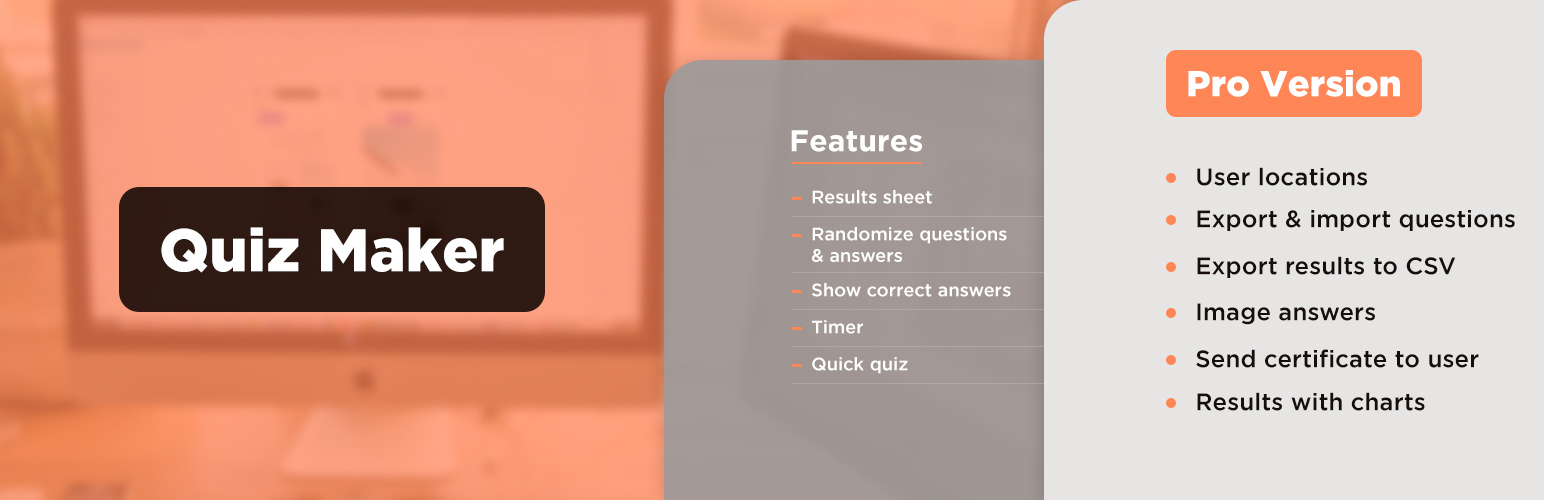
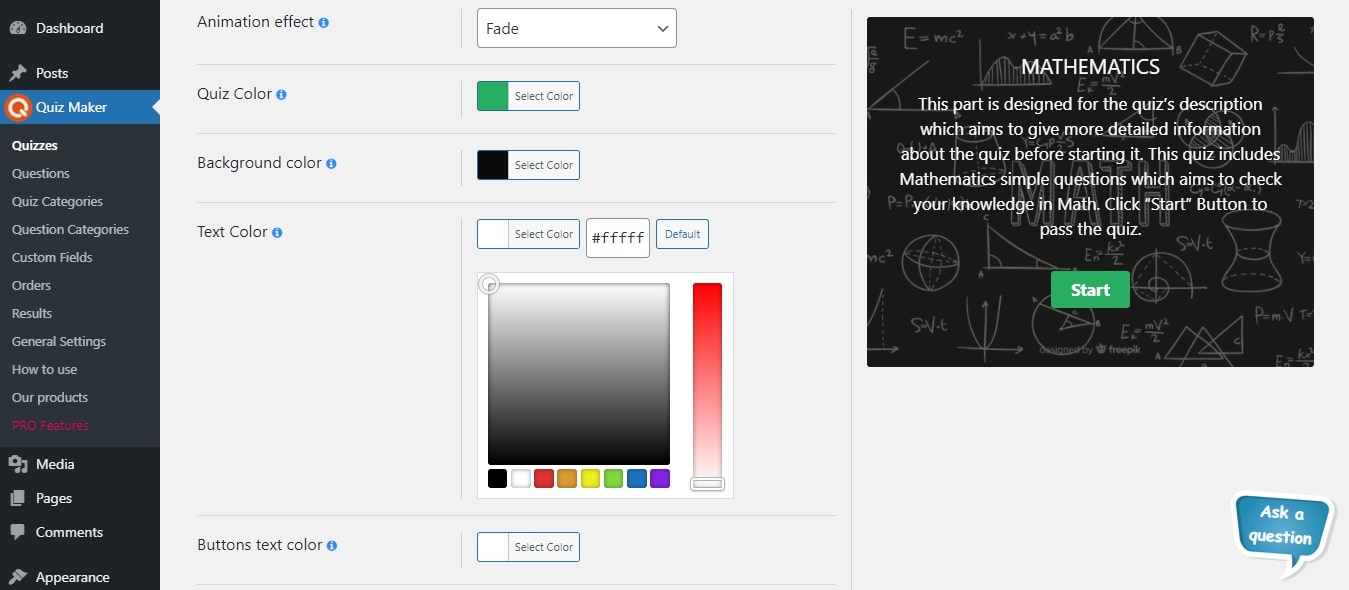
The WordPress Quiz Maker plugin allows you to create and customize quizzes and exams with various question types, including multiple-choice, text, dropdown, and more. You can track and analyze user results, customize the appearance of your quizzes, and integrate with other tools and plugins. The plugin offers a free version with limited features and a Pro version with additional features and integrations.Screenshots


Frequently asked questions
What types of questions are available in the WordPress Quiz Plugin?
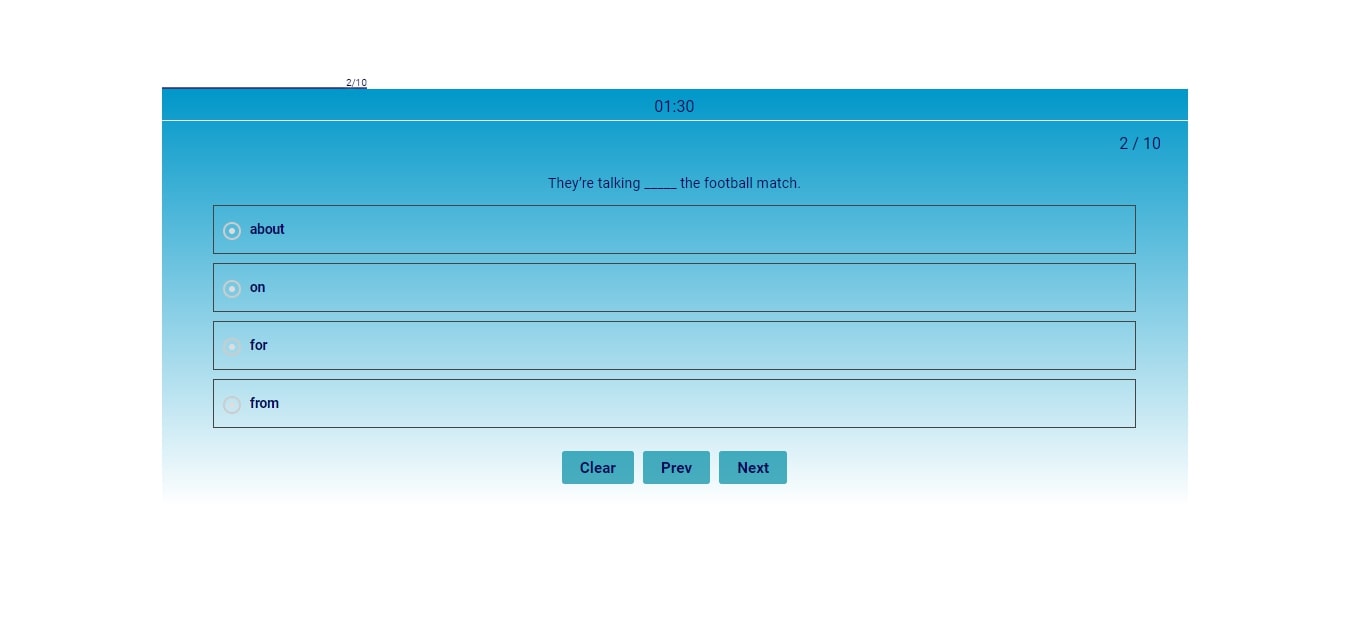
There are 7 types of questions available: Radio, Checkbox, Dropdown, Text, Short text, Number, Date, Banner (HTML), Fill in the Blank, Matching.
What are some examples of quizzes created using the Quiz Plugin?
Some examples of quizzes include Trivia quiz, Personality test, Scored quiz, Multiple-choice quiz, Knowledge quiz, IQ test, Yes-or-no quiz, True-or-false quiz, This-or-that quiz, Diagnostic quiz, Buzzfeed quiz, etc.
How do I create a simple quiz using the plugin?
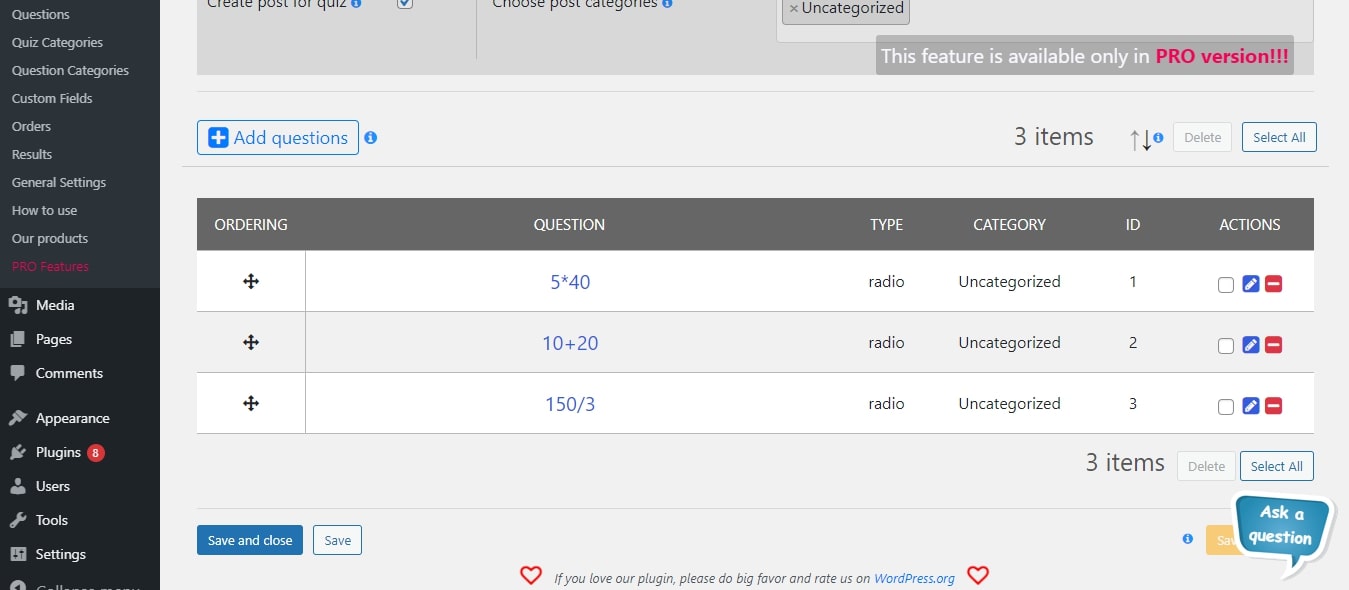
To create a simple quiz, go to the Questions page and create new questions. Then, go to the Quizzes page and create your first quiz by clicking on the Add New button. Fill out the information by adding a title and previously created questions.
Can I customize the questions in the quiz?
Yes, you can fully customize questions using the built-in text editor. You can format the text, add images, audio, and video questions, and even use HTML and CSS skills. You can also insert shortcodes from other plugins in the questions.
What are some of the settings available for quizzes?
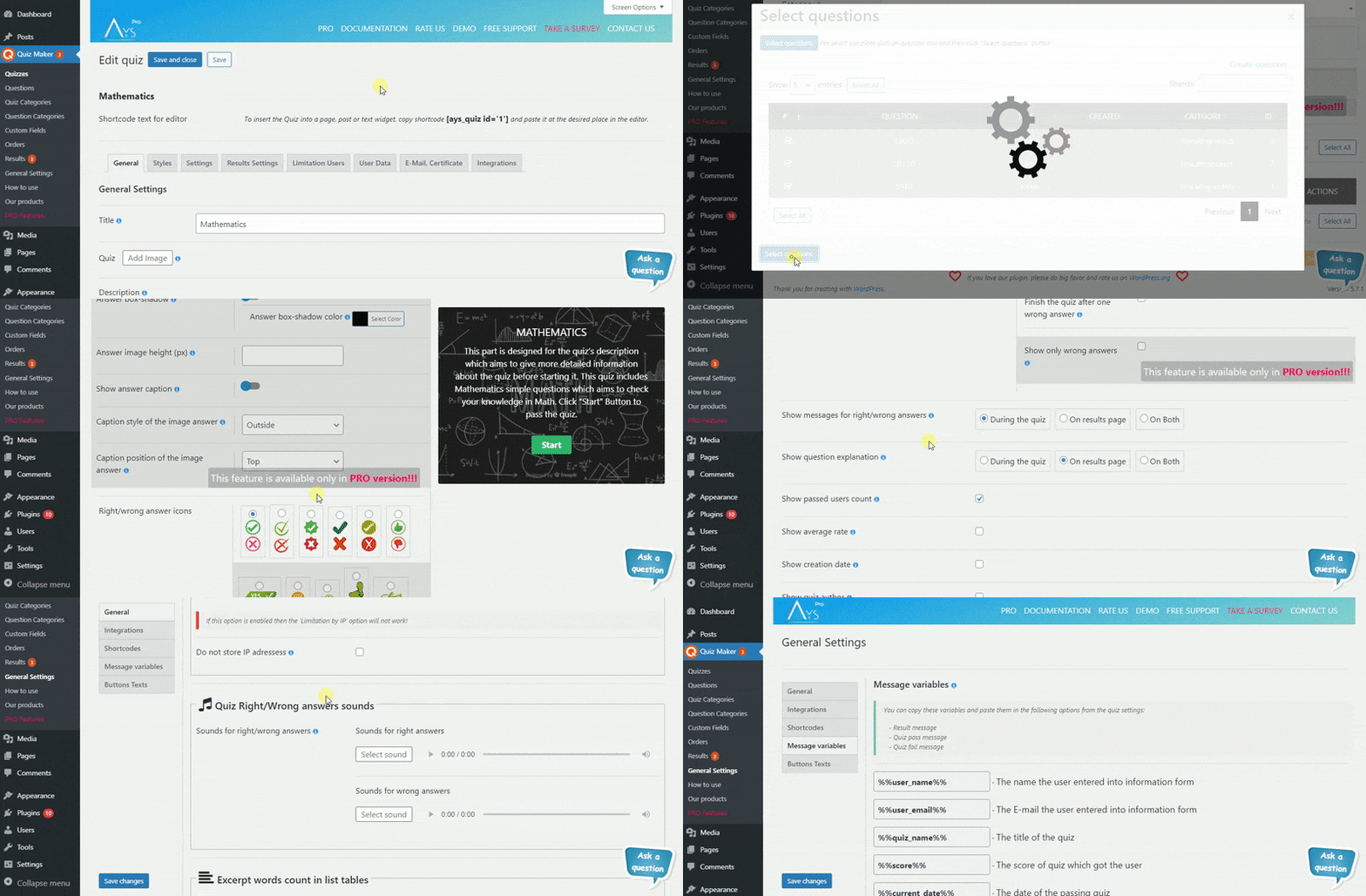
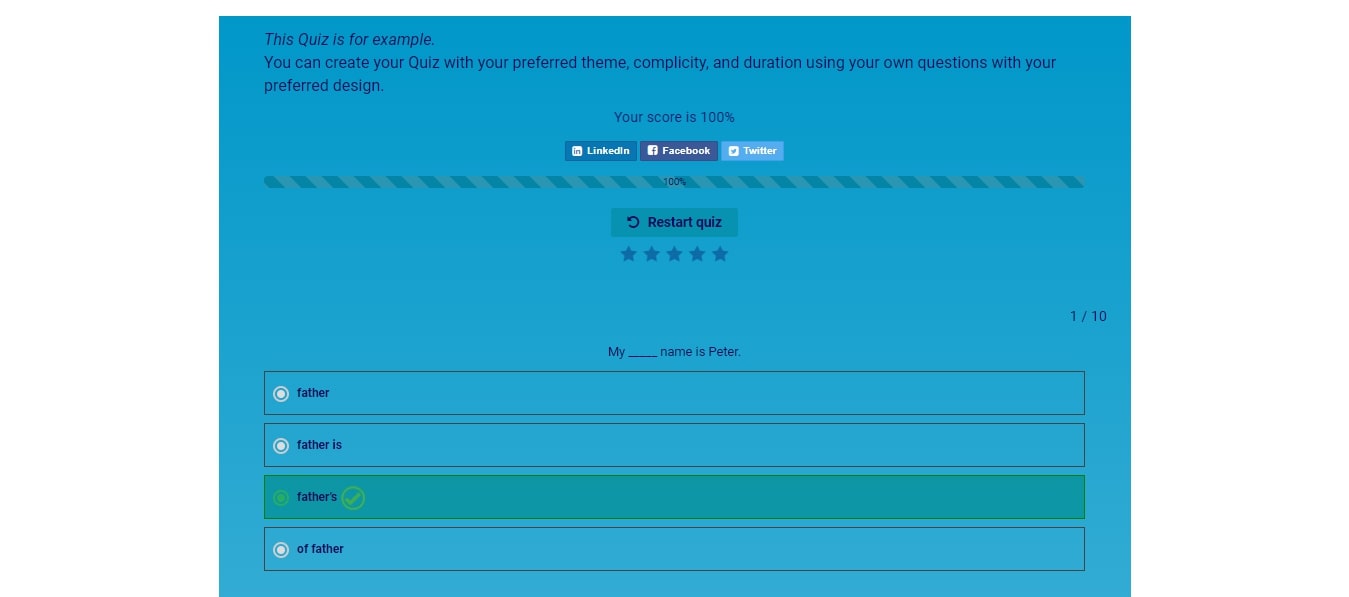
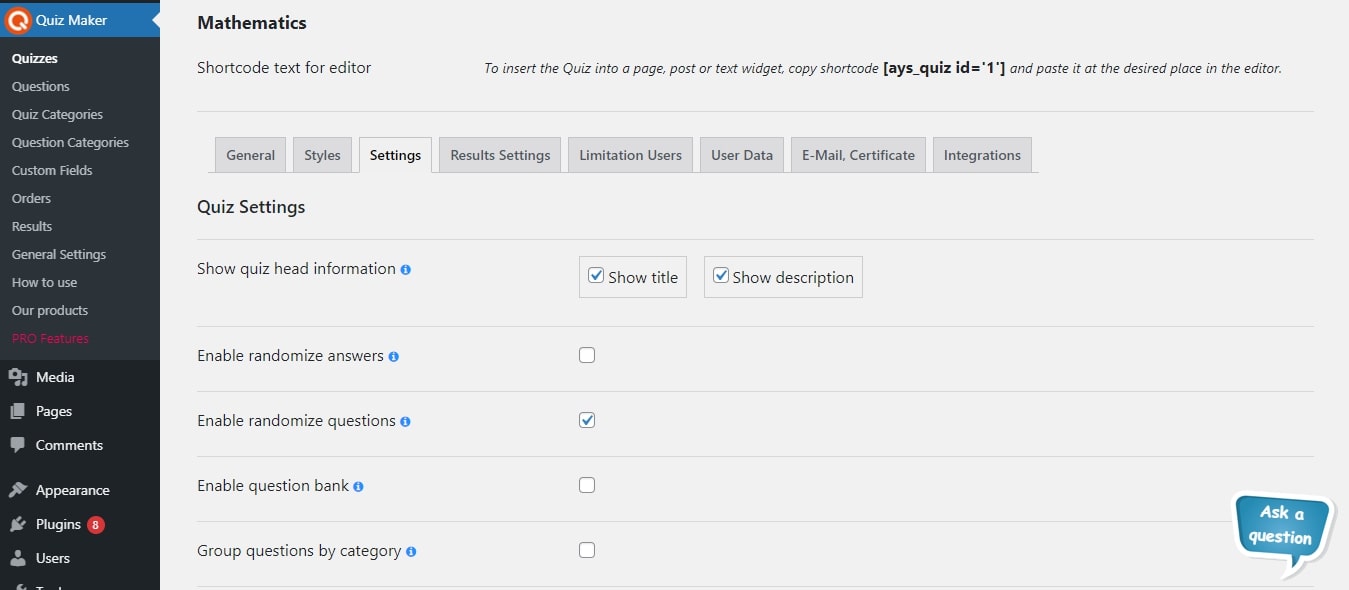
Some quiz settings include randomizing questions and answers, question bank, customizing button texts, scheduling quizzes, showing answers and explanations, redirecting users after quiz completion, setting pass score, and showing different messages based on the user's score.
Changelog
6.6.8.3
- Added: Answers view option for the Quick Quiz Popup
6.6.8.2
- Added: Questions numbering option for the Quick Quiz Popup
6.6.8.1
- Improved: Code correction on the front-end and admin dashboard
6.6.8.0
- Added: Show question explanation option for the Quick Quiz Popup
- Tested: Compatible up to 6.7.2
6.6.7.9
- Added: Wrong answer font weight option for the Quick Quiz Popup
6.6.7.8
- Added: Warning text color suboption for the Timer option
6.6.7.7
- Added: Wrong answer letter spacing option for the Quick Quiz Popup
6.6.7.6
- Added: Wrong answer text decoration option for the Quick Quiz Popup
6.6.7.5
- Added: Tooltips for the image size handling
6.6.7.4
- Added: Wrong answer text transformation option for the Quick Quiz Popup
- Updated: POT file
6.6.7.3
- Added: Wrong answer font size(on mobile) option for the Quick Quiz Popup
6.6.7.2
- Added: Wrong answer font size(on desktop) option for the Quick Quiz Popup
6.6.7.1
- Added: Question Title View option on the General Settings Page
6.6.7.0
- Improved: Question title functionality on the admin dashboard
6.6.6.9
- Added: Collapse/Expand functionality for the Quick Quiz Popup
6.6.6.8
- Added: Right answer font weight option for the Quick Quiz Popup
6.6.6.7
- Added: Japanese language support
- Improved: Some changes on the admin dashboard
6.6.6.6
- Added: Right answer letter spacing option for the Quick Quiz Popup
- Updated: POT file
6.6.6.5
- Added: Right answer text decoration option for the Quick Quiz Popup
6.6.6.4
- Added: Right answer text transformation option for the Quick Quiz Popup
6.6.6.3
- Added: Option to customize the “No more reviews” text
6.6.6.2
- Added: Right answer font size(on mobile) option for the Quick Quiz Popup
6.6.6.1
- Added: Current quiz author website message variable on the General Settings Page
6.6.6.0
- Added: Right answer font size(on desktop) option for the Quick Quiz Popup
6.6.5.9
- Added: Quiz content mobile max-width option
6.6.5.8
- Improved: Some changes on the admin dashboard
- Updated: POT file
6.6.5.7
- Added: Question explanation font weight option for the Quick Quiz Popup
6.6.5.6
- Improved: The Question categories edit page design
6.6.5.5
- Added: Quiz content max-width option
- Improved: Some changes on the admin dashboard
6.6.5.4
- Added: Collapse/Expand functionality on the quiz edit page
- Updated: POT file
6.6.5.3
- Added: Question explanation letter spacing option for the Quick Quiz Popup
- Improved: Some changes on the admin dashboard
6.6.5.2
- Added: Question explanation text decoration option for the Quick Quiz Popup
6.6.5.1
- Improved: The Quiz categories edit page design
- Improved: Some changes on the admin dashboard
6.6.5.0
- Improved: The Quizzes edit page design
- Improved: The Questions edit page design
- Tested: Compatible up to 6.7.1
6.6.4.9
- Improved: Some changes on the admin dashboard
6.6.4.8
- Added: Question explanation text transformation option for the Quick Quiz Popup
6.6.4.7
- Added: Customization option for the Dropdown Placeholder Text
6.6.4.6
- Added: Question explanation font-size(on mobile) option for the Quick Quiz Popup
6.6.4.5
- Added: Question explanation font-size(on desktop) option for the Quick Quiz Popup
6.6.4.4
- Added: Admin note font weight option for the Quick Quiz Popup
- Tested: Compatible up to 6.7
6.6.4.3
- Added: Confirmation box for unsaved changes on the admin dashboard
- Added: Cancel button on the Quiz edit page
- Improved: Some Styles on the admin dashboard
6.6.4.2
- Improved: Some changes on the admin dashboard
- Updated: POT file
6.6.4.1
- Added: Admin note letter spacing option for the Quick Quiz Popup
6.6.4.0
- Added: Default text customization option for the “Quiz Finish Confirmation Text” on the General Settings page
6.6.3.9
- Added: Admin note text decoration option for the Quick Quiz Popup
6.6.3.8
- Added: Admin note text transformation option for the Quick Quiz Popup
6.6.3.7
- Added: Admin note font-size(on mobile) option for the Quick Quiz Popup
6.6.3.6
- Added: Admin note font-size(on desktop) option for the Quick Quiz Popup
- Updated: POT file
6.6.3.5
- Added: Button border-radius option for the Quick Quiz Popup
6.6.3.4
- Added: Button padding(top/bottom) option for the Quick Quiz Popup
6.6.3.3
- Added: Button padding(left/right) option for the Quick Quiz Popup
6.6.3.2
- Added: Button width option for the Quick Quiz Popup
6.6.3.1
- Added: Default customization option for the “Not answered questions” text on the General Settings page
6.6.3.0
- Added: Button font-size(on mobile) option for the Quick Quiz Popup
6.6.2.9
- Added: Button font-size(on desktop) option for the Quick Quiz Popup
6.6.2.8
- Updated: POT file
- Fixed: Styling problem on the Gutenberg page
- Fixed: Extra shortcodes empty results problem on the front page
6.6.2.7
- Added: Default customization option for “Empty results” text on the General Settings page
6.6.2.6
- Added: Button size option for the Quick Quiz Popup
6.6.2.5
- Added: Disable answer hover option for the Quick Quiz Popup
6.6.2.4
- Added: Default customization option for “Wrong password” text on the General Settings page
6.6.2.3
- Added: Answer gap option for the Quick Quiz Popup
- Improved: Some changes on the admin dashboard
6.6.2.2
- Added: Default customization option for “Enter password” text on the General Settings page
6.6.2.1
- Added: Answer font size(on mobile) option for the Quick Quiz Popup
- Updated: POT file
6.6.2.0
- Added: Answer font size(on desktop) option for the Quick Quiz Popup
6.6.1.9
- Improved: Social buttons option styles
- Improved: Social Media links option styles
6.6.1.8
- Changed: Quiz Maker Documentation link
- Fixed: Moving to next question without waiting the specified time
6.6.1.7
- Added: Default text customization section on the General Settings Page
- Tested: Compatible up to 6.6.2
6.6.1.6
- Added: Question Image sizing option for the Quick Quiz Popup
6.6.1.5
- Added: Question image height option for the Quick Quiz Popup
- Fixed: Code correction on the admin dashboard
6.6.1.4
- Added: Expand/Collapse Options Sections feature for the Quick Quiz Popup
6.6.1.3
- Added: Question image width option for the Quick Quiz Popup
6.6.1.2
- Added: Question text alignment option for the Quick Quiz Popup
6.6.1.1
- Added: Site title message variable on the General Settings Page
6.6.1.0
- Added: Question font size(On mobile) option for the Quick Quiz Popup
- Improved: Some changes on the admin dashboard
6.6.0.9
- Added: Expand/Collapse Options Sections feature on the Quiz Edit page
6.6.0.8
- Improved: Answers table view on the Question Edit Page
6.6.0.7
- Improved: Some Styles on the admin dashboard
- Improved: Info Text for the Elementor and Gutenberg blocks preview
6.6.0.6
- Added: Question font size(On desktop) option for the Quick Quiz Popup
6.6.0.5
- Added: Animation effect option for the Quick Quiz Popup
6.6.0.4
- Added: Font weight option for the Wrong answer text
6.6.0.3
- Added: Custom class for quiz container option for the Quick Quiz Popup
6.6.0.2
- Added: Font weight option for the Right answer text
6.6.0.1
- Added: Quiz title font size(On mobile) option for the Quick Quiz Popup
6.6.0.0
- Added: Quiz title font size(On desktop) option for the Quick Quiz Popup
6.5.9.9
- Updated: POT file
- Tested: Compatible up to 6.6.1
- Fixed: Code correction on the admin dashboard
6.5.9.8
- Added: Quiz title transformation option for the Quick Quiz Popup
6.5.9.7
- Added: Font weight option for the Question explanation text
6.5.9.6
- Added: Buttons position option for the Quick Quiz Popup
6.5.9.5
- Added: Font weight option for the Admin Note text
6.5.9.4
- Added: Progress live bar style option for the Quick Quiz Popup
6.5.9.3
- Added: Progress bar style option for the Quick Quiz Popup
6.5.9.2
- Added: Letter spacing option for the Wrong answer option
6.5.9.1
- Added: Quiz image height option for the Quick Quiz Popup
- Tested: Compatible up to 6.6
6.5.9.0
- Added: Letter spacing option for the Right answer option
6.5.8.9
- Added: Border radius option for the Quick Quiz Popup
6.5.8.8
- Added: Letter spacing option for the Question explanation option
6.5.8.7
- Added: Quiz min-height option for the Quick Quiz Popup
- Fixed: avg_score_by_category message variable problem on the front page
6.5.8.6
- Added: Quiz Width option for the Quick Quiz Popup
- Tested: Compatible up to 6.5.5
6.5.8.5
- Fixed: Save buttons responsiveness issue on the questions page
6.5.8.4
- Fixed: Code correction on the front-end
6.5.8.3
- Added: Hide background image during the quiz option
6.5.8.2
- Updated: POT file
- Fixed: Code correction on the front-end
6.5.8.1
- Improved: Some Styles on the admin dashboard
6.5.8.0
- Added: Letter spacing option for the Note text option
6.5.7.9
- Added: Login In button custom text option for the Quick Quiz Popup
6.5.7.8
- Added: Text decoration option for the Wrong answer option
- Tested: Compatible up to 6.5.4
6.5.7.7
- Added: Check button custom text option for the Quick Quiz Popup
6.5.7.6
- Added: Text decoration option for the Right answer option
6.5.7.5
- Added: Exit button custom text option for the Quick Quiz Popup
6.5.7.4
- Added: Text decoration option for the Question explanation option
6.5.7.3
- Added: Load more button custom text option for the Quick Quiz Popup
6.5.7.2
- Added: Send feedback button custom text option for the Quick Quiz Popup
6.5.7.1
- Added: Text decoration option for the Note text option
6.5.7.0
- Added: Restart quiz button custom text option for the Quick Quiz Popup
6.5.6.9
- Added: Enable strip slashes for question option
- Improved: Some changes on the admin dashboard
6.5.6.8
- Added: See Results button custom text option for the Quick Quiz Popup
6.5.6.7
- Added: Text transformation option for the Wrong answer feature
6.5.6.6
- Added: Finish button custom text option for the Quick Quiz Popup
- Improved: Some changes on the admin dashboard
6.5.6.5
- Added: Clear button custom text option for the Quick Quiz Popup
- Tested: Compatible up to 6.5.3
6.5.6.4
- Improved: Some changes on the admin dashboard
- Updated: POT file
6.5.6.3
- Added: Previous button custom text option for the Quick Quiz Popup
6.5.6.2
- Added: Text transformation option for the Right answer feature
6.5.6.1
- Added: Next button custom text option for the Quick Quiz Popup
6.5.6.0
- Added: Enable custom texts for buttons option for the Quick Quiz Popup
6.5.5.9
- Improved: Some style changes on the admin dashboard
6.5.5.8
- Added: Text transforming option for the Question explanation option
6.5.5.7
- Added: Display form fields with labels option for the Quick Quiz Popup
6.5.5.6
- Fixed: Question duplicate issue
- Updated: POT file
- Tested: Compatible up to 6.5.2
6.5.5.5
- Added: Save and new button for the Question Category edit page
6.5.5.4
- Added: Question categories count message variable on the General Settings Page
6.5.5.3
- Added: Autofill logged-in user data option for the Quick Quiz Popup
6.5.5.2
- Added: Show Information Form to logged-in users option for the Quick Quiz Popup
6.5.5.1
- Updated: POT file
- Fixed: The unpublished questions problem on the front-end
6.5.5.0
- Added: Disable data storing in database option for the Quick Quiz Popup
6.5.4.9
- Improved: Styles tab options reordering
6.5.4.8
- Added: Show the statistical average option for the Quick Quiz Popup
6.5.4.7
- Added: Enable progress bar option for the Quick Quiz Popup
6.5.4.6
- Added: Addons submenu on the admin dashboard
- Improved: Message variables tab on the General Settings Page
6.5.4.5
- Fixed: Score ordering problem on the results list table
- Fixed: JavaScript problem on the front-end
- Tested: Compatible up to 6.5
6.5.4.4
- Added: Enable restart button option for the Quick Quiz Popup
6.5.4.3
- Added: Result id message variable on the General Settings Page
6.5.4.2
- Added: Hide score option for the Quick Quiz Popup
6.5.4.1
- Added: Show correct answers suboption for the Enable question answers option
- Updated: POT file
6.5.4.0
- Added: Enable sounds for right/wrong answers option for the Quick Quiz Popup
6.5.3.9
- Improved: Results settings tab options reordering
- Updated: Readme file
6.5.3.8
- Added: Enable confirmation box for the See Result button option for the Quick Quiz Popup
6.5.3.7
- Added: Text transform option for the Note text option
6.5.3.6
- Added: Enable confirmation box for leaving the page option for the Quick Quiz Popup
- Updated: POT file
6.5.3.5
- Added: Question Image Zoom option for the Quick Quiz Popup
- Improved: Some style changes on the admin dashboard
- Improved: Transfer of some features (from one tab to another) for better accessibility
6.5.3.4
- Improved: Code correction on the front-end and admin dashboard
6.5.3.3
- Added: Show questions counter option for the Quick Quiz Popup
6.5.3.2
- Added: Use RTL Direction option for the Quick Quiz Popup
6.5.3.1
- Added: Dutch (Belgium) language support
- Added: Dutch (Formal) language support
- Added: Portuguese (Brazil) language support
- Added: Chinese (China) language support
- Updated: Dutch language translation
- Updated: Italian language translation
6.5.3.0
- Fixed: Removed user problem on the admin dashboard
6.5.2.9
- Added: Enable audio autoplay option for the Quick Quiz Popup
6.5.2.8
- Added: Display messages before the buttons option for the Quick Quiz Popup
- Improved: Code correction on the front-end
6.5.2.7
- Improved: Code correction on the admin dashboard
6.5.2.6
- Added: Enable to go next by pressing Enter key option for the Quick Quiz Popup
6.5.2.5
- Fixed: Security problem on the admin dashboard
6.5.2.4
- Added: Show User Phone option on the general settings page
- Tested: Compatible up to 6.4.3
6.5.2.3
- Added: Enable clear answer button option for the Quick Quiz Popup
6.5.2.2
- Added: Quiz Display Page URL option
6.5.2.1
- Added: Information popup about the quiz after creating a quiz
- Improved: Add new button on the admin dashboard
6.5.2.0
- Added: Show User Name option on the general settings page
6.5.1.9
- Added: Enable finish button option for the Quick Quiz Popup
6.5.1.8
- Added: Show User Email option on the general settings page
6.5.1.7
- Added: Enable previous button option for the Quick Quiz Popup
6.5.1.6
- Added: Enable next button option for the Quick Quiz Popup
- Updated: POT file
6.5.1.5
- Added: Show creation date option for the Quick Quiz Popup
6.5.1.4
- Improved: Some style changes on the admin dashboard
- Fixed: JavaScript problem on the front-end
- Fixed: Name form field and the red border problem on the front-end
6.5.1.3
- Added: Show quiz author option for the Quick Quiz Popup
- Fixed: Question image problem on the admin/front page
6.5.1.2
- Fixed: Start button loader problem on the Gutenberg page
- Fixed: Tab saving problem on the question edit page
6.5.1.1
- Added: Message variables section for the Thank you message suboption
6.5.1.0
- Added: Show quiz category description suboption
6.5.0.9
- Added: Show average rate option for the Quick Quiz Popup
6.5.0.8
- Improved: Code correction on the admin/front page
6.5.0.7
- Fixed: Image sanitizing problem on the admin/front page
6.5.0.6
- Added: Show quiz category option for the Quick Quiz Popup
- Improved: Enter button and form submitting on the front-end
- Improved: Some style changes on the admin dashboard
6.5.0.5
- Updated: Italian translation
- Updated: Spanish translation
- Updated: POT file
- Fixed: The issue connected to the Enter button on the front-end
6.5.0.4
- Fixed: Quiz pass/fail message empty input problem on the front-end
- Fixed: Quiz image sanitizing problem on the admin/front page
6.5.0.3
- Added: Show passed users count option for the Quick Quiz Popup
- Improved: Some changes on the admin dashboard
6.5.0.2
- Improved: Some changes on the admin dashboard
- Updated: POT file
6.5.0.1
- Added: Show question category option for the Quick Quiz Popup
- Improved: Some changes on the admin dashboard
6.5.0.0
- Added: Show correct answers option for the Quick Quiz Popup
6.4.9.9
- Added: Display all questions on one page option for the Quick Quiz Popup
6.4.9.8
- Added: Log In button text suboption for the Enable custom texts for buttons option
6.4.9.7
- Added: Enable randomize answers option for the Quick Quiz Popup
6.4.9.6
- Added: Check button text suboption for the Enable custom texts for buttons option
6.4.9.5
- Improved: Quick quiz popup design
- Improved: Some changes on the admin dashboard
6.4.9.4
- Added: Italian translation for the plugin
- Updated: POT file
- Fixed: Security issue on the admin dashboard
6.4.9.3
- Improved: Some changes on the admin dashboard
6.4.9.2
- Added: Exit button text suboption for the Enable custom texts for buttons option
6.4.9.1
- Added: Enable randomize questions option for the Quick Quiz Popup
- Fixed: JavaScript problem on the admin dashboard
6.4.9.0
- Added: Load more button text suboption for the Enable custom texts for buttons option
- Tested: Compatible up to 6.4.1
6.4.8.9
- Added: Quiz status option for the Quick Quiz Popup
- Fixed: PHP problem on the front-end
6.4.8.8
- Added: Send feedback button text suboption for the Enable custom texts for buttons option
6.4.8.7
- Improved: Some changes on the admin dashboard
6.4.8.6
- Added: Restart quiz button text suboption for the Enable custom texts for buttons option
- Tested: Compatible up to 6.4
6.4.8.5
- Added: See results button text suboption for the Enable custom texts for buttons option
6.4.8.4
- Added: User id message variable on the General Settings Page
6.4.8.3
- Added: Finish button text suboption for the Enable custom texts for buttons option
6.4.8.2
- Improved: Some changes on the admin dashboard
6.4.8.1
- Improved: Some changes on the admin dashboard
- Tested: Compatible up to 6.3.2
6.4.8.0
- Added: Clear button text suboption for the Enable custom texts for buttons option
6.4.7.9
- Fixed: HTML elements problem for the Dropdown question type on the front-end
6.4.7.8
- Added: Previous button text suboption for the Enable custom texts for buttons option
- Fixed: PHP problem on the WordPress Multisite Network
6.4.7.7
- Added: Next button text suboption for the Enable custom texts for buttons option
- Fixed: PHP problem on the admin dashboard
- Fixed: CSS conflict with the AI Engine plugin
6.4.7.6
- Added: Enable custom texts for buttons option
- Added: Start button text suboption for the Enable custom texts for buttons option
6.4.7.5
- Added: Message variables section for the Schedule the quiz Pre-start message option
6.4.7.4
- Added: Quiz id message variable on the General Settings Page
6.4.7.3
- Added: Message variables section for the Rating form title option
6.4.7.2
- Added: Enable case sensitive text for a new question option on the General Settings Page
6.4.7.1
- Added: Confirmation Box before removing the List Table rows
- Added: Keywords for Gutenberg block search
6.4.7.0
- Fixed: HTML elements problem on the front-end
- Fixed: Buttons’ texts translation problem on the front-end
6.4.6.9
- Added: Message variables section for the Password for passing quiz option
6.4.6.8
- Added: Show questions total count shortcode on the General Settings Page
6.4.6.7
- Improved: Quiz Dashboard’s theme design
- Fixed: Banner security problem on the admin dashboard
- Tested: Compatible up to 6.3.1
6.4.6.6
- Improved: Dashboard styles
6.4.6.5
- Added: Current quiz author nickname message variable on the general settings page
6.4.6.4
- Added: Message variables section for the Limitation count of takers option
6.4.6.3
- Added: Strip slashes for answers for a new question option on the General Settings Page
6.4.6.2
- Added: Show quiz average rate shortcode on the General Settings Page
- Improved: Top banner style on the admin dashboard
6.4.6.1
- Added: Filters icon on the Add questions popup
- Updated: Pro version features
- Updated: POT file
6.4.6.0
- Improved: Some changes on the admin dashboard
6.4.5.9
- Improved: Ask a question button style on the admin dashboard
- Tested: Compatible up to 6.3
6.4.5.8
- Improved: Default quiz styles
6.4.5.7
- Added: Show average rating functionality on the Reviews tab
6.4.5.6
- Fixed: JavaScript problem on the quizzes page
- Updated: POT file
6.4.5.5
- Improved: Some changes on the admin dashboard
6.4.5.4
- Improved: Dashboard styles
6.4.5.3
- Changed: Settings tab options ordering on the admin dashboard
- Fixed: Esc button and overlay problem on the admin dashboard
6.4.5.2
- Added: Show Rate option on the general settings page
- Improved: Some changes on the admin dashboard
6.4.5.1
- Improved: Add new button on the list tables page
- Improved: Deactivate popup style on the plugins page
6.4.5.0
- Added: Enable Hide question text for new question on the general settings page
6.4.4.9
- Added: Home page URL message variable on the general settings page
6.4.4.8
- Added: Show Score option on the general settings page
6.4.4.7
- Fixed: Unpublished question problem on the front-end
- Fixed: Deleted question category problem on the front-end
6.4.4.6
- Added: Question categories count shortcode on the general settings page
6.4.4.5
- Updated: POT file
- Fixed: Some styles on the admin dashboard
6.4.4.4
- Added: Show Duration option on the general settings page
6.4.4.3
- Added: Quizzes total results count shortcode on the general settings page
6.4.4.2
- Fixed: Some changes on the admin dashboard
6.4.4.1
- Added: Select with/without image filter on the questions list table
6.4.4.0
- Added: Enable No influence to score for new question option
- Fixed: HTML elements problem on the front end
6.4.3.9
- Added: Show Start date option on the general settings page
6.4.3.8
- Added: Message variables section for the Only for selected user role option
6.4.3.7
- Fixed: JavaScript problem on the front-end
- Updated: POT file
6.4.3.6
- Added: Show User option on the general settings page
- Fixed: Datatable problem on the front-end
6.4.3.5
- Added: Enable questions numbering by category suboption
6.4.3.4
- Added: User website shortcode on the general settings page
6.4.3.3
- Added: Show User ID option on the general settings page
- Fixed: PHP problem on the front-end
6.4.3.2
- Added: Detailed report options section on the general settings page
6.4.3.1
- Added: User website message variable on the general settings page
- Tested: Compatible up to 6.2.2
6.4.3.0
- Fixed: Checkbox minimum selection problem on the front-end
- Fixed: Some changes on the admin dashboard
6.4.2.9
- Added: Disable Results menu item notification option on the general settings page
6.4.2.8
- Added: Mobile font size option for the Note text option
6.4.2.7
- Added: Menu notifications section on the general settings page
6.4.2.6
- Updated: POT file
- Updated: Pro version features
6.4.2.5
- Added: Message variables section for the Only for logged-in users option
- Improved: Some variables in the Message variables section
6.4.2.4
- Added: User phone message variable on the general settings
- Fixed: Deprecated expression with PHP 8.2
6.4.2.3
- Added: Message variables section for the Heading for social media links option
- Fixed: Styling problem on the admin dashboard
6.4.2.2
- Added: Font size option for the Note text option
6.4.2.1
- Updated: POT file
- Improved: Add/Edit image functionality on the Quiz edit page
- Fixed: Translation problem on the front-end
6.4.2.0
- Added: Duplicate functionality on the Question categories list table
6.4.1.9
- Updated: Readme file
- Fixed: Publish/Unpublish filtering problem on the Quizzes And Quiz categories list tables
6.4.1.8
- Added: Duplicate functionality on the Quiz categories list table
- Fixed: Publish/Unpublish filtering problem on the Results list table
6.4.1.7
- Fixed: Filtering problem on the Quiz categories and results list tables
6.4.1.6
- Added: Enable users’ anonymous assessment suboption
- Improved: The possibility to change the rating before sending the feedback
6.4.1.5
- Added: Message variables section for the Limit Users message option
- Improved: Quizzes ordering on the Gutenberg block
- Fixed: The huge amount of questions and quizzes problem on the Gutenberg page
- Fixed: PHP problem with the WPVR plugin
6.4.1.4
- Added: The 0 value for the Redirect after submission option
- Tested: Compatible up to 6.2
6.4.1.3
- Added: Message variables section for the Quiz description option
- Fixed: Styling problem on the general settings
6.4.1.2
- Added: Display messages before the buttons option
6.4.1.1
- Added: Mobile font size option for the Right answer option
- Fixed: Question Image Zoom option styling problem on the front-end
6.4.1.0
- Added: Status column to the quizzes list table
- Updated: POT file
6.4.0.9
- Added: Message variables section for the Information Form title option
6.4.0.8
- Added: Font size option for the Right answer option
- Fixed: Number question type input and arrow up key problem on the admin dashboard
- Fixed: Decimal number problem for the Short text question type on the Front-end
6.4.0.7
- Improved: Add question button style on quick quiz popup
- Fixed: Decimal number problem for the Number question type on the questions edit page/Front-end
6.4.0.6
- Fixed: The problem connected to the review option on the Front-end/Dashboard
- Fixed: Styling problem on the admin dashboard
6.4.0.5
- Fixed: Date question type and UTC problem on the front-end
- Fixed: Some changes on the admin dashboard
6.4.0.4
- Added: Automatic activation/installation of the plugin on the Products submenu
6.4.0.3
- Improved: Styles tab view on the quizzes page
- Fixed: Question Image problem on the results page
6.4.0.2
- Added: Question Image Zoom option
6.4.0.1
- Updated: POT file
- Updated: Readme file
- Fixed: Some changes on the admin dashboard
6.4.0.0
- Added: Lazy loading section on the general settings
1.0.1
- Fixed: bug connected with uninstalling product

