

Just another contact form plugin. Simple but flexible.
About Product Slider for WooCommerce
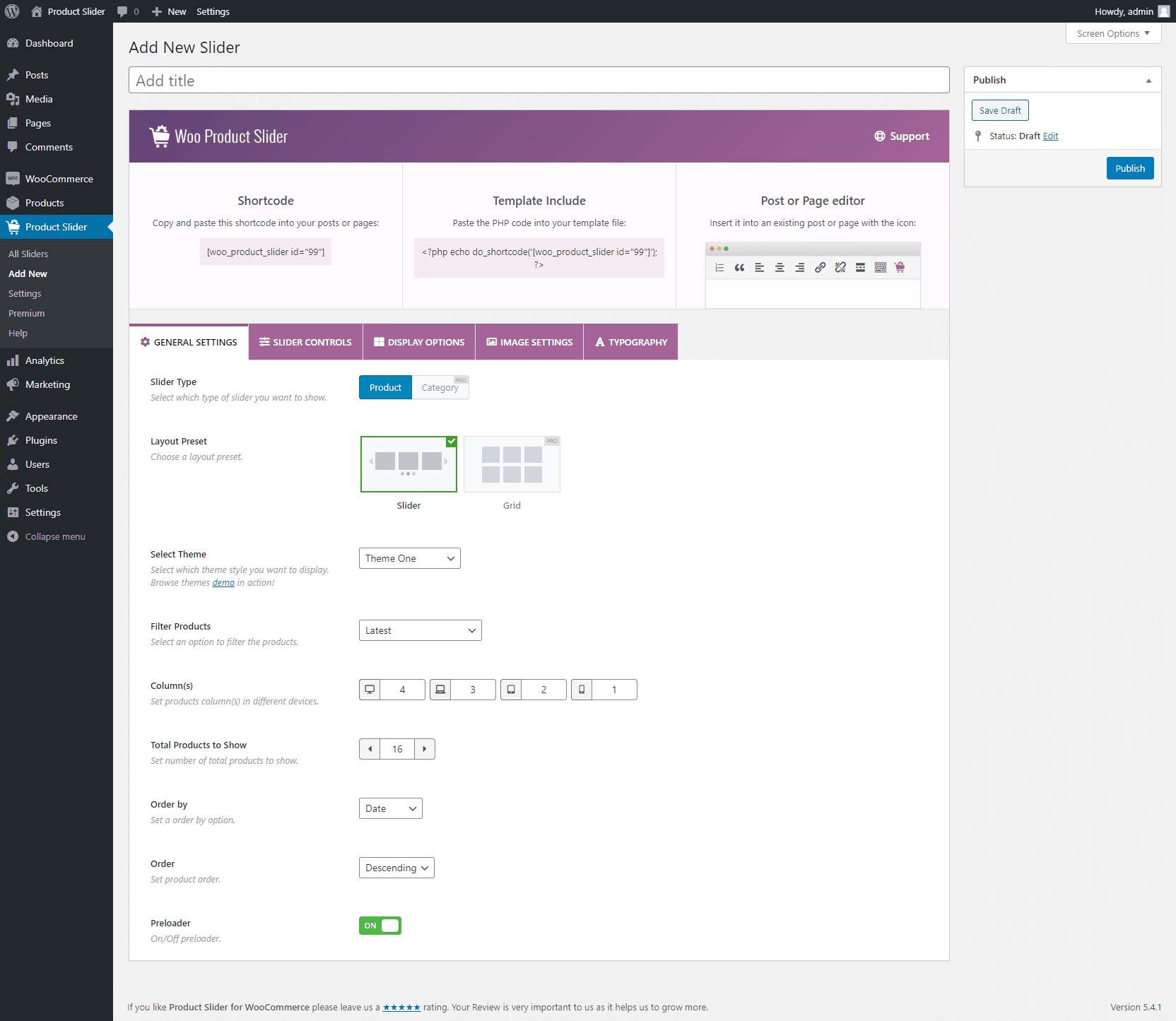
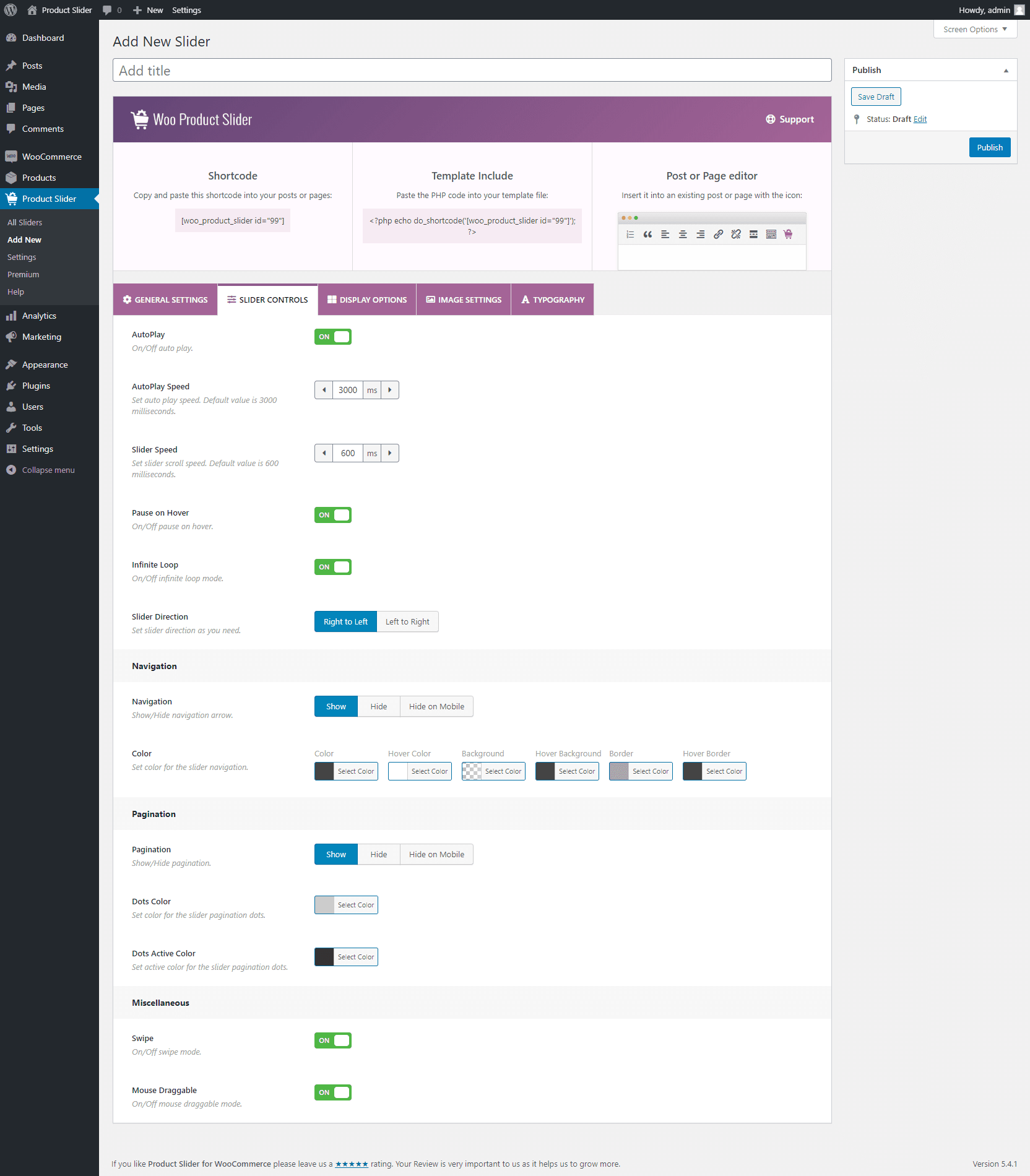
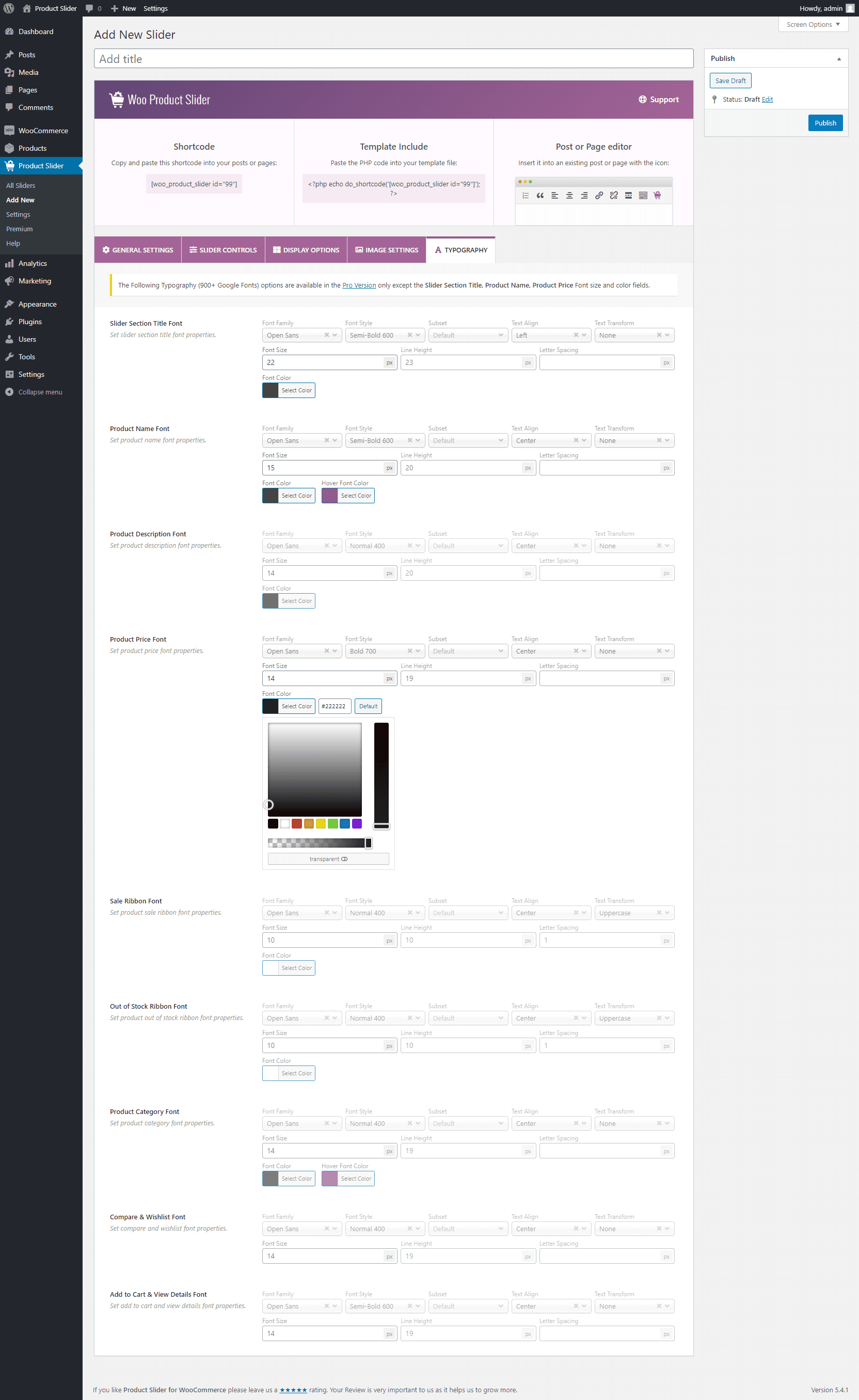
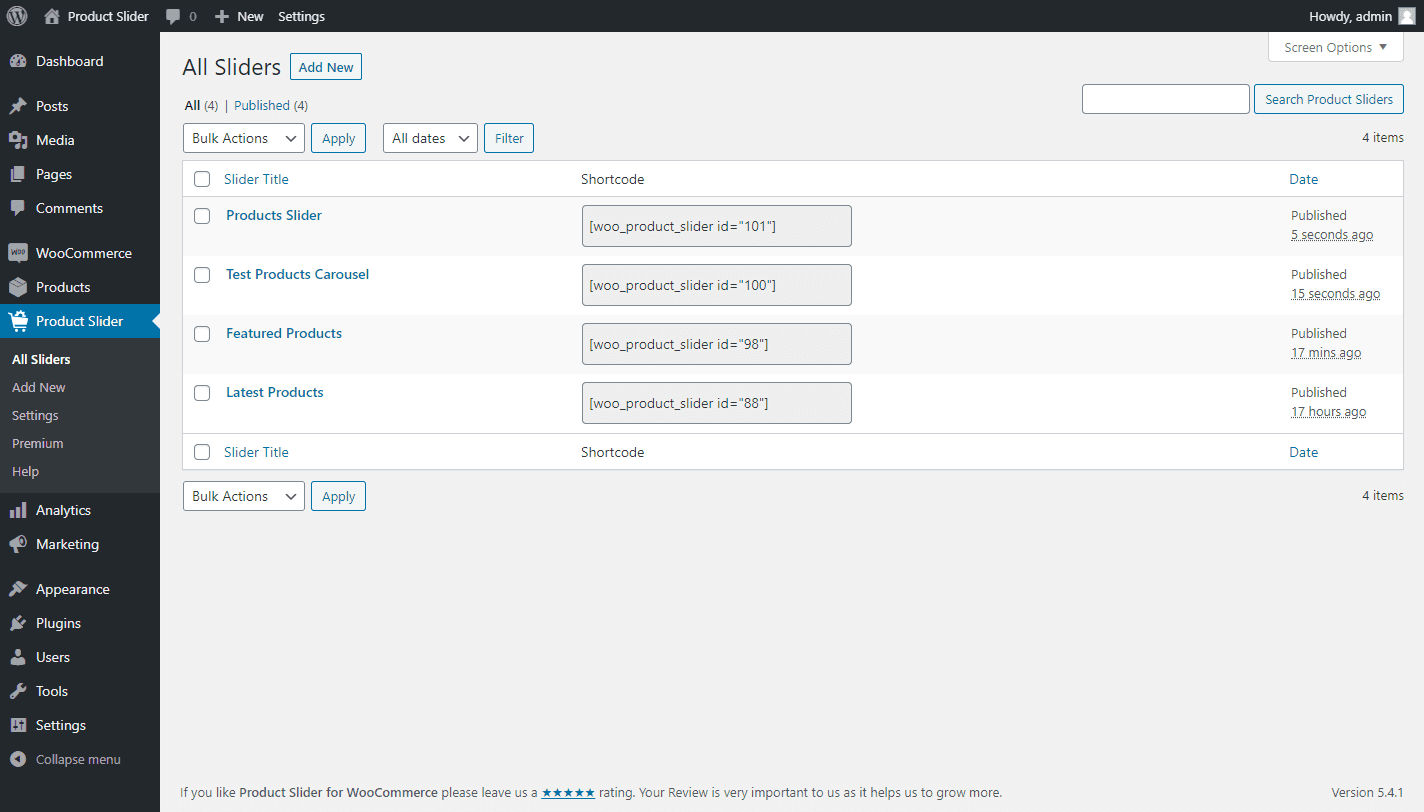
Product Slider for WooCommerce is a plugin that allows you to create attractive product sliders on your website or shop. It is responsive, lightweight, and easy to customize, with features such as autoplay, navigation arrows, and pagination dots. It is compatible with any theme and WooCommerce plugins, and is SEO friendly and optimized for speed.Screenshots

Frequently asked questions
What is Product Slider for WooCommerce?
Product Slider for WooCommerce is the best product slider carousel plugin to slide your WooCommerce Products in a tidy and professional way. It allows you to create easily attractive product slider carousel on your site or shop and increase conversions & sales. You can display product slider in pages, posts, custom template, and even widget. It comes with built-in intuitive Shortcode Generator to easily control the look and function of the product slider.
Why should I use Product Slider for WooCommerce?
Product Sliders can make your shop or site show a large number of products in a tidy and professional way keeping your site fast. And it makes your site look much more professional, clean and sharp in your potential customers' eyes. A product slider is one of the best ways to highlight specific products and, if you are able to put in strategic spots, it will allow you to increase conversions and purchases in your shop.
What are the key features of Product Slider for WooCommerce?
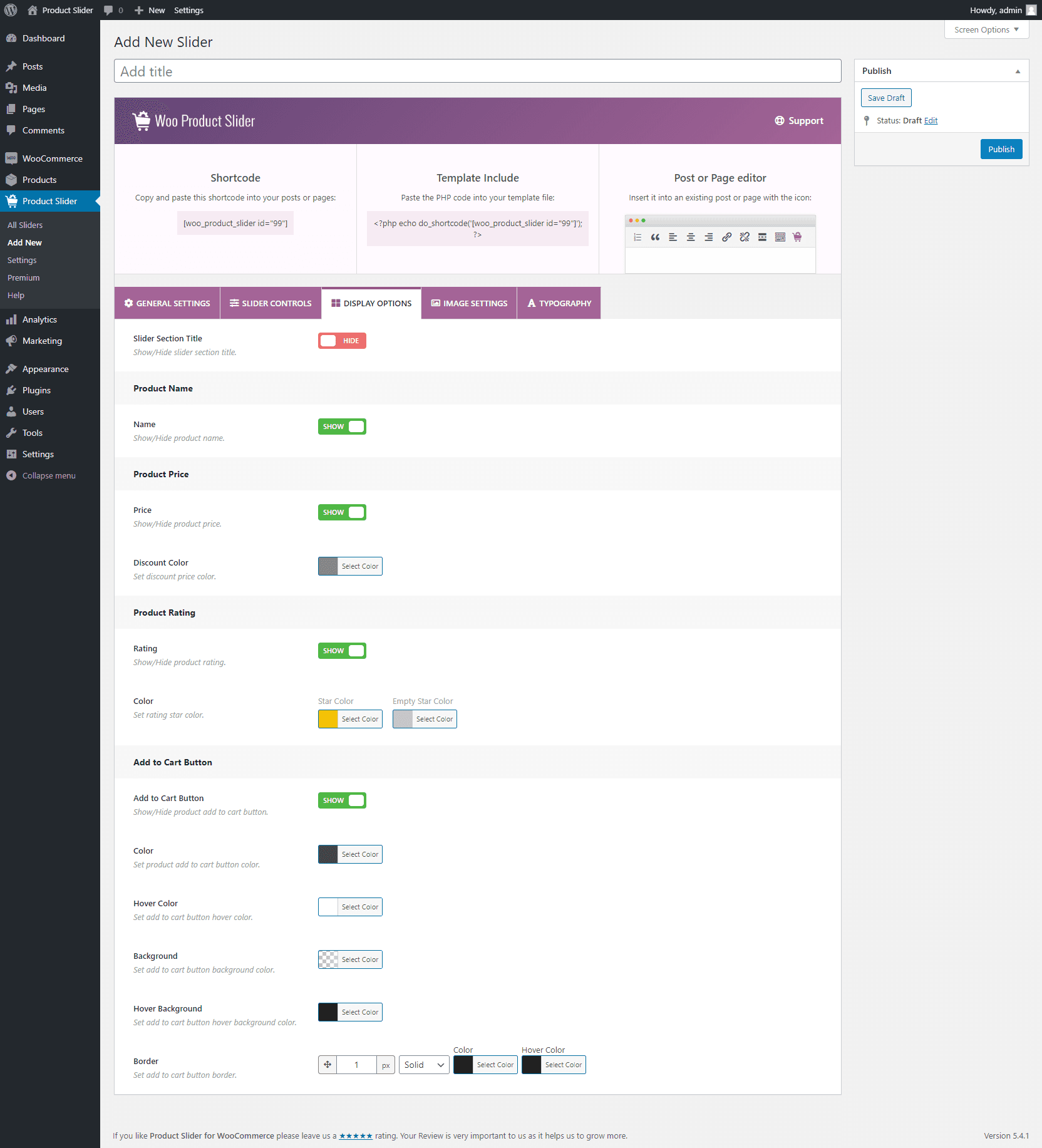
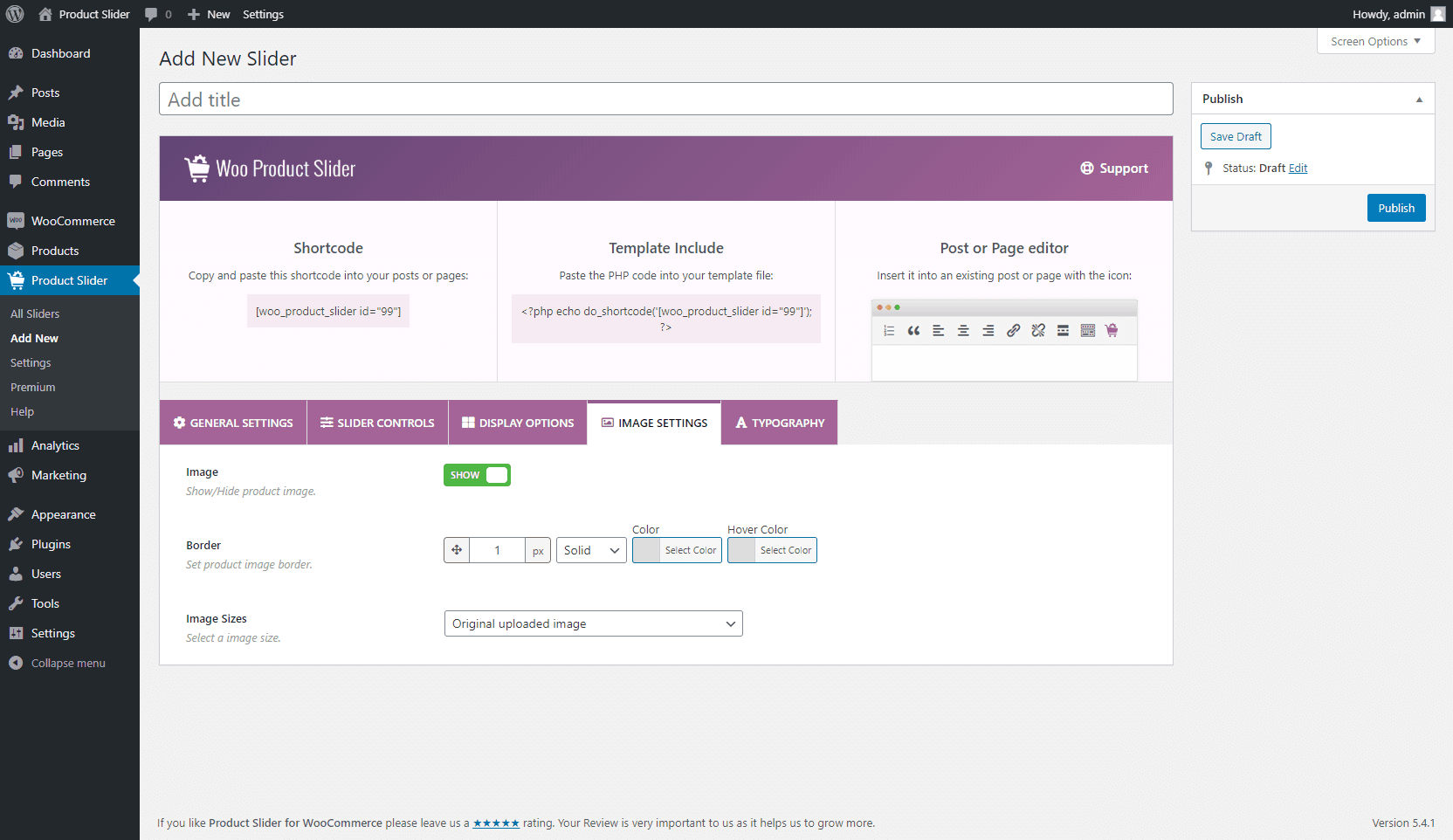
The key features of Product Slider for WooCommerce include: responsive and mobile friendly design, beautiful and lightweight, Shortcode Generator, 3 pre-designed ready themes, autoplay on/off, control autoplay speed, stop on hover slider, infinite loop for the slider, set a maximum number of products to show, support for multiple product sliders, show/hide product name, change product name font size, color, and hover color, show/hide product price, set product price & discount color, show/hide product rating, show/hide product add to cart button, set add to cart button color, border, background & hover color, show/hide navigation arrows & pagination dots, control slider pagination speed, show/hide a title for the slider, set slider title font size & color, unlimited color and styling options, control number of product columns in different devices, product order & order by, insert the generated shortcode with TinyMCE button, touch swipe supported, mouse draggable on/off, easy to customize and stylize, extremely easy and intuitive admin UI, unique settings for every slider, RTL supported, translation ready, compatible with any theme and WooCommerce plugins, SEO friendly & optimized for speed, and support for all modern browsers.
Who is the author of Product Slider for WooCommerce?
Product Slider for WooCommerce is designed and developed by ShapedPlugin.
Changelog
2.8.5 – Feb 27, 2025
- New: A hook was added to make it compatible with the Smart Swatches plugin.
- Fix: The star rating style issue with the Divi theme.
- Tested: WooCommerce 9.7.0 compatibility.
2.8.4 – Jan 29, 2025
- New: Two hooks, ‘sp_wpspro_before_product_title’ and ‘sp_wpspro_after_product_title’, were added.
- Fix: The shortcode select option gap issue was found in the gutenberg block.
- Fix: The start rating alignment issue was found with the Astra theme.
- Fix: The 404 issue for the recommended plugin’s logo URL.
- Updated: The language (.pot) file.
- Tested: WordPress 6.7.1 compatibility.
- Tested: WooCommerce 9.6.0 compatibility.
2.8.3 – Nov 20, 2024
- Fix: The plugin style issue for RTL sites.
- Tested: WooCommerce 9.4.2 compatibility.
2.8.2 – Nov 10, 2024
- Tested: WordPress 6.7 compatibility.
2.8.1 – Oct 09, 2024
- Fix: A few strings were not translatable.
- Updated: The language (.pot) file.
- Tested: WordPress 6.6.2 compatibility.
- Tested: WooCommerce 9.3.3 compatibility.
2.8.0 – Aug 08, 2024
- New: The Hide On Sale Products option.
- New: The Hide Free Products option.
- New: The Hide Product without Thumbnail option.
- New: The Show Hidden Products option.
- New: The Image border option for the custom template.
- Improved: The plugin-backed options have been enhanced.
- Improved: The How To Use Shortcode section moved to the right side of the page.
- Improved: The Layout Preset option was placed before the Filtering Tab.
- Improved: The options of Display Settings were reorganized in the nested tab.
- Improved: The options of the Templates Tab were moved to the Display Settings tab.
- Improved: The options of Grid Pagination were moved to the Display Settings tab.
- Updated: The language (.pot) file.
- Tested: WordPress 6.6.1 compatibility
- Tested: WooCommerce 9.1.4 compatibility.
2.7.3 – Jul 06, 2024
- Fix: Some string translation issue.
- Fix: The style issue found with RTL sites.
- Improved: The quick view button style in the product slider on the Gutenberg edit page.
- Update: The language (.pot) file.
- Tested: WordPress 6.5.5 compatibility.
- Tested: WooCommerce 9.0.2 compatibility.
2.7.2 – Jun 07, 2024
- Tested: WooCommerce 8.9.2 compatibility.
2.7.1 – Apr 01, 2024
- Fix: The warning was found when the plugin was activated via the WP-Cli command.
- Tested: WordPress 6.5 compatibility.
2.7.0 – Feb 01, 2024
- New: The Space between Products (Horizontal Gap, Vertical Gap) option.
- New: The Adaptive Height feature.
- New: The Tab & Key Navigation feature.
- New: The Mouse Wheel feature.
- Improved: The Plugin Backend Options Panel enhanced.
- Improved: The ‘All Sliders’ menu item was renamed to ‘Manage Sliders’.
- Improved: The Options of Carousel Settings were reorganized by the Nested Tab.
- Improved: The Carousel Navigation and Pagination’s Hide in mobile option have been separated.
- Improved: The Help Page has been redesigned to make it more user-friendly.
- Updated: The Language (.pot) file.
- Fix: Hidden products were displayed in a slider.
- Fix: Pagination breaks when navigation is hidden.
- Fix: The plugin style issues for the RTL site.
- Tested: WooCommerce 8.5.1 compatibility.
- Tested: WordPress 6.4.3 compatibility.
2.6.9 – Oct 31, 2023
- Fix: Few PHPCS warnings with PHP 8.2.
- Tested: WooCommerce 8.2.1 compatibility.
- Tested: WordPress 6.4 compatibility.
2.6.8 – Aug 04, 2023
- New: The Grid Layout with pagination feature.
- New: The Product Brand feature.
- New: The option to show/hide the Quick View button.
- Improved: The plugin security.
- Tested: WooCommerce High-Performance Order Storage (HPOS) feature compatibility.
- Tested: WooCommerce 7.9.0 compatibility.
- Tested: WordPress 6.3 compatibility.
2.6.7 – Jun 15, 2023
- Fix: The Gutenberg Block preview shows only the preloader at the second reload.
- Improved: The style issue of the quick view button in the product slider live preview.
- Tested: WordPress 6.2.2 compatibility.
- Tested: WooCommerce 7.7.1 compatibility.
2.6.6 – Apr 28, 2023
- New: If add to cart is disabled, the the quick view free is not shown in product slider.
- Fix: The plugin css changes the height of the Quick View Pro plugin button.
- Tested: WordPress 6.2 compatibility.
- Tested: WooCommerce 7.6.1 compatibility.
2.6.5 – Mar 07, 2023
- Improved: The Gutenberg Block NPM packages are updated.
- Fix: The conflict among plugin Fontello icons with other plugin/theme icons.
- Tested: WordPress 6.1.1 compatibility.
- Tested: WooCommerce 7.4.1 compatibility.
2.6.4 – Dec 28, 2022
- Fix: The rating color option does not work.
- Improved: Plugin security improved.
- Removed: The deprecated ‘woo-product-slider’ shortcode has been removed.
- Tested: WooCommerce 7.2.2 compatibility.
2.6.3 – Nov 24, 2022
- New: The Free Mode feature.
- Improved: Migrated Slick to Swiper.
- Improved: Load Stylesheets in the header based on shortcodes on the page.
- Improved: Suggestion notice of the plugin.
- Fix: Invalid CSS warning due to mission of price font-size CSS unit.
- Fix: Js warning of masonry is not a function on the admin page.
2.6.2 – Sept 28, 2022
- Fix: Plugin assets (JS and CSS) don’t load on the plugin pages only.
- Tested: WooCommerce 6.9.4 compatibility.
2.6.1 – Sept 02, 2022
- New: Elementor Addon.
2.6.0 – Aug 11, 2022
- New: The Template Settings tab has been added to separate themes.
- New: Custom layout feature.
- New: Image zoom-in/zoom-out feature for the custom layout.
- Updated: The language (.pot) file.
- Fix: Slider initializing issue in the tab of WP Tabs Pro plugin.
- Fix: Slider text is centered in mobile view.
- Fix: Extra margin issue of add to cart with Astra theme.
2.5.7 – Jul 21, 2022
- Fix: Conflict with ‘Email marketing by Sendinblue’ Plugin after plugin updating.
- Fix: In network admin, WooCommerce requirement notice shows even though the WooCommerce plugin is active.
- Improved: In the frontend, preloader has been replaced with a WooCommerce requirement notice if the WooCommerce plugin is not active.
2.5.6 – Jul 16, 2022
- Improved: Plugin security.
2.5.5 – Jun 14, 2022
- Fix: The premium page warnings.
- Fix: The HTML tags are not supported at the product title of the product slider.
- Fix: CLS issue
- Fix: The preloader is not transparent.
2.5.4 – May 21, 2022
- New: Gutenberg Block to insert Category Slider shortcode to preview.
- Tested: WordPress 6.0 compatibility.
2.5.3 – Apr 25, 2022
- Fix: Right to Left Mode Slider movement stops to left position in LTR site.
- Fix: Image responsive issue with Twenty Twenty-Two theme.
- Fix: Image margin-bottom issue with StoreFront theme.
2.5.2 – Mar 29, 2022
- New: A hook ‘sp_wps_product_preloader_img’ added for changing preloader image.
- New: The Template Modification feature to customise template as per need.
- Improved: Plugin codes have been improved.
- Improved: SVG preloading icon has been added as a pre-loader image.
- Updated: The language (.pot) file.
- Fix: An undefined variable warning ($review) when Review Notice has been dismissed.
- Fix: Security issue related to the Duplicate Slider option fixed.
2.5.1 – Mar 29, 2022
- Removed: The TinyMCE button from the classic editor.
2.5.0 – Mar 08, 2022
- Improve: Security has been improved.
- Fix: The rating star color option doesn’t work.
2.4.3 – Jan 27, 2022
- Tested: WordPress 5.9 compatibility.
2.4.2 – Dec 25, 2021
- Tested: WooCommerce 6.0.0 compatibility.
2.4.1 – Nov 28, 2021
- Improved: Settings page “Save Changes” and “Reset Tab” button.
- Improved: Column option improved.
- Removed: “Reset All” button.
- Fix: Angle right in Custom CSS option fixed.
- Fix: RTL option fixed.
- Fix: Several minor tweaking.
2.4.0 – Oct 20, 2021
- New: Shortcode live preview option.
- Fix: Several minor issues.
- Update: Slick JS.
2.3.4 – Sep 15, 2021
- Improved: Shortcode generator options.
- Fix: Illegal string offset issue.
2.3.3 – Aug 19, 2021
- Improved: Plugin security.
- Tested: WooCommerce 5.6.0 compatibility.
2.3.2 – Jul 19, 2021
- Tested: WooCommerce 5.5.1 compatibility.
- Tested: WordPress 5.8 compatibility.
2.3.1 – Jul 08, 2021
- New: Clean-up Data on Deletion.
- Tested: WooCommerce 5.4.1 compatibility.
2.3.0 – Jun 15, 2021
- New: Slider duplicate option.
- New: Export and Import option.
- Tested: Compatibility tested with WooCommerce 5.4.1 version.
2.2.13 – Jun 08, 2021
- Fix: AutoPlay on hover dependency issue.
- Fix: Shortcode area responsive issue.
- Tested: Compatibility tested with WooCommerce 5.3.0 version.
2.2.12 – Apr 13, 2021
- Tested: Compatibility tested with WooCommerce 5.2.0 version.
2.2.11 – Apr 09, 2021
- Fix: Plugin menu position issue.
2.2.10 – Mar 19, 2021
- Fix: Preloader image missing issue.
2.2.9 – Mar 12, 2021
- New: Shortcode onClick copy option.
- Improved: Dashboard Generator Settings panel.
- Improved: Settings page.
- Improved: Help page.
- Tested: Compatibility tested with WordPress 5.7 version.
- Tested: Compatibility tested with WooCommerce 5.1.0 version.
- Fix: PHP backward compatibility issue.
2.2.8 – Jan 27, 2021
- Tested: Compatibility tested with WooCommerce 4.9.2 version.
2.2.7 – Dec 14, 2020
- Fix: Preloader issue.
2.2.6 – Dec 11, 2020
- Tested: Compatibility tested with WooCommerce 4.8.0 version.
- Fix: WordPress 5.6 compatible issue.
2.2.5 – Nov 25, 2020
- Tested: WooCommerce 4.7.1 version.
2.2.4 – Oct 15, 2020
- New: Hide out of stock products option.
- Tested: WooCommerce 4.6.0 version.
2.2.3 – Aug 17, 2020
- Tested: WordPress 5.5 version.
- Tested: WooCommerce 4.3.3 version.
2.2.2 – Jun 14, 2020
- New: Add filter hook “sp_wps_post_type_labels” for label and “sp_wps_post_type_args” for args.
- Fix: Admin menu hiding issue.
- Fix: Display icon field on dashboard footer issue.
- Tested: WordPress 5.4.2 version.
- Tested: WooCommerce 4.2.0 version.
2.2.1 – May 16, 2020
- Fix: “Total Products to Show” conflict with “Posts per page setting”.
2.2.0 – May 14, 2020
- New: Preloader option.
- New: Featured products.
- New: Product rating color option.
- New: Add to Cart button border option.
- New: Product image show/hide.
- New: Product image border option.
- New: Product image size option.
- New: Product price font size option.
- New: Slider infinite loop option.
- New: Settings page(
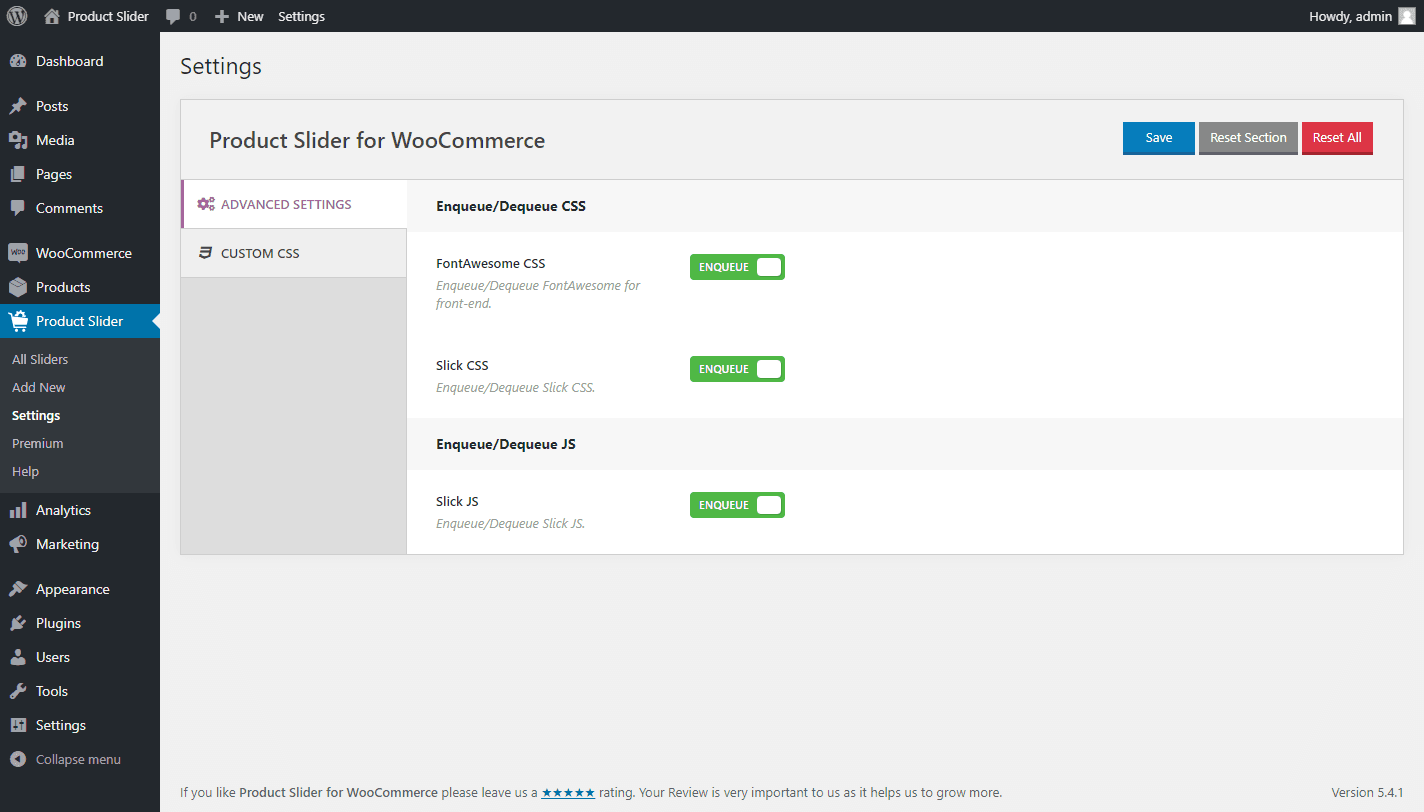
- FontAwesome CSS Enqueue/Dequeue option.
- Slick CSS Enqueue/Dequeue option.
- Slick JS Enqueue/Dequeue option.
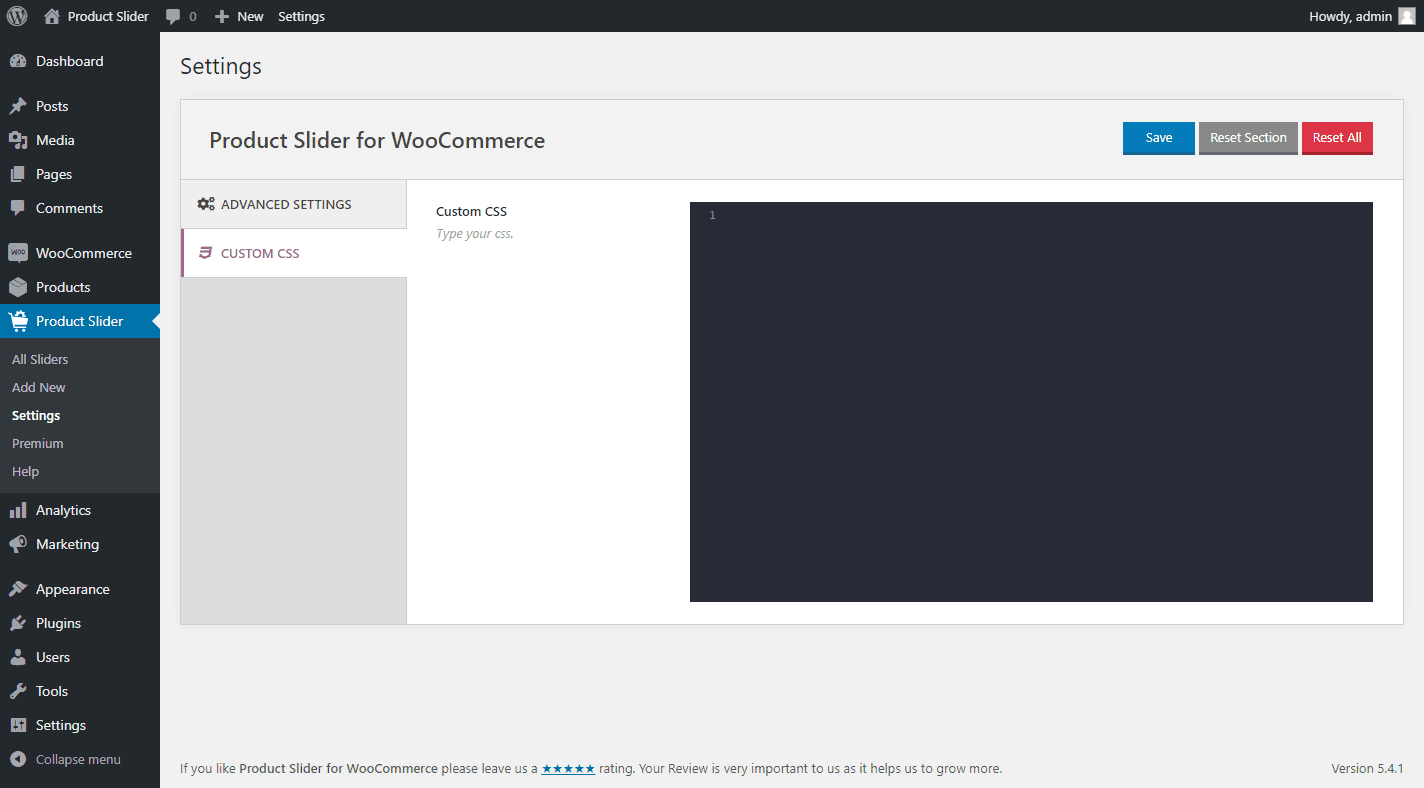
- Custom CSS option.
)
- Improved: Column(s) system.
- Improved: Slider direction.
- Improved: Slider navigation.
- Improved: Slider pagination.
2.1.16 – Nov 25, 2019
- Fix: JSON error issue.
- Tested: WordPress 5.3 version.
- Tested: WooCommerce 3.8.0 version.
2.1.15 – Oct 21, 2019
- Fix: Slider displaying at top issue.
2.1.14 – Oct 05, 2019
- Fix: Theme three overlay issue.
- Improved: Plugin code optimized.
2.1.13 – Aug 02, 2019
- Improved: Style and Script enqueue system.
- Improved: Admin dashboard UI.
- New: Add FontAwesome icons.
2.1.12 – May 22, 2019
- Fix: Compatible with WordPress 5.2.1
2.1.11 – Apr 09, 2019
- Fix: Divi Builder css issue.
2.1.10 – Mar 07, 2019
- Fix: Icon conflict issue.
2.1.9 – Mar 02, 2019
- Fix: WordPress 5.1 compatible issue.
2.1.8 – Feb 11, 2019
- New: Add a filter for product image size “sp_wps_product_image_size”.
2.1.7 – Dec 10, 2018
- Fix: Slider script displaying issue.
2.1.6 – Dec 04, 2018
- Improved: Slider script improved.
- Fix: WooCommerce 3.5.2 support.
2.1.5 – Oct 25, 2018
- Fix: WooCommerce 3.5.0 support.
2.1.4, Oct 01, 2018
- Fix: WooCommerce 3.4.5 support.
- Fix: Placeholder image issue.
2.1.3, Aug 29, 2018
- Fix: WooCommerce 3.4.4 support.
2.1.2, February 16, 2018
- Fix: WooCommerce 3.3.1 support.
2.1.1, January 27, 2018
- Fix: Add to cart button price.
- Fix: Style loding issue.
2.1, November 14, 2017
- Fix: Rating star font missing.
2.0, November 10, 2017
- Added shortcode generator.
- Added 2 new theme styles.
- Added slider title option.
- Added TinyMCE button.
- Product order and order by.
- Product columns in different devices.
- AutoPlay speed.
- Slider speed.
- Touch swipe on/off.
- Mouse draggable on/off.
- RTL mode.
- Show/hide option for product name, price, add to cart button, slider title.
- Custom color change option for navigation, pagination, product name, price, add to cart button, slider title.
- Added a new intuitive admin dashboard.
1.4
- Added star rating option.
- Sume CSS tweakings.
1.3.1
- Added loop option.
- Added fontAwesome icon.
1.3
- Fixed warning.
1.2
- Add custom widget.
1.1
- Add to cart button fixing.
- Fatal error fixing.
1.0
- First Release

