

The Elementor Website Builder has it all: drag and drop page builder, pixel perfect design, mobile responsive editing,…

About HTML Page Sitemap
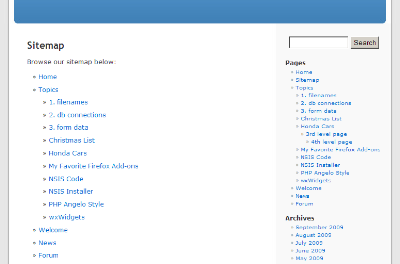
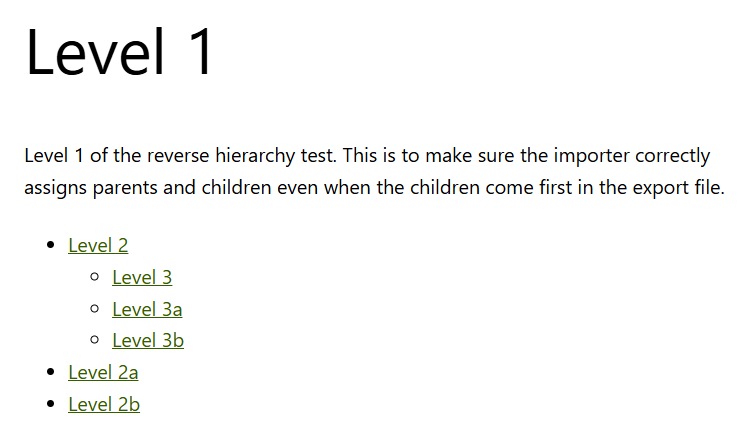
This plugin allows you to add an HTML sitemap of your pages to your WordPress site by using a shortcode. You can customize the sitemap by specifying the depth, parent page, and which children to include or exclude. It is perfect for those who use WordPress as a CMS.Screenshots
Frequently asked questions
What does this plugin do?
This plugin adds an HTML sitemap of your pages (not posts) by using the shortcode [html_sitemap].
How can I configure this plugin?
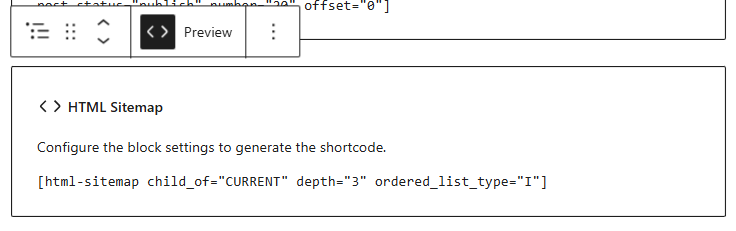
You can configure this plugin by using shortcode attributes such as sort_column, sort_order, exclude, include, depth, child_of, meta_key, meta_value, authors, number, offset, post_type, and post_status.
Can I set class and id values for the HTML Page Sitemap list tag?
Yes, you can set class and id attributes for the initial HTML Page Sitemap <ul> list tag.
What is the ordered_list_type attribute used for?
The ordered_list_type attribute is used to specify the type of ordered list to be used in the sitemap. The options include 1, A, a, I, and i.
Does this plugin work with all post types?
No, this plugin only works with Hierarchical Custom Post Types.
Changelog
1.3.6
- Released on 2/09/2025
- Tested with WordPress up to version 6.7.1
- Project now managed on GitHub
1.3.5
- Release skipped
1.3.4
- Released on 8/13/2024
- Tested with WordPress up to version 6.6
- Readme.txt updated to latest requirements (ref: https://developer.wordpress.org/plugins/wordpress-org/how-your-readme-txt-works/)
1.3.3
- Released on 3/14/2020
- Tested with WordPress up to version 5.4
1.3.2
- Released on 10/05/2018
- Fixed warning messages in PHP7 when modifying the $args value when it is not an array.
1.3.1
- Released on 1/8/2018
- Added a blank index.php to root plugin folder for extra security.
- Tested with WordPress up to version 4.9.1
1.3
- Released on 11/24/2015
- Added
ordered_list_typeoption to use an ordered list rather than unordered. (Thanks Allie for the feature suggestion!) - Tested with WordPress 4.4 beta 4
1.2
- Released on 9/15/2015
- Tested with WordPress 4.3.
- Added class and id attribute options for specifying HTML class and/or id attributes in the unordered list
<ul>. (Thanks phorbidden for the feature suggestion!) - Updated readme, added additional examples for the class and id attribute options.
1.1.4
- Released on 1/11/2015
- Tested with WordPress 4.1.
- End of source no longer includes closing PHP tag as recommended by WordPress.
- Updated readme, added additional example excluding multipe pages.
1.1.3
- Released 3/11/2013
- HTML Sitemap compatible with latest versions of WordPress up to 3.5.1
- Nothing has changed with this plugin other than the readme.txt.
1.1.2
- Released 1/31/2012
- Hyphen in shortcode changed to underscore.
html_sitemapandhtmlsitemapshortcodes work. read more here - HTML Sitemap compatible with latest versions of WordPress up to 3.3.1
1.1.1
- Released 6/27/2010
- HTML Sitemap compatible with latest versions of WordPress 2.9 and 3.0.
1.1.0
- Released on 11/24/2009
- Fixed typos in readme
- Added child_of options
** child_of=CURRENT (starts list of pages that are children of the current page)
** child_of=PARENT (starts list of pages that are of the same level as current page)
1.0.0
- Released on 09/05/2009
- Initial release of HTML Page Sitemap plugin.

