

Just another contact form plugin. Simple but flexible.
About Popup box
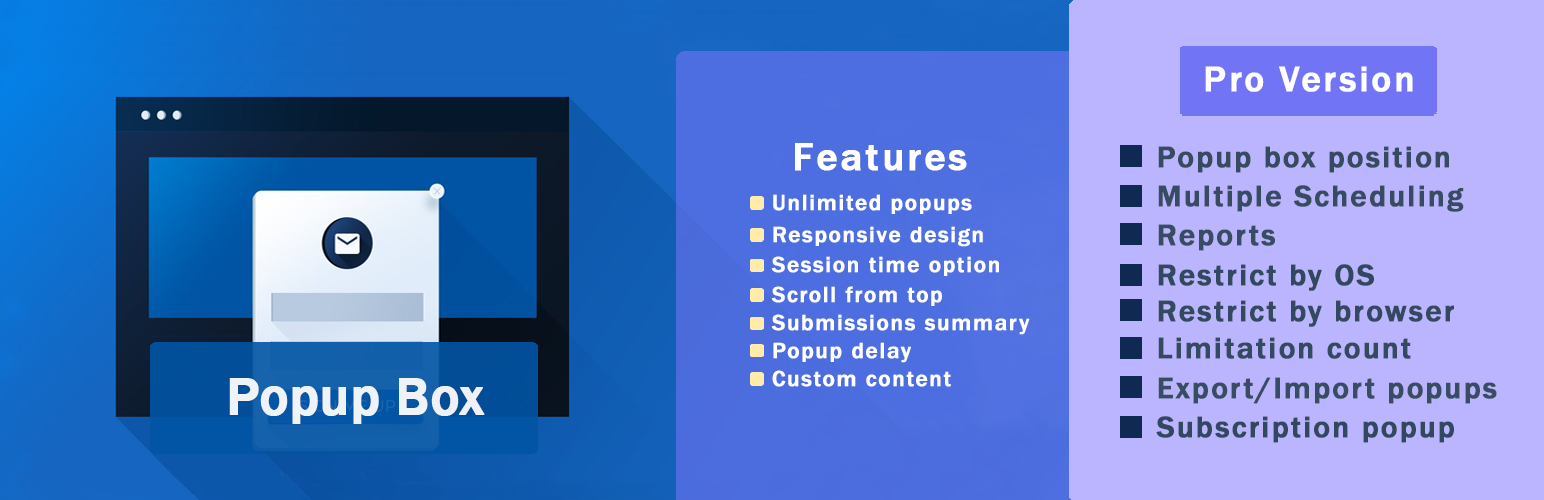
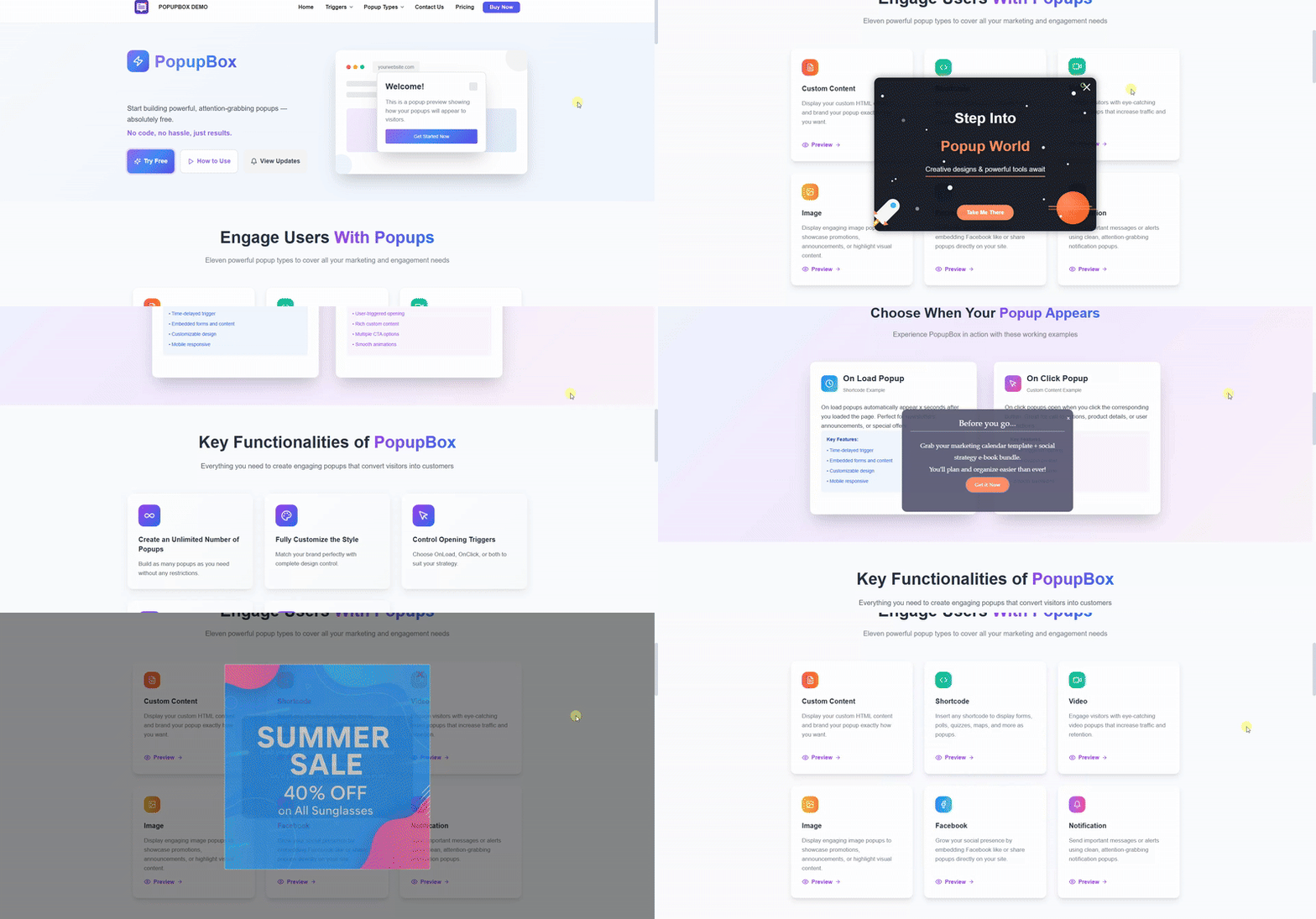
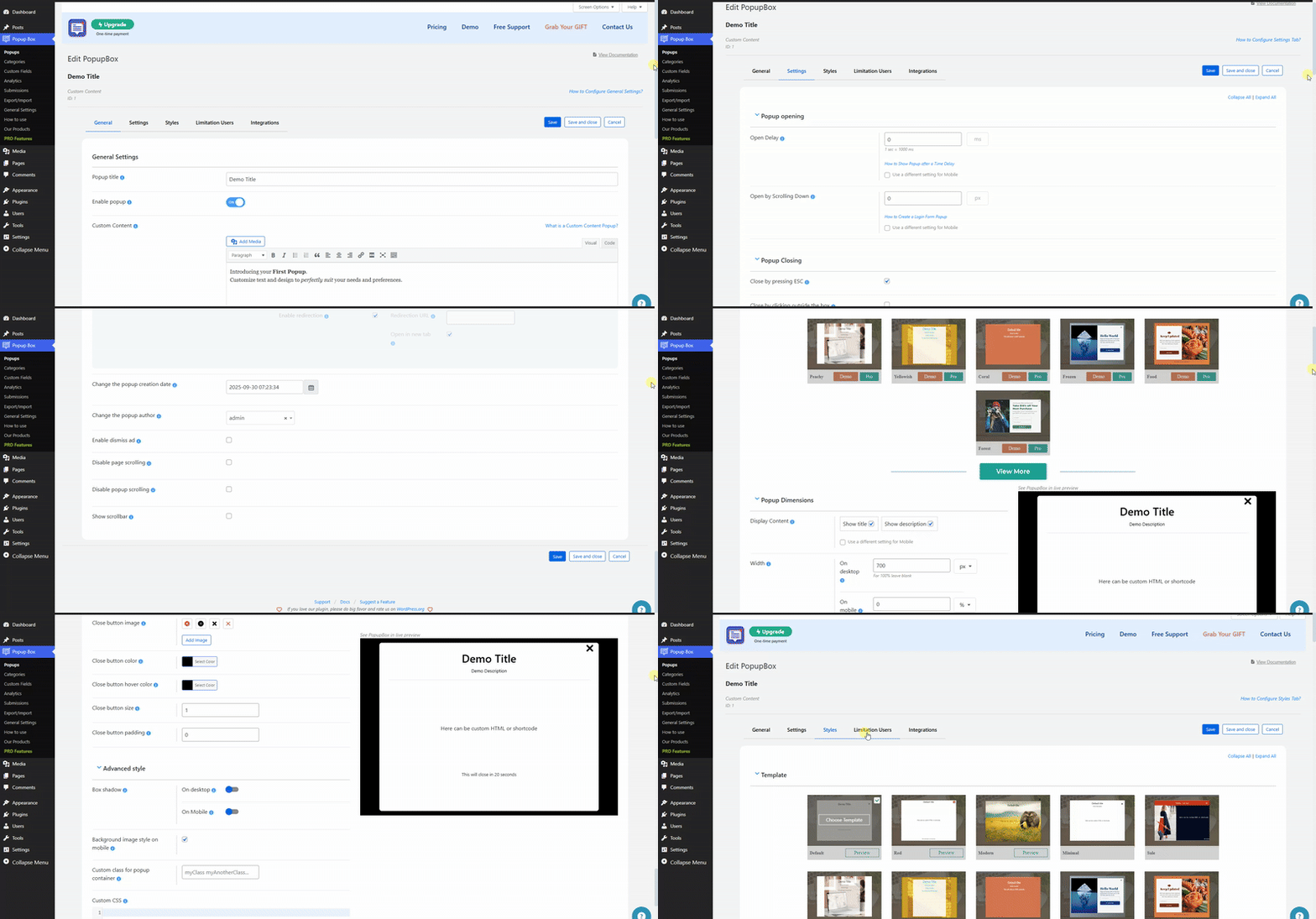
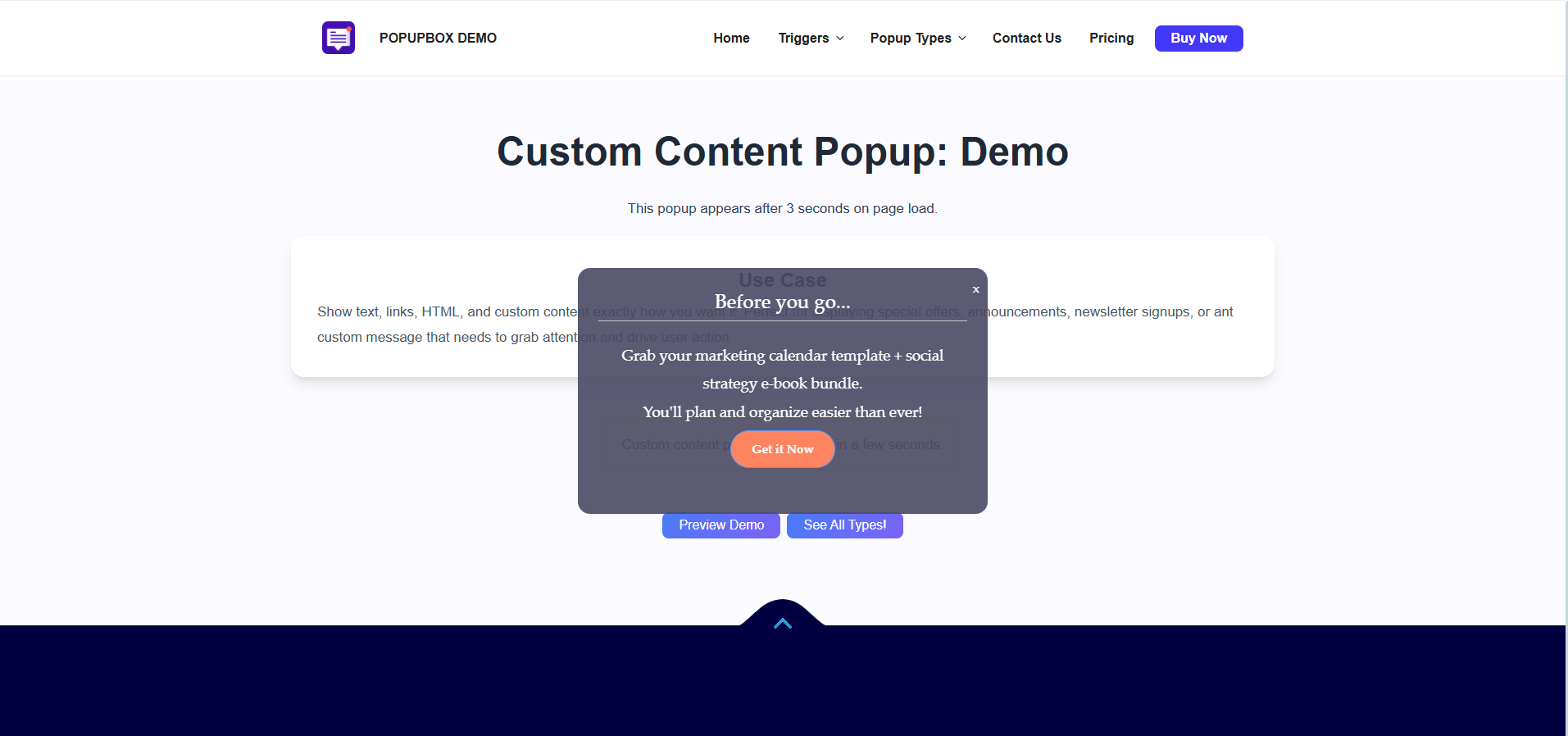
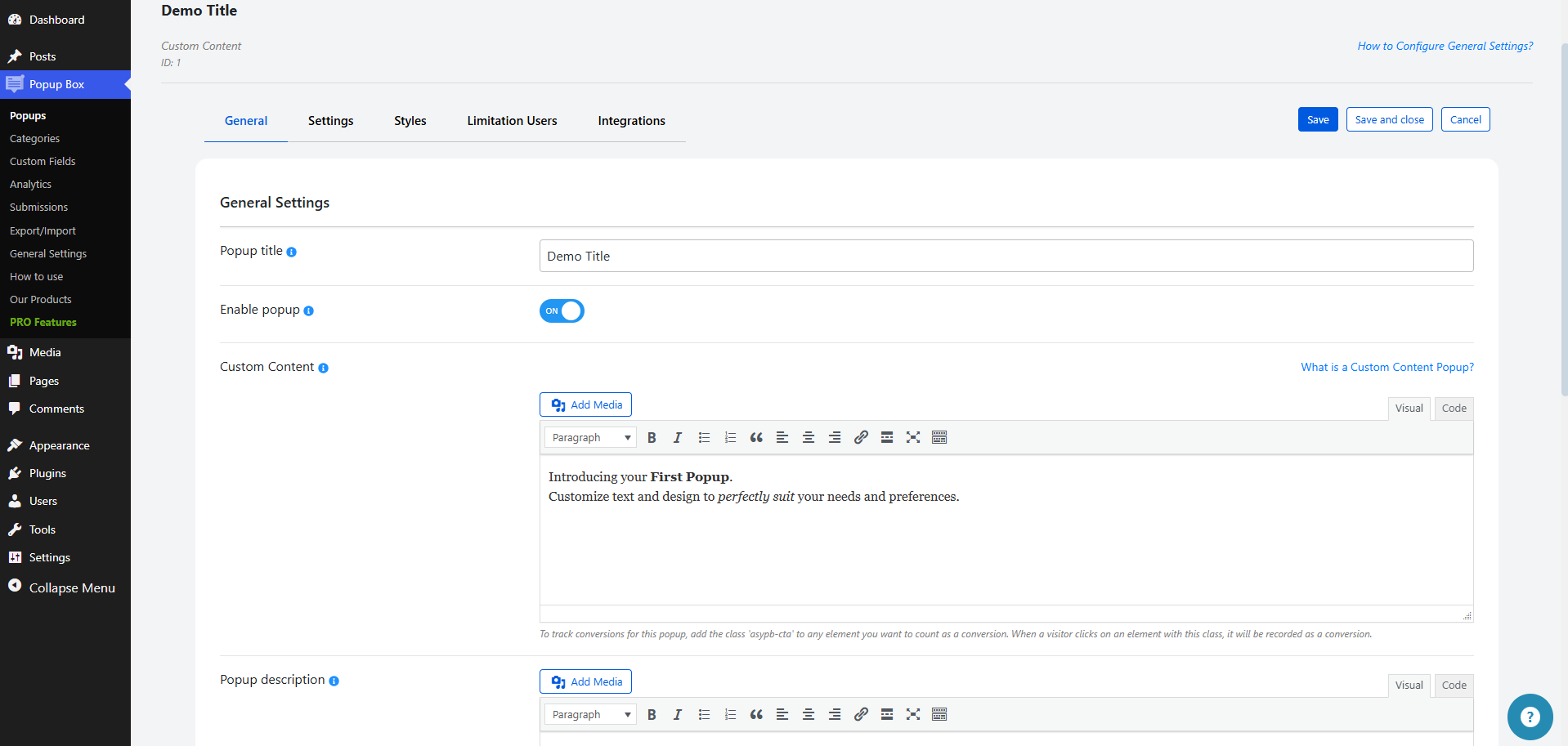
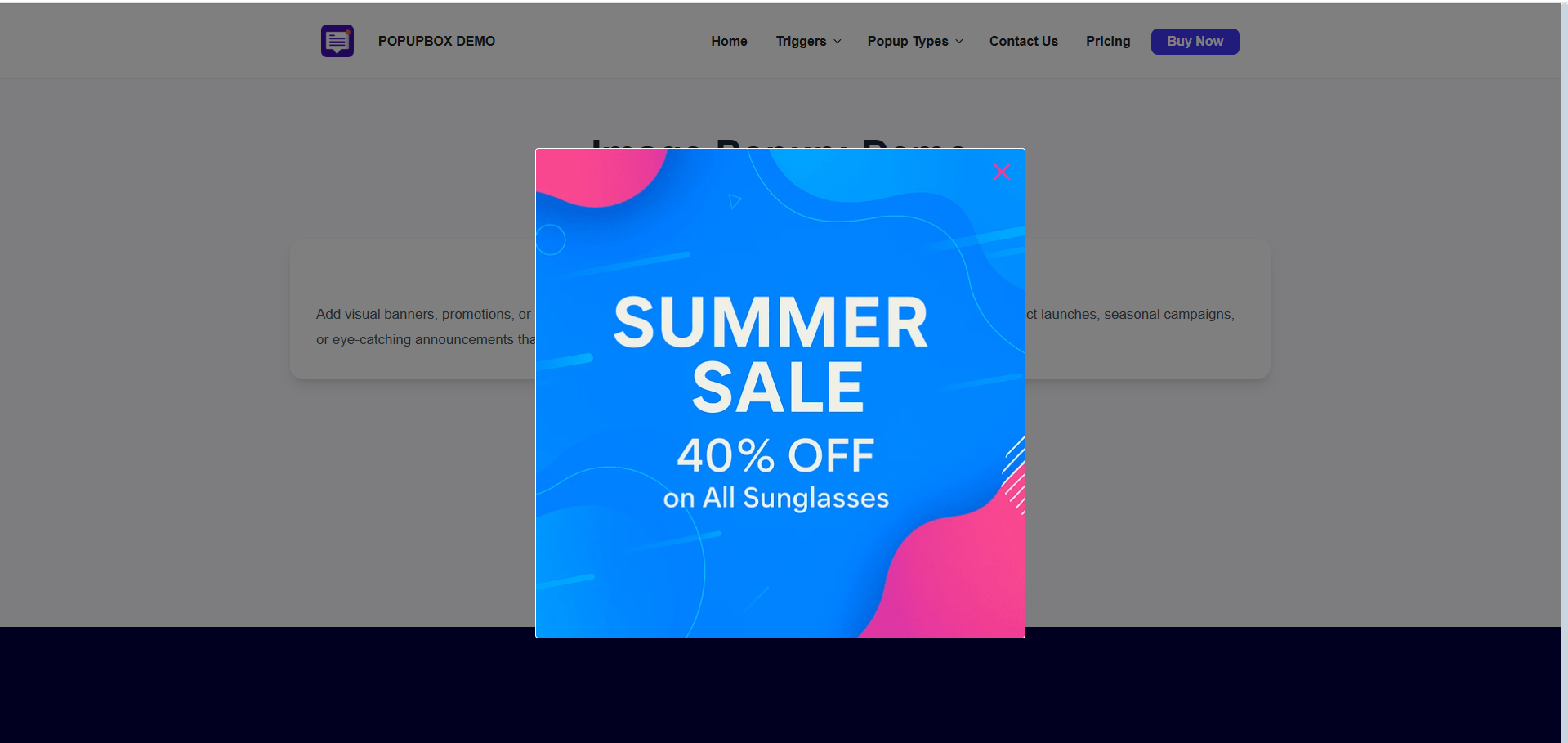
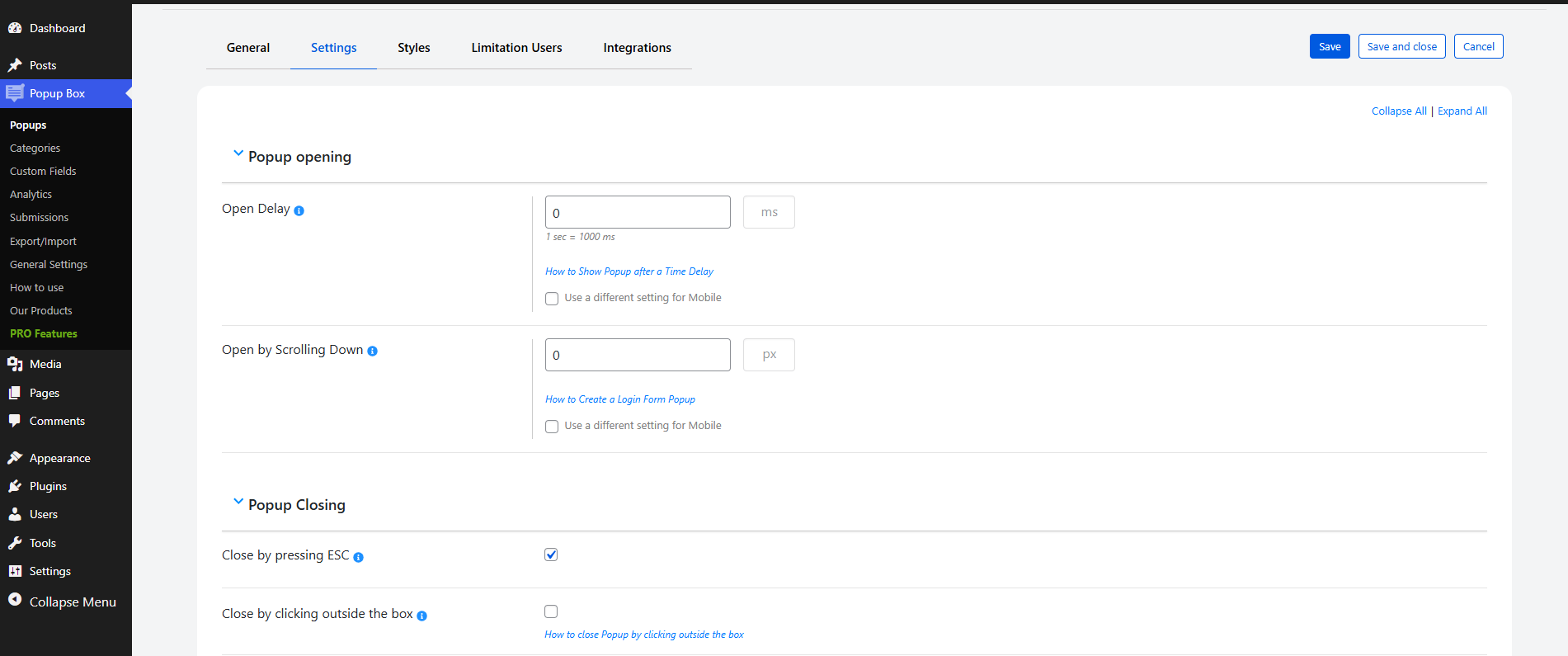
The WordPress Popup plugin offers a variety of features to create eye-catching and high-converting popups for your website. You can choose from 15 different types of popups, customize their appearance and behavior, and even add elements from other WordPress plugins. The plugin also offers a free version with basic features and a pro version with advanced features and integrations.Screenshots
Frequently asked questions
What is Popup box?
Popup box is a WordPress plugin designed to create informative and promotional popups. It helps increase website user engagement with eye-catching popups.
What types of popups can I create with this plugin?
You can create 15 types of popups including Shortcode, Custom Content, Subscriptions, Yes or No, Video, Iframe, Contact Form, Subscribe and get a file, Coupon, Countdown, Cookies, and Download.
Do I need to be tech-savvy to use this plugin?
No, you do not need to be a tech-savvy person to use the features included in this plugin. It offers an easy way to popup anything.
Changelog
5.1.8
- Improved: Some changes on the admin dashboard
5.1.7
- Added: Time-based scheduling feature for popups
- Tested: Compatible up to 6.7.2
5.1.6
- Improved: Code correction on the front-end and admin dashboard
5.1.5
- Fixed: Responsive issue on mobile the Popups page
5.1.4
- Added: Header background color mobile option
5.1.3
- Added: Global Collapse/Expand functionality on the Popups page
5.1.2
- Improved: The Popups page design
5.1.1
- Improved: Top banner styles on the admin dashboard
5.1.0
- Added: Content padding mobile option
5.0.9
- Added: Logo image shape option for notification popup
5.0.8
- Fixed: Some styles on the admin dashboard
- Updated: POT file
5.0.7
- Fixed: Issue connected to the popup background image
- Improved: Some changes on the admin dashboard
5.0.6
- Improved: Some changes on the admin dashboard
5.0.5
- Added: Logo image sizing option for notification popup
5.0.4
- Improved: Some changes on the admin dashboard
5.0.3
- Fixed: Sorting issue on the popup list tables
- Fixed: Some style issues on the front end
5.0.2
- Fixed: Some issues on the front end
- Updated: POT file
5.0.1
- Improved: Some changes on the admin dashboard
- Tested: Compatible up to 6.7.1
5.0.0
- Added: Mobile min-width option for notification popup logo
4.9.9
- Fixed: Some styles on the admin dashboard
- Fixed: JS issues on the front end
4.9.8
- Fixed: Security issue connected to the plugin deactivation
4.9.7
- Added: Mobile max-width option for notification popup logo
- Tested: Compatible up to 6.7
4.9.6
- Added: Mobile width option for notification popup logo
4.9.5
- Added: Button letter spacing on mobile option for notification popup type
4.9.4
- Added: Button font weight on mobile option for notification popup type
4.9.3
- Added: Button font size on mobile option for notification popup type
4.9.2
- Fixed: Issue connected to the autoclose on video completion option
- Updated: POT file
4.9.1
- Added: Transition option for notification popup button
4.9.0
- Added: Max-height option for notification popup logo
4.8.9
- Added: Min-height option for notification popup logo
4.8.8
- Added: Width by pixels option for notification popup logo
4.8.7
- Added: Min-width by percentage option for notification popup logo
4.8.6
- Added: Max-width by percentage option for notification popup logo
4.8.5
- Improved: Styles on the admin dashboard
- Updated: POT file
4.8.4
- Added: Min-width option for notification popup logo
4.8.3
- Added: Width option for notification popup logo
4.8.2
- Fixed: Security issue on the admin dashboard
- Improved: Styles on the admin dashboard
4.8.1
- Added: Max-width option for notification popup logo
4.8.0
- Added: Font weight option for notification popup button
- Tested: Compatible up to 6.6.2
4.7.9
- Added: Button hover text option for notification popup type
4.7.8
- Added: Text decoration option for notification popup button
- Fixed: Security issue connected to the change creation date option
4.7.7
- Added: Text transformation option for notification popup button
4.7.6
- Improved: Styles on the admin dashboard
- Updated: POT file
4.7.5
- Added: Expand/Collapse functionality for popup options on the Popups page
4.7.4
- Added: Redirect to the new tab option for notification popup logo
- Fixed: Style issue on the admin dashboard
4.7.3
- Improved: Styles on the admin dashboard
4.7.2
- Added: Logo redirect URL option for notification popup type
- Fixed: Some styles on the front end
4.7.1
- Added: Logo option for notification popup type
4.7.0
- Added: Automatic activation/installation of the plugin on the Our Products submenu
4.6.9
- Fixed: Some issues on PRO Features page
- Updated: POT file
4.6.8
- Fixed: Some style issues on the admin dashboard
4.6.7
- Added: Confirmation Box before deleting the popup categories
- Fixed: Some style issues on the admin dashboard
4.6.6
- Fixed: Some style issues on the admin dashboard
- Fixed: Issue connected to the popup categories list table search box
- Tested: Compatible up to 6.6.1
4.6.5
- Added: Button letter spacing option for notification popup type
4.6.4
- Fixed: Popup displaying conflict with Elementor
- Fixed: Popup duplication issue
4.6.3
- Fixed: Translation issues on the admin dashboard
- Updated: POT file
4.6.2
- Fixed: Issues connected to the popups list table search box
- Tested: Compatible up to 6.6
4.6.1
- Added: Button text hover color option for notification popup type
4.6.0
- Fixed: Some issues on the popups list table
4.5.9
- Fixed: Filters conflict on the popups list table
- Improved: Plugin performance on the admin dashboard
4.5.8
- Added: Button background hover color option for notification popup type
- Fixed: Some style issues on the front end
- Tested: Compatible up to 6.5.5
4.5.7
- Added: Box shadow option for notification popup type
4.5.6
- Added: Redirect to the new tab option for image popup type
4.5.5
- Improved: Some Styles on the admin dashboard
4.5.4
- Added: Redirect to the new tab option for notification popup type
4.5.3
- Added: Use small header option for Facebook popup type
- Fixed: Some issues on the admin dashboard
- Tested: Compatible up to 6.5.4
4.5.2
- Fixed: Some responsive style issues on the admin dashboard
- Updated: POT file
4.5.1
- Added: Button padding option for notification popup type
4.5.0
- Added: Button border style option for notification popup type
- Fixed: JS issue connected to the facebook popup type
4.4.9
- Fixed: JS issue on the admin dashboard
4.4.8
- Added: Button border color option for notification popup type
4.4.7
- Added: Button border width option for notification popup type
4.4.6
- Added: Button font size option for notification popup type
4.4.5
- Added: Button border radius option for notification popup type
- Fixed: JS issue on the front page
4.4.4
- Improved: Footer style on the admin dashboard
4.4.3
- Fixed: Some styles on the admin dashboard
- Tested: Compatible up to 6.5.3
4.4.2
- Fixed: Some styles on the admin dashboard
4.4.1
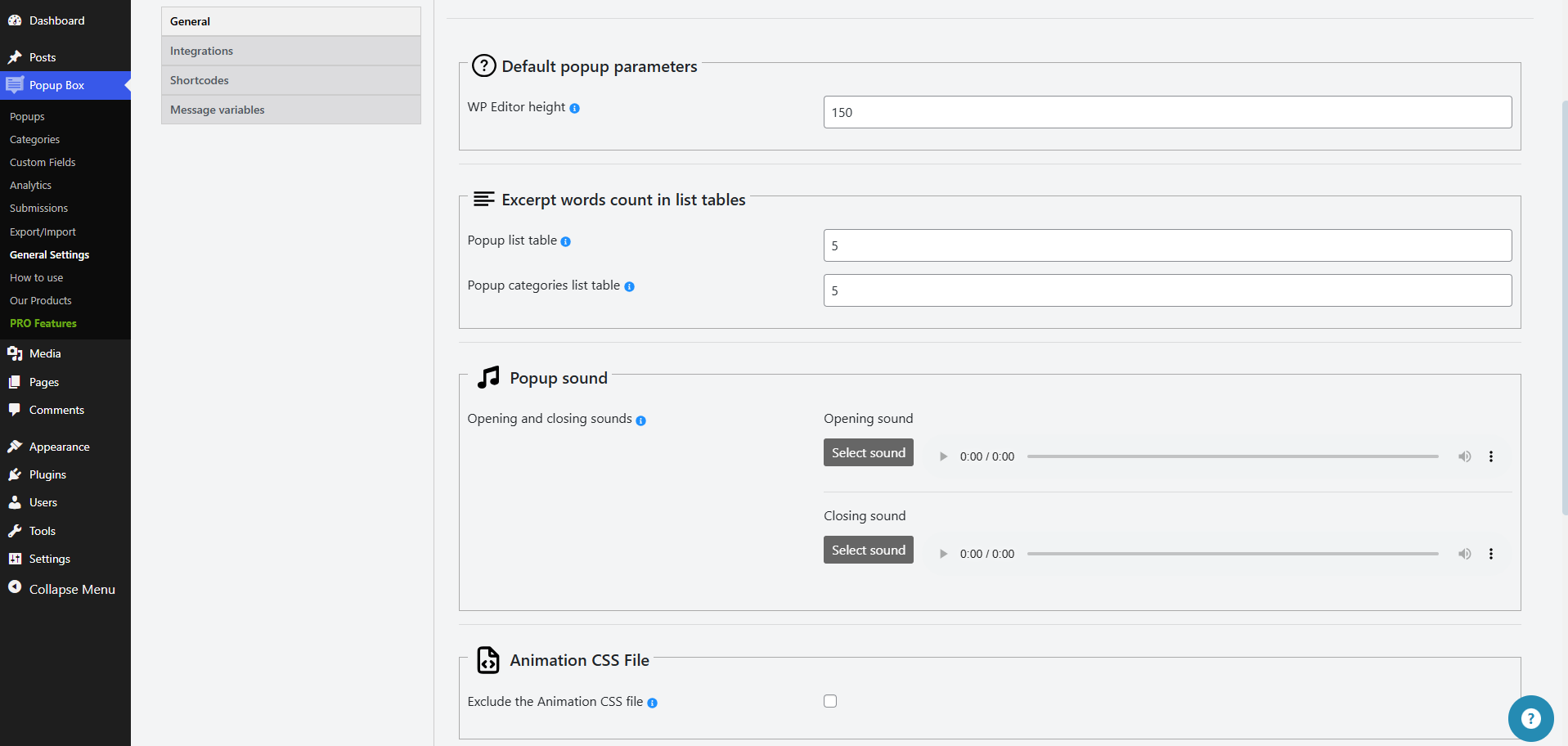
- Added: Exclude the animation CSS file option on the General Settings Page
4.4.0
- Fixed: Some styles on the admin dashboard
- Updated: POT file
4.3.9
- Added: Button text color option for notification popup type
4.3.8
- Added: Button background color option for notification popup type
4.3.7
- Added: Option to define mobile width by pixels
- Fixed: Security issue connected to the change the author of the current popup option
4.3.6
- Added: Notification popup type
4.3.5
- Fixed: Issue related to the text layout
- Fixed: JS issue on the admin dashboard
- Tested: Compatible up to 6.5.2
4.3.4
- Added: Hide FB page cover photo option
4.3.3
- Added: Facebook popup type
4.3.2
- Added: Redirect URL option for image popup
- Fixed: PHP issue on the front page
4.3.1
- Added: Image popup type
4.3.0
- Added: Current popup page link message variable
- Tested: Compatible up to 6.5
4.2.9
- Fixed: Some styles on the admin dashboard
4.2.8
- Added: Popup conversions count on the popups list table
4.2.7
- Fixed: Some styles on the admin dashboard
- Updated: POT file
4.2.6
- Improved: Styles on the admin dashboard
4.2.5
- Fixed: Security issue on the admin dashboard
4.2.4
- Added: Popup views count on the popups list table
4.2.3
- Fixed: Some issue on the front page
- Improved: Styles on the admin dashboard
4.2.2
- Fixed: Issue connected to the open popup on click trigger
- Improved: Styles on the admin dashboard
4.2.1
- Added: Popup max-height option
4.2.0
- Added: Italian language support
- Added: French language support
- Added: Dutch language support
- Fixed: Translation issue on the admin page
4.1.9
- Added: Background gradient on mobile option
4.1.8
- Added: Suboption to customize mobile settings for the background image sizing option
- Fixed: Translation problem on the admin dashboard
4.1.7
- Added: Suboption to customize mobile settings for the background image position option
4.1.6
- Added: Suboption to customize mobile settings for the background image option
4.1.5
- Fixed: Security issue on the admin dashboard
- Fixed: Issue connected to the close Popup by pressing ESC option
- Tested: Compatible up to 6.4.3
4.1.4
- Fixed: Some style issues on the admin dashboard
- Fixed: Some issues connected to the reset styles option
4.1.3
- Fixed: Issue connected to the close button image option
- Updated: POT file
4.1.2
- Added: Title text shadow on mobile option
4.1.1
- Added: Box shadow on mobile option
4.1.0
- Fixed: Issue connected to the CSS selector for trigger click option
- Fixed: Some style issues on the admin dashboard
4.0.9
- Added: Suboption to customize mobile settings for the border radius option
4.0.8
- Added: Suboption to customize mobile settings for the border width option
- Fixed: Some issues on the front page
4.0.7
- Added: Suboption to customize mobile settings for the border style option
4.0.6
- Added: Suboption to customize mobile settings for the border color option
4.0.5
- Added: Suboption to customize mobile settings for the overlay color option
4.0.4
- Added: Suboption to customize mobile settings for the background color option
- Fixed: Issue connected to the background image option
4.0.3
- Added: Suboption to customize mobile settings for the display content option
4.0.2
- Fixed: Images sanitizing problem on the admin/front page
- Updated: POT file
4.0.1
- Added: Suboption to customize mobile settings for the opening animation option
4.0.0
- Fixed: Display for certain user roles and display for guests options conflict
- Fixed: Some styles on the admin dashboard
- Tested: Compatible up to 6.4.2
3.9.9
- Added: Suboption to customize mobile settings for the closing animation option
3.9.8
- Added: Confirmation box for unsaved changes on the admin dashboard
- Fixed: PHP issue on the front page
3.9.7
- Added: Suboption to customize mobile settings for the closing animation speed option
3.9.6
- Added: Suboption to customize mobile settings for the opening animation speed option
3.9.5
- Added: Suboption to customize mobile settings for the dismiss ad text option
3.9.4
- Added: Suboption to customize mobile settings for the hide timer option
- Fixed: Some styles on the admin dashboard
3.9.3
- Fixed: Popup duplication issue
- Fixed: Issue connected to the show scrolbar option
- Updated: POT file
3.9.2
- Added: Current date message variable
3.9.1
- Added: Current popup author email message variable
3.9.0
- Fixed: Some styles issues on the front page
- Improved: Add new button on the list tables page
3.8.9
- Added: Suboption to customize mobile settings for the disable page scrolling option
- Fixed: Some styles on the admin dashboard
- Tested: Compatible up to 6.4.1
3.8.8
- Fixed: PHP error on the front page
3.8.7
- Fixed: Security issues on the admin dashboard
3.8.6
- Fixed: Issue connected to the disable page scrolling option
- Fixed: Security issues on the plugins page
- Tested: Compatible up to 6.4
3.8.5
- Added: Suboption to customize mobile settings for the disable popup scrolling option
3.8.4
- Added: Suboption to customize mobile settings for the enable blured overlay option
- Improved: Styles on the admin dashboard
3.8.3
- Fixed: Issue connected to the hide close button option
- Fixed: Some styles on the admin dashboard
3.8.2
- Fixed: Issue connected to the close button position option
- Fixed: Some styles on the admin dashboard
3.8.1
- Improved: Some changes on the admin dashboard
- Tested: Compatible up to 6.3.2
3.8.0
- Added: Show scrollbar option
3.7.9
- Fixed: Security issue on the plugins page
- Fixed: Some styles on the admin dashboard
3.7.8
- Fixed: Some styles on the admin dashboard
- Improved: Ask a question button style on the admin dashboard
3.7.7
- Fixed: Banner timer issue on the admin dashboard
- Fixed: Issue connected to the background image option
3.7.6
- Added: Confirmation Box before removing the popups and categories
- Fixed: Some issues on the front page
3.7.5
- Fixed: Custom Content type content issue
3.7.4
- Fixed: Style issue on the popups page
- Tested: Compatible up to 6.3.1
3.7.3
- Added: Suboption to customize mobile settings for the Close button delay option
3.7.2
- Fixed: Popup Description option security issue
- Updated: POT file
3.7.1
- Fixed: Security issue on the front page
3.7.0
- Improved: Styles on the features page
3.6.9
- Added: Suboption to customize mobile settings for the overlay option
- Tested: Compatible up to 6.3
3.6.8
- Added: Suboption to customize mobile settings for the autoclose option
3.6.7
- Improved: Plugin performance on the front page
3.6.6
- Fixed: Style tab issue on the popups page
3.6.5
- Improved: Dashboard styles
3.6.4
- Improved: Default popup styles
- Improved: Deactivate popup style on the plugins page
3.6.3
- Fixed: Security issue on the plugins page
- Fixed: Autoclose Delay option issue on the front page
3.6.2
- Fixed: Accessibility error on front page
- Fixed: Issue conntected with display popup once per user option
3.6.1
- Added: Suboption to customize mobile settings for the close button text option
- Fixed: ADA compliance error on front page
3.6.0
- Added: Suboption to customize mobile settings for the close button position option
- Fixed: Some styles on the admin dashboard
3.5.9
- Added: Suboption to customize mobile settings for the close by clicking outside the box option
- Fixed: Some styles on the admin dashboard
3.5.8
- Added: Suboption to customize mobile settings for the open by scrolling down option
- Fixed: Issue related to the default template
3.5.7
- Added: Use different setting for mobile suboption for the open delay option
3.5.6
- Added: Use different setting for mobile suboption for the popup position option
- Fixed: Some styles on the admin dashboard
3.5.5
- Changed: Width and Height options design on the admin dashboard
- Changed: Add new buttons design
3.5.4
- Fixed: Some styles on the admin dashboard
- Fixed: Border radius option issue
- Fixed: Popup showing issue in Elementor page
- Tested: Compatible up to 6.2.2
3.5.3
- Fixed: Some conflicts with PHP 8.2.6 on the dashboard
- Fixed: Style issues on the admin dashboard
- Tested: Compatible up to 6.2.1
3.5.2
- Fixed: Close by clicking outside the box and Autoclose Delay options conflict
- Updated: Filters style on the popups list tables
3.5.1
- Fixed: Filters issues on popups list table
- Fixed: Banner dismissing issue
- Fixed: Incorrect breaking issue on mobile versions
3.5.0
- Fixed: Style issues on the admin dashboard
- Fixed: Reset styles option issue
3.4.9
- Fixed: Style issues on the admin dashboard
- Tested: Compatible up to 6.2
3.4.8
- Added: Filter by Popup Type
- Added: Filter by Popup author
3.4.7
- Fixed: CSS style issues on the admin dashboard
- Fixed: Search result display issue on multi-page list tables
3.4.6
- Fixed: CSS style issues on the admin dashboard
- Fixed: Popup width option issue
3.4.5
- Added: Autoclose on video completion Option
3.4.4
- Changed: The banner style on the admin dashboard
- Fixed: CSS style issues on the admin dashboard
3.4.3
- Added: Close Button Hover Text Option
- Changed: Some styles on the admin dashboard
- Fixed: PHP problem on the admin dashboard
3.4.2
- Changed: Some styles on the admin dashboard
3.4.1
- Fixed: JS issue on admin page
- Fixed: Some style issues on the admin dashboard
- Fixed: Some style issues on front page
3.4.0
- Added: Popup Content Padding Option
3.3.9
- Fixed: Popup duplication issue
- Fixed: Some issues on front page
3.3.8
- Fixed: Translation issue
3.3.7
- Added: Status filter on the popups list table
- Fixed: Some style issues on the admin dashboard
3.3.6
- Added: Tooltip for Save buttons on the admin dashboard
- Added: Redirect to another popups after clicking on them functionality on the popups page
3.3.5
- Added: Opacity suboption for Enable Overlay option
3.3.4
- Fixed: CSS style issue on the admin page
3.3.3
- Added: Reset styles option
3.3.2
- Added: Template column on popup list table
3.3.1
- Fixed: Sale template style conflict with Seos Music theme
3.3.0
- Added: Inherit suboption for Font family option
- Fixed: Popup position and Windows XP Theme Resize conflict
3.2.9
- Fixed: CSS style issue on the admin dashboard
3.2.8
- Fixed: CSS style issue on the admin page
3.2.7
- Added: German translation
- Updated: POT and PO files
3.2.6
- Fixed: PHP issue on Front page
- Tested: Compatible up to 6.1.1
3.2.5
- Added: Close button color on hover option
- Fixed: Style issue on Admin Dashboard
3.2.4
- Added: French translation
- Fixed: Template position issue
- Updated: POT and PO files
3.2.3
- Fixed: Delete popup issue on list table
- Fixed: None closing animation issue on front page
3.2.2
- Added: Enable blurred overlay option
- Tested: Compatible up to 6.1
3.2.1
- Fixed: Style issue on Admin dashboard
3.2.0
- Fixed: Background image conflict with Sale and Modern themes
3.1.9
- Fixed: Popup position issue after saving
3.1.8
- Added: Enable popup only for author
- Tested: Compatible up to 6.0.3
- Updated: POT and PO files
3.1.7
- Fixed: Show on home page issue on front page
3.1.6
- Fixed: Style issues on admin dashboard and front page
3.1.5
- Fixed: Disable page scrolling option issue on iOS
3.1.4
- Added: Instagram and Behance links suboptions for the Enable Social Media links option
- Fixed: Responsive style issue on front page
3.1.3
- Added: Close button color option
3.1.2
- Added: Background image style on mobile option
3.1.1
- Added: None suboption for closing and opening animation option
- Added: Hide on tablets option
3.1.0
- Fixed: Style issue on the admin dashboard
3.0.9
- Added: Hide popup on PC
3.0.8
- Changed: Change the popup author option design
- Fixed: Background image position option issue on live preview
- Tested: Compatible up to 6.0.2
- Updated: POT and PO files
3.0.7
- Fixed: Background image issue
- Changed: Background image position option design on admin dashboard
3.0.6
- Fixed: Style issues on the admin dashboard
3.0.5
- Added: Disable popup scrolling
3.0.4
- Added: Popup Name option
3.0.3
- Fixed: CSS style issue on admin dashboard
3.0.2
- Fixed: Box shadow option conflict with Ubuntu and Command Prompt templates
3.0.1
- Added: Box shadow option
3.0.0
- Fixed: CSS style issue on admin dashboard
1.0.1
- Added: responsive design

