

Improve your WordPress SEO: Write better content and have a fully optimized WordPress site using the Yoast SEO…
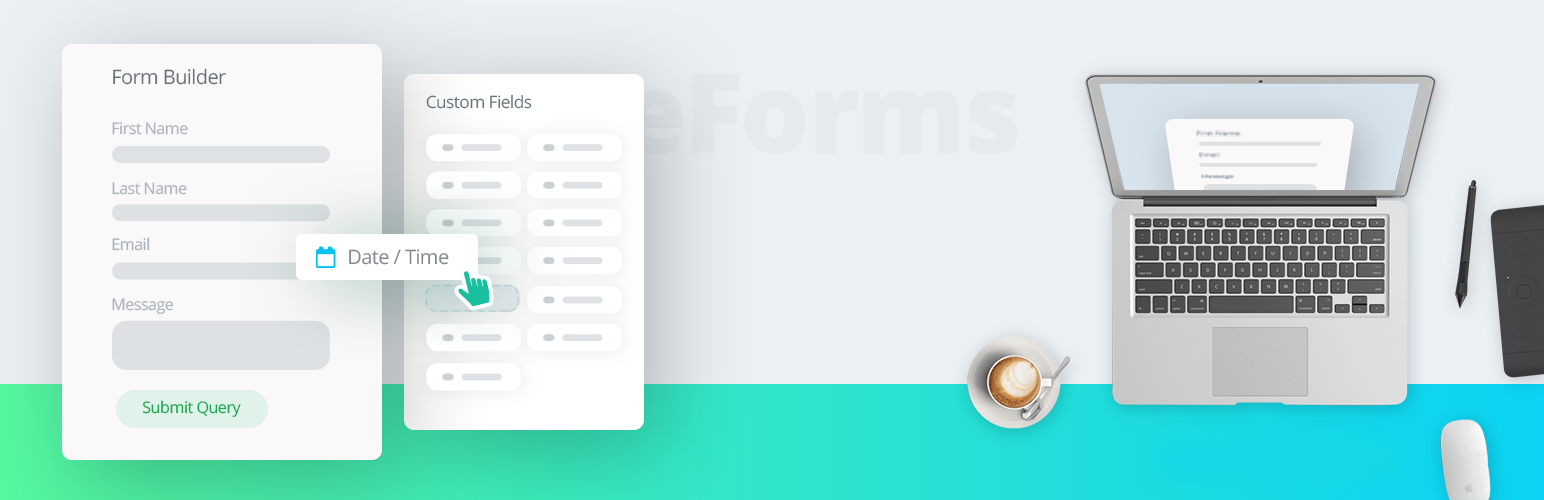
About weForms – Easy Drag & Drop Contact Form Builder For WordPress
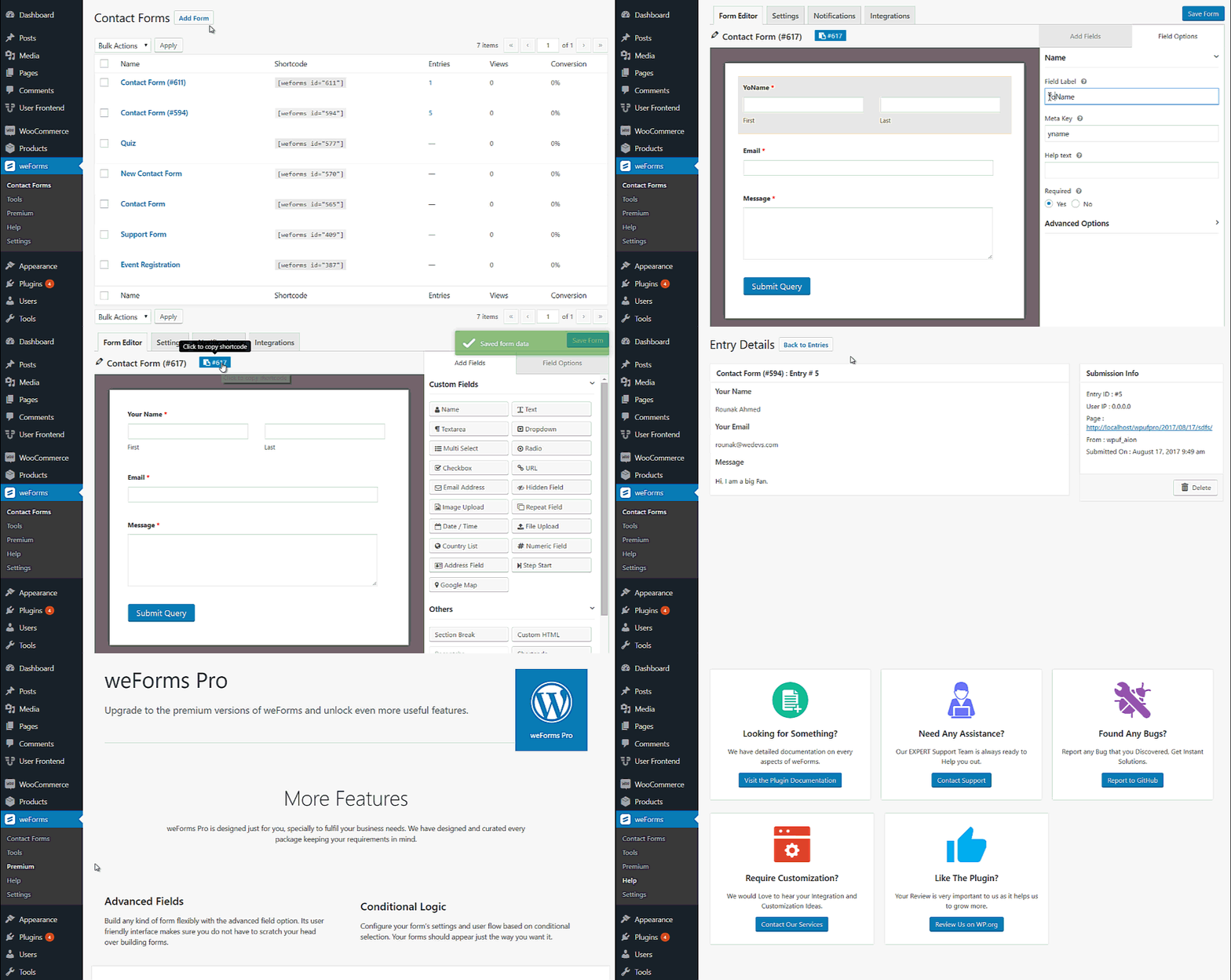
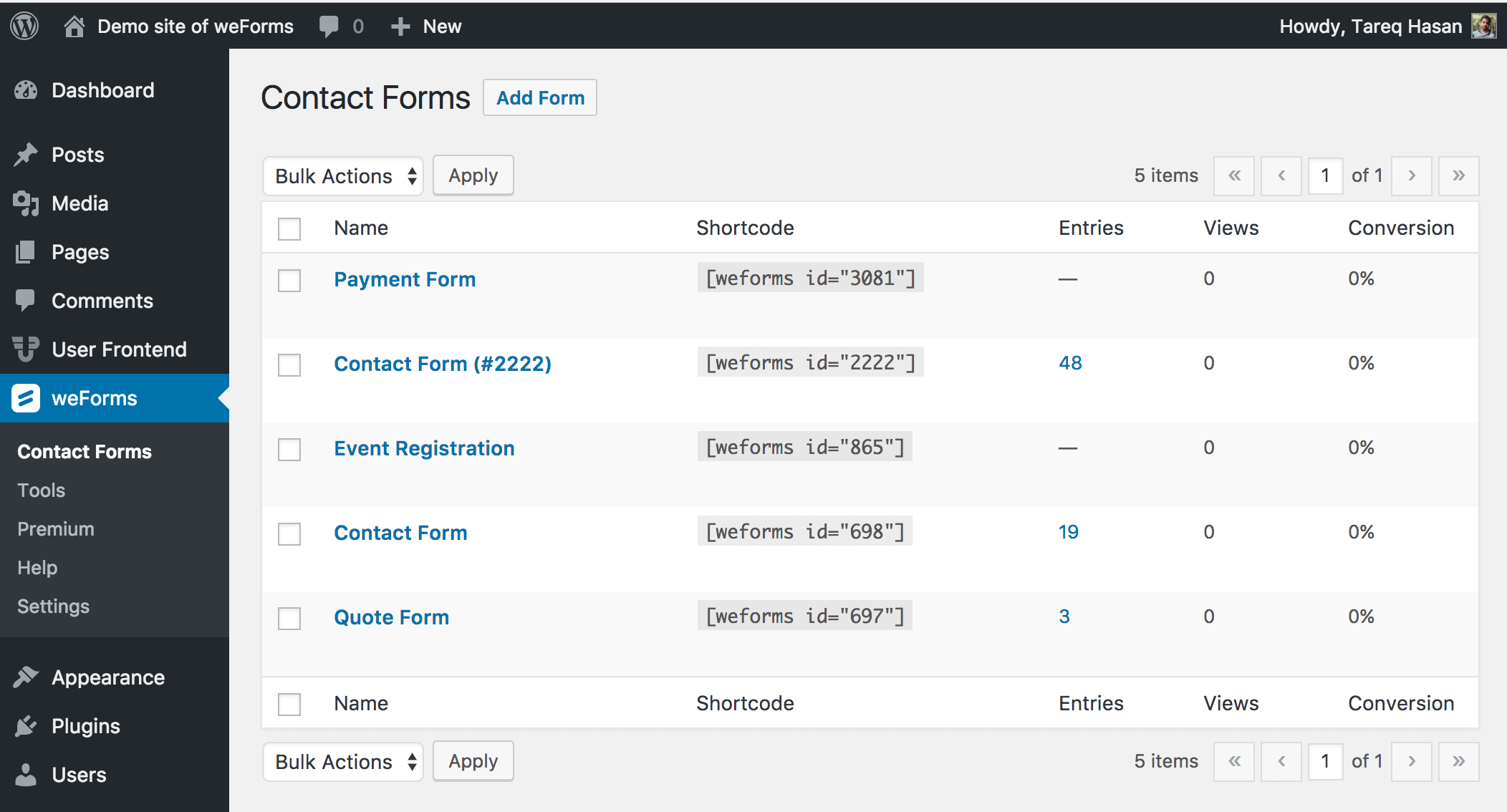
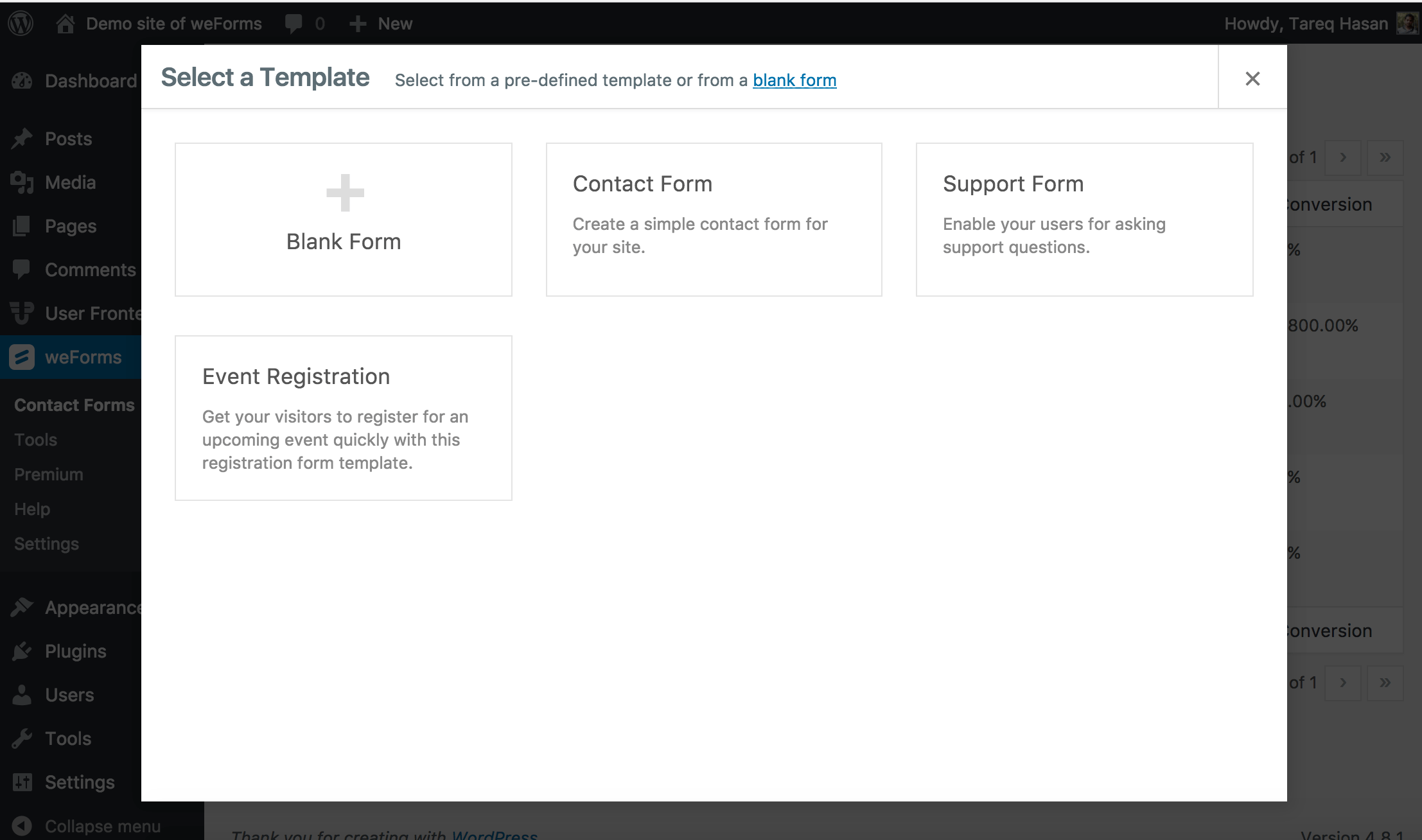
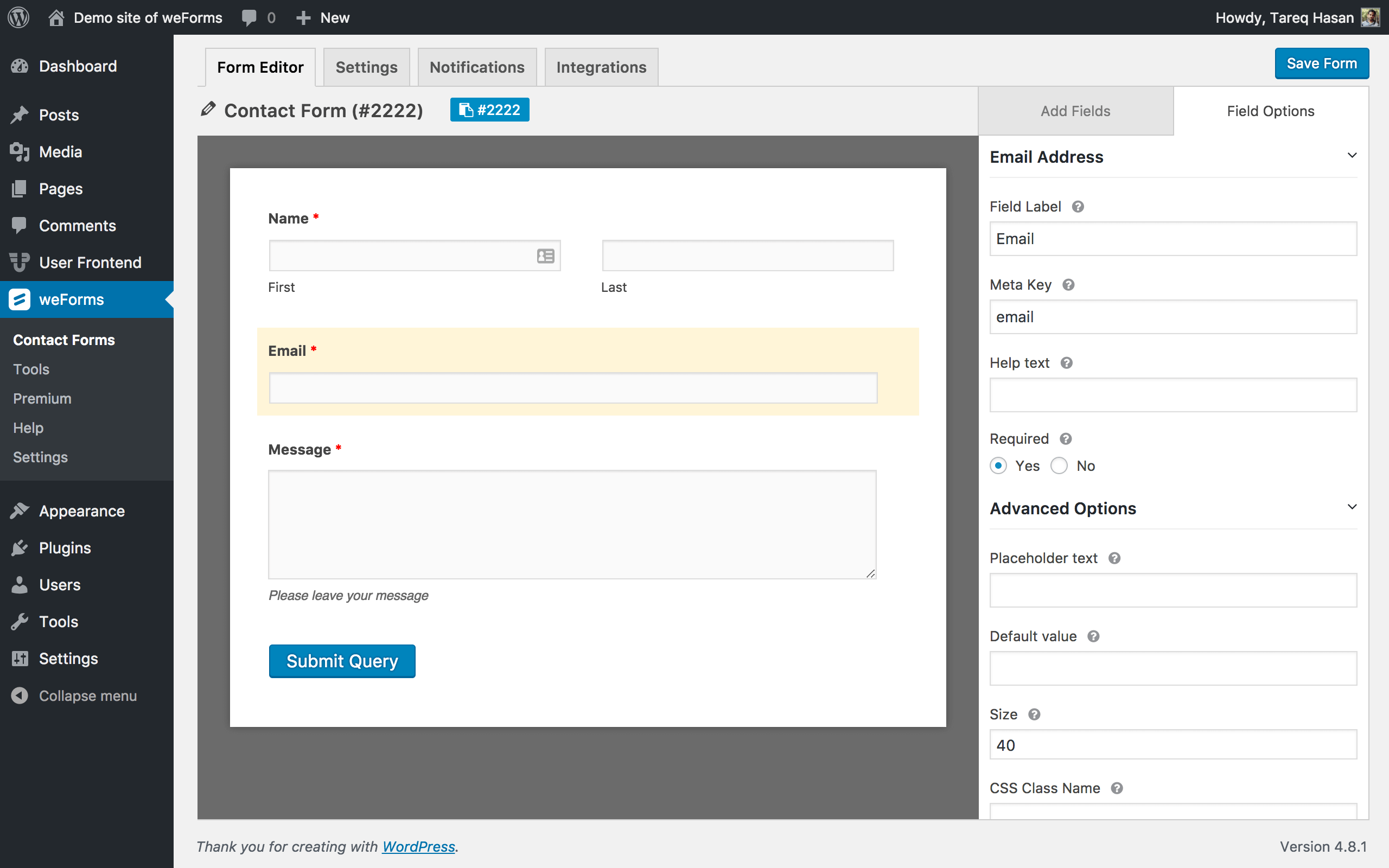
weForms is a contact form builder plugin for WordPress that allows you to create forms quickly and easily. It offers a drag and drop interface, templates, and over 20 custom fields to collect various types of user information. With weForms, you can build forms yourself in just a few minutes, without the need for a developer.Screenshots


Frequently asked questions
What is weForms?
weForms is a WordPress form builder plugin that allows users to create forms quickly and easily.
What are the key features of weForms?
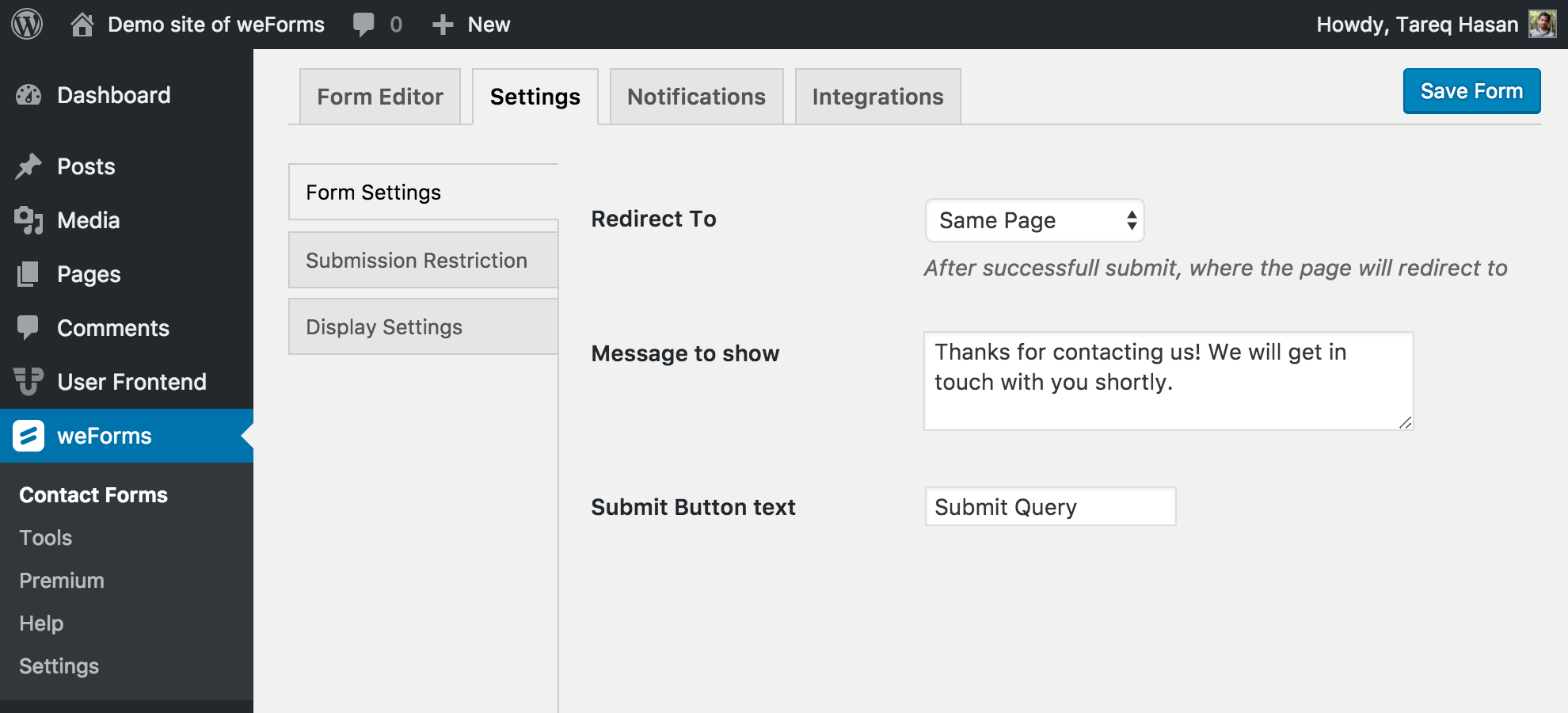
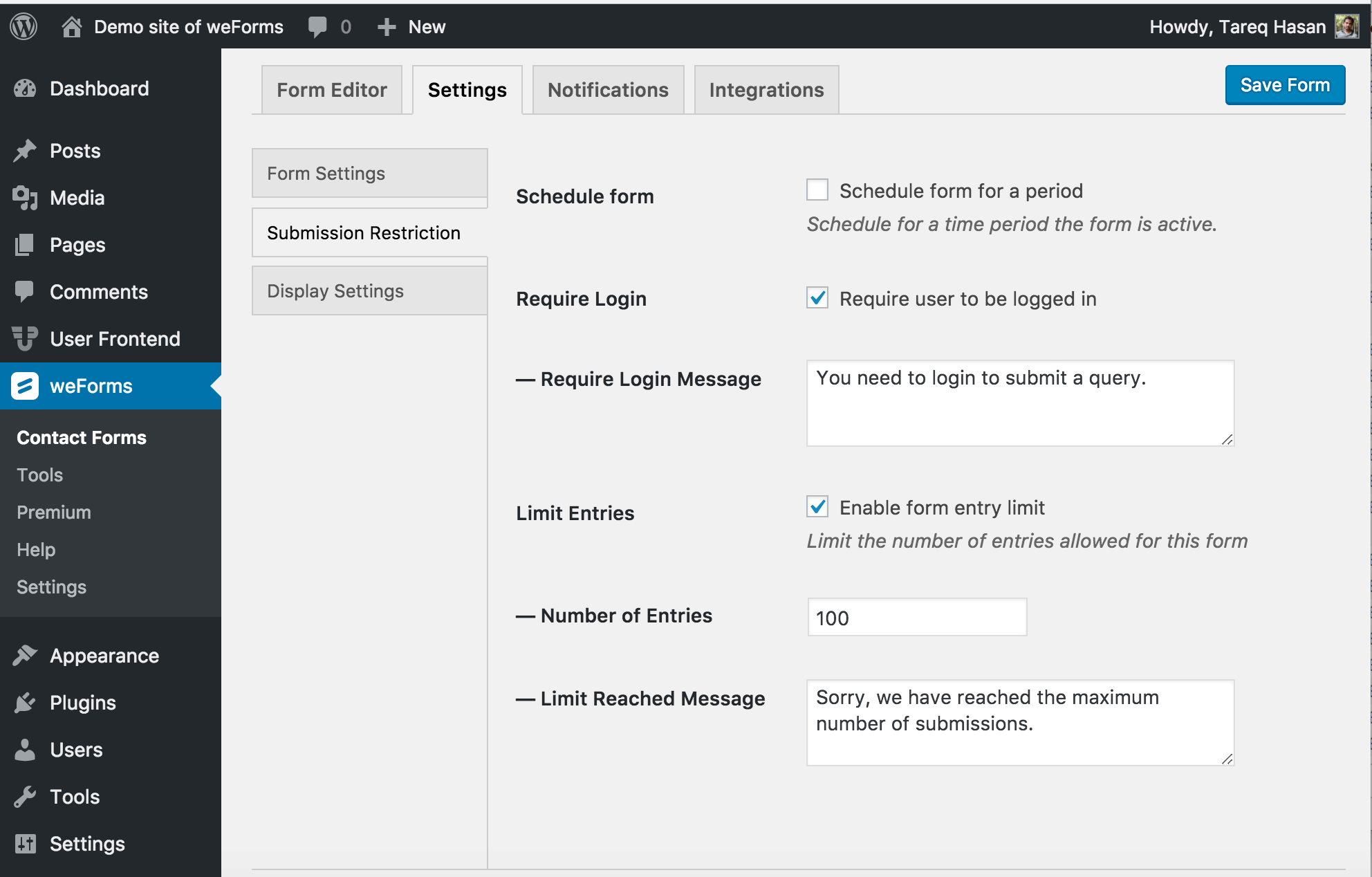
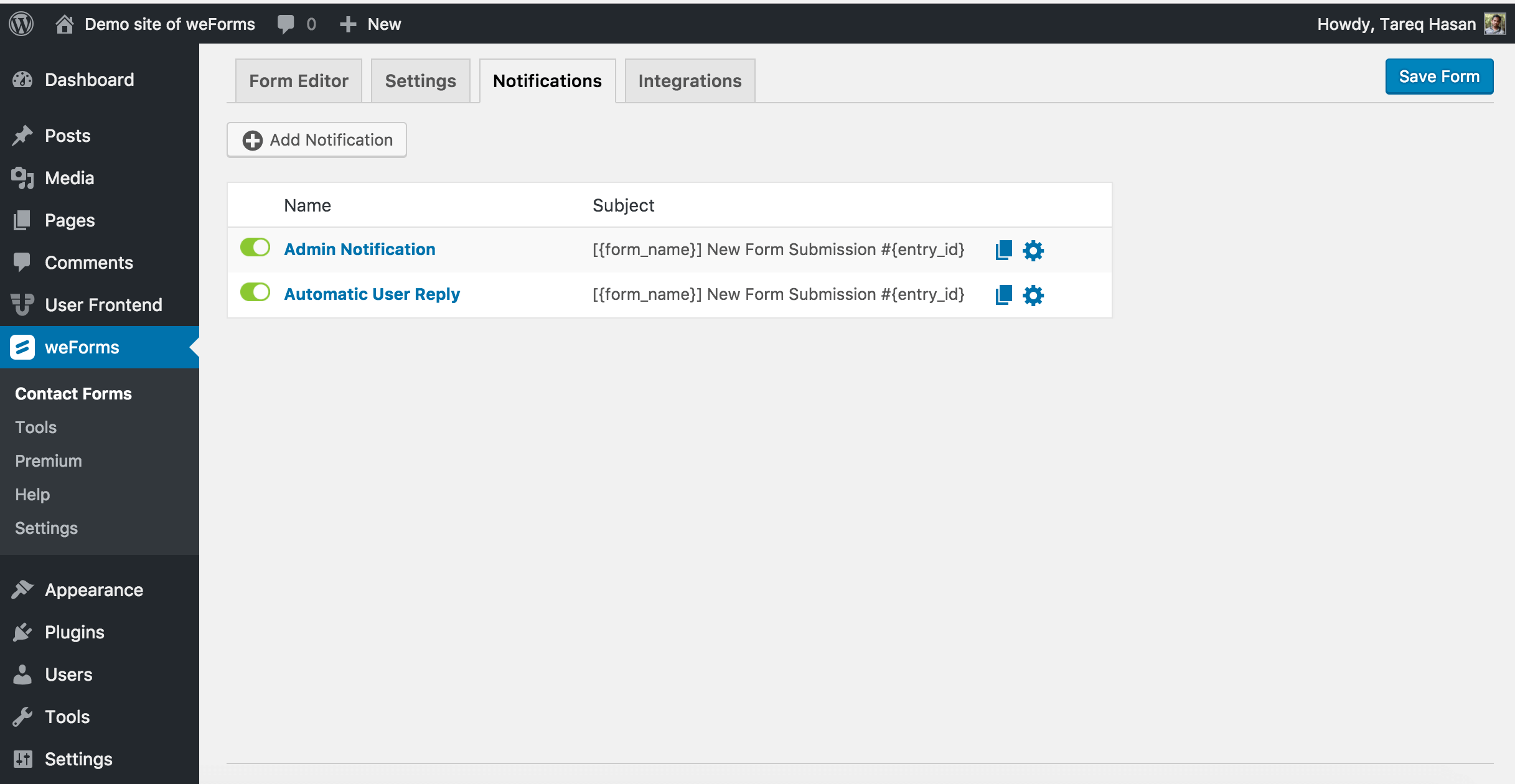
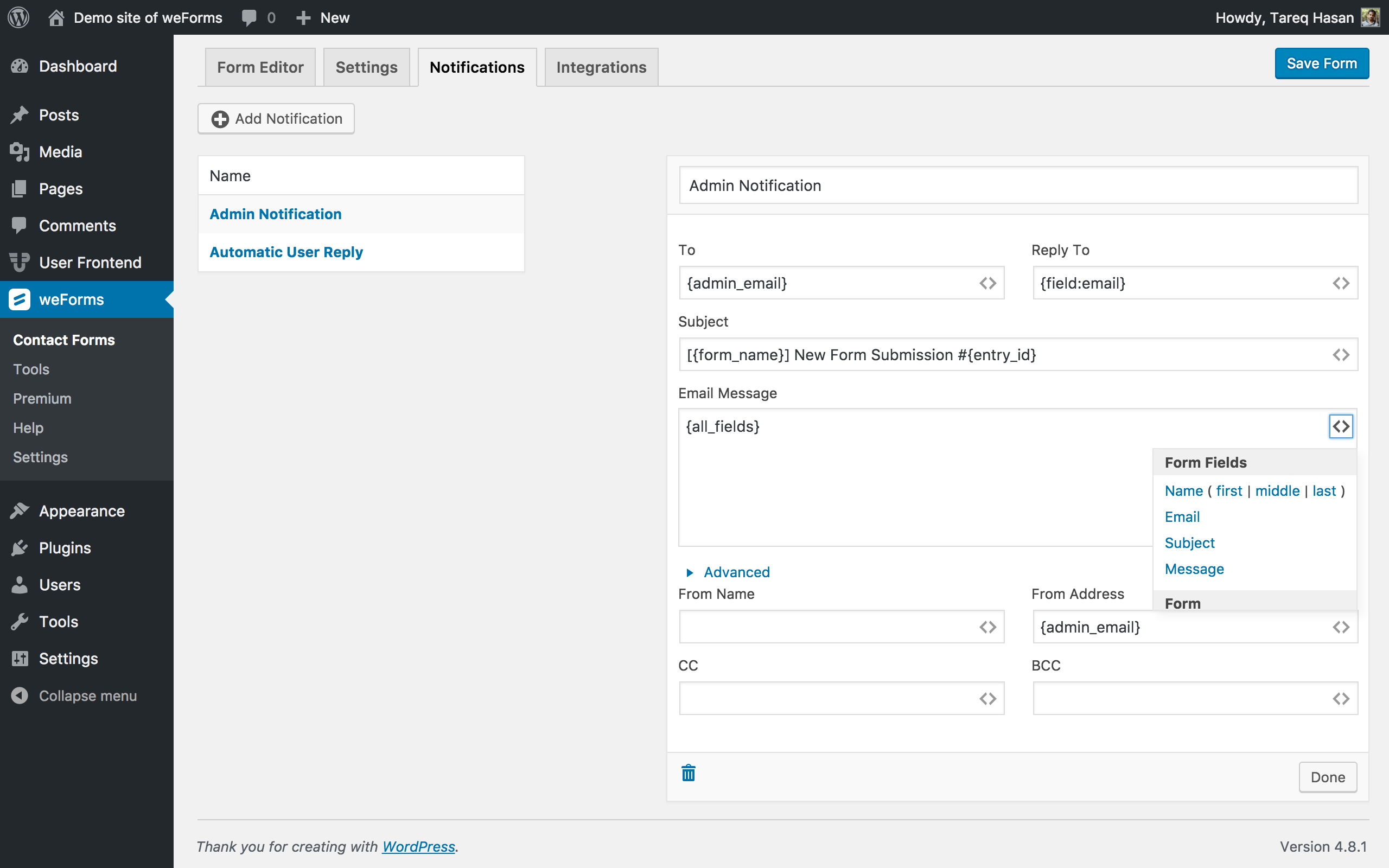
The key features of weForms include unlimited forms, customizable templates, drag & drop builder, real-time live preview, form expiration time, entry restrictions, one page submission, field customization options, form redirection, form submission notification, and more.
Is weForms mobile-friendly?
Yes, weForms is mobile-friendly and responsive, making it easy for users to submit forms via computer, mobile phone, or tablet.
Can I import and export forms with weForms?
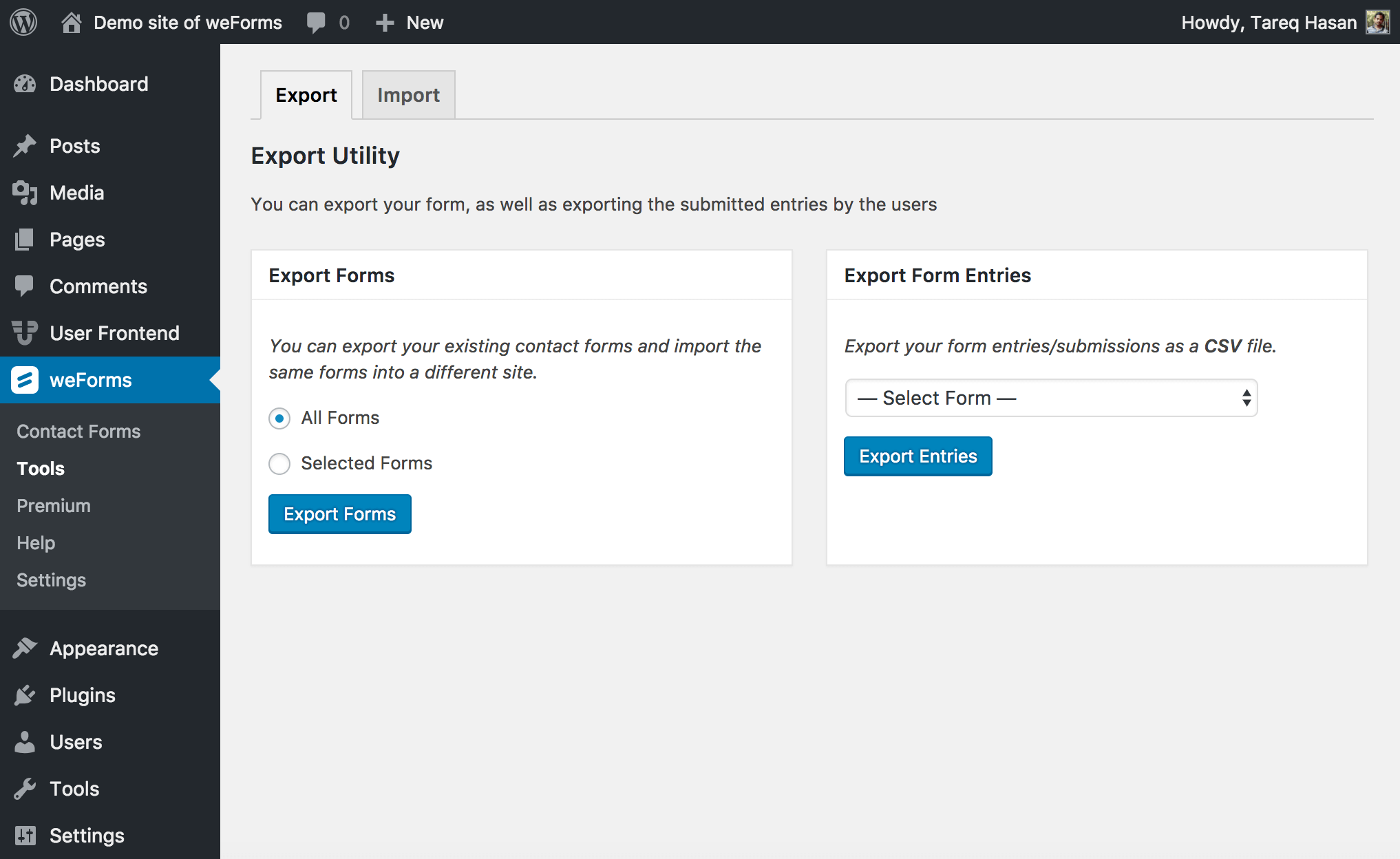
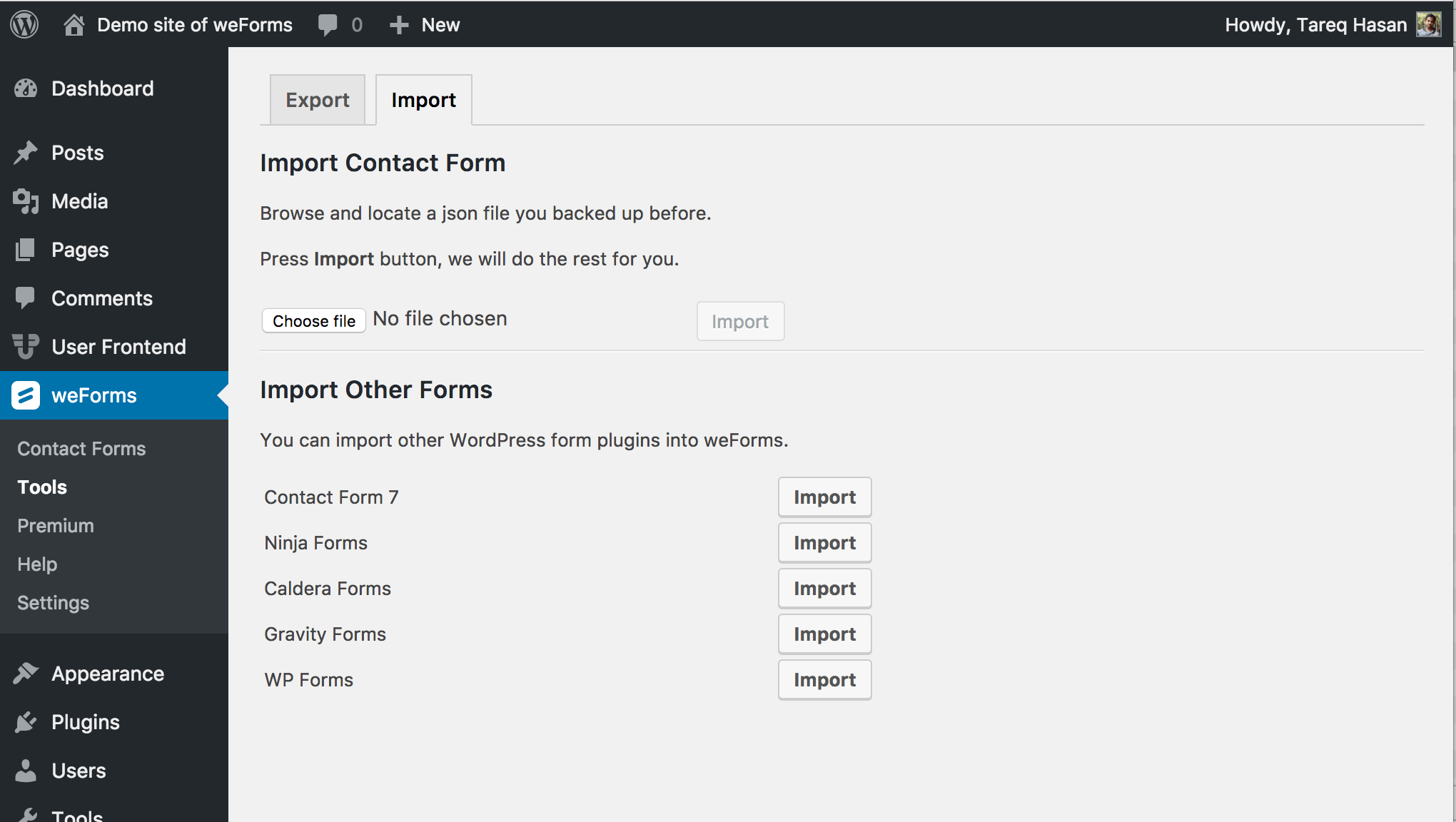
Yes, weForms provides easy form importing and exporting options, allowing users to start from where they left off or save their data offline.
What integrations does weForms offer?
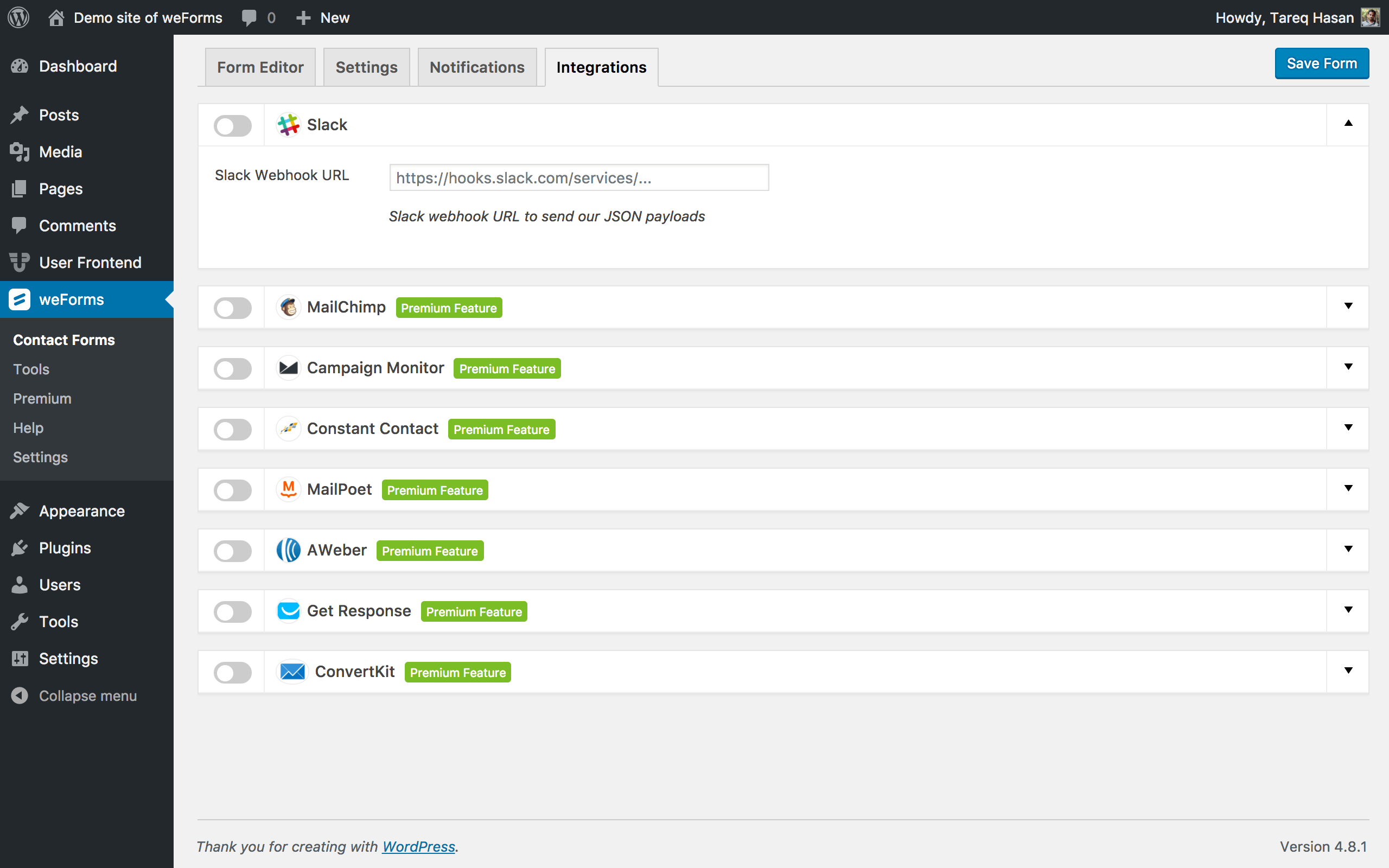
weForms offers integrations with various email marketing tools, payment gateways, productivity tools, and CRM platforms. Some of the integrations include MailChimp, AWeber, Google Analytics, Stripe, Salesforce, and more.
Changelog
Version 1.6.25 ( 15 July, 2024 )
- Update: Removed Polyfill.io from the plugin.
Version 1.6.24 ( 05 July, 2024 )
- Fix: Updates remote url for pollyfill.io to secured CloudFlare URL.
Version 1.6.23 ( 19 March, 2024 )
- Fix: Adds wpdb->prepare to fix SQL injection vulnerabilities.
Version 1.6.22 ( 07 March, 2024 )
- Fix: Fixes sanitization of referrer for entries and notifications.
Version 1.6.21 ( 01 February, 2024 )
- Fix: Fixes access control issue with login required form submissions.
Version 1.6.20 ( 12 December, 2023 )
- Fix: Fixes invalid nonce message when exporting entries from entry table.
Version 1.6.19 ( 08 November, 2023 )
- Fix: Fixes Role and Nonce verification for entry exporting.
Version 1.6.18 ( 19 September, 2023 )
- Fix: Fixes security issue with possible XSS in form builder settings.
- Fix: Fixes deprecation notice for abstract fields.
- Update: Bump ua-parser-js from 1.0.2 to 1.0.33.
- Update: Bump browser-sync from 2.27.11 to 2.28.1.
- Update: Bump browser-sync-ui from 2.1.1 to 2.1.2.
- Update: Bump socket.io-parser from 4.2.2 to 4.2.3.
Version 1.6.17 ( 28 February, 2023 )
- Fix: Array Key “name” doesnt exist for custom html field.
- Fix: Fixes contrast for form white text error messages.
- Fix: New lines being removed in textarea field.
Version 1.6.16 ( 12 December, 2022 )
- Fix: Empty field entries ending form entries view script.
- Fix: Missing html tag on textarea field.
Version 1.6.15 (20 October, 2022)
- Added: Validation for entry fields on submit.
- Fix: New lines being stripped in text area entries.
- Fix: wptexturize running even when disabled.
- Fix: Refreshing submitted form creating multiple entries.
- Fix: Fields Section disappearing at certain Zoom levels.
Version 1.6.14 (29 June, 2022)
- Update: Bumped grunt version to 1.5.3.
- Update: Bumped simple-get version to 3.1.1.
- Update: Bumped minimist version to 1.2.6.
- Update: Bumped follow-redirects version to 1.14.8.
- Update: Updated default submit button text.
- Update: Updated fields compatbility with Crio Theme for “use theme CSS”.
- Fix: Fixed CSS compatbility issues with “use theme CSS” feature.
Version 1.6.13 (02 March, 2022)
- Fix: Fixes placeholders being blank on the frontend.
- Fix: Fixes issue setting multiple field tag in notification body.
- Fix: Fixes and adds logic for support url in help section.
Version 1.6.12 (26 January, 2022)
- Fix: Fixes form previews when using block based themes.
Version 1.6.11 (05 January, 2022)
- Fix: Fixes fatal error in translator.
Version 1.6.10 (05 January, 2022)
- Update: Axios from 0.21.1 to 0.21.2.
- Update: Set-value from 3.0.2 to 4.0.1.
- Update: Added data-sytle to all fields.
- Fix: Enforce date format from datepicker.
- Fix: Changed entry after submission to form setting from global setting.
- Fix: Removed id from entry table view.
- Fix: Entry details show option and value selected.
- Improvement: Address fields in notifications now accepts value: tags for selection fields
Version 1.6.9 (15 September, 2021)
- Fix: PHP 8.0 Emogrifier updates
- Fix: Transaction page link updated to weforms site
- Fix: Entry Field Names update on form save when changed
- Fix: Using Vue.js minified file for production
- Fix: Google Maps integration provides address in notification
- Update: Field Authentication updates
- Update: Dependancy updates
- Impovement: Sprout Invoices integration multiple line items and payment options
Version 1.6.8 (10 June, 2021)
- Fix: weSerialize not extended
Version 1.6.7 (26 April, 2021)
- Fix: PHP 8.0 form submission issues fixes and removal of admin notice callback
- Fix: Transaction table id matching entry id and addition of entry after submission fixes
- Fix: Added weSerialize wapper for backward compatbility with weSerialize
- Fix: Admin notice form import fixes
Version 1.6.6 (13 April, 2021)
- Fix: Front End report link fixes
- Fix: Signature Displays in Entries
- Update: jQuery updates for Columns
Version 1.6.5 (18 February, 2021)
- Fix: Updated admin notices to better conform to WordPress design standards, and configured them to only show on WeForms pages.
- Update: Removed FortressDB admin notice.
- Update: Updated axios dependancy
Version 1.6.4 (23 December, 2020)
- Fix: Added spreadsheet functione escaping to prevent CSV exploits. [#50] (https://github.com/BoldGrid/weforms/pull/50)
- Update: Update Node Packages
Version 1.6.3 (11 November, 2020)
- Update: Sprout Invoices Integration
Version 1.6.2 (11 November, 2020)
- Update: Sprout Invoices Integration
Version 1.6.1 (11 November, 2020)
- Update: Sprout Invoices Integration
Version 1.6.0 (11 November, 2020)
- Update: Sprout Invoices Integration
Version 1.5.5 (29 October, 2020)
- Fix: Quick Vulnerability Fix
Version 1.5.4 (29 October, 2020)
- Fix: Quick Vulnerability Fix
Version 1.5.3 (20 October, 2020)
- Fix: Fixed bug causing a blank screen to appear for some users
Version 1.5.2 (13 October, 2020)
- Fix: Fixed JS Issues.
- Fix: Email Header Formatting.
- Update: Added Fortress DB Integration.
Version 1.5.1 (1 September, 2020)
- Fix: Fixed Fortress DB tab.
Version 1.5.0 (1 September, 2020)
- Update: Added Fortress DB and Conditional Banner.
- Update: Removed Diagnostic Pop Up.
- Fix: JSON import issue fixed.
- Fix: Double Column not working, issue fixed.
- Fix: File Upload issue fixed.
- Fix: Signature field issue fixed.
Version 1.4.9 (30 June, 2020)
- Update: Added a privacy page.
Version 1.4.8 (30 March, 2020)
- Fix: Fixed escaping of select options when adding a form to a page.
- Fix: Fixed Email notification formatting issue.
- Fix: Fixed column field resize issue.
- Fix: Fixes Array to string conversion warning with address field.
- Fix: Replace an instance of non-existant.
- Fix: Conflict with kingcomposer.
- Fix: Recaptcha token expire.
Version 1.4.7 (10 March, 2020)
Update: Links now point to new https://weformspro.com/
Version 1.4.6 (20 February, 2020)
- Fix: image upload field issue
- Fix: widget not rendering properyly
- Fix: HTML Tags are not rendering the HTML format for the Radio or Checkbox Field
- Fix: submit issue with image and recaptcha.
Version 1.4.5 (31 January, 2020)
- Feature: Added Recaptcha v3 support
- Fix: Fixed Some regressions after phpcs fixes
Version 1.4.4 (14 January, 2020)
- Improvement: Imporve Code Quality
Version 1.4.3 (10 January, 2020)
- Fix: Field display issue in form entries page
- Fix: Hidden Field not working properly in builder
- Fix: Some Column field issue
- Fix: Sanitize and Escape data before saving and rendering
- Improvement: Add privacy policy in readme
Version 1.4.2 (18 November, 2019)
- Fix: Fixed Form was not showing immediately after duplicating.
- Fix: Fixed some column field issues. Closes #172
- Fix: Fixed a csv export issue. closes #175
Version 1.4.1 (24 September, 2019)
- New: Added Rest api
- Fix: Full name shows instead of first name in the email notification
- Fix: Dynamic value population – not saving value
Version 1.4.0 (17 June, 2019)
- Feature: Added GDPR Export and Delete Requests Forms.
- Fix: Multistep form: scroll to the top of the form when click on Next & Previous buttons.
Version 1.3.9 (10 May, 2019)
- Fix: Updated plugin description for WordPress.org
Version 1.3.8 (11 April, 2019)
- Feature: Added column field: Now, creating multi-column in a single row is super easy with weForms Column field. Just drag the column field in the builder area, configure columns number, column space and add any fields you want inside that Column field.
- Enhancement: Allow dynamic value population for hidden field.
- Fix: Address field country full name not showing in the entries & PDF.
Version 1.3.7 (14 February, 2019)
- Improvement: New design for form integrations tab.
- Improvement: Replace single checkbox with switch button.
- Fix: When duplicating a contact form, showing error
schedule_form of undefined.
Version 1.3.6 (17 January, 2019)
- Fix: Changed get countries function name as the same function exists in the professional version and there was a possibility to get an error.
Version 1.3.5 (16 January, 2019)
- Feature: As per user suggestion, we have added a status column for the form listing table. By this, the admin will be able to see whether the form is ‘Open’ or ‘Close’. In addition to that, the admin will also be able to view or show the reasons behind keeping a form open or close according to the 3 form submission restrictions (scheduling form, requiring login and limiting submission entries) from the form settings.
- Feature: As per client suggestion, we have added a “Created by” column on form listing table. This will allow the admin to know the creator of a form, their gravatar image and the date on which the form was created.
- Fix: Import description and settings from WP Forms.
- Fix: When viewing the entries, country short-name was displayed. With this release, we have changed the short-name to the full name. For example, Now it shows Canada instead of just showing CA.
- Fix: Improved submit button design for the form builder.
- Fix: Deleting form entries didn’t remove the media/file from the media library permanently. But now it does.
- Fix: Gutenberg block was not loading on edit post/page which has been fixed.
- Fix: On activating the WP User Frontend, the reCaptcha field of weForms did not work which has been fixed.
Version 1.3.4 (22 November, 2018)
- Fix: Undefined name field
- Fix: Shortcode popup form width fix
Version 1.3.3 (12 November, 2018)
- New: Design phone field
- Fix: Default input style issue of form builder
Version 1.3.2 (23 October, 2018)
- Fix: Calendar not showing on date field
- New: Use theme CSS option in form display settings
Version 1.3.1 (18 August, 2018)
- New: Added custom classes to make two or three columns form
- Fix: Sanitized name field
Version 1.3.0 (09 August, 2018)
- Fix: Form preview link fixed where site_url and home_url is different
- Fix: WPUF builder not loading properly is resolved
Version 1.2.9 (11 July, 2018)
- New: Integrate Dokan vendor contact form
- New: Added Form select media button weforms
- New: Added no-conflict mode to resolve Backend JS conflicts with other plugins
- New: Added Privacy Suggestion for GDPR
- Fix: Resolved conditional logic not working for custom_html and section_break
- Fix: Load weForms specific frontend css
- Fix: php 5.4 compatbility for bulk delete entry
- Fix: Fixed no buffer to delete warning
Version 1.2.8 (09 May, 2018)
- New: Show submitted form data in message after form submission
- New: Added device option in form entry data
- Improved: Nocaptcha recaptcha wasn’t working if allow_url_fopen was disabled, now it will.
Version 1.2.7 (22 April, 2018)
- New: Added weForms Guten block for Gutenberg
- Fix: Fixed Pagination issue in form entries
- Improved: Fixed entry data meta remains in database after deleting an entry
Version 1.2.6 (22 March, 2018)
- Improved: Added Missing text-domains
- Fix: Admin Notices from Form Builder Pages are removed.
- Fix: JavaScript conflicts with WP User Frontend are fixed.
- Fix: Form entries with UTF-8 charset were not exporting properly.
Version 1.2.5 (19 February, 2018)
- New: Added more starter form templates for use like Donation Form, Online Booking Form, Conference Proposal etc.
- Improved: Added dark theme support for recaptcha.
- Fix: Google map entry display template fixed.
Version 1.2.4 (28 December, 2017)
- Improved: External libraries extracted to a separate JavaScript file. This is going to reduce the requests count and improve loading time. Also now we are loading the minified version of all JavaScript file for production sites.
- Fix: ReCaptcha validation was giving a 400 error. Fixed that bug.
- Fix: Fixed undefined index error on field duplicate checking.
- Improved: Now we are loading upgrades on admin side only.
Version 1.2.3 (16 December, 2017)
- Improved: Now we are loading the shortcode for ajax requests as well, required for the integration of page builders.
Version 1.2.2 (19 November, 2017)
- New: Now you can set up the form in a way, so Email and Name fields value can be auto-populated from user’s WordPress profile when the user is logged. And those fields will get hidden on front-end.
- New: We’ve added trash functionality for entries. When you delete an entry, that will move to trash. And later you can delete those permanently or restore if you need.
- New: To help debug the integrations API error messages, we’ve added a custom error logging function and a log viewer. Can be found on
WP-Admin > weFroms > Tools > Logs - Improved: Sometimes, we need to show dynamic default or placeholder text on fields. Merge tag support for default and placeholder attribute added.
- Improved: When you edited a form and leaving the builder without saving, we’ve added a little warning to let you know, if you leave your changes are going to be discarded.
- Improved: To help you find the right form template easily, We’ve re-categorized the form templates.
Version 1.2.1 (8 November, 2017)
- New: We’ve added a rich text editor for notification email template editing area. It’s going to help you write better HTML email with less effort.
- Improved: Now you can decide if you would like to hide or show the empty fields on Entry Page. We’ve added a checkbox to toggle that.
- Improved: We’ve added a little filter on {all_fields} shortcode. When sending email notification it’s going to exclude all the empty fields. So it becomes more readable.
- Fix: There was some issue with CSV exporting. We fixed that.
Version 1.2.0 (30 October, 2017)
- New: We added a lot’s of ready to use form templates. So you can just select the form template you need and your form will be ready.
- New: Added an Entries page in admin menu. Now you can access the form entries directly without going through few clicks.
- New: MailPoet Integration added from premium version. We thought to give it away for free.
- New: Date / Time field added from premium version. As it’s a very commonly used field, it provides a lot more value in the free version.
- New: Pop-up/Modal form option added. Can be used through shortcode like
[weforms id="ID" modal='true' button='Open Form']. - New: Dynamic field population added. Field options or default values can be pre-populated by hooks or query string.
- New: Unique entry checking for fields like email, phone, text, number, URL added. Now, you can prevent duplicate submissions if you want.
- Improved: Settings page re-designed. New settings page is more user friendly and easy to use.
- Fix: Previously created forms sometimes failed work with new features. We added a new filter, now all new features are going to work smoothly even with old forms.
- Fix: There was a small issue on showing validation error message on front-end. We’ve Fixed that.
Version 1.1.1 (3 October, 2017)
- Fix: Fatal error on completely new installation. As default form creation format has been changed, it was giving a fatal error.
Version 1.1.0 (2 October, 2017)
- New: Added WP ERP integration. You can subscribe a user to a contact group in ERP when submitting a form.
- New: Form sharing. You can share a form without inserting the shortcode to a page. A hashed URL will be provided for privacy.
- Improved: Removed WP User Frontend dependency. Now you can use weForms without requiring WPUF.
- Improved: Core API rewrites. Now it’s easier to manage the internals with more OOP code improvements.
- Improved: Every fields are now a separate class, and managed via a field manager class. Creating a new form field is way more easier than previous.
- Improved: Importer’s are managed by a separate importer manager class.
- Improved: The form templates are now more simpler to create. The modal template popup has been redesigned by grouping the templates and now shows a form preview image.
- Improved: Added autocomplete attributes to field attributes so form fills can detect the fields and auto-populate with related content.
- Fix: reCaptcha validtion wasn’t working.
v1.0.4 (5 September, 2017)
- [fix] Wrong reference of static $separator used.
v1.0.3 (30 August, 2017)
- [new] Gravity Forms Importer
- [new] Caldera Forms Importer
- [new] Ninja Forms Importer
- [new] WP Forms Forms Importer
- [new] Frontend Form Preview
- [new] Add form credit settings
- [fix] Notification mail shows level with Underscore between all words
- [fix] New columns added on entries listing page
v1.0.2 (24 August, 2017)
- [improved] Affiliate link tracking for plugin install
v1.0.1 (23 August, 2017)
- [improved] Added missing integration icons
- [fix] Email content type fixed
v1.0.0 (19 August, 2017)
- [new] Added reCaptcha support
- [new] Emailer class added for hookable email gateway support
- [new] Added support for google map in rendering entries
- [new] Added help page and premium contents
- [improved] Sync settings between weforms and wpuf map and recaptcha
- [improved] Routes moved to localize script, better hookability
- [fix] Form status checking in rendering
- [fix] Image and file upload and rendering issue fixed
v1.0.0-beta.3 (6 August, 2017)
- [fix] Fatal error on creating a new form
- [inhancement] Hide WPUF page installation and tracking prompt
v1.0.0-beta.2 (5 August, 2017)
- [fix] Padding in email template. Looks better now.
- [fix] Support name in “From Name” email notification. Fixes #16
- [fix] Remove recaptcha “type” from settings page
- [fix] Other fields were not coming in export entries csv file
- [new] Import Contact form 7 forms into weForms ?
- [new] Create a default form upon installation
v1.0.0-beta.1 (1 August, 2017)
- First beta version

