

Site Kit is a one-stop solution for WordPress users to use everything Google has to offer to make…
About Country & Phone Field Contact Form 7
Country & Phone Field Contact Form 7 is an add-on for the Contact Form 7 plugin. It allows you to add a country dropdown list and a phone number field to your contact forms, making it easier for users to select their country and enter their phone number. To use this plugin, you need to have the Contact Form 7 plugin installed and activated.Screenshots


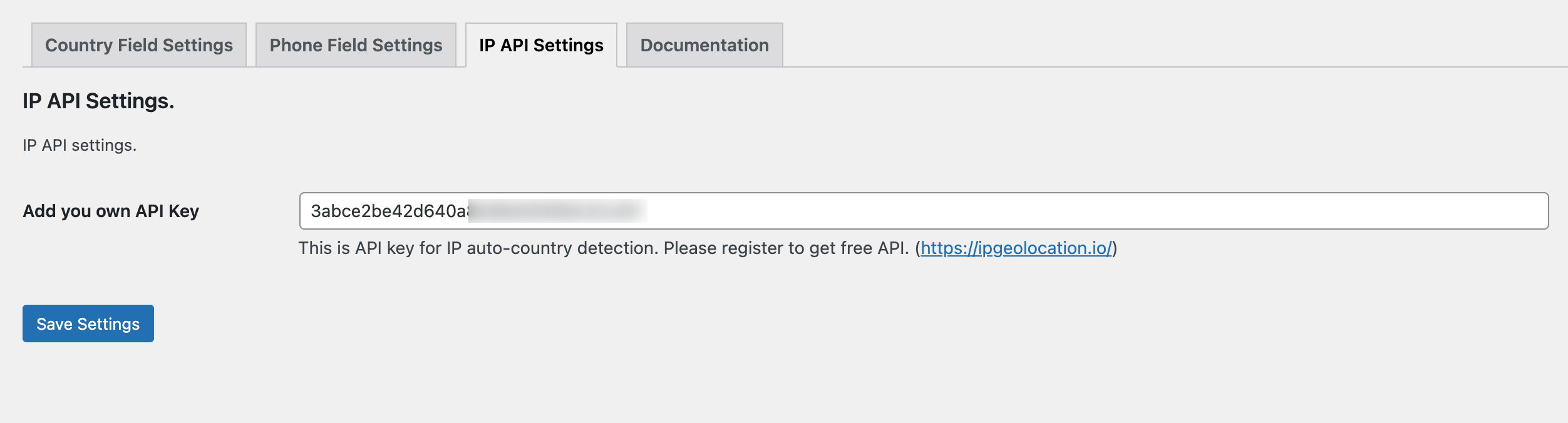
Frequently asked questions
What is Country & Phone Field Contact Form 7 plugin?
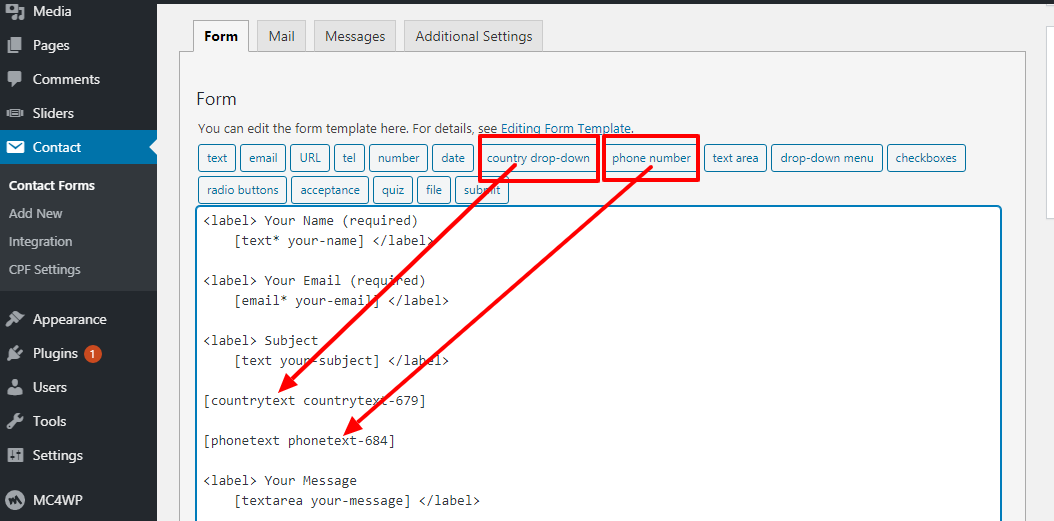
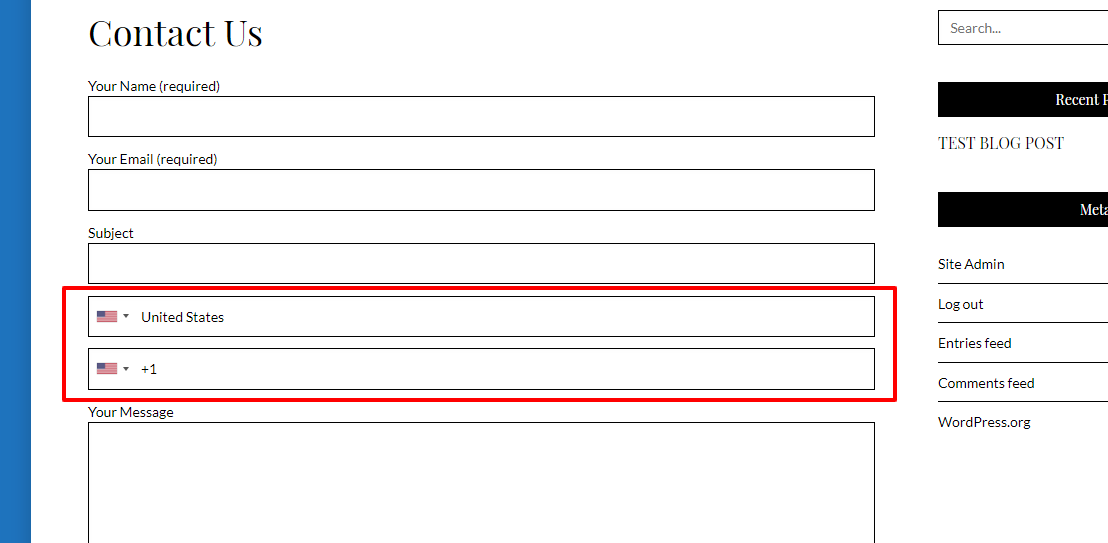
Country & Phone Field Contact Form 7 plugin is an add-on for Contact Form 7 plugin. This plugin add two new form tag fields that is Country list (form-tag: country drop-down) and Country Phone extensions list (form-tag: phone number) in Contact form 7.
How does Country & Phone Field Contact Form 7 work?
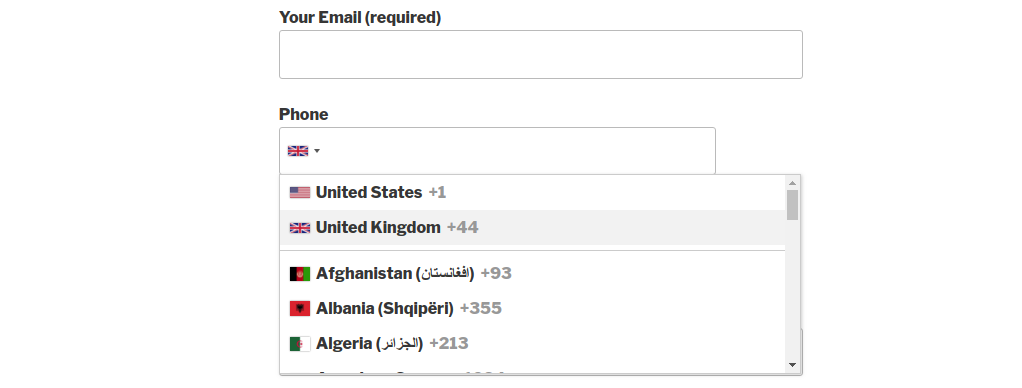
Country & Phone Field Contact Form 7 helps you in creating a country drop-down list with country flags. The tag field will automatically add countries name in standard drop-down field of contact form 7.
How do I add the fields in the contact form 7?
To add the fields in the contact form 7: 1) Install and activate the Country & Phone Field Contact Form 7 plugin. 2) Add the form-tag 'country drop-down' and 'phone number' to your form and save the changes.
What are the requirements for Country & Phone Field Contact Form 7 plugin?
The requirements for Country & Phone Field Contact Form 7 plugin are: Contact form 7 must be active plugin.
Are there any recommended plugins for Country & Phone Field Contact Form 7?
Yes, the recommended plugin for Country & Phone Field Contact Form 7 users is Contact form 7 by takayukister. This plugin can be used with Contact form 7, but it is not necessary for the functionality of Country & Phone Field Contact Form 7 plugin.
Changelog
1.0.0
*First version of plugin.
1.0.1
* Update FAQs
* Tested with wordpress 5.0
2.0.0
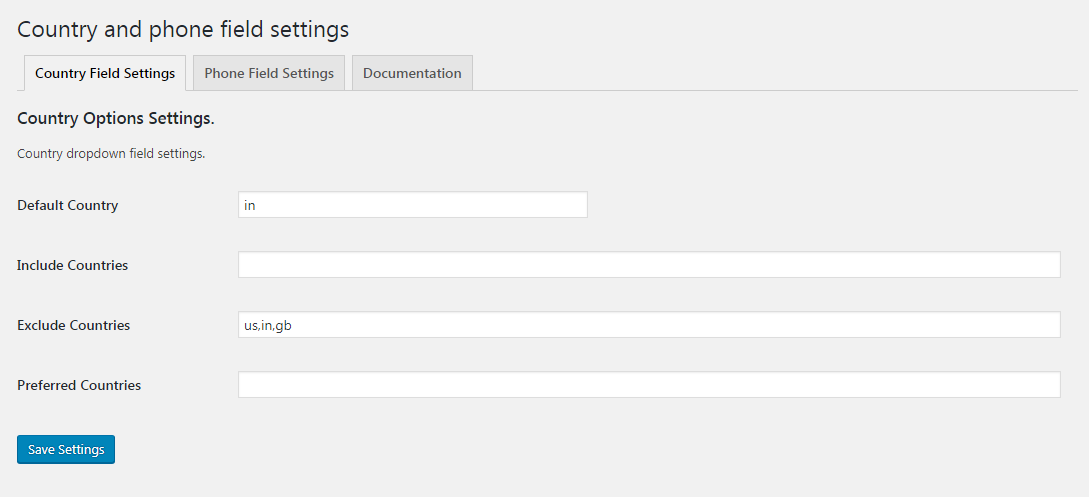
* Add phone and country dropdown settings.
* Made countries include, exclude and preferred list dynamic and admin managable.
* Resolve support issues.
2.0.1
* Add geo location functionality for default country select.
2.0.2
* fix settings fatal error.
2.0.3
* Add plugin profile icon
2.0.4
* fixed php warning message for file_get_contents() call geo_ip location.
2.0.5
* add option for disable country dial code from phone extension drop-down.
* add option for enable auto country select.
* tested required attribute. It is working fine.
* placeholder option tested and it is working fine.
2.0.6
* fixed and warning message error.
2.0.7
* added new faq.
2.0.8
* Added phone number field number values validation.
2.0.9
* Bug fix phone number field number values validation.
2.1.0
* fix countries code issues. Convert to lowercase.
2.1.1
* fixed phone number validation bug.
2.1.2
* fixed IP Address issue. It was PHP based. Now I convert to JavaScript based. So client end IP tracking is working fine.
2.1.3
* plugin is translate ready now.
* phone number validation has updated. Now user can manage number only validation from field settings.
2.1.4
* settings page php warning message has fixed.
2.1.5
* auto hide the country drop-down after click outside the drop-down container.
* remove drop-down default listing style and css updated.
2.1.6
* update plugin documentation/description
* update plugin css fixes
* update plugin screenshots.
2.2.0
* update plugin code and made more secure.
* removed unwanted code.
2.2.1
* update plugin input sanitization callback
* make sure all input values should be well sanitized.
2.2.2
* wp_enqueue_script javascript move to footer.
2.2.3
* Tested upto WordPress 5.5.1
2.2.4
* Tested upto WordPress 5.6
2.2.5
* Added a wordpress notice box for affiliation.
2.2.6
* Added a wordpress notice box image missing issue fixed.
2.2.7
* Remove affiliation notice box.
2.2.8
* Tested with new wordpress version and contact form 7 plugin.
2.2.9
* Adding a hidden filed capture country code for phone field. It helps in custom validation.
2.3.0
* Add a feature, country name and phone dial code cannot remove. It auto prefix, if user removed by mistake.
* Tested with new contact form 7 and wordpress version.
* Enable affiliation banner with dimissable button.
* Now affiliation banner will not distrub any plugin subscriber. It can be disable from admin easy.
2.3.1
* Country and phone field validation imporved.
2.3.2
* freegeoip.live/json API URL is not working anymore. So we discontinue this feature form the plugin.
* We remove auto country selection feature based on IP address track.
* Due API not working anymore so we remove this feature.
2.3.3
* new IP detection API added.
* Auto country selection feature recovered now.
* New API working for IP tracking and detection the user IP based country.
2.3.4
* new IP detection API for https urls
* Auto country selection settings re-enable
2.3.5
* A new IP API key feature added.
* Plugin settings has updated and added IP API key manage feature.
2.3.6
* Added new FAQs
2.3.7
* Update IP tracking API.
* API now use without API key.
2.3.8
* Update phone field validation functionality
* Update Country field validation functionality
2.3.9
* Fixed phone field validation issue.
2.4.0
* Fixed the auto country selection API issue.
2.4.1
* Update auto country selection API and refine the JS code.
2.4.2
* Update auto country selection API JS code issues.
2.4.3
* Phone number maxlength and minlength validation has fixed
2.4.4
* update IP tracking API to https://reallyfreegeoip.org/json/
2.4.5
* Tested on WordPress 6.2
2.4.6
* Tested on WordPress 6.3.2
2.4.7
* Tested on wordpress 6.5.3
2.4.8
* Fixed number of tags issues
2.4.9
* Add stable tag in readme file
2.5.0
* Fixed country dial code issue.
2.5.1
* Fixed country dial code dropdown issue fixed.
2.5.2
* Fixed phone dial code placeholder and remove dial code issue.
2.5.3
* Country dial code input debug.
2.5.4
* Phone input field validation bug fixed
2.5.5
* Phone input field autofill issue fixed.
2.5.6
* The auto country selection API URL was not working. So it has updated.
2.5.7
* Issue fixed with cors for IP fetch
2.5.8
* Fixed plugin field deprecated notice message.
2.6.0
* Major update change for field. Contact form 7 core function has updated.

