

Just another contact form plugin. Simple but flexible.
About Serious Slider
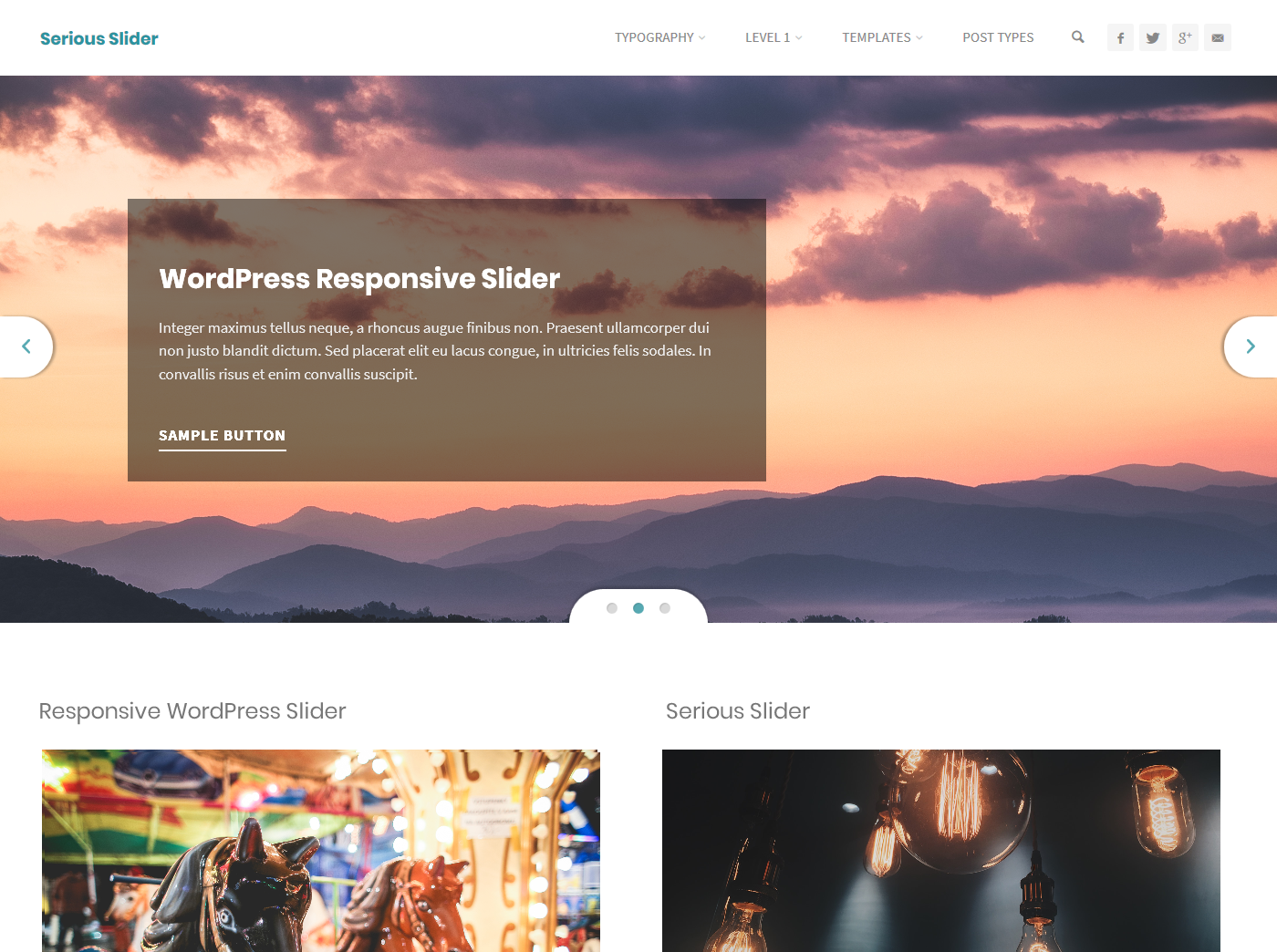
Serious Slider is a free WordPress plugin that allows you to create beautiful, responsive slideshows. It is easy to use and offers a range of customization options, including different styles, transition effects, and caption text animations. The plugin is also highly efficient, SEO friendly, and compatible with all WordPress themes.Screenshots




Frequently asked questions
What is Serious Slider?
Serious Slider is a highly efficient SEO friendly fully translatable accessibility ready free image slider for WordPress.
What are the main features of Serious Slider?
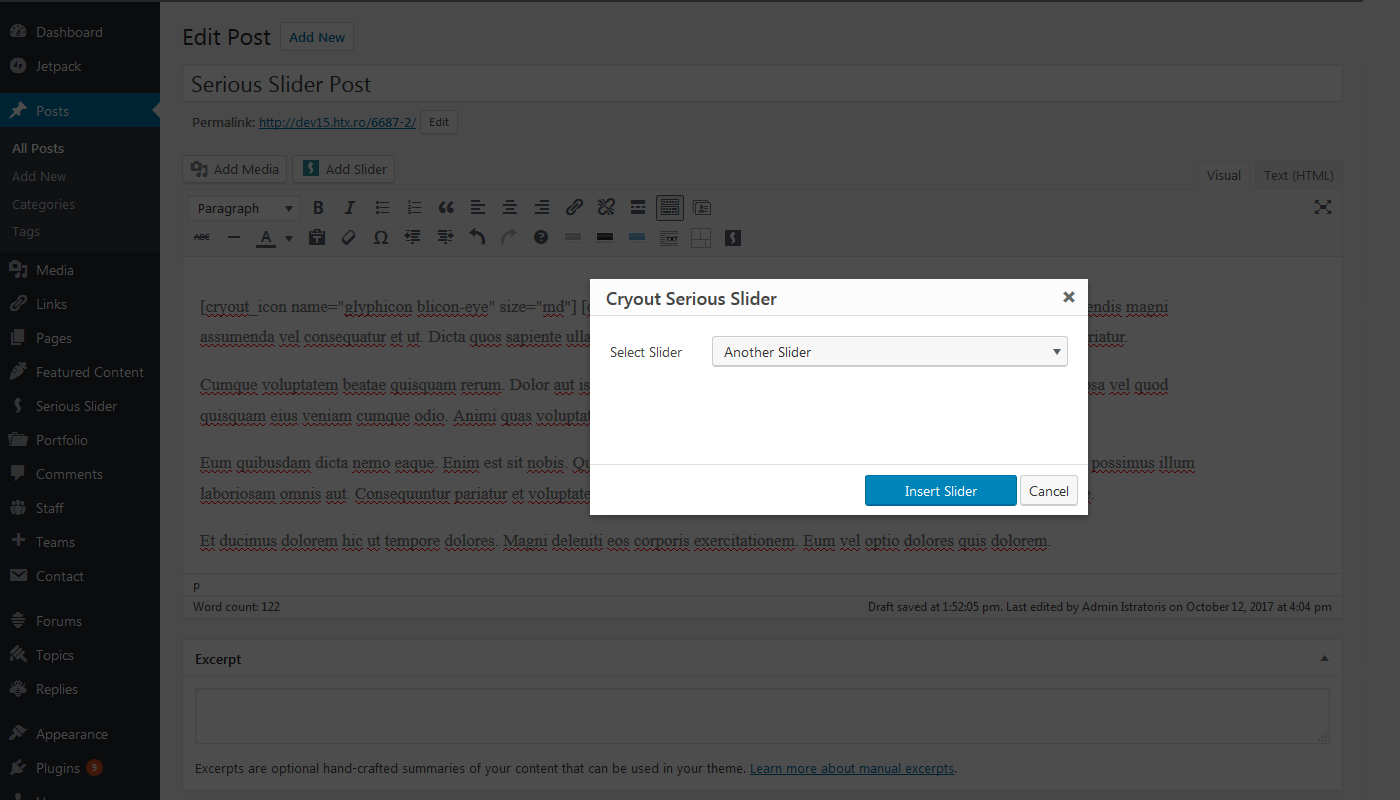
The main features of Serious Slider include: creating unlimited sliders with unlimited slides, adding titles, texts, buttons and links to each slide, easy to use media button, auto-generated Shortcodes and PHP integration, Serious Slider Widget, using multiple sliders in the same page, familiar admin user interface, lightweight and powerful, fast slider creation, browser compatibility, appearance styles, transition effects, caption text animations, customization options, individual options for each slider, translation ready, SEO friendly, accessibility ready, one-click demo content.
What are the customization features of Serious Slider?
The customization features of Serious Slider include: adding individual URLs to target specific pages, adding slide buttons with customizable link, link text and 'open in new window' option, making text over images more visible with text shadow, multiline text background or full caption background, choosing slider styles, transition effects and caption text animations, customizing slider's transition duration and delay, choosing between auto-height and fixed size for images, customizing slider's font size, text alignment, caption size and accent color.
What are the functionality features of Serious Slider?
The functionality features of Serious Slider include: using WordPress core functionality only, easily transferring existing slides from one slider to another, scheduling slides to automatically become visible in the future, quickly restoring deleted slides from the Trash, using WordPress' text editor to add HTML content and shortcodes to slides, bulk editing slides and slides.
Changelog
1.2.7
Release date – 2024.11.16
- Fixed insufficient sanitization on shortcode parameters to address an XSS vulnerability that could be exploited by a malicious user with at least contributor level access – reported by Bob from WPScan
- Confirmed compatibility with PHP 8.3
1.2.6
Release date – 2024.10.24
- Fixed over-sanitization of ‘base font size’ value filtering out float numeric values
- Fixed PHP 8.3 deprecation warnings: ‘creation of dynamic property’ and ‘using ${var} in strings, use {$var} instead’
- Tested with WordPress 6.6
1.2.5
Release date – 2024.06.09
- Added sanitization and additional existent content check to address CSRF vulnerability in sample slider generation – reported by Steven Julian to patchstack.com
- Strengthened sanitization to address CSRF vulnerability in slider option fields – also reported by Steven Julian to patchstack.com
- Added extra format check for malformed numbers in shortcode attributes
- Incresed the number of supported caption buttons to 4
- Fixed deprecation warning about jQuery.fn.bind()
- Confirmed compatibility with PHP 8.2
1.2.4
Release date – 2022.12.09
- Fixed slide meta options not getting saved or updated with WordPress 6+
1.2.3
Release date – 2022.01.02
- Added configurable slider shadow effect
- Improved usability of the “Add new slider” functionality
- Fixed incorrect RTL behaviour of next/previous slider buttons
- Fixed notice displayed on frontent when running on PHP 8.0+
1.2.2
Release date – 2021.04.28
- Fixed jQuery.mobile enqueued with the wrong URL since 1.2.1 on older WordPress releases
- Fixed some deprecation notices about jQuery.fn.bind() with WordPress 5.7
1.2.1
Release date – 2021.03.06
- Updated bundled jQuery-Mobile to 1.5-rc for WordPress 5.6+ without jQuery-Migrate and fixed JavaScript errors
- Fixed panels overlapping on smaller screens on the edit slider screen
- Fixed ‘forced’ size mode responsiveness to remove unwanted gap under the slider
1.2.0
Release date – 2020.06.03
- Added the third ‘forced’ images size mode for sliders
- Added forced support for Polylang multilingual plugin
- Added privacy policy info
- Updated plugin dashboard menu icon
- Fixed ‘cryout_serious_slider_buttoncount’ filter
- Fixed ‘Deprecated: media_buttons_context’ notice
1.1.1
- Added option to disable slider transitions autoplay
- Added option to hide slider captions
- Changed slider caption title from using h3 to div tag
- Fixed ‘hidden’ option not working to navigation indicators
- Fixed navigation indicators misalligned on IE 11 with some styles
- Fixed caption going too wide on ‘Caption Left’ style with large captions
- Fixed typo in no sliders hint
- Fixed create_function() deprecation usage notifications in widgets.php with PHP 7.2+
- Fixed slider image responsiveness position on RTL
1.1.0
- Improved slider responsiveness under 640px and 480px breakpoints
- Improved new slider interface in ‘Manage Sliders’ screen
- Added ‘random’ sort option in slider options
- Fixed larger images overflowing slider container when using the ‘Adapt to images’ mode
- Fixed styling overlaps from themes on the dark, tall and caption- styles
- Fixed background color text style option no longer applying since 1.0.4
1.0.5
- Small styling fix to remove an erroneous bottom margin
- Cleaned up some leftover dev code
1.0.4
- Added responsiveness option to choose between the new responsiveness mode and the pre-1.0 behaviour
- Fixed slider multi-swipe issue on mobile devices
- Restored paragraph support in slider captions (and added the necessary styling)
- Added info message when slider button is used with Text editor
- Minified custom styling added to the footer
- Slightly improved accessibility
1.0.3
- Fixed slider indicators being left aligned in Webkit browsers
- Tweaked and re-checked all slider styles
1.0.2
- Fixed shortcode attributes filter in wrong location and not working
- Fixed slider missing indicators when ‘cryout theme’ style is used
- Fixed slider description field being visible when HTML descriptions are enabled
- Improved ‘manage slider’ section appearance and responsiveness
1.0.1
- Fixed notice of undefined function call in shortcodes.php
- Updated info on plugin about page
1.0.0
- Added 4 new design styles (Square, Tall, Caption Left & Caption Bottom)
- Totally revamped design of existing styles (Light, Dark, Bootstrap & Cryout)
- Added slider buttons with up to 2 buttons per slide (with customizable label and link); removed in-caption links styling
- Added caption alignment and caption max-width options
- Added caption text styling option
- Added accent color option
- Added caption animation option with 4 effects
- Added quick image management (add/change/remove) in the slides list section
- Added ‘orderby’, ‘hidecaption’, ‘hidetitle’ slider shortcode parameters
- Updated caption markup for compatibility with our Kahuna and Anima themes built-in styling
- Several minor tweaks:
- link to slides management in the slider section, added ‘Insert Slider’ button next to ‘Insert Media’;
- moved toolbar button to secondary TinyMCE Editor row;
- updated plugin info and links;
- new banner and icon images;
- added missing ‘no sliders’ message;
0.6.5
- Added ‘shortcode’ column in sliders list
- Fixed animation hiccup on some versions of Safari
- Fixed slider bullets alignment
- Fixed unclosed label in widget HTML markup
- Changed class initialization hook to ‘setup_theme’
0.6.4
- Added check to hide caption titles and text when they are not defined
- Fixed widget slider no longer displaying slider output buffering shortcode in 0.6.1
- Improved styling to remove prev/next buttons border on some themes
0.6.3
- Fixed leftover debug output in 0.6.2
0.6.2
- Fixed slides links always opening in a new window
0.6.1
- Fixed extraneous slide/term fields being visible after double quick edit
- Fixed version information not updated in about page
- Fixed slide image not vertically center-aligned when image is narrower than screen
- Improved slider captions responsiveness
- Fixed slider being displayed at top of content due to improper outputting (also separated inline script and moved to footer enqueue)
- Removed some log messages that would appear in the browser’s console
- Fixed overslide, underslide and parallax transitions functionality on 3D-enabled browsers
0.6
- Enabled quick-edit functionality on the sliders
- Fixed slider query overlapping WordPress query in specific usage scenarios (thanks to webdragon)
- Limited dashboard resource loading only to plugin’s sections
- Fixed multiple instances of the same slider missing styling after moving inline styling to footer in 0.5.1
- Added extra taxonomy hook for support in Cryout themes
- Fixed animation glitch on Fluida theme
0.5.1
- Moved inline styling to footer
- Fixed responsive styling issue on about page
- Added widget HTML wrapper for better compatibility with themes
- Added get_sliders_list() function for custom theme integration
- Improved ‘No slides’ message to link to slider management / sample slider loader.
- Corrected slider selection label in slider metabox
- Corrected insert slider window to display ‘no slider available’ message when there are no sliders
- Fixed missing closing bracked in template code example
- Fixed slider image tag to only be outputted when an image was defined
- Improved contrained slider layout
- Fixed missing insert slider icon in TinyMCE editor
0.5
- Initial release.

