

Enables the previous "classic" editor and the old-style Edit Post screen with TinyMCE, Meta Boxes, etc. Supports all…
About Scripts n Styles
This plugin allows admin users to add custom CSS and JavaScript directly into individual posts or pages. Users can also add classes to the body tag and the post container. Only trusted admin users should use this plugin as it allows them to insert JavaScript directly into the site.Screenshots

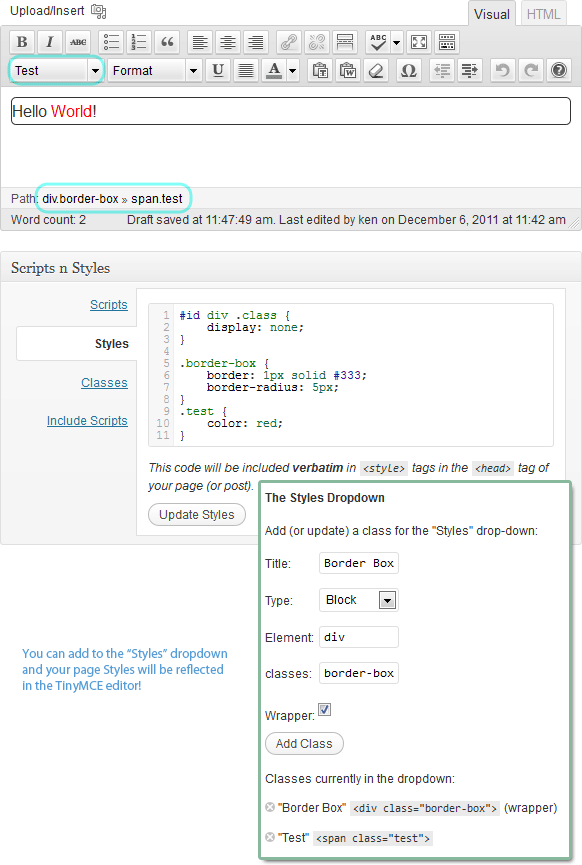
Frequently asked questions
What does this plugin do?
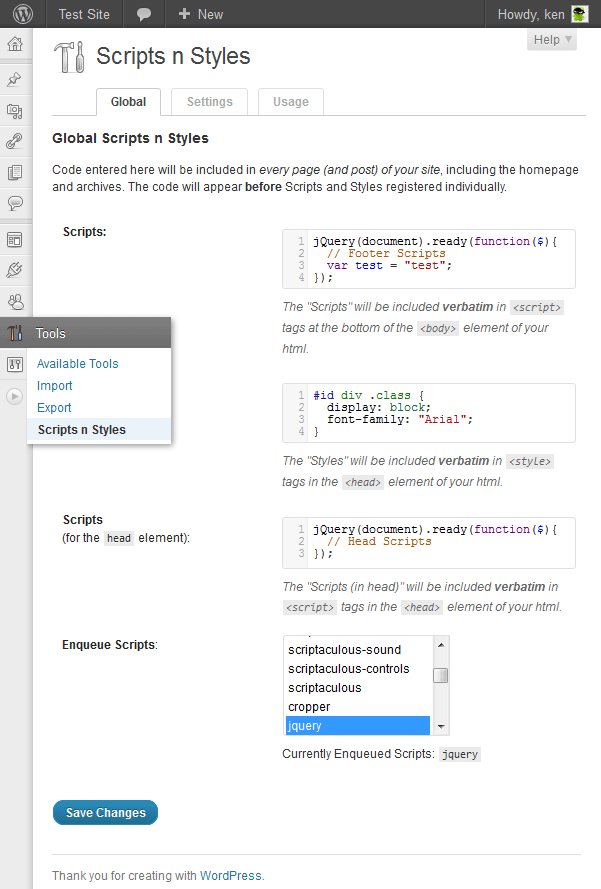
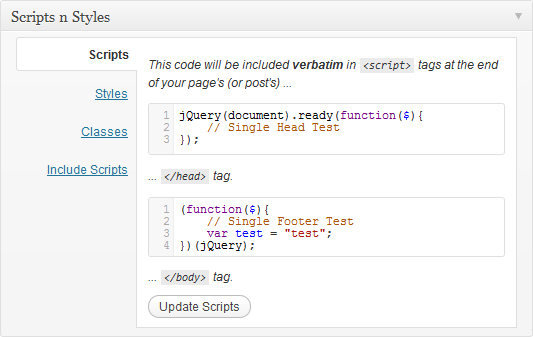
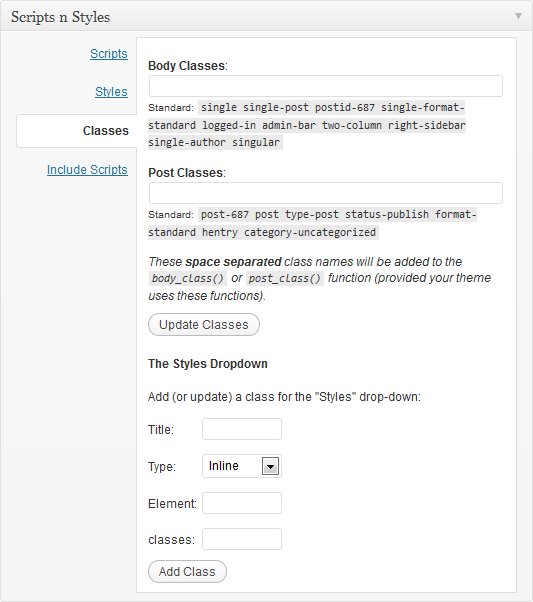
This plugin allows Admin users the ability to add custom CSS and JavaScript directly into individual Post, Pages or any other registered custom post types. You can also add classes to the body tag and the post container. There is a Global settings page for which you can write Scripts n Styles for the entire blog.
Who can use this plugin?
Admin users, or more specifically, any user with the manage_options and unfiltered_html capabilities (which by default is only the admin type user) can use this plugin's functionality. Some plugins extend user roles, and so this plugin would naturally extend include roles that have the appropriate capability.
How are CSS styles added?
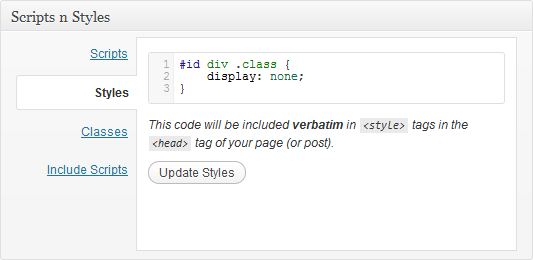
CSS Styles are embedded, not linked, at the bottom of the head element with style tags by using wp-head. If your theme doesn't have this hook, this plugin (as well as most others) won't work.
How is JavaScript added?
JavaScript is embedded, not linked, at the bottom of the body (or head) element with script tags by using wp-footer (or wp-head). If your theme doesn't have this hook, this plugin (as well as most others) won't work.
Is there any input validation?
There is no input validation. This plugin puts exactly what you type in the meta box directly into the html with no error checking. You are an Admin, and we trust you to be careful. Try not to break anything.
Changelog
3.5.8
- Hardening select fields
3.5.7
- Hardening meta
3.5.5
- Restore activation hook
3.5.4
- Hardening
3.5.3
- No longer auto upgrading meta
- DISALLOW_UNFILTERED_HTML disables everything, not just admin screens
3.5.2
- Fix PHP 8 notice
3.5.1
- Fix JS error in Classic mode
3.5
- Fix some functionality for Gutenberg
- Add arbitrary HTML fields
3.4.4
- Rename codemirror handle for compatibility
3.4.3
- No newline at end of file
- Remove closing php tags
- More guards against PHP 7.1 array conversion breaking change
3.4.2
- Silence alert debug message.
3.4.1
- Fix meta box saving.
3.4
- Add option to not delete data on uninstall
- Version 4.0 will drop php support under 5.4
- This version disables updates for installs with php < 5.4
- 4.0 will launch when most have updated to 3.4 ? (and when it’s done.)
3.3
- See the github repo commits
3.2.1
- metabox add shortcode bugfix
3.2
- Add AJAX to Shortcode Tab
- Add “Chosen” for selects
- General UI Improvements
- Add CoffeeScript Support
- Add Hoops Widget
- Add Global Hoops Shortcodes
- Add Markdown mode to code editor
- Add (fix) code editor themes
- Theme Support (Beta Feature)
3.1.1
- Add (fix) CodeMirror Themes
3.1
- Feature: Dynamic Shortcodes.
- Feature: LESS.js support.
- Bug Fix: Proper output escaping.
3.0.3
- Bug Fix: wpautop formatting.
3.0.2
- Bug Fix: Fatal Error on post save
3.0.1
- Option to show Metabox by default
- Check upgrade in more places
- Fix double Settings Message on general-options
- Fix empty post showing on usage
- Cleaned up constants (internal)
3
- AJAX Saving of Meta-box
- Dynamically populate the Styles Dropdown for TinyMCE
- Styles preview in Post Editor
- Enqueue dependant scripts if you need (like jQuery)
- Adjustable menu placement
- CodeMirror Themes
2.0.3
- fixed some bugs
2.0.1
- Better selection of
post_typesto add Scripts-n-Styles - micro-optimization for storage of class names.
- Adds option page for globally adding Scripts and Styles.
- Defined a later priority for Scripts n Styles to print after other scripts and styles.
- Added a box for Scripts to be included in the
head. - Better adherence to coding standards.
- Tabbed interface on metabox
- added CodeMirror
- began contextual help
1.0.2
- Added fields for
body_class andpost_class - Merged meta boxes
- Cleaned up code
- Improved compatibility
- Added Screenshot
1.0.1
- Some small plugin meta data updates.
1.0
- Initial Release.

