Discover how you can transform your WordPress site into a robust, efficient, and highly organized project management platform with our selection of WordPress Project Management Plugins.
These plugins are not just about adding a new feature to your site. They’re about revolutionizing the way you manage tasks, teams, projects, and even entire businesses, all from within your WordPress dashboard.
In this listicle, we delve into the features, benefits, and pricing of some of the best project management plugins available. Whether you’re a freelancer trying to juggle multiple clients or a business owner looking for a new way to streamline operations, these plugins could be the game-changer you’ve been looking for.
Table of Contents
Best WordPress Project Management Plugins
WP Project Manager
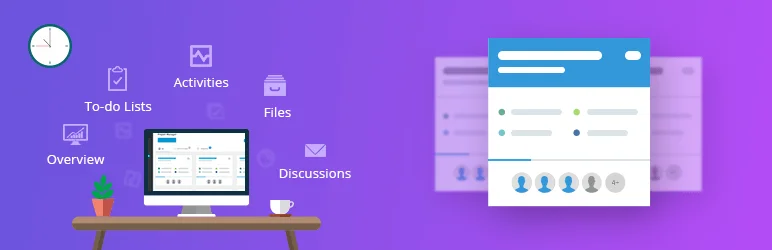
WP Project Manager is a robust and advanced project management plugin for WordPress, designed to streamline task and team management. This plugin stands out for its user-friendly interface and its ability to enhance productivity by allowing users to create, organize, and assign tasks quickly.
The plugin also includes features like a kanban board and gantt charts, which provide visual aids for project management. For businesses or individuals looking for a solution to keep their projects organized and on track, WP Project Manager is an excellent choice.
Features and Benefits
- To-do List: Allows users to add numerous lists with titles and descriptions, assign tasks to users, track progress, and add comments and descriptions. This organization feature keeps tasks well-managed.
- Milestone: Offers three types of milestones (upcoming, completed, and late) and allows messages and tasks to be assigned to each milestone. This helps in setting and achieving targets.
- Messages: Facilitates project discussions with co-workers and includes an attachment feature. This enhances team communication.
- Files: Enables file sharing for better workflow understanding and all files can be uploaded in one place for easy access.
- Dynamic Notification: Sends email notifications about assigned, upcoming, or outdated tasks to keep users updated.
- Pusher Integration: Provides real-time notifications for project management activities.
- Pro Features: Includes managing projects from the frontend, Kanban boards, Gantt charts, time tracker, invoice for charging clients, interactive calendar, stripe gateway, BuddyPress for WordPress, subtask management, WooCommerce integration, advanced file management, Slack integration, GitHub and Bitbucket integration, advanced reports with insights.
Pricing Structure
WP Project Manager provides a free version with limited features. There are three premium versions available starting from $79/ year.
Atarim
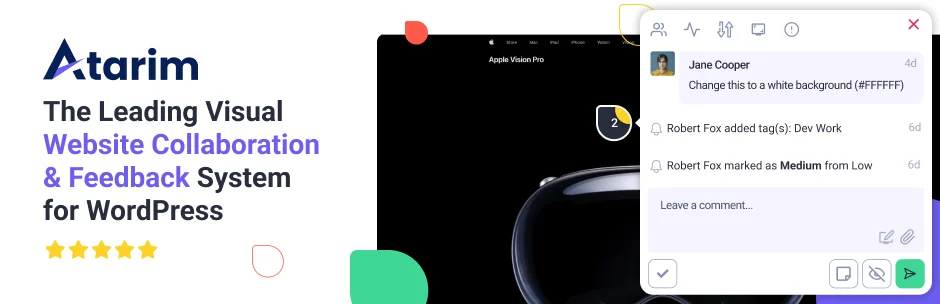
Imagine a tool that makes website design project management a breeze – that’s Atarim! This plugin is an innovative visual collaboration tool that makes it easy to collect feedback on WordPress websites.
It is designed to streamline and simplify the process of communicating and collaborating on website projects, making it an essential tool for agencies, freelancers, and anyone working on a WordPress website.
Features and Benefits
- Visual Collaboration: This feature allows users to visually leave requests and feedback on live WordPress websites, simplifying tasks like bug tracking and content updates.
- Urgency Updates: With Atarim, you can update the urgency of requests, letting everyone know how quickly they need to be completed.
- Status Changes: You can change the status of a request from “Open” to “In Progress”, “Pending Review” or “Complete”. This keeps everyone updated on the progress of tasks.
- Automated Screenshots: Requests automatically generate a screenshot with the current view. This helps in understanding what the requester sees and makes debugging problems easier.
- File Uploads: Upload images, PDFs, and all file types to a request that can then be pushed to the Media Folder with one click.
- One Platform: Atarim allows you to manage all requests from one inbox inside the Atarim Dashboard, making it easy to tackle requests and complex revisions at scale.
- Guest Mode: This feature allows anyone visiting your WordPress website to leave requests, perfect for staging websites or the build stage of a project.
- WP User Role Permissions: Decide which user roles inside your WordPress site should have access to using visual collaboration.
Pricing Structure
Atarim offers a free plan that allows you to visually collaborate on as many websites as you want. This free plan is available forever. For more advanced features and capabilities, Atarim offers paid plans starting from $35/ month.
Business Manager
The Business Manager is a comprehensive WordPress plugin that offers a suite of enterprise resource planning (ERP) tools, including Human Resources (HR), Customer Relationship Management (CRM), and Project Management.
The plugin transforms your ordinary WordPress website into a full-fledged business management platform. The Business Manager plugin is designed to manage all crucial business aspects, such as clients, projects, employees, documents, and much more.
Features and Benefits
- Human Resources
- Store employee information, including job title, status, start and finish dates.
- Keep employee records, including personal files, applications, resumes, and contracts, to support accurate Workday Implementation.
- Manage and approve leave requests submitted by employees.
- Generate performance reviews for each employee.
- Make announcements to keep employees informed about vital updates.
- Client Management & CRM
- Record and manage client and lead information.
- Assign statuses to each client for a simple CRM and sales system.
- Keep detailed notes and files for a permanent record of interactions.
- Project Management
- Assign projects to employees and clients for better communication.
- Create special types and statuses to keep your projects organized.
- Track progress and timelines of your projects.
- Manage individual project tasks with advanced drag and drop kanban boards.
- Document Management
- Store all necessary company documents and files.
- Track changes with a built-in, simple document versioning system.
- Assign documents to departments and keep detailed notes for all employees to see.
- WordPress ERP
- Combines all the features into a simple and easy-to-use WordPress ERP system.
- Avoids the complex and bloated feature sets of typical ERP systems, making it a better solution for companies with simpler needs.
- Extensions
- Asset Manager: Track assets and their purchase date, warranty information, and more.
- Contractors: Store multiple pieces of personal and employment information for each contract worker.
- Custom Fields: Add your own custom fields to Employees, Projects, Clients, Reviews, Leave, Documents, and other extension types.
Pricing Structure
The plugin is free to use with its extensions (custom fields, asset manager, contractors, all in one bundle) in the pro version.
Taskbuilder
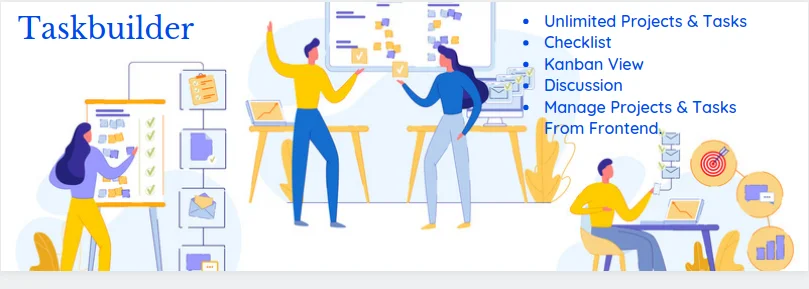
Taskbuilder is a comprehensive WordPress Project & Task Management plugin that allows you to organize tasks, projects, and more with ease and flexibility.
This powerful tool brings the features of a complete project and task management system to WordPress, rivaling the capabilities of platforms like Trello or Bitrix24. With Taskbuilder, you can create and manage tasks using a visually appealing drag-and-drop interface (Kanban view), allowing you to streamline your workflow and focus on what really matters.
Features and Benefits
- Unlimited Projects and Tasks: Create as many projects and tasks as you need without any restrictions. This allows a high degree of flexibility and scalability.
- Unlimited Co-workers: Add as many co-workers as you need and divide your workload efficiently.
- Ajax Functionality: Enables optimal operational speed, enhancing user experience.
- Front-end Management: Manage your projects and tasks from the front-end at no additional cost.
- Checklist: Break down large tasks into smaller ones and track progress until completion.
- File Attachments: Attach files in comments for convenient reference.
- Responsive Design: Works smoothly on any screen size, allowing you to operate anytime, anywhere.
- Kanban Board: Visualize your tasks and keep everyone updated on the status of each task.
- List View & Filter: Manage tasks and projects in a list view and filter them based on various parameters.
- Email Notifications: Customize email notification templates and use macro tags for dynamic task & project-specific information.
- Custom Statuses, Priorities, and Categories: Create unlimited custom statuses, priorities, and categories for projects and tasks.
- Appearance Setting: Customize the appearance to match your theme.
Pricing Structure
While the basic Taskbuilder plugin is free, the premium add-ons are priced separately.
Why You Need WordPress Project Management Plugins
WordPress project management plugins can be incredibly valuable tools for individuals and teams looking to streamline their workflow, improve collaboration, and efficiently manage projects directly within the WordPress environment. Here’s a detailed explanation of why you might need these plugins:
- Centralized Management: WordPress project management plugins provide a centralized platform within your WordPress dashboard where you can organize all aspects of your projects. This eliminates the need to use multiple tools and platforms, reducing confusion and saving time.
- Task Organization: These plugins typically offer features for creating and organizing tasks. You can break down your project into smaller tasks, assign them to team members, set deadlines, and track progress easily. This helps ensure that everyone knows what needs to be done and by when.
- Collaboration: Collaboration is key to successful project management, and these plugins facilitate it by allowing team members to communicate within the WordPress environment. They often include features like comments, file sharing, and activity tracking, enabling real-time collaboration and feedback.
- Time Tracking: Many project management plugins include time tracking functionality, which allows team members to log the time they spend on each task. This not only helps with billing clients accurately but also provides insights into how time is being allocated across different project tasks.
- Integration with Other Tools: While WordPress project management plugins offer robust features on their own, they also often integrate with other tools and services. This integration capability allows you to connect your project management workflow with other systems you may already be using, such as CRM software, email marketing platforms, or file storage services.
- Customization: These plugins typically offer a high degree of customization, allowing you to tailor the project management process to fit your specific needs and preferences. You can customize task statuses, workflows, notifications, and more, ensuring that the plugin adapts to your unique project management approach.
- Client Collaboration: For agencies or freelancers working with clients, WordPress project management plugins offer a secure platform for collaborating with clients on projects. You can grant clients access to specific project tasks or updates, keeping them informed and involved in the process without exposing them to the inner workings of your entire WordPress site.
- Workflow Automation: Automation features are becoming increasingly common in project management plugins. These features allow you to automate repetitive tasks, such as sending notifications, updating task statuses, or triggering actions based on specific criteria. This automation helps streamline the project management process and reduce manual effort.
- Visibility and Reporting: Project management plugins typically provide various reporting and analytics tools that give you visibility into project progress, team performance, and resource allocation. You can generate custom reports, track key metrics, and identify areas for improvement, helping you make data-driven decisions to optimize your projects.
- Scalability: Whether you’re managing small projects or large-scale initiatives, WordPress project management plugins can scale to meet your needs. You can use them for individual tasks, team projects, or even enterprise-level workflows, making them versatile tools that can grow with your business.
In summary, WordPress project management plugins offer a comprehensive solution for managing projects directly within the WordPress environment. From task organization and collaboration to customization and automation, these plugins provide the tools you need to streamline your workflow, improve efficiency, and deliver successful projects.
Final Word
Implementing the right WordPress project management plugin can dramatically enhance the way you manage tasks, projects, and teams. These plugins, equipped with features such as kanban boards, Gantt charts, visual collaboration tools, and more, can help streamline your workflow, increase productivity, and effectively manage your team’s efforts.
Whether you’re an individual, a small business, or a large enterprise, these plugins can help you achieve your goals, such as growing your audience, boosting engagement, or establishing authority in your niche.
So why wait? Take the leap today and transform your website into an efficient project management platform!
FAQs About WordPress Project Management Plugins
- What are WordPress project management plugins, and why are they important?
WordPress project management plugins are tools integrated into WordPress websites to facilitate efficient project organization, task management, collaboration, and workflow automation. They are essential for individuals and teams looking to streamline project management directly within the WordPress environment. - How do WordPress project management plugins benefit users?
These plugins offer centralized management, task organization, collaboration features, time tracking, integration with other tools, customization options, client collaboration capabilities, workflow automation, visibility and reporting, and scalability, ultimately enhancing productivity and project success. - Which are the best WordPress project management plugins available?
There are several top-notch WordPress project management plugins available, including popular options like WP Project Manager, Atarim, Business Manager, Taskbuilder, and Zephyr Project Manager for WordPress. Each plugin offers unique features and functionalities tailored to different project management needs. - What features should I look for in a WordPress project management plugin?
When selecting a WordPress project management plugin, consider features such as task organization, collaboration tools, time tracking capabilities, integration options, customization flexibility, client collaboration features, workflow automation, reporting and analytics, and scalability to ensure it meets your specific requirements. - Can WordPress project management plugins integrate with other tools and services?
Yes, many WordPress project management plugins offer integration capabilities, allowing seamless connectivity with other tools and services such as CRM software, email marketing platforms, file storage services, and more. This integration enhances workflow efficiency and enables a holistic approach to project management. - How user-friendly are WordPress project management plugins for beginners?
WordPress project management plugins are designed with user-friendly interfaces and intuitive features to cater to users of all skill levels, including beginners. They typically offer easy-to-understand navigation, customizable settings, and helpful documentation or tutorials to assist users in getting started quickly. - Are WordPress project management plugins suitable for both small and large-scale projects?
Yes, WordPress project management plugins are highly versatile and can be used for managing projects of various sizes and complexities. Whether you’re handling small-scale tasks or large-scale initiatives, these plugins can adapt to your project management needs and scale accordingly. - How secure are WordPress project management plugins for client collaboration?
WordPress project management plugins prioritize security and offer robust features to ensure safe client collaboration. They typically include access control settings, secure user authentication mechanisms, encryption protocols, and data privacy measures to protect sensitive project information and client data. - Can WordPress project management plugins automate repetitive tasks?
Yes, many WordPress project management plugins incorporate workflow automation features, allowing users to automate repetitive tasks such as sending notifications, updating task statuses, assigning responsibilities, and triggering actions based on predefined criteria. This automation helps streamline processes and reduce manual effort. - What support options are available for users of WordPress project management plugins?
Most WordPress project management plugins provide various support options, including documentation, tutorials, FAQs, community forums, and direct customer support channels such as email, live chat, or ticket-based systems. These support resources ensure users can access assistance and resolve any issues promptly.


