With WordPress being the powerhouse behind millions of websites, the integration of effective project management plugins can revolutionize the way teams collaborate, plan, and execute projects.
From the user-friendly interfaces of Gutenberg to the flexible functionalities of WooCommerce, the parallels between these popular WordPress components and project management plugins are striking. They all aim to enhance user experience, streamline processes, and elevate the final output.
As we explore the intricacies of WordPress Project Management Plugins, we’ll connect the dots to other WordPress essentials like SEO optimization, security measures, and performance enhancements.
Join us as we embark on this journey to uncover the plugins that will not only manage your projects but also harmonize with the broader WordPress ecosystem, ensuring your projects are not just completed but are triumphs of efficiency and teamwork.
WP Project Manager
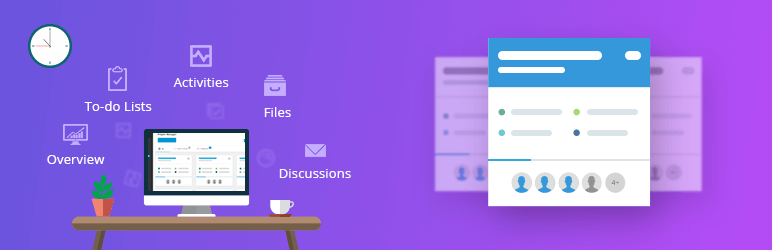
WP Project Manager is one of the most advanced project management and task management tools for WordPress. With its exceptional features, it takes your project management experience to the next level.
It is designed to supercharge your productivity by creating, organizing, and assigning tasks within a few clicks. Its user-friendly interface and web-based task management feature enable user to complete their to-dos quicker than ever. If you are looking to effortlessly manage projects, track time, and generate performance reports, then WP Project Manager is the solution for you.
Features and Benefits
- To-do List: WP Project Manager allows you to add as many to-do lists as you want with titles and descriptions. You can add tasks, assign users, assign a due date, see the progress bar on the list, add comments, descriptions, and titles on individual to-do lists and to-dos, and mark to-dos as complete/incomplete.
- Milestones: You can set three types of milestones- upcoming, completed, and late milestones. Furthermore, you can assign messages and to-do lists on the milestone.
- Messages: The plugin allows for discussing the project with co-workers through messages. You can add attachments to messages, edit and stylize messages, and make comments for discussion or collaboration.
- Files: The plugin has a file-sharing feature for a better understanding of the workflow. You can upload all files to messages and comments and navigate to individual attached threads.
- Dynamic Notification: The plugin provides email notifications to keep users updated about their assigned, upcoming, or outdated tasks.
- Pusher Integration: You can get real-time notifications for your project management activities with push notifications.
Pricing Structure
WP Project Manager provides a free version with limited features. There are three premium versions available starting from $79/ year.
Atarim
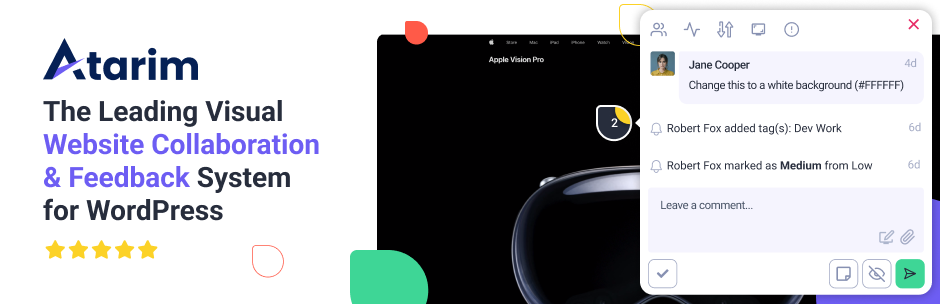
Atarim is a powerful and efficient WordPress plugin designed for visual collaboration on website projects. It is a project management tool that significantly simplifies the feedback and task management process. If you’re working on a WordPress website with a team, clients, or contractors, Atarim is an essential tool for you.
Features and Benefits
- Visually Collaborate: Atarim allows users to leave visual requests and feedback on live WordPress websites, making tasks like bug tracking and content updates simpler. This increases efficiency in communication, reduces misunderstanding, and speeds up the task completion process.
- Urgency: Update the urgency of requests, letting everyone know how quickly they need to be completed. This helps in prioritizing tasks and ensures important tasks are attended to promptly.
- Status: Change the status of a request from “Open” to “In Progress”, “Pending Review” or “Complete”. This provides clear visibility of task progress and reduces the need for constant status updates.
- Automated Screenshots: Requests automatically generate a screenshot with the current view. Provides a clear picture of the issue or feedback, reducing the need for lengthy explanations.
- File Uploads: Users can upload images, PDFs, and all file types to a request. This enhances communication by allowing visual aids and documents to be shared.
Pricing Structure
Atarim offers a free plan that allows you to visually collaborate on as many websites as you want. This free plan is available forever. For more advanced features and capabilities, Atarim offers paid plans starting from $35/ month.
Business Manager
Business Manager is an all-in-one WordPress plugin that serves as an ERP, HR, CRM, and Project Management system. This robust plugin is designed to transform an ordinary WordPress site into a comprehensive business management system. With a Business Manager, you can manage your employees, projects, clients, and documents seamlessly and efficiently.
Features and Benefits
- Human Resources: Business Manager provides an HR management system to manage detailed employee records. It allows storing personal, contact details, job title, status, start and finish dates of employees, and more. It provides a platform to manage, approve, and deny leave requests submitted by your employees. The plugin also allows creating performance reviews for each employee with ratings and breakdowns.
- Client Management & CRM: Business Manager serves as a simple CRM by recording all client and lead details. You can assign a status to each client for an effective sales system. It allows storing an unlimited amount of contact information for each of your clients.
- Project Management: Business Manager comes with a robust project management system to keep your employees organized. You can assign projects to employees and clients, track progress and timelines, manage individual project tasks with kanban boards, and store important files and documents.
- Document Management: The business Manager allows storing all the company’s frequently used documents and files. You can upload any file type supported by WordPress and track changes with a built-in document versioning system. The plugin lets you assign documents to departments and keep detailed notes for all employees to see.
- WordPress ERP: Business Manager provides a simple and easy-to-use WordPress ERP system, offering human resources tools, project management, document management, and a platform for your employees to work better and faster.
Pricing Structure
The plugin is free to use with it’s extensions (custom fields, asset manager, contractors, all in one bundle) in the pro version.
Taskbuilder
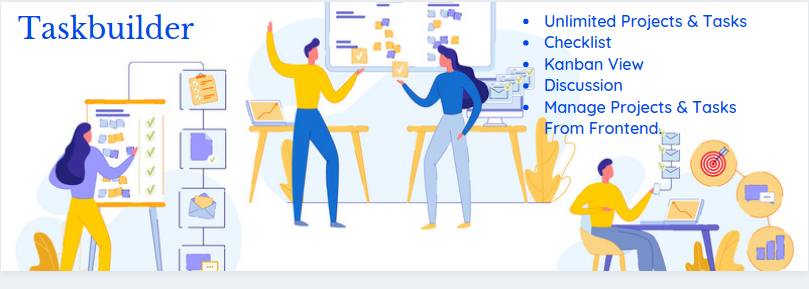
Taskbuilder is a comprehensive WordPress project and task management plugin that brings the robust features of project management systems like Trello or Bitrix24 to your WordPress site.
With its modern, drag-and-drop UI (Kanban view), Taskbuilder simplifies the organization and management of tasks and projects. This plugin is designed to enhance the visualization of work and streamline task management, allowing you to focus on what truly matters.
Features and Benefits
- Unlimited Projects: Taskbuilder allows you to create as many projects as you need in the free version, removing any restrictions on your project management capabilities.
- Unlimited Tasks: Create an unlimited number of tasks to manage every aspect of your projects seamlessly.
- Unlimited Co-workers: Add as many co-workers as you need to distribute your workload efficiently.
- Ajax functionality: Taskbuilder leverages Ajax for optimal operational speed, enhancing your project management efficiency.
- Manage Projects & Tasks From Front-end: Taskbuilder allows you to manage projects and tasks directly from the front-end, at no extra cost.
- Checklist: Break down large tasks into manageable ones and enjoy the satisfaction of watching the status bar reach 100% completion.
- Kanban Board: Use cards to represent tasks and drag them from list to list to keep everyone updated on the task status.
- Custom Statuses, Priorities, Categories: Create unlimited custom statuses, priorities, and categories for tasks and projects, providing flexibility in organizing your work.
- Premium Add-Ons: Taskbuilder also offers premium add-ons like Calendar view of tasks, Custom Fields, Time Tracker, Gantt Chart, Duplicate Project, Report generation, and BuddyPress integration that further enhance its functionality.
Pricing Structure
While the basic Taskbuilder plugin is free, the premium add-ons are priced separately.
Zephyr Project Manager

Zephyr Project Manager is a top-notch WordPress plugin designed to streamline your project management processes. This plugin is the perfect solution to efficiently manage tasks and projects, ensuring that everything stays on track.
It boasts a beautifully designed user interface, allowing you to create unlimited projects, tasks, and categories, upload files/attachments, and monitor project progress using built-in charts and a calendar.
Features and Benefits
- Projects: Create and customize unlimited projects. Set their name, start and end dates, priority, and category. You can also copy projects, convert projects to tasks, and receive email notifications of updates and completion.
- Tasks: Create, view, edit, and customize tasks. Assign tasks to users or teams, set their priority, create subtasks for more detailed tasks, start discussions, and export/import tasks to/from CSV and JSON.
- Android App: Stay in the loop with real-time notifications and manage your tasks and projects on the go with the official Android App.
- Personal Dashboards: Each user has a dashboard where they can see completed and upcoming tasks and projects.
- Discussions & Attachments: Facilitate communication with team members on tasks and projects. Upload, download, and view attachments straight from your tasks and projects.
- Email Notifications: Receive email updates on overdue tasks, weekly updates, and activity updates.
- File Manager: Manage all project and task files/attachments in one place.
Pricing Structure
The basic version of Zephyr Project Manager is free. However, for additional features such as a customizable frontend project manager page, Kanban board style projects, Asana integration, custom fields, custom task and project templates, reporting & statistics, you can upgrade to the Professional Edition.
Uses of WordPress Project Management Plugins
WordPress project management plugins are tools designed to integrate project management functionalities directly into your WordPress website, enabling you to manage your work, team, and projects efficiently without leaving your site’s dashboard.
These plugins offer a wide range of features tailored to enhance productivity, streamline workflows, and facilitate collaboration among team members, all within the familiar environment of WordPress.
Here’s why they are required:
- Centralized Project Management: They centralize project management within your WordPress dashboard, reducing the need to switch between different tools or platforms. This centralization saves time and simplifies the management process, allowing users to focus more on project execution and less on administrative tasks.
- Improved Collaboration: With features designed to facilitate communication and teamwork, such as task assignments, progress tracking, and file sharing, these plugins make it easier for team members to collaborate effectively, regardless of their physical location. This is especially beneficial for remote teams and freelancers.
- Enhanced Productivity: By organizing tasks, deadlines, and responsibilities clearly, project management plugins help teams work more efficiently. Features like to-do lists, calendars, and reminders keep projects on track and ensure that deadlines are met.
- Streamlined Workflows: These plugins often include or integrate with tools for automating workflows, such as automating task assignments based on project rules or triggering notifications upon task completion. This automation reduces manual work and streamlines processes.
- Customizable for Project Needs: WordPress project management plugins are versatile and can be customized to fit the specific needs of different projects and teams. Whether it’s a simple project with a few tasks or a complex project with multiple milestones and dependencies, these plugins can be tailored to suit various requirements.
- Integration with Other WordPress Features: Many project management plugins integrate seamlessly with other WordPress features and plugins, such as WooCommerce for e-commerce projects or Yoast SEO for digital marketing tasks. This integration ensures that project management can be part of a broader ecosystem, leveraging WordPress’s flexibility and extensive plugin library.
- Cost-Effective Solution: For many small businesses and individuals, these plugins offer a cost-effective solution to project management. Instead of investing in separate, often expensive, project management software, users can manage their projects directly within WordPress, a platform they already use and pay for.
In summary, WordPress project management plugins are required not just for their functionality but for the cohesive, integrated, and efficient project management environment they create within WordPress. They enable teams to manage projects more effectively, with better communication and collaboration, leading to successful project outcomes.
Final Word
Managing projects and tasks can be a daunting task, especially for large organizations. However, with the right WordPress Project Management Plugin, this process can be streamlined and made more efficient. WP Project Manager, Atarim, Business Manager, Taskbuilder, and Zephyr Project Manager are all robust plugins designed to enhance productivity and collaboration.
The choice of plugin depends on your specific needs, budget, and preference. Therefore, it’s recommended to try out these plugins and see which one suits your needs best. Don’t forget to engage with our blog through comments or sharing, and let us know your experience!
FAQs
- What are WordPress Project Management Plugins?
WordPress Project Management Plugins are tools designed to integrate directly into your WordPress site, allowing you to manage projects, tasks, team collaborations, and deadlines efficiently from your dashboard. They offer features like task assignment, progress tracking, file sharing, and time management to streamline project workflows. - Why should I use a WordPress Project Management Plugin?
Using a project management plugin on your WordPress site helps centralize your project management processes, enhances team collaboration, increases productivity, and streamlines workflows. It’s ideal for businesses, agencies, freelancers, and anyone looking to manage projects more effectively within their WordPress environment. - Can WordPress Project Management Plugins support remote teams?
Yes, these plugins are designed to support remote teams by providing features such as real-time updates, file sharing, task assignments, and communication tools. They enable team members to collaborate effectively, regardless of their location. - Are there any free WordPress Project Management Plugins available?
Yes, there are several free WordPress Project Management Plugins available, such as WP Project Manager and Kanban Boards for WordPress. These free versions offer basic project management features, with premium upgrades available for additional functionality. - How do WordPress Project Management Plugins integrate with other tools?
Many project management plugins offer integrations with other WordPress plugins and external tools, such as WooCommerce, Slack, and Google Drive. This allows for a more seamless workflow and the ability to leverage other tools within your project management processes. - Can I customize a WordPress Project Management Plugin to fit my project’s needs?
Yes, most WordPress Project Management Plugins come with customizable settings and features. You can tailor them to your project’s specific requirements, including custom fields, task priorities, and project templates, ensuring a fit-for-purpose management solution. - How do WordPress Project Management Plugins impact website performance?
While adding any plugin to your WordPress site can impact performance, most project management plugins are designed to be lightweight and efficient. It’s important to choose well-coded plugins and to regularly maintain your site for optimal performance. - What is the best WordPress Project Management Plugin for small businesses?
The best plugin varies based on specific business needs and project types. Plugins like WP Project Manager and Project Panorama are popular choices for their ease of use, comprehensive features, and scalability, making them suitable for small businesses.


