In the exciting world of WordPress, AdSense plugins offer transformative power for bloggers, businesses, and web developers who want to monetize their websites.
Whether you are a seasoned WordPress user or a newbie venturing into the realm of website monetization, understanding the utility of WordPress AdSense Plugins is crucial. The article will provide a comprehensive overview of Google AdSense alternatives, detailing features, benefits, and pricing structures of each plugin.
From gaining insights into how users find and use your website to learning how to improve ad performance, this listicle promises to be an enriching read. Get ready to discover the transformative power of WordPress AdSense plugins and how they can help you unlock your website’s full potential.
Table of Contents
WordPress AdSense Plugins: Google AdSense Alternatives
Site Kit by Google

Site Kit by Google is the official WordPress plugin designed to give you insights into how users find and use your website. It’s a comprehensive solution for deploying, managing, and gaining insights from crucial Google tools, all in one convenient dashboard. This efficient tool is aimed at helping you make your site more successful on the web. And the best part? It’s free.
Features and Benefits
- Easy-to-understand stats: Get clear and straightforward statistics directly on your WordPress dashboard, making it easier for you to understand your site’s performance without needing any specialized knowledge.
- Official stats from multiple Google tools: Access official statistics from various Google tools all in a single dashboard, saving time as you no longer have to switch between different tools to get your stats.
- Quick setup: Set up multiple Google tools quickly without having to edit your site’s source code, ensuring a smoother, faster setup process.
- Metrics for your entire site and individual posts: Receive detailed metrics for your entire site and for each individual post, allowing you to understand how different parts of your site are performing.
- Easy-to-manage, granular permissions: Manage permissions across WordPress and different Google products easily, giving you more control over who can access what information.
Site Kit supports the following Google tools:
- Search Console: Understand how Google Search discovers and displays your pages. Monitor how many people saw your site in search results and what query they used to find your site.
- Analytics: Explore how users navigate your site and track the goals you’ve set for them to complete.
- AdSense: Keep track of your site’s earnings.
- PageSpeed Insights: Compare your pages’ performance to other real-world sites and improve performance with actionable tips.
- Tag Manager: Easily set up Tag Manager without needing to edit any code and manage your tags in Tag Manager.
Pricing Structure
Site Kit by Google is a free plugin, making it a cost-effective solution for website owners who aim to improve their site’s performance and user experience.
Advanced Ads

The Advanced Ads plugin is a comprehensive ad management tool for WordPress designed to streamline your advertising needs. It’s trusted by thousands of businesses for its perfect blend of usability and powerful features.
Advanced Ads eliminates the complexities of advertising, making it easy to embed ads, banners, or any other code without editing theme files. If you’re searching for the ultimate ad management plugin, look no further.
Features and Benefits
- Usability: Advanced Ads offers a clearly structured interface with smart workflows for fluid day-to-day operations, making managing your ads a smooth and effortless process.
- Functionality: The plugin boasts industry-leading features that set the gold standard for ad management, providing all the tools you need to run effective advertising campaigns.
- Compatibility: Advanced Ads is compatible with all ad networks and features dedicated integrations with numerous popular plugins and themes, ensuring seamless operation with your existing setup.
- Expertise: The plugin comes with fast and top-rated support, backed by a team with expertise in publishing and ad optimization since 2009, ensuring you’re in safe hands when it comes to managing your ads.
- Reputation: Advanced Ads is recommended by Google and fully compliant with Google AdSense policies, offering you peace of mind that your ad operations adhere to best practices.
Pricing Structure
The pricing for the premium version varies based on the number of sites you want to license.
Ad Inserter
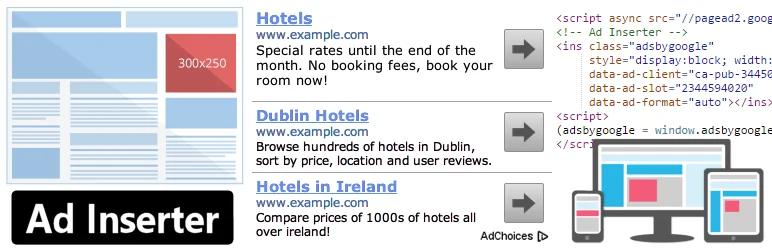
For anyone looking to efficiently insert ad codes at optimal positions on their WordPress site, Ad Inserter – Ad Manager & AdSense Ads is the perfect solution. This advanced ad management plugin supports a variety of ads such as Google AdSense, Google Ad Manager, Amazon Native Shopping Ads, Media.net, Infolinks, and rotating banners.
It’s more than just an AdSense plugin, offering a multitude of advanced options for inserting opt-in forms, header scripts, Javascript, CSS, HTML, PHP, analytics, tracking, or advert code anywhere on the page.
Features and Benefits
- AdSense Integration: Provides seamless integration with Google AdSense, enabling users to easily insert ad codes on their site, enhancing monetization efficiency.
- Syntax Highlighting Editor: This feature allows users to edit their code with ease, enhancing coding efficiency and accuracy, thereby improving development productivity.
- Code Preview with Visual CSS Editor: Users can preview their code changes in real-time, reducing the risk of mistakes and making the editing process smoother, which leads to better website aesthetics and functionality.
- Automatic Ad Insertion on Posts and Pages: This plugin automatically inserts ads on posts and pages, saving time and effort for users, which optimizes ad revenue opportunities.
- Ad Rotation: Supports server-side and client-side ad rotation, ensuring that ads are always fresh and relevant, which can potentially increase ad engagement and earnings.
- Ad Blocking Detection: The plugin can detect ad blockers and prompt users to disable them, ensuring that ads are always seen by visitors, thereby safeguarding ad revenue.
- Desktop/Mobile Device Detection: It can detect the type of device a visitor is using, allowing for better ad placement and increased ad relevance, enhancing user experience and ad performance.
- Easy Copying and Pasting Ads or Settings: Users can easily copy and paste ads or settings, making it simpler to manage multiple ads and maintain consistency across platforms.
- Advanced Pro Version Features: The Pro version of this plugin offers additional advanced features like geolocation, ad impression and click statistics, A/B testing, click fraud protection, and more, providing comprehensive tools for professional ad management and optimization.
Pricing Structure
The plugin is free to use with the premium version starting from €20.
Ads by WPQuads
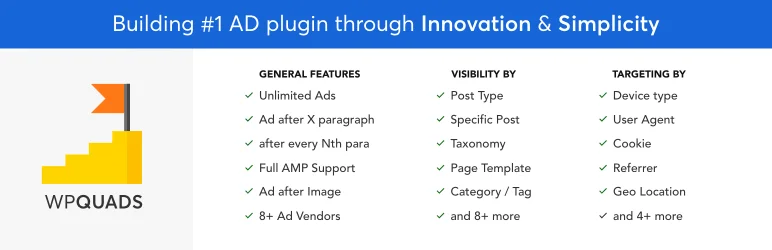
WPQuads Ads is an advanced ad inserter and AdSense plugin for WordPress. Engineered for high performance, this plugin is built to serve as a comprehensive solution for all your ad management needs.
It offers a myriad of features from easy integration with Google AdSense to GDPR and privacy tools, making it an ideal choice for websites with heavy traffic and high monthly page impressions.
Features and Benefits
- Web Stories Integration: Allows for advertising in AMP Web Stories, expanding your ad reach and visibility.
- Click Fraud Protection: Fights against click fraud, stabilizing ad revenue.
- GDPR & Privacy Tools: Simplifies compliance with privacy laws.
- Google AdSense Support: Facilitates deep integration with Google AdSense ad types.
- 8 Ad Vendors Support: Provides compatibility with 8 ad vendors, with 20 more in development.
- 12 Ads Positions: Gives you control over the ad display area.
- 10 Post Specific Ads Control: Allows for specific ad visibility conditions on selected pages.
- 9 Targeting Conditions: Lets you control when an ad should appear.
- Ad Blocker Support: Advanced ad blocker with options for notice display.
- Unlimited Ads: Allows for placement of an unlimited number of ads.
- High Performance: Ensures your site’s speed is not compromised by loading only necessary code.
- Caching Power: Supports WP Rocket, W3 Total, and other caching plugins.
Pricing Structure
The plugin is free to use with the premium version starting from $89/ year.
WP Simple Adsense Insertion

WP Simple Adsense Insertion is a WordPress plugin designed for simplicity and ease-of-use in integrating Google AdSense into your WordPress site. The plugin addresses the problem of complexity and overwhelming options often encountered with other AdSense plugins. This is particularly beneficial for beginners and those who prefer a straightforward, no-fuss approach to ad insertion.
Features and Benefits
- Shortcode or PHP function insertion: WP Simple Adsense Insertion allows the insertion of Google AdSense into your posts, pages, and sidebar using a shortcode or by calling a PHP function from your template file, offering flexibility and simplifying the ad placement process.
- 1-3 saved AdSense codes: The plugin can store 1-3 Google AdSense codes, streamlining the ad insertion process by enabling you to use a simple shortcode wherever you want on your site.
- Automatic in-article ad code insertion: This plugin automatically inserts in-article ad code after the second paragraph of every post, strategically placing ads within your content to engage readers without interrupting the flow.
- Automatic end-of-article ad code insertion: To ensure maximum visibility, AdSense codes are also automatically inserted at the end of every article, capturing the attention of readers as they finish reading.
- Versatility: Beyond AdSense, the plugin accommodates any ad code, enhancing its versatility and usefulness for various types of advertising campaigns.
Pricing Structure
The plugin is free to use with the premium version starting from $89/ year.
Exploring Beyond Google AdSense: Why Consider Other WordPress Adsense Plugins
While Google AdSense is a popular choice for monetizing WordPress websites, there are situations where exploring alternatives might be beneficial. Here’s a breakdown of the reasons why you might consider going beyond AdSense plugins for your WordPress site:
Reasons to Look Beyond AdSense:
- AdSense Approval Challenges: Getting approved for AdSense can be competitive, especially for new websites. Alternative ad networks might have easier application processes.
- Monetization Restrictions: AdSense has strict content policies that can limit ad display on certain topics. Alternatives might offer more flexibility.
- Low Earnings Potential: AdSense revenue can vary depending on your niche and traffic. Exploring alternatives can help diversify your income streams and potentially increase earnings.
- Limited Ad Formats: AdSense primarily offers display ads. Alternatives might provide a wider range of ad formats like native ads, video ads, or rich media, leading to better user experiences and potentially higher click-through rates.
- Account Suspension Concerns: Non-compliance with AdSense policies can lead to account suspension. Having alternatives mitigates risk and ensures continued monetization.
Final Word
These WordPress AdSense plugins present thrilling opportunities for your website’s evolution. With their comprehensive features, you can gain insights into your website’s performance, increase audience engagement, and establish your online authority.
These plugins are designed to make advertising on your website a breeze, whether it’s through easy-to-understand analytics, seamless AdSense integration, or efficient ad management. Moreover, they also provide important tools to optimize user experience and website speed, further enhancing your site’s appeal.
So, why wait? Take the next step towards transforming your website into a powerful, engaging, and successful platform today.
FAQs About WordPress AdSense Plugins
1. What are WordPress AdSense Plugins?
WordPress AdSense plugins are tools designed to integrate AdSense and similar advertising services into WordPress sites easily. They help manage ad placements, track performance, and optimize earnings without needing to edit site code directly.
2. Why should I consider alternatives to Google AdSense using WordPress AdSense plugins?
Considering alternatives can help diversify your revenue streams, improve ad relevancy, potentially increase earnings, and provide better control over the ads displayed on your site. Alternative WordPress AdSense plugins may offer features better suited to your specific audience or niche.
3. Can WordPress AdSense plugins be used with ad networks other than Google AdSense?
Yes, many WordPress AdSense plugins are versatile and can integrate with various ad networks. These plugins typically support multiple advertising platforms, allowing you to manage different ad sources through a single interface.
4. What are some popular alternatives to Google AdSense for use with WordPress AdSense plugins?
Popular alternatives include Media.net, Infolinks, Adsterra, and PropellerAds. These platforms offer competitive rates and different types of ad formats that might be more suitable depending on your audience and content style.
5. How do I choose the best WordPress AdSense plugin for alternative ad networks?
When choosing a WordPress AdSense plugin for alternative networks, consider factors such as ease of use, compatibility with your chosen ad network, customization options, and additional features like ad rotation, scheduling, and detailed analytics.
6. Are there any free WordPress AdSense plugins that support alternative networks?
Yes, there are several free plugins available that support multiple advertising networks. Plugins like Ad Inserter and WP-Insert are highly rated and offer extensive functionality without a cost, though premium versions are available for advanced features.
7. What are the benefits of using a premium WordPress AdSense plugin over a free one?
Premium WordPress AdSense plugins often provide advanced features like A/B testing, more precise targeting options, premium support, and more robust analytics tools. These features can help maximize ad revenue and improve the overall user experience on your site.
8. How do WordPress AdSense plugins impact website performance?
While adding any plugin can potentially impact website performance, many WordPress AdSense plugins are designed to be lightweight and efficient. Always ensure the plugin is well-maintained and updated, and monitor your site’s performance after installation.
9. Can I use multiple WordPress AdSense plugins simultaneously on my site?
It’s technically possible, but using multiple ad plugins can complicate ad management and slow down your site. It’s better to select one robust plugin that meets all your advertising needs.
10. How do WordPress AdSense plugins handle mobile ads?
Most modern WordPress AdSense plugins are fully responsive, meaning they automatically adjust ad sizes and placements to fit mobile screens. Some plugins also offer the option to configure specific mobile ads, enhancing mobile user engagement and potentially increasing revenue.


