

Just another contact form plugin. Simple but flexible.
About Login Logo
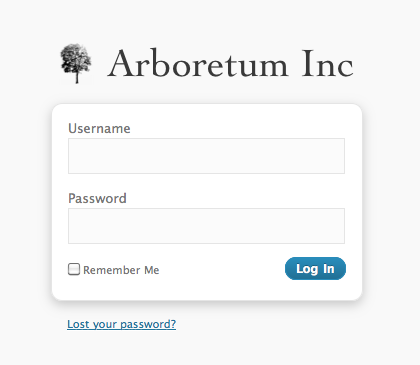
This plugin allows you to easily customize the logo on your WordPress login screen. Just drop your logo file into the content directory and the plugin will take care of the rest. Make sure to use a transparent background and a width of 312 pixels for the best results.Screenshots

Frequently asked questions
What does this plugin do?
This plugin allows you to customize the logo on the WordPress login screen. You simply drop a file named login-logo.png into your WP content directory. CSS is automatic!
How do I configure the plugin?
There is zero configuration required for this plugin. You just need to place your logo file in the correct directory.
What are the recommended image specifications for the logo?
You should use a transparent background on the PNG image, crop it tightly, and use a width of exactly 312 pixels for best results. Wider images will be downscaled in modern browsers, but it isn’t recommended to rely on that.
Can this plugin be used in the mu-plugins directory?
Yes, this plugin also works in the mu-plugins directory.
Changelog
0.10.2
- Bumped supported version
0.10.0
- Updated depreciated filter “login_headertitle” to “login_headertext” with compatibility for older WordPress versions
- Tested with WordPress 5.2.1
0.7
- The “title” attribute of the header link matches the WordPress site title instead of saying “Powered by WordPress”.
- The URL for the login logo includes “versioning” based on last file modification date, for browser cache flushing.
0.6
- You can provide
login-logo-site-{$blog_id}.pngto have a different logo per multisite site. - Support for WordPress 3.4
- Changed the ideal image width to 312 pixels, and instituted a tighter crop policy.
0.5
- Support for WordPress 3.3
- Fix a bug in CSS resizing of oversized images
0.4
- Use HTTPS if
is_ssl()on the login page.
0.3
- The login logo now links to your site, instead of WordPress.org
- If you don’t have a custom login logo, the plugin does nothing.
- You can provide
login-logo-network-{NETWORK ID}.pngto have a different logo per multisite network.
0.2
- Do not use
background-sizeunless the image is more than 326 pixels
0.1
- Original version

