
The Elementor Website Builder has it all: drag and drop page builder, pixel perfect design, mobile responsive editing,…

About A2 Optimized WP – Turbocharge and secure your WordPress site
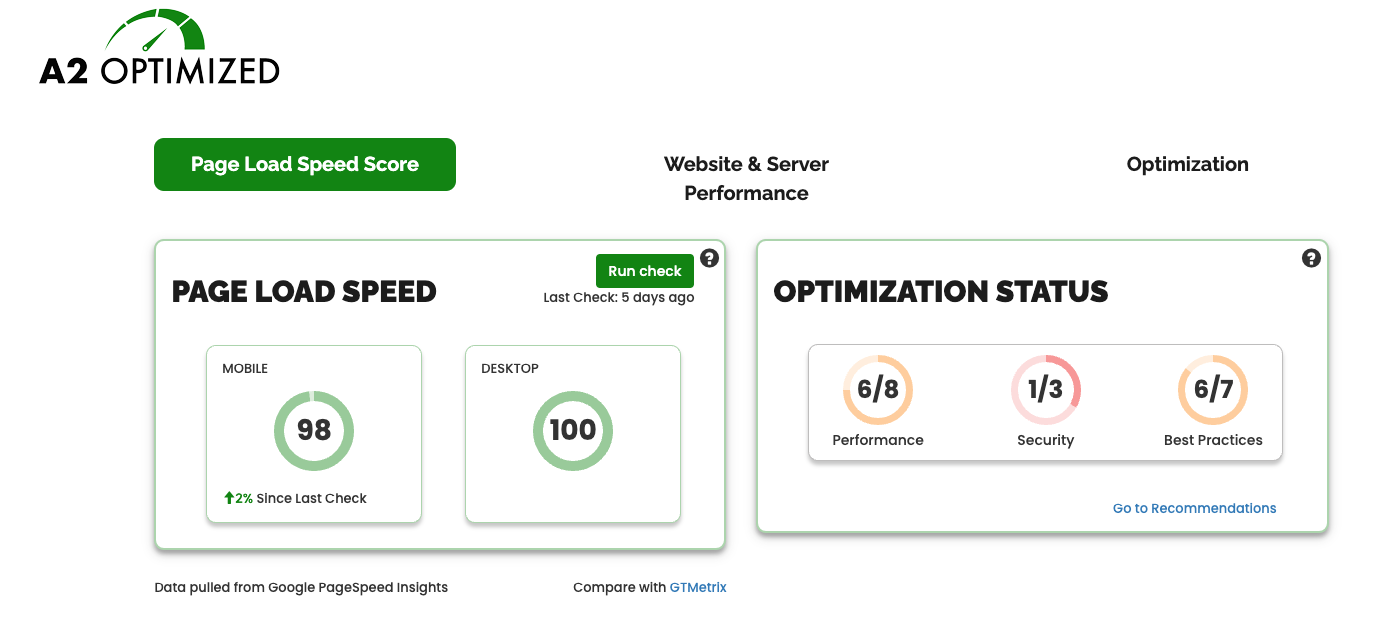
The A2 Optimized WP plugin from A2 Hosting helps boost the performance and security of your WordPress site. It provides customized performance scores and generates personalized recommendations for improving your site. With just a few clicks, you can implement stable optimizations and improvements to enhance your WordPress site.Screenshots
Frequently asked questions
What is the A2 Optimized WP plugin?
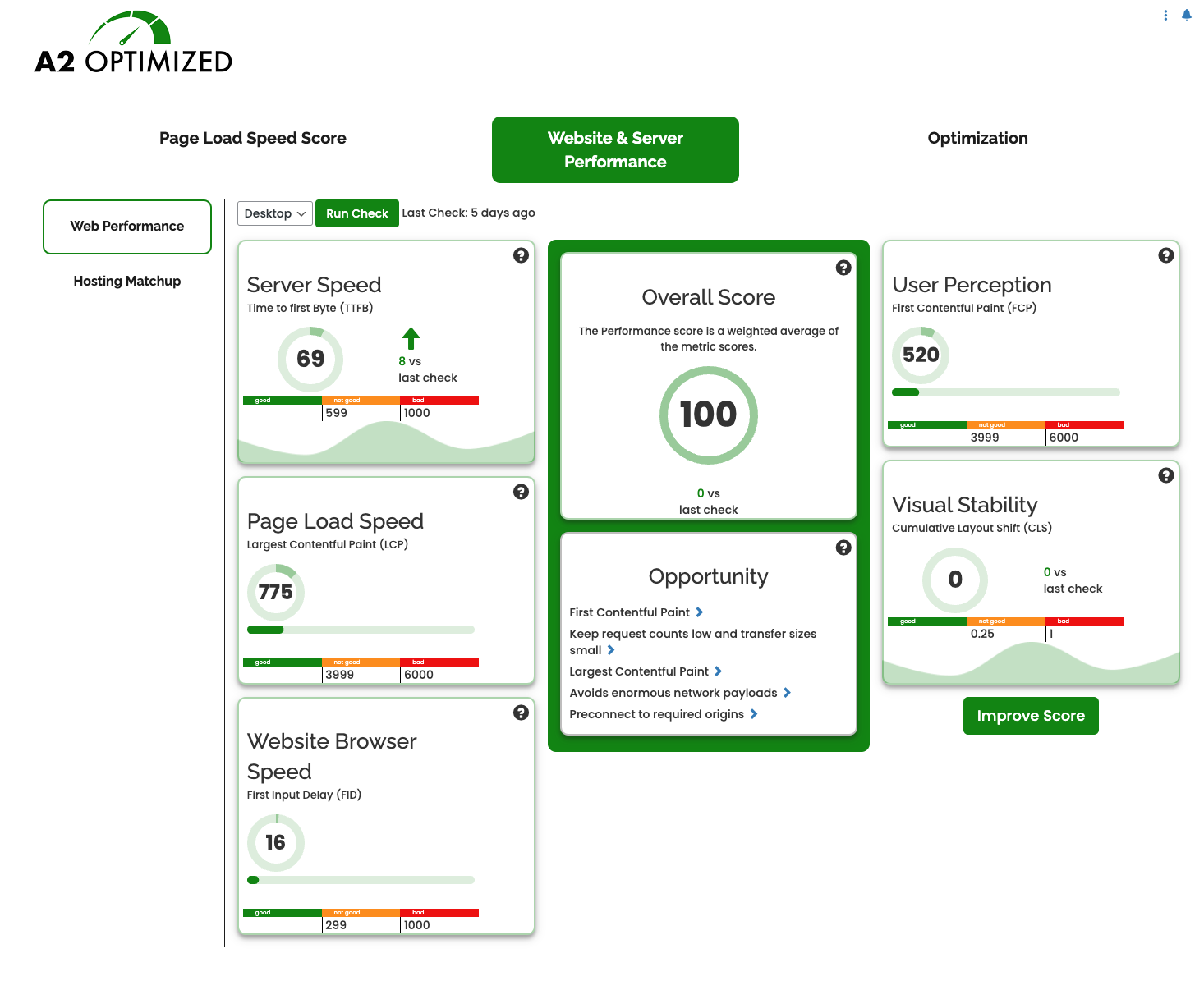
The A2 Optimized WP plugin is a tool that boosts performance and secures your WordPress site. It provides customized desktop and mobile performance scores for your site, including server speed, page load speed, user perception, visual stability, and website browser speed.
What recommendations does A2 Optimized WP provide?
A2 Optimized WP generates specific, personalized recommendations for improving your site in the areas of performance, security, and best practices compliance.
What performance optimizations does A2 Optimized WP offer?
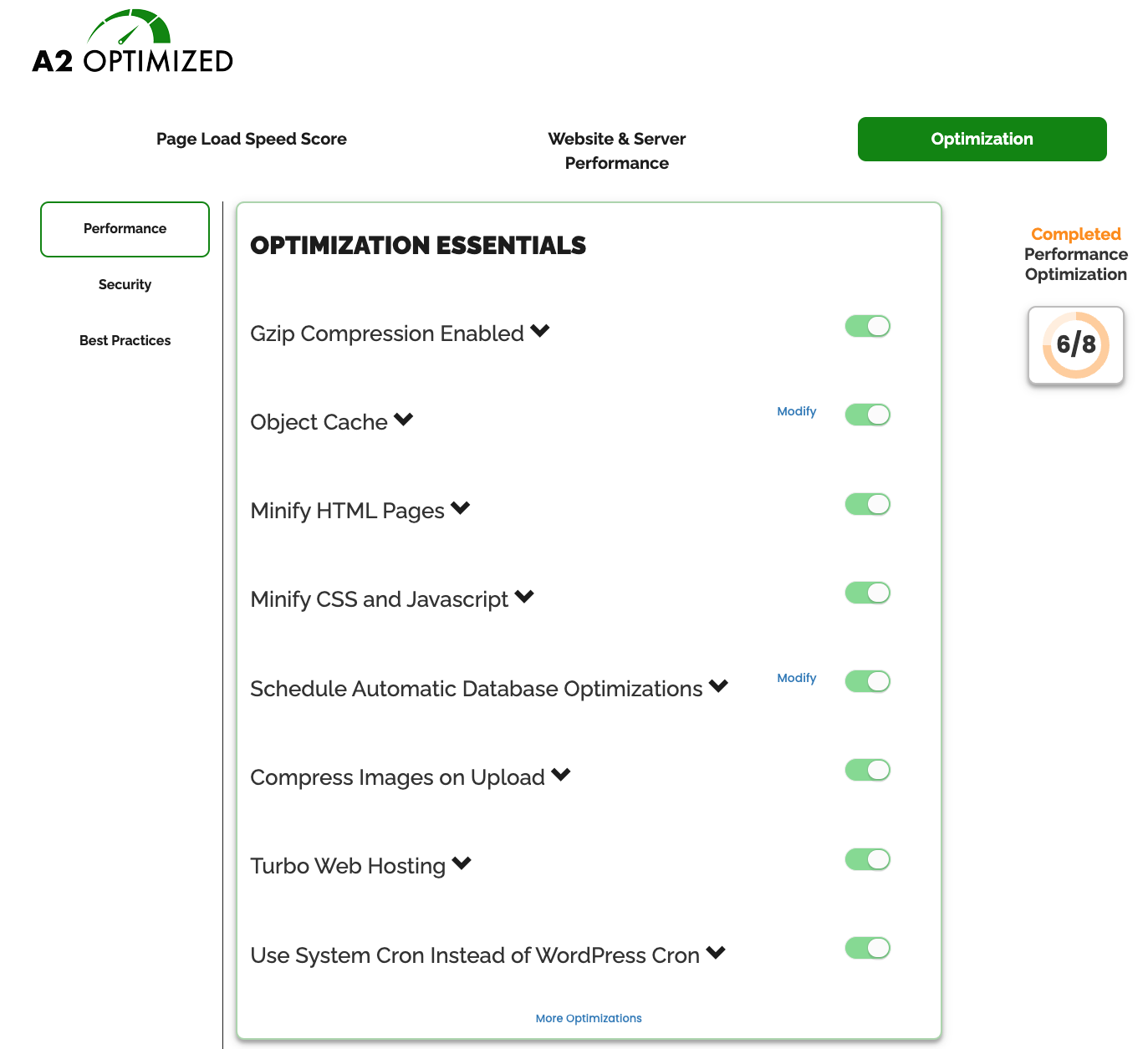
A2 Optimized WP offers various performance optimizations such as page caching, Gzip compression, Redis object caching, minifying HTML pages, automatic database optimizations, compressing images on upload, Turbo Web Hosting, using system cron instead of WordPress cron, minifying inline CSS and JavaScript, and disabling WooCommerce AJAX Cart Fragments.
What security optimizations does A2 Optimized WP offer?
A2 Optimized WP offers security optimizations such as locking editing of plugins and themes from wp-admin, changing the login URL, adding CAPTCHA for comments and login, blocking unauthorized XML-RPC requests, and denying direct access to configuration files.
What are the best practices recommendations provided by A2 Optimized WP?
A2 Optimized WP provides best practices recommendations such as regenerating wp-config salts, checking recent post limit and RSS post limit, optimizing recent posts showing on the home page, configuring the permalink structure for page caching and SEO benefits, checking for unused themes and inactive plugins, and hosting with A2 Hosting for faster page load times and more optimizations.
Changelog
3.0.10
- Automatically clean out old front-end benchmarks results as they were getting quite large for some sites.
3.0.8
- Fixed an issue where sites with low memory limits and tens of thousands of large images may experience problems loading the A2 Optimized dashboard.
3.0.7
- Fixed an issue where sites with low memory limits and tens of thousands of large images may experience problems loading the A2 Optimized dashboard
3.0.7
- Revised list of Best Practices
- Built-in Disk Caching will now auto-detect and apply optimizations for WooCommerce
3.0.6.6
- Tested with WordPress 6.4
- Additional A2 TurboHub functionality
- Small bug fixes
3.0.6.4
- Tested with WordPress 6.2.1
- Adjusted timeouts with pulling data from Google Pagespeed API
3.0.6
- Tested with WordPress 6.2
- Feature to use bcrypt for storing password hashes
- Feature to remove old backups of wp-config
3.0.5.2
- Small quality of life changes
3.0.5
- More information provided on page regarding requirements for Redis caching
- Added feature to lock Litespeed Cache settings once optimized
- Will attempt to clean up files left by previous versions of the plugin
3.0.4
- Small QoL improvements.
3.0.3
- Users may now supply their own Google Pagespeed Insights API key to run benchmarks. This is available through the “Advanced Settings” panel under the “Website and Server Performance” tab.
- If the “Login URL Change” feature is enabled, the new login URL is displayed by the toggle.
- Other small QoL improvements.
3.0.2.2
- Small update for A2 hosting customers
3.0.2.2
- Small QoL improvements
3.0.2
- Fixes issues with some optimizations not displaying status properly
3.0.0
- Fresh new UI
- Front-end and Back-end benchmarks
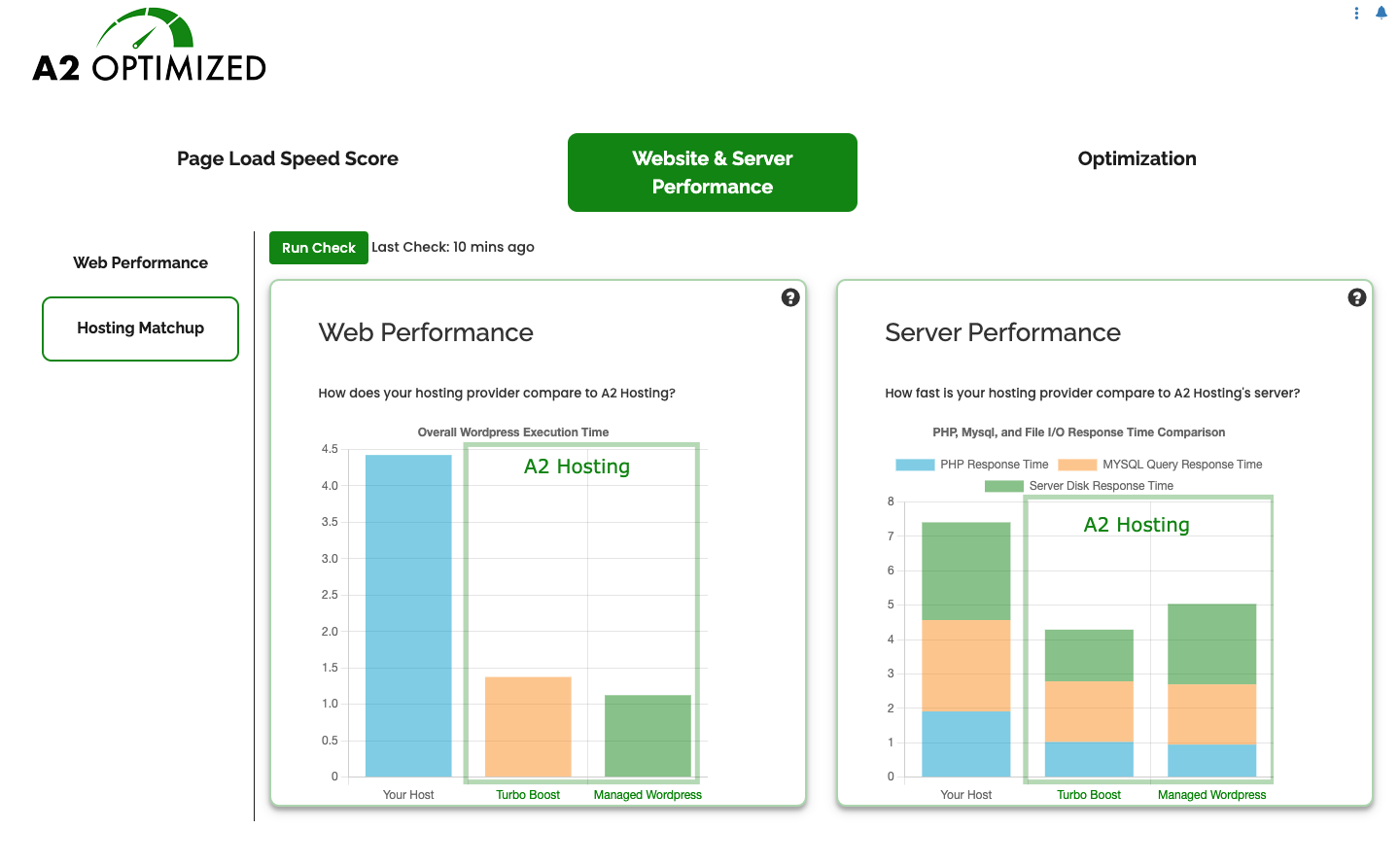
- Compare your performance against A2 Hosting’s Turbo and Managed WordPress plans
- Find new recommendations on areas where you could further improve your performance
2.1.4.6
- Better compatibility with LiteSpeed Cache
2.1.4.5.1
- Optimize database tables was not being called correctly in some cases.
2.1.4.5
- Fix for issue where TurboCache was not being correctly identified.
2.1.4
- Added Scheduled Database Optimizations.
- Added support for redis object caching on A2 Hosting.
2.1.3.10
- Add information related to A2 Optimized to the Site Health panel.
2.1.3.3
- Patches a cross-site-scripting vulnerablity. This is a recommended upgrade.
2.1.3.1
- Small improvments to disk caching
2.1.3.1
- Fixed issue with handling of some regex formulas in the advanced cache settings exclusion list
- Additional checks when adding memcached server for object caching
2.1
- Removed requirement for W3 Total Cache. A2 Optimized now contains it’s own caching engine. Don’t worry if you still want to use W3 Total Cache, it will continue to work as it always has with this and future updates.
- Memcached object caching is now available on any host that supports it.
- Small UI refresh.
2.0.11.1.4
- Fixed an issue where server GZIP capabilities were not always detected
2.0.11.1.2
- No longer count default themes on Warnings tab
2.0.11.1.1
- Added Divi specific optimizations
2.0.11
- All admin notices are now dismissable
2.0.10.9.6
- Adjustments to Cloudflare detection
2.0.10.9.4
- Fixed compatibility issue with X Theme
2.0.10.9.4
- Added feature to regenerate wp-config salts
2.0.10.9.3
- Added helpful information on extra plugins installed along with A2 Optimized on A2 Hosting accounts
2.0.10.8
- Added option to block unauthorized XML-RPC calls
2.0.10.7.10
- Added option to dequeue WooCommerce cart fragment calls
2.0.10.7.8
- Wordfence is no longer marked as an incompatible plugin
2.0.10.7.3
- Changed code to reduce notices for users with debug enabled
2.0.10.7.2
- Removed P3 Profiler from list of optional plugins
2.0.10.7
- Changed protect config files to an optional optimization
2.0.10.5
- Fixed error with KB search
2.0.10.4
- reCaptcha for comments enabled for mangaged hosting
2.0.10.3
- Emails site admin if login URL changes
2.0.19
- Settings page for custom reCaptcha options
2.0.9.8
- Fixed issue with some plugins causing slowdowns on dashboard screen
2.0.9.7
- Fixed issue with getting current user for some operations
- Removed incorrect KB link
2.0.9.3
- Clearer information when incompatible plugins are detected
- Fixed issue with gzipping being enabled inadvertantly while changing other settings
2.0.9.2
- Clearer information regarding W3 Total Cache upgrade
- Fixed issue where sites installed in subdirectories may not function as expected
2.0.9
- Updated reCAPTCHA to API v2
- Better support and triage for unsupported versions of W3 Total Cache
- Better support for mobile and tablet screen sizes on our optimizations page
2.0.8.5
- Added plugin update notices to ensure users are aware of any important update details
2.0.8.2
- Additional check for compatible W3TC
- Added check to see if your server is already has compression enabled
2.0.8
- Enable SSL caching by default
2.0.7
- Revert use of PHP short arrays
2.0.6
- Removed Clef and tested against WordPress 4.8
2.0.3
- Added dmatteson as a plugin author
2.0.2
- added namespace class to css to prevent collision with other plugins
2.0.1
- minor bug fixes
- check for PHP version >= 5.3
2.0
- Move from SaaS to Full GPL

