

Enables the previous "classic" editor and the old-style Edit Post screen with TinyMCE, Meta Boxes, etc. Supports all…
About WP Edit
WP Edit is a plugin that allows you to have more control over the default WordPress editor. It adds additional editing functionality, such as the ability to easily insert images, media, videos, and tables, without needing to know HTML or CSS. There is a free version available, but upgrading to WP Edit Pro gives you even more features and customization options.Screenshots


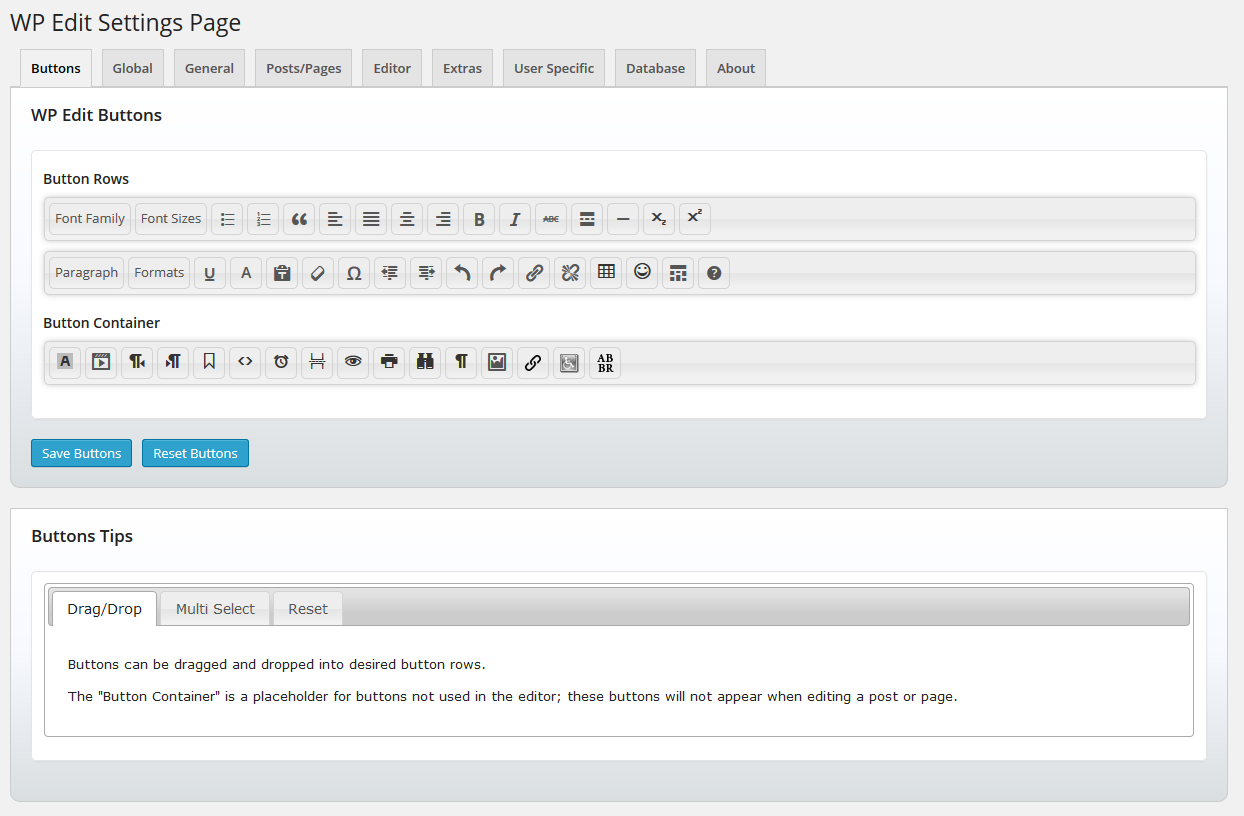
Frequently asked questions
What is WP Edit?
WP Edit is a plugin that adds extensive, additional editing functionality to the default WordPress editor.
What are the most powerful features of WP Edit?
The most powerful features of WP Edit include easily inserting images, media, YouTube videos, and clip art; creating tables via a graphical interface; adjusting table cell border and background colors; using buttons with visual interfaces instead of learning HTML and CSS; easily accessing all shortcodes available to your WordPress environment and inserting them into the content editor; and using shortcodes to insert columns similar to 'magazine' style layouts.
What is included in the free version of WP Edit?
The free version of WP Edit includes drag and drop functionality for custom creation of the top row of editor buttons, additional editor buttons such as subscript, superscript, insert media, emoticons, search and replace, html editor, preview, and many more, adding custom editor to excerpt areas and profile descriptions, allowing shortcodes in excerpt and widget areas, highlighting admin posts/pages based on status, and easily importing/exporting plugin options.
Why should I upgrade to WP Edit Pro?
You should upgrade to WP Edit Pro for additional features such as drag and drop functionality for custom creation of all rows of editor buttons, powerful network installation functionality, user roles for custom button arrangements, and extreme custom widget builder.
Where can I find the complete guide to WP Edit buttons?
You can find the complete guide to WP Edit buttons at http://learn.wpeditpro.com/wp-edit-buttons-guide/
Changelog
4.0.4
- Updated function for php7 and backwards compatibility (to rid php warning). Thanks @kendawes!
4.0.3
- Updated readme.
- Ensured plugin not generating any errors/warnings/notices with current version of WordPress.
- WordPress 5.0 will include “Gutenberg” (please research); and I am working on a compatible WP Edit version.
4.0.2
- 11/17/2017
- Tested to ensure WP 4.9 compatibility.
- Fixed icon to insert date/time.
- Fixed advanced link nofollow checkbox.
4.0.1
- 04/20/2017
- Fixed warnings when plugin is network activated (pertaining to buttons options).
- Altered readme file to better display in new WordPress plugins repository design.
4.0
- 10/03/2016
- Added Custom Buttons API; other plugins/themes can add buttons to WP Edit.
- Added dismissable admin notice for Custom Buttons API (help spread the word!).
- Added plugin rating statistics to sidebar (Please rate and review).
- Added nonce fields for every form submission used to save database options.
- Moved plugins.php page styles to properly enqueue (used for notices).
3.9
- 09/05/2016
- Added functionality to enable visual editor on BBPress forums (Editor tab).
- Fixed strict standards error on wp_widget_rss_output() function (final fix will be done upstream when WordPress 4.7 is released).
- Adjusted plugin css file.
3.8.1
- 05/11/2016
- Removed a stray var_dump() function.
3.8
- 05/11/2016
- Added support for WP Edit toolbars in custom post types excerpt areas.
- Fixed deprecated function. (htmledit_pre changed to format_for_editor) (main.php ~line 115).
- Updated introduction video link.
- Minor changes to ensure WordPress 4.6 compatibility.
- Increased stable tag version.
3.7
-
01/11/2016
-
Fixed Feedblitz image loading insecure over https.
- Fixed WP_PLUGIN_URL constant; switched to using plugins_url() function.
- Fixed profile biography editor.
- Updated compatibility version.
3.6
- 12/16/2015
- Update to be stable with WordPress 4.4.

