

Improve your WordPress SEO: Write better content and have a fully optimized WordPress site using the Yoast SEO…
About Contact Form 7 Image CAPTCHA, WPForms Image CAPTCHA, Contact Form 7 Spam Image CAPTCHA, WPForms Spam Image CAPTCHA, GDPR
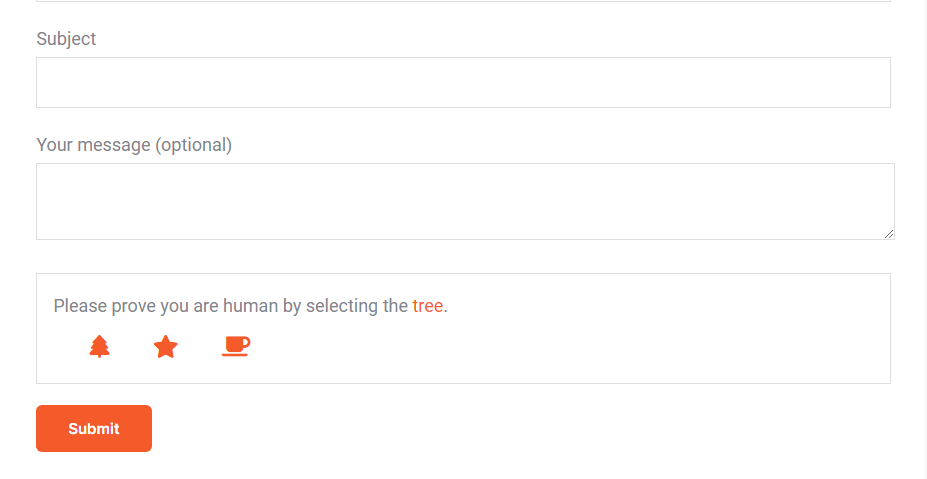
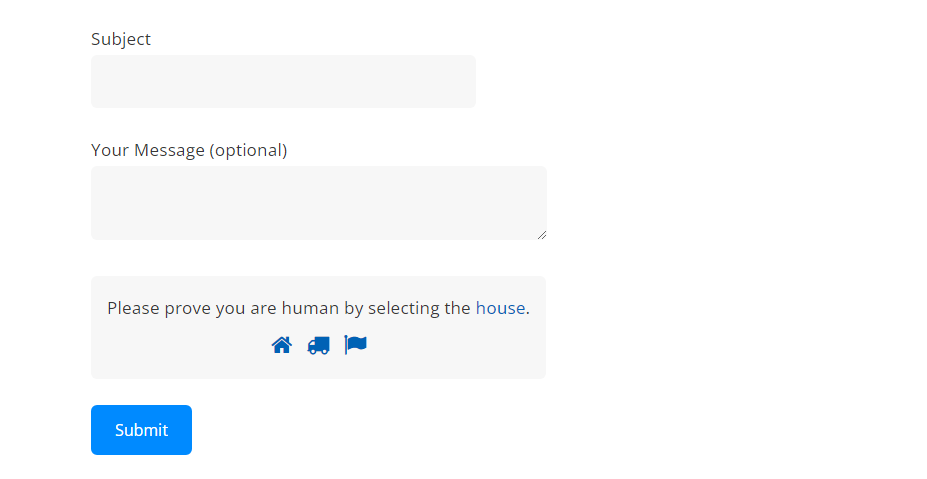
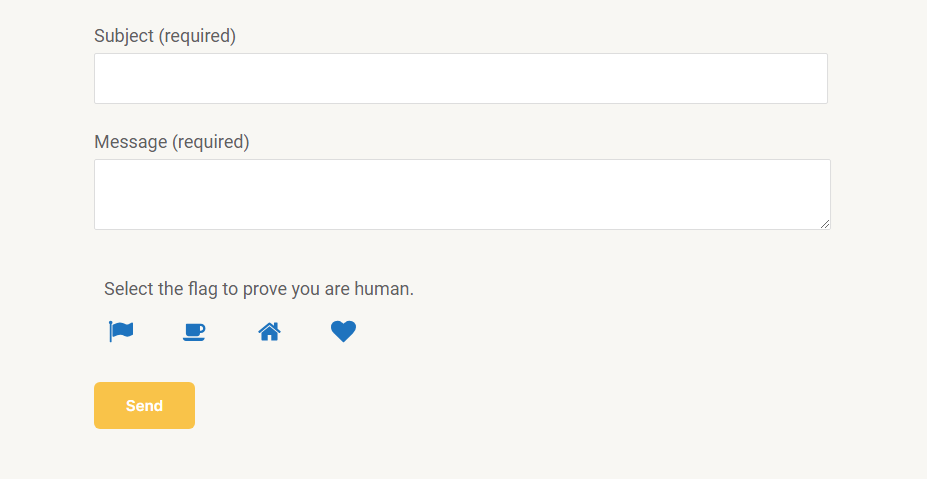
This plugin adds an SVG image captcha and honeypot to your Contact Form 7 or WPForms form. It is GDPR compliant and respects user privacy. For Contact Form 7, you need to add the shortcode [cf7ic] to the form editor, and for WPForms, you just need to activate the captcha in the plugin's settings. There is also a Pro version available with additional features such as improved spam protection and customization options.Screenshots
Frequently asked questions
Is the CAPTCHA plugin GDPR compliant?
Yes, the CAPTCHA plugin is GDPR compliant because the images are inline SVGs and no download of external resources happens, in addition no cookies or other storing mechanisms are used on the user's device, this plugin will not slow down your site with additional header requests like Google's ReCAPTCHA and respects your users privacy.
How do I add the CAPTCHA to Contact Form 7?
To add the CAPTCHA to Contact Form 7, simply add the shortcode [cf7ic] to the form editor where you want the CAPTCHA to appear. You can also hide the CAPTCHA until a user interacts with the form by adding 'toggle' to the shortcode: [cf7ic 'toggle']
How do I activate the CAPTCHA for WPForms?
To activate the CAPTCHA for WPForms, simply go to the plugin's settings page and enable it.
What are the features of the All-in-one Image CAPTCHA Pro version?
The Pro version includes additional options to improve spam protection, options to control the look and style of the CAPTCHA and messages, additional forms support including login screens, gravity forms, WooCommerce and more. It is also GDPR compliant and ADA/a11y/WCAG compliant.
How can I see a demo of the Pro version?
You can see a demo of the Pro version on the plugin author's contact page. Visit the link provided in the FAQ for more information.
Changelog
3.3.22 [11/14/2024]
- Tested up to 6.7
3.3.21 [11/09/2024]
- Fix CF7 warning: ‘Deprecated: WPCF7_TagGenerator::add(): Use of tag generator instances older than version 2 is deprecated. Version 1 instance (WP Image CAPTCHA) detected.’
3.3.20 [10/20/2024]
- Add aria-labels + style WP Forms captcha
3.3.19 [09/11/2024]
- Clean up
3.3.18 [09/09/2024]
- Remove unused function
3.3.17 [08/09/2024]
- Update FAQ
3.3.16 [08/09/2024]
- Update FAQ and tested up to 6.6
3.3.15 [05/28/2024]
- Update FAQ
3.3.14 [04/21/2024]
- Update tested up to
3.3.13 [02/14/2024]
- Fix CSS bug in toggle logic
3.3.12 [11/13/2023]
- Language changes
3.3.11 [11/10/2023]
- Fix CF7 toggle function side effects for WPBakery
3.3.10 [10/29/2023]
- Fix table creation bug + fix function name bug when pro plugin activated
3.3.9 [10/17/2023]
- Language changes
3.3.8 [09/28/2023]
- Add Danish language files
3.3.7 [09/22/2023]
- Display WP Admin menu, add WPForms functionality, update languages
3.3.6 [09/04/2023]
- Change URLs to new plugin website and change author etc.
3.3.5 [01/26/2023]
- Added additional changes to the plugin’s internationalization settings to fix issues with translations not working correctly on some sites.
3.3.4 [01/26/2023]
- Fixed bug introduced by Contact Form 7 version 5.7.3 which prevented the CAPTCHA from rendering. Thanks @patrick1994 for providing the fix.
3.3.3 [12/27/2022]
- Updated the name of the languages folder to correct issues with translations not working on some sites.
3.3.2 [11/23/2022]
- Added Finnish translation
3.3.1 [11/16/2022]
- Fixed SVG validation error
- Fixed an issue with the toggle only working on one form on a page
3.3.0 [11/15/2022]
- No more jQuery! Changed jQuery toggle function to JavaScript
- Re-added localized language files due to issues with translate.wordpress.org working correctly
3.2.6 [09/01/2022]
- Fixed issue where validation errors were not showing due to the Contact Form 7 version 5.6 update
- Removed localized language files in favor of using translate.wordpress.org
3.2.5 [03/08/2022]
- Fixed iPhone bug where icon would not show focus state when touched
- Removed some unused styling to help reduce the stylesheet file size
3.2.4 [09/20/2021]
- Minor update to styling to force icons to align horizontally, to fix an issue where the styling of some themes was causing the icons to stack vertically.
3.2.3 [06/08/2021]
- Changed all http links to https
- Compressed SVG’s to help improve load time
3.2.2 [04/15/2021]
- Fixed double tap and partial border iPhone bug
3.2.1 [08/11/2020]
- Added Croatian translation
3.2.0 [08/11/2020]
- NEW: Full compatability for “Contact Form 7 Conditional Fields” by Jules Colle. Conditional Fields had been an ongoing issue for this plugin for a while now due to how the Conditional Fields plugin performed form validations, however I was finally able to come up with a solution that will allow this plugin to function normally with Conditional Fields installed. You no longer need to include [hidden kc_captcha “kc_human”] to your forms if the [cf7ic] shortcode is not included.
3.1.4
- Updated German (de) translation
3.1.3
- Updated Spanish (es) MO file
3.1.2
- Updated toggle so only the CAPTCHA on the form focused on will show. Previously if multiple forms with toggle were on a page, all of the CAPTCHA’s would show.
- Updated toggle to hide CAPTCHA again once form has been successfully submitted.
- Added Dutch translation
- Added Portuguese (Portugal) translation
3.1.1
- Added additional css to prevent themes from changing the layout of the icons in the CAPTCHA
3.1.0
- Fixed issue where you needed to add
[hidden kc_captcha "kc_human"]to forms you Did NOT want the CAPTCHA to be on. You now ONLY need to add the hidden field to your forms with no CAPTCHA, IF you have Contact Form 7 Conditional Fields installed.
3.0.3
- Fixed use of depricated WPCF7_Shortcode in favor or WPCF7_FormTag function
- Updated readme file to bring more attention to adding the hidden field to forms you DO NOT want the CAPTCHA on.
3.0.2
- Added width and height to inline SVG to account for sizing issues some users have experienced
3.0.1
- Updated stylesheet version number to help clear old stylesheet from cache
3.0.0
- Icons have been changed to SVG’s to help fix font loading issues on some sites
- Italian language file has been updated to fix “heart” entry – thanks valesilve
- Improved inclusion of JavaScript when toggle is active using wp_footer
- Made CAPTCHA keyboard accessible
2.4.7
- Added Russian translation
2.4.6
- Now compatible with “Smart Grid-Layout Design for Contact Form 7” by Aurovrata V.
2.4.5
- Added fallback styling in the event a theme or plugin changes the icons from a webfont to SVG’s
2.4.4
- Now compatible with “Contact Form 7 Conditional Fields” by Jules Colle
2.4.3
- Made additional fix to spacing issue with German language
2.4.2
- Fixed spacing issue with German language
2.4.1
- Fixed PHP notice “Undefined offset: 0”
- Fixed PHP notice for another deprecated tag
2.4
- Added the ability to hide the CAPTCHA until the user interacts with the form, simply add “toggle” to the shortcode: [cf7ic “toggle”]
- Fixed deprecation notice “wpcf7_add_shortcode is deprecated since Contact Form 7 version 4.6! Use wpcf7_add_form_tag instead.”
2.3
- Updated FontAwesome library to version 4.7
- Fixed use of depricated wpcf7_add_shortcode in favor or wpcf7_add_form_tag function
- Added new toggle attribute (optional) [cf7ic “toggle”] which hides CAPTCHA until user interacts with the form
2.3
- Added code that allows me to add custom update messages in preparation for a future release that will make this plugin require Contact Form 7 version 4.6 to run due to CF7 making WPCF7_Shortcode and wpcf7_add_shortcode() deprecated, the replacement function and class are not supported by older versions of CF7.
- Updated text domain to meet new requirements for internationalization
2.2
- Removed unnecessary code that checked if image captcha existed in the Form
- Added Italian translation (Thanks Mauro Giuliani)
- Added Persian translation (Thanks Ava Darabi)
- Added Spanish (ES) translation (Thanks Erick Carbo)
2.1
- Added a tag generator button to the contact form 7 form controls so you do not have to manually type in the shortcode into the form. The pro version will eventually include the image captcha styling options.
2.0
- Refactored code
- Improved method to include style sheet so its only included when plugin is in use.
- Fixed validation message, you will now see “Please select an icon.” when icon is not selected on submit and “Please select the correct icon.” when the wrong icon was selected on submit.
1.5
- Added Spanish (MX) translation
1.4
- Updated German translation (Thanks bkmh)
- Added pro plugin details and link
1.3
- Added Bulgarian translation (Thanks Plamen Petkov)
1.2
- Improved German translation (Thanks Te-Punkt)
1.1
- Updated files and folder name
- Added German translation
- Added French translation (Thanks deuns26)
1.0
- Initial Release

