

Improve your WordPress SEO: Write better content and have a fully optimized WordPress site using the Yoast SEO…
About Advanced Custom Fields: Font Awesome Field
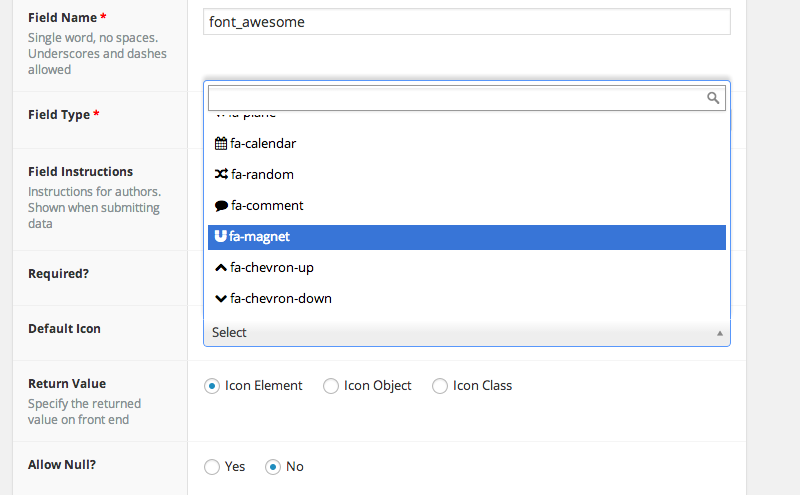
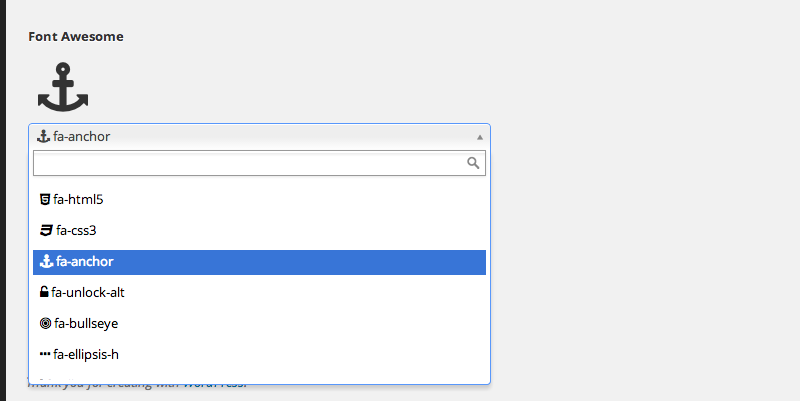
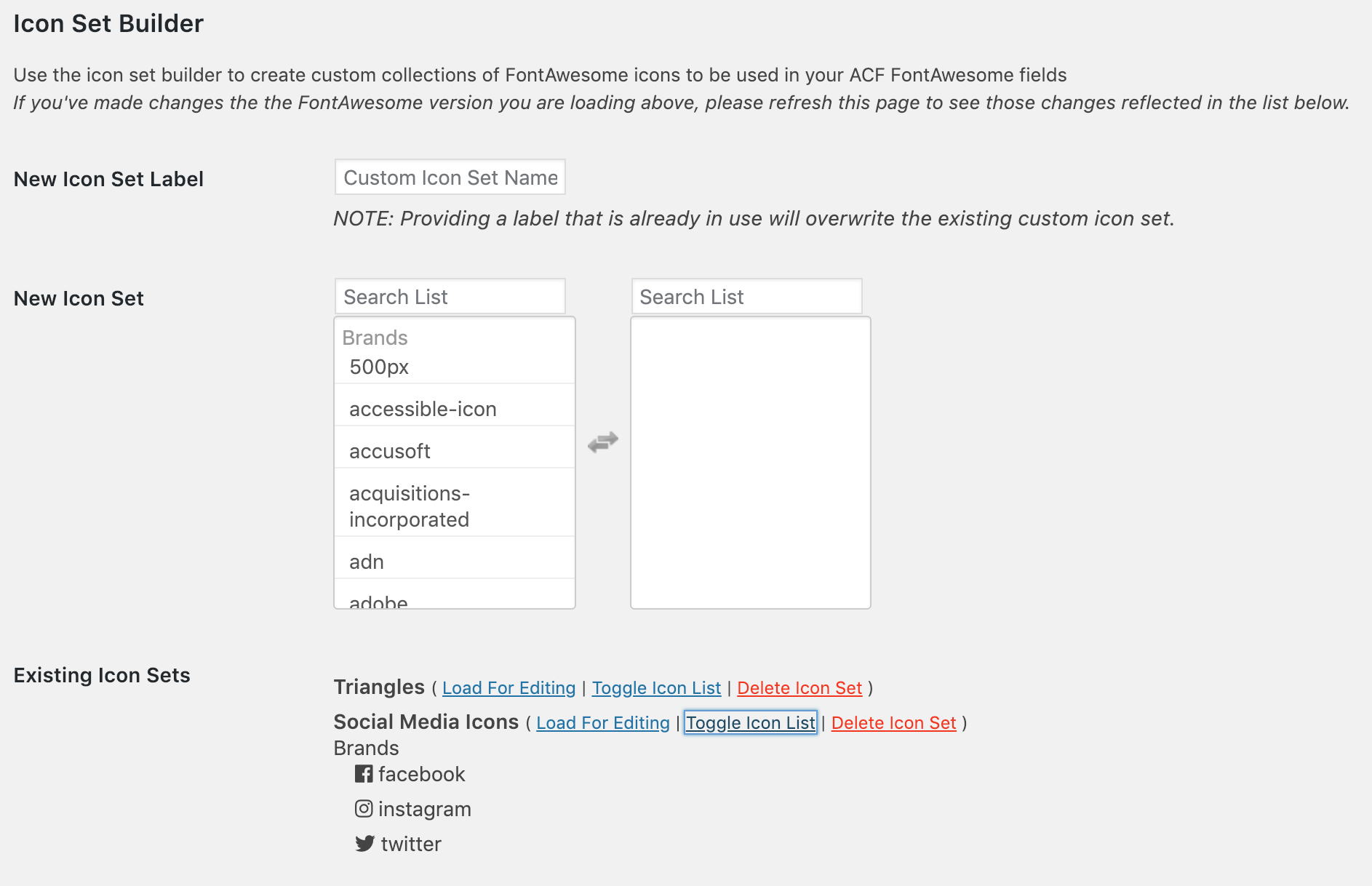
This plugin allows you to add Font Awesome icons as a field type in Advanced Custom Fields. You can specify which icon sets to use and create custom filtered lists of icons. The plugin also integrates with FontAwesome GraphQL for loading FontAwesome Kits and searching for icons.Screenshots
Frequently asked questions
What does this plugin do?
This plugin adds a 'Font Awesome Icon' field type to the Advanced Custom Fields plugin, allowing you to easily integrate Font Awesome icons into your WordPress site.
Which Font Awesome versions are supported?
The plugin is compatible with Font Awesome 4.x, 5.x, and 6.x fonts. Some features are only available with Font Awesome 5.x or 6.x icons.
How can I control when Font Awesome is enqueued?
You can use filters like ACFFA_always_enqueue_fa to always enqueue Font Awesome on the frontend, or ACFFA_admin_enqueue_fa to stop enqueuing it in the admin area. By default, Font Awesome is enqueued in the footer only when an ACF FontAwesome field is used on the page.
Can I use custom icon sets?
Yes, you can create your own custom filtered list of Font Awesome icons to use with your fields. You can also use different custom icon sets with different fields.
What kind of data does the field return?
The field can return an Icon Element, Icon Class, Icon Unicode, or an object including the element, class, unicode value, and SVG data (if applicable).
Changelog
4.1.2
- Bugfix plugin textdomain can load too early if ACF fields are used before WordPress ‘init’
4.1.1
- Bugfix icon sets not saving properly when editing FontAwesome icon field
4.1.0
- Added support for Duotone Sharp icons
4.0.9
- Bugfix certain SVG icons that were previously before 4.0.8 update not outputting properly.
- Bugfix certain custom icons that were previously selected before 4.0.8 update not outputting properly.
- Bugfix resolve potential PHP warning in admin post edit screens when downgrading from FontAwesome 6 to 5 icon sets.
4.0.8
- Bugfix php warning when returning some custom icons as an object
- Added support for returning the FontAwesome formatted SVG on custom icons and duotone icons instead of generating it in the plugin. Previously selected icons must be reselected to use this enhanced SVG.
4.0.7
- Added support for FontAwesome “Sharp” family icons
- Added support for user uploaded duotone icons in kits
- Updated icon initialization for better compatibility with REST API, and a variety of third party site builder plugins that integrate with ACF fields.
- Added filter (ACFFA_fa_api_key) to allow for the ability to programmatically set the FontAwesome API key.
- Added filter (ACFFA_fa_kit_token) to allow for the ability to programmatically set the FontAwesome kit token.
- Limited role of Select2 ‘dropdownCssClass’ and ‘containerCssClass’ arguments to avoid conflicts with other plugins using older/non full feature versions of Select2
4.0.6
- Fixed php 8.2 related warning
4.0.5
- Fixed compatibility issue with ACF 6.1+ causing this plugins settings page to break
- Fixed bug with logic for theme ‘bundling’ of this plugin that caused issues loading assets in some environments
4.0.4
- Fixed bug where queries to the FontAwesome API were timing out for some users, causing issues with searching for icons in the backend
4.0.3
- Automatically refresh 4.x and 5.x icon caches when saving the settings
- Additional strings for translation
4.0.2
- Fixed bug where FontAwesome 5.x icon data was improperly loading FontAwesome 6.x data
- Removed some dependancies on jsDelivr for FontAwesome 5.x icon data
4.0.1
- Fixed bug where FontAwesome settings page would not properly load CSS/JS assets on internationalized WordPress installations.
- Added support for theme authors to bundle this plugin with a theme ( see install instructions )
- Increased ‘fallback’ FontAwesome 6 version number to match the 6.0.0 release
4.0.0
- Added support for FontAwesome 6 icons
- Added support for FontAwesome Kits including Custom Uploaded Icons
- Now utilizes the FontAwesome GraphQL API for quicker searching, fuzzy matching
- Added new compatibility mode to make updating from v4 and v5 icons easier
3.1.2
- Fixed compatibility issue with ACF 5.10+
- Fixed deprecated warnings in PHP 8, thanks to Levi Cole for the pull request
3.1.1
- Fixed bug where Duotone icons were not available to existing users of this plugin due to cached versions of the icons from before this plugin could properly parse the duotone icons.
3.1.0
- Added support for new FontAwesome Duotone icons (FontAwesome Pro subscription required)
- Added support for ACF ‘acf/settings/capability’ filter on the settings page
3.0.2
- Fixed bug causing PHP warning of undefined constant
3.0.1
- Fixed bug where the FontAwesome field would not successfully register on sites which force ACF to initialize itself early (usually by calling get_field function in the theme functions.php file)
3.0.0
- NOTE: When upgrading from a previous version of this plugin, the FontAwesome ‘major version’ will remain at v4 to stay compatible with existing integrations. HOWEVER if you are upgrading from a very old version of this plugin, it may not be possible to detect the former installation, and you will need to manually configure this plugin to use FontAwesome v4 in the new settings admin area.
- Added support for new FontAwesome 5.x free and pro icon sets
- Added new ‘custom icon set’ builder which allows FontAwesome ACF fields to be created with a limited set of icons individually selected from the full list of FontAwesome icons. Example: Create a custom icon set limited to just the social media brand icons
- Added new field options to to limit which of the icon sets ( Brands, Regular, Lite, Solid ) you want to allow in the field (applies to FontAwesome v5 only)
- Adding new FontAwesome Settings admin menu under the ACF primary menu area for global configuration options.
- Page load performance improvements (don’t load icons in field constructor)
- Removing support for ACF v4 now that v5 is out with a free version
2.1.2
- Fixed bug where ACFFA_get_icons filter was not used in wp-admin area when retrieving icons.
2.1.1
- Fixed bug effecting any users who did not update to 2.1.0 before jsDelivr added FontAwesome 5.x to their CDN, where the 5.x icons would get loaded and break functionality
2.1.0
- Preventing any automatic updates to version 5.x of FontAwesome that could break plugin functionality and result in broken icons on sites currently using 4.x FontAwesome icons.
2.0.9
- Fixed bug effecting null value fields created in 1.x of this plugin would return a string of ‘null’ instead of boolean false when used in 2.x versions of this plugin.
2.0.8
- Fixed bug where fields marked to ‘allow null’ in acf v5 did not show the (x) to remove the selected option on the field
2.0.7
- Fixed bug with FA fields assigned to menu items + further refactoring of JS for ACF v5
2.0.6
- Refactored JS to simplify codebase and fix bugs where Chosen or Select2 fields would not initialize in a variety of field/sub-field configurations and display options.
2.0.5
- Fixed bug with ACF tabs + FontAwesome fields where Chosen/Select2 would not initialize beyond the first tab shown
2.0.4
- Added filter (ACFFA_always_enqueue_fa) to allow FontAwesome to always be enqueued on your sites frontend, even if no ACF FontAwesome fields are in use on the page.
2.0.3
- Fixed bug where a field set to return ‘Icon Object’ would instead return an array
2.0.2
- Fixed bug effecting Select fields when used along with a Font Awesome field in a repeater (ACF v5)
2.0.1
- Fixed bug causing incompatibilities with ACF Clone fields (ACF v5)
- Fixed bug where default icons could not be unselected when creating FontAwesome fields (ACF v5)
2.0.0
- Total rewrite of plugin to simplify codebase and better adhere to WordPress and Advanced Custom Fields coding standards and best practices
- Added option to disable the larger icon preview displayed with the FontAwesome select fields
1.7.4
- Fixed incompatibilities with latest ACF 5 + Select2 v4.x
1.7.3
- Updated Better Font Awesome library to latest version
- Updated ‘fallback’ ACF font to 4.6.3
- Bugfix overly broad CSS rules effecting non font awesome field groups
- Bugfix select2 not loading on new fontawesome icons until after saving fields
1.7.2
- Bugfix PHP Notice when trying to access property of ‘null’ value
1.7.1
- Updated Better Font Awesome Library for better compatibility with Better Font Awesome plugin
- Changed ACF 4/5 detection method for better integration with Better Font Awesome plugin
- Bugfix wrong preview icon appearing in ACF custom field creator area
1.7
- Added ability to select no icon by default
- Better handling of ‘null’ or ‘no selection’ items
- Fixed bug where default icon would not display in admin area if ‘unicode’ return type was selected
1.6.4
- Misc JS performance improvements
- Fixed bug where select2 would not initialize on repeater items added mid-rows (using the plus icon at the end of a repeater row)
1.6.3
- Fixed asset path errors when including this add-on from a theme instead of the plugins directory
1.6.2
- Rolling back changes from 1.6.1 after a number of bugs were reported. Incompatibility issues with Better Font Awesome have been corrected in that plugins code.
1.6.1
- Addressing incompatibility issues between this plugin and the Better Font Awesome plugin
1.6
- Misc fixes to JS to properly target ACF fields in the DOM (based on changes to the ACF structure). This should resolve issues with duplicate, or missing select2 fields when picking font awesome icons.
1.5
- New Feature: Integrated with the Better Font Awesome Library to automatically use the latest version of the Font Awesome icons
1.4
- Updated included FontAwesome to version 4.2
1.3
- Added support for ACF version 5.x
1.2
- Added support for new icons in FontAwesome 4.1
- Updated included FontAwesome to version 4.1
1.1.2
- Fixed overly specific JS selector which was causing font preview icons to not load when used on taxonomy term pages
1.1.1
- Fixed JS error which was breaking conditional field select boxes
1.1.0
- Added support for use in repeater fields
- Added support for use in flexible content fields
- Added live icon preview to field creation screen
- Fixed various bugs with Select2 initialization on dynamically added fields
1.0.0
- Initial Release.

