

The Elementor Website Builder has it all: drag and drop page builder, pixel perfect design, mobile responsive editing,…

About Robin image optimizer — save money on image compression
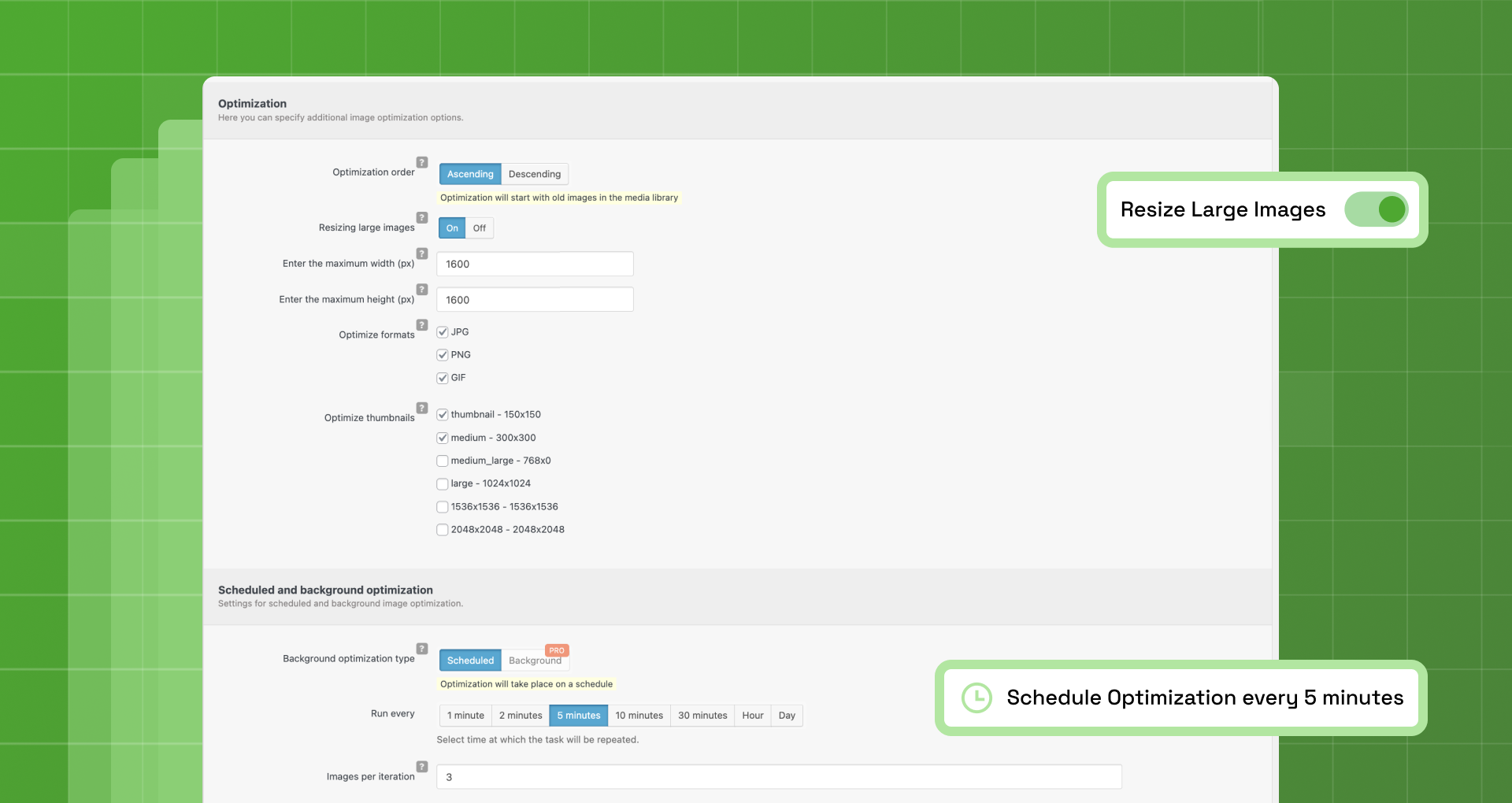
Robin Image Optimizer is a WordPress plugin that can help make your website faster by reducing the weight of images without losing any quality. It is a free plugin with no limitations on the number of images you can optimize, and it also offers premium support for those who need additional assistance.Screenshots
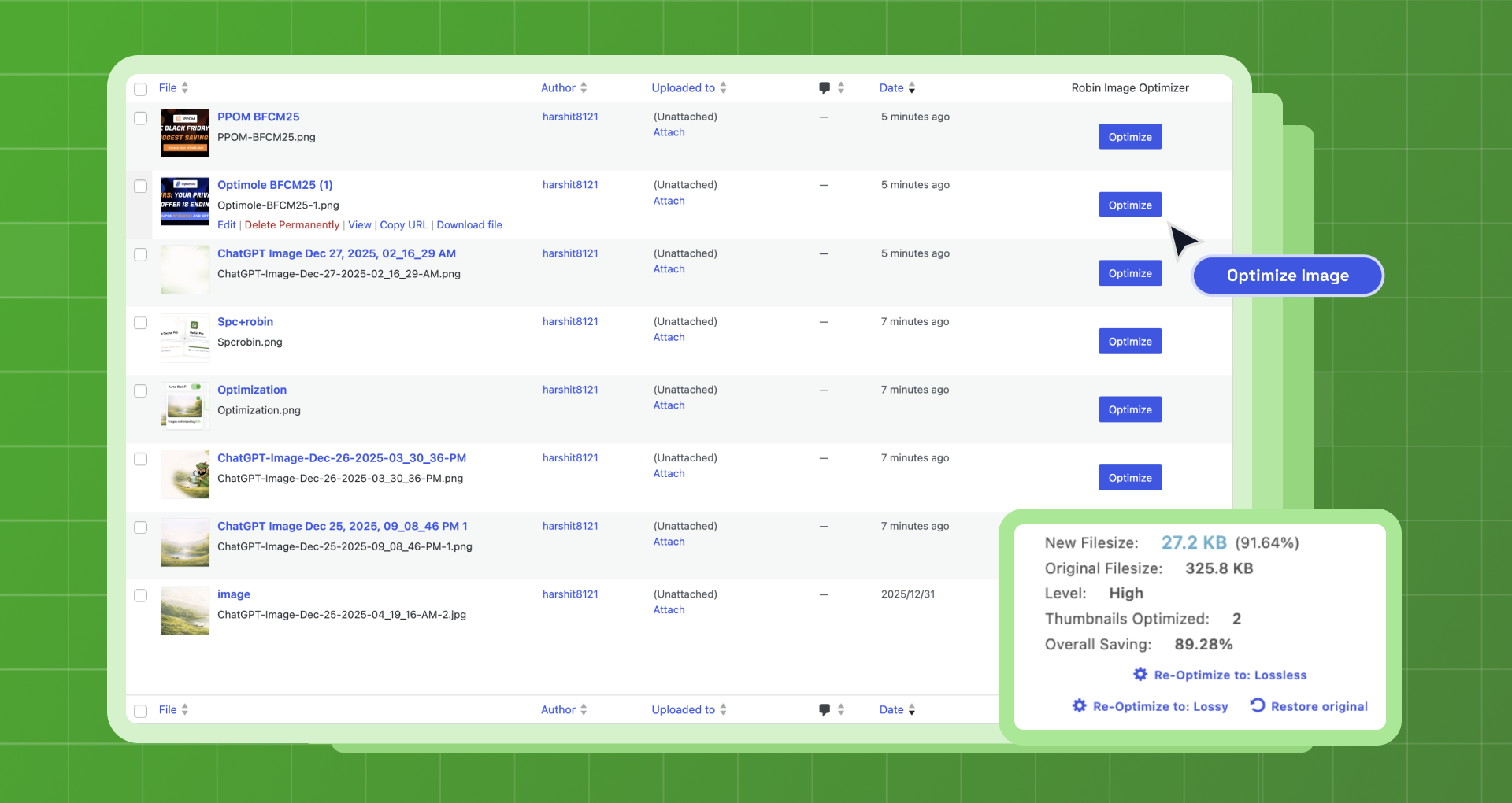
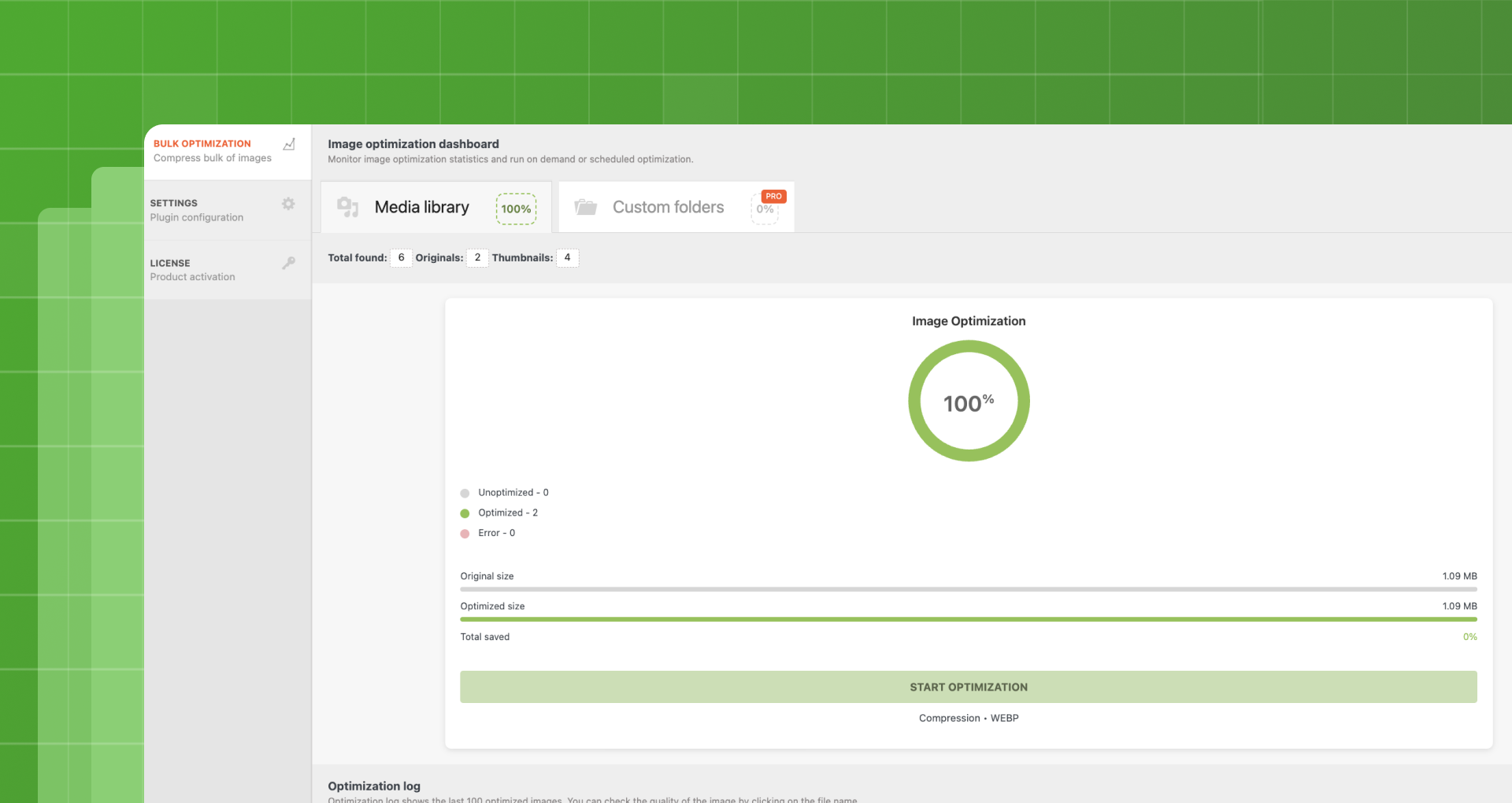
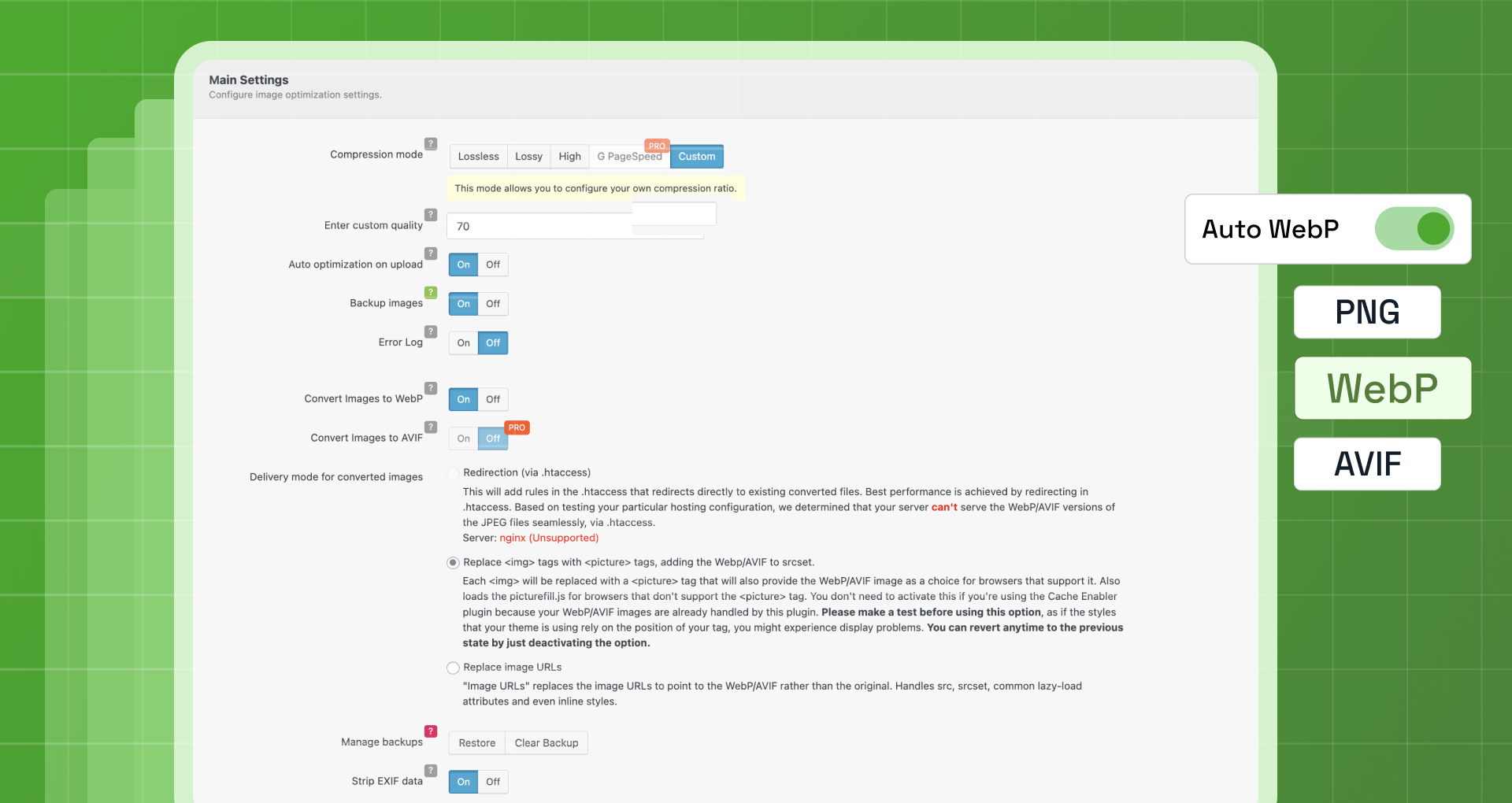
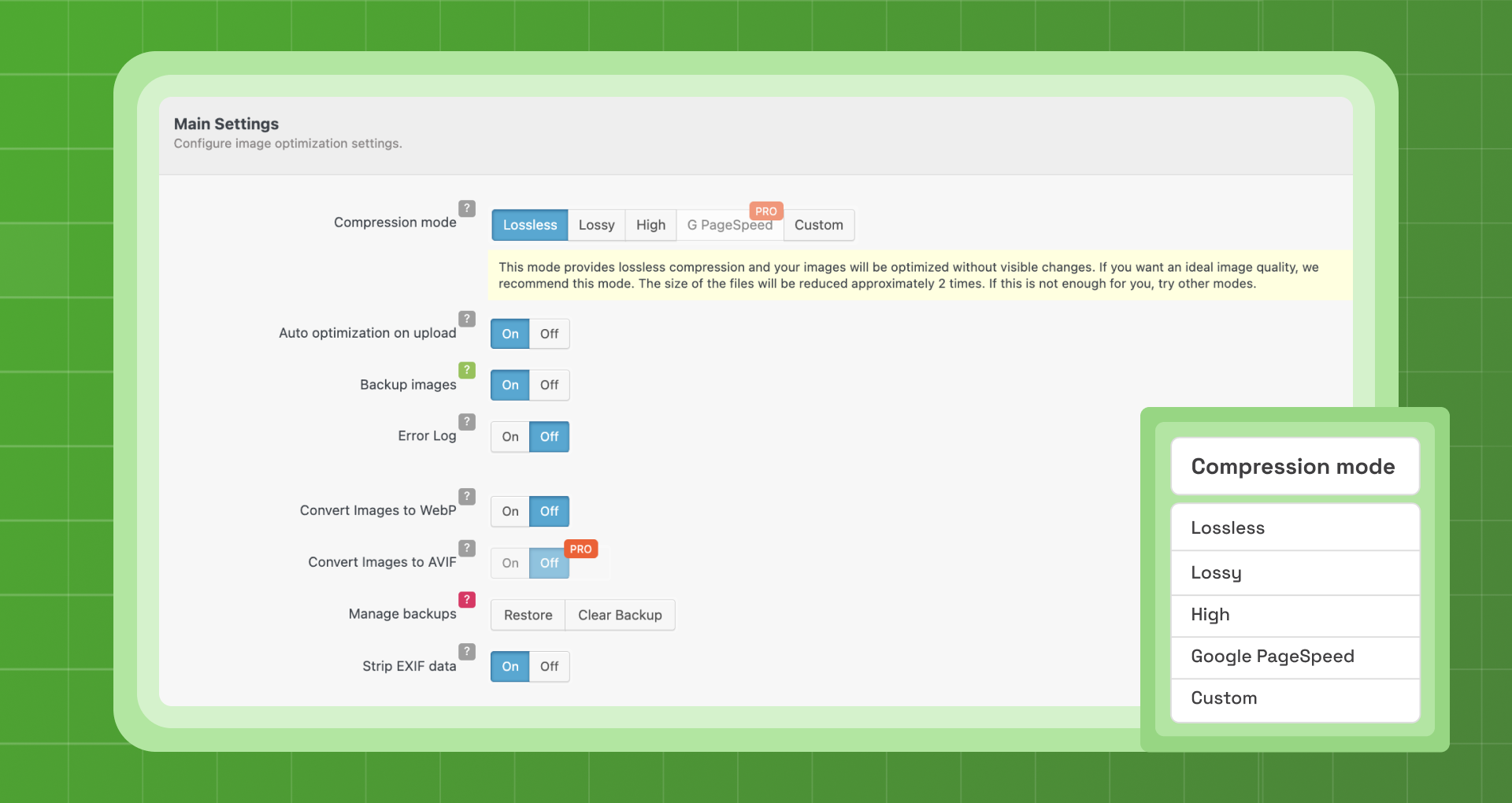
Frequently asked questions
What is the purpose of image optimization?
The lighter the weight of the image, the faster your page loads. With the constant growth of mobile users, there is an increased necessity for mobile website optimization.
Why should I use Robin image optimizer for image optimization?
Robin image optimizer is absolutely free and has the same features as paid products. It doesn't have any limits or restrictions in image optimization.
What are the optimization features of Robin image optimizer?
It offers automatic optimization using Cron, optimizing images in the background. It also provides manual mass-optimization and image backup functionality.
Can I restore images after optimization?
Yes, before optimization, all images are stored in original quality. After optimization, you can restore lost images or re-optimize them in another quality.
What compression modes are available?
You can choose compression modes such as normal, regular, and high. The compression mode influences the image weight.
Changelog
1.8.4 (11.01.2025)
Set handle 413 server error as upload size limit exceeded 10MB for free server.
Fixed: 429 server error caused by exceeding server request limits for free server.
1.8.3 (06.01.2025)
Removed: Server 1 has been removed because it is no longer available
Updated: Increased limit for server 2, now you have 1000 tokens available for image optimization per day
1.8.2 (04.01.2025)
- Fixed: Improvements to statistics, in previous versions there was a confusing calculation of the total number of images for optimization
- Fixed: Server stability
1.8.1 (03.01.2025)
- Added: New fast free server added
- Added: Security bugs fixed
1.7.4 (28.12.2024)
- Added: A new free server with a daily quota of 1000 tokens
1.7.3 (27.12.2024)
- Fixed: Free server down
1.7.2 (09.12.2024)
- Fixed: Fatal error in premium version
1.7.1 (09.12.2024)
- WordPress 6.7 Compatibility
- Added: Compatibility with php 8.3
- Fixed: Security issue
1.7.0 (17.07.2024)
- WordPress 6.6 Compatibility
- Fixed: Minor bugs
1.6.6 (23.11.2023)
- WordPress 6.4 Compatibility
- Added: Compatibility with php 8.2
1.6.5 (27.05.2023)
- WordPress 6.2 Compatibility
- Added: Compatibility with php 8.1
- Fixed: Minor bugs.
1.5.8
- Fix for image optimization
1.5.7
- WordPress 6.0 Compatibility
1.5.6
- Errors fixes
1.5.5
- Update modules and compatibility WP 5.8
- Statistic fixes
1.5.4
- Added: Separate conversion of the media library to WebP (PRO)
- Fixed: Cancel background processing
1.5.3
- Fixed: Error on frontend
1.5.2
- Fixed: WP 4.8 compatibility
1.5.1
- Added: Background image optimization on upload
- Added: New logging system
- Added: Output of the total number of images for optimization
- Added: Russian translate
- Added: (PRO) New optimization method: in the background.(This method works much faster, but it is still in beta and disabled by default. You can enable it in the settings.)
- Added: (PRO) WP CLI commands
- Deleted: Lazy Load options
- Minor interface changes
1.5.0
- Added: Subscribe form
- Fixed: Potential rest api registration error
- Added: Support for the WP Retina 2x plugin
- Added: Badge with the date of the next quota update
1.4.6
- Added: Lazy Load option for images
1.4.5
- Fixed: jQuery.fn.load() and other bugs after update to WordPress 5.5
1.4.4
- Fixed: Problem with choosing an optimization server on WordPress 5.5
- Added: Optimization mode for Google PageSpeed [PRO]
1.4.3
- Fixed: Unable to change the server if it is unavailable after selection.
- Added: Added filter
wbcr/rio/backup/backup_dirfor changing the backup directory. - Added: Restriction of free servers (at the request of administrators of free servers)
- Changed PRO feature: WebP conversion is not possible without using a premium server
- Added: Ability to optimize files of selected formats (JPEG, PNG, GIF)
- Added: Ability to choose the order of image optimization: starting with new images or starting with old ones
1.4.2 (21.01.2020)
- Fixed: Сompatible with Clearfy 1.6.3.
- Fixed: PHP error “Class ‘Wbcr_FactoryClearfy_Compatibility’ not found”.
- Fixed: Minor bugs.
- Removed: Server 4 beta.
- Added: Premium server.
1.4.1 (24.12.2019)
- Fixed: Some bugs
- Added: Сompatible with WordPress 5.3
1.4.0
- Fixed: Php warning (Declaration of WRIO_Image_Statistic_Folders)
1.3.91
- Fixed: Plugin pages loaded for a very long time.
- Fixed: Bugs with error logging.
- Fixed: Error warnings have become more understandable.
- Fixed: Мigration bugs with cache plugins.
- Fixed: Bulk optimization stopped if an error occurred during image optimization.
1.3.7
- Fixed: Minor errors
1.3.6
- Fixed: PHP Error: Illegal mix of collations.
- Fixed: Error 500 when trying to migrate.
- Fixed: Context class not found error.
- Fixed: PHP Fatal error: Class ‘WRIO_StatisticPage’ not found.
- Fixed: Auto optimization on upload. Error in Gutenberg.
- Fixed: Bug when restoring backup. Also increase the recovery quota for backup.
- Added: Compatibility with WordPress 5.2.x
- Updated: Improved error logging.
1.3.5
Fixed: On sites with php version 5.6 and below there was a syntax error.
Fixed: Broken links to support service.
Fixed: If site had a lot of images 15,000 and higher, bulk optimization page was loaded slow.
1.3.4
- Added: Compatibility with WordPress 5.1.x
- Added: Required php version 5.4
- Added: Last optimization log. You can view latest optimized images, as well as monitor errors when optimizing images.
- Added: New server optimization (Server 4). The server is free, at the moment it is in beta mode.
- Added: Custom quality values. You can set your own image optimization quality settings.
- Added: Resize images in height and width. Previously, plugin automatically resized largest image side.
- Added: Select the optimization mode. Before you start optimizing, you will see a modal window, which will offer you 2 modes of optimization (scheduled and manual).
- Added: Improved error debug. Now you can learn more about all the errors in optimizing images using the powerful debug log.
- Added: Server rating. Now you can easily choose a server to optimize images based on its rating.
- Added PRO feature: WebP Conversion. Use modern image formats, such as WebP. Robin image optimizer PRO automatically creates WebP copies of your original images. Browsers with the WebP format support will display WebP images. Other browsers will replace such images with JPG, PNP, GIF, BMP, etc.
- Added PRO feature: NextGEN Gallery Integrations. Do you use a popular plugin to create galleries? Robin image optimizer PRO has full integration with NextGen Gallery, which helps to use all the plugin features.
- Added PRO feature: Compress any Image in any Directory. Optimize images of themes and plugins! Robin image optimizer PRO can optimize images in any directory. If the themes & plugins developers don’t optimize their products Robin will fix it!
1.1.4
- Fixed: Added compatibility with ithemes sync
1.1.3
- Fixed: Compatibility with W3 total cache
- Fixed: Compatibility with External Media without Import
1.1.2
- Fixed: Some bugs
- Fixed: Removed limit on image resizing
- Fixed: Update core framework
- Added: New free server
- Added: Servers status, you can select available servers to optimize images
- Added: Added compatibility with the plugin Clearfy
- Preparing plugin for multisite support
1.0.8
- Added: Ability to re-optimize images with errors.
- Fixed: Some bugs
- Added: An alternative server for image optimization. Now you can select an alternative optimization server if the current server is unavailable.
- Fixed: Problems with translations
= 1.0.7
* Fixed: Images are saved in a size 0 bytes
* Fixed: Trying to backup file with empty filename
* Fixed: Curl replacement for file_get_contents
* Fixed: Statistics
1.0.6
- Fixed: fixed bar progress styles
- Fixed: changed the link to the reviews page
1.0.5
- Fixed: corrected image size calculations for individual optimization
1.0.4
- Fixed: update core framework
1.0.3
- Fixed: small bugs
1.0.0
- Release

