

Improve your WordPress SEO: Write better content and have a fully optimized WordPress site using the Yoast SEO…

About WP Crontrol
WP Crontrol is a plugin that gives you control over the scheduled cron events on your WordPress website or WooCommerce store. It allows you to view, edit, delete, and manage cron events, add custom schedules, export event lists, and more. Whether you're a site owner looking to improve reliability and security or a developer looking to streamline your workflow and debug scheduled tasks, WP Crontrol is a valuable tool.Screenshots
Frequently asked questions
What does WP Crontrol do?
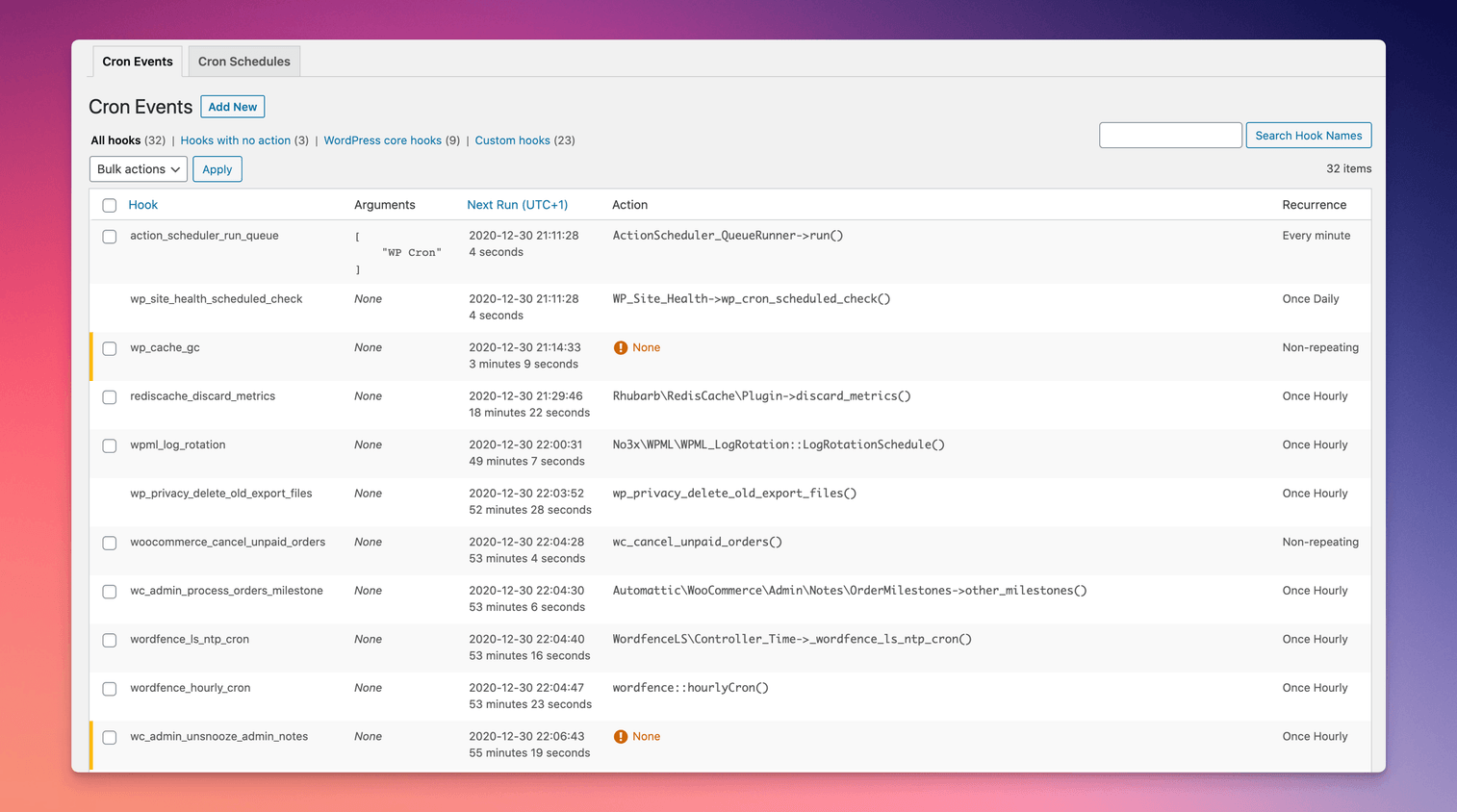
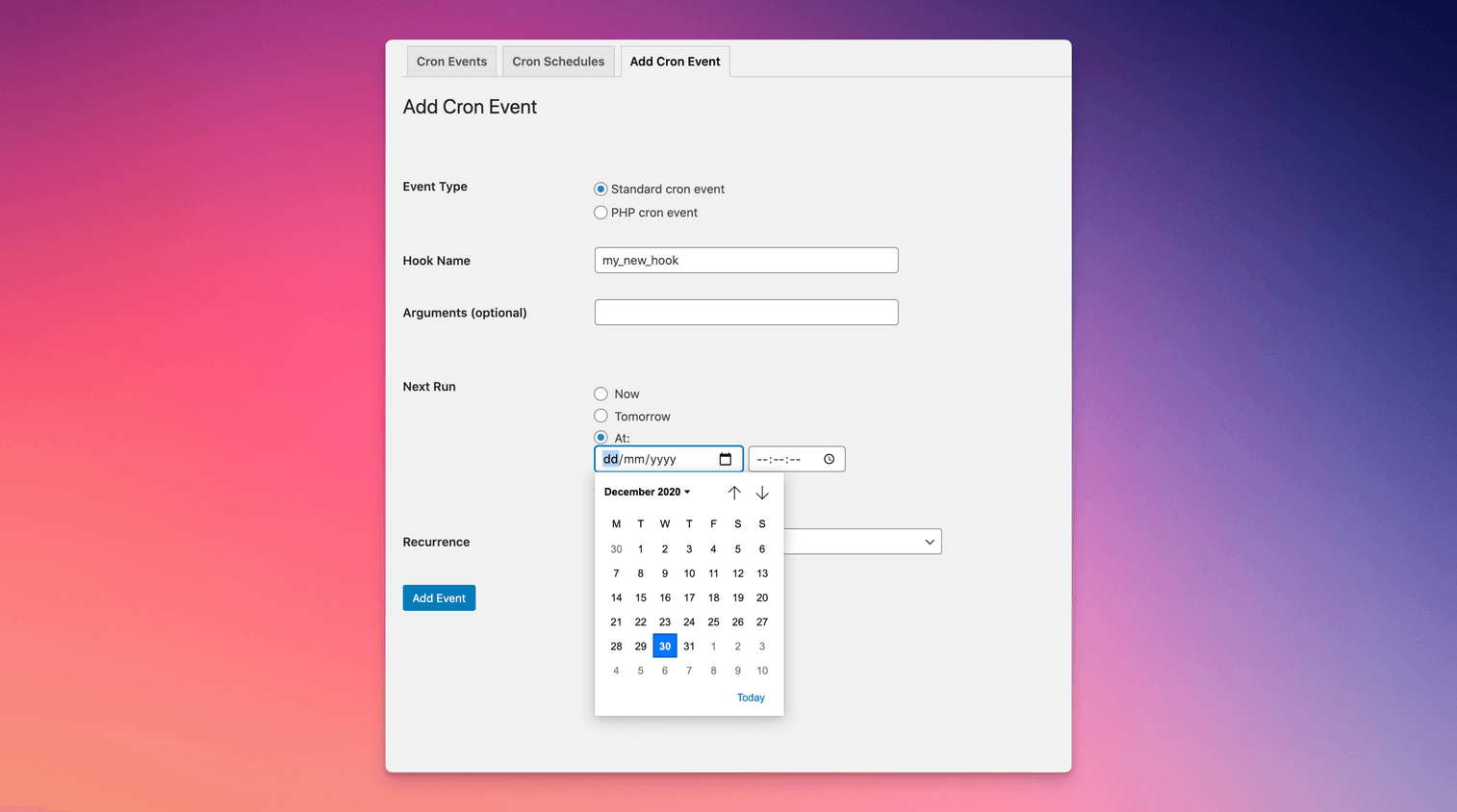
WP Crontrol enables you to view and control what's happening in the WP-Cron system. From the admin screens you can:nn- View all cron events along with their arguments, recurrence, callback functions, and when they are next due.n- Edit, delete, pause, resume, and immediately run cron events.n- Add new cron events.n- Bulk delete cron events.n- Add and remove custom cron schedules.n- Export and download cron event lists as a CSV file.nnWP Crontrol is aware of timezones, will alert you to events that have no actions or that have missed their schedule, and will show you a helpful warning message if it detects any problems with your cron system.
How do I manage cron events with WP Crontrol?
To manage cron events with WP Crontrol, follow these steps:nn1. Go to the Tools → Cron Events menu.n2. From there, you can view, edit, delete, pause, resume, and immediately run cron events.
How do I manage cron schedules with WP Crontrol?
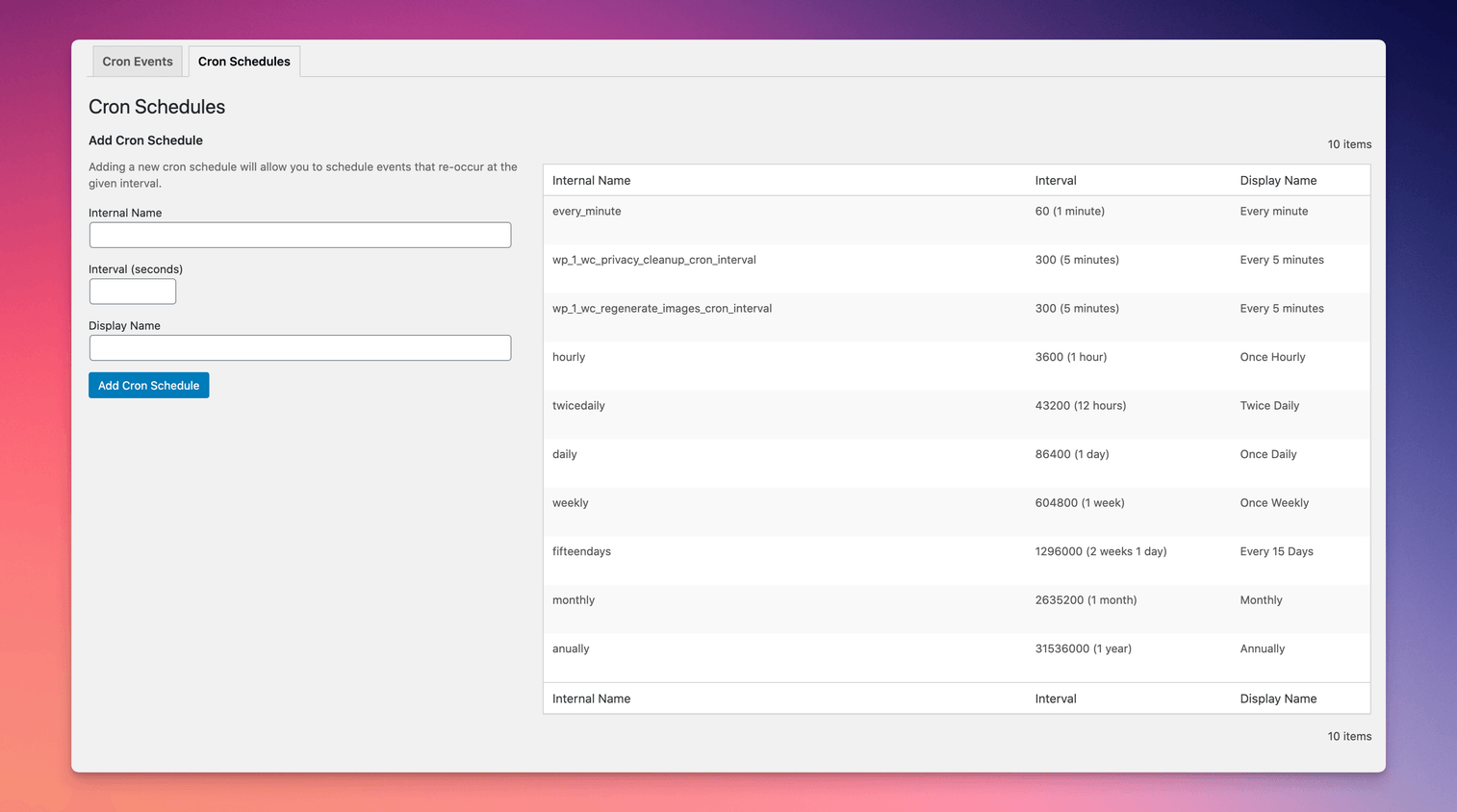
To manage cron schedules with WP Crontrol, follow these steps:nn1. Go to the Settings → Cron Schedules menu.n2. From there, you can add and remove custom cron schedules.
Are there any other plugins by the same developer?
Yes, the developer maintains several other plugins for developers. Some of them include:nn- Query Monitor: The developer tools panel for WordPress.n- User Switching: Provides instant switching between user accounts in WordPress.
Is WP Crontrol private and secure?
Yes, WP Crontrol is private by default and does not send data to any third party. It also does not include any third party resources.
Changelog
1.19.3 (23 October 2025)
- Corrects the handling of closures as cron event actions.
1.19.2 (19 August 2025)
- Security: Hardens the “URL cron event” functionality by rejecting disallowed URLs. More information see the security advisory.
- Tweaks the display of some non-persistent WordPress core hooks when Multisite is enabled.
1.19.1 (3 June 2025)
- Reinstates the ability to edit the Action Scheduler event.
1.19.0 (23 April 2025)
- Confirms support for WordPress 6.8
- Further improvements to the display of dates, intervals, and timezones for increased clarity
- Adds more contextual help links for problematic events
- Various UI and UX improvements
1.18.0 (13 January 2025)
- Introduces support for a
CRONTROL_DISALLOW_PHP_EVENTSconstant to fully disable the PHP cron event functionality. Full documentation here. - Further improvements to how time durations and timezone information is displayed.
1.17.1 (22 November 2024)
- Confirms support for WordPress 6.7
- Avoids some warnings when running on PHP 8.3 and 8.4
1.17.0 (15 July 2024)
- Introduces a new cron event type for sending a request to a URL
- Confirms support for WordPress 6.6
- Improves various aspects of the cron management interface and language
1.16.3 (19 April 2024)
- Corrects the displayed PHP cron event name if one is provided
1.16.2 (24 March 2024)
- Security hardening: An anti-tampering mechanism has been introduced for PHP cron events
- Improvements to accessibility and internationalisation
- Removes the dependency on jQuery
- Confirms support for WordPress 6.5
1.16.1 (16 November 2023)
- Confirms support for WordPress 6.4
Earlier versions
For the changelog of earlier versions, refer to the releases page on GitHub.

