

The Elementor Website Builder has it all: drag and drop page builder, pixel perfect design, mobile responsive editing,…
About Use Any Font | Custom Font Uploader
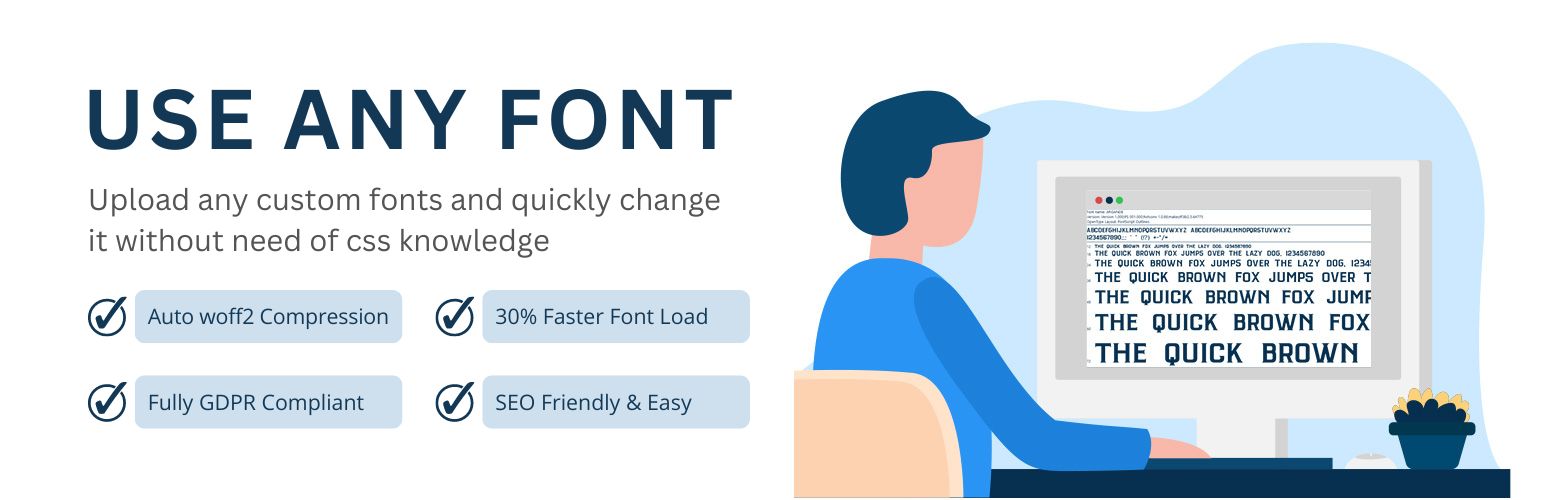
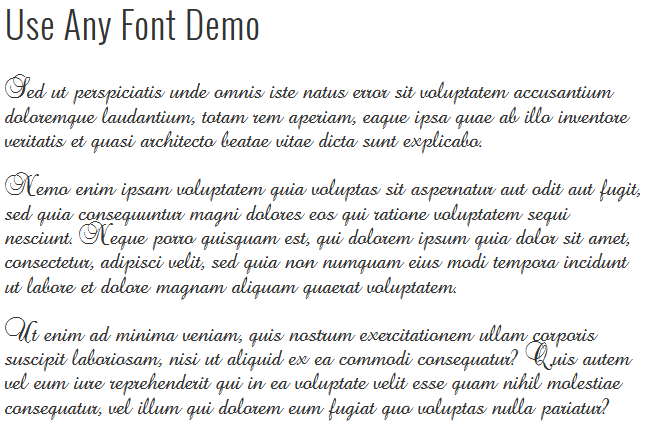
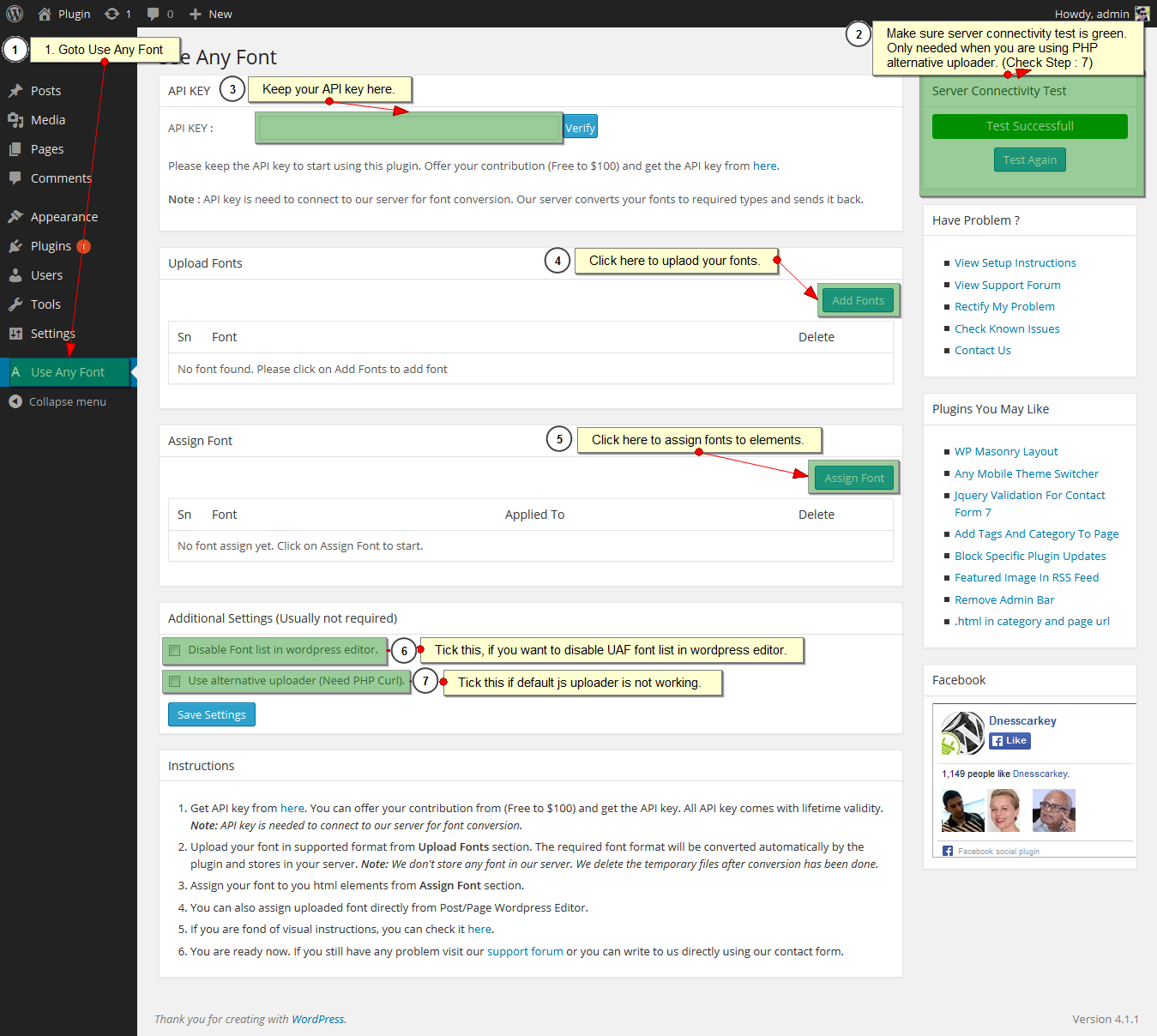
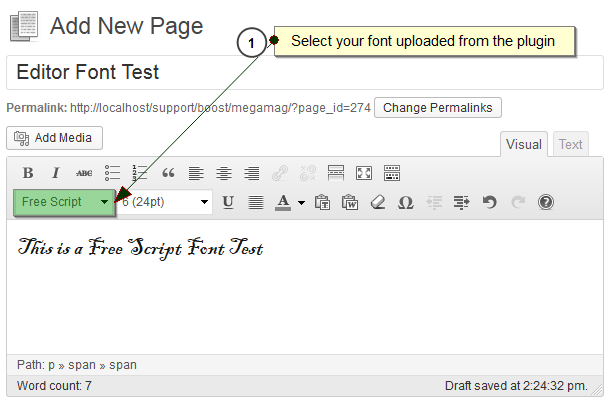
Use Any Font is a WordPress plugin that allows you to upload custom fonts to your website. It supports all browsers and automatically converts fonts to ensure fast loading times. You can easily assign the fonts to different elements of your site and it is compatible with popular page builders and themes.Screenshots
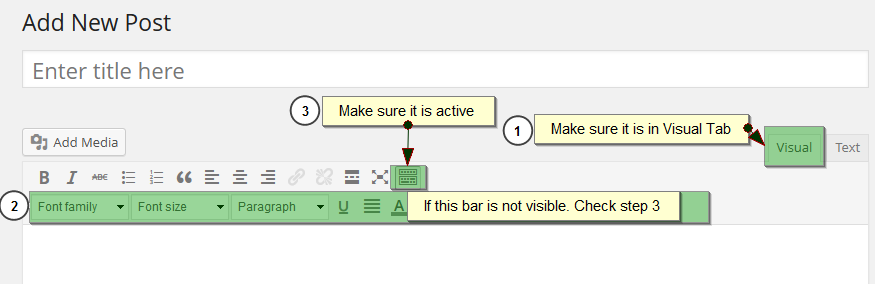

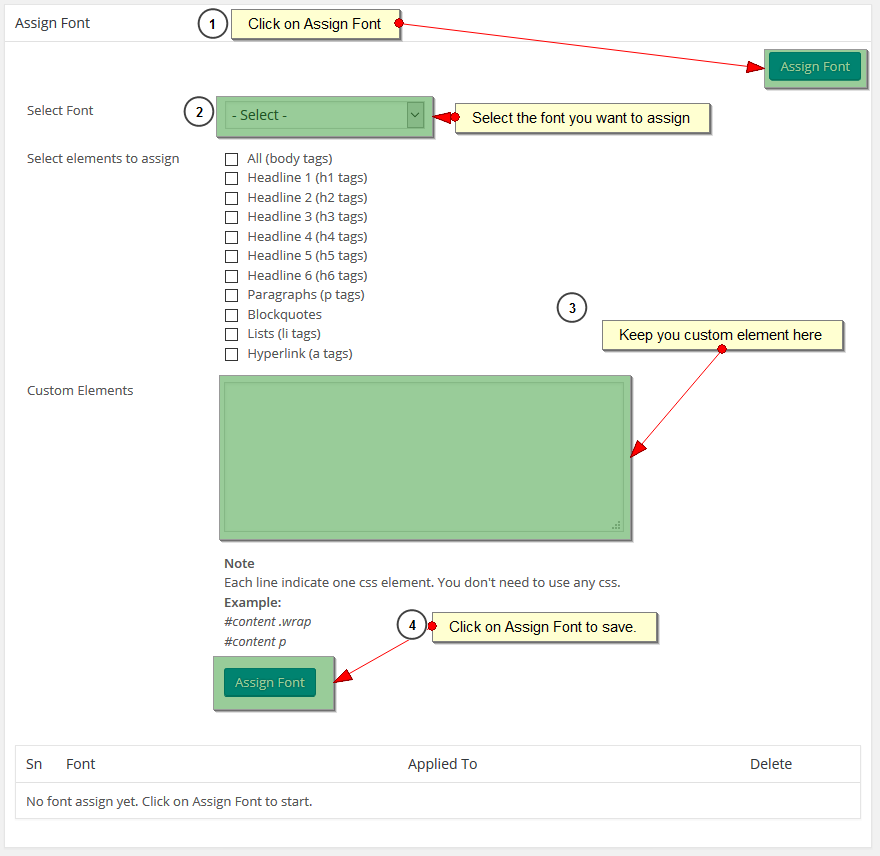
Frequently asked questions
What is Use Any Font?
Use Any Font is a WordPress plugin that allows you to upload custom fonts to your website. It also offers 23,871+ predefined fonts, including Google fonts stored on your server.
What font formats does Use Any Font support?
The plugin supports uploading fonts in ttf, otf, and woff formats. These are automatically converted to woff2 for faster load times and browser compatibility.
How does Use Any Font improve website performance?
It automatically converts uploaded custom fonts to compressed woff2 format with Brotli, achieving 30% faster loading. Fonts are embedded with @font-face CSS for quick loading.
Is Use Any Font GDPR compliant?
Yes, the plugin supports self-hosted and GDPR-compliant solutions. Custom fonts are stored on your server, ensuring full GDPR compliance.
What is the maximum font upload size?
The font uploader allows you to upload custom fonts up to 25 MB in size.
Changelog
6.3.13
- Fixed API key issue.
6.3.12
- Improved error handling for file write permission issues during font upload.
6.3.11
- Fixed Admin Notice hide issue.
6.3.10
- Fixed editor issue with Genesis and some non block themes.
6.3.09
- Added noonce for Js Font Upload.
6.3.08
- Fixed custom element multiline issue.
- Added font support for non blocked themes. Uploaded Font can be selected in Block Editor from Typography section.
6.3.07
- Better error handling.
6.3.06
- Fixed font upload issue for woff format.
6.3.05
- Fixed font weight sorting issue.
6.3.04
- Fixed null issue in font typography
6.3.03
- Fixed error for theme.json file missing scenario.
6.3.02
- Add typography selection for block style themes and Gutenberg Editor
6.3.01
- Added support for Bricks Builder and Themeisle
6.2.98
- Fixed custom font assign issue in Poly Lang
6.2.97
- Fixed custom element assign issue.
6.2.96
- Added woff2 font upload support
6.2.95
- Fixed cache issue.
- Added Font list for Kadence Theme and Blocks.
6.2.94
- Fixed Beaver weight selection issue.
6.2.93
- Fixed Divi Multi Variation Select Issue.
- Fixed Strong & b using dash issue.
6.2.92
- Fixed language select issue.
6.2.91
- Fixed warning message close issue.
6.2.9
- Fixed warning message for font style
- Tested with PHP 8.1
6.2.8
- Sanitization for custom font upload.
6.2.6
- Removed use of PHP uploader.
6.2.4
- Added details about API usage.
6.2.3
- Added comment for reasin being using Curl
- Fixed option html issue.
6.2.2
- Security Fixes.
6.2.1
- Fixed warning notice.
- Fixed only 1 font showing in font list
- Security Fixes.
6.2
- Added multi variation font support.
6.1.8
- Added wpnonce for forms
6.1.7
- Fixed rtl issue for Font Typography Search
6.1.6
- Fixed undefined variable notice.
6.1.5
- Added custom font support for The7 Theme (https://the7.io/)
6.1.4
- Added hide key button.
- Fixed cache being cleared for multi language sites when language was changed.
6.1.3
- Add is_ssl check for Aboslute Font path.
6.1.2
- Fixed Pagely Cache issue. (https://wordpress.org/support/topic/version-6-1-1-causes-fatal-errors-on-pagely-servers/)
6.1.1
- Fixed goDaddy Cache flush error.
6.1
- Added 23,871+ Predefined fonts which are available for both free and commercial use.
- Added auto cache clear for popular cache plugin.
6.0.5
- Fix WP_Scripts::localize Warning message
6.0.4
- Fix count warning issue.
6.0.3
- Fix font assign not listing in page builders and themes typography.
6.0.2
- Support for older PHP versions.
6.0.1
- Builder Font Family missing issue fixed.
6.0
- New UI interface
- Fixed CDN issue.
5.11.5
- Remove optional option from font display property
5.11.4
- Move js code to single file to avoid conflicts.
5.11.3
- Removed i from italic tags so that it won’t affect icons.
5.11.2
- Extra error handling for custom font manager.
5.11.1
- Added support for WPBakery Page Builder (Js Composer). Adds custom uploaded fonts to WPBakery Typography list.
5.11
- Added Font demo in admin panel
- Added extra pre defined elements.
5.10
- Added support for Gutenberg Editor using class.
- Added support for Revolution Slider. Now you can select font family directly from Revolution slider to assign font.
5.9
- Support for all themes that uses Redux and kirki framework. Full list here. Custom font now available in Theme Option’s typography list that are using these frameworks.
5.6
- Added support for Generate Press, Astra and Ocean WP Theme.
- Added setting For Font Display (swap, fallback, block) for @font-face
5.5
- Assign font based on language for WPML & Polylang multi lingual plugins.
5.4
- Install font upto 25 MB.
- Font convertor uses woff2 compression for better and faster font loading.
5.3
- Fixed domain verification issue.
5.2
- Added menu option in elements list.
5.1
- Fix url issue.
5.0
- New API Key system, Lite / Test API key generation from plugin page.
4.9.2
- Adds custom fonts to typography of Themify and Beaver Page Builder
4.9.1
- Adds custom fonts to typography of Elemenator Page Builder
4.7.3
- Adds custom fonts to theme options panel for themes like Avada, Salient, Oshine, X Theme, KLEO. (540+ Themes in total)
4.7.2
- SiteOrigin Page Builder Support
4.7.1
- Divi Theme Issue Fixes.
4.7
- Full Support For Divi Admin Visual Builder
- Use of relative path as default nowonwards
- Alternative server selection for font upload and API verification.
4.6
- Directly assign font to element using the class identical to font name.
4.5.1
- Fixed form validation js error.
4.5
- Fixed SSL font loading issue.
4.4.4
- Font upload issue fixed.
4.4.3
- Fixed couldn’t receive font file issue.
4.4.2
- Fixed API verification issue
4.4.1
- Fixed SSL API key issue
4.3.7
- Secure file upload URL for Default Js font Uploader
4.3.6
- Fixed validation for PHP font uploader
- Sanitize font name
- Test with 4.3.1
4.3.5
- Fixed host name lookup issue
- Added SSL for font upload path
- Test with 4.3
4.3.4
- License key trim added.
4.3.3
- Font convertor url change.
4.3.2
- Added relative font path settings.
- Added Css version system.
4.3.1
- Add js extension validation for font file.
4.3
- Add font using Ajax Font Upload.
- Fixed Couldn’t receive font file for conversion issue.
4.2.4
- Font size increase upto 10 MB
- Fixed js validation issue.
- Add server side validation for font file.
4.2.3
- Removed rarely used font formats from being upload. They were making font convertor server down repeatedly.
- Fixed name validation issue
4.2.2
- Tested to work with wordpress 4.0
- Jquery Validation Plugin Updated
4.2.1
- Using wp_remote_get inplace of wp_remove_fopen for API Key
4.2
- Compatible with 3.9
- Fixed font list issue in editor for 3.9
4.1.1
- Minor update
- Added font formats (dfont, suit)
- Updated FAQ and Screenshots.
- Tested with 3.8.1
4.1
- Added Support for SSL (https)
- Additional settings to disbale font list in wordpress editor.
- Tested with 3.8
4.0
- Added Network Site Support
- Assign font directly from WordPress Editor
3.2
- Tested with 3.5.2
3.1
- Minor update
- Add woff and svg font format
3.0
- Major update
- Supports more font format now.
- Better error handling
- Added hyperlink (a tag) in default element select.
2.1
- Added file upload validation.
2.0
- Added server connectivity test.
1.1
- Fixed font not loading issue when there is space in font file name.
- Added Instructions in Plugin Interface.
1.0
- First Release

