

The Elementor Website Builder has it all: drag and drop page builder, pixel perfect design, mobile responsive editing,…

About Custom Fonts – Host Your Fonts Locally
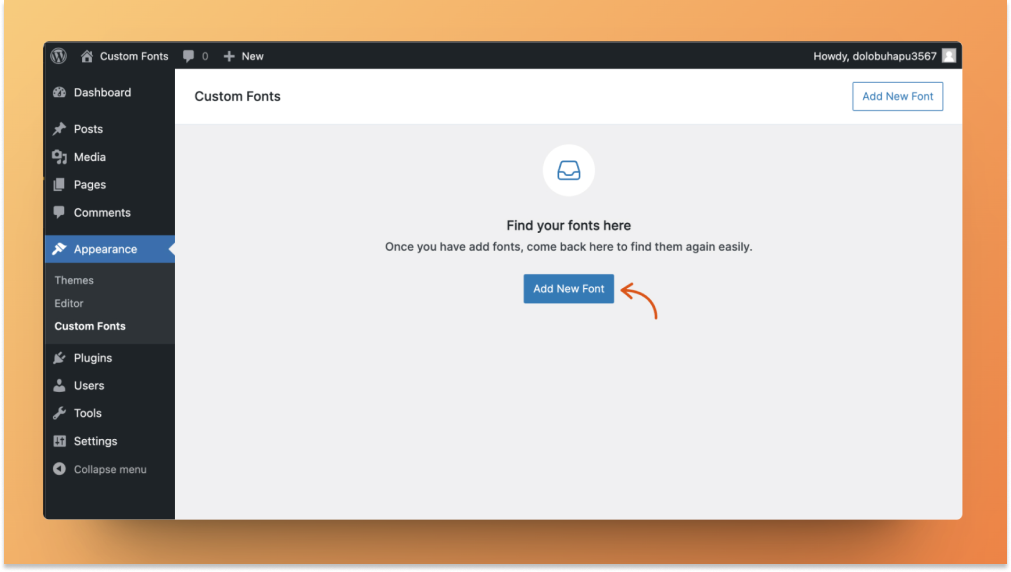
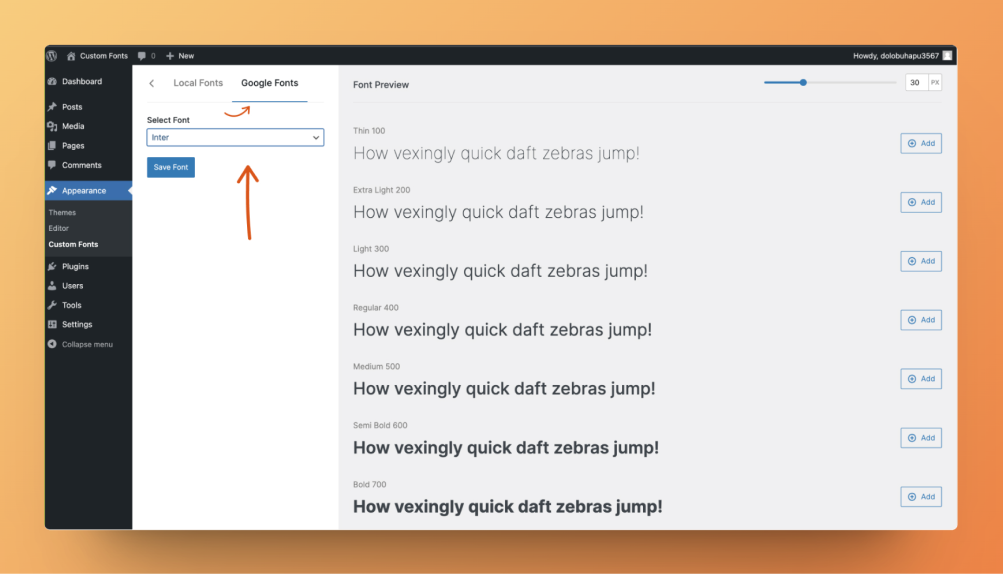
Custom Fonts is a free plugin that allows you to host your own custom fonts or choose from a library of Google Fonts for your website. Hosting the fonts locally improves website speed and eliminates privacy concerns. It is suitable for web designers, developers, eCommerce store owners, bloggers, content creators, and SEO experts who value customization, performance optimization, privacy control, and compliance with regulations.Screenshots


Frequently asked questions
What are the benefits of using Custom Fonts?
Custom Fonts allows you to upload your own custom fonts or choose from a collection of Google Fonts, all hosted on your own web server. This improves website speed and performance by reducing external requests and page load times. It also enhances privacy and GDPR compliance by self-hosting fonts and gives you full control over the typography of your website.
How can I upload my own custom fonts?
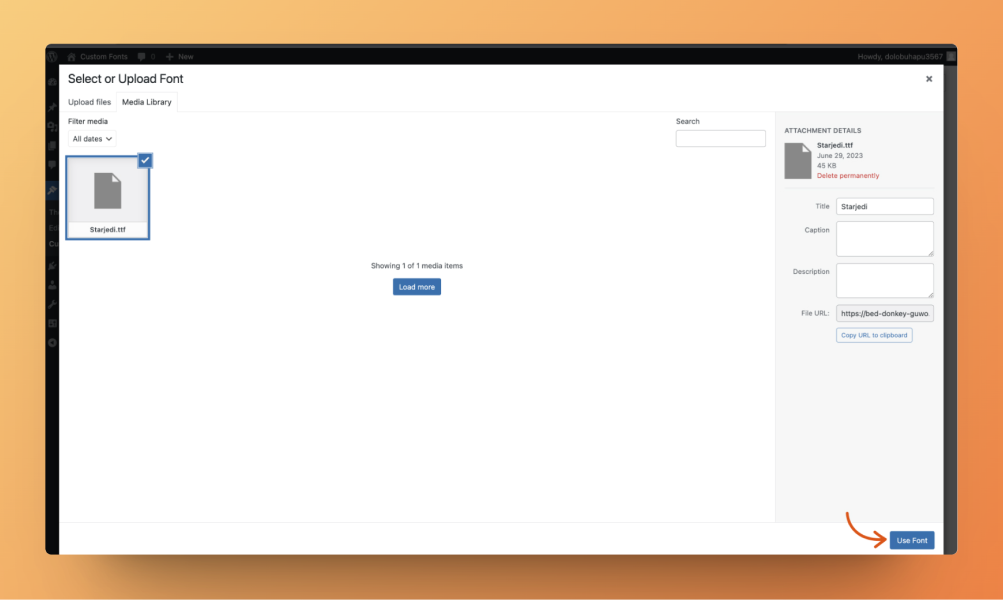
You can easily upload your own custom font files, such as .ttf or .otf, and use them throughout your website. Alternatively, you can choose from a library of Google Fonts and host them locally on your server.
Can I upload multiple font variants?
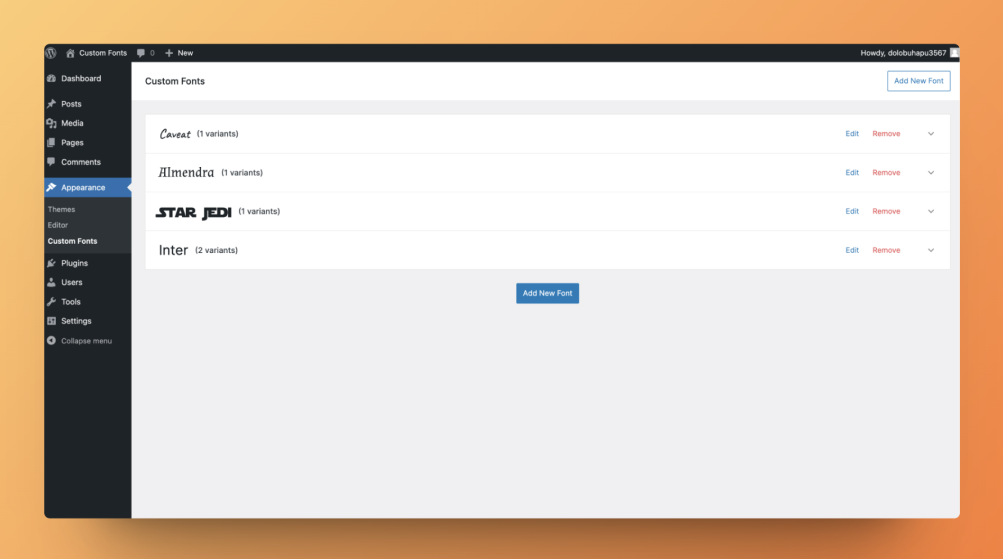
Yes, you have the flexibility to upload any number of font variants to suit your design needs. You can customize different weights, styles, or character sets to create a unique visual identity for your website.
How does Custom Fonts ensure privacy and GDPR compliance?
By self-hosting your fonts, Custom Fonts eliminates any privacy concerns associated with external font services. This allows you to take full control over the fonts used on your website and ensures compliance with privacy regulations.
Who can benefit from using Custom Fonts?
Custom Fonts caters to web designers and developers, eCommerce store owners, bloggers and content creators, and SEO experts. It is for anyone who values customization of typography, performance optimization, privacy control, and compliance with regulations.
Changelog
- 2.1.15
-
Updated plugin with few extra information for clarity.
-
2.1.14
- Fix: Prevented early translation loading error by initializing text domain strings on init hook.
- Fix: Ensure SVG icons inside Add button propagate click events properly by adjusting pointer-events styling
= 2.1.13
– Custom fonts plugin tested with WordPress 6.8 version.
= 2.1.12
– Improved Usage Tracking option with a new toggle switch design while keeping all existing features.
= 2.1.11
– Added logic to generate and enqueue a local CSS file for downloaded Google Fonts, ensuring they load in both the editor and frontend to support inline font styles.
= 2.1.10
– Resolved issue where plugin was not properly deploying on wp.org
= 2.1.9
– Updated short description and tags inside readme file.
= 2.1.8
– Custom fonts plugin tested with WordPress 6.7 version.
= 2.1.7
– Fix: Custom font variation getting place even after selecting the other weight and style. (Props – https://github.com/alexist-ong)
2.1.6
- Improvement: Few string from admin dashboard app doesn’t have text domain support. (Props – https://github.com/pedro-mendonca)
2.1.5
- Improved codebase for improved security.
2.1.4
- Improvement: Compatibility with WordPress 6.5.
2.1.3
- Fix: Resolved issue with local fonts not rendering properly on the frontend.
2.1.2
- Fix: Resolve PHP Warning ‘Cannot modify header information’ during post content editing in Gutenberg.
- Fix: Thrive product created layout’s changes not saved due to Custom fonts plugin conflicts.
2.1.1
- Improvement: Compatibility with WordPress 6.4.
2.1.0
- New: Introducing new ‘Fonts Preload’ option, to preload custom fonts.
- New: Introducing an option to update existing font name.
- Improvement: Autosave functionality for adding, updating fonts.
- Improvement: Code refactored and optimization.
- Fix: Custom local fonts not working in FSE site editors.
2.0.2
- Improvement: Added multiple font file selection for single font weight.
- Fix: Frontend fonts messed up after 2.0 update.
- Fix: Pre added multiple font files for single weight were missed after 2.0.
- Fix: Fonts are not listed under Beaver Builder editor typography settings.
- Fix: Text domains load correctly for JavaScript translations. (Props – https://github.com/pedro-mendonca)
- Fix: Used proper sprintf in hard concatenated string for translation. (Props – https://github.com/pedro-mendonca)
- Fix: Added translation for hardcoded ‘Italic’ suffix. (Props – https://github.com/pedro-mendonca)
2.0.1
- Fix: Edit Custom font screen blanks on expanding font from admin list view.
- Fix: PHP error undefined index ‘font_weight’ on the frontend.
2.0.0
- New: Redesigned the entire admin area with a better user experience.
- New: Google fonts support in Custom Fonts plugin now.
- Improvement: Custom font supports in FSE editor.
1.3.7
- Fix: Custom font’s CSS not applying in responsive previews of WordPress block editor.
1.3.6
- Improvement: Compatibility with Spectra editor.
1.3.5
- Fix: Inherit font option not working as expected for some customizer options.
1.3.4
- Fix: Custom fonts are not loading on Astra customizer and Elementor typography settings after Elementor Pro v3.6.0.
1.3.3
- Fix: Headers already sent warning in customizer.
1.3.2
- Fix: JS conflict with Jetpack plugin on admin.
1.3.1
- Fix: Font not rendered properly when multiple font format files are added for a single font.
1.3.0
- New: Add multiple font weight to the Custom Fonts.
1.2.6
- Improvement: PHP 8.0 compatibility.
1.2.5
- Fix: Font display not added properly.
1.2.4
- Improvement: Hardened the security of plugin
1.2.3
- Fix: Fixed compatibility with other plugins with respect to the admin notice.
1.2.2
- New: Users can now share non-personal usage data to help us test and develop better products. ( https://store.brainstormforce.com/usage-tracking/?utm_source=wp_dashboard&utm_medium=general_settings&utm_campaign=usage_tracking )
1.2.1
- Improvement: Hardened the security of plugin
- Improvement: Compatibility with latest WordPress PHP_CodeSniffer rules
1.2.0
- Improvement: Displaying Menu after Astra options Menu.
1.1.0
- New: Option to select font-display property.
1.0.8
- New: Now you can also upload otf fonts.
- Fix: ttf fonts not being uploaded in WordPress media library.
1.0.7
- Fix: Custom Fonts loading the Block Editor breaking styling of the editor.
1.0.6
- Improvement: Enqueue the custom fonts in the Blocck Editor to correctly prefiew the custom fonts.
1.0.5
- Fix: JavaScript error in the Firefox browser not allowing to upload any fonts.
1.0.4
- New: Added compatibility with Beaver Builder Theme, Beaver Builder Plugin and Elementor.
1.0.3
- Fix: When two custom fonts are loaded on a site, only one of the fonts will be actually enqueued.
1.0.2
- White Label support added from the Astra Pro plugin.
1.0.1
- Improved the design of the Admin UI.
- Changed the plugin name to be Custom Fonts instead of BSF Custom Fonts.
1.0.0
- Initial release.

