

Just another contact form plugin. Simple but flexible.

About Polylang
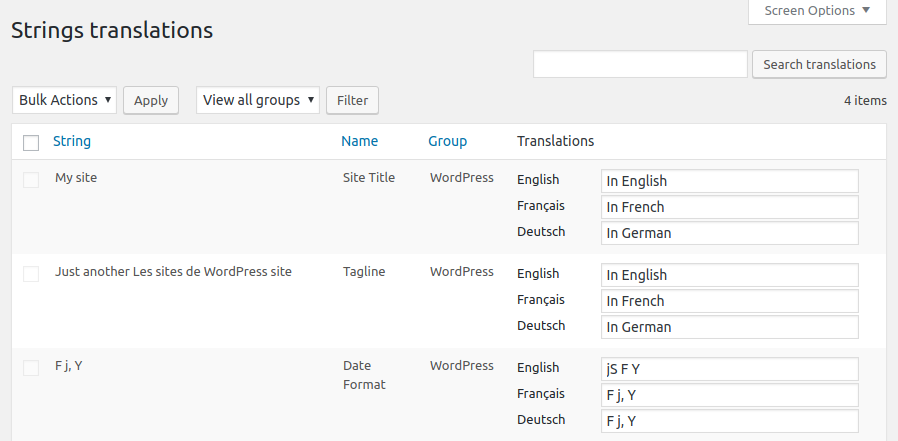
Polylang is a WordPress plugin that seamlessly integrates multilingual features into your website, supporting an unlimited number of languages and automatically downloading language packs. Polylang Pro offers advanced features like improved Block Editor integration, content duplication, and machine translation with DeepL. Additionally, the Polylang for WooCommerce add-on ensures compatibility with WooCommerce, allowing you to translate product pages and categories, sync metadata, and receive premium support for personalized assistance.Screenshots

Frequently asked questions
What features does Polylang provide?
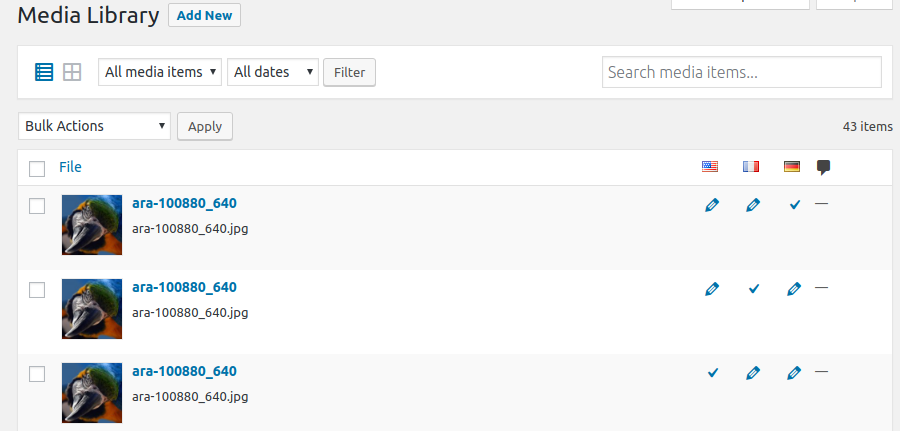
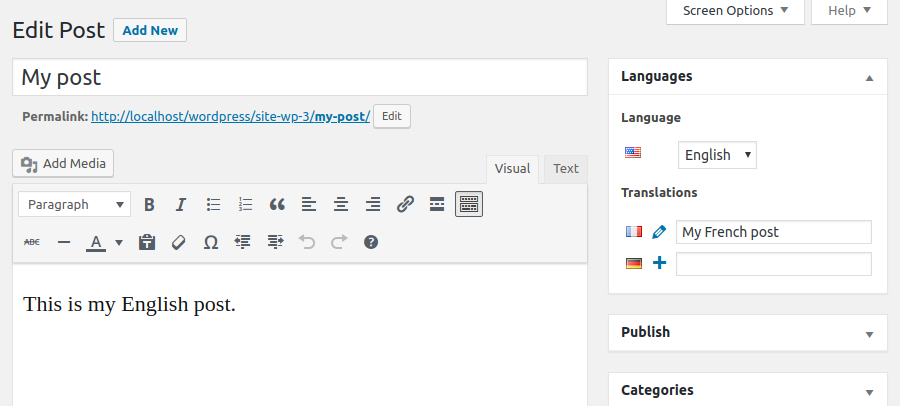
Polylang provides features such as translating posts, pages, media, categories, post tags, custom post types and taxonomies, RSS feeds; RTL scripts are supported. It also allows the language to be set by the language code in the URL or using a different sub-domain or domain per language. It supports automatic copy of categories, post tags, and other metadata when creating a new post or page translation. It can translate menus and widgets and has a customizable language switcher. It is also compatible with Yoast SEO.
What extra features does Polylang Pro provide?
Polylang Pro provides extra features such as better integration in the new Block Editor, a language switcher available as a block, language options available in the widget block editor, template parts translatable in the site editor (FSE), duplicate and/or synchronize content across post translations, improved compatibility with other plugins such as ACF Pro, the ability to share the same URL slug for posts or terms across languages, the ability to translate URL slugs for categories, author bases, custom post types, and more. It also supports export and import of content in XLIFF format for outsourced professional translation and provides access to Premium Support for personalized assistance.
What features does Polylang for WooCommerce provide?
Polylang for WooCommerce is an add-on that provides compatibility with WooCommerce. It allows translating WooCommerce pages, product categories, and global attribute terms directly in the WooCommerce interface. It also allows translating WooCommerce emails and sending them to customers in their language. It supports products metadata synchronization and is compatible with the native WooCommerce CSV import & export tool. It is also compatible with popular plugins such as WooCommerce Subscriptions, Product Bundles, WooCommerce Bookings, Shipment Tracking, and more. It can use the WooCommerce REST API (available with Polylang Pro) and provides access to Premium Support for personalized assistance.
Does Polylang or Polylang Pro support automated translation?
No, neither Polylang nor Polylang Pro support automated translation.
What are some other free plugins offered by Polylang?
Some other free plugins offered by Polylang include WPML to Polylang, which allows migrating from WPML to Polylang, DynaMo, which speeds up the translation of WordPress for all non-English sites, and Site Editor Classic Features, which allows the use of legacy widgets (including the Polylang language switcher) and menus in the site editor (FSE).
Changelog
3.7.3 (2025-06-16)
- Pro: Always display ACF translation settings for field groups formerly translated in versions older than 3.7
- Pro: Fix translation displayed in child fields of ACF layout fields when they should not
- Pro: Fix translation of the ACF field “Choice” when the translation is set to “Copy once” or “Synchronize”
- Pro: Fix a PHP warning when translating some blocks
- Pro: Fix impossibility to change the language of an empty post in the block editor
- Fix duplicate values in options #1672
- Fix JS error in media library (grid view) #1674
- Fix language dropdown not present in the media modal accessible from the media library grid view #1675
- Fix DB error introduce by WooCommerce 9.9 #1681
3.7.2 (2025-05-27)
- Pro: Require ACF 6.0+ to activate the integration to avoid fatal errors with older versions
- Pro: Add a new ACF field group setting to decide if translations instructions must be displayed
- Pro: Fix a fatal error when using ACF blocks with ACF < 6.3.0
- Pro: Fix regression preventing to translate Oembed, URL and Email ACF fields
- Pro: Fix ACF fields not translated when they have a default value
- Pro: Fix empty ACF fields values not copied when the field has a default value
- Pro: Fix ACF field default values not translated when copying a post
- Pro: Fix possible fatal error if invalid types of data are sent for machine translation
- Pro: Fix term meta removed when a term is machine translated
- Fix nav menu locations not saved if invalid data are stored in database #1659
- Fix parent relationship removed when a new translated term is created without parent #1671
3.7.1 (2025-05-05)
- Pro: Do not display ACF fields translations settings when language location is set.
- Pro: Fix ACF taxonomy field terms not synchronized when “Save Terms” and “load terms” settings are activated.
- Pro: Fix duplicate options when using numeric keys for ACF choice fields.
3.7 (2025-04-22)
- Requires PHP 7.2 as minimum version
- Pro: Add DeepL machine translation for strings
- Pro: Consider Polylang Pro as equivalent to Polylang for plugin dependencies
- Pro: Add the details block and several labels in other blocks to XLIFF files and machine translation
- Pro: Allow to translate metas stored as objects
- Pro: Enhanced multilingual support of archive template hierarchy
- Pro: Wrap the language switcher block in a nav tag
- Pro: Support automatic IDs translation in blocks with new filters
pll_sync_block_rules_for_attributesandpll_sync_blocks_xpath_rules - Pro: Complete rewrite of ACF integration
- Pro: Add support for ACF blocks, post types and taxonomies.
- Pro: Remove the possibility to translate ACF field groups
- Pro: Add languages in ACF locations
- Pro: Add translation of ACF labels in the strings translations page
- Pro: Fix incorrect count of translated strings when importing strings translations
- Pro: Fix incorrect translation when an XLIFF import updates a term sharing its slug
- Pro: Fix term hierarchy with machine translation
- Pro: Fix indented items of a list block not translated with machine translation
- Pro: Fix navigation block inserted in the wrong language
- Update plugin updater to 1.9.4
- Add translation of widgets custom html in strings translations #1423
- Refactor core to manage the plugin options in an object #1451
- Refactor core to give access to languages management in all contexts #1503
- Remove the language set from the content option for new installs #1517
- Allow numbers in language codes #1546
- Display empty fields in the translations table for untranslated strings (instead of duplicating the original) #1574
- Add REST API endpoints to manage options and languages #1505 #1569
- Improve performance by registering the language taxonomy only once #1359
- Add new API functions to insert and update posts and terms in a given language #1500 #1520
- Add compatibility with jQuery 4 (planned in core for WP 6.8) #1612
- Fix translations not loaded when the language is set from the content #1395
- Fix possible term duplication #1490
- Fix sanitization of translated options that may impact other strings #1571
- Fix home link block not translated #1647
- Fix a conflict with WooCommerce Price Based on Country #1638
See changelog.txt for older changelog

