

Enables the previous "classic" editor and the old-style Edit Post screen with TinyMCE, Meta Boxes, etc. Supports all…
About Duplicate Page
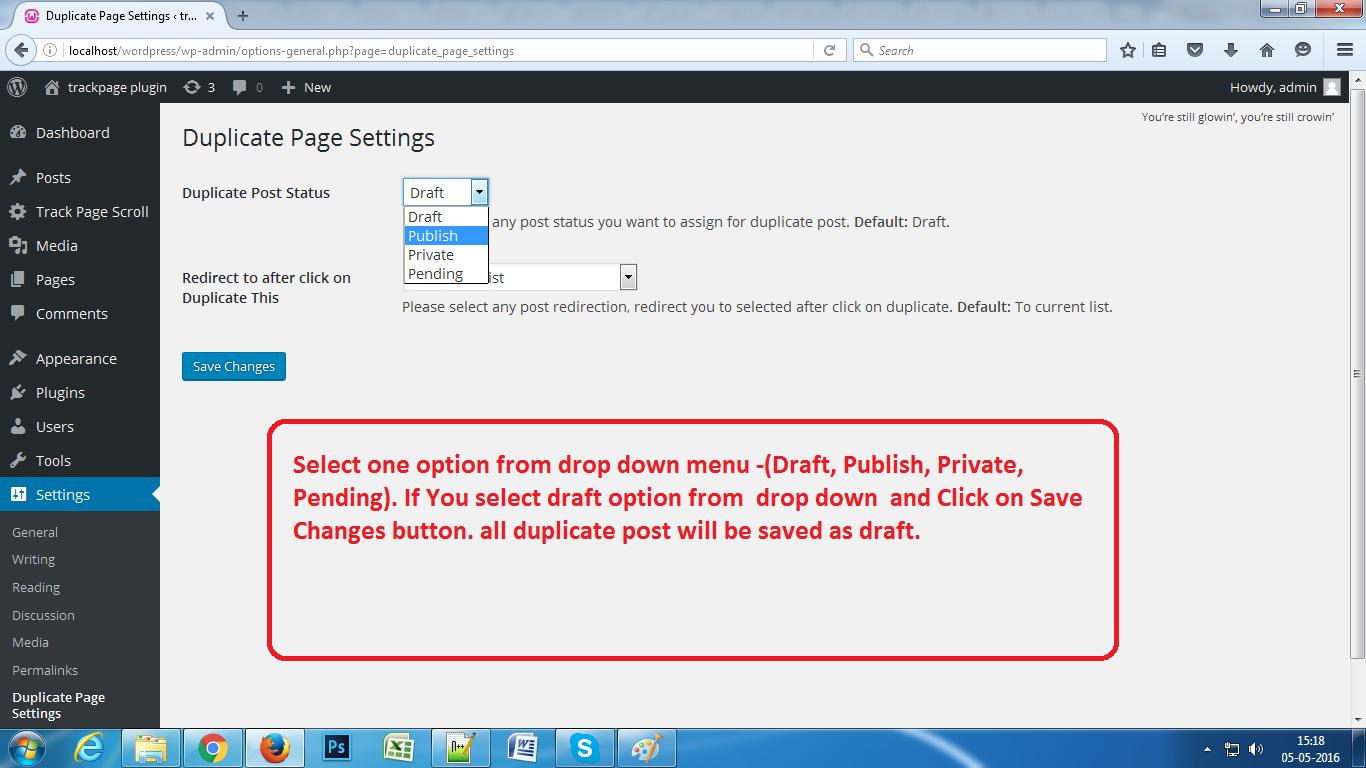
Duplicate Page Pro is a plugin that allows you to easily duplicate your pages, posts, and custom posts with just one click. You can choose the status of the duplicated content (draft, private, public, pending) and it also offers additional features such as user roles, post types filtering, and customization options. The plugin requires WordPress 3.3+, PHP 5.x, and MySQL 5.x. The Pro version is available for purchase with more features and support.Screenshots

Frequently asked questions
What does the Duplicate Page plugin do?
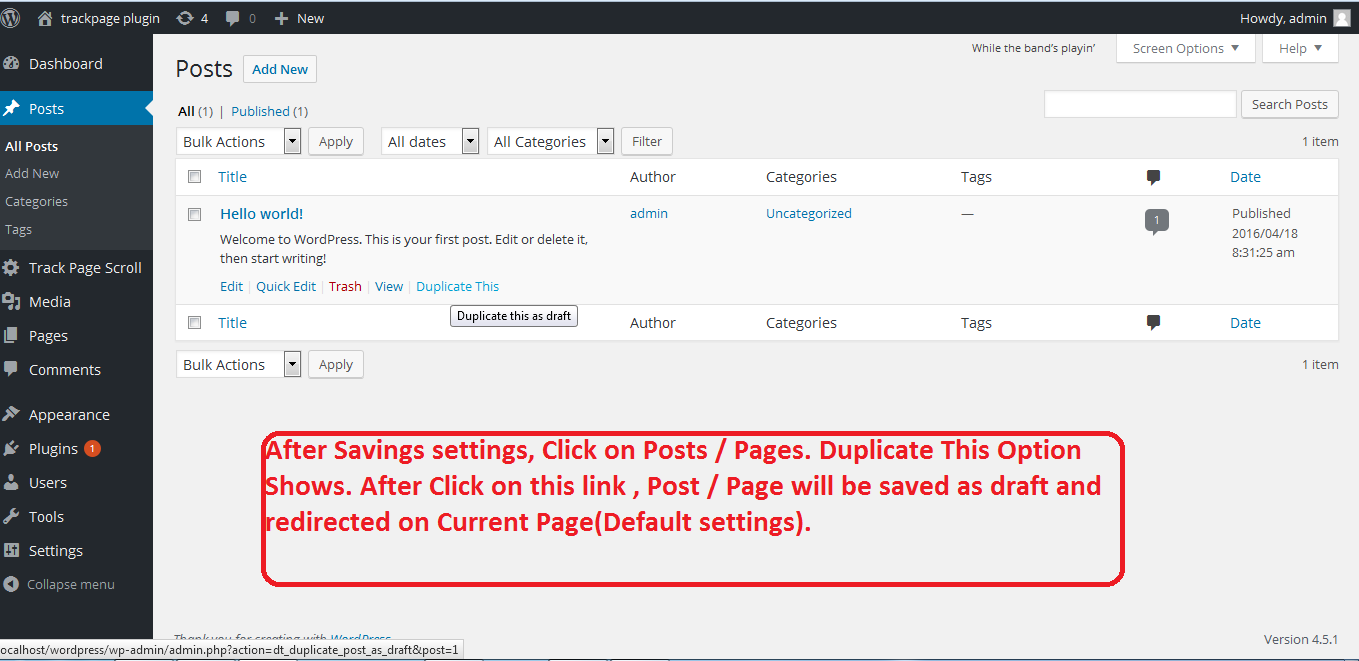
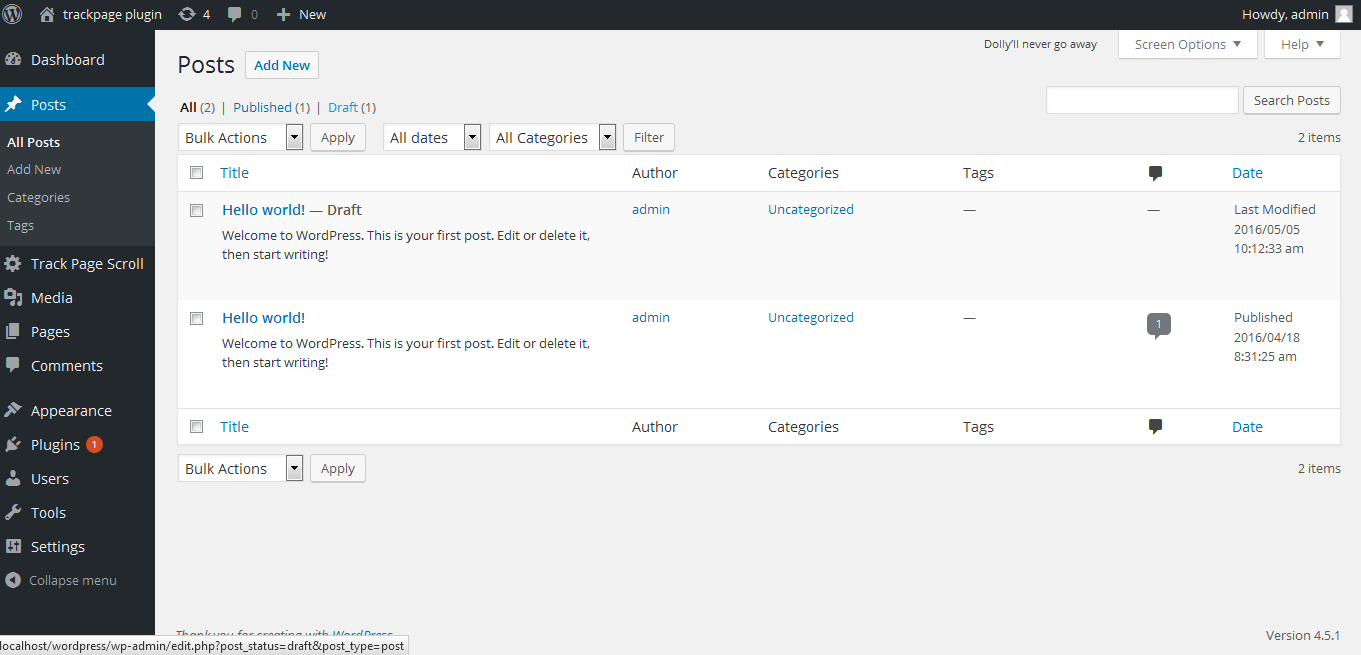
The Duplicate Page plugin allows you to easily duplicate posts, pages, and custom post types with a single click. It saves the duplicated content as your selected option (draft, private, public, pending).
What are some key features of the Duplicate Page Pro Edition?
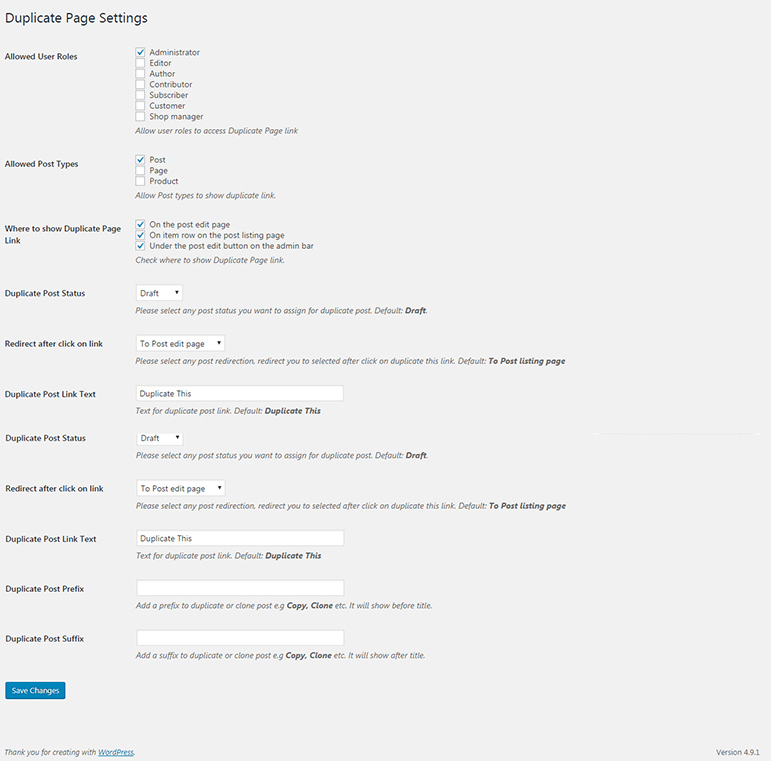
Key features in the Pro Edition include user role permissions, filters for showing the duplicate link in post types, options for clone link location, and settings for duplicate post status and redirection. It also allows changing the clone link title and adding post prefixes or suffixes.
How do I use the Duplicate Page plugin?
First, activate the plugin. Then, go to the Duplicate Page settings menu from the Settings Tab and save your preferences. After that, you can create a new post/page or use an existing one, and click the duplicate link to create a copy.
What are the minimum requirements for Duplicate Page?
The minimum requirements for Duplicate Page are WordPress 3.3+, PHP 5.x, and MySQL 5.x.
Does the Pro version offer support?
Yes, support is available for Pro Version users.
Changelog
4.5.5 (9th June, 2025)
- Compatible with WordPress 6.8.1
4.5.4 (29th July, 2024)
- Compatible with WordPress 6.6.1
= 4.5.3(11th Sept, 2023)
- Compatible with wordpress 6.3.1
= 4.5.2(4th May, 2023)
- Compatible with wordpress 6.2
= 4.5.1(8th Feb, 2023)
- Fixes compatibility issues with event calendar plugin.
- Minor bug fixes
= 4.5(14th Dec, 2022)
- Checked compatibility with wordpress v6.1.1
- Fixes elementor sections compatibility issue
= 4.4.9(15th Jul, 2022)
- Checked compatibility with wordpress v6.0.1
= 4.4.8(27th Jan, 2022)
- Checked compatibility with wordpress v5.9
= 4.4.7(16th Dec, 2021)
- Added editor role check
= 4.4.6(7th Dec, 2021)
- Fixed security issues.
= 4.4.5(29th Sep, 2021)
- Fixed the issue for content HTML displaying in the sidebar.
= 4.4.4(16th Sep, 2021)
- Fixed sanitization Issues as per wordpress standards.
= 4.4.3(8th Sep, 2021)
- Updated code sanitization process for secure data submission
= 4.4.2(6th Sep, 2021)
- Added sanitization as per wordpress standards.
4.4.1(27th July, 2021)
- Checked compatibility with wordpress v5.8
- Fixed php warnings
4.4(18th Mar, 2021)
- Tested upto wordpress v5.7
4.3(28th Aug, 2020)
- Tested with wordpress v5.5
4.2(26th March, 2020)
- Fixed Translations string issue
4.1(20th Feb, 2020)
- Fixed Translations issue
4.0(20th Sep, 2019)
- Fixed slug duplication issue
3.9 (6th Aug, 2019)
- Fixed some compatibility issues
3.8 (18th July, 2019)
- Fixed compatibility issues with GT3 editor
3.7 (18th July, 2019)
- Fixed compatibility issues with other editors
3.6 (16th July, 2019)
- Security fixes addressed by wordpress
3.5 (2nd Apr, 2019)
- Gutenberg and advanced custom fields compatibility
3.4 (1st Apr, 2019)
- Security issues fixes addressed by Securi
3.3 (14th March, 2019)
- Compatible with WordPress 5.1.1
3.2 (25th Dec, 2018)
- Gutenberg Compatible
3.1 (5th Dec, 2018)
- removed nag
3.0 (3rd Dec, 2018)
- German Formal lang added
2.9 (16th Nov, 2018)
- Minor bug fixes
2.8 (20th Oct, 2018)
- Compatible with php 7.3 and wordpress 5.0
2.7 (28th July, 2018)
- removed useless adsense code
2.6 (24th March, 2018)
- Added signup popup and minor fixes.
2.5 (5th Feb, 2018)
- Translations issue resolve.
2.4 (29th Nov, 2017)
- Duplicate Page appends original post name issue fixed.
2.3 (27st april, 2017)
- Minor Fixes
2.2 (28th Jan, 2017)
- Strings Translations
2.1 (25th Aug, 2016)
- New Text field added in settings page for duplicate post title suffix to remove confusion of currently duplicate page.
1.4 (18th Jun, 2016)
- New Features added
1.3 (23th May, 2016)
- New Features added
1.2 (05th May, 2016)
- Duplicate Page Settings Menu Added.
1.1 (04th May ,2016)
- fix some Bug in 1.0

