Are you looking to make your WordPress website more exclusive or monetize your content? One effective way is by using Content Restriction Plugins for WordPress. These tools allow you to control who can access specific content on your site, whether it’s a blog post, a page, or even a widget. This can be particularly useful for websites that offer membership plans or premium content.
In this article, we will delve into the best Content Restriction Plugins for WordPress, exploring their features, benefits, and pricing.
Whether you’re an online retailer, a blogger, or a business owner, these plugins can help you create a more personalized and profitable web experience for your users. By the end of this listicle, you’ll be well-equipped to choose the right plugin that suits your needs and budget.
Advanced Access Manager
Advanced Access Manager (AAM) is a comprehensive WordPress plugin designed to provide you full control over your website. It gives you the power to define the most granular access to any aspect of your website, ensuring safety, and enhanced control over the access. It essentially fills the need for a versatile control mechanism for maintaining the privacy and security of your website.
Features and Benefits
- Granular Access: It allows you to manage access to your website content for any role, individual user, and visitor or configuring the default access to all posts, pages, custom post types, categories, and custom taxonomies. This ensures an added layer of security and control over your website.
- Developer-Oriented: AAM is a developer-oriented plugin with dozens of hooks and configurations, integrated with WordPress RESTful and XML-RPC APIs, and has numerous abstract layers to simplify coding, making it easier for developers to manage the plugin.
- No Ads: AAM does not have any ads or other promotional content, allowing the user to focus only on what matters.
- Free Support: AAM provides free support to all its customers, irrespective of their plan, ensuring that everyone gets the help they need when they face any difficulties.
- Backend Menu Management: AAM allows you to manage access to the backend menu for any user or role.
- Content Access: It provides granular access to an unlimited number of posts, pages, custom post types, terms, taxonomies, or custom taxonomies.
- Backend Lockdown: AAM lets you restrict access to your website’s backend side for any user or role, ensuring added security.
- Secure Login Widget & Shortcode: AAM offers an AJAX login widget or shortcode that can be placed anywhere on your website.
- Content Filter: AAM allows you to filter or replace parts of your content with its shortcodes.
- 404 Redirect: AAM allows you to redirect users to a specified location when a page does not exist.
Pricing Structure
The plugin is free to use with the premium version starting from $99/ year.
Content Control
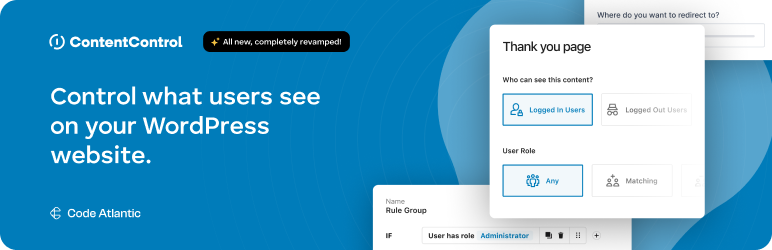
Content Control is a game-changing WordPress plugin designed to provide unparalleled control over your website’s content.
This plugin allows you to dictate the visibility of your pages, posts, widgets, and individual blocks based on a variety of parameters such as user status, roles, and device type. With Content Control, you are the master of your content, dictating who gets to see what, where, and when.
Features and Benefits
- Full Control Over Content: With Content Control, you can easily restrict user access to your site’s content, ensuring only the right eyes see your content.
- Paywall Setup: You can establish a seamless paywall, providing teasers for users and prompting them to purchase access.
- Gutenberg and Full Site Editor Controls: Have per block controls including user roles, device type, and more.
- Membership Tools: Craft membership access and members-only content with ease.
- Responsive Block Designs: Easily design blocks that adapt to different device sizes.
- Lockdown Content: Lockdown content selectively for improved user experiences.
- Role-Based Redirections: Guide users effectively with role-based redirections.
- Schedule Blocks: Control content visibility timings using customizable scheduling rules.
- Advanced Block Rules: Dive deeper with advanced block rules and a boolean editor.
- Custom Login URLs: Customize login, registration, and recovery page URLs for a more personalized user experience.
Pricing Structure
The plugin is free to use with pro version starting from $99/ year.
WP User Frontend
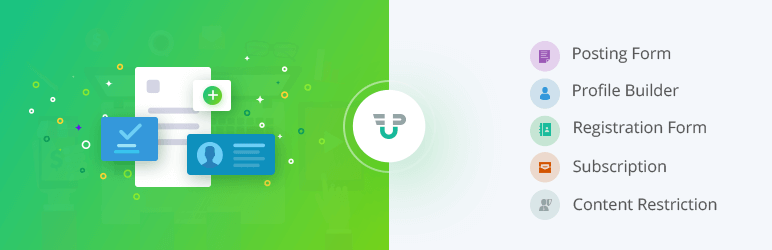
WP User Frontend is a comprehensive WordPress plugin that enhances the frontend user experience by providing a wide array of features such as frontend dashboard, editor, publishing, and uploader for user profiles, post submissions, and memberships. The plugin is designed to facilitate user interaction without the need to access the backend admin panel.
Features and Benefits
- Content Access Control: With this feature, administrators can define which user roles have access to specific content. It enables the restriction of content including posts, pages, and custom post types to certain users or roles, effectively managing who gets to see what on the site.
- Subscription-Based Access: This aspect of the plugin integrates with its payment features, allowing for the creation of subscription-based access to content. Users are required to subscribe, often with a recurring payment, to gain access to certain content areas or types.
- Shortcode-Based Restrictions: WP User Frontend offers shortcodes that can be used to restrict part of a content within a post or page. This is particularly useful for offering a teaser or summary to all users while keeping detailed content reserved for members or specific user roles.
- Role-Based Redirection: This feature allows site owners to redirect users based on their role or membership level. For example, non-subscribed users attempting to access restricted content can be redirected to a signup page or a message page explaining the content is for members only.
- Conditional Logic for Displaying Content: WP User Frontend can implement conditional logic to show or hide content based on user subscriptions, roles, or other criteria. This allows for dynamic content presentation and ensures users see content that’s relevant to their access level.
- Custom Messages for Restricted Content: Customize the message that appears when a user without the appropriate access level tries to view restricted content. This could be a prompt to log in, subscribe, or a message explaining the content is restricted.
Pricing Structure
WP User Frontend offers Free and Pro versions. The Free version includes all the basic features listed above. The Pro version starts at $49 per year for a single site and goes up to $159 per year for unlimited sites, along with premium features and priority support.
User Submitted Posts

User Submitted Posts (USP) is a powerful WordPress plugin designed to enable visitors to submit posts from the front end of your site. This versatile plugin provides a front-end form that allows users to submit posts and upload images, creating an interactive platform for user-generated content.
Features and Benefits
- Fast & Secure Post-Submission Form: The plugin includes a fast, secure post-submission form, increasing reliability and user trust.
- Login/Register Form: It also includes a simple, user-friendly login/register/password form, making the process easier for users.
- Shortcodes: Shortcodes are included to control access and restrict content, allowing you to manage who has access to what.
- Customizable Fields: You can choose which fields to display on the post-submit form, providing flexibility in the information you collect from users.
- Privacy Options: The plugin provides options to disable tracking of IP addresses and loading of form JavaScript & CSS, maintaining user privacy.
- Pro Version: USP Pro offers additional features including unlimited custom forms, infinite custom fields, multimedia file uploads, and more.
Pricing Structure
The basic version of User Submitted Posts is available for free. For advanced features, USP Pro is available at $60/ year.
Paid Membership Subscriptions

Paid Membership Subscriptions is a top-rated WordPress plugin designed to help you maximize recurring revenue. This plugin allows you to create a captivating membership solution that increases conversions and generates subscription revenue.
It enables you to accept recurring payments, register and manage new members, create subscription plans, and restrict access to premium content. With integration features for WooCommerce and Elementor, it is designed to help you kickstart your subscription business in just a few minutes and start generating income as quickly as possible.
Features and Benefits
- Membership Levels: Create multiple membership levels with different access rights, allowing you to tailor content access according to the subscription tier.
- Content Restriction: Restrict access to posts, pages, custom post types, categories, and tags based on membership levels. You can hide entire sections of your website or specific pieces of content from non-members or certain membership tiers.
- Shortcode-Based Restrictions: Use shortcodes to restrict access to specific parts of content within posts or pages, making it easy to create mixed-access content where some sections are available to all visitors, and others are member-exclusive.
- Subscription Management: Members can view their subscription details, manage their account information, and upgrade or cancel their memberships directly from your website.
- Payment Gateways Integration: The plugin supports popular payment gateways such as PayPal, Stripe, and others, enabling automated subscription payments and renewals.
Pricing Structure
Paid Membership Subscriptions offer a free version with limited features and three premium versions. The premium versions include the Basic version priced at €99/year, the Plus version priced at €169/year, and the Pro version priced at €299/year. The premium versions offer additional features like content dripping, multiple subscriptions, email reminders, and more.
Ultimate Member

Ultimate Member is a leading user profile and membership plugin for WordPress. It provides an effortless solution for users to sign-up and become members of your website.
The plugin allows you to create a vibrant online community with beautiful user profiles and advanced membership sites. Ultimate Member is lightweight, highly extendible, and designed to cater to almost any type of site where users can join and become members with ease.
Features and Benefits
- Role-Based Access Control: Ultimate Member allows you to restrict access to content based on user roles. You can define what each user role can see or access on your site, making it easy to create exclusive content for members, subscribers, or other specific user groups.
- Content Restriction Shortcodes: The plugin provides shortcodes that can be used to restrict access to parts of content within posts, pages, or widgets. This means you can have both public and private content within the same page, visible only to users who meet the specified criteria.
- Global Site Restriction: With Ultimate Member, you can restrict access to your entire website, making it accessible only to registered users. This is particularly useful for private communities or membership-based websites.
- Customizable Restriction Messages: When non-eligible users attempt to access restricted content, Ultimate Member allows you to display custom messages or redirect them to a different page, such as a login or registration page. This helps in providing a clear call to action for users to gain the necessary access.
- Category and Tag Restriction: Beyond restricting individual posts or pages, Ultimate Member enables you to restrict content at the category or tag level. This simplifies the process of managing access to groups of content under specific categories or tags.
Pricing Structure
The Ultimate Member All Access Pass costs $249 per year and includes access to all paid extensions, future extensions, and 12 months of support and updates. Individual extensions can also be purchased separately, with prices ranging from $25 to $50.
Paid Memberships Pro
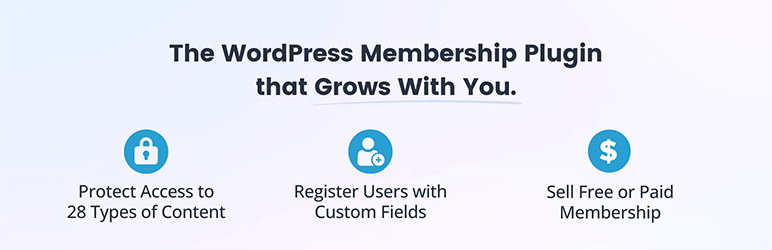
Paid Memberships Pro is a highly trusted WordPress plugin designed to build a seamless membership site. This plugin offers a comprehensive solution to secure your content and manage memberships with over 28 ways to protect content. It is equipped with advanced membership management and built-in recurring payment gateways, providing a user-friendly experience for your members.
Features and Benefits
- Unlimited Membership Levels: Create multiple membership levels with distinct access rights, allowing for detailed control over who can see which parts of your content.
- Flexible Content Restriction: Restrict access to posts, pages, categories, and custom post types based on membership level. This includes the ability to hide entire sections of your website or individual pieces of content from non-members or specific membership levels.
- Drip Content: Gradually release content to members over time based on their subscription level or duration of membership. This feature is perfect for courses or any content strategy that benefits from timed releases.
- Customizable Access Rules: Set up detailed access rules for different content types, providing a granular level of control over content visibility based on user membership status.
- Shortcodes for Conditional Content Display: Use shortcodes to conditionally display content within posts or pages based on a user’s membership level, enabling dynamic content customization.
Pricing Structure
Paid Memberships Pro is a free membership plugin with the pro version starting from $247/ year.
ARMember
ARMember is a top-rated membership plugin for WordPress that provides a range of features for content restriction, user profiling, and membership-level creation. This plugin is designed to meet the needs of businesses and organizations that require membership management and content restriction.
Features and Benefits
- Content Access Control: ARMember allows you to restrict access to your content based on user roles, membership levels, or user statuses. You can set up rules to hide or reveal content including posts, pages, custom post types, and categories to specific membership levels or logged-in users.
- Drip Content: With the drip content feature, you can release content to users in a scheduled manner based on their membership level or registration date. This is particularly useful for courses or serialized content, ensuring users don’t access all content at once.
- Partial Content Display: ARMember supports the restriction of partial content within posts or pages. You can hide specific sections of content using shortcodes, making them accessible only to members or specific user groups.
- Private Content: The plugin enables you to create private content that’s only visible to logged-in users or specific membership levels. This feature is useful for offering exclusive content to members.
- Content Restriction Shortcodes: ARMember provides shortcodes that make it easy to apply content restrictions directly within the WordPress editor. These shortcodes can be used to wrap around the content you wish to restrict, offering a straightforward way to manage access without altering your site’s code.
Pricing Stucture
As of the current pricing structure, ARMember offers a free version with basic features. For advanced features, you can upgrade to the premium version starting at $41 for lifetime updates.
Why Your WordPress Website Needs Content Restriction Plugins
WordPress content restriction plugins are tools designed to limit access to certain content on a WordPress website based on various criteria such as user roles, membership levels, login status, or other conditions.
These plugins are commonly used by website owners who want to offer exclusive content to specific users or groups, monetize their content through memberships, or create private areas for specific audiences.
WordPress content restriction plugins are required for several reasons, depending on the objectives and nature of a website. Here are some common reasons why website owners might utilize these plugins:
- Monetization: Content restriction plugins allow website owners to monetize their content by offering exclusive access to certain parts of their site in exchange for payment. This could be through memberships, subscriptions, or one-time purchases.
- Membership Sites: For websites that offer premium content, courses, or a community, membership plugins help in managing user access based on membership levels. This allows site owners to create a tiered system where different content is accessible to different membership levels.
- Privacy and Security: Content restriction plugins help in maintaining privacy and security by limiting access to sensitive information or premium content to authorized users only. This is crucial for websites that deal with confidential data, premium resources, or private communities.
- Targeted Content Delivery: These plugins enable website owners to tailor content delivery based on user characteristics such as user roles, membership status, or other custom criteria. This allows for a personalized user experience, ensuring that users see only the content relevant to them.
- Drip Content: Some content restriction plugins offer drip content functionality, allowing website owners to gradually release content to users over time. This is useful for online courses or subscription-based content where users receive new content periodically.
- Encouraging User Engagement: By offering exclusive content to registered users or members, content restriction plugins can incentivize users to sign up or become paying members. This helps in increasing user engagement and loyalty.
- Protecting Intellectual Property: Content restriction plugins can help protect intellectual property by preventing unauthorized access to copyrighted materials, premium resources, or proprietary content.
- Compliance Requirements: In some cases, websites may need to restrict access to certain content to comply with legal or regulatory requirements, such as age restrictions or access limitations for specific geographic regions.
Overall, WordPress content restriction plugins play a crucial role in enhancing the functionality, security, and monetization potential of WordPress websites by enabling controlled access to content based on various criteria.
Final Word
In conclusion, the content restriction plugins for WordPress such as Content Control, WP User Frontend, User Submitted Posts, Paid Membership Subscriptions, Ultimate Member, Paid Memberships Pro, and ARMember provide a variety of features that empower website owners to control their content visibility, monetization, and user engagement.
These plugins allow for a tailored user experience, content monetization strategies, and advanced user management. Each one comes with its unique features and pricing, thus offering options suited to different needs. It is recommended that readers try out these plugins, read more detailed reviews, and engage with the blog through comments or sharing.
FAQs
- What are content restriction plugins for WordPress?
Content restriction plugins are tools used to control access to specific content on a WordPress website. They enable website owners to restrict content based on user roles, memberships, or other criteria. - Why would I need a content restriction plugin for my WordPress site?
Content restriction plugins are essential for various reasons, including monetization, membership management, privacy and security, targeted content delivery, and compliance requirements. - How do content restriction plugins help in monetization?
Content restriction plugins allow website owners to offer premium content or memberships for a fee, thereby monetizing their website. They can restrict access to exclusive content and provide it to paying members only. - Can content restriction plugins help in managing memberships?
Yes, many content restriction plugins offer features for managing memberships, including creating membership levels, restricting content based on membership status, and handling subscription payments. - Are content restriction plugins necessary for protecting sensitive information?
Absolutely. Content restriction plugins help in maintaining privacy and security by limiting access to sensitive content, ensuring that only authorized users can view it. - How do content restriction plugins enhance user engagement?
By offering exclusive content to registered users or members, content restriction plugins incentivize user engagement and loyalty, encouraging users to sign up or become paying members. - Can content restriction plugins be used to comply with legal requirements?
Yes, content restriction plugins can assist in complying with legal or regulatory requirements by restricting access to certain content based on factors like age restrictions or geographic limitations. - Do content restriction plugins support drip content delivery?
Some content restriction plugins offer drip content functionality, allowing website owners to gradually release content to users over time. This is useful for online courses or subscription-based content. - How do I choose the right content restriction plugin for my WordPress site?
When choosing a content restriction plugin, consider factors such as features required (e.g., membership management, payment integration), ease of use, compatibility with other plugins, and ongoing support and updates. - Are there free options available for content restriction plugins?
Yes, there are free content restriction plugins available in the WordPress plugin repository. However, premium options often offer more advanced features and support for complex use cases.


