Navigating the bustling online market requires more than just a website—it demands a finely tuned eCommerce platform. Enter WordPress Shopping Cart Plugins: the secret sauce to transforming your digital storefront into a seamless shopping experience.
With the myriad of options available, choosing the right plugin can be daunting. Fear not! Our comprehensive guide will steer you through the maze of choices, highlighting the must-have features and functionality to propel your online business to new heights.
Whether you’re a seasoned entrepreneur or just dipping your toes into the eCommerce waters, these plugins are tailored to suit your needs, ensuring a streamlined and efficient shopping experience for both you and your customers.
So, buckle up as we embark on a journey to revolutionize your online presence with WordPress Shopping Cart Plugins.
WordPress Simple Shopping Cart
The WordPress Simple Shopping Cart plugin is a lightweight, user-friendly plugin that allows you to convert your WordPress site into an e-commerce platform. This plugin enables you to add ‘Add to Cart’ buttons for your products and services, allowing customers to easily purchase items directly from your website.
This plugin is useful as a Shopping Cart plugin as it integrates with popular payment gateways such as PayPal and Stripe, facilitating secure transactions. It also allows customers to view their current cart, change quantities, and remove items, enhancing usability and customer satisfaction.
Why use the WordPress Simple Shopping Cart plugin
The WordPress Simple Shopping Cart plugin should be used because it provides an easy way for businesses to sell their products and services online without needing extensive technical knowledge. It’s a simple, low-maintenance solution that can adapt to any responsive theme, providing a mobile-friendly shopping experience.
Pros
- Easy to use with minimal configuration
- Integrates with PayPal and Stripe
- Supports the sale of physical and digital goods
- Mobile-friendly design
Cons
- Limited functionality compared to more advanced e-commerce platforms
- May not be suitable for larger businesses with extensive inventory
Key Features
- Ability to create ‘Add to Cart’ buttons with options for price, shipping, and variations
- Integration with PayPal and Stripe payment gateways
- Supports the sale of physical and digital goods
- Mobile-friendly design
- Option to enable terms and conditions
- Ability to configure discount coupons
- Compatibility with WordPress Multi-site Installation
- Option to use a custom checkout page style
Pricing Structure
The WordPress Simple Shopping Cart plugin is a freemium tool. It offers a free version with basic features and a premium version that starts at $49.95 for a single site license, including one year of updates and support.
WooCommerce

WooCommerce is a comprehensive and robust shopping cart plugin for WordPress. As an open-source eCommerce platform, WooCommerce provides a wide array of features that make it a top choice for businesses and developers alike. It allows you to create online stores, manage inventory, and handle all aspects of eCommerce.
WooCommerce is particularly useful as a shopping cart plugin because it allows for a seamless integration with WordPress, making it an excellent choice for businesses that already have a WordPress website. Its flexibility and customizability make it a useful tool for any type of online store, from digital products to physical goods.
Why use WooCommerce
One of the key reasons to use WooCommerce as a shopping cart plugin is its extensive features and integrations. You can customize your store with various themes, sell any type of product, and integrate with numerous payment gateways. Its SEO advantage also helps your online store rank higher in search results.
Pros
- Open source platform with extensive features
- Seamless integration with WordPress
- Highly customizable
- Supports multiple payment gateways
- Strong SEO capabilities
Cons
- It may be complex for beginners
- Requires separate hosting
- Potentially high costs with premium extensions
Key Features
- Beautiful, customizable storefronts with various themes
- Optimized shopping cart experience
- Showcase physical and digital goods, product variations, custom configurations, instant downloads, and affiliate items
- Sell subscriptions, bookings, or memberships
- SEO advantage for better search result ranking
- Flexible eCommerce for high-volume stores
Pricing Structure
WooCommerce is a free plugin. However, several extensions and themes come at a cost, which varies depending on the specific feature. There’s also an option to try Woo Express free for 14 days, and then it’s available for $1 for the first 3 months.
ShopEngine
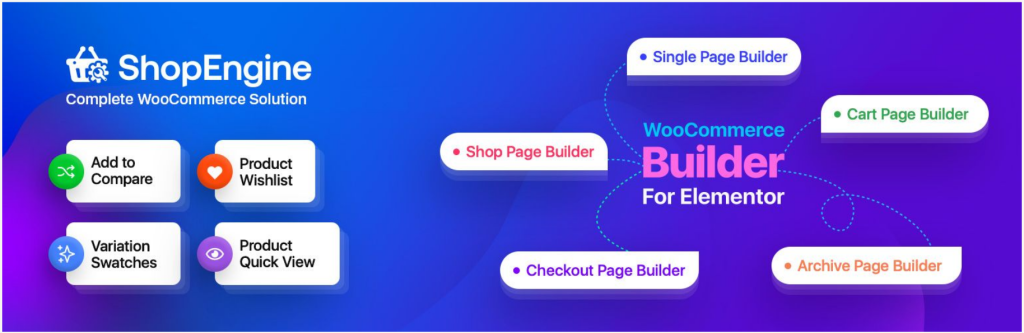
ShopEngine is a complete WooCommerce solution for Elementor and Gutenberg. Built with performance in mind, it simplifies the process of creating an online store with all the essential WooCommerce pages, including a cart page. With this plugin, you can design a WooCommerce cart page with elements like Cart Table, Cart Total, Cross-Sell, and Return to Shop.
But beyond the basic elements, you can design advanced cart pages with elements like advanced coupons, product carousels, filterable products, deal products, comparison buttons, flash sales, advanced search, and more.
Packed with a huge collection of ready-made templates, widgets, modules, and limitless customization possibilities, ShopEngine helps you create a smooth cart experience for the users.
Why use ShopEngine
ShopEngine not only provides a complete solution for cart pages, but it can also help you build a highly functional, complete WooCommerce site with 50+ templates, 70+ widgets, and 20+ modules.
You can design product pages, shop pages, shopping carts, checkout, quick checkout, and more with advanced WooCommerce features. Overall, it bridges the gap between default WooCommerce and advanced customizations, allowing users to build optimized and highly personalized stores.
Pros
- Available for both Elementor and Gutenberg.
- Categorized templates for WooCommerce cart page.
- Supports all WooCommerce payment methods.
- Performance-optimized, faster-loading plugin.
- Easy-to-use drag-and-drop interface
- 100% mobile responsive design elements.
- Professional support and continuous updates.
Cons
- Some advanced features may require premium versions
Key Features
- Cross-Sell Popup to showcase relevant recommendations.
- Display Recently Viewed Products for a personalized experience.
- Currency Switcher with real-time currency rates.
- Flash Sale Notifications to offer special discounts.
- Sticky Fly Cart for a flexible purchase experience.
- Show Best-selling Products to boost sales.
- Vacation mode for weekends and occasional off days.
Pricing Structure
ShopEngine is a freemium WordPress plugin. You can download the free version from WordPress.org, while the premium version starts at $59 for a single-site license valid for one year.
Ecwid Ecommerce Shopping Cart

The Ecwid Ecommerce Shopping Cart plugin allows you to add an online store to your WordPress site. It’s a powerful, user-friendly plugin that is compatible with Gutenberg. It’s used by over a million sellers across 175 countries and supports 45 languages. The plugin offers a range of payment options, including PayPal and Stripe, and provides real-time shipping integrations.
This plugin offers automated shipping and tax rates, the ability to sell on Facebook and Instagram, mobile apps for on-the-go management of your store, unlimited storage, regular backups, automatic upgrades, and superb support. It’s also PCI DSS validated and offers a mobile responsive design.
Why use Ecwid Ecommerce Shopping Cart
The Ecwid Ecommerce Shopping Cart is a comprehensive solution for anyone looking to sell products or services online. It’s easy to use, offers a wide range of features, and it’s fully compatible with any WordPress theme.
Pros:
- Ease of use
- Vast number of features
- High level of customer support
- Compatibility with a range of other plugins.
Key Features:
- Automated shipping and tax rates
- Ability to sell on social platforms like Facebook and Instagram
- Mobile apps for managing your store on-the-go
- Unlimited storage, regular backups, automatic upgrades
- Ability to sell on multiple websites
- Hundreds of extensions and powerful API
Pricing Structure
Ecwid offers a free plan that always available with no hidden setup charges or transaction fees. As your online shop grows, you can consider upgrading to one of their premium plans for more robust features and preferred support. You can check out their plan and pricing on their website.
Shopping Cart & eCommerce Store

The WP EasyCart Shopping Cart and eCommerce Store is one of the best WordPress shopping cart plugins you can use to easily sell your products, services, and digital downloads online. With its robust and intuitive features, you can have your online store up and running in minutes.
This plugin is beneficial for both small and large businesses that plan to sell both digital and physical products on their site. It allows you to organize your products into categories, add multiple product images, sell affiliate goods, accept payments via various methods, and much more.
Why use WP EasyCart
Its functionality extends beyond just eCommerce, allowing you to leverage other top-notch features such as SEO, social sharing, customer reviews, etc. With its easy to use nature, you do not need any prior coding knowledge to set it up.
Pros
- Easy to use, requiring no coding skills.
- A wide range of customization features.
- Ability to sell a vast range of products.
- Integrates with many payment gateways.
- Offers a mobile eCommerce app.
Cons
- The number of products you can manage with the free version is limited.
- Limited features in the free version.
Key Features
- Easy to use WordPress eCommerce Shopping Cart.
- Sell retail products, subscriptions, digital downloadable goods, gift cards, donations, services and more.
- Full Stripe support, allowing for subscription and recurring billing, as well as Apple Pay, Google Pay, and Microsoft Pay.
- Social media integration for selling products on Facebook and Instagram.
- 30+ payment solutions.
Pricing
- Free eCommerce Edition – Unlimited Products, Unlimited Orders, and sell with PayPal Express, Square, and Stripe.
- Professional eCommerce Edition – $69 per year with no additional fees.
- Premium eCommerce Edition – $99 per year with access to 10+ extensions and apps for Desktop, Tablet, iPhone, and Android.
Easy PayPal Shopping Cart

The WP EasyCart Shopping Cart and eCommerce Store is one of the best WordPress shopping cart plugins you can use to easily sell your products, services, and digital downloads online. With its robust and intuitive features, you can have your online store up and running in minutes.
This plugin is beneficial for both small and large businesses that plan to sell both digital and physical products on their site. It allows you to organize your products into categories, add multiple product images, sell affiliate goods, accept payments via various methods, and much more.
Why use WP EasyCart
Its functionality extends beyond just eCommerce, allowing you to leverage other top-notch features such as SEO, social sharing, customer reviews, etc. With its easy-to-use nature, you do not need any prior coding knowledge to set it up.
Pros
- Easy to use, requiring no coding skills.
- A wide range of customization features.
- Ability to sell a vast range of products.
- Integrates with many payment gateways.
- Offers a mobile eCommerce app.
Cons
- The number of products you can manage with the free version is limited.
- Limited features in the free version.
Key Features
- Easy to use WordPress eCommerce Shopping Cart.
- Sell retail products, subscriptions, digital downloadable goods, gift cards, donations, services and more.
- Full Stripe support, allowing for subscription and recurring billing, as well as Apple Pay, Google Pay, and Microsoft Pay.
- Social media integration for selling products on Facebook and Instagram.
- 30+ payment solutions.
Pricing
- Free eCommerce Edition – Unlimited Products, Unlimited Orders, and sell with PayPal Express, Square, and Stripe.
- Professional eCommerce Edition – $69 per year with no additional fees.
- Premium eCommerce Edition – $99 per year with access to 10+ extensions and apps for Desktop, Tablet, iPhone, and Android.
Jotform Shopping Cart

Transform your WordPress site into a dynamic e-commerce platform with the Jotform Shopping Cart plugin. Seamlessly integrate your Jotform payment forms with WordPress to create an efficient, user-friendly shopping cart experience.
Ideal for small to medium businesses, freelancers, and online educators, this plugin offers a straightforward way to sell products, subscriptions, and services directly from your website.
Why Use the Jotform Shopping Cart Plugin?
- User-Friendly: Streamlines the shopping experience for your customers, making it easier to browse, select, and purchase products or services.
- Flexible and Versatile: Whether you’re selling physical goods, digital downloads, or subscriptions, this plugin adapts to your needs.
- No Transaction Fees: Jotform does not charge additional transaction fees, allowing you to keep more of your earnings.
- Rapid Setup: Get your online store up and running quickly without the need for specialized technical knowledge.
Pros:
- Versatile payment integration
- High level of customization
- Secure and reliable
- Comprehensive product management tools
Cons:
- Requires a Jotform account and may necessitate a subscription for advanced features.
- Might be overwhelming for beginners due to its extensive customization options.
Key Features:
- Easy Integration: Connect Jotform forms to your WordPress site with minimal effort, no coding required.
- Customizable Forms: Design your shopping cart and payment forms to match your brand, with extensive customization options.
- Multiple Payment Gateways: Supports a wide range of payment processors such as PayPal, Stripe, and Square, facilitating global transactions.
- Product and Inventory Management: Add, manage, and track products or services with ease. Set quantities, custom attributes, and images for each item.
- Discounts and Coupons: Implement promotional strategies by offering discounts and coupons directly through your checkout process.
- Secure Transactions: Ensures the security of your transactions with SSL encryption, complying with PCI standards.
- Responsive Design: Mobile-friendly forms that look great and function flawlessly across all devices.
- Analytics and Reporting: Access detailed insights into your sales performance, customer behavior, and form submissions.
Pricing Structure
The Jotform Shopping Cart plugin is available as part of Jotform’s pricing plans. The Starter plan is free and allows up to 10 payments per month. The Bronze, Silver, and Gold plans are priced at $24, $29, and $79 per month respectively, and allow for more payments and other additional features.
Easy Digital Downloads
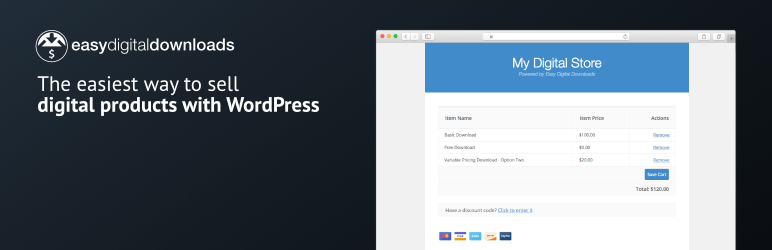
The Easy Digital Downloads plugin is a powerful e-commerce solution for WordPress sites. It is designed specifically for selling digital products, making it an ideal choice for businesses that deal with software, documents, photographs, music, eBooks, graphics, videos, and other types of digital media. The plugin provides an easy-to-use platform that allows you to start selling within minutes.
This plugin is useful as it provides unlimited transactions, unlimited products, and no hidden listing fees. It combines powerful features with simplicity, making it an affordable option for businesses of all sizes. It comes with a complete shopping cart where customers can browse products, add items to their cart, and checkout when ready.
Why use Easy Digital Downloads
Easy Digital Downloads offers a highly customizable and clean checkout process, detailed eCommerce reports, secure file protection, and discount codes. It also supports multiple payment gateways, including Stripe and PayPal, making it convenient for customers worldwide.
Pros:
- Unlimited transactions and products
- Supports multiple payment gateways
- Highly customizable checkout process
- Detailed eCommerce reports
- Secure file protection
- Supports discount codes
Cons:
- Primarily designed for digital products, which may not suit all business types
- Some of the advanced features are available only in the Pro version
Key Features:
- Complete shopping cart
- Flexible payment methods
- Highly customizable and clean checkout
- Complete customer management
- Detailed eCommerce reports
- Secure file protection
- Discount codes
- Works with any WordPress theme
- Localized for multiple languages
- Support for multiple payment gateways
Pricing Structure
Easy Digital Downloads offers a free version with basic features. For advanced features, there are three pricing plans: Personal Pass ($99 per year), Extended Pass ($199 per year), and Professional Pass ($299 per year). The pricing is based on the number of sites you want to use the plugin on and the features you need.
How to Choose the Right WordPress Shopping Cart Plugins
Are you getting confused about which WordPress Shopping Cart Plugin to select? Choosing the right WordPress Shopping Cart Plugin is crucial for the success of your eCommerce website. Here’s a step-by-step guide to help you make an informed decision:
- Identify Your Needs
Begin by clearly defining your eCommerce requirements. Consider factors such as the type of products or services you sell, the volume of sales you expect, your preferred payment gateways, shipping options, inventory management needs, and any specific features you require. - Research Available Plugins
Explore the wide range of WordPress Shopping Cart Plugins available in the market. Read reviews, browse plugin directories, and seek recommendations from other website owners or eCommerce experts. Pay attention to factors such as user ratings, number of active installations, and developer reputation. - Compatibility
Ensure that the plugin is compatible with your WordPress theme and other plugins installed on your website. Compatibility issues can lead to technical glitches and affect the performance and functionality of your eCommerce store. - Features and Functionality
Evaluate the features and functionality offered by each plugin. Look for essential features such as customizable product catalogs, flexible pricing options, secure payment processing, support for multiple currencies and languages, mobile responsiveness, and SEO optimization. - User Interface
Assess the user interface of the plugin from both the admin and customer perspectives. A user-friendly interface will make it easier for you to manage your store and for your customers to navigate, browse products, and complete purchases without encountering any usability issues. - Security
Security is paramount when handling sensitive customer information and processing online payments. Choose a plugin that offers robust security features, such as SSL encryption, PCI compliance, and protection against fraud and data breaches. - Support and Documentation
Check the level of support provided by the plugin developer. Look for plugins with active support forums, comprehensive documentation, video tutorials, and responsive customer support channels. Prompt and reliable support can save you time and frustration when troubleshooting issues or seeking assistance. - Scalability
Consider the scalability of the plugin to accommodate the growth of your eCommerce business. Choose a solution that can scale with your needs and handle increased traffic, product catalog expansion, and additional features as your business evolves. - Cost
Evaluate the pricing structure of the plugin, including any upfront costs, licensing fees, transaction fees, and ongoing maintenance expenses. Choose a plugin that offers good value for money based on your budget and the features it provides. - Trial Period or Demo
Whenever possible, take advantage of trial periods or demos offered by plugin developers to test the functionality and performance of the plugin before making a final decision. This hands-on experience will help you assess whether the plugin meets your expectations and fulfills your eCommerce requirements effectively.
By following these steps and conducting thorough research, you can confidently choose the right WordPress Shopping Cart Plugin that aligns with your business goals and helps you create a successful eCommerce store.
Final Word
In conclusion, choosing the best WordPress shopping cart plugin involves evaluating your business needs and aligning them with the features offered by these plugins. WooCommerce stands out for its extensive features and customizability, while the WordPress Simple Shopping Cart is ideal for small to medium-sized businesses due to its simplicity. Ecwid Ecommerce Shopping Cart is praised for its wide range of features and compatibility.
WP EasyCart is notable for its user-friendly nature, while the Easy PayPal Shopping Cart is a reliable choice for quick setup. Jotform Shopping Cart is acknowledged for its efficient order tracking system. Lastly, Easy Digital Downloads is the go-to plugin for digital goods. Try out these plugins, read more detailed reviews, and engage with us through comments or sharing your experiences.
FAQs
- Can I Use WordPress Shopping Cart Plugins for Digital Products Only?
Yes, many WordPress Shopping Cart Plugins, such as Easy Digital Downloads and Sell Digital Downloads, specialize in selling digital products like e-books, software, music, and videos. These plugins offer features tailored to digital goods, such as file delivery, license key management, and content restriction. - Are WordPress Shopping Cart Plugins Compatible with Different Payment Gateways?
Yes, most WordPress Shopping Cart Plugins support integration with a wide range of payment gateways, including PayPal, Stripe, Square, Authorize.Net, and more. Before choosing a plugin, ensure that it supports your preferred payment gateway to offer seamless and secure transactions to your customers. - Do WordPress Shopping Cart Plugins Offer Inventory Management Features?
Many WordPress Shopping Cart Plugins include built-in inventory management features to help you track stock levels, manage product variations, set up low stock notifications, and synchronize inventory across multiple sales channels. Popular plugins like WooCommerce and Shopify offer robust inventory management capabilities. - Are WordPress Shopping Cart Plugins SEO-friendly?
Yes, most WordPress Shopping Cart Plugins are designed with SEO in mind and offer features to optimize your eCommerce website for search engines. Look for plugins that allow you to customize meta tags, generate SEO-friendly URLs, optimize product images, and integrate with popular SEO plugins like Yoast SEO for maximum visibility and ranking potential. - Can I Integrate WordPress Shopping Cart Plugins with Email Marketing Platforms?
Yes, many WordPress Shopping Cart Plugins support integration with popular email marketing platforms like Mailchimp, Constant Contact, and AWeber. These integrations allow you to capture customer email addresses during checkout, segment your audience, and automate email marketing campaigns to drive repeat purchases and engage with your customers effectively.


