Whether you’re launching your first WooCommerce store or managing dozens for clients, choosing the right payment gateway is one of the most critical decisions you’ll make. The right solution doesn’t just let you accept payments in WooCommerce. It helps you scale, improve customer trust, and meet global demand with secure WooCommerce payments.
With hundreds of WooCommerce payment options available, how do you pick the one that suits your store’s goals, region, and revenue model?
This comparison breaks down the 10 best WooCommerce payment gateways of 2026, covering fees, features, supported regions and ideal use cases, so you can integrate smarter and sell faster. Whether you’re targeting local buyers or planning international expansion, this guide has you covered.
Table of Contents
What Is a Payment Gateway in WooCommerce?
A payment gateway is the bridge between your WooCommerce store and your customer’s payment method, handling sensitive data, authorizing transactions, and ensuring secure money transfers. Whether you sell physical goods, digital downloads, or subscriptions, a payment gateway is what enables you to accept payments in WooCommerce safely and efficiently.
There are typically two types of WooCommerce payment gateways:
- Direct (On-site): Payments are processed directly within your store. Customers stay on your domain, and security (like PCI compliance) is your responsibility.
Example: Stripe. - Redirect (Off-site): Customers are sent to the gateway’s platform to complete payment. This reduces your liability but adds one more step in the checkout. Example: PayPal.
The right choice depends on your product type, traffic volume, and whether you prioritize a seamless checkout or outsourced security.
As you evaluate WooCommerce payment options, it’s crucial to choose WooCommerce payment gateways that align with your store’s workflow, customer expectations, and regional requirements.
How to Choose the Best WooCommerce Payment Gateway
When evaluating WooCommerce payment gateways, it’s tempting to go with the most popular name. But not all WooCommerce payment gateways are equal, and what works for one store may not suit another. Whether you’re optimizing for conversion rates, targeting international buyers, or managing multiple client stores, here are the key factors to weigh:
Transaction Fees and Pricing
Some WooCommerce payment gateways charge flat fees per transaction (e.g. 2.9% + $0.30), while others impose monthly subscription costs or higher rates for international payments. If your store handles high-volume or cross-border sales, selecting the wrong provider could eat into profits. When volume outgrows a single provider, payment orchestration on Whop can route each charge across several partner providers and retry a declined payment through another one.
Supported Payment Methods
Today’s buyers expect options: credit/debit cards, digital wallets, BNPL, crypto, and more. Make sure your WooCommerce gateway supports multiple WooCommerce payment methods, especially those preferred by your target market.
Regional & Currency Support
Planning to scale your WooCommerce store globally? Prioritize WooCommerce payment gateways that support multiple currencies and countries. Tools like PayPal, Stripe, and Alipay are top picks for international WooCommerce payment gateways.
Look for multi-currency checkout support and localized payment types.
Integration and Ease of Use
A good WooCommerce gateway should integrate smoothly with WooCommerce, with no excessive coding or third-party apps. Choose plugins that allow quick setup, sandbox testing, and easy refund or dispute handling.
Security and Fraud Protection
Payment security builds customer trust. Make sure the gateway offers PCI DSS compliance, tokenization, SSL encryption, and fraud detection features. Gateways like Authorize.net and Stripe provide advanced fraud filters and risk monitoring tools for secure WooCommerce payments.
Best WooCommerce Payment Gateways in 2026
Here are some of the best WooCommerce payment gateways that you should try in 2026 to streamline the payment process.
1. WooCommerce Payments (WooPayments)
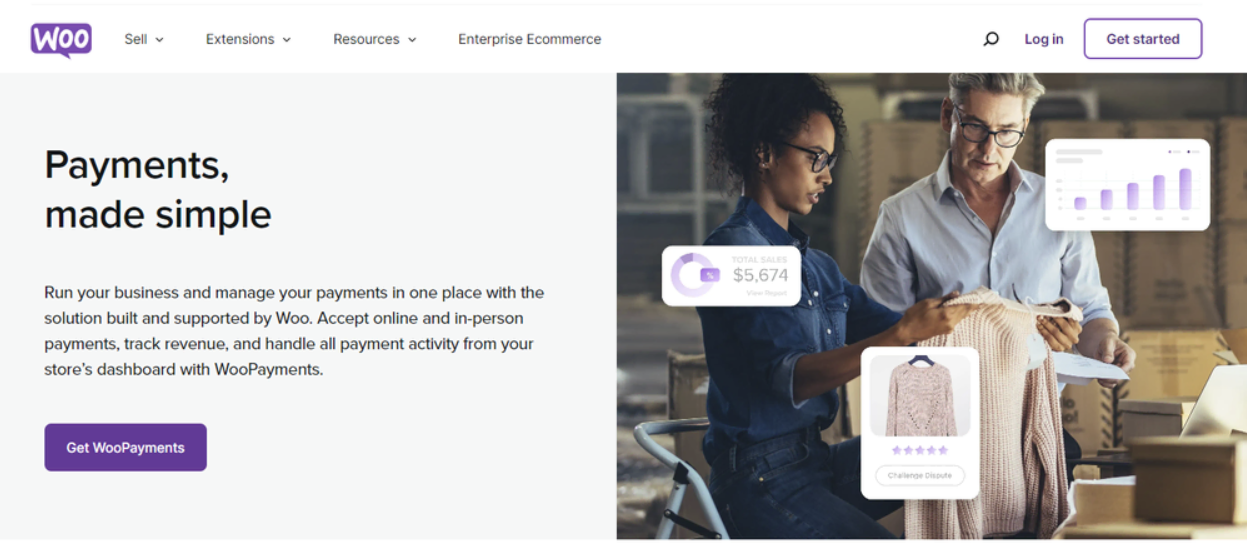
If you’re setting up a store with WooCommerce and want a payment gateway that blends natively into your dashboard, WooCommerce Payments is hard to beat. Developed by Automattic (the team behind WordPress and WooCommerce), it provides a seamless experience for merchants who want simplicity without sacrificing flexibility.
As one of the easiest WooCommerce payment gateways to configure, it allows you to accept payments without third-party redirects or technical hurdles.
This payment solution supports 135+ currencies, making it viable for localized pricing in supported countries. With no monthly fees and competitive transaction rates, WooPayments is particularly suitable for U.S. and EU-based stores.
Store owners can manage refunds, payouts, and disputes right inside their dashboard, making it one of the best WooCommerce payment gateway choices for agencies managing multiple clients. It also supports modern WooCommerce payment methods like Apple Pay and Google Pay, helping you cater to today’s customer preferences.
Supported Transactions and Currency Handling
WooPayments lets you accept payments in WooCommerce in 135+ currencies. However, it’s currently available in only 38 countries (mainly North America and Europe), so its scope as an international WooCommerce payment gateway is somewhat limited.
Standard transaction fees are 2.9% + $0.30 for domestic U.S. cards, with no additional setup or monthly fees. This makes WooPayments a predictable and affordable option for stores with stable, local customer bases.
Key Features That Streamline Checkout
Here’s what makes WooPayments one of the most user-friendly WooCommerce payment options:
- Native dashboard management: Handle payouts, transactions, and refunds directly in WooCommerce.
- Support for wallets: Accept Apple Pay, Google Pay, and other digital wallets natively.
- Tap to Pay feature: Accept in-person payments using just your mobile phone, ideal for events or pop-up stores.
- One-click checkout: Return customers can save payment details for faster purchases.
- No monthly fees: Transparent pay-as-you-go pricing helps reduce overhead.
- Buy Now, Pay Later: BNPL is supported in certain regions, increasing order value.
Built-in Security and Fraud Protection
When it comes to securing WooCommerce payments, WooPayments has you covered. It’s fully PCI-compliant, uses secure tokenization, and encrypts all transaction data.
Since customers complete payments directly on your store, you maintain control of the user experience without compromising safety. Additionally, dispute and chargeback management is available right inside your WordPress dashboard.
Integration and Developer Experience
Because WooPayments is built by the creators of WooCommerce, the integration is seamless. There’s no need to fiddle with API keys or developer configurations. It works out-of-the-box and integrates effortlessly with popular WooCommerce plugins like Subscriptions, Deposits, and Pre-Orders.
Limitations and Considerations
Despite its advantages, WooPayments does have a few limitations:
- Geographical limitations: Available in only 38 countries; unsupported in Asia, Africa, and most of APAC.
- No built-in recurring payments: Requires the paid WooCommerce Subscriptions plugin for subscription billing.
- Limited multi-vendor support: Not ideal for marketplace setups using tools like Dokan or WC Vendors.
- Not suitable for global-first businesses: International merchants should consider Stripe or PayPal instead.
2. PayPal

A household name in digital payments, PayPal remains one of the most popular WooCommerce payment gateways for both merchants and customers. Its global reach, brand trust, and frictionless checkout experience make it ideal for e-commerce stores that want to start accepting payments quickly. For many new businesses, it’s often the first choice when evaluating WooCommerce payment options.
With availability in over 200 countries and support for 25+ currencies, PayPal is a versatile solution for businesses looking to expand beyond borders. It supports a wide variety of WooCommerce payment methods such as credit cards, debit cards, bank transfers, and wallet payments, all without customers needing to enter card details.
Using the official PayPal for WooCommerce plugin, store owners can enable Express Checkout, PayPal Invoicing, and even offer pay-later options to boost conversions.
If your clients are looking for a globally recognized, secure WooCommerce payments gateway with fast onboarding, PayPal fits the bill perfectly.
Supported Transactions and Currency Handling
PayPal is one of the few international WooCommerce payment gateways that supports 200+ countries and 25 currencies right out of the box. It handles automatic currency conversions, multi-currency pricing, and is fully compatible with local wallets in select markets.
Domestic transaction fees typically start at 2.9% + a fixed fee per transaction. International payments incur an additional 1.5% fee plus a currency conversion markup, which can make it less cost-effective for global businesses with thin margins.
Key Features That Streamline Checkout
PayPal’s familiarity and user convenience are unmatched:
- Express Checkout: Let customers complete purchases using their PayPal balance or saved cards with just a login.
- Invoicing tools: Generate professional invoices with flexible payment options and track payment status.
- PayPal.Me links: Accept payments via custom shareable links, great for service providers and freelancers.
- Buyer and seller protection: Safeguard both ends of the transaction with fraud monitoring and dispute resolution.
- Pay Later options: Allow customers to split payments without affecting your cash flow.
- POS support: Accept in-person payments with PayPal Zettle and sync data with WooCommerce.
Built-in Security and Fraud Protection
When it comes to secure WooCommerce payments, PayPal excels through its hosted checkout experience. Since users are redirected to PayPal’s environment for login and confirmation, sensitive data never touches your server.
Combined with 24/7 fraud monitoring, anti-phishing technologies, and chargeback assistance, it builds strong trust with cautious buyers.
Integration and Developer Experience
The official PayPal plugin integrates easily with WooCommerce and supports features like Smart Buttons, one-touch payments, and subscription billing.
It’s highly recommended for agencies building sites where ease of use, quick deployment, and international compatibility are top priorities. No coding is required for setup, and clients can begin accepting payments within minutes of activation.
Limitations and Considerations
Despite its wide appeal, PayPal isn’t perfect for every store:
- High international fees: Extra charges on non-domestic transactions can reduce profit margins.
- Limited custom branding: Checkout pages are hosted externally, reducing control over UX.
- Customer account required for some methods: Users must log in to PayPal for many actions, which may deter casual buyers.
- Inconsistent support experience: Some merchants report delays in dispute resolution or account limitations.
3. Stripe
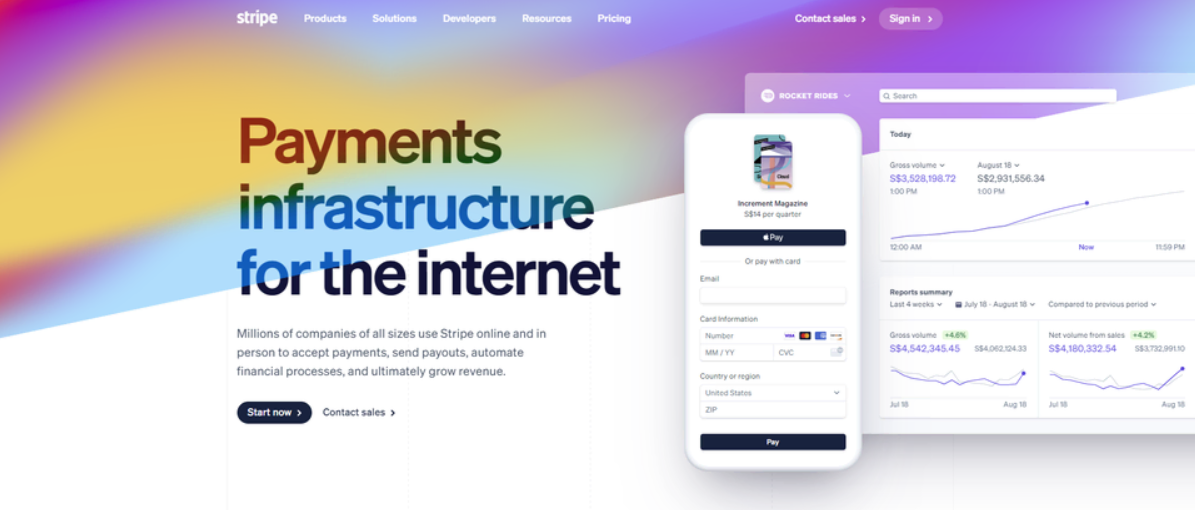
Stripe is one of the most widely used WooCommerce payment gateways, known for its developer-friendliness, broad international reach, and support for an impressive variety of payment methods.
With availability in over 45 countries and support for more than 135 currencies, Stripe is a go-to choice for WooCommerce stores aiming to scale globally. It offers a flexible API that enables customization at every level, from one-click checkouts to embedded subscriptions and tax automation.
Unlike native WooCommerce Payments, Stripe is a third-party solution that integrates via the WooCommerce Stripe payment gateway plugin. But despite being external, its checkout flow remains clean and intuitive for end users. Stripe also excels in providing secure WooCommerce payments, with built-in fraud prevention powered by machine learning and full PCI DSS compliance.
If you’re looking for the best WooCommerce payment gateway for international stores or enterprise-grade stores, Stripe deserves serious consideration.
Supported Transactions and Currency Handling
Stripe supports WooCommerce payment options in 135+ currencies and is available in over 45 countries. This makes it one of the most reliable international WooCommerce payment gateways for agencies working with a global clientele.
The default transaction fee is 2.9% + $0.30 per successful card transaction (in the U.S.), with varying international and currency conversion charges depending on the region.
Stripe also supports automatic currency conversion and local payment rails like iDEAL, Bancontact, and SEPA, helping increase conversion rates in region-specific markets.
Key Features That Streamline Checkout
Stripe provides an enterprise-grade payment infrastructure that works just as well for startups:
- Multiple payment method support: Accepts credit/debit cards, wallets (Apple Pay, Google Pay), ACH, and regional methods like Alipay, iDEAL, and Klarna.
- One-click checkout: Customers can securely save cards for fast repeat purchases.
- Recurring billing & subscriptions: Built-in support for complex billing cycles and SaaS models.
- Advanced tax tools: Automates tax collection based on customer location and product type.
- Custom payment flows: With Stripe Elements, developers can design fully branded, embeddable checkouts.
- Invoice and link payments: Generate payment links or invoices for manual billing or service-based sales.
Built-in Security and Fraud Protection
Stripe is built with security-first principles. It is fully PCI DSS Level 1 compliant, uses tokenization and end-to-end encryption, and includes Stripe Radar, an intelligent fraud detection system trained on billions of global transactions. Additionally, 3D Secure is automatically applied to risky transactions to minimize chargebacks, making Stripe a trusted name for secure WooCommerce payments.
Integration and Developer Experience
Stripe shines when it comes to extensibility. Its official WooCommerce plugin is easy to set up for non-developers, but developers can go deeper with API access, webhooks, and Stripe’s CLI. It also integrates smoothly with WooCommerce Subscriptions, Pre-Orders, and other plugins, making it an ideal solution for stores requiring fine-tuned control over WooCommerce payment methods.
Limitations and Considerations
Stripe is powerful but not without trade-offs:
- Complex setup for advanced features: Customizing beyond the default plugin may require developer support.
- Extra charges for add-ons: Using premium features like Terminal or custom domains incurs additional monthly fees.
- Limited availability in some emerging markets: Not all countries are supported for merchant accounts.
- High fees for currency conversion: International WooCommerce stores may face additional costs if selling in multiple currencies.
4. Square

Square is a well-known name in retail point-of-sale systems, but it also offers a robust solution for online sellers through its WooCommerce payment gateway integration. Ideal for merchants who operate both physical stores and online shops, Square seamlessly syncs inventory, payments, and customer data across both platforms.
As one of the most versatile payment gateways for WooCommerce, it supports card payments, digital wallets, gift cards, and even contactless mobile transactions.
While Square’s strength lies in in-person retail, its integration with WooCommerce bridges the gap between offline and online selling, perfect for agencies building sites for boutiques, restaurants, or appointment-based businesses. It’s also a strong option for developers seeking smooth WooCommerce payment methods with built-in hardware compatibility.
With no chargeback fees and PCI-compliant transactions, Square delivers reliable and secure WooCommerce payments, backed by excellent UX and a clear pricing model. It’s a go-to gateway for hybrid stores needing centralized payment and product management.
Supported Transactions and Currency Handling
Square supports payments in local currencies across 8 regions, including the U.S. UK, Canada, Australia, France, Spain, Ireland, and Japan. While not as globally available as Stripe or PayPal, it covers major markets with stable infrastructure. The standard fee is 2.9% + $0.30 per online transaction, with different rates for in-person card swipes.
It doesn’t currently support multi-currency checkout on WooCommerce stores, which may limit its effectiveness as an international WooCommerce payment gateway. However, for region-specific businesses, it’s highly dependable.
Key Features That Streamline Checkout
Square is especially strong in omnichannel use cases:
- Inventory sync: Connect your physical and WooCommerce stores for real-time product and stock updates.
- Support for digital wallets: Accept Apple Pay, Google Pay, and Square gift cards.
- Built-in appointment and booking tools: Ideal for service-based businesses with scheduling needs.
- No chargeback fees: Dispute resolution comes without extra financial risk.
- Mobile POS: Accept in-person payments with Square Reader or Tap to Pay.
- Flexible product support: Sell physical goods, subscriptions, services, or donations with ease.
Built-in Security and Fraud Protection
As with other top WooCommerce payment gateways, Square is PCI DSS compliant and offers end-to-end encryption for all transactions. What sets it apart is the absence of chargeback fees: businesses won’t be penalized financially if a dispute arises.
Square also uses risk assessment tools that monitor real-time payment activity to prevent fraud before it happens, ensuring secure WooCommerce payments across all channels.
Integration and Developer Experience
Square’s official plugin for WooCommerce makes integration fairly straightforward. Setup is simple and well-documented, allowing non-developers to start accepting payments quickly. However, for more advanced workflows (such as syncing subscriptions, loyalty programs, or custom checkouts), developers may need to tap into Square’s API and developer tools.
Its strength lies in creating a unified ecosystem, so if your client already uses Square in-store, adding WooCommerce support is a natural extension.
Limitations and Considerations
While Square offers many strengths, it does have some caveats:
- Limited country support: Only available in select regions (U.S. UK, Canada, Australia, etc.).
- No multi-currency support: Not ideal for global stores or cross-border checkout.
- Subscription support requires add-ons: Recurring billing needs integration with WooCommerce Subscriptions.
- Not optimized for online-only brands: Its strongest value comes from hybrid or physical retailers.
5. Authorize.net
A veteran in the payments industry, Authorize.net is one of the most established and secure WooCommerce payment gateways available today. Backed by Visa, it powers over 400,000 merchants worldwide and is particularly well-regarded for its robust fraud prevention tools, advanced billing options, and support for a wide range of WooCommerce payment methods.
Unlike Stripe or PayPal, Authorize.net offers two modes: All-in-One (gateway + merchant account) or Gateway-Only (for those with an existing merchant account). This flexibility makes it a great choice for medium to large businesses that want full control over how they accept payments in WooCommerce, including credit cards, eChecks, and digital wallets.
For agencies managing WooCommerce stores with complex billing, high-volume transactions, or recurring services, Authorize.net is often considered the best WooCommerce payment gateway for scaling securely while maintaining high performance and compliance.
Supported Transactions and Currency Handling
Authorize.net is available in the United States, Canada, the United Kingdom, Australia, and parts of Europe. It supports 11 currencies, making it moderately capable as an international WooCommerce payment gateway, though not as flexible as Stripe.
The typical transaction fee is 2.9% + $0.30 per credit card payment, along with a $25 monthly gateway fee. For businesses with high-volume processing, volume discounts may apply. Support for eChecks adds another layer of flexibility for U.S.-based customers.
Key Features That Streamline Checkout
Authorize.net offers enterprise-grade features that many WooCommerce gateways don’t:
- Multiple payment options: Accepts cards, digital wallets, and eChecks natively.
- Customer Information Manager (CIM): Store and tokenize payment info securely for faster repeat checkouts.
- Recurring billing: Easily manage subscription products or membership payments.
- Advanced fraud filters: Prevent suspicious transactions based on IP, amount, velocity, and more.
- In-person payment support: POS integrations available for hybrid retailers.
- Custom checkout forms: Full control over form design and validation via the plugin or API.
Built-in Security and Fraud Protection
When it comes to secure WooCommerce payments, Authorize.net leads with its Advanced Fraud Detection Suite (AFDS), a powerful toolkit to minimize chargebacks and fraudulent activity.
The gateway is PCI DSS compliant and supports tokenization, SSL encryption, and 3D Secure integrations for high-risk transactions. This makes it particularly appealing for stores that sell high-ticket items or process sensitive data.
Integration and Developer Experience
The official Authorize.net WooCommerce plugin is highly configurable and offers smooth integration with WooCommerce core and premium extensions. Developers can also tap into the extensive API for building custom checkout workflows, handling subscription logic, or integrating with CRMs and ERP systems.
The gateway also works well with plugins like WooCommerce Subscriptions and WooCommerce Deposits, offering rich flexibility to agencies.
Limitations and Considerations
Despite its enterprise appeal, there are a few drawbacks to note:
- Monthly gateway fee: $25/month, even before processing costs, makes it less attractive for small stores.
- Limited currency support: Only 11 currencies are supported, which may restrict international expansion.
- Not beginner-friendly: Requires more configuration than Stripe or PayPal.
- Some features are U.S.-centric: eChecks and certain fraud filters are region-specific.
6. Amazon Pay
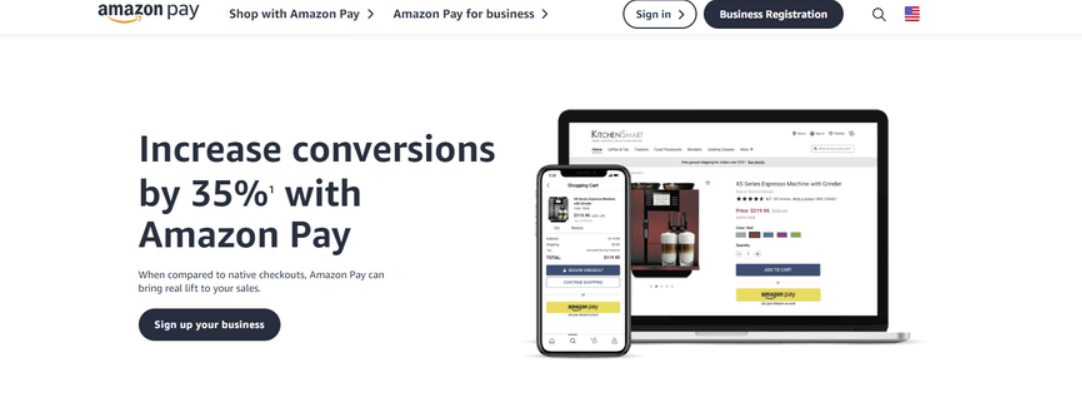
If you’re building WooCommerce stores for clients who want to offer a familiar, trusted checkout experience, Amazon Pay is a smart choice. It lets customers complete purchases using payment and shipping details already stored in their Amazon account, reducing friction and boosting conversions.
For shoppers, it feels as seamless as buying from Amazon itself. For merchants, it’s a low-maintenance way to offer a fast, secure, and mobile-optimized checkout without requiring login or registration.
Amazon Pay integrates smoothly with WooCommerce via its official plugin and supports both digital and physical product sales. While not as flexible as Stripe in terms of customization, it’s one of the best WooCommerce payment gateways for U.S. U.K. and EU-based stores that want to tap into Amazon’s existing customer base.
It’s not the most versatile of international WooCommerce payment gateways, but for regions where Amazon is dominant, it significantly improves trust, conversions, and checkout speed.
Supported Transactions and Currency Handling
Amazon Pay is available in 18 countries, including the U.S. U.K. Germany, and Japan. It supports 12 major currencies, including USD, GBP, and EUR, but lacks broad global support, making it a more region-specific solution.
There are no monthly fees, and the transaction cost is a flat 2.9% + $0.30 per domestic sale. For cross-border transactions, additional currency conversion fees may apply. Unlike Stripe, Amazon Pay doesn’t support full multi-currency pricing within WooCommerce.
Key Features That Streamline Checkout
Amazon Pay offers a seamless and trusted buying experience:
- One-click checkout: Customers use stored Amazon credentials, eliminating registration steps.
- Mobile-first experience: Optimized for smartphones and voice-assisted shopping via Alexa.
- Multi-device compatibility: Works across mobile, desktop, and even smart TVs.
- Recurring payments support: Built-in compatibility with WooCommerce Subscriptions for automatic billing.
- Pre-order and installment options: Allow flexible payment types like deferred charges or split payments.
- Built-in fraud tools: Amazon’s own risk engine flags and blocks suspicious activity.
Built-in Security and Fraud Protection
As you’d expect, Amazon Pay delivers high-standard, secure WooCommerce payments backed by Amazon’s own security infrastructure. All transactions are encrypted, tokenized, and PCI-compliant. Merchants benefit from Amazon’s A-to-Z Guarantee, which includes fraud protection, chargeback coverage, and automated resolution support for disputes.
For customers, the familiar login increases trust during checkout, especially in new or niche eCommerce stores.
Integration and Developer Experience
Amazon Pay’s WooCommerce plugin is plug-and-play and doesn’t require advanced setup. That said, customization is limited compared to Stripe or Authorize.net. Developers looking to tweak checkout logic or build custom payment flows may find Amazon Pay restrictive.
It works best out of the box with WooCommerce Subscriptions and offers official support for logged-in checkout and saved payment profiles.
Limitations and Considerations
While Amazon Pay excels in trust and simplicity, it’s not ideal for every use case:
- Limited regional availability: Only 18 countries supported, excluding many key markets.
- Amazon account required: Customers must log in with an existing Amazon account to pay.
- Not fully customizable: Less developer control over checkout appearance and flow.
- Brand identity overlap: Checkout feels like Amazon’s, not yours, which may affect brand experience.
7. Apple Pay

For WooCommerce stores with a mobile-first audience or a high volume of Apple device users, Apple Pay is a compelling addition to your checkout stack. It enables lightning-fast payments via iPhones, iPads, Macs, and Apple Watches, with no card entry required.
With Face ID or Touch ID authentication, it offers a frictionless experience that enhances both speed and security. Though Apple Pay itself isn’t a standalone plugin, it works through payment gateways for WooCommerce like Stripe or WooCommerce Payments.
From a user’s perspective, Apple Pay is nearly invisible. It simplifies the act of buying to a single gesture. For store owners, it’s a way to accept payments in WooCommerce securely while reducing cart abandonment.
Agencies working with fashion, tech, or mobile-heavy D2C brands will find Apple Pay to be one of the best WooCommerce payment gateways to improve mobile conversions without changing their stack.
Supported Transactions and Currency Handling
Apple Pay supports 80+ currencies and is available in over 80 countries, but only through partner gateways like Stripe or Square. It doesn’t process payments independently, so you’ll need to enable it via a Stripe or WooCommerce Payments setup.
There are no additional fees for using Apple Pay itself. The underlying transaction fee is determined by the integrated gateway (e.g. Stripe’s 2.9% + $0.30). That makes Apple Pay an easy enhancement to your existing WooCommerce payment methods without altering your billing structure.
Key Features That Streamline Checkout
Apple Pay is all about speed, security, and mobile UX:
- One-tap checkout: Customers complete purchases with a fingerprint or facial scan.
- Works across Apple devices: Supports Safari browser, iOS apps, and macOS checkouts.
- No forms, no friction: Billing, shipping, and card info are autofilled from Apple Wallet.
- Pay Later feature: Split payments into interest-free installments (U.S. only).
- Tap to Pay for POS: Accept contactless payments via iPhone (no card reader needed).
- Improves mobile conversions: Reduces checkout abandonment on smaller screens.
Built-in Security and Fraud Protection
Apple Pay is one of the most secure WooCommerce payment gateways available. Each transaction uses a device-specific token and dynamic security code, so your store never handles actual card numbers.
Combined with Apple’s biometric authentication (Face ID/Touch ID), this ensures both convenience and fraud protection. Since it’s embedded within Stripe or WooPayments, all PCI DSS compliance is handled by the gateway provider.
Integration and Developer Experience
You can’t install Apple Pay as a standalone plugin; instead, you enable it through Stripe, WooCommerce Payments, or Square. For most WooCommerce agencies, this makes deployment fast and effortless.
Developers have minimal configuration to handle. It auto-detects eligible devices and shows the Apple Pay button where appropriate. However, if you’re looking to customize button behavior or create dynamic checkout logic, Stripe’s SDKs offer some flexibility.
Limitations and Considerations
While Apple Pay is excellent for the right audience, it has a few constraints:
- Apple-only user base: Doesn’t work for Android or Windows users.
- Limited global adoption: Availability varies depending on banks and countries.
- Requires gateway integration: Must be activated through Stripe, WooPayments, etc.
- Low usage outside North America and Western Europe: May not move the needle in other regions.
8. Alipay
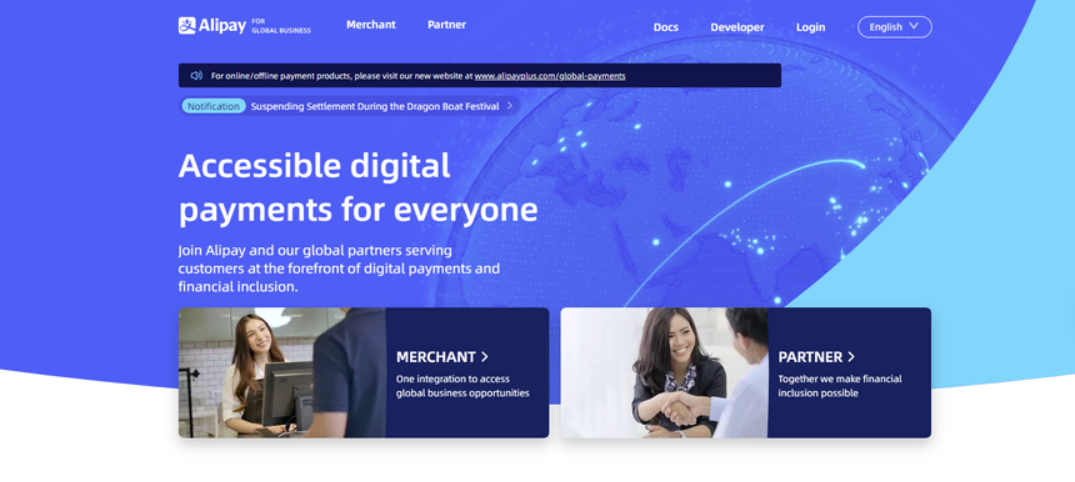
Alipay is China’s most dominant digital wallet and one of the most important WooCommerce payment gateways for merchants targeting the East Asian market. Owned by Alibaba Group, Alipay processes billions of transactions annually and is trusted by over 1.3 billion users globally, making it an essential addition for WooCommerce stores aiming to expand into China or serve Chinese-speaking customers.
Alipay doesn’t require credit cards; instead, it uses QR codes, mobile wallets, and direct bank connections, enabling WooCommerce payment methods tailored to the Chinese consumer. It integrates with WooCommerce through plugins provided by Stripe, PayPal, or dedicated Alipay partners.
For agencies building cross-border eCommerce experiences, Alipay can be the best WooCommerce payment gateway for capturing revenue in Asia while offering familiar, secure options to customers.
Supported Transactions and Currency Handling
Alipay supports 27 global currencies and is operational in 110+ countries, but its infrastructure is primarily optimized for Chinese customers and transactions. It works best when paired with a local payment processing partner (like Stripe) that handles currency conversion and payout.
The typical transaction fee is around 3%, and many WooCommerce plugins charge a monthly fee to enable Alipay support. While it’s not the most flexible international WooCommerce payment gateway, it’s arguably the most essential one for businesses focused on entering the Chinese market.
Key Features That Streamline Checkout
Alipay’s technology is optimized for convenience and speed:
- QR code payments: Customers scan a code to complete checkout instantly on mobile.
- Scan to bind: Bind Alipay to devices like smart TVs and consoles for seamless payment.
- User-presented mode: Customer displays a dynamic QR code for the merchant to scan.
- Supports major Chinese banks: Works with UnionPay, WeBank, and other domestic institutions.
- Integration with other platforms: Alipay works via Stripe, PayPal, or direct SDK.
- Escrow service: Holds funds until both parties confirm the transaction, reducing risk.
Built-in Security and Fraud Protection
Alipay places heavy emphasis on transaction security, identity verification, and escrow protection. Transactions are encrypted, and fraud detection is powered by machine learning systems.
That said, unlike Western secure WooCommerce payments systems backed by entities like Visa or MasterCard, Alipay is not FDIC-insured or covered by Western dispute frameworks.
Still, for Chinese customers, it’s one of the most trusted payment systems, making it a smart choice for cultural and market alignment.
Integration and Developer Experience
Alipay can be enabled on WooCommerce via Stripe or dedicated Alipay plugins like NihaoPay or Oceanpayment. Integration via Stripe is the simplest path for international sellers and offers automatic settlement in your preferred currency.
For advanced needs, Alipay provides SDKs with API documentation, though most WooCommerce agencies will rarely need to go beyond plugin setup.
Limitations and Considerations
Alipay’s regional focus creates both strengths and trade-offs:
- Primarily for Chinese customers: Not ideal unless targeting China or Chinese-speaking users.
- Requires local partner for full functionality: Stripe or Alipay-compatible processors needed.
- Documentation is China-centric: Developer resources are often available only in Mandarin.
- Not FDIC-insured: Lacks Western-style fund guarantees in case of service failure.
9. Skrill
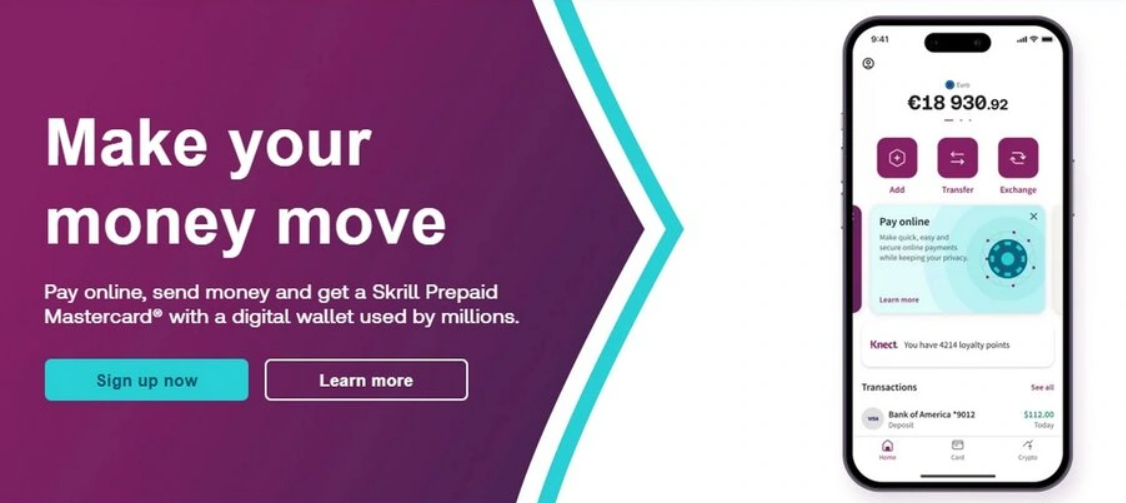
If you’re looking for a lesser-known but powerful alternative to the mainstream WooCommerce payment gateways, Skrill deserves a closer look. Originally launched as Moneybookers, Skrill has evolved into a secure digital wallet and payment processor with support for over 200 countries.
It allows WooCommerce merchants to accept payments through credit cards, bank transfers, digital wallets, and even cryptocurrency, making it one of the most flexible and modern WooCommerce payment methods available today.
Skrill offers competitive fees, no monthly costs, and a hosted checkout option that simplifies PCI compliance. It also supports recurring billing, making it a strong contender for SaaS businesses or digital product sellers.
For agencies managing stores with global audiences or niche billing needs, Skrill is an underrated option among the best WooCommerce payment gateways, especially for European and crypto-friendly markets.
Supported Transactions and Currency Handling
Skrill is operational in over 200 countries and supports 40+ currencies, making it a viable international WooCommerce payment gateway. Its default transaction fee is 1% for card payments and 0% for bank transfers, making it one of the most cost-effective platforms on this list.
Multi-currency pricing, automated conversions, and crypto support give it an edge for stores dealing with diverse customer bases or accepting digital assets.
Key Features That Streamline Checkout
Skrill offers a broad set of tools for store owners and developers:
- Hosted payment gateway: Offloads PCI responsibility with a secure checkout hosted by Skrill.
- Crypto support: Accept and withdraw in Bitcoin, Ethereum, and other digital currencies.
- Recurring billing: Enable subscriptions or installment payments with no extra plugin needed.
- Wallet integration: Let customers pay directly via their Skrill wallet.
- No monthly fees: Pay only when a transaction happens.
- Skrill Prepaid Mastercard: Merchants can spend their balance instantly without bank delays.
Built-in Security and Fraud Protection
Skrill provides reliable secure WooCommerce payments through SSL encryption, real-time fraud monitoring, and two-factor authentication. Since many transactions are routed through hosted checkout pages, compliance requirements are minimal for merchants.
Skrill also offers buyer protection on wallet-based purchases and gives merchants access to anti-fraud dashboards for monitoring suspicious behavior.
Integration and Developer Experience
Skrill’s WooCommerce plugin is straightforward to install, configure, and test. It supports sandbox mode and integrates easily with popular add-ons like WooCommerce Subscriptions.
For more advanced use cases, Skrill offers REST APIs and webhook notifications for transaction updates. However, the UI and documentation may not be as polished as Stripe’s or PayPal’s, so agencies may need to spend a bit more time onboarding clients.
Limitations and Considerations
Skrill offers robust features but also comes with a few caveats:
- Lower name recognition: Not as familiar to users as PayPal or Stripe, which could affect trust.
- Crypto volatility: Accepting crypto introduces potential financial risk if not converted immediately.
- UI and support could be improved: Not as intuitive or developer-focused as Stripe.
- Not ideal for high-volume retail: Better suited for service businesses, digital goods, or niche audiences.
10. Razorpay
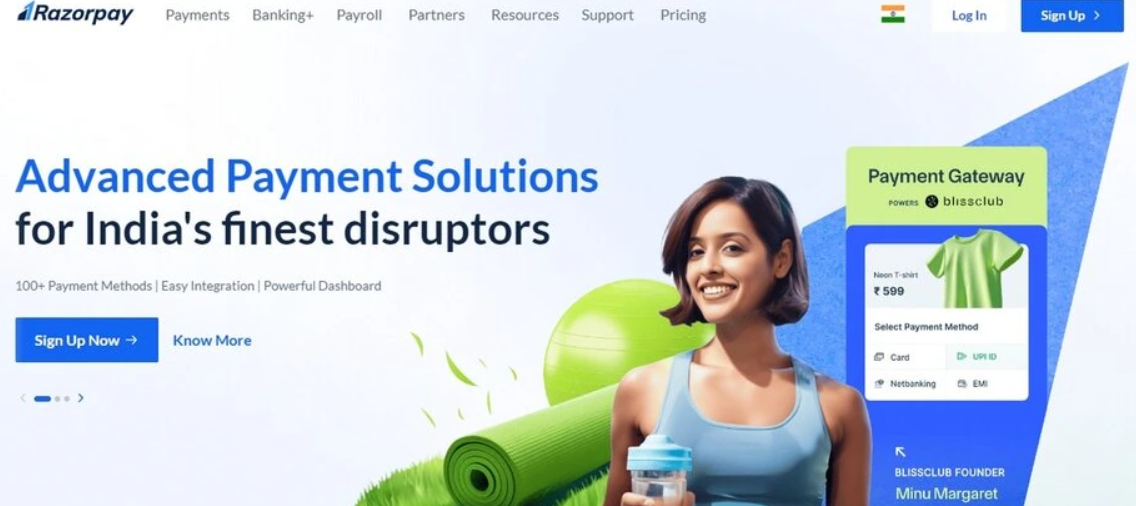
For WooCommerce stores targeting the Indian market, Razorpay is easily one of the best WooCommerce payment gateways available. It combines modern UI, simple pricing, and exceptional support for local payment methods, including UPI, wallets, credit/debit cards, and EMI options.
Razorpay is built with developers in mind, yet it’s beginner-friendly enough for non-technical store owners to configure with ease.
While primarily focused on India, Razorpay has started expanding to other countries with multi-currency support and international transactions. Its plugin for WooCommerce makes it easy to accept payments in WooCommerce through a wide range of options, making it one of the most localized yet scalable WooCommerce payment methods.
For agencies building stores for Indian merchants or businesses with large Indian customer bases, Razorpay is a no-brainer, thanks to its local compliance, frictionless checkout experience, and growing list of advanced features.
Supported Transactions and Currency Handling
Razorpay supports over 100 payment modes and is available in India by default, with growing support for international transactions. It allows merchants to accept payments in 92 currencies and offers a flat 2% fee for domestic payments.
While not as global as Stripe or PayPal, Razorpay’s focused support for Indian regulations (GST-ready invoices, UPI, Aadhaar-based verification) makes it a top contender for localized commerce, even as it gradually expands to become a more competitive international WooCommerce payment gateway.
Key Features That Streamline Checkout
Razorpay blends simplicity and innovation with features designed for Indian and mobile-first audiences:
- Flash Checkout: One-click payment experience optimized for repeat buyers.
- Smart routing: Automatically selects the fastest bank or gateway for transaction success.
- Recurring payments: Built-in support for WooCommerce Subscriptions and SaaS products.
- EMI and BNPL options: Let users split payments with major Indian banks and fintech partners.
- 100+ payment methods: Accept UPI, NetBanking, cards, wallets, and offline QR codes.
- Developer tools: Access to full REST APIs, webhooks, and prebuilt SDKs.
Built-in Security and Fraud Protection
Razorpay is certified PCI DSS Level 1 compliant and offers two-factor authentication, tokenization, and fraud detection systems to ensure secure WooCommerce payments.
The platform also features real-time alerts for suspicious activity and compliance with Indian data privacy laws. Built-in KYC and AML tools help maintain transparency for high-volume merchants and financial services.
Integration and Developer Experience
Razorpay’s WooCommerce plugin offers a frictionless setup with real-time testing tools, webhooks, and sandbox environments. Agencies and developers will appreciate the detailed API documentation, while non-technical users can get started with minimal configuration. It also integrates with CRMs, ERPs, and platforms like Zoho and Tally, making it highly extensible for Indian enterprises.
Limitations and Considerations
Razorpay delivers unmatched value for India-based businesses, but has some global limitations:
- Primarily focused on the Indian market: Global adoption is still inthe early stages.
- Some features are geo-restricted: EMI, UPI, and certain wallets are India-only.
- International merchants need verification: Non-Indian businesses face higher onboarding friction.
- Limited brand familiarity outside India: May not inspire trust among non-Indian users.
How InstaWP Helps Test and Integrate Payment Gateways
For agencies and developers working across multiple client stores, testing WooCommerce payment gateways safely, without risking live data, is critical. That’s where InstaWP comes in. It lets you create instant, disposable WordPress sandbox environments with WooCommerce pre-installed, so you can confidently test, tweak, and validate payment gateway setups before going live.
Spin Up a Clean WooCommerce Site in Seconds
Using InstaWP, you can launch a sandbox site in one click and install Stripe, PayPal, Razorpay, or any other plugin without affecting a production store. This makes it easy to experiment with different WooCommerce payment methods or compare plugin performance side-by-side.
Use Versioning to Roll Back Payment Config Errors
Tried a custom API key or webhook that broke your checkout? With Site Versioning, you can revert to a stable snapshot instantly, saving hours of rework during QA cycles.
Track Transactions and Hook Failures with Logs
InstaWP’s Activity Log Viewer helps you monitor plugin installs, gateway activations, and checkout attempts. If a payment fails or a webhook misfires, you’ll have a timeline to troubleshoot from, ideal for developers managing complex integrations.
Fine-Tune Configurations with Developer Tools
Need to simulate a high-traffic scenario or test payment behavior with specific PHP settings? Use InstaWP’s PHP Config Editor and WP Config Editor to create the exact conditions your payment gateway needs, with no local server setup required.
For agencies offering Website as a service (WaaS), InstaWP eliminates guesswork and speeds up delivery. It ensures every gateway, from native ones like WooPayments to advanced ones like Authorize.net, is fully tested, secure, and client-ready.
Can You Use Multiple Payment Gateways in WooCommerce?
Absolutely. WooCommerce supports multiple payment gateways out of the box. In fact, combining two or more gateways is often the smartest move for agencies building stores for diverse audiences.
Why? Because not all customers prefer the same method. While some prefer using PayPal, others trust card payments or digital wallets like Apple Pay or UPI.
By enabling multiple WooCommerce payment methods, you create a more inclusive checkout experience. For instance, pairing Stripe and PayPal ensures you cover card users, wallet users, and international buyers, without adding friction. For stores targeting India, combining Razorpay with Stripe gives you both domestic and international flexibility.
How to Set Up Multiple Gateways
- Install each payment gateway plugin (e.g. PayPal, Stripe, Razorpay).
- Activate and configure them via WooCommerce → Settings → Payments.
- Prioritize display order and enable test mode for sandbox testing.
- Use conditional logic plugins (like Payment Gateway Based Fees) to show/hide gateways based on cart value, location, or user role.
Offering varied WooCommerce payment options can significantly boost conversions and reduce cart abandonment, especially when selling internationally or across mobile devices.
Tips to Secure WooCommerce Payments
Whether you’re running one store or managing dozens for clients, ensuring secure WooCommerce payments is non-negotiable. Security not only protects your customer data but also safeguards your revenue from chargebacks, fraud, and compliance penalties.
Fortunately, WooCommerce makes it easy to harden your payment infrastructure when combined with the right practices and tools.
For an extra layer of protection beyond what any single gateway offers, merchants can pair their WooCommerce setup with Chargeflow, whose automated chargeback management solutions handle evidence collection and dispute submission across every connected payment method.
1. Use PCI-Compliant Payment Gateways
Always choose WooCommerce payment gateways that are PCI DSS Level 1 certified. Gateways like Stripe, Authorize.net, and PayPal handle sensitive data off-site, keeping your store out of PCI scope and drastically reducing risk.
2. Enable HTTPS and SSL
A valid SSL certificate is the first layer of trust. It encrypts all data in transit, especially critical during checkout. Most hosting providers, including InstaWP-powered environments, offer free SSL setup to get you started quickly.
3. Enable 3D Secure and Tokenization
Gateways such as Stripe and WooPayments support 3D Secure, which adds an extra authentication layer during checkout. Meanwhile, tokenization replaces real card data with secure placeholders, meaning even if a breach occurs, no usable information is exposed.
4. Monitor Logs and Activity
Use tools like InstaWP’s Activity Log Viewer to track user and system events in real-time. Unauthorized admin access, plugin changes, or payment hook errors can all be early signs of compromise. Logging helps you react before issues escalate.
5. Keep Plugins Updated
Outdated plugins are a leading cause of vulnerabilities. Use the built-in site management service of InstaWP to get direct access to Bulk Manager and Auto Update Scheduler to ensure your WooCommerce payment methods are always patched, without disrupting the checkout experience.
By following these steps, you’ll offer a trustworthy, frictionless checkout that meets both customer expectations and industry standards.
Choose the Best WooCommerce Payment Gateway for Your Store
There’s no one-size-fits-all when it comes to WooCommerce payment gateways. Some excel in global coverage, others in localized payment methods. Some prioritize developer control, while others focus on simplicity and trust. The key is to match the gateway with your store’s location, audience, and product model.
Whether you’re building for a mobile-first brand, scaling internationally, or offering subscriptions, the right combination of WooCommerce payment methods can significantly boost your conversion rates while ensuring secure WooCommerce payments.
From Stripe and PayPal to Razorpay and Authorize.net, this guide helps you compare them side by side so you can make the smartest decision for your clients or your business.
FAQs
What is the best payment gateway for WooCommerce?
The best WooCommerce payment gateway depends on your needs. Stripe is ideal for international reach, PayPal offers wide familiarity, and WooCommerce Payments is great for native integration. For Indian merchants, Razorpay excels. Choose based on fees, regions, and supported payment methods.
Can I use multiple payment gateways in WooCommerce?
Yes, WooCommerce allows you to enable multiple gateways at once. This lets customers choose between options like PayPal, credit card, or digital wallets during checkout, improving conversions and supporting varied preferences.
How do I set up a payment gateway in WooCommerce?
Go to WooCommerce → Settings → Payments, activate a payment method, and configure its credentials (API key, merchant ID, etc.). You can install official plugins like Stripe or Razorpay directly from the WordPress dashboard.
Which payment gateway is best for international WooCommerce stores?
Stripe, PayPal, and Alipay are the best choices for international WooCommerce payment gateways. They support 100+ currencies and local payment methods, making them ideal for cross-border transactions.
Are WooCommerce payment gateways secure?
Yes, if you’re using PCI DSS-compliant gateways like Stripe, Authorize.net, or PayPal. To ensure secure WooCommerce payments, also enable SSL, use tokenization, and keep your plugins updated regularly.