Do you want to transform your WordPress site into a mobile app without the complexity of coding? Look no further than WordPress Progressive Web Apps Plugins.
They’re revolutionary tools that take your site to new heights of user engagement, accessibility and performance. These plugins make your website feel like a natural app on the user’s device, offering instant loading, smooth animations, and an immersive experience.
In this article, we’ll be exploring the best WordPress Progressive Web Apps Plugins – alternatives to the popular Super Progressive Web Apps. You’ll learn about their unique features, benefits, and pricing structures. If you’re looking to enhance your user experience, boost engagement rates, and ensure reliable performance even in uncertain network conditions, then this listicle is a must-read.
Table of Contents
Best WordPress Progressive Web Apps Plugins
PWA

The PWA plugin for WordPress is a groundbreaking tool designed to elevate user experiences to a new level. It leverages the power and reach of the web to provide a reliable, fast, and engaging platform for users.
The plugin is designed to tackle the issues of uncertain network conditions, slow responses, and less engaging user interactions. With the PWA plugin, users can enjoy instant loading, smooth animations, and a natural app-like experience on their devices.
Features and Benefits
- Reliable Performance: One of the defining features of the PWA plugin is its reliable performance. Even in uncertain network conditions, the plugin ensures that the website loads instantly and users never experience any downtime. This enhances user satisfaction and can boost engagement rates.
- Fast Interactions: The PWA plugin is designed to respond quickly to user interactions. This includes smooth animations and no jittery scrolling. Fast responses and seamless interactions improve user experience and can reduce bounce rates.
- Engaging User Experience: The PWA plugin creates an engaging user experience by making the website feel like a natural app on the user’s device. This immersive experience can increase user engagement and encourage longer site visits.
- Service Workers: The PWA plugin depends on service workers to provide a top-notch user experience. Service workers are scripts that your browser runs in the background, separate from a web page, opening the door to features that don’t need a web page or user interaction. This brings significant improvements to performance, caching, and background updates.
- Web App Manifest: The plugin utilizes a web app manifest, a simple JSON file that gives you, the developer, the ability to control how your app appears to the user. This can enhance the user experience and increase user engagement by making the app more appealing and easier to use.
- HTTPS: It ensures secure communication over a computer network and is widely used on the Internet. This provides a secure and safe browsing experience for users.
Pricing Structure
The PWA plugin for WordPress is an open-source project, which means it’s free to download and use.
PWA for WP & AMP
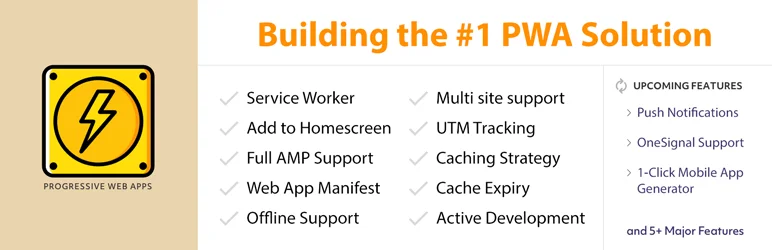
PWA for WP & AMP is a revolutionary WordPress plugin that integrates the efficiency of Progressive Web Apps (PWA) with WordPress and AMP (Accelerated Mobile Pages). Designed to elevate user experience, this plugin transforms your website into an app-like platform that not only loads quickly but also works offline.
The plugin ensures that your site is easily accessible, making it a favorite tool for users and a critical asset for online businesses.
Features and Benefits
- AMP Support: Ensures full PWA compatibility for AMP, enhancing site performance and loading speed.
- Multi-site Support: This functionality allows the plugin to work across multiple WordPress sites, streamlining your web experience.
- UTM Tracking: Enables you to track your online marketing campaigns effectively.
- OneSignal Support: Integration with OneSignal allows for efficient push notification management.
- Start URL Change: Allows users to easily change the start URL.
- Caching Strategy for PWA Enabled Assets: Enhances your site’s load speed by caching PWA enabled assets.
- Service Worker: Installs automatically in the background, performing actions like caching external objects to reduce requests.
- APP Banners in Home-screen: Automatically prompts visitors to add your site to their home screen, improving your site’s visibility.
- Web App Manifest: Automatically connects the Manifest file with PWA options, ensuring smooth functionality.
- Offline Support: Ensures your site loads quickly even offline, updating content once the user goes online.
- Premium Features: Include Call to Action, Loading Icon Library, Data Analytics, and Multilingual Compatibility.
Pricing Structure
The plugin is free to use with the premium version starting from $99.
PWA — easy way to Progressive Web App

PWA — easy way to Progressive Web App is an innovative plugin that transforms your WordPress website into a Progressive Web App (PWA) instantly. With the ability to combine the best features of mobile web and mobile apps, this plugin offers a superior mobile web experience.
If your website needs a boost in performance and accessibility, PWA — easy way to Progressive Web App is the solution you need.
Features and Benefits
- Instant Transformation: With just a click, your WordPress website is converted into a Progressive Web App, offering an app-like interface for your return visitors. This feature enhances user experience as it offers almost-instant loading times and high performance.
- “Add To Home Screen” Notice: Users browsing your website from a supported mobile device will see an “Add To Home Screen” notice. This feature increases user engagement as it allows users to install your website on their home screen, thus promoting easy access and frequent visitation.
- Shortcuts for Context Menu: The plugin allows you to add shortcuts for the context menu which are displayed by the operating system when a user engages with the web app’s icon. This feature enhances user-friendliness as it provides easy navigation through your app.
- Easy Configuration: The plugin is easy to set up, taking less than a minute to convert your website into a Progressive Web App. This feature saves time and effort, making it a convenient solution for website owners.
Pricing Structure
Currently, the PWA — easy way to Progressive Web App plugin is available for free on the WordPress plugin directory.
Hyper PWA

Hyper PWA is a unique plugin that transforms your WordPress site into a Progressive Web App (PWA), providing users with an app-like experience on their mobile devices.
This plugin solves the problem of user engagement and accessibility by allowing users to add your website as an App icon to their home screen and access it even in offline mode. It also facilitates push notifications, enhancing the overall user experience and engagement.
Features and Benefits
- Manifest and Service Worker: The plugin provides these essential PWA components, creating a secure, reliable, and fast experience for users. This results in improved user engagement and increased conversion rates.
- Add to Home Screen: This feature allows users to install your website on their home screen, making it easily accessible and fostering frequent usage.
- Offline Mode: This feature ensures that your website remains accessible even when the user is offline, thereby enhancing user experience and loyalty.
- Push Notifications: This feature enables you to send push notifications to your users, improving engagement and driving traffic back to your site.
- Compatibility with OneSignal and Firebase: This feature ensures seamless integration with these popular platforms, providing you with additional tools for user engagement and analytics.
Pricing Structure
Hyper PWA plugin is listed on the WordPress plugin library for free.
Why Should You Use WordPress Progressive Web Apps Plugins
Progressive Web Apps (PWAs) have gained significant traction in recent years due to their ability to combine the best features of both web and mobile apps. They offer advantages such as offline capabilities, push notifications, and fast loading times, making them an attractive option for businesses looking to enhance their online presence.
WordPress, being one of the most popular content management systems, has seen an increasing demand for tools and plugins that enable the creation of PWAs. Here’s why you should consider using WordPress Progressive Web Apps plugins, explained in detail:
Improved Performance and Engagement:
- Faster Load Times: PWAs prioritize caching essential site elements, resulting in lightning-fast loading times, even on unstable connections. This translates to a smoother user experience and better engagement. Search engines also favor faster loading websites, potentially boosting your SEO ranking.
- Offline Functionality: PWAs can store a designated portion of your website’s content locally on the user’s device. This allows users to access key information and functionalities even when they’re offline, ensuring uninterrupted browsing.
- App-like Experience: PWAs provide a more app-like feel compared to traditional websites. Users can add your PWA to their home screen, enabling them to launch it with a single tap, just like a native mobile app. This enhances user engagement and creates a sense of familiarity.
Increased User Reach and Conversions:
- Push Notifications: Similar to mobile apps, PWAs allow you to send push notifications directly to users who have opted in. This enables you to deliver timely updates, promotions, and reminders, fostering stronger user engagement and potentially driving conversions.
- Accessibility Across Devices: PWAs are responsive and work seamlessly across various devices, desktops, mobiles, and tablets. This ensures a consistent user experience regardless of the device being used, potentially increasing your website’s reach.
Reduced Development Requirements:
- Cost-effective Alternative to Native Apps: Developing and maintaining native mobile apps for different platforms can be resource-intensive. PWAs offer a cost-effective solution, leveraging your existing WordPress website to provide an app-like experience without the need for app store submissions and individual app development for each platform.
Here are some additional points to consider:
- Variety of Plugins Available: There are numerous WordPress PWA plugins available, each with varying feature sets and configuration options. Choose a plugin that caters to your specific needs and technical expertise.
- Potential Technical Learning Curve: While some plugins offer user-friendly interfaces, implementing advanced PWA functionalities might involve some technical knowledge. Consider your comfort level and explore plugin documentation or seek assistance if needed.
By leveraging WordPress PWA plugins, you can significantly enhance your website’s performance, user engagement, and overall reach, transforming it into a robust and user-friendly platform that rivals native mobile apps.
Final Word
Harness the power of Progressive Web App plugins to revolutionize your WordPress website. These plugins offer an array of exciting possibilities, including fast loading times, app-like experiences, and seamless user interactions, all aimed at enhancing user engagement and experience.
By leveraging the potential of these plugins, you can create a website that not only attracts but retains and grows your audience, establishing your online presence as an authority in your niche. Don’t hesitate to take the next step.
FAQs About WordPress Progressive Web Apps Plugins
- What are WordPress Progressive Web Apps plugins?
WordPress Progressive Web Apps plugins are tools or extensions that enable website owners to convert their WordPress sites into Progressive Web Apps. These plugins typically offer features such as offline capabilities, push notifications, and improved performance. - Why should I use a WordPress PWA plugin for my website?
Using a WordPress PWA plugin can help enhance the user experience by providing features like offline access, faster loading times, and push notifications. It can also improve your site’s performance and SEO, leading to increased engagement and traffic. - Are WordPress PWAs plugins compatible with all WordPress themes?
Most WordPress PWAs plugins are designed to be compatible with a wide range of WordPress themes. However, it’s always a good idea to check compatibility before installing a plugin, especially if you’re using a highly customized or niche theme. - Do I need technical knowledge to use a WordPress PWA plugin?
While some technical knowledge can be helpful for configuring advanced settings, many WordPress PWAs plugins are designed to be user-friendly and easy to set up. Most plugins offer intuitive interfaces and step-by-step guides to help you get started. - Can I customize the appearance and functionality of my PWA with a WordPress plugin?
Yes, most WordPress PWAs plugins allow you to customize various aspects of your Progressive Web App, including colors, icons, offline pages, and push notification settings. You can tailor the PWA to match your brand and meet your specific requirements. - Are there any performance implications of using a WordPress PWA plugin?
When properly configured, WordPress PWAs plugins can actually improve the performance of your website by optimizing loading times and reducing server requests. However, poorly optimized plugins or excessive customization may have a negative impact on performance. - Do WordPress PWAs plugins support e-commerce websites?
Yes, many WordPress PWAs plugins are compatible with e-commerce websites built using platforms like WooCommerce. These plugins can enhance the mobile shopping experience by providing features like offline browsing, push notifications for order updates, and faster checkout processes. - Are there any limitations or drawbacks to using WordPress PWAs plugins?
While WordPress PWAs plugins offer numerous benefits, it’s important to consider potential limitations such as compatibility issues with other plugins or themes, dependency on third-party services for certain features, and the need for ongoing maintenance and updates. - Can I revert back to a traditional WordPress website if I decide to disable the PWA plugin?
Yes, you can revert back to a traditional WordPress website by simply deactivating or uninstalling the PWA plugin. However, keep in mind that some customizations made specifically for the PWA may not be retained after reverting to the standard WordPress setup. - How do I choose the best WordPress Progressive Web Apps plugin for my website?
When choosing a WordPress PWA plugin, consider factors such as compatibility with your existing setup, required features, ease of use, customer support, and pricing. It’s also a good idea to read reviews and compare multiple plugins before making a decision.


