Ever wondered how to integrate auction functionality into your WordPress site seamlessly? This article explores the top WordPress Auction Plugins you should know about, other than Auction for WooCommerce.
Whether you’re a car trader, an art collector or looking to create a multivendor marketplace, these plugins provide a myriad of features to cater to your specific needs.
We promise that by the end of this article, you will gain valuable insights into the functionalities and features of different auction plugins, and how they can enhance your WordPress site. Be prepared for a transformative journey into the world of WordPress Auction Plugins.
Table of Contents
Top WordPress Auction Plugins
Ultimate WordPress Auction Plugin

Ultimate WordPress Auction Plugin is a versatile tool designed for WordPress users who wish to integrate auction functionality into their websites, without needing WooCommerce. Whether you are a car trader wishing to auction cars, or an art collector seeking to sell your collectibles in a professional manner, this plugin offers a streamlined solution.
With a wide range of features, from seller and buyer dashboards to various payment options, this plugin is highly configurable, simple to setup, and supported by a dedicated team.
Features and Benefits
- Seller Features: The plugin provides a comprehensive suite of features for sellers, including registration and dashboard, adding car listings or lots, and receiving payments directly to their bank account, simplifying the selling process and increasing efficiency.
- Buyer Features: Buyers enjoy features such as a dashboard, wishlist, stored search capability, timed auction events, and registration with a credit card, enhancing their overall buying experience.
- Payment Features: The plugin supports holding and debiting bid amount on credit cards, bidding fees from users, buyers’ commission, and a Buy Now option, ensuring a secure and smooth payment process.
- Auction Features: Features like soft-close or anti-sniping, variable bid increments, live bidding without page refresh, proxy bidding, and hiding user name and bidding price provide a comprehensive auction experience.
- Email Notifications and SMS Notifications: Users are kept informed about their auctions with notifications for events like won, placed bid, ending soon, outbid, lost bid, payment confirmation, and payment reminder, increasing engagement and chances of auction success.
- Compatibility: The plugin is compatible with WPML and LocoTranslate, ensuring that your auctions can reach a broader, global audience.
Pricing Structure
The plugin is free to use with the premium version starting from $99.
WordPress Auction Plugin

Are you tired of paying exorbitant fees to host auctions on your website? WP Auctions is here to change the game. This revolutionary WordPress plugin enables you to host auctions on your WordPress-powered blog or website completely free of charge.
Its user-friendly design allows for quick installation and easy use, promising an optimum user experience with an attractive AJAX powered popup.
Features and Benefits
- Assign an Auction to a Post/Page: This feature allows you to connect an auction with a specific post or page on your website, enhancing the accessibility and visibility of your auctions.
- Upload an Extra Image: With this feature, you can add an extra image to your auction, providing more visual information for potential bidders.
- Added Shipping Price: WP Auctions enables you to include the shipping price in the auction details, keeping your customers informed about all costs involved.
- Custom Contact Field: Request additional contact information such as phone numbers and addresses from your bidders for easy communication.
- Global Bid Increment Value: You can set a global bid increment value for all auctions, ensuring consistency and fairness in the bidding process.
- Registered Users Only Bidding: This feature enhances the security of your auctions by allowing only registered users to place bids.
- In addition to these, WP Auctions enables you to host as many auctions as you like, edit, end, or delete your auctions easily, and accept payments through PayPal. It also offers a choice of five display styles and provides a sleek AJAX popup to show your auctions.
Pricing Structure
The plugin is free to use with the premium version starting from $39.
WPAuction software
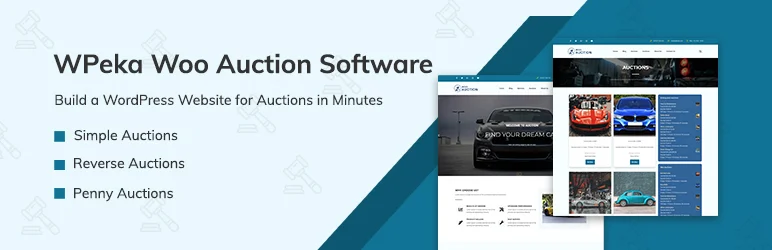
The WPAuction software is a robust auction plugin designed for WordPress websites. It simplifies the process of hosting live auctions on your site, without the need for extensive coding knowledge. Whether you’re selling digital or physical products, the plugin integrates seamlessly with WordPress and WooCommerce, allowing you to set up eCommerce auctions swiftly.
Features and Benefits
- Supports Forward Auctions: Buyers bid for your products and the highest bidder wins, enhancing competition and potentially driving up the final selling price.
- Supports Reverse Auctions: Sellers bid the price at which they are willing to sell their products or services, and the lowest bid wins, leveling the playing field for sellers and encouraging competitive pricing.
- Supports Penny Auctions (Pro version): Participants pay a non-refundable fee to place each bid, increasing engagement and excitement among participants.
- Allows Hosting on Your Website (Pro version): Set up an eBay-like auction platform and monetize it through fees, enabling you to host auctions on your website.
- Integrates with WooCommerce Payment: Supports multiple payment gateways for ease of transactions.
- Offers Multi-Vendor Options: Creates a diverse marketplace on your site, increasing the variety of auctions available for your users.
- Supports Local Translation: Allows you to host auctions in any language.
- Comes with Pre-Designed Email Templates: For easy customization of notifications.
- Offers a Variety of Widgets: Including starting soon, ending soon, and upcoming auctions widgets to promote auctions.
- Enables Scheduling of Auctions: Auctions can be scheduled in advance with a set start and end time.
Pricing Structure
The plugin is free to use with the premium version starting from $49.
Auction Nudge – Your eBay on Your Site

Auction Nudge is a breakthrough WordPress plugin that transforms your site into an eBay auction hub. It’s an efficient way to display live eBay information, making it easier for your site visitors to browse, filter, and search through your active eBay listings.
This plugin not only enhances the functionality of your website but also magnifies your presence on eBay, improving the chances of successful transactions.
Features and Benefits
- Your eBay Listings: Displays your active eBay items, allowing visitors to browse multiple pages, filter by eBay category, and search your active items by keyword, thus providing a user-friendly shopping experience.
- Your eBay Profile: Showcases your eBay profile information such as feedback rating and date of registration as a badge, enhancing credibility and increasing buyer confidence.
- Your eBay Feedback: Enables you to display your most recent feedback comments, promoting transparency about your performance as a seller.
- Theme and Language Options: Offers a variety of themes and supports multiple languages including English, French, German, Spanish, and Italian, ensuring that your site appeals to a broad range of visitors.
- Category List and Search Box: Allows visitors to filter your items by category and search all of your active eBay items by keyword, enhancing the user experience.
- Advanced Options: Provides customization options for the display order of your items, allows you to choose to display only specific types of listings (Auction or Buy It Now), and filter items by keyword or category ID.
Pricing Structure
Auction Nudge is a free plugin. However, it’s supported by referral commissions from eBay.
My auctions allegro
My Auctions Allegro is a powerful WordPress plugin that significantly eases the management of auctions in a WooCommerce store. The plugin allows you to connect your WooCommerce store with Allegro through REST API and/or WebAPI, enabling you to fetch auctions from Allegro directly into your WordPress site.
If you’re struggling with managing multiple accounts on Allegro, this plugin is the perfect solution as it allows you to add an infinite number of accounts to the plugin.
Features and Benefits
- Connects with REST API and/or WebAPI: Enables seamless integration of your WooCommerce store with Allegro for improved operational efficiency.
- Allows an infinite number of accounts: Manage all your Allegro accounts from a single location by adding them to the plugin, enhancing convenience and oversight.
- Fetches auctions from Allegro to WordPress: Display your Allegro auctions on your WordPress site, utilizing widgets or shortcodes on pages/posts to increase visibility and engagement.
- Imports auctions as products: Import your Allegro auctions directly as products in your WooCommerce store, streamlining product management.
- Auto-syncs stock and price of products: Automatically syncs the stock and prices of your products between Allegro and your WooCommerce store, ensuring accuracy and reducing manual updates.
- Automaps Categories: Adopts the same schema as Allegro for automapping categories, simplifying category management.
- Import orders to WooCommerce (PRO version): With the pro version, import orders directly to WooCommerce and automatically update the status based on the status in Allegro, enhancing order management and fulfillment accuracy.
Pricing Structure
The plugin is free to use with the premium version starting from PLN 399.00
Dokan

Transform your WooCommerce store into a captivating auction platform with Dokan Simple Auctions. Empower your vendors to create exciting auctions, attracting a wider audience and driving up sales through competitive bidding.
Features and Benefits
- Seamless Integration: Effortlessly integrates with Dokan Multivendor Marketplace, allowing vendors to seamlessly add auctions to their existing product offerings.
- Vendor-Driven Auctions: Vendors have complete control over creating, managing, and monitoring their auctions.
- Flexible Bidding: Create various auction formats, including ascending (traditional) and descending (Dutch) auctions, to cater to different selling strategies and buyer preferences.
- Bid Management: Bidders can easily place, track, and manage their bids, fostering a dynamic and exciting auction environment.
- Automated Endings: Auctions automatically conclude at the predetermined time, ensuring a fair and transparent bidding process.
- Winning Notification: Bid winners are promptly notified of their success, while unsuccessful bidders receive a courteous message.
- Comprehensive Reporting: Gain valuable insights into auction performance with detailed reports on bids, winners, and overall auction effectiveness.
Important Note:
While Dokan itself is available in both free (Dokan Lite) and pro (Dokan Pro) versions, the auction functionality is exclusive to Dokan Pro. Upgrading to Dokan Pro unlocks this powerful feature set, enabling you to create a full-fledged auction marketplace within your WooCommerce store.
Pricing Structure
The pro version of the plugin starts from $499.
WC Vendors
Transform your WC Vendors marketplace into a thrilling auction platform with the combined power of WC Vendors Pro and WooCommerce Simple Auctions. This dynamic duo empowers your vendors to host captivating auctions, ignite buyer competition, and drive sales to new heights.
Features and Benefits:
- Seamless Integration: WC Vendors Pro integrates flawlessly with WooCommerce Simple Auctions, allowing vendors to effortlessly add auctions to their existing product offerings within their vendor dashboards.
- Vendor-Driven Auctions: Vendors have complete control over creating, managing, and monitoring their auctions, giving them the flexibility to tailor the auction experience to their products and strategies.
- Diverse Auction Formats: Create a variety of auction types, including:
- Regular Auctions: Traditional ascending format where bids progressively increase.
- Sealed (Silent) Auctions: Bidders submit their highest bid secretly, with the highest bidder winning at the end.
- Reverse Auctions: Bidding starts high and descends, ideal for sourcing products or services at the most competitive price.
- Enhanced Bidding: Bidders can easily place, track, and manage their bids, fostering a dynamic and competitive auction environment.
- Automated Endings: Ensure fairness and transparency with auctions automatically concluding at the predetermined time.
- Winning/Unsuccessful Bidder Notifications: Promptly inform winners and provide courteous messages to unsuccessful bidders, maintaining a positive user experience.
- Comprehensive Reporting: Gain valuable insights into auction performance with detailed reports on bids, winners, and overall effectiveness, allowing you to optimize future auctions.
Pricing Structure
The pro version starts from $299.
Why You Need Auction for WooCommerce ALternatives for WordPress Auction Plugins
When considering hosting auctions on a WordPress site, many users start by looking at popular plugins like Auction for WooCommerce. However, depending on your specific needs, there may be several reasons to consider alternatives. Here’s a detailed look at why alternatives might be necessary or preferable:
1. Feature Limitations: Auction for WooCommerce is a robust plugin, but like any tool, it may not fit every user’s requirements perfectly. For example:
- Customizability: Users might find the styling and layout options limited, making it hard to match the auction design with their brand’s aesthetics.
- Functionality: Certain advanced features such as proxy bidding, sealed bids, or sophisticated auction types (e.g., Dutch auctions, penny auctions) might be absent.
- Payment Options: The plugin might restrict users to specific payment gateways. Users looking for more variety or support for specific regions might find this limiting.
2. Scalability Issues: For websites planning to host large numbers of auctions or handle significant traffic, the performance of Auction for WooCommerce may not suffice. Users might experience slower load times or difficulties in managing high volumes of user interactions efficiently.
3. Compatibility and Integration: Compatibility with other plugins or themes is crucial for a seamless WordPress experience. Auction for WooCommerce might not always integrate smoothly with other necessary plugins (e.g., membership plugins, advanced shipping plugins) or specific themes, leading to:
- Broken layouts
- Conflicting functionalities
- Poor user experience
While Auction for WooCommerce is a strong contender, considering alternatives allows users to find a solution that best matches their unique requirements. Always consider conducting a trial or a detailed review based on demo versions of the plugins to assess their suitability before making a final decision.
Final Word
The world of WordPress auction plugins is vast and exciting, offering users a plethora of tools to transform their websites into bustling marketplaces, dynamic auction platforms, and more. By integrating these plugins into your site, you can boost audience engagement, establish authority in your niche and grow your online presence.
They offer the potential to streamline processes, automate functions, and provide a seamless user experience, thereby increasing efficiency and profitability. So, why wait? Take the next step and explore the untapped potential of your website by leveraging the power of these innovative WordPress auction plugins.
FAQs About WordPress Auction Plugins
- Why should I consider alternatives to Auction for WooCommerce for my auction site?
Considering alternatives to Auction for WooCommerce might be beneficial if you need different features, better customization options, enhanced scalability, superior compatibility with other plugins or themes, cost-effectiveness, or specific compliance features not provided by Auction for WooCommerce. - Are these alternative WordPress Auction Plugins compatible with all WordPress themes?
Most WordPress auction plugins are designed to be compatible with a wide range of WordPress themes. However, it is always advisable to check the specific compatibility requirements of each plugin and conduct a test in a staging environment to ensure there are no styling or functional conflicts with your chosen theme. - Can I run a trial of these WordPress Auction Plugins before purchasing?
Many WordPress auction plugins offer a demo or a trial version, allowing you to test their features and user interface before making a purchase decision. This is particularly useful for understanding if the plugin meets your specific auction needs. - How do WordPress Auction Plugins handle payment processing?
WordPress auction plugins typically integrate with popular payment gateways like PayPal, Stripe, and others to handle payments securely. Some plugins might offer more extensive gateway support than others, so it’s important to ensure that the plugin supports the payment methods most convenient for your audience. - Do WordPress Auction Plugins provide features for automatic bidding?
Yes, many WordPress auction plugins offer automatic bidding features, also known as proxy bidding. This feature allows users to set a maximum bid amount, and the system automatically bids on their behalf up to that limit, ensuring they can remain competitive in the auction without constant monitoring. - What should I look for in a WordPress Auction Plugin to ensure it fits my needs?
Key factors to consider include the types of auctions supported (e.g., standard, reverse, silent), ease of use, customization options, compatibility with your current WordPress setup, scalability options, and the quality of customer support. - How do WordPress Auction Plugins impact website performance?
The impact on website performance can vary depending on the plugin’s complexity and how well it is coded. It is advisable to choose plugins that are well-optimized for performance to avoid slowing down your site, especially if you expect high traffic volumes.


