The Gutenberg plugin provides editing, customization, and site building features to WordPress. This beta plugin allows you to…

About Memory Meter
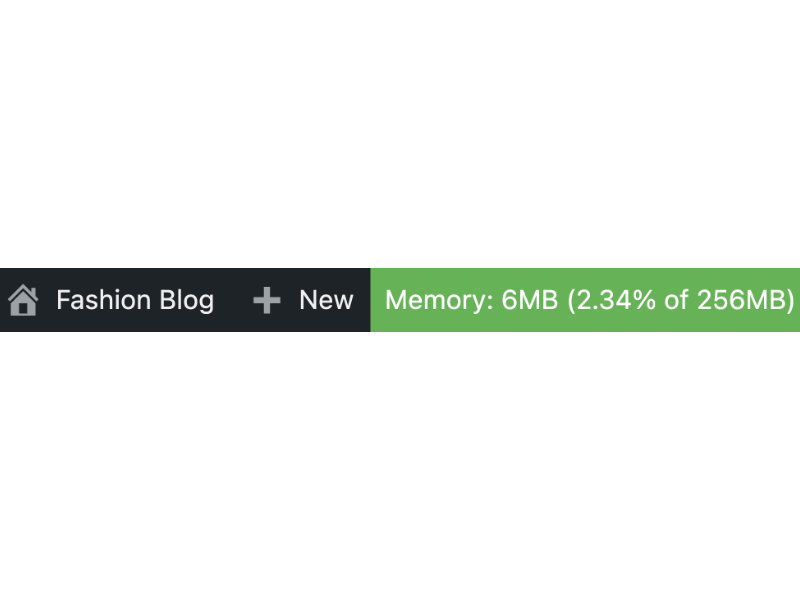
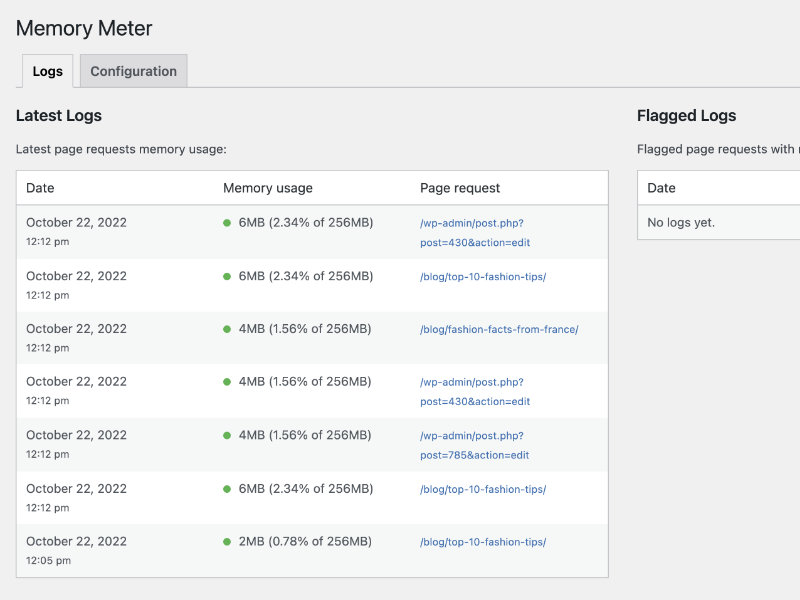
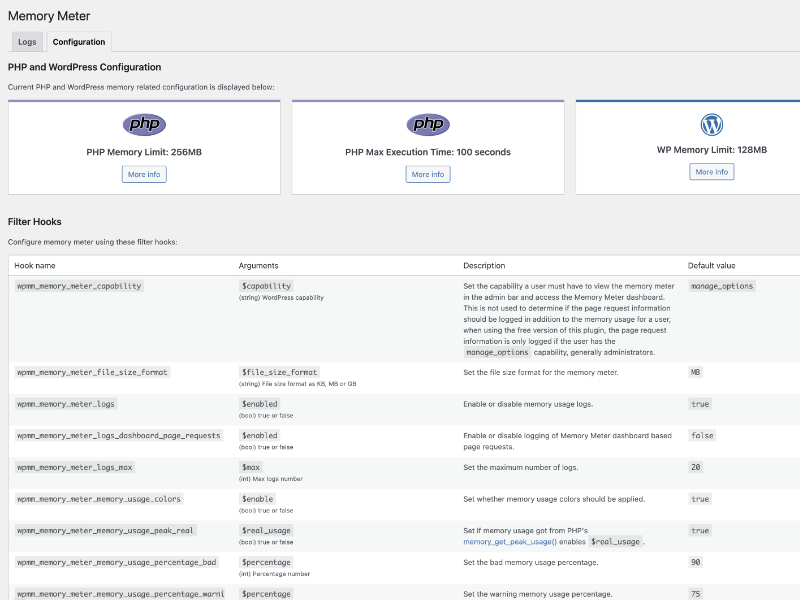
This plugin logs the memory usage as users browse your website, providing logs and flagged logs when memory usage exceeds specific percentages. It also includes a memory meter in the admin bar for users with specific capabilities, such as administrators, and offers various configuration options.Screenshots
Changelog
2.3.0 – 2025-01-26
Update: WordPress tested up to 6.7.1
Remove: Freemius SDK
2.2.0 – 2024-11-02
- Update: Composer configuration
- Update: Freemius SDK
- Update: WordPress tested up to 6.6.2
- Remove: Donate information
2.1.0 – 2024-08-23
- Add: .pot to languages folder
- Add: Requires plugins dependency header
- Add: wp_set_script_translations to JS assets
- Update: Freemius SDK
- Update: WordPress requires at least 6.4.0
- Update: WordPress tested up to 6.6.1
2.0.1 – 2024-07-10
- Update: composer.json and composer.lock to woocommerce/woocommerce-sniffs 1.0.0
- Update: Installation and updates information in readme.txt
- Update: phpcs.xml codesniffs
- Update: Freemius SDK
- Update: WordPress tested up to 6.5.5
2.0.0 – 2024-04-10
- Add: Logs page request information for any user with the manage_options capability, to log for all users regardless of capability use the premium version
- Add: Translation information in readme.txt
- Update: Configuration tab information
- Update: Descriptions and usage information in readme.txt
- Update: Freemius SDK
- Update: WordPress tested up to 6.5.2
1.3.6 – 2024-03-08
- Add: BETA functionality information to readme.txt
- Add: Caching information to readme.txt
- Add: Donation information to readme.txt
- Add: Works with information to readme.txt
- Update: Screen sizes information in readme.txt
- Update: WordPress tested up to 6.4.3
- Fix: Creation of dynamic property is deprecated PHP notices
1.3.5 – 2024-01-17
- Update: Changelog consistency
- Update: Freemius SDK
1.3.4 – 2023-12-15
- Update: Code consistency
- Update: Development assets
- Update: Screen sizes typo in readme.txt
- Update: Freemius SDK
- Update: WordPress requires at least 6.3.0
- Update: WordPress tested up to 6.4.2
1.3.3 – 2023-09-19
- Update: Freemius SDK
- Update: WordPress tested up to 6.3.1
1.3.2 – 2023-08-04
- Update: JS console usage now includes PHP prefix
- Update: Development assets
- Update: PHP requires at least 7.4.0
- Update: WordPress requires at least 6.1.0
1.3.1 – 2023-07-06
- Update: Freemius SDK
1.3.0 – 2023-06-24
- Update: Memory usage temporary placeholder HTML now includes the memory usage data in a data attribute rather than within the div to ensure the memory usage information is not deemed page content by search engines
- Update: WordPress tested up to 6.2.2
- Fix: Log dates/times not consistent with WordPress time zone setting
- Fix: Box shadow on boxes in PHP and WordPress configuration section not consistent with WordPress dashboard styling
- Fix: Links to WordPress.org increasing memory limit documentation require update due to changes in WordPress.org URLs
1.2.1 – 2022-12-23
- Update: Freemius SDK
- Update: WordPress tested up to 6.1.1
- Removed: Leave review nag
1.2.0 – 2022-10-22
- Update: JS assets now enqueued in footer
- Update: Code refactoring
- Update: Freemius SDK
- Update: PHP requires at least 7.0.0
- Update: WordPress requires at least 5.7.0
- Update: WordPress tested up to 6.0.3
1.1.1 – 2022-04-23
- Update: Code refactoring
- Update: WordPress tested up to 5.9.3
1.1.0 – 2022-03-25
- Note: This version includes several changes to asset enqueues it is recommended you clear all caches after updating to ensure all assets are reloaded
- Add: Minified CSS/JS assets created and enqueued
- Add: Translation function
- Update: CSS assets now SCSS
- Update: Text casing on some elements to make consistent with similar content in WordPress dashboard
- Fix: Translations may not load due to load_plugin_textdomain not hooked on init
1.0.0 – 2022-03-12
- New: Initial release