
Site Kit is a one-stop solution for WordPress users to use everything Google has to offer to make…
About WP Visitor Statistics (Real Time Traffic)
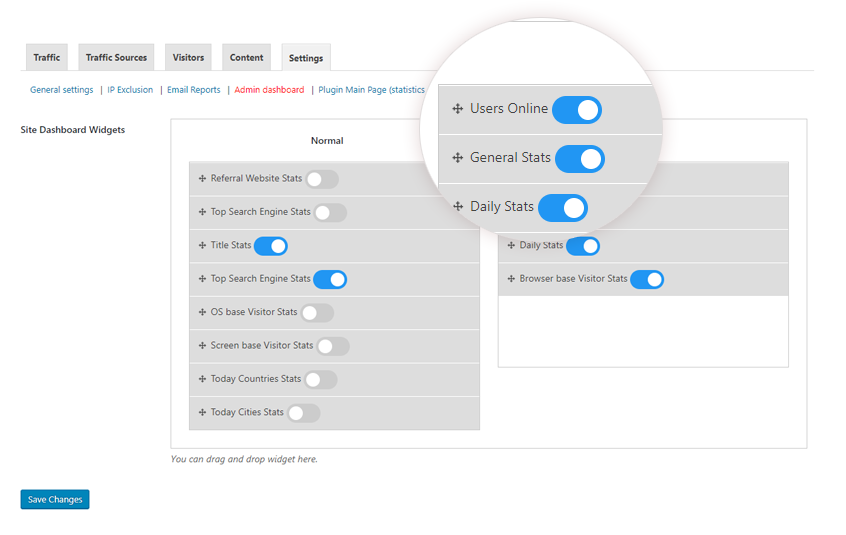
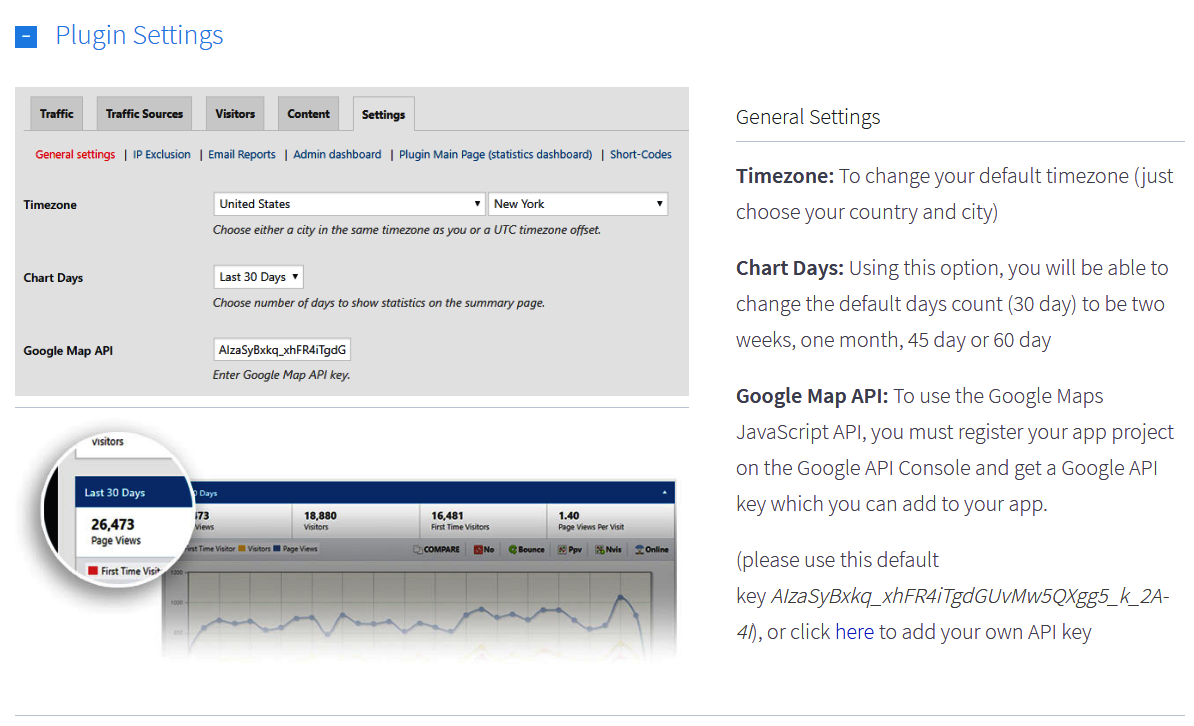
This plugin provides comprehensive visitor statistics for your WordPress site, allowing you to track visits, visitors' locations, search engine queries, and more. It also offers additional features such as an online counter, widgets, and email reports. The plugin is easy to install and fully compliant with GDPR guidelines.Screenshots


Frequently asked questions
What is WordPress visitor statistics?
WordPress visitor statistics is a comprehensive plugin for tracking visitor statistics on your WordPress site. It allows you to monitor real-time statistics, such as visits and visitors location, and provides a user-friendly interface for viewing and analyzing the data.
What are the basic features of WordPress visitor statistics?
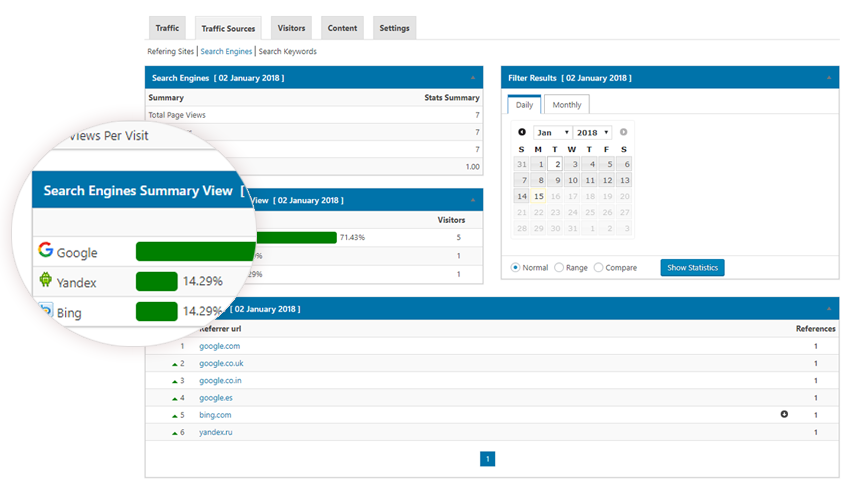
The basic features of WordPress visitor statistics include real-time statistics, visitors location tracking, comprehensive overview page, user-friendly interface, GeoIP location by country, search engine queries, support for hashing IP addresses (Full GDPR compliance), automatic pruning of old data, automatic updates to the GeoIP database, and full compliance with the European GDPR guidelines.
What are the pro features of WordPress visitor statistics?
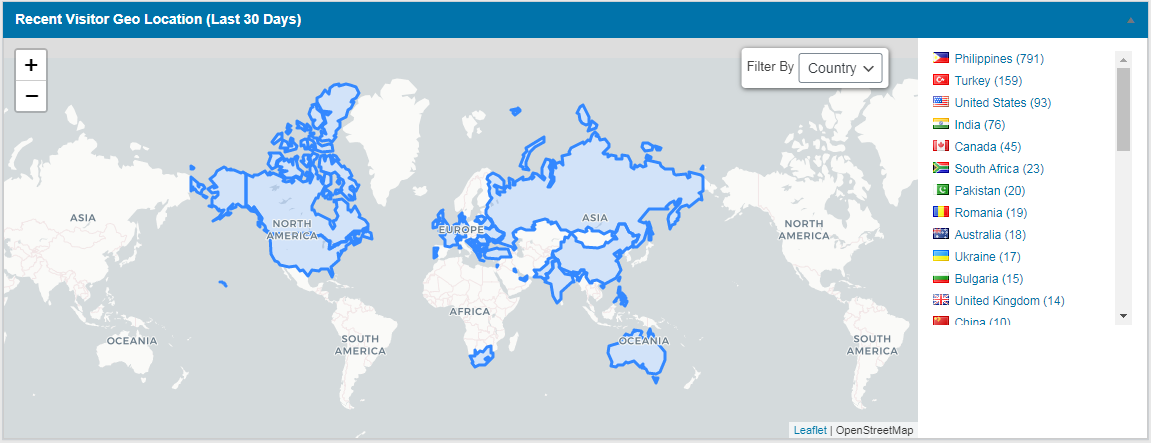
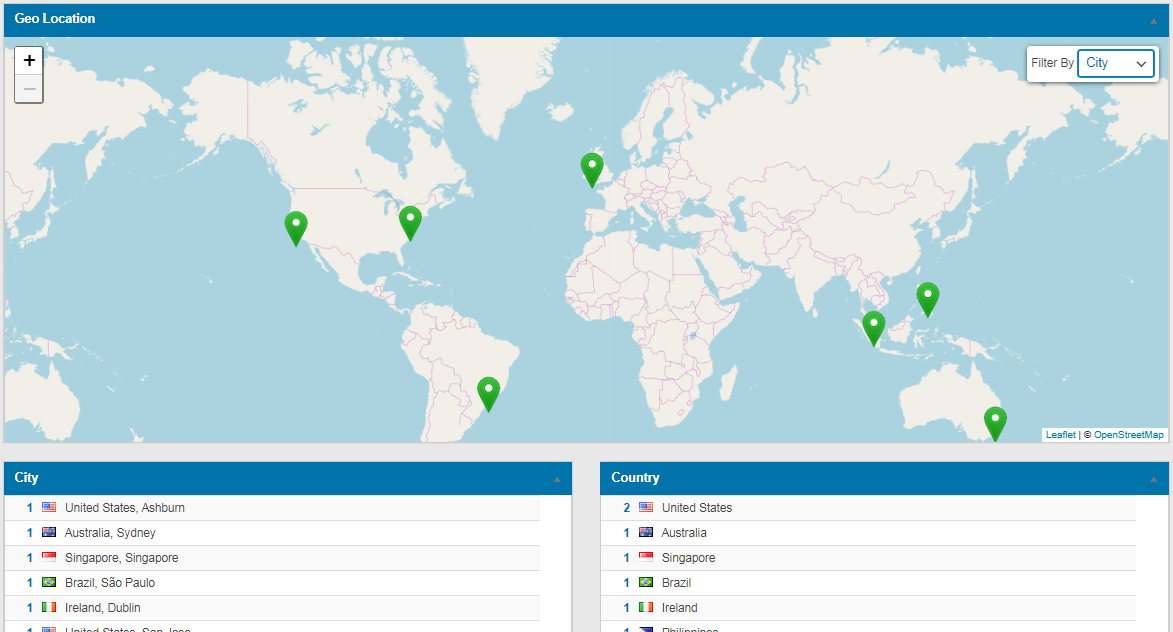
The pro features of WordPress visitor statistics include an online counter, widgets for providing information to your users, shortcodes for displaying different types of data, e-mail reports of statistics, an interactive map of visitors location, GEO locations (country and city), and a list of recent visitors by IP.
What are the requirements for using WordPress visitor statistics?
To use WordPress visitor statistics, you need WordPress version 3.8 or higher, PHP version 5.2 or higher (or 5.5+ if you use the Browscap data file), MySQL version 5.0.3 or higher, at least 20 MB of free web space, at least 5 MB of free DB space, and at least 32 Mb of free PHP memory for the tracker. You also need a browser that supports HTML5 to access the reports.
Where can I find premium add-ons for WordPress visitor statistics?
You can find a list of available premium add-ons for WordPress visitor statistics on the official website of the plugin at http://plugins-market.com/products/add-ons/
Changelog
7.7
Nonce check, IP validation, security improvements
7.6
Exclude both IPv4 and IPv6.
7.5
Security bug fixing
7.4
Enhancing plugin security by fixing existing vulnerabilities and implementing additional security measures.
7.3
Security bug fixing
7.2
Bug fixing – customizer issue
7.1
Bug fixing when giving access to the editor users
6.9.6
- Styling
2 WordPress 6.5.5 compatibility checking
6.9.5
- Bug fixing (log file can be accessed directly via wp-content directory)
6.9.4
- Bug fixing PHP (Error trying to access array offset of type bool)
6.9.3
- enhance reports performance
6.9.2
- escaping data
- WordPress 6.2 compatibility checking
- Bug fixing PHP Warning: Undefined variable $wpdb
6.9.1
- Bug fixing PHP Warning: Undefined variable $wpdb
6.9
- escaping data
- WordPress 6.2 compatibility checking
6.8.1
- Bug fixes – Sanitizing issue
6.7
- Bug fixes – Sanitizing issue
6.6
- Bug fixes – escape data
6.5
- Bug fixes in Shortcodes – Sanitizing issue
6.4
- Bug fixes in database indexes
6.3
- PHP8 Bug fixes
6.2
- Bug fixes in database indexes
6.1
- Bug fixes (Query enhancement – Resource Usage)
5.9
- Bug fixes (notice)
5.8
- Bug fixes in settings page
- Adding new feature in the settings page (Excluding Roles from statistics)
5.7
- Bug fixes in the GEO location vars
5.6
- Bug fixes – escape data
5.5
- Bug fixes in IP execlusion page
5.4
- Bug fixes – escape data
5.3
- Bug fixes in IP exclusion ajax request
5.2
- Bug fixes in timezone
5.1
- Bug fixes in settings
4.9
- Security Bug fixes
4.8
- Security Bug fixing in ajax requests
4.7
- Bug fixing in multisite (network)
4.6
- Bug fixing in IP extension
4.5
- Bug fixing in removing plugin (remove all tables and views)
4.4
- Bug fixing in dashboard stylesheet (with non admin users)
4.3
- Bug fixing in storing URLs (Lowercase issue)
4.2
- Security Bug fixing in ajax requests – part 2
4.1
- Security Bug fixing in ajax requests reported by Mr. Krzysztof Zając
3.18
- Security Bug fixing in ajax requests reported by Mr. Krzysztof Zając
3.18
- Bug fixing in the timezone (part 2)
3.17
- Bug fixing in the timezone
3.16
- bug fixing in stylesheet
3.15
- Adding FR translation (Thanks Maxence RICHARD for your help)
- Bug fixing in the main statistics chart
- bug fixing in stylesheet
3.14
- Bug fixing “PHP Notice: Undefined variable” in functions
3.13
- Bug fixing “PHP Notice: Undefined variable” happend after the latest changes
- Reports enhancements
3.12
- Bug fixing “PHP Notice: Undefined variable” happend after the latest changes
3.11
- bug fixing (single quote issue) in search engines
3.10
- Urgent fixing (Database errors)
3.9
- Top bar icon + bug fixing in the plugin init file
3.8
- Security bug fixing reported by Mr. “Austin Turecek”, Sanitizing ajax request
3.7
- Bug fixing in search engines graphs
3.6
- Bug fixing in prepare statement in the reports
3.5
- Bug fixing in prepare statement
3.4
- Bug fixing in search engines query (single quote issue reported by @madmax4ever)
3.3
- Bug fixing in enqueue scripts
3.2
- Bug fixing in user roles with different site language
3.1
- Bug fixing in user roles
2.9
- Bug fixing in traffic counter after the latest updates
2.8
- Bug fixing – PHP notice
2.7
- js compression
2.6
- Css compression
2.5
- adding the ability to give access to statistics page for any user type
- exclude robots
2.4
- adding new subscribe message to get latest updates
2.3
- bug fixing in CSS
- enhancement in the plugin performance
2.2
- removing alert message
2.1
- IP addresses hashing for last 3 digits
- Bug fixing in default data
1.9
- we used the [GEOPLUGIN] web service (http://geoip-db.com) These library give us more help in identifying the city name, here is the privacy page for this service http://geoip-db.com/privacy
- improve reports
1.8
- fixing content reports (Traffic by title and by url)
- timezone is now support syncronization
- php 7.2 bug fixing
- improve reports
1.7
- Fixing undefined offset issue
1.6
- New feature, user can setup add-ons
- wordpress network (multisite support)
1.5
- Fix Bounce issue
1.4
- Fix total page views issue
1.3
- Fix timezone issue
1.2
- show alert if another stats plugin is enabled
1.1
- Fix schedule cron job issue
1.0
- Initial version

