

Improve your WordPress SEO: Write better content and have a fully optimized WordPress site using the Yoast SEO…
About Product Addons & Fields for WooCommerce
PPOM (Product Addons for WooCommerce) is a plugin that allows you to add custom fields and addons to your product pages. It's easy to use with a drag and drop form builder. The free version includes various input types and features, such as conditional logic, field validation, and min/max length.Screenshots

Frequently asked questions
How does PPOM work?
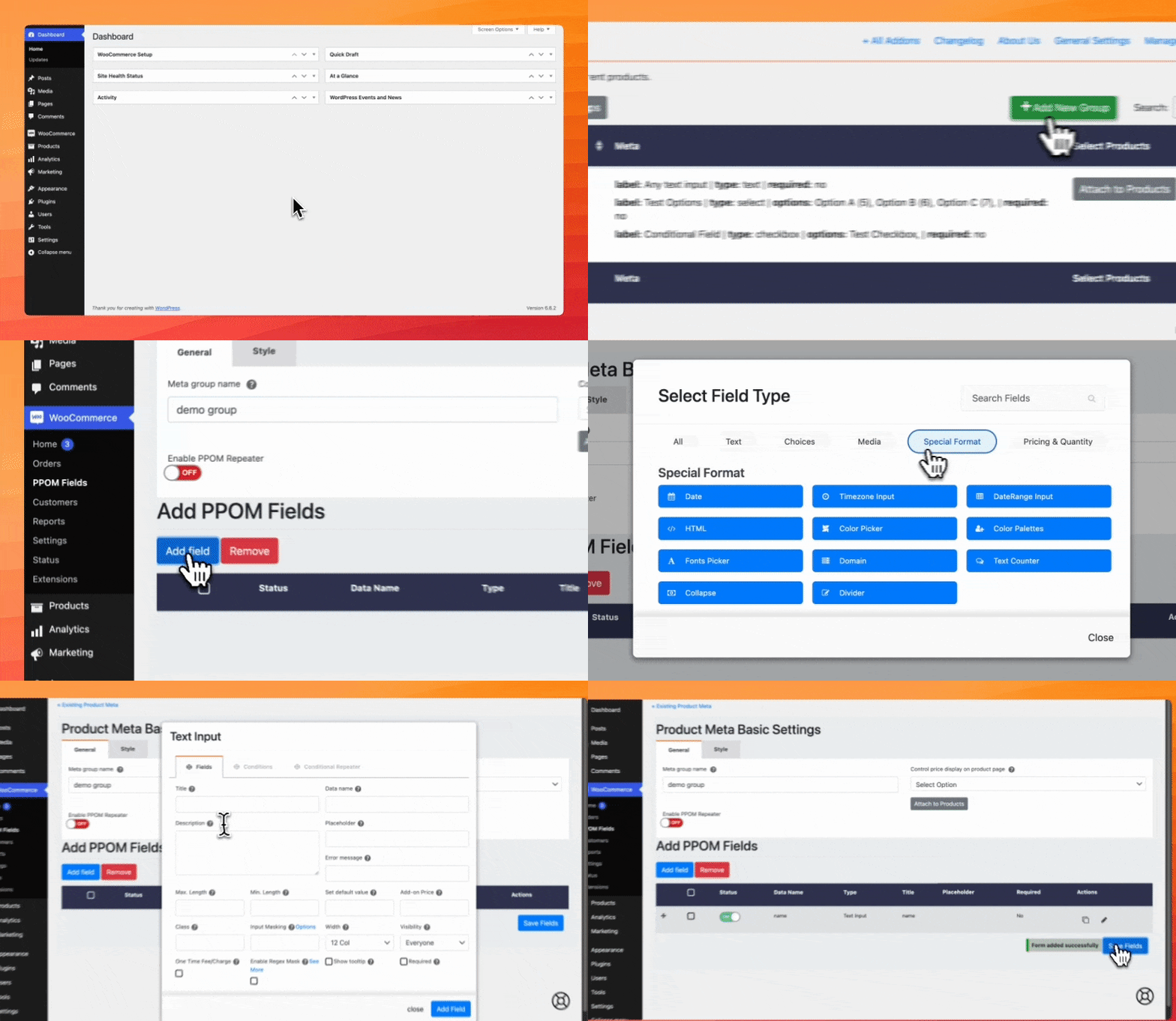
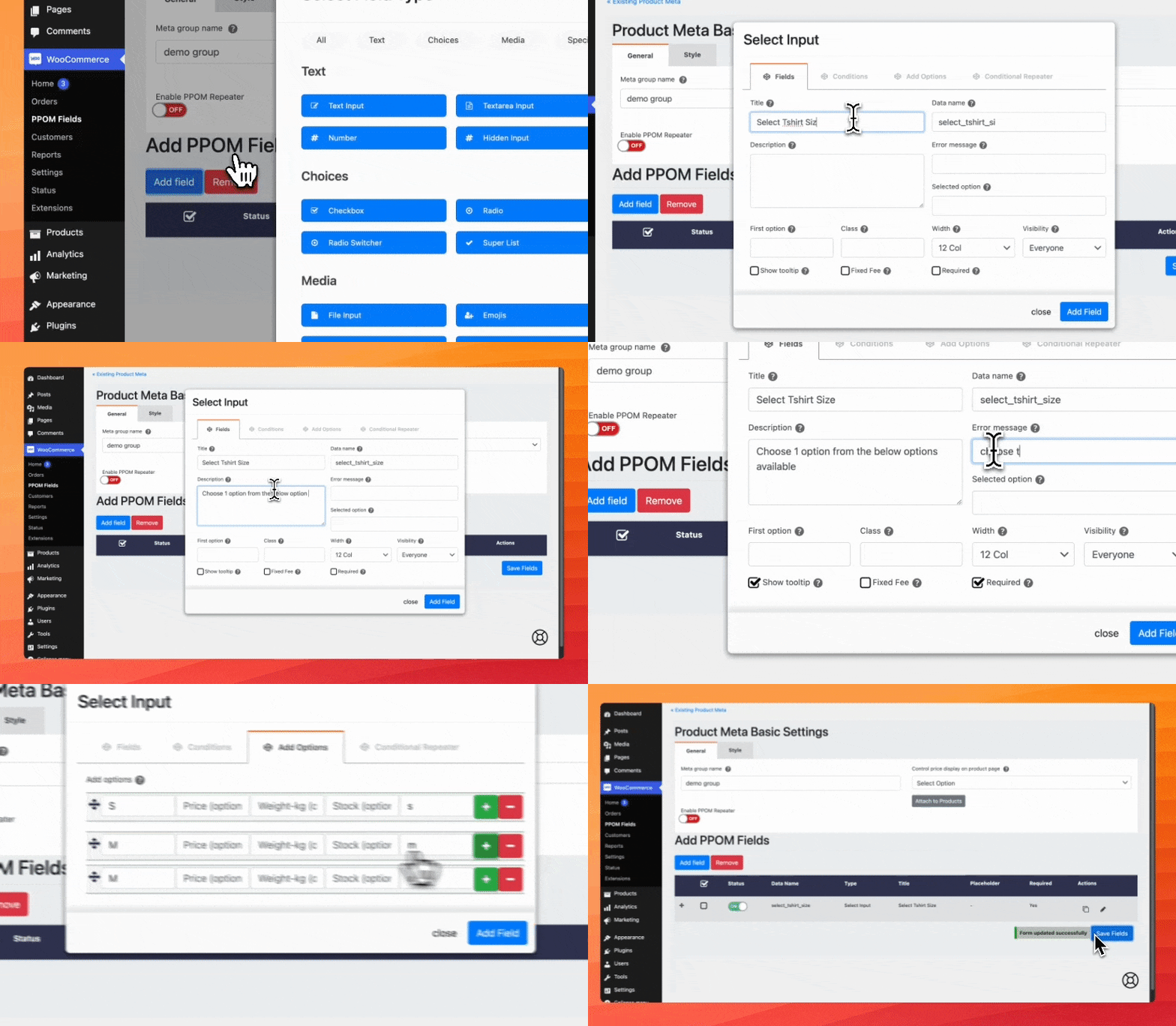
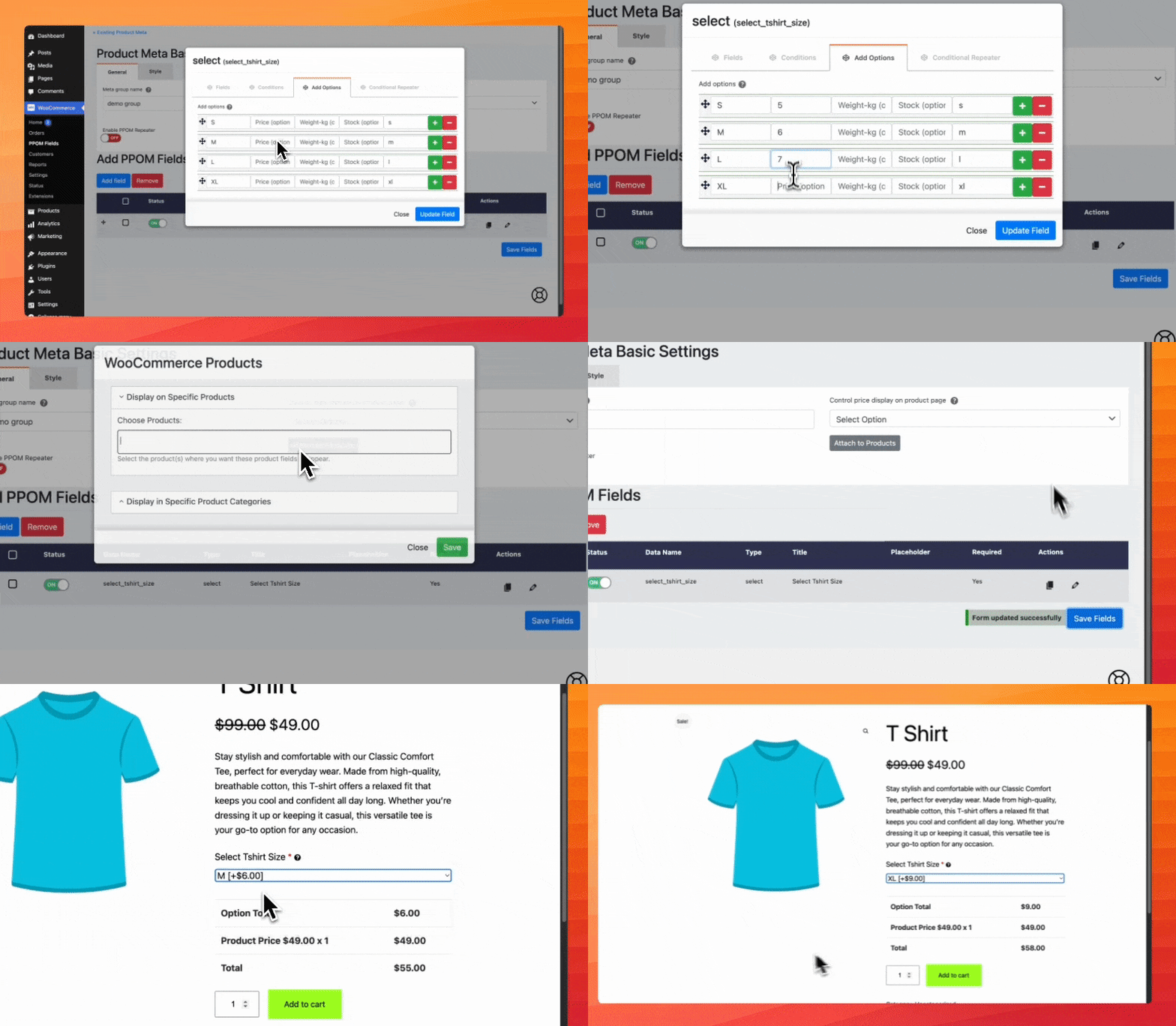
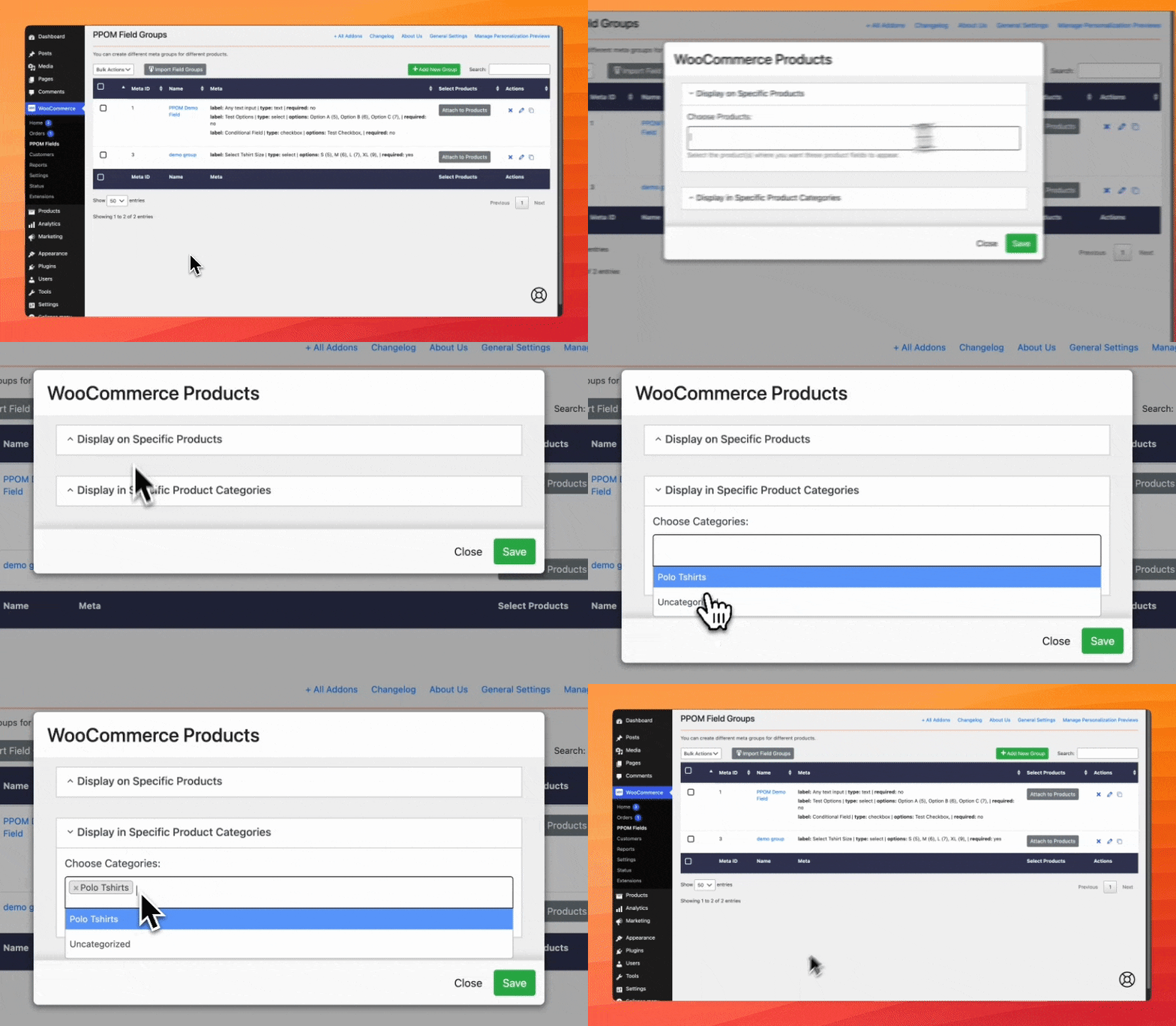
PPOM (Product Addons for WooCommerce) lets you add extra custom fields and addons on your product pages. You can create PPOM fields with the drag & drop form builder from WooCommerce->PPOM Fields. Then, go to the product edit page and select the PPOM fields group created in the previous step and click update.
What are the input types available in the free version of PPOM?
The input types available in the free version of PPOM are Text, Textarea, Select Options (with price), Radio Options (with price), Checkbox Options (with price), Date, Email, Number, and Hidden (Hidden input with a default value).
What are the features available in the free version of PPOM?
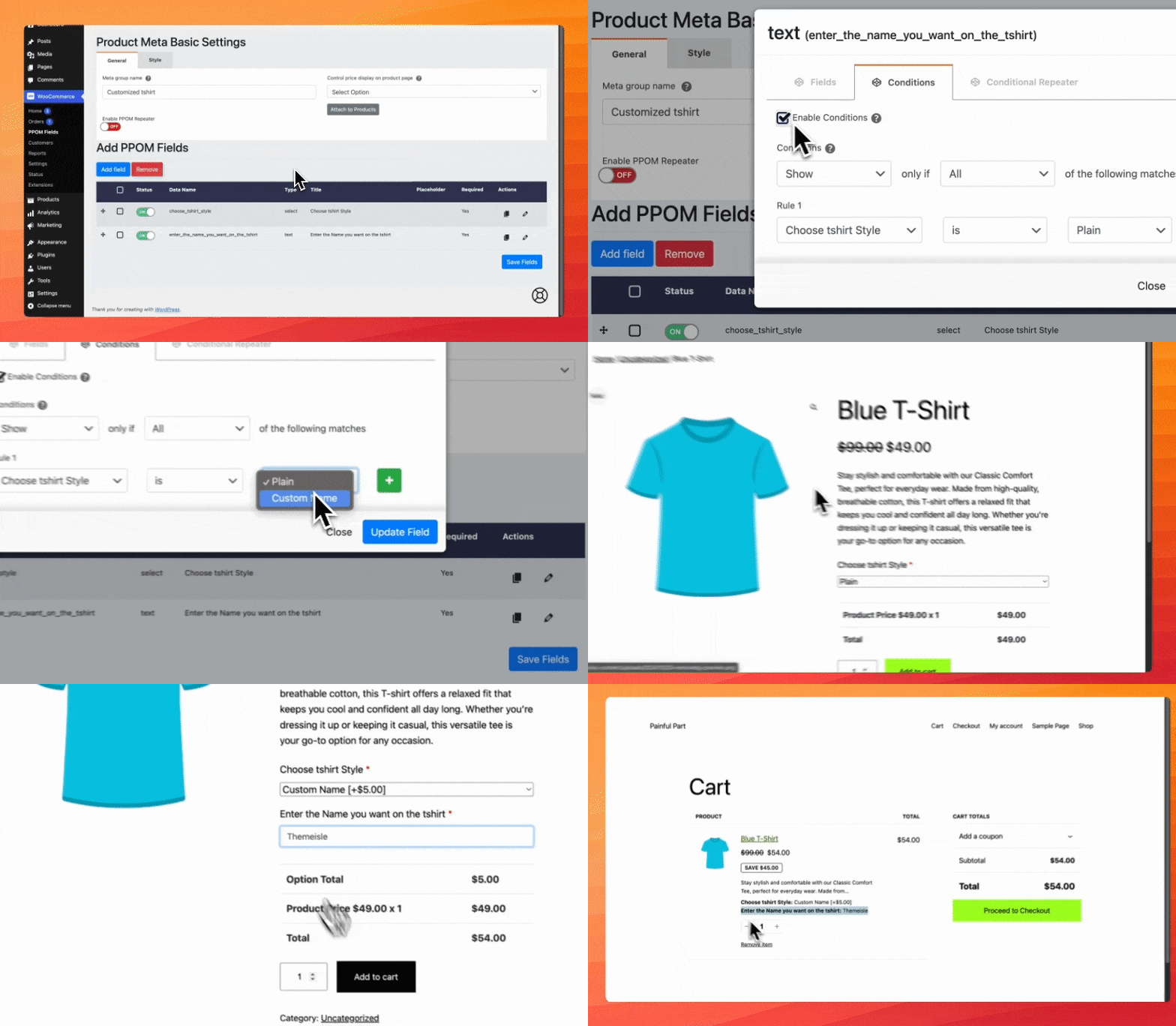
The features available in the free version of PPOM are prices can be added with options, conditional logic (display fields based on conditions), fields classes (CSS classes can be added for each input), fields grid (control field layout with simple grid options in columns), min/max length (set min/max text or number inputs), masking (set input masking for text input), placeholder (set placeholder input for text, textarea, number etc), fields validation (mark fields as required), error message (set custom error message for required fields), field description (set fields description using HTML tags), price display (flexible option to display extra prices e.g hide, only total or itemized prices), apply via category (apply/attach PPOM to whole category instead of a single product), compatible with Advanced Order Export For WooCommerce, and multi-language ready (WPML/Polylang supported).
What are the security measures taken by PPOM?
All inputs in PPOM are sanitized and escaped, ensuring security.
What are the input types available in the PRO version of PPOM?
The input types available in the PRO version of PPOM are Measure Input, Color Picker, Color Palette, Date Range, Images Options, Audio/Video, File Upload, Image Cropper, Variation Quantities, Price Matrix with Discount, Timezone, HTML Content, Bulk Quantity, Chained Input, Collapse Input, Conditional Images Input, Basic Date Range Input, Divider Input, Domain Input, Email Input, Emojis Input, Fixed Price Input, Fonts Picker, Image Dropdown Input, Images Options Input, Phone Input, Quantities Pack Input, Quantity Option Input, Radio Switcher Input, Select Option Quantity Input, Superlist Input, Text Counter, Texter Input, and Variation Matrix Input.
Changelog
Version 33.0.10 (2025-01-10)
- Fixed issue with HTML Output being displayed on fields in the front-end
- Fixed collapse menu issue with conditional fields

