

Improve your WordPress SEO: Write better content and have a fully optimized WordPress site using the Yoast SEO…

About WooCommerce Amazon Pay
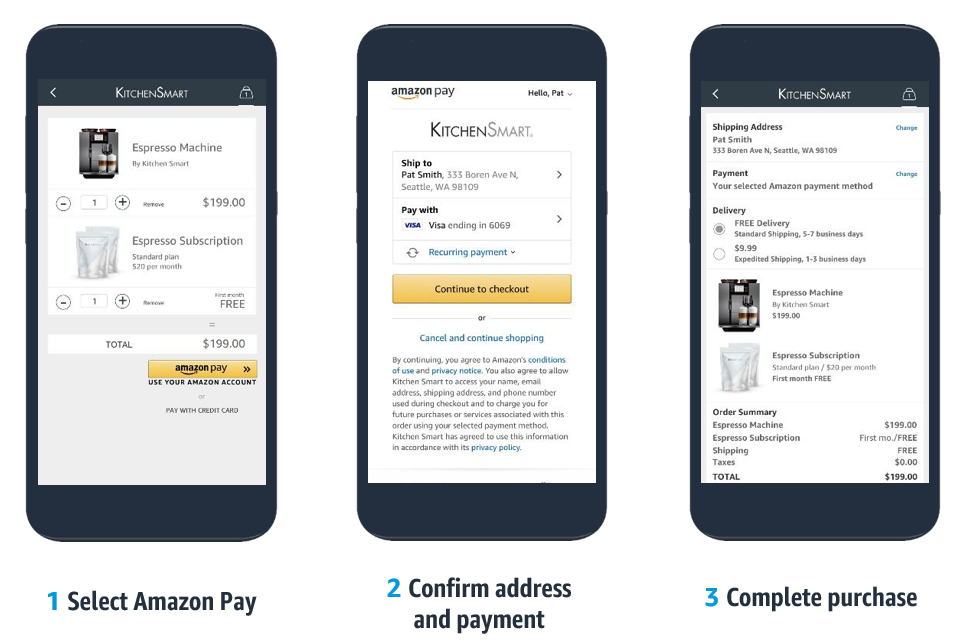
Amazon Pay is an end-to-end payment solution that allows customers to quickly and securely complete purchases on your online store using their existing Amazon account information. It can help reduce cart abandonment, prevent fraudulent transactions, and provide access to a large customer base.Screenshots
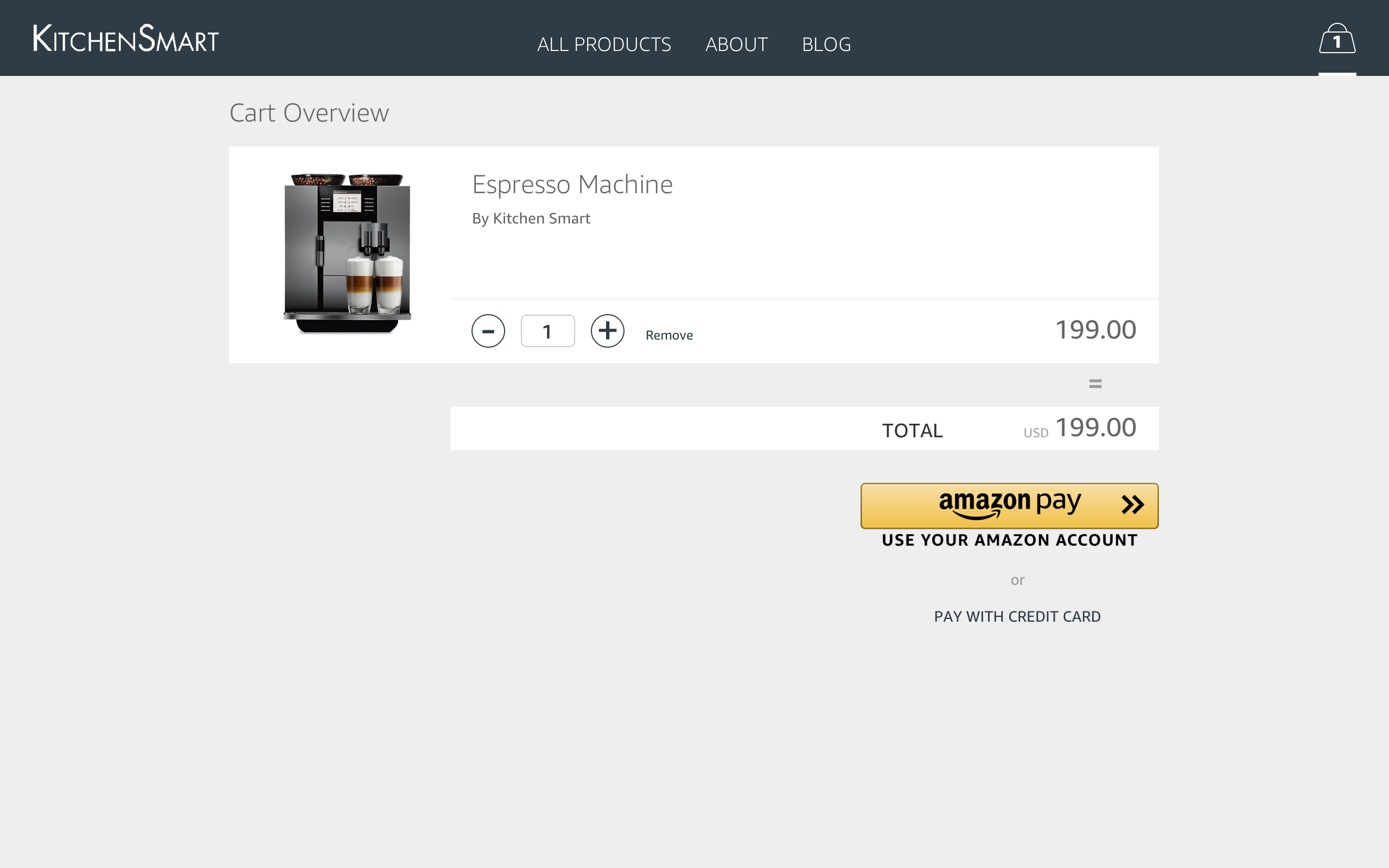
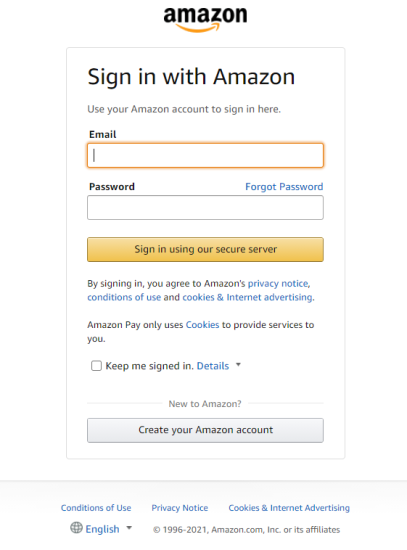
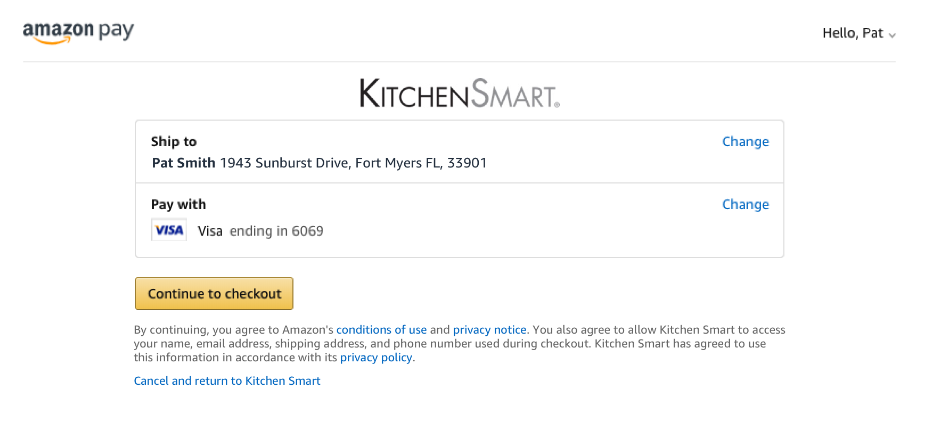
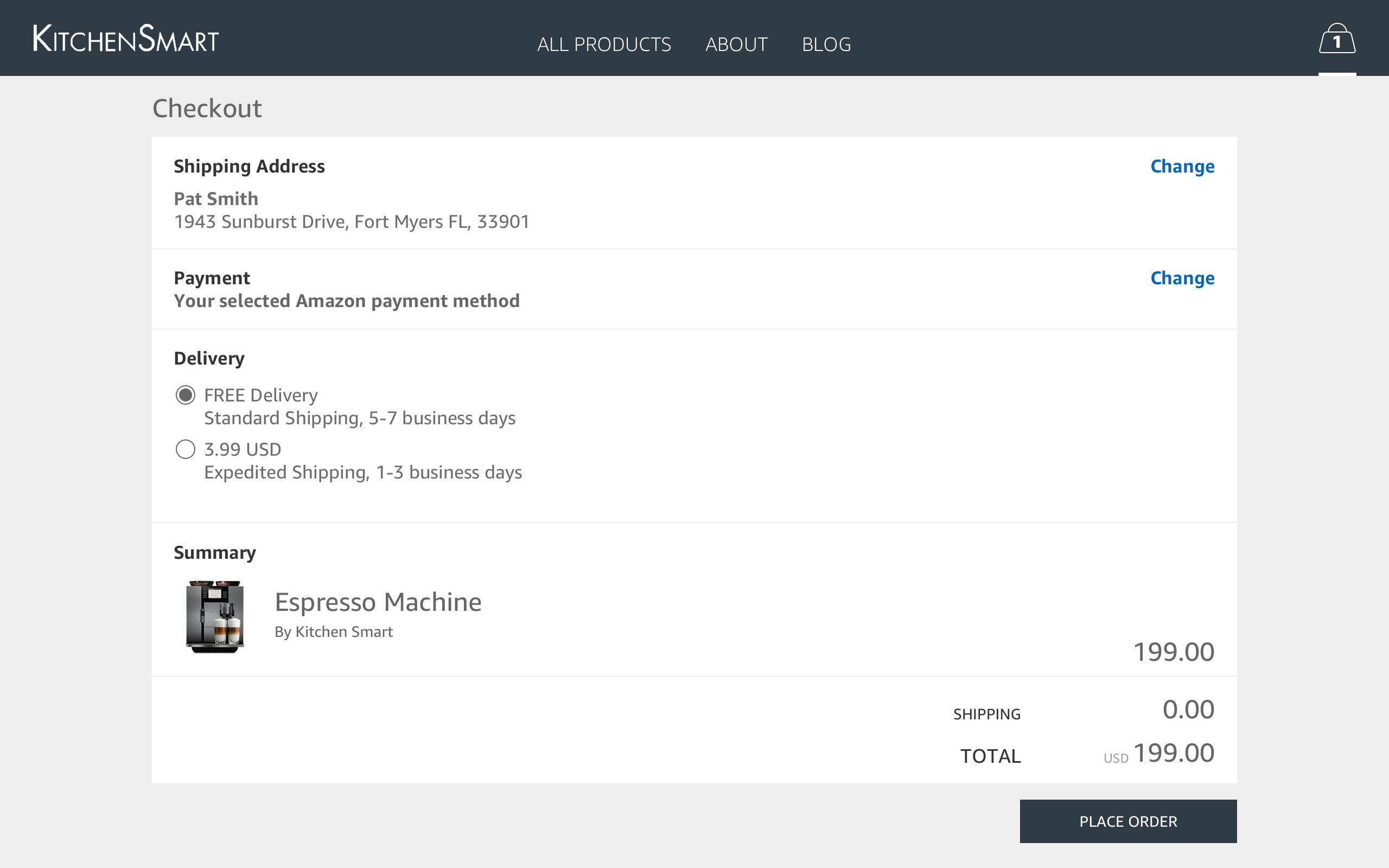
Frequently asked questions
What is Amazon Pay?
An end-to-end payment solution that gives hundreds of millions of active Amazon customers a familiar, fast, and secure way to complete their purchase through your online store.
What are the benefits of using Amazon Pay?
The benefits of using Amazon Pay include keeping customers engaged from cart to finish, reducing chargebacks and fraudulent transactions, growing your audience with co-marketing initiatives, and leveraging the latest technology that customers love.
What are the key features of Amazon Pay?
The key features of Amazon Pay include being PSD2 compliant, supporting multi-currency transactions, offering recurring payment support for WooCommerce Subscriptions, handling automatic declines, providing payment protection and Amazon Pay A-to-z Guarantee, and offering delivery notifications.
How can I enable Amazon Pay on WooCommerce?
To enable Amazon Pay on WooCommerce, it only takes a few clicks on your storefront.
Changelog
2.5.3 – 2024-09-24
- Fix – Add onboarding text and link
- Fix – Update the plugin Author on wp.org
- Fix – Set Merchant account details selector as toggle
- Fix – Adjust the feedback prompt trigger moment
- Fix – Adjust the plugin description on the WC settings page
- Fix – Check the configuration link removed from actual page
- Dev – Bumped tested up to WordPress v6.6.2.
- Dev – Bumped tested up to WooCommerce v9.3.2.
2.5.2 – 2024-07-25
- Fix – Error when using a non Standard decimal amount for a currency.
- Fix – chargeAmount.Amount is invalid when changing currency after selecting other shipping address.
- Fix – Hide the -OR- on Minicart when selecting “Enable hide button mode”.
- Fix – Change Payment Method for a Subscription Paid with another Payment Method.
- Fix – Express Checkout on Product page not getting the values of the variations created by WooCommerce Product Add-Ons and Gravity Forms Product Add-ons
2.5.1 – 2023-10-30
s
- Add – New Amazon Pay Platform related Headers.
- Add – Extendable Multi-currency compatibility.
2.5.0 – 2023-07-20
- Add – Plugin review Prompt.
- Fix – Amazon Pay button is displayed on Product pages even when product is Out Of Stock.
- Fix – WooCommerce Blocks compatibility.
- Fix – Limit gateway’s frontend settings for blocks
- Update – PHP 8 compatibility fixes.
- Update – Update WP and WC tested up to.
2.4.1 – 2023-02-15
- Fix – Identify if the provided order id refers to an actual order completed through Amazon Pay.
2.4.0 – 2023-01-26
- Update – Bumped required WordPress and WooCommerce versions.
- Fix – Address street missing in billing address (Germany addresses).
- Fix – Activate alexa delivery notifications request format.
- Fix – Allowed currencies population is not taking into account status of compatible multi currency plugin.
- Fix – Cancelled authorizations should mark order as “Pending payment”.
- Fix – Compatibility with WooCommerce HPOS (custom order tables).
- Fix – Fatal error when merchant was not migrated to V2 keys.
2.3.0 – 2022-10-11
- Add – Adds estimatedOrderAmount attribute to Amazon Pay button.
- Add – Adds support for Amazon Pay on Cart and Checkout Blocks of WooCommerce Blocks.
- Add – Adds the estimated order amount in every place available by the plugin.
- Fix – If the currency changes while in the FrontEnd the Gateway will alter its availability based on its settings.
- Fix – Warning shouldn’t appear on Single product regarding the ‘subscriptions_enabled’ not being set.
2.2.4 – 2022-08-12
- Fix – Infinite Loop causing Memory Exhaustion.
2.2.3 – 2022-08-12
- Fix – Pick the proper currency when it gets changed by and external multi-currency plugins.
- Fix – Addressed possible fatal errors on widgets page and order pay endpoint.
- Fix – Addressed possible fatal errors when Amazon credentials partially provided.
2.2.2 – 2022-06-17
- Fix – Require phone number only when purchasing physical products.
2.2.1 – 2022-06-13
- Fix – Addresses incorrect gateway availability logic.
2.2.0 – 2022-05-30
- Add – Make Amazon Pay available as a traditional gateway option.
- Add – Support Alexa Delivery notifications.
- Add – Support Amazon Pay “Classic” on the checkout block of WooCommerce blocks.
- Fix – Render Amazon Pay buttons even if they are not visible.
- Fix – Prevents a JavaScript fatal when rendering Amazon Pay button.
- Fix – Make Amazon Pay available for supported currencies only.
- Dev – Bumped tested up to WordPress v6.0.
2.1.3 – 2022-04-11
- Fix – Amazon Pay shouldn’t be available when not supported currency selected.
- Dev – Bumped tested up to WordPress 5.9.
2.1.2 – 2022-03-17
- Fix – Payment fails when site name is longer than 50 characters.
- Fix – Payment fails when recurring payment frequency is passed as an integer.
- Fix – Order changes status to ‘Failed’ during payment processing.
- Fix – Error opening subscriptions details due to internal errors.
- Fix – Multiple pay buttons showing on shipping method change (thank you gyopiazza).
- Fix – Additional way of identifying order id on return.
2.1.1 – 2022-02-03
- Fix – Honoring WooCommerce’s setting for decimals when formatting numbers.
- Fix – Formatting numbers won’t separate thousands by ‘,’.
2.1.0 – 2022-01-10
- Update – Disable option “Hide standard checkout button on cart page” when other payment gateway are activated.
- Fix – Enable subscription amount change support.
- Fix – Accept states without letters mark variations on shipping restriction.
- Fix – Render cart button on update shipping method.
- Add – Process orders created in V1 with V2 handlers.
- Fix – Interference when subscriptions payment method changes to other payment method.
- Fix – Force Decimals to 2 on amounts sent to API to prevent errors on api calls.
- Fix – Save Amazon Reference Id on order _transaction_id order meta field on payment process.
- Update – Hide the API V1 keys on setting when the V2 onboarding is done.
- Fix – Disabling “Hide standard checkout button on cart page” option hides the gateway on the new installations.
- Update – Translation and comments fixes (thank you geist-ahnen, shoheitanaka).
2.0.3 – 2021-06-15
- Fix – Issues with state level handling of shipping zones.
- Fix – Issue that attempted to initialize the plugin in the REST API, throwing a fatal error.
- Fix – Issue with subscriptions and checkout session validation, which forced customers to login again.
- Add – Logging when users are asked to log in again, to debug other potential issues with this validation.
2.0.2 – 2021-05-26
- Fix – Issue that caused secret key from pre v2 to be lost after migrating to v2.
- Add – Allow recovery of v1 secret key if lost during migration to v2.
2.0.1 – 2021-05-14
- Update – WP tested up to 5.7.
- Update – WC tested up to 5.3.
- Fix – Properly compose url for order action buttons.
2.0.0 – 2021-05-11
- Upgrade to use the latest Amazon Pay frontend technology and backend API. Functionalities in parity with the previous version.
1.13.1 – 2021-02-25
- Fix – Avoid hiding default shipping fields at checkout.
1.13.0 – 2021-02-18
- Update – WP tested up to 5.6.
- Update – WC tested up to 5.0.
- Fix – Fatal checkout error when changing subscription’s payment method if user is logged out of Amazon account.
- Fix – Checkout error when address book state does not match WooCommerce state data.
- Fix – Multi-currency compatibility is not detected when Price Based on Country and WMPL is active.
- Fix – PHP error when the currencies_supported option is not set.
- Fix – Add InheritShippingAddress to AuthorizeOnBillingAgreement. InheritShippingAddress = True when orders are shipping physical products.
- Fix – Missing order ID in session.
- Fix – Normalize and refactor URL handling when checkout page url is not set.
1.12.2 – 2020-05-05
- Fix – Fatal checkout error when submitting orders that do not need shipping.
1.12.1 – 2020-05-04
- Update – WC tested up to 4.1.
1.12.0 – 2020-04-20
- Add – Automatic key exchange on setup for GB and EU regions.
- Add – Handling for manual encrypted key exchange.
- Add – Pending transactions processed automatically even if the IPN isn’t received.
- Add – Additional server-side logging for SCA transactions.
- Update – WC tested up to 4.0.
- Update – WP tested up to 5.4.
- Fix – Transaction timeout handling.
- Fix – Orders are created without billing information.
- Fix – Xero invoice exporting on order creation.
- Fix – Users are created with empty address fields.
1.11.1 – 2020-02-13
- Fix – Properly encode URL string
1.11.0 – 2020-01-21
- Add – Strong Customer Authentication (SCA) support for subscriptions (billing agreements).
- Add – Support for custom checkout fields.
- Add – Optimal login option to “Login with Amazon” feature.
- Update – Attach WooCommerce and Amazon Pay plugin version as transaction meta data.
- Update – Enable gateway by default and show a warning that it’s live.
1.10.3 – 2019-11-18
- Update – WC tested up to 3.8.
- Update – WP tested up to 5.3.
1.10.2 – 2019-08-08
- Update – WC tested up to 3.7.
1.10.1 – 2019-06-11
- Fix – Payment options not working when Amazon Pay v1.10.0 is active
- Fix – Checkout broken when Login with Amazon app is disabled
1.10.0 – 2019-06-03
- Add – Strong Customer Authentication (SCA) support for United Kingdom, Euro Region merchants
1.9.1 – 2019-04-17
- Tweak – WC tested up to 3.6.
1.9.0 – 2019-02-11
- Update – Allow transactions of more than $1000 via async/IPN.
- Update – Upgrade merchant onboarding and registration experience.
- Update – Allow to capture payments in multiple currencies.
- Fix – Avoid using float css property so the cart button is always wrapped by the parent div.
1.8.5 – 2018-10-17
- Update – WC tested up to 3.5.
1.8.4 – 2018-05-17
- Update – WC tested up to version.
- Update – Privacy policy notification.
- Update – Export/erasure hooks added.
- Fix – Missing most of the address information.
1.8.3 – 2018-05-09
- Add – Hook to show/hide amazon address widget “woocommerce_amazon_show_address_widget” (bool), hidden by default.
- Add – New setting field to Enable/Disable Subscriptions support.
- Fix – Compatibility fixes with Advanced Ordernumbers plugin.
- Tweak – Allow Subscription details to be changed for Subscriptions paid through Amazon.
1.8.2 – 2017-03-12
- Tweak – Change refund_type string for IPNs when a payment refund is received for subscriptions.
1.8.1 – 2017-12-15
- Update – WC tested up to version.
1.8.0 – 2017-11-29
- Tweak – Added IPN handlers to handle notifications from Amazon. Currently only add the notification as order notes.
- Tweak – Handle order refund when IPN for payment refund is received.
- Tweak – Added admin notices for conditions that may cause an issue: 1) WooCommerce Germanized is active with disallow cancellation option enabled 2) Shop currency doesn’t match with payment region.
- Fix – Remove restriction of subscriptions on EU region. Amazon has reached general availability for the recurring payments product. No white listing needed anymore in any region.
- Fix – Hide customizable button settings if login with Amazon app is disabled.
- Fix – Check city if state is missing from address widget. Please note that StateOrRegion, known as state in WooCommerce, is not mandatory in Amazon address. If the fallback is failed, the workaround would be from shipping zone to target the country.
- Fix – Handles buyer canceled scenario via IPN.
1.7.3 – 2017-07-06
- Tweak – Change Payment mark after Amazon re-brand.
- Tweak – Add setting link in plugin action links.
- Fix – Issue in PHP 7.1 might throw an error when trying to checkout.
- Fix – Added proper handler for
AmazonRejected. It won’t render the widgets and redirect to cart immediately. - Fix – Removed explicit limit check when authorizing billing agreement. Order will be failed when attempting to authorize such payment and subscription still inactive until the order is paid.
- Fix – Suppress coupon notice/form when the transaction is declined with reason code
InvalidPaymentMethod. - Fix – PHP Notice: id was called incorrectly when attempting to pay Subscription product.
1.7.2 – 2017-06-27
- Add – New Woo plugin header, for WooCommerce 3.1 compatibility.
1.7.1 – 2017-05-01
- Fix – Issue where address is not being passed in new order email.
- Fix – Issue where billing and shipping information from Amazon were not saved when login app is not enabled.
- Fix – Make address widget read-only when authorization is declined with reason code
InvalidPaymentMethod.
1.7.0 – 2017-04-04
- Fix – Update for WooCommerce 3.0 compatibility.
- Fix – Issue where subscription renewal order could not find billing agreement ID.
- Tweak – Compability with WPML.
- Fix – issue where disabled guest checkout with generated username and password blocked checkout.
- Tweak – Updated strings “Amazon Pay” as the brand name.
- Fix – Improper handling of declined authorization.

