

Improve your WordPress SEO: Write better content and have a fully optimized WordPress site using the Yoast SEO…

About CURCY – Multi Currency for WooCommerce – The best free currency exchange plugin – Run smoothly on WooCommerce 8.x
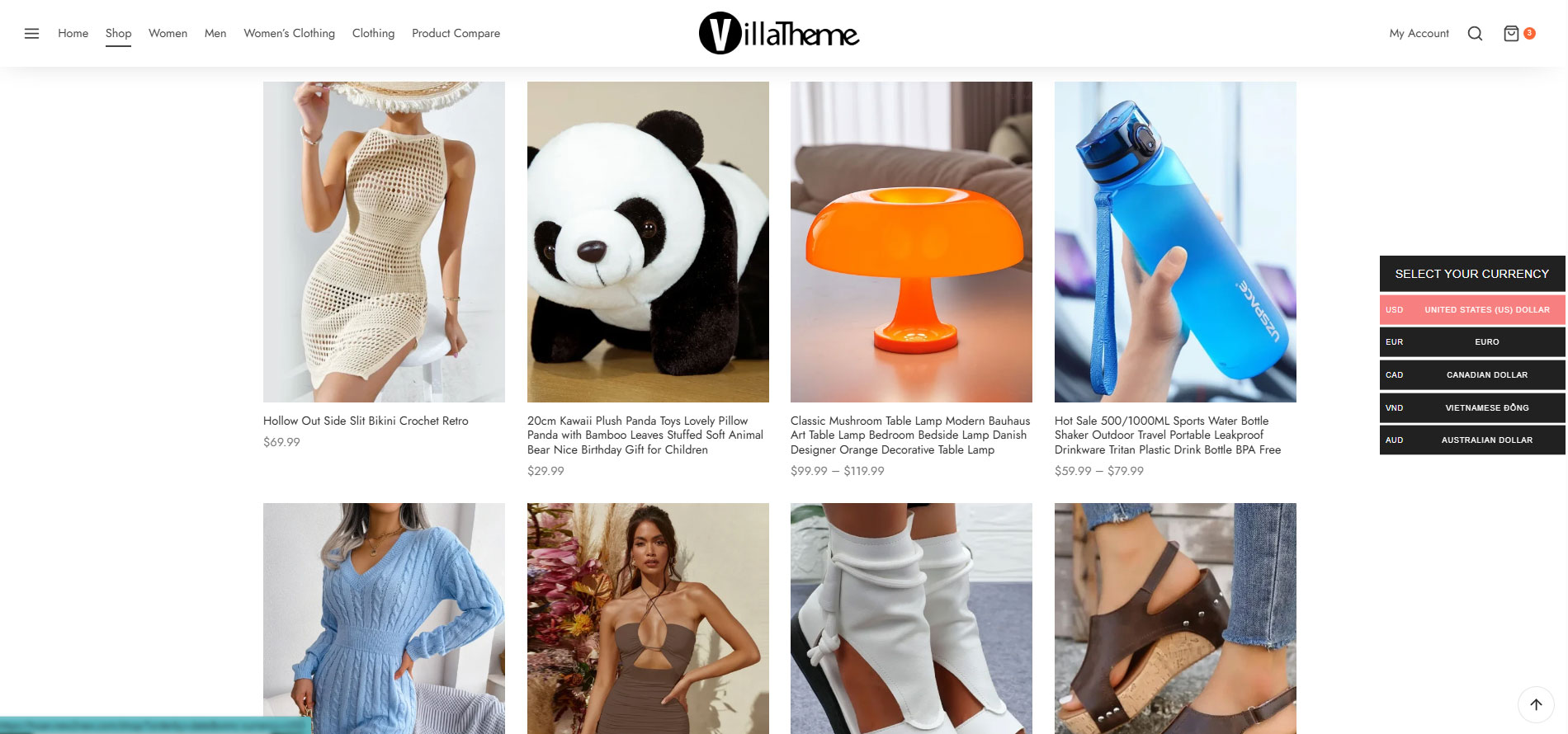
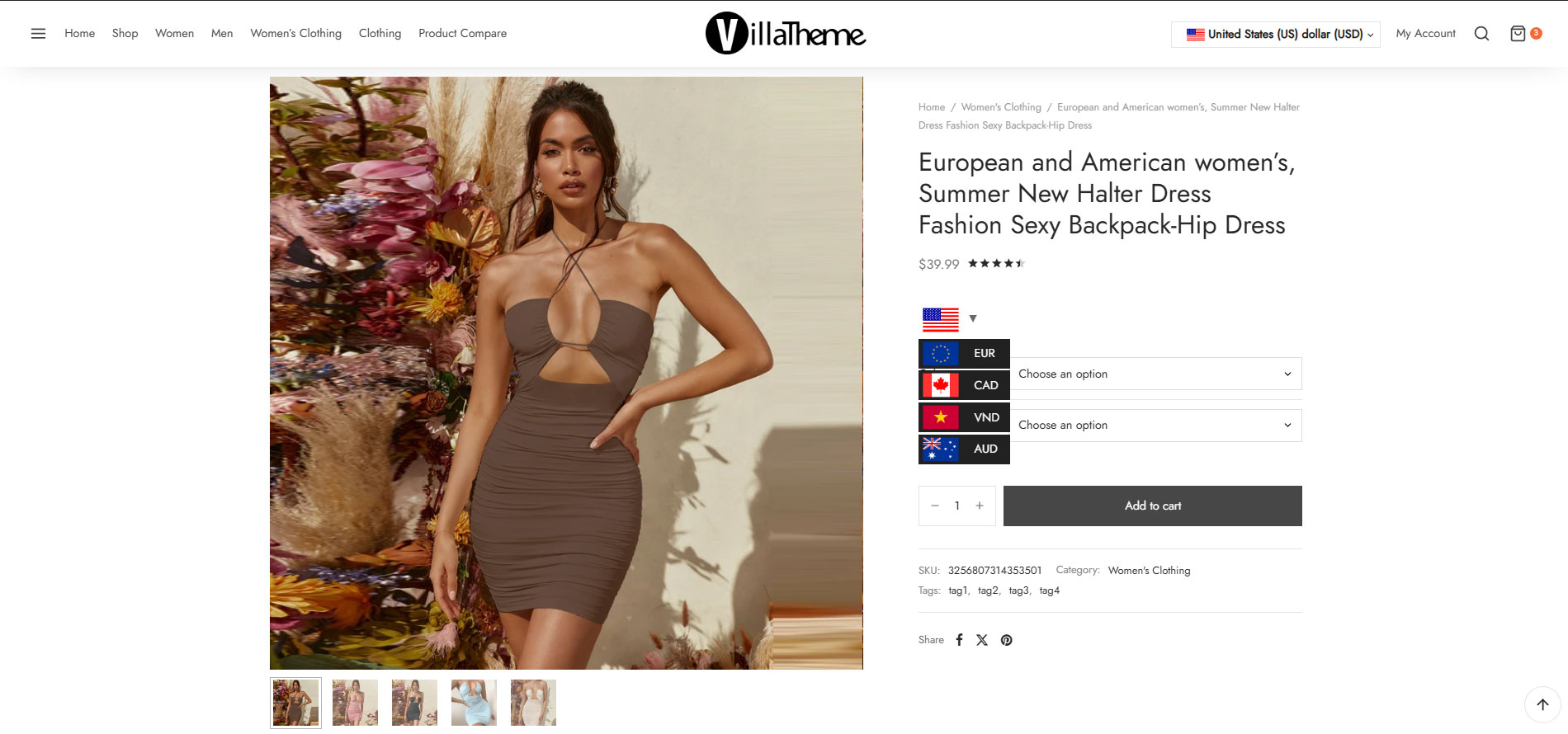
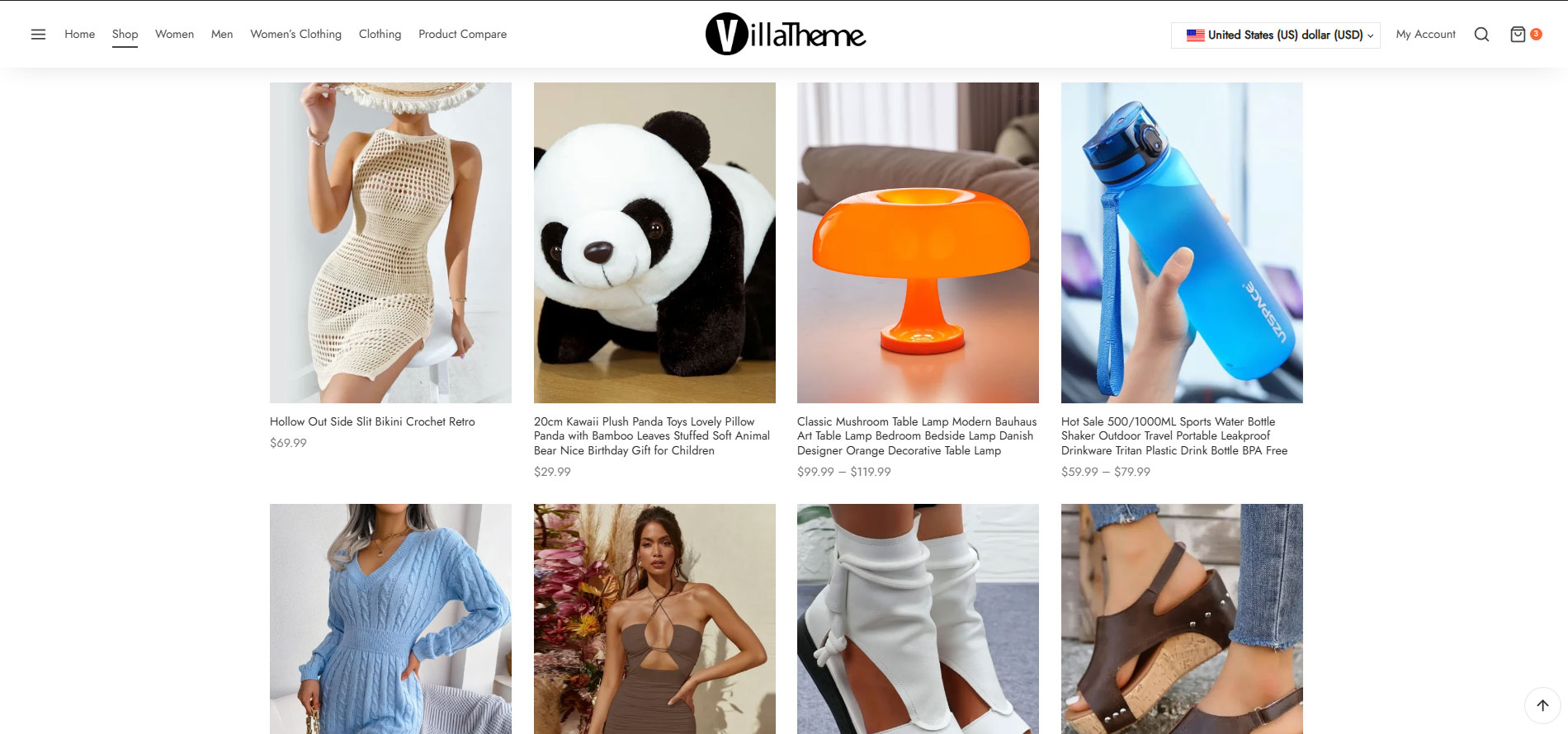
CURCY - Multi Currency for WooCommerce is a plugin that allows your customers to switch between currencies and make payments in multiple currencies. It can automatically detect customers' geolocation and display prices in their native currency. The premium version offers additional features such as unlimited currencies, session-based currency selection, and automatic exchange rate updates.Screenshots
Frequently asked questions
What does CURCY - Multi Currency for WooCommerce do?
CURCY - Multi Currency for WooCommerce allows customers to switch between currencies and helps your store accept payments in multiple currencies. It can automatically detect customer geolocation and display prices in their native currency.
How can the exchange rate be set?
The exchange rate can be set up manually or automatically within the plugin.
How does the plugin detect a customer's country?
The plugin can automatically detect a customer's country code based on their IP address. For geolocation, it can use either WooCommerce's built-in service (ipinfo.io or ip-api.com) or an external service like geoPlugin.
What are the options for customers to switch currencies?
Customers can switch currencies using the Currency bar, the Currency Price Switcher, or a shortcode.
Can customers pay in different currencies?
Yes, if the option is enabled, customers can pay in different currencies.
Changelog
/2.2.6 – 2025.02.04/
– Fixed: Issue with Advanced Product Fields For WooCommerce
– Update: Add setting style
/2.2.5 – 2024.12.21/
– Update: Add setting description
– Updated: Compatibility with WC 9.5
/2.2.4 – 2024.11.09/
– Fixed: Missing text domain from some translate text
/2.2.3 – 2024.06.04/
– Update: Add filter wmc_switcher_display_currency_name to change display currency name
/2.2.2 – 2024.04.13/
– Fixed: Shipping issue with MyFatoorah
– Fixed: Conflict shipping price with Envia Shipping and Fulfillment
/2.2.1 – 2024.01.05/
– Fixed: Wrong COD price with WooCommerce Smart COD
– Fixed: Missing currency info in admin order
– Updated: Change analytic function workflow
– Updated: Compatibility with CTX Feed Pro
/2.2.0 – 2023.08.23/
– Fixed: Compatible with High-Performance order storage (COT)
– Updated: Compatibility with WP 6.3 and WooCommerce 8.0
/2.1.31 – 2023.07.22/
– Fixed: YITH WooCommerce Product Add-ons & Extra Options Premium compatibility issue
– Fixed: Wrong fixed price display on WC Blocks
– Updated: Compatible with High-Performance order storage (COT)
/2.1.30 – 2023.05.04/
– Updated: Compatibility with google index
/2.1.28 – 2023.03.01/
– Fixed: Convert min/max topup amount
/2.1.27 – 2023.01.12/
– Added: Add loading layer mask option when price is loading by AJAX
– Fixed: String divide string in PHP8
/2.1.26 – 2022.12.09/
– Fixed: Add missing nonce
/2.1.25 – 2022.11.15/
– Fixed: PHP8 – convert string to float
/2.1.24 – 2022.09.10/
– Added: Translate for Vietnamese
/2.1.23 – 2022.07.25/
– Fixed: Fill order data in WooCommerce analytics
/2.1.22 – 2022.06.20/
– Fixed: Compatibility issues with WPC Product Bundles for WooCommerce by WPClever
– Fixed: Flag css overridden by some themes
/2.1.21 – 2022.06.18/
– Fixed: Price not consistent when going to checkout then going to other pages at the first load if Pay in many currencies option is turned off
/2.1.20 – 2022.06.03/
– Fixed: Sanitize/escape data + small fixes
/2.1.19 – 2022.06.02/
– Fixed: Sanitize/escape data
– Added: New shortcode [woo_multi_currency_layout10]
– Optimized: RTL
– Optimized: Sync checkout currency and automatically reload checkout page to work correctly with the new PayPal gateway
/2.1.18 – 2022.05.31/
– Fixed: Correctly escape all URLs
/2.1.17 – 2022.05.30/
– Fixed: Compatibility issues with WooCommerce TM Extra Product Options By ThemeComplete
– Fixed: Compatibility issues with TeraWallet and UddoktaPay Gateway
– Updated: Compatibility with WP 6.0
/2.1.16 – 2022.05.04/
– Fixed: Deprecated _register_controls notice from Elementor 3.6
– Fixed: Some warning notices on the plugin settings page and admin orders page in some cases
– Fixed: Compatibility issues with TerraWallet – credit not converted if order status is manually switched to paid statuses after payment; cashback conversion
– Fixed: Compatibility issues with Visual Products Configurator by ORION – linked options not converting
/2.1.15 – 2022.04.22/
– Fixed: Compatibility issues with LearnPress – WooCommerce Payment Methods Integration
– Fixed: Compatibility issues with Flexible Shipping by WP Desk – do not convert INF
– Updated: Make Approximate price feature work as configured in “Currency by Country” feature if enabled
– Updated: Support Class
/2.1.14 – 2022.03.29/
– Fixed: Compatibility issues with LearnPress – WooCommerce Payment Methods Integration
– Updated: Support Class
/2.1.13 – 2022.03.21/
– Fixed: Compatibility issues with Bookly
– Fixed: Compatibility issues with Learnpress
– Fixed: Compatibility issues with TeraWallet
– Fixed: Compatibility issues with WooCommerce Name Your Price by Kathy Darling
– Improved: WP rocket compatibility – mandatory cookies filter
– Updated: Support Class
/2.1.12 – 2022.01.26/
– Fixed: Error with Learnpress new versions
– Updated: Compatibility with WP 5.9
/2.1.11 – 2022.01.15/
– Fixed: Deprecated is_ajax in WC6.1
/2.1.10 – 2022.01.11/
– Updated: VillaTheme_Support
– Updated: Added Trademark name
– Fixed: Compatibility issues with WooCommerce Payments plugin
– Fixed: Compatibility issues with Woo Discount Rules plugin by Flycart(prices in discount table not converted in some cases)
– Fixed: Compatibility issues with PPOM for WooCommerce by N-MEDIA – Najeeb Ahmad
/2.1.9 – 2021.12.11/
– Fixed: Compatibility with Woo Discount Rules: fixed regular price is not used to calculate discount if “Calculate discount from” option(Woo Discount Rules settings) is set to Regular price
– Updated: SCSS
– Fixed: Price format of EUR may have be incorrect due to WooCommerce Payments plugin
– Fixed: Analytics net sales in some cases
– Fixed: Some compatibility issues with WPC Product Bundles for WooCommerce plugin by WPClever
– Fixed: Reduce z-index of product price switcher to not cover zoom featured/gallery image when zooming
2.1.8 – 2021.10.26
– Fixed: Make converted coupon min/max amount round with respective currency decimals
– Fixed: Incorrect price shown by calculate_extra_price_ajax_handler ajax(WooCommerce Extra Product Options Pro by ThemeHigh)
– Fixed: Compatibility issue with Yith frequently bought together, OrderBumps: WooCommerce Checkout Offers – WooFunnels
– Fixed: Shipping issue with CDEK + Aramex shipping methods
– Updated: [woo_multi_currency_exchange] shortcode can now be used to print out product price
– Added: Compatibility with Catna – WooCommerce Name Your Price and Offers(convert price + support fixed price for Name your price fields)
– Added: Compatibility with WooCommerce Boost Sales new feature – dynamic price and discount for bundle
2.1.7 – 2021.07.31
– Fixed: Flexible shipping cost not converting
– Fixed: WooCommerce Booking resource not converting
– Fixed: WooCommerce Product addons compatibility issue
– Fixed: Conversion issue with Smart bundle for WooCommerce plugin
– Fixed: Conversion issue with PPOM for WooCommerce plugin
– Fixed: Missing VAT information in emails
– Updated: Compatibility with WP 5.8 and WC 5.5
– Updated: Class VillaTheme_Support
– Added: ETH, LTC, ZWL
2.1.6.6 – 2021.06.18
– Fixed: Fixed price of simple subscription product not saving
– Fixed: Shipping class costs conversion
– Updated: Support class
2.1.6.5 – 2021.06.15
– Fixed: Division by zero in price filter of some themes
– Added: Unlock the “Rate decimals” option
2.1.6.4 – 2021.06.11
– Fixed: Division by zero when using price filter in some cases
– Updated: Order stats from other currencies are converted to default currency in WooCommerce Analytics(revenue/orders)
2.1.6.3 – 2021.06.03
– Fixed: Price issue with variable subscription – WooCommerce Subscription
– Added: Change WooCommerce price filter step according to currency
– Added: Compatibility with Woo Discount Rules from Flycart including Bulk discount(percentage+fixed), Product adjustment(percentage+fixed), Cart adjustment(percentage discount only)
– Added: Option to enable/disable the use of rel=”nofollow” in currency switcher buttons
2.1.6.2 – 2021.03.06
– Fixed: Price issue with Visual Product Configurator
– Fixed: WooCommerce subscription – renew subscription + fixed price issue
– Fixed: Advanced product fields for WooCommerce pro – Min cart subtotal rule issue
– Fixed: WooCommerce product addons – incorrect displaying price
– Fixed: Yith dynamic pricing and discount – Quantity discount rule
– Fixed: Wrong price in facebook feed created by WooCommerce Product Feed Pro plugin from WebAppick
– Updated: Compatibility with WP 5.7 and WC 5.0
2.1.6.1 – 2020.12.25
– Updated: Calculate mini cart in other hook
2.1.6 – 2020.10.27
– Updated: Compatible with cache plugin option
2.1.5.6 – 2020.07.21
– Fixed: Color option for shortcode
2.1.5.5 – 2020.07.02
– Fixed: define WPFC_CACHE_QUERYSTRING notice
2.1.5.4 – 2020.06.15
– Updated: Compatible with WooCommerce Report
2.1.5.3 – 2020.06.2
– Fixed: Filter by price
2.1.5.2 – 2020.05.22
– Fixed: Compatible with WP Rocket Cache
2.1.5.1 – 2020.05.21
– Updated: Change role to woocommerce_manage
2.1.5 – 2020.05.19
– Updated: Compatible with Elementor
2.1.4.4 – 2020.04.23
– Updated: Support file
2.1.4.3 – 2020.04.21
– Updated: Add 2 new shortcode: [woo_multi_currency_layout8] [woo_multi_currency_layout9]
– Compatible: WooCommerce TM Extra Product Options (themeComplete) – full
– Compatible: Subscriptio – WooCommerce Subscriptions (RightPress) – full
– Compatible: Discussion on RnB – WooCommerce Booking & Rental Plugin (RedQ Team) – full
– Compatible: WooCommerce PDF Vouchers – WordPress Plugin (wpweb) – full
2.1.4.2 – 2020.03.23
– Updated: Support file
2.1.4.1 – 2019.11.30
– Fixed: Switcher bar doesn’t show at checkout page.
2.1.4 – 2019.11.16
– Fixed: Currency bar CSS
2.1.3.9 – 2019.11.16
– Updated: Sanitize input data
2.1.3.8 – 2019.10.10
– Updated: Change order detail notice by currency value
2.1.3.7 – 2019.10.07
– Updated: Update readme
2.1.3.6 – 2019.09.12
– Updated: Optimize load flags
– Updated: Add ETH flag
– Updated: Optimize display loop
2.1.3.5 – 2019.05.09
– Updated: Premium version link
– Updated: Exchange rate API
2.1.3.4 – 2019.05.03
– Fixed: Problem with WooCommerce Bookings
– Updated: Exchange rate API
2.1.3.3 – 2019.04.04
– Updated: Make admin notices dismissible
/2.1.3.2 – 2019.03.08/
– Updated: Do not auto clear cache(W3 Total cache and WP Rocket)
– Fixed: Exchange rates widget
/2.1.3.1 – 2018.01.04/
– Updated: The same premium
/2.1.3 – 2018.12.21/
– Updated: Class support
– Fixed: Currency position not working
– Fixed: Tab JS in backend
/2.1.2.4.1 – 2018.11.10/
– Fixed: Support class
/2.1.2.4 – 2018.10.16/
– Remove: Upgrade notification
– Remove: Encrypted initial data
– Fixed: Sanitize data
– Fixed: Class support
– Fixed: Return 404 issue with Autoptimize
– Fixed: Currencies bar unclickable on some users’ site
– Updated: Anchor link wrap currency symbol on currencies bar
– Updated: Learnpress compatibility
/2.1.2.3 – 2018.10.15/
– Remove: Upgrade notice
/2.1.2.2 – 2018.09.26/
– Fixed: Missing class method
/2.1.2.1 – 2018.09.05/
– Fixed: Currency price switcher
/2.1.2 – 2018.09.05/
– Added: Custom define SERVER IP
– Added: Currency price switcher
– Fixed: Approximately price
– Fixed: Shortcodes
– Fixed: Update currency when order completed.
– Fixed: Widget flag
– Updated: CSS for mobile
– Compatible: WooCommerce Booking
/2.1.1.2 – 2018.08.22/
– Fixed: Shipping rate decimal
– Fixed: Class support
/2.1.1.1 – 2018.07.09/
– Fixed: class Data of free version
/2.1.1 – 2018.07.07/
– Updated: Flag images
– Updated: Class Support
– Fixed: Order ID on thank you page
– Fixed: Clear browser cache
– Fixed: Fixed price
– Added: Widget, shortcode of Currency rates
/2.1.0.1 – 2018.05.29/
– Fixed: Class support
– Added: WPML.org
/2.1.0 – 2018.05.14/
– Fixed: Clear cache plugins
– Fixed: Currency not change on widget Price filter
– Fixed: Cache price when exchange of price.php
– Added: Shortcode exchange with number
– Compatibled: WooCommerce Wholesale prices
/2.0.9.1.1 – 2018.05.11/
– Fixed: Support class
/2.0.9.1- 2018.05.08/
– Fixed: Clear cache
/2.0.9- 2018.04.28/
– Added: Clear cache with Autoptimize
– Added: Clear cache with WP Fastest Cache
– Added: Clear cache with WP Rocket
– Fixed: Decimal is 0 with other currencies
– Fixed: Fixed price not saving on external/affiliate product
/2.0.8.2.1 – 2018.04.28/
– Fixed: Warning of URL
/2.0.8.2 – 2018.04.16/
-Updated: Link to pro version
/2.0.8.1 – 2018.04.09/
– Fixed: Class support
/2.0.8 – 2018.03.05/
– Compatible: Printful shipping
– Fixed: Class support
– Fixed: Decimal symbols
/2.0.7.3 – 2018.01.16/
– Fixed: Price cache
/2.0.7.2 – 2018.01.13/
– Fixed: show debug
/2.0.7.1 – 2018.01.12/
– Fixed: Price Cache
/2.0.7 – 2018.01.12/
– Optimized: Get data
– Fixed: Tab CSS in backend
/2.0.6 – 2018.01.06/
– Fixed: Conflict CSS of Currency bar
– Fixed: Hide approximately if currency detect is the same current currency
– Fixed: Change currency back that override in checkout page
/2.0.5 – 2017.12.23/
– Updated: Large size for flag
– Added: Geo API
– Added: ETH, LTC currency
– Added: Drag and drop currency
– Fixed: Currency symbol not change when empty cart
– Fixed: EUR text
– Compatible: Visual Product Builder
– Compatible: WooCommerce Subscriptions
– Compatible: WooCommerce Product Bundles
/2.0.4 – 2017.11.23/
– Fixed: WooCommerce load after
– Fixed: Conditional tags
– Fixed: Custom CSS
– Added: Bulk edit in product variation
– Added: System page
/2.0.3 – 2017.11.20/
– Fixed: Move data to new version
– Fixed: Shipping with WooCOmmerce 3.1.1
/2.0.2 – 2017.11.11/
– Fixed: Conflict Class
/2.0.1 – 2017.11.10/
– Fixed: Check design on page
– Fixed: Compatible with Flatsome theme
/2.0.0 – 2017.11.09/
– Updated: New version 2.0
– VillaThemePlugins:[{“title”:”9MAIL – WordPress Email Templates Designer”,”link”:”https://1.envato.market/kj3VaN”,”thumb”:”https://s3.envato.com/files/496231601/icon-80×80.jpg”,”image”:”https://s3.envato.com/files/536147987/01_preview.jpg”,”description”:””,”free_url”:”https://wordpress.org/plugins/9mail-wp-email-templates-designer/”,”slug”:”9mail-wordpress-email-templates-designer”,”demo_url”:”https://new2new.com/?item=9mail”},{“title”:”ALD – Aliexpress Dropshipping and Fulfillment for WooCommerce”,”link”:”https://1.envato.market/PeXrM”,”thumb”:”https://s3.envato.com/files/496246096/logo.jpg”,”image”:”https://s3.envato.com/files/506548872/01_preview.jpg”,”description”:””,”free_url”:”https://wordpress.org/plugins/woo-alidropship/”,”slug”:”aliexpress-dropshipping-and-fulfillment-for-woocommerce”,”demo_url”:”https://new2new.com/?item=aliexpress-dropshipping-and-fulfillment-for-woocommerce”},{“title”:”Bopo – WooCommerce Product Bundle Builder – Build Your Own Box”,”link”:”https://1.envato.market/4eLB0L”,”thumb”:”https://s3.envato.com/files/496244167/logo.jpg”,”image”:”https://s3.envato.com/files/525989193/01_preview.jpg”,”description”:””,”free_url”:”https://wordpress.org/plugins/bopo-woo-product-bundle-builder/”,”slug”:”bopo-woo-product-bundle-builder”,”demo_url”:”https://new2new.com/?item=bopo”},{“title”:”Bulky – WooCommerce Bulk Edit Products, Orders, Coupons”,”link”:”https://1.envato.market/vn4ZEA”,”thumb”:”https://s3.envato.com/files/496245614/logo.jpg”,”image”:”https://s3.envato.com/files/506901354/01_preview.jpg”,”description”:””,”free_url”:”https://wordpress.org/plugins/bulky-bulk-edit-products-for-woo/”,”slug”:”bulky-woocommerce-bulk-edit-products”,”demo_url”:”https://new2new.com/?item=bulky-woocommerce-bulk-edit-products”},{“title”:”ChinaDS u2013 WooCommerce Tmall-Taobao Dropshipping”,”link”:”https://1.envato.market/PyAWE6″,”thumb”:”https://s3.envato.com/files/496239932/logo.jpg”,”image”:”https://s3.envato.com/files/523333151/01_preview.jpg”,”description”:””,”free_url”:”https://wordpress.org/plugins/chinads-dropshipping-taobao-woocommerce/”,”slug”:”chinads-taobao-dropshipping-for-woocommerce”,”demo_url”:”https://new2new.com/?item=chinads”},{“title”:”CURCY – WooCommerce Multi Currency – Currency Switcher”,”link”:”https://1.envato.market/jABDP”,”thumb”:”https://s3.envato.com/files/496248550/curcy-logo.jpg”,”image”:”https://s3.envato.com/files/508354052/01_preview.jpg”,”description”:””,”free_url”:”https://wordpress.org/plugins/woo-multi-currency/”,”slug”:”woocommerce-multi-currency”,”demo_url”:”http://new2new.com/?item=woo-multi-currency”},{“title”:”eCommerce Notification – Live Feed Recent Sales”,”link”:”https://1.envato.market/K3W9N”,”thumb”:”https://s3.envato.com/files/497035723/logo.jpg”,”image”:”https://s3.envato.com/files/536156460/01_preview.jpg”,”description”:””,”free_url”:””,”slug”:”ecommerce-notification”,”demo_url”:”http:/new2new.com/?item=wordpress-ecommerce-notification”},{“title”:”Pofily – WooCommerce Product Filters – SEO Product Filter”,”link”:”https://1.envato.market/kj9ZJn”,”thumb”:”https://s3.envato.com/files/496244629/Pofily.jpg”,”image”:”https://s3.envato.com/files/536149400/01_preview.jpg”,”description”:””,”free_url”:”https://wordpress.org/plugins/pofily-woo-product-filters/”,”slug”:”pofily-woocommerce-product-filters”,”demo_url”:”https://new2new.com/?item=pofily”},{“title”:”S2W – Import Shopify to WooCommerce – Migrate from Shopify to WooCommerce”,”link”:”https://1.envato.market/9arQ5″,”thumb”:”https://s3.envato.com/files/496247356/logo.jpg”,”image”:”https://s3.envato.com/files/508720722/01_preview.jpg”,”description”:””,”free_url”:”https://wordpress.org/plugins/import-shopify-to-woocommerce/”,”slug”:”s2w-import-shopify-to-woocommerce”,”demo_url”:”https://new2new.com/?item=s2w”},{“title”:”Sales Countdown Timer for WooCommerce and WordPress”,”link”:”https://1.envato.market/962d3″,”thumb”:”https://s3.envato.com/files/496246971/logo.jpg”,”image”:”https://s3.envato.com/files/530252664/01_preview.jpg”,”description”:””,”free_url”:”https://wordpress.org/plugins/sales-countdown-timer/”,”slug”:”sales-countdown-timer”,”demo_url”:”http://new2new.com/?item=sales-countdown-timer”},{“title”:”W2S – Migrate WooCommerce to Shopify”,”link”:”https://1.envato.market/vnr5Nj”,”thumb”:”https://s3.envato.com/files/496242887/logo.jpg”,”image”:”https://s3.envato.com/files/516950987/01_preview.jpg”,”description”:””,”free_url”:”https://wordpress.org/plugins/w2s-migrate-woo-to-shopify/”,”slug”:”w2s-migrate-woocommerce-to-shopify”,”demo_url”:”https://new2new.com/?item=w2s”},{“title”:”WebPOS – WooCommerce POS – Point of Sale – Restaurant – Grocery”,”link”:”https://1.envato.market/7m7Jmd”,”thumb”:”https://s3.envato.com/files/496243736/icon-80×80.jpg”,”image”:”https://s3.envato.com/files/506550403/01_preview.jpg”,”description”:””,”free_url”:”https://wordpress.org/plugins/webpos-point-of-sale-for-woocommerce/”,”slug”:”webpos-point-of-sale-for-woocommerce”,”demo_url”:”https://new2new.com/?item=webpos”},{“title”:”WooCommerce Abandoned Cart Recovery – Send Cart Recovery Email Plugin – SMS”,”link”:”https://1.envato.market/roBbv”,”thumb”:”https://s3.envato.com/files/496247157/logo.jpg”,”image”:”https://s3.envato.com/files/535415360/01_preview.jpg”,”description”:””,”free_url”:”https://wordpress.org/plugins/woo-abandoned-cart-recovery/”,”slug”:”woocommerce-abandoned-cart-recovery”,”demo_url”:”http://new2new.com/?item=woocommerce-abandoned-cart-recovery”},{“title”:”WooCommerce Boost Sales – WooCommerce Cross sell and Upsell”,”link”:”https://1.envato.market/yQBL3″,”thumb”:”https://s3.envato.com/files/496249068/logo.jpg”,”image”:”https://s3.envato.com/files/535403572/01_preview.jpg”,”description”:””,”free_url”:”https://wordpress.org/plugins/woo-boost-sales/”,”slug”:”woocommerce-boost-sales”,”demo_url”:”http://new2new.com/?item=woocommerce-boost-sales”},{“title”:”WooCommerce Cart All In One – One Click Checkout – Sticky|Side Cart”,”link”:”https://1.envato.market/bW20B”,”thumb”:”https://s3.envato.com/files/496245921/logo.jpg”,”image”:”https://s3.envato.com/files/536152841/01_preview.jpg”,”description”:””,”free_url”:”https://wordpress.org/plugins/woo-cart-all-in-one/”,”slug”:”woo-cart-all-in-one”,”demo_url”:”https://new2new.com/?item=woocommerce-cart-all-in-one”},{“title”:”WooCommerce Checkout Upsell Funnel – Order Bump”,”link”:”https://1.envato.market/oeemke”,”thumb”:”https://s3.envato.com/files/496245742/logo.jpg”,”image”:”https://s3.envato.com/files/536151186/01_preview.jpg”,”description”:””,”free_url”:”https://wordpress.org/plugins/checkout-upsell-funnel-for-woo/”,”slug”:”woocommerce-checkout-upsell-funnel”,”demo_url”:”https://new2new.com/?item=woocommerce-checkout-upsell-funnel”},{“title”:”WooCommerce Coupon Box”,”link”:”https://1.envato.market/DzJ12″,”thumb”:”https://s3.envato.com/files/496247716/logo.jpg”,”image”:”https://s3.envato.com/files/536154137/01_preview.jpg”,”description”:””,”free_url”:”https://wordpress.org/plugins/woo-coupon-box/”,”slug”:”woocommerce-coupon-box”,”demo_url”:”http://new2new.com/?item=woo-coupon-box”},{“title”:”WooCommerce Email Template Customizer”,”link”:”https://1.envato.market/BZZv1″,”thumb”:”https://s3.envato.com/files/496246285/logo.jpg”,”image”:”https://s3.envato.com/files/508725307/01_preview.jpg”,”description”:””,”free_url”:”https://wordpress.org/plugins/email-template-customizer-for-woo/”,”slug”:”woocommerce-email-template-customizer”,”demo_url”:”https://new2new.com/?item=woocommerce-email-template-customizer”},{“title”:”WooCommerce Free Shipping Bar – Increase Average Order Value”,”link”:”https://1.envato.market/N3mPV”,”thumb”:”https://s3.envato.com/files/496252669/logo.jpg”,”image”:”https://s3.envato.com/files/506902042/01_preview.jpg”,”description”:””,”free_url”:”https://wordpress.org/plugins/woo-free-shipping-bar/”,”slug”:”woocommerce-free-shipping-bar”,”demo_url”:”http://new2new.com/?item=woocommerce-free-shipping-bar”},{“title”:”WooCommerce Lookbook – Shop by Instagram – Shoppable with Product Tags”,”link”:”https://1.envato.market/mV0bM”,”thumb”:”https://s3.envato.com/files/496248348/logo.jpg”,”image”:”https://s3.envato.com/files/536155220/01_preview.jpg”,”description”:””,”free_url”:”https://wordpress.org/plugins/woo-lookbook/”,”slug”:”woocommerce-lookbook”,”demo_url”:”http://new2new.com/?item=woocommerce-lookbook”},{“title”:”WooCommerce Lucky Wheel – Spin to win”,”link”:”https://1.envato.market/qXBNY”,”thumb”:”https://s3.envato.com/files/496248112/logo.jpg”,”image”:”https://s3.envato.com/files/511511942/01_preview.jpg”,”description”:””,”free_url”:”https://wordpress.org/plugins/woo-lucky-wheel/”,”slug”:”woocommerce-lucky-wheel”,”demo_url”:”http://new2new.com/?item=woocommerce-lucky-wheel”},{“title”:”WooCommerce Notification – Boost Your Sales”,”link”:”https://1.envato.market/djEZj”,”thumb”:”https://s3.envato.com/files/496249627/logo.jpg”,”image”:”https://s3.envato.com/files/522607060/01_preview.jpg”,”description”:””,”free_url”:”https://wordpress.org/plugins/woo-notification/”,”slug”:”woocommerce-notification”,”demo_url”:”http://new2new.com/?item=woocommerce-notification”},{“title”:”WooCommerce Orders Tracking – SMS – PayPal Tracking Autopilot”,”link”:”https://1.envato.market/6ZPBE”,”thumb”:”https://s3.envato.com/files/496289393/Orders-tracking.jpg”,”image”:”https://s3.envato.com/files/506549211/01_preview.jpg”,”description”:””,”free_url”:”https://wordpress.org/plugins/woo-orders-tracking/”,”slug”:”woocommerce-orders-tracking”,”demo_url”:”http://new2new.com/?item=woo-orders-tracking”},{“title”:”WooCommerce Photo Reviews – Review Reminders – Review for Discounts”,”link”:”https://1.envato.market/L3WrM”,”thumb”:”https://s3.envato.com/files/496248216/logo.jpg”,”image”:”https://s3.envato.com/files/506549377/01_preview.jpg”,”description”:””,”free_url”:”https://wordpress.org/plugins/woo-photo-reviews/”,”slug”:”woocommerce-photo-reviews”,”demo_url”:”http://new2new.com/?item=woocommerce-photo-reviews”},{“title”:”WooCommerce Product Builder – Custom PC Builder – Product Configurator”,”link”:”https://1.envato.market/M3Wjq”,”thumb”:”https://s3.envato.com/files/496248811/logo.jpg”,”image”:”https://s3.envato.com/files/506549883/01_preview.jpg”,”description”:””,”free_url”:”https://wordpress.org/plugins/woo-product-builder/”,”slug”:”woocommerce-product-builder”,”demo_url”:”http://new2new.com/?item=woocommerce-product-builder”},{“title”:”WooCommerce Product Size Chart”,”link”:”https://1.envato.market/zN1kJe”,”thumb”:”https://s3.envato.com/files/523274014/icon-80×80.png”,”image”:”https://s3.envato.com/files/523274015/01_preview.jpg”,”description”:””,”free_url”:”https://wordpress.org/plugins/product-size-chart-for-woo/”,”slug”:”woocommerce-product-size-chart”,”demo_url”:”https://new2new.com/?item=woocommerce-product-size-chart”},{“title”:”WooCommerce Product Variations Swatches”,”link”:”https://1.envato.market/bd0ek”,”thumb”:”https://s3.envato.com/files/496273605/logo.jpg”,”image”:”https://s3.envato.com/files/524502662/01_preview.jpg”,”description”:””,”free_url”:”https://wordpress.org/plugins/product-variations-swatches-for-woocommerce/”,”slug”:”woocommerce-product-variations-swatches”,”demo_url”:”http://new2new.com/?item=woo-product-variations-swatches”},{“title”:”WooCommerce Thank You Page Customizer – Increase Customer Retention Rate – Boost Sales”,”link”:”https://1.envato.market/Q3Weo”,”thumb”:”https://s3.envato.com/files/496247553/logo.jpg”,”image”:”https://s3.envato.com/files/536152982/01_preview.jpg”,”description”:””,”free_url”:”https://wordpress.org/plugins/woo-thank-you-page-customizer/”,”slug”:”woocommerce-thank-you-page-customizer”,”demo_url”:”http://new2new.com/?item=woo-thank-you-page-customizer”},{“title”:”WordPress Lucky Wheel – Lucky Wheel Spin and Win”,”link”:”https://1.envato.market/xDRb1″,”thumb”:”https://s3.envato.com/files/497038246/logo.jpg”,”image”:”https://s3.envato.com/files/511511887/01_preview.jpg”,”description”:””,”free_url”:”https://wordpress.org/plugins/wp-lucky-wheel/”,”slug”:”wordpress-lucky-wheel”,”demo_url”:”http://new2new.com/?item=wordpress-lucky-wheel”},{“title”:”WPBulky – WordPress Bulk Edit Post Types”,”link”:”https://1.envato.market/MXBDjK”,”thumb”:”https://s3.envato.com/files/496245248/logo.jpg”,”image”:”https://s3.envato.com/files/506901744/01_preview.jpg”,”description”:””,”free_url”:”https://wordpress.org/plugins/wpbulky-wp-bulk-edit-post-types/”,”slug”:”wpbulky-wordpress-bulk-edit-post-types”,”demo_url”:”https://new2new.com/?item=wpbulky”}]
– VillaThemeCampaign:{“heading”:”HURRY UP! Only 2 Days Left to Grab the Deals!”,”description”:”Discount 20% OFF (9MAIL u2013 WordPress Email Templates Designer, ChinaDS u2013 WooCommerce Tmall-Taobao Dropshipping, S2W – Import Shopify to WooCommerce – Migrate Your Store from Shopify to WooCommerce)”,”link”:”https://1.envato.market/qzAjmb”,”id”:”feb2025″,”start”:””,”end”:”2025-03-01″,”loop”:””}

