

Improve your WordPress SEO: Write better content and have a fully optimized WordPress site using the Yoast SEO…
About Advanced Shipment Tracking for WooCommerce
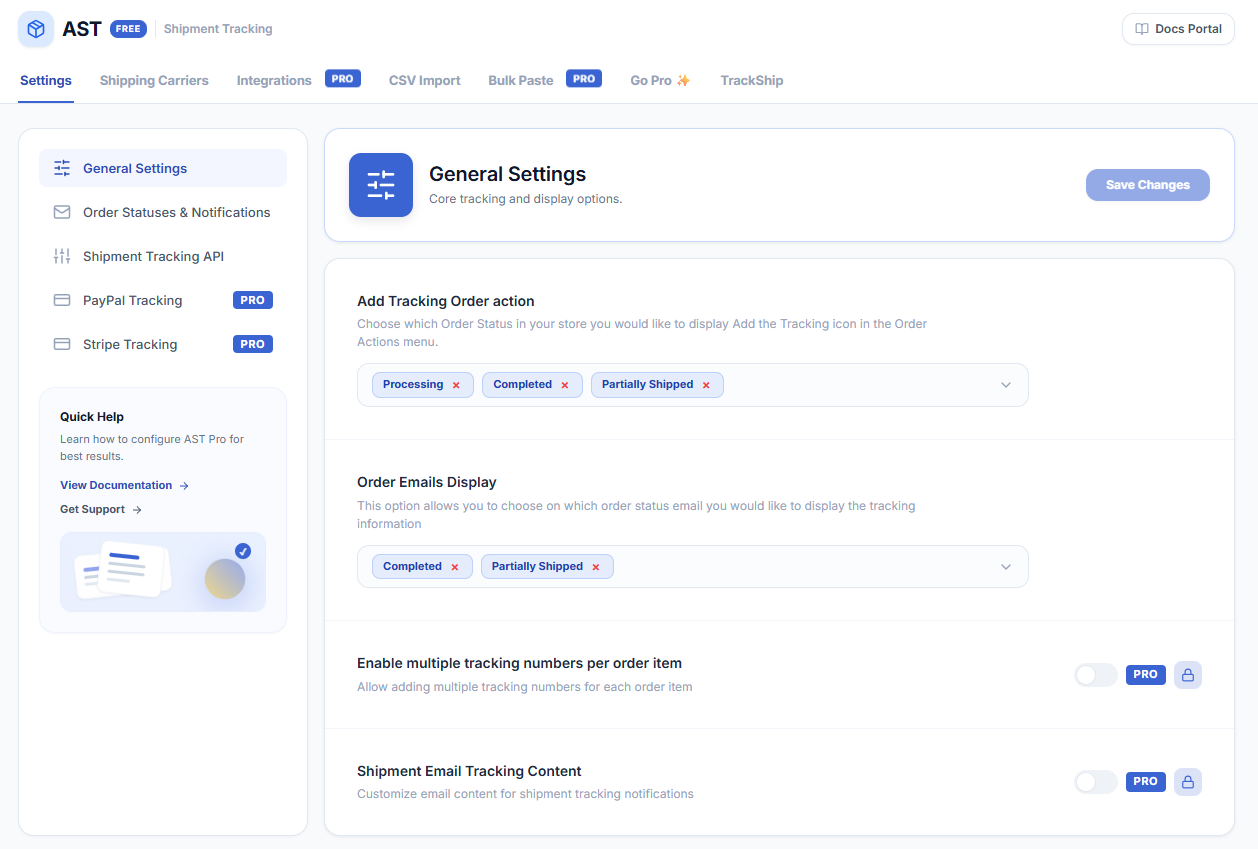
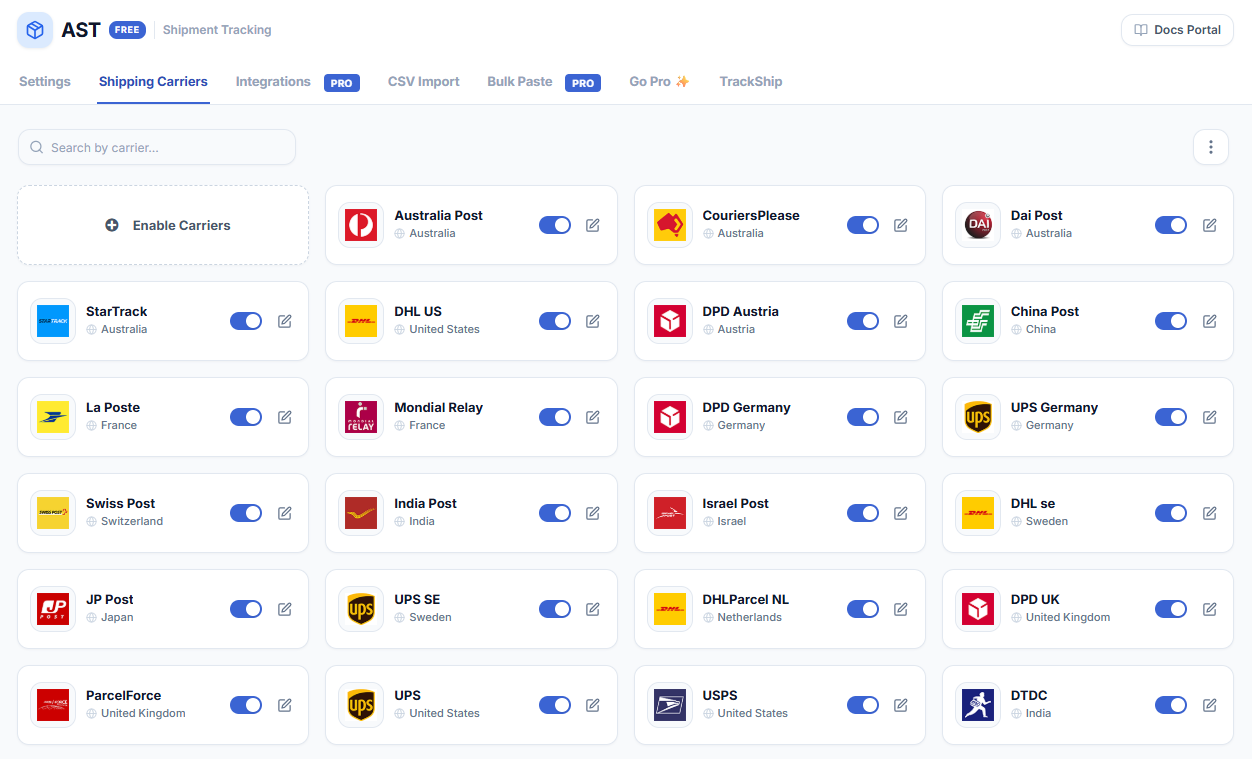
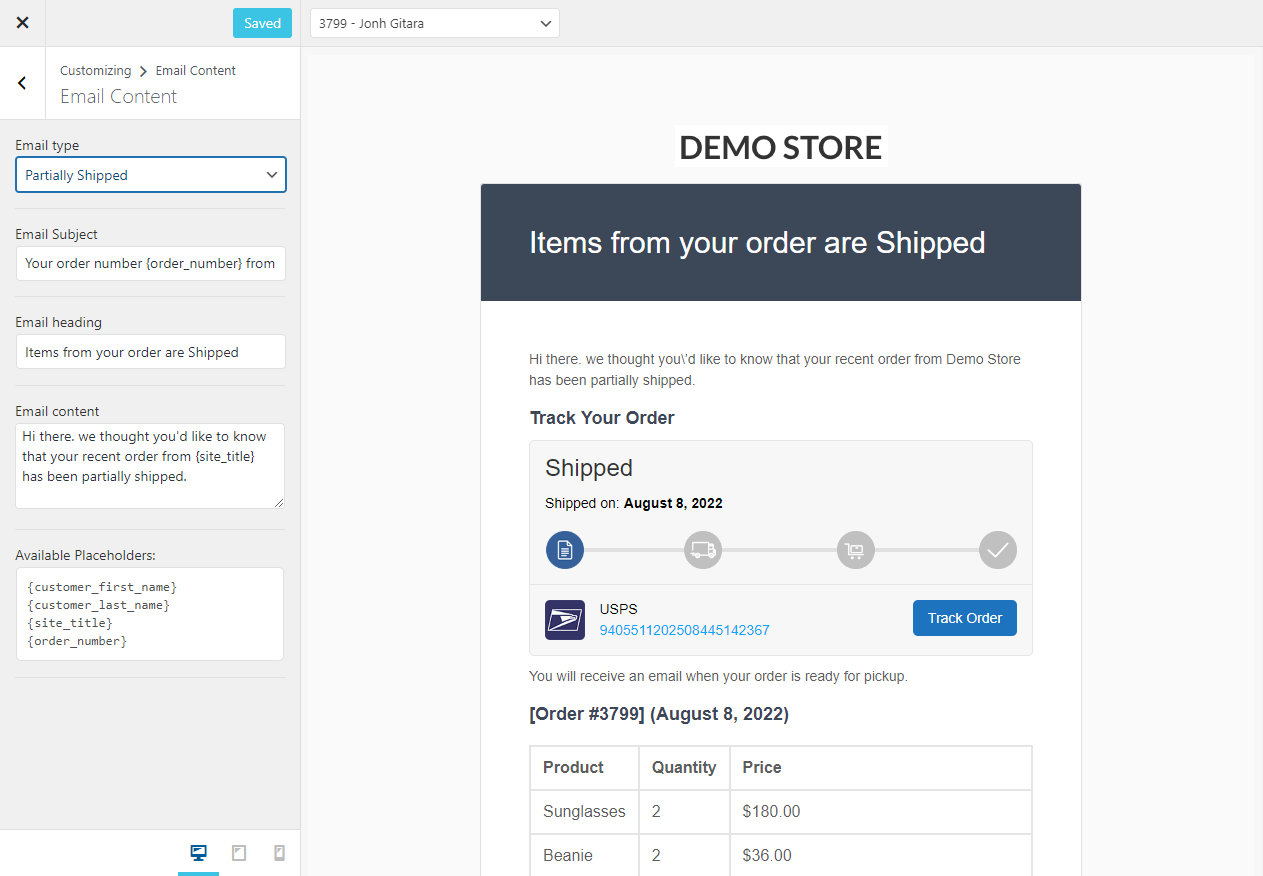
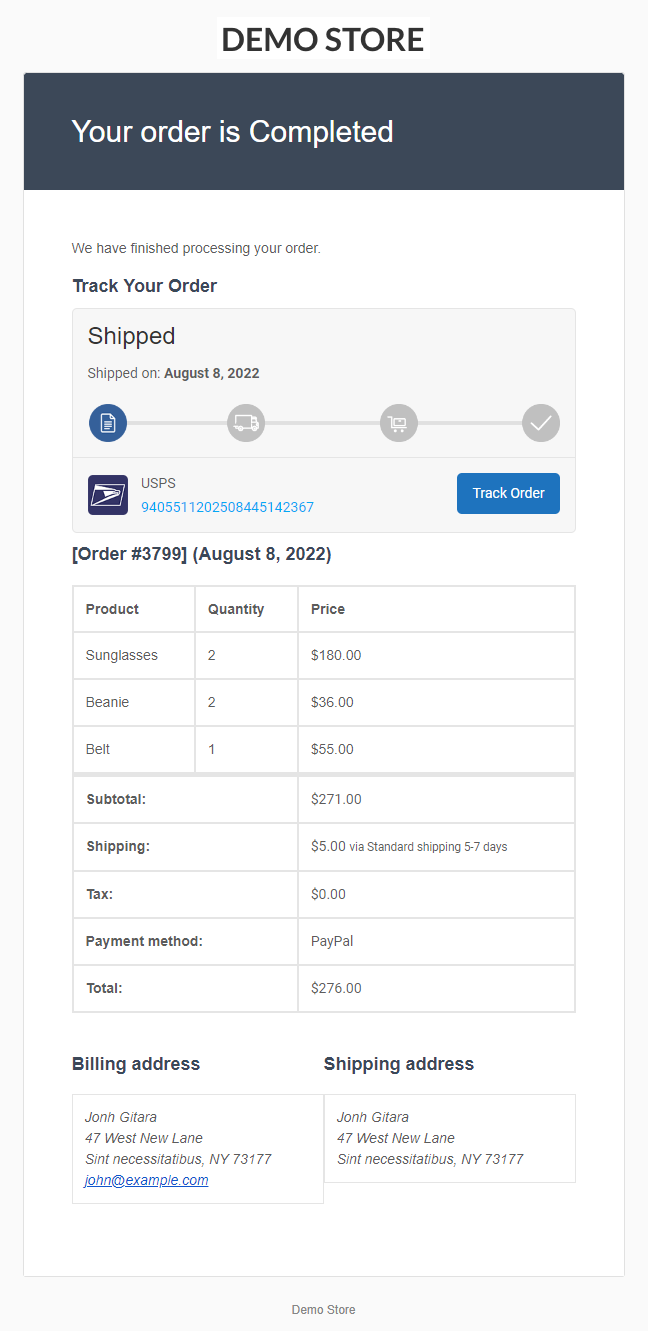
Advanced Shipment Tracking (AST) is a plugin for WooCommerce that helps streamline order fulfillment and improve customer satisfaction. It offers features such as customizable tracking widgets, support for over 850 shipping carriers, and compatibility with other plugins and tools. There is also a Pro version available with additional features like seamless integrations, centralized fulfillment dashboard, and custom email templates.Screenshots
Frequently asked questions
What does Advanced Shipment Tracking (AST) provide?
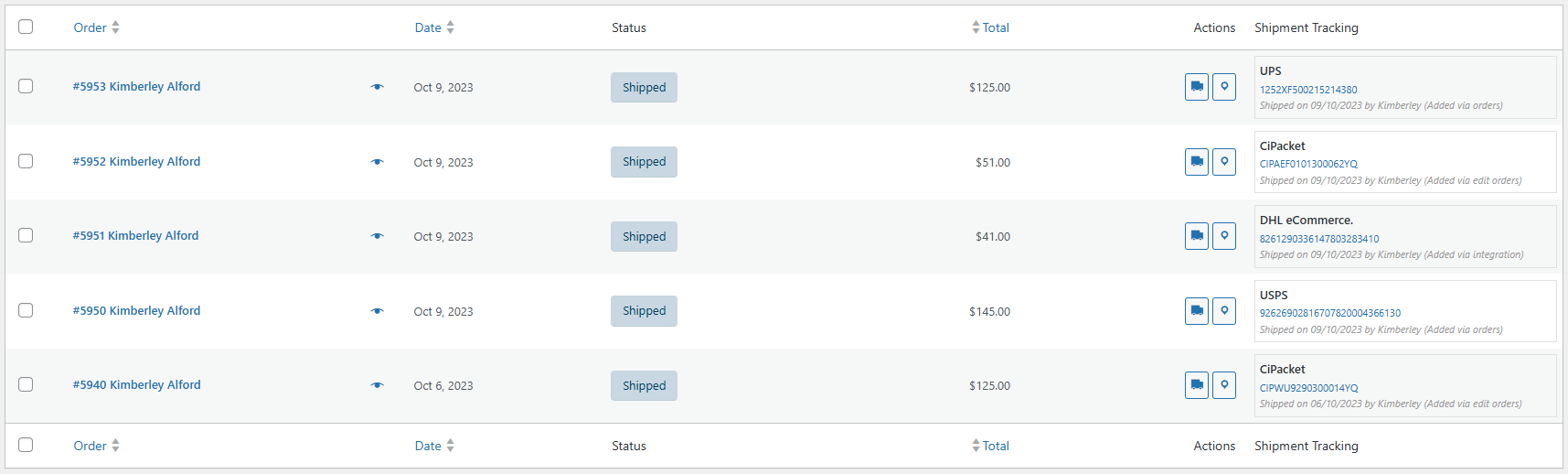
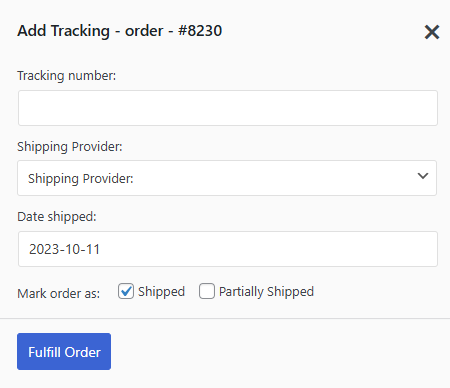
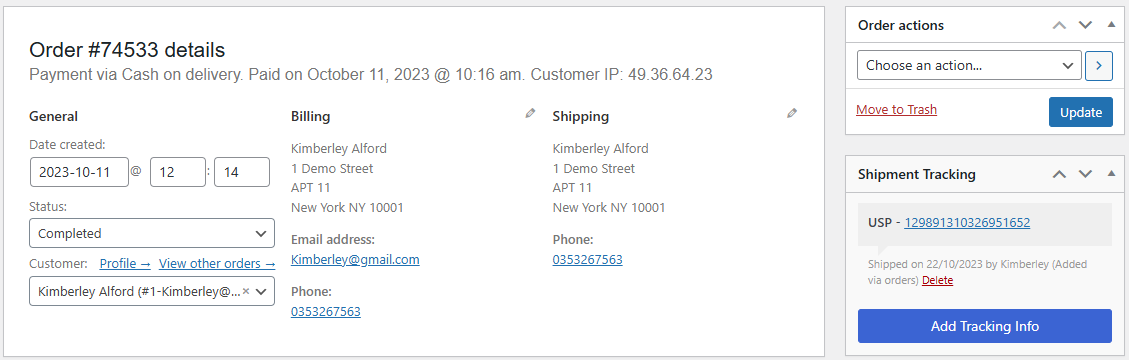
AST provides all you need to manage and automate the WooCommerce fulfillment workflow. It allows you to easily add tracking information and fulfill orders, keep your customers informed, reduce time spent on post-shipping inquiries, and increase overall customer satisfaction.
What are the key features of AST?
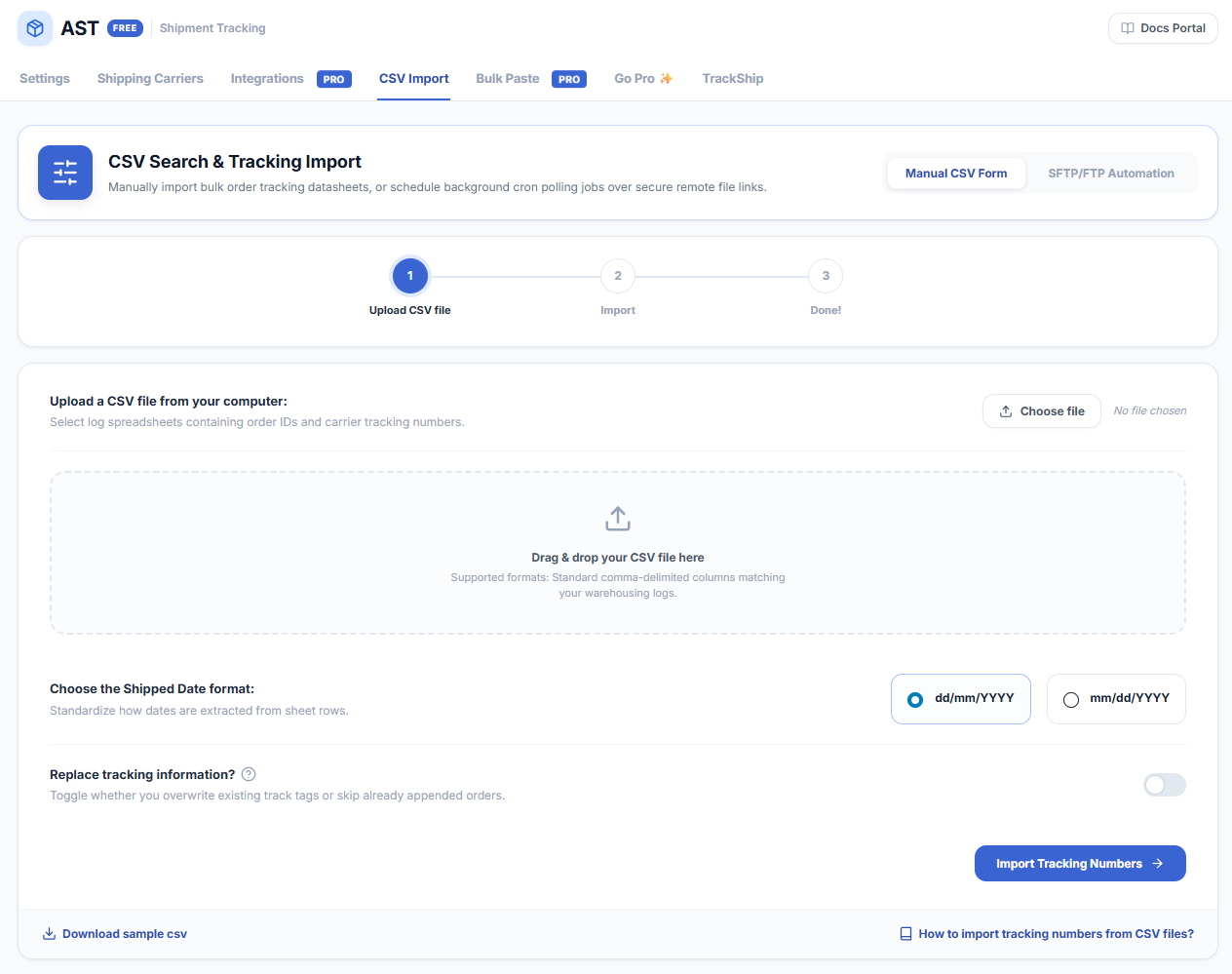
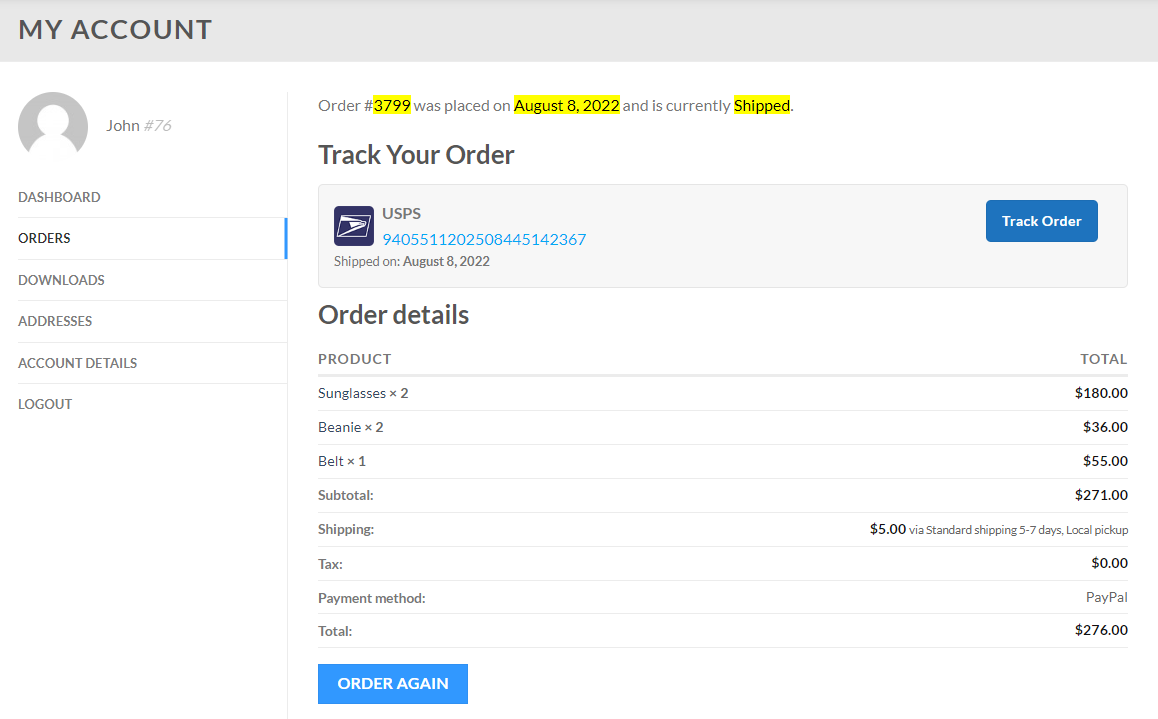
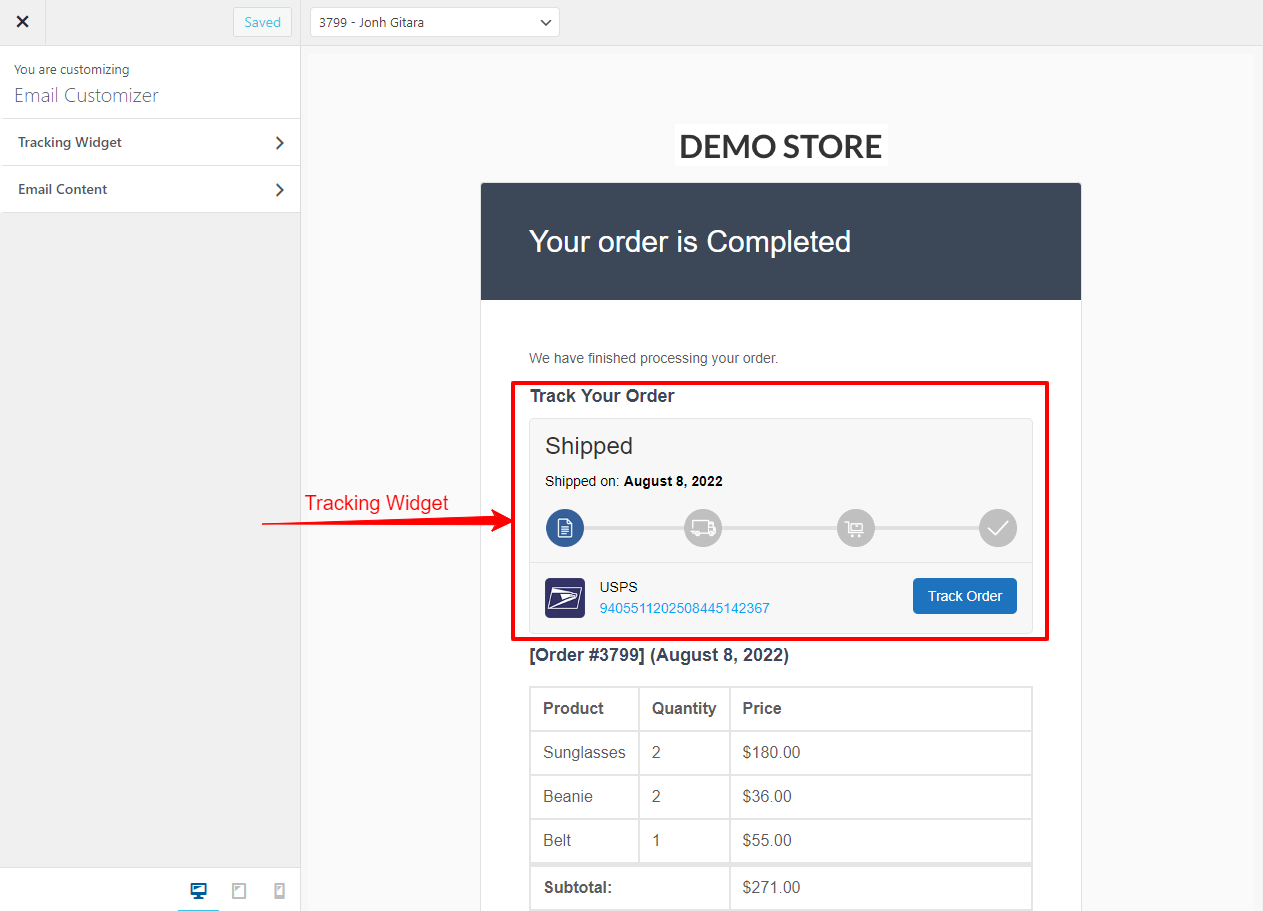
The key features of AST include optimizing the fulfillment workflow, a tracking info widget for customers, adding tracking information to orders, adding multiple tracking numbers to the same order, fulfilling orders when adding tracking numbers, support for 300+ shipping providers with predefined tracking links, a shipment tracking API, and the ability to import tracking info from CSV files.
What are the key features of AST PRO Fulfillment Manager?
The key features of AST PRO Fulfillment Manager include built-in integrations with various services like ShipStation, WooCommerce Shipping, Ordoro, and more, a fulfillment dashboard to manage and fulfill orders, tracking per item, custom email templates with responsive tracking widget, custom order status Shipped, API provider name mapping, API automations, custom shipping providers, white labeling of shipping providers, auto-detecting shipping providers, and exporting tracking info to PayPal.
Is AST compatible with TrackShip for WooCommerce?
Yes, AST is fully compatible with TrackShip for WooCommerce. The shipment tracking information that you add to orders in AST will automatically be sent to TrackShip when you fulfill your orders.
What languages is AST available in?
AST is available in English (default), German (Deutsch), Hebrew, Hindi, Italian, Norwegian (Bokmål), Russian, Swedish, Turkish, Bulgarian, Danish, Spanish (Spain), French (France), Greek, Português Brasil, and Dutch (Nederlands). If your language is not in this list, you can submit the translation files to AST and they will add them to the plugin.
Changelog
3.7.6
- Dev – Tested with WooCommerce 9.6.2 and WordPress 6.7.2
- Fix – Resolved CSS override issue with WooCommerce Orders Activity Panel
- Fix – Fixed incorrect function call
_load_textdomain_just_in_time, ensuring translation loading for the WooCommerce domain occurs at the correct stage
3.7.5
- Dev – Tested with WooCommerce 9.6.0
- Dev – Added Version Parameter to Shipping Carrier Image URL to Prevent Caching
- Fix – Partially Shipped and Shipped order status email not disabling from Order status & Notification panel
- Fix – Resolved a design compatibility issue with WooCommerce version 9.6.0
3.7.4
- Enhancement – Use custom tracking provider name if exist
- Dev – Tested with WooCommerce 9.5.1
3.7.3
- Dev – Tested with WooCommerce 9.4.3 and WordPress 6.7.1
- Fix – Warning – _load_textdomain_just_in_time was called incorrectly. Translation loading for the ast-pro domain was triggered too early.
- Fix – Warning – Undefined array key tracking_id
3.7.2
- Dev – Added an admin notice for Black Friday Sale
- Fix – PHP Deprecated: preg_replace(): Passing null to parameter #3
3.7.1
- Fix – Translation issue with WordPress 6.7
- Dev – Tested plugin with WordPress 6.7
- Dev – Tested with WooCommerce 9.4.1
3.7.0
- Enhancement – Move Usage Tracking panel from settings to license tab
- Dev – added ‘manage_woocommerce’ permission through filter
- Dev – Tested with WPML 4.7 and update the documentation
- Dev – Tested plugin with WordPress 6.6.2
- Dev – Tested with WooCommerce 9.3.3
- Fix – Updated tracking order status email doesn’t work
3.6.9
- Dev – Tested plugin with WordPress 6.6.1
- Dev – Tested with WooCommerce 9.2.3
- Fix – Resolved an issue where the Tracking Info email template was not being overridden in the theme/child-theme
3.6.8
- Improvement – Updated the string “selected” to use a non-translatable function for better compatibility.
- Dev – Tested plugin with WordPress 6.5.5
- Dev – Tested with WooCommerce 9.0.2
- Fix – Fixed the issue where custom email content was not being saved properly.
3.6.7
- Enhancement – Improved the tracking info template design for responsive
- Dev – Tested plugin with WordPress 6.5.4
- Dev – Tested with WooCommerce 9.0.0
3.6.6
- Add – UTM link for all the external links to zorem.com
- Dev – Tested plugin with WordPress 6.5.2
- Dev – Tested with WooCommerce 8.8.2
- Dev – Add nonce in all the admin message dismissable URL
- Dev – updated the Synch providers API call URL
- Fix – translation issue on Add Tracking slideout
- Fix – Deprecated warnings
- Fix – “Creation of dynamic property WC_Advanced_Shipment_Tracking_Actions::$providers is deprecated”
3.6.5
- Dev – Test plugin with WordPress 6.4.2
- Dev – change date format to ‘Y-m-d’ in the shipment tracking API response
- Fix – Undefined variable $src
3.6.4
- Fix – $ is not a function while add Tracking
3.6.3
- Enhancement – Update the settings page design
- Enhancement – Updated the Shipping Carriers design
- Dev – Test plugin with WordPress 6.4
- Dev – Compatibility with PHP 8.2
- Improve – the add tracking in edit order details page
- Fix – Undefined property: stdClass::$custom_tracking_url
- Fix – Undefined variable $fluid_hide_shipping_date
- Fix – Remove Mark as Shipped from actions column when the order status is Shipped
3.6.2
- Fix – Shipping carrier not showing on add tracking sidebar
3.6.1
- Fix – Shipping carrier not found in Shipping Carriers list
- Dev – added a filter “wc_ast_default_mark_shipped” to unchecked the uncheck the Mark order as: Shipped checkbox
3.6
- Enhancement – Update the design of the Add tracking popup
- Enhancement – Updated the design of Shipping Carriers list
- Enhancement – Change the terminology – Shipping providers” to “Shipping Carriers”
- Dev – Add script in footer for Open the Track Button link in a new tab option
- Dev – Tested plugin with WordPress 6.3.1
- Dev – Tested with WooCommerce 8.2
- Improve – Duplicate Queries on orders list
- Fix – search by country name not working in shipping providers list
- Fix – Undefined variable $tracking_number on woo-advanced-shipment-tracking/includes/class-wc-advanced-shipment-tracking.php on line 1076
3.5.3
- Enhancement – Improve the Shipping providers list page header design
- Enhancement – Add an option in the settings for Usage Tracking
- Enhancement – Update the Usage data sign-up box content
- Dev – Remove the trackship tracking page funtinality and add a filter on ast_tracking_link for TrackShip to use
- Fix – Vulnerable to Cross Site Request Forgery (CSRF)
3.5.2
- Enhancement – Added admin message for Survey
- Dev – Add validation in CSV Import when added short tracking number
- Dev – Remove the TrackSip message for TrackShip connected but TrackShip For WooCommerce is not installed
- Dev – Add Plain Fluid Tracking Info template
- Dev – Delete old tracking from TrackShip while Replace tracking information in CSV Import
- Dev – Change tracking info email template structure from Div to Table
- Fix – Customizer save issue in Firefox
3.5.1
- Fix – Fatal Error – Error message: Uncaught AutomaicWooCommerceVendorLeagueContainerExcep@onNotFoundExcep@on: Alias (AutomaicWooCommerceInternalDataStoresOrdersCustomOrdersTableController) is not being managed by the container
3.5
- Add – Declared HPOS compatibility.
- Dev – Change TrackShip tracking page link
- Dev – In Shipment tracking REST API response use store date format for shipped date
- Enhancement – Upgrade the settings page design
- Enhancement – Open tracking link on new tab in My Account page
- Fix – Order status Email content formating issue
3.4.7
- Fix – “syntax error, unexpected ‘)’ in class-wc-advanced-shipment-tracking.php on line 916” with PHP 7.2
3.4.6
- Enhancement – Move the fulfillment workflow panel on top in the settings page and updated the design of it
- Enhancement – Added “Display shipped/tracker section” option in the Tracking Widget customizer
- Fix – Translation issue in Tracking Widget
- Dev – tested with WooCommerce 6.8.0
3.4.5
- Enhancement – Added completed email in the AST customizer so you can customizer Completed email subject, heading and content
- Enhancement – Implement the new customizer for tracking widget and custom order status
- Enhancement – Re – design Tracking info widget
- Enhancement – Improve the Go Pro popup design
- Enhancement – Remove the Integrations tab from Shipment Tracking settings page
- Dev – tested with WooCommerce 6.7.0 and WordPress 6.0.1
3.4.4
- Dev – tested with WooCommerce 6.6.1
- Fix – Updated tracking email not sent
3.4.3
- Fix – Change esc_html__ to esc_html for dynamic variable in plain tracking info email template
3.4.2
- Dev – Change CURL to wp_remote_get to get the shipping provider image
- Dev – Remove text-domain from all the dynamic variables
- Dev – Improved the CSV Import functionality to work with shipping provider slug
- Dev – tested with WooCommerce 6.6
3.4.1
- Enhancement – Added AST PRO promotion message box in shipment tracking settings page
- Enhancement – Improved the design of TrackShip promotion page
- Dev – Removed the shipping providers zip file from plugin
- Dev – Improved code security
- Fix – Shipped date issue in spanish
3.4
- Enhancement – When sync providers, provider is disabled by default
- Dev – Update Greek translation files
- Dev – Test plugin with WooCommerce 6.5.1 and WordPress 6.0
- Dev – Test plugin with WooCommerce Multilingual 5.0.0
- Dev – Added compatibility with the Weglot Translation plugin
- Fix – Sync providers issue on plugin activation
- Fix – Date issue when adding tracking from CSV/API/Manually
3.3.2
- Enhancement – Make Shipped and Partially Shipped unremovable from Order Emails Display option
- Enhancement – Add Docs, Support and Review link on plugins page
- Enhancement – Added Sync providers Message on Shipping Providers list settings page
- Dev – Updated Croatian Translation Files
- Dev – Updated Deprecated jQuery code for jQuery keyup function
- Dev – Improve the synch providers functionality based on provider_slug
- Dev – Tested with WP 5.9.2 and WC 6.3.1
- Fix – Fixed error when add tracking information to order for PHP 8
- Fix – Fixed synch providers issue for J&T provider
3.3.1
- Dev – Added back the Delivered order status
- Dev – Added ParcelForce Integration
- Dev – Added admin message for database synch
3.3
- Dev – Removed TrackShip functionality
- Enhancement – Add line break for tracking # – orders list page
- Enhancement – Change uninstall > deactivate when deactivating the plugin
- Enhancement – Updated the design of settings page
- Enhancement – Updated the design of Go Pro page
- Enhancement – Remove clickable link from shipment tracking column in orders list page
3.2.9
- Enhancement – Updated addons page design
- Enhancement – Remove preview order option from tracking info and order status email customizer and set default dummy data
- Fix – Warning: Invalid argument supplied for foreach() in plugins/woo-advanced-shipment-tracking/includes/class-wc-advanced-shipment-tracking-admin.php on line 1801
3.2.8
- Dev – Removed the ‘manage_woocommerce’ capability when add tracking to orders
3.2.7
- Dev – Improve code security
3.2.6
- Fix – Fixed shipping provider search issue in Shipping provider settings page
- Dev – Improve code quality and security
- Enhancement – Added go pro lightbox in shipping provider page and integration page
3.2.5
- Dev – Added condition for standalone pro version
- Enhancement – Updated settings page design
- Dev – Removed Add custom provider functionality from shipping provider list
- Dev – Removed Edit custom provider functionality from shipping provider list
- Dev – Improved the security
3.2.4.1
- Enhancement – Added TrackShip menu inside Shipment Tracking if TrackShip not connected
3.2.4
- Dev – Tested with WordPress 5.7.2 and WooCommerce 5.3
- Dev – Added admin notice for the TrackShip For WooCommerce plugin
- Dev – Added WPML compatibility with TrackShip connection
3.2.3
- Fix – Fixed warning – Undefined array key “wc_ast_tracking_page_customize_btn” on file “wp-content/plugins/woo-advanced-shipment-tracking/…class-wc-advanced-shipment-tracking-trackship.php” line: 435
- Dev – Tracking page on carriers website in Orders which are not tracked by TrackShip
- Dev – Tested with WooCommerce 5.2.0
3.2.2.4
- Fix – Fixed issue with default shipping provider not automatically select on Add Tracking form
- Dev – When user migrate from WooCommerce Shipment Tracking(official) to Advanced Shipment Tracking for WooCommerce plugin it will automatically migrate shipment tracking data
- Fix – Fix search provides design issue for small screen on shipping providers list page
- Dev – Improve TrackShip Tracking page design and make Estimate delivery date multilingual compatible
- Fix – Fixed – Failed Attempt filter not working on orders page
3.2.2.3
- Enhancement – Added datepicker on Add tracking lightbox on orders page
- Enhancement – Removed the multiple API name option
- Dev – Updated Admin html function
3.2.2.2
- Enhancement – Update order details, Shipping address and billing address email template
- Enhancement – Added admin notice and WooCommerce inbox message for Advanced Shipment Tracking PRO
- Enhancement – Split Shipment Tracking customizer and TrackShip customizer
- Fix – Fixed issue with the” Reset providers database” option in Synch providers
3.2.2.1
- Enhancement – Updated Settings page header design
- Enhancement – Updated TrackShip Settings page header design
- Enhancement – Updated Email order details template for shipment status emails
- Fix – Fixed Trackship shipment status customizer issue
- Fix – Fixed database warnings on plugin installation

