

Order Categories and all custom taxonomies terms (hierarchically) using a Drag and Drop Sortable JavaScript capability.
About Typekit Fonts for WordPress
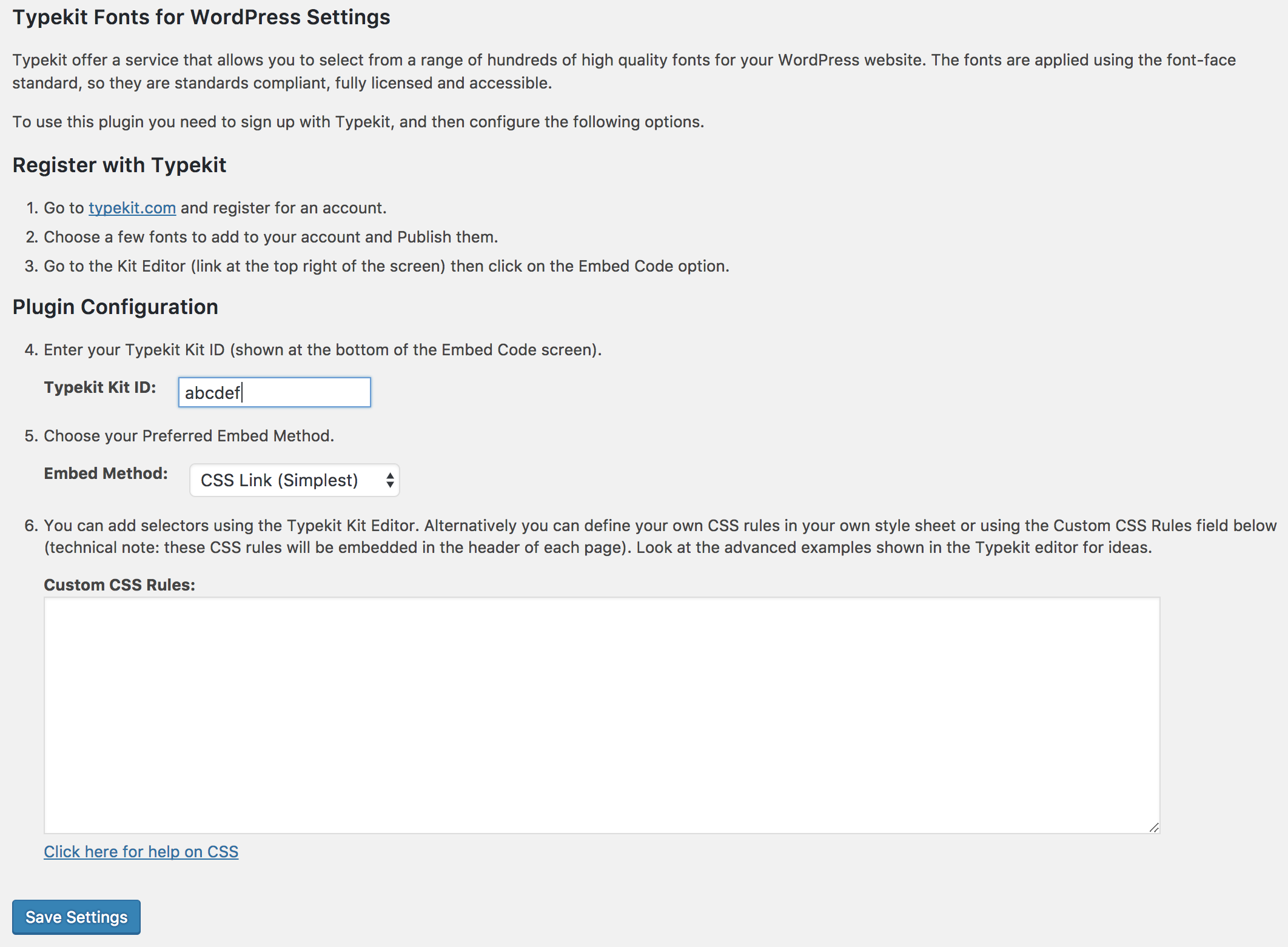
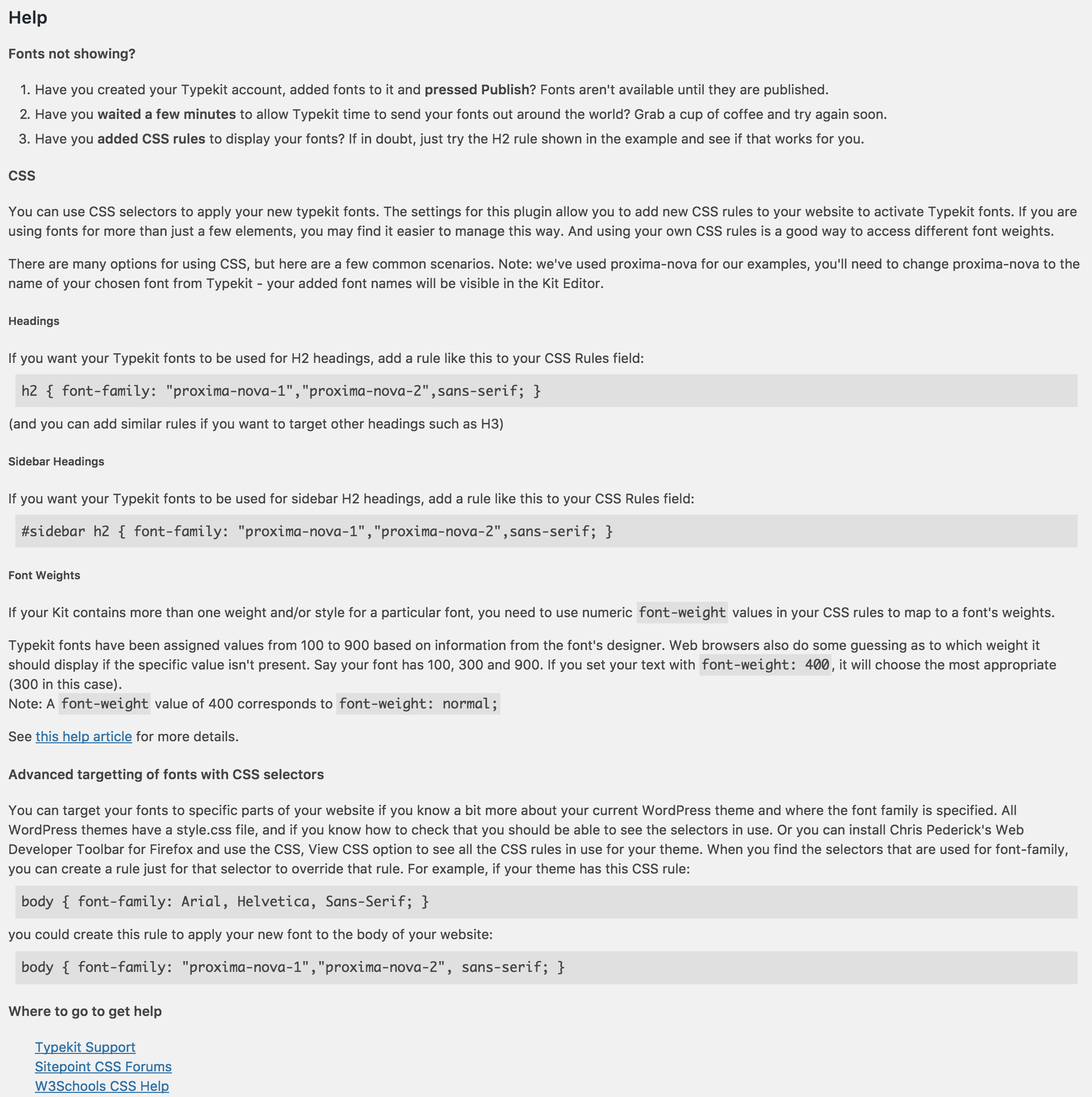
The Adobe Fonts plugin allows you to easily add high-quality fonts to your WordPress website without editing your theme. You can choose from over 25,000 fonts and apply them using the font-face standard. The plugin provides options to use Adobe Fonts selectors or your own CSS rules for customization.Screenshots
Frequently asked questions
How can I use Typekit fonts in my WordPress website?
To use Typekit fonts in your WordPress website, you need to sign up with Typekit, install the Typekit Fonts for WordPress plugin, and either configure Typekit selectors or define your own CSS rules. Typekit selectors provide a quick and easy way to enable fonts on your site, while using your own CSS rules gives you more control and access to additional attributes.
Are the Typekit fonts standards compliant and fully licensed?
Yes, the Typekit fonts applied using the font-face standard are standards compliant, fully licensed, and accessible.
How can I create my own CSS rules that use Typekit fonts?
With the Typekit Fonts for WordPress plugin, you can create your own CSS rules that use Typekit fonts without the need to edit or upload CSS style sheets.
Does the plugin support the asynchronous Javascript embed?
Yes, the Typekit Fonts for WordPress plugin by default uses Typekit's CSS embed code, but you can choose to use the asynchronous Javascript embed if you prefer.
Is the plugin compatible with WordPress Multisite?
Yes, the Typekit Fonts for WordPress plugin is compatible with WordPress Multisite.
Changelog
1.10.0
- Marked as compatible with WordPress 6.6.
1.10.0
- Renamed to “Adobe Fonts (formerly Typekit) for WordPress.”
- Updated the help/description to reflect the differences between Adobe Fonts and Typekit.
- Marked as compatible with WordPress 6.5.
1.9.0
- Added support for Typekit’s new CSS embed method.
- Added support for Typekit’s improved Advanced JavaScript embed code.
- Simplified settings screen (just enter your Kit ID rather than your full embed code).
- WordPress 4.9 compatibility.
1.8.4
- Added support for Typekit’s synchronous tracking code by setting async to false. Useful for avoiding FOUT.
- WordPress 4.8 compatibility.
1.8.3
- WordPress 4.7 compatibility.
- Added “Settings” link on plugins screen.
1.8.2
- WordPress 4.6 compatibility.
- Improved handling of the HTTP response when verifying a Typekit Kit URL.
1.8.1
- PHP7 compatibility (no more deprecated constructor warning).
1.8
- Use WordPress.org language packs for plugin translations.
- Improved compatibility with older PHP versions (no more pass by reference).
- Screenshot updates.
- Readme updates.
1.7.2
- Use Typekit’s latest recommended embed code (which uses a https:// Typekit embed code URL for all sites).
- WordPress 4.3 compatibility.
- Changed plugin’s textdomain to match the plugin’s folder name in preparation for translate.wordpress.org translations.
1.7
- Japanese language – thanks to ThemeBoy.
- Improved translation support.
1.6
- WordPress 3.8 compatibility.
1.5
- WordPress 3.5 compatibility.
1.4
- Used the new scheme-less typekit.net embed code format (
use.typekit.net/xyz.js).
1.3.1
- WordPress 3.4 compatibility.
- Clarified license as GPLv2 or later.
1.3
- WordPress 3.3 compatibility.
1.2
- Fixed invalid HTML on settings page.
- Properly saved/displayed settings.
- WordPress 3.2 compatibility.
- Translation/localization improvements.
- Fixed localization deprecated notice (thanks to aradams for reporting).
- Stored translation files in a /languages subdirectory.
1.1
- WordPress 3.1 compatibility.
1.0.3
- Added support for HTTPS/SSL websites.
- WordPress 3.0.1 compatibility.
1.0.2
- Added instructions on how to use Typekit Kit Editor selectors.
- Added instructions on how to use font weights/styles.
1.0.1
- WordPress 2.9 compatibility.
- Improved FAQ.
1.0.0
- Initial release.

