
Edit widget content using the default WordPress visual editor and media uploading functionality. Create widgets like you would…
Maintained alternatives you can try now
Active on WordPress.org, updated in the last 18 months, and doing the same job. Each one opens in a live sandbox.
About TinyMCE Templates
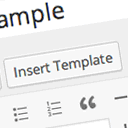
The TinyMCE Template plugin allows you to use HTML templates on the WordPress Visual Editor. You can add an "Insert Template" button to the editor, edit templates on the WordPress admin, copy templates from posts and pages, and insert templates as shortcodes. Translations are available in multiple languages, and you can send your own language pack to the developer.Screenshots


Frequently asked questions
What does the TinyMCE Templates plugin do?
The TinyMCE Templates plugin enables the use of HTML templates on the WordPress Visual Editor. It adds an "Insert Template" button to the Visual Editor.
Can I edit templates within WordPress?
Yes, you can edit templates on the WordPress admin. You can also copy content from posts and pages to create templates.
How can templates be inserted into content?
You can insert templates as shortcodes. The plugin integrates with the Visual Editor to provide an "Insert Template" button.
Changelog
4.4.3
- Tested on WordPress 4.4.
4.4.0
- Bug fix when richedit is enabled.
- Add filter hook
tinymce_templates_enable_media_buttons.
4.3.6
- Update German translation.
4.3.5
- Tested up to WordPress 4.2.
4.3.3
- Update Hebrew(he_IL) translation file.
4.3.2
- Fix closing modal window problem.
- Set same width with preview and content_width.
- Update js modal potision absolute to fixed.
4.3.1
- Bug fix on quick tags view.
4.0.0
- Remove sharing function.
- Add function inserting as shortcode.
3.4.0
3.3.0
3.2.0
- Tested up to 3.7


