

Site Kit is a one-stop solution for WordPress users to use everything Google has to offer to make…
About TinyMCE Clear Float
This plugin allows you to easily clear floats in your WordPress website. With just a click of a button, you can ensure that your content is properly aligned and displayed without any floating elements causing issues.Screenshots
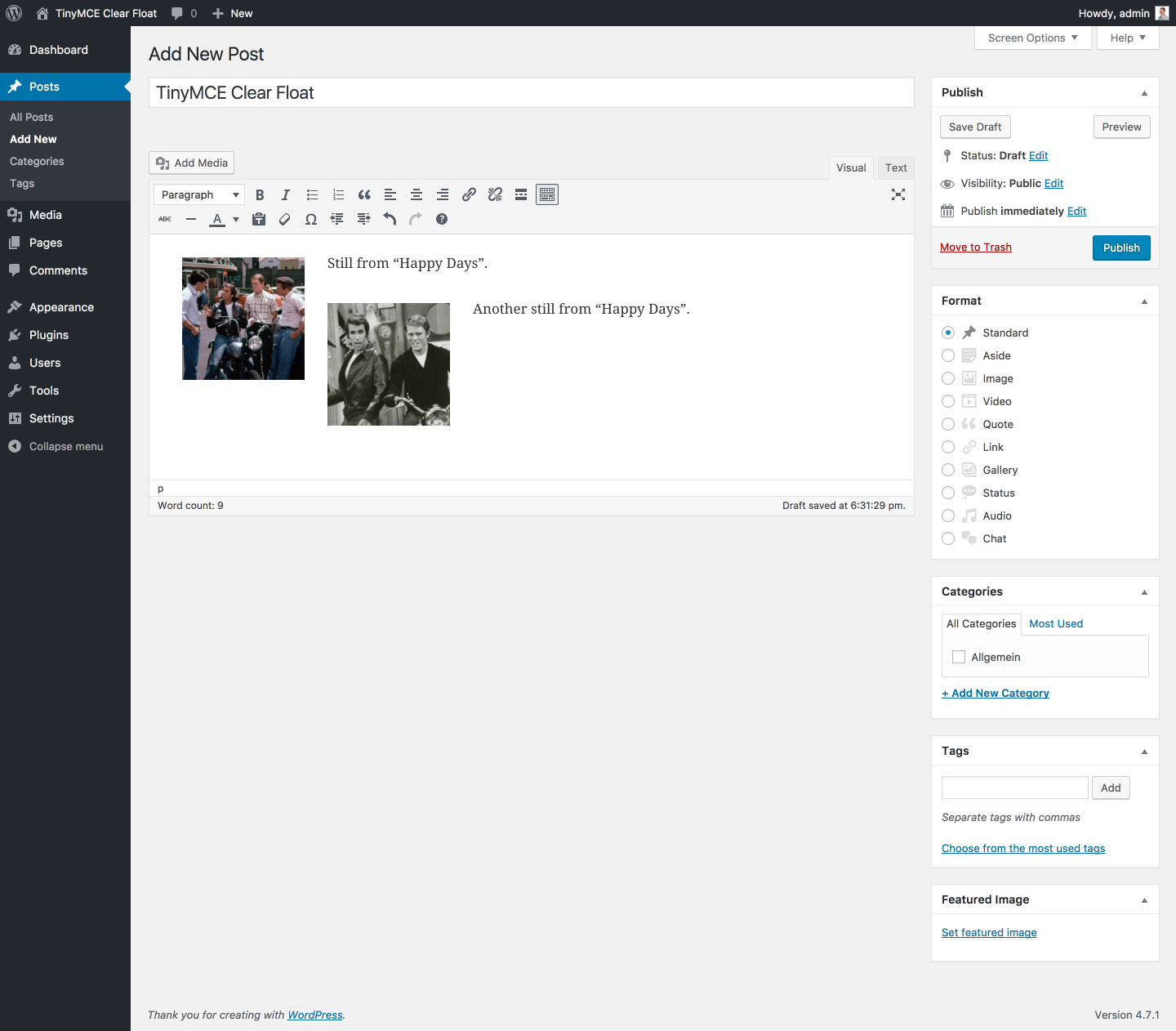


Frequently asked questions
What does this plugin do?
This plugin adds a button to the WordPress TinyMCE editor that allows you to clear floats.
Changelog
1.3.2 (08/01/2018)
- Fix: Rare bug (introduced in v1.2.0) that prevented parsing of deprecated clear element if it contained non breaking space (
<div style="clear: both;"> </div>)
1.3.1 (05/20/2018)
- Fix: Bug (introduced in v1.3.0) that hid the TinyMCE content if no clear element was found
1.3.0 (05/19/2018)
- Fix: Replaced regular expressions for switching clear elements with placeholders and vice versa with DOMParser to reliably match all possible clear element notations (e. g.
<br style="clear: both;">,<br style="clear:both">,<br style="clear: both;" />,<br style="clear:both" />)
1.2.2 (05/25/2017)
- Fix: Rare bug (introduced in v1.2.0) that caused TinyMCE to remove the
<br />tag - Fix: Bug (introduced in v1.2.0) that prevented the plugin from beeing translatable (finally)
- Misc: Bumped “Requires at least” to WordPress 4.6
1.2.1 (03/30/2017)
- Fix: Bug (introduced in v1.2.0) that prevented the plugin from beeing translatable
1.2.0 (01/26/2017)
- New maintainer; first update after seven years
- Feature: Removed clear left and clear right buttons (see FAQ section)
- Misc: Completely refactured plugin code
1.1 (05/10/2010)
- Feature: Added HTML block in the style of WordPress
1.0 (04/28/2010)
- Initial release

