

Improve your WordPress SEO: Write better content and have a fully optimized WordPress site using the Yoast SEO…
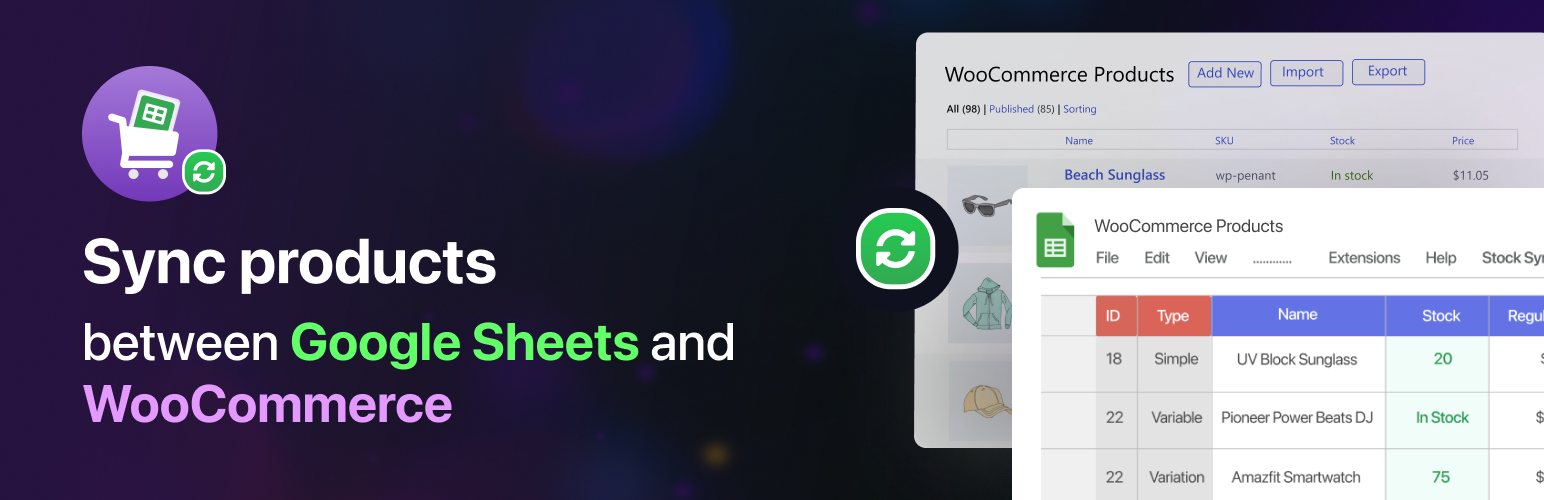
About Stock Sync for WooCommerce with Google Sheets – WooCommerce bulk edit, Stock Management, Inventory Management System & more
SYNC, BULK EDIT AND CREATE NEW PRODUCTS IN WOOCOMMERCE FROM GOOGLE SHEETS
WooCommerce Stock Sync with Google Sheets is the easiest and most powerful inventory management system to handle your WooCommerce products. It helps you manage your WooCommerce store on the go from Google Sheets.
With the help of this stock manager plugin, manage your WooCommerce stock in a snap and keep your sheet synced with your store. Experience the best WooCommerce inventory manager in WordPress!
Recommended by WordPress professionals! ?
?️ View Demo | ? Get The ULTIMATE Version
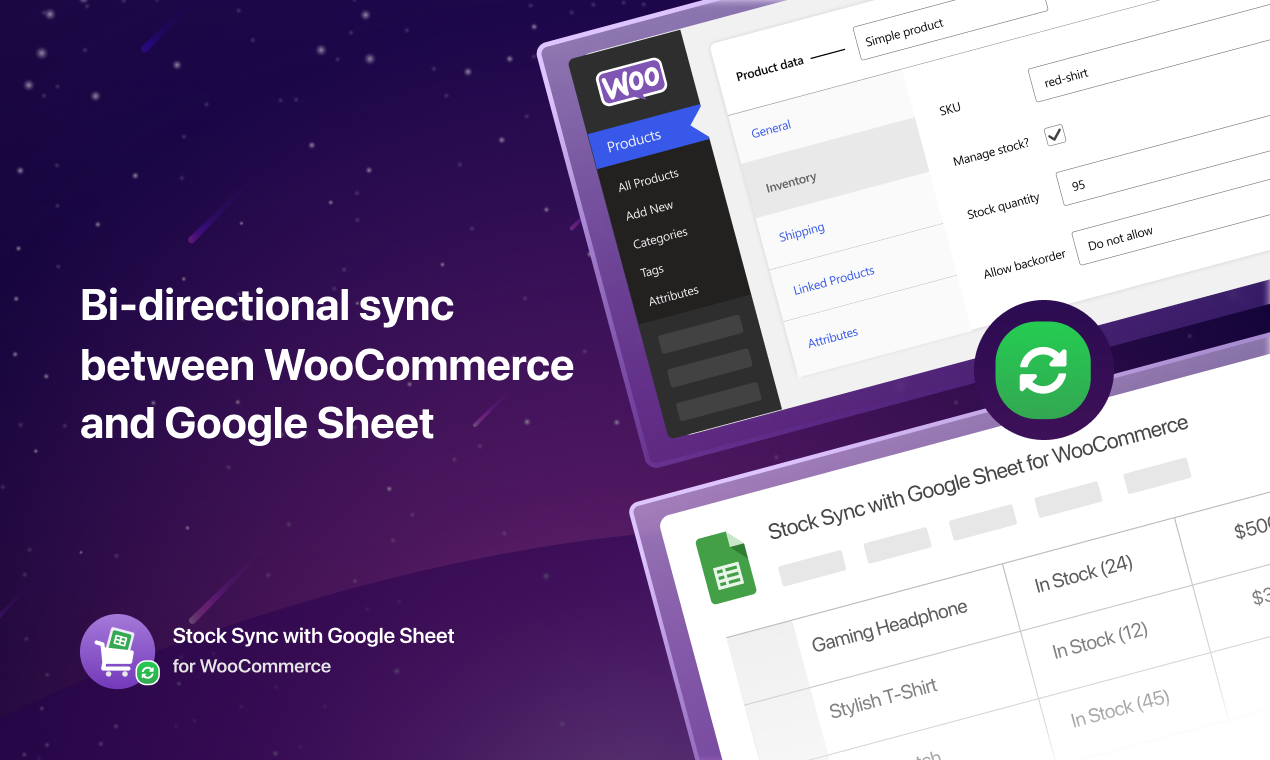
Stock Sync for WooCommerce with Google Sheets is the most advanced inventory management system that enables bidirectional sync between WooCommerce and Google Sheets.
Whether you are running an eCommerce business or own a WooCommerce store, one of the main things you want to ensure is keeping track of your inventory. Managing product stock and other data from Google Sheets is easier than entering your site dashboard repeatedly for each product.
?️ View Demo | ? Get The ULTIMATE Version
Our stock manager plugin is two-directionally synchronized. You update the sheet and the data auto-syncs on the site dashboard. Or if you update the site dashboard and the data auto-syncs on the Google Sheets. It saves your time and boosts work efficiency. This is the best WooCommerce bulk edit plugin on the market. ?
Bulk Edit WooCommerce Products
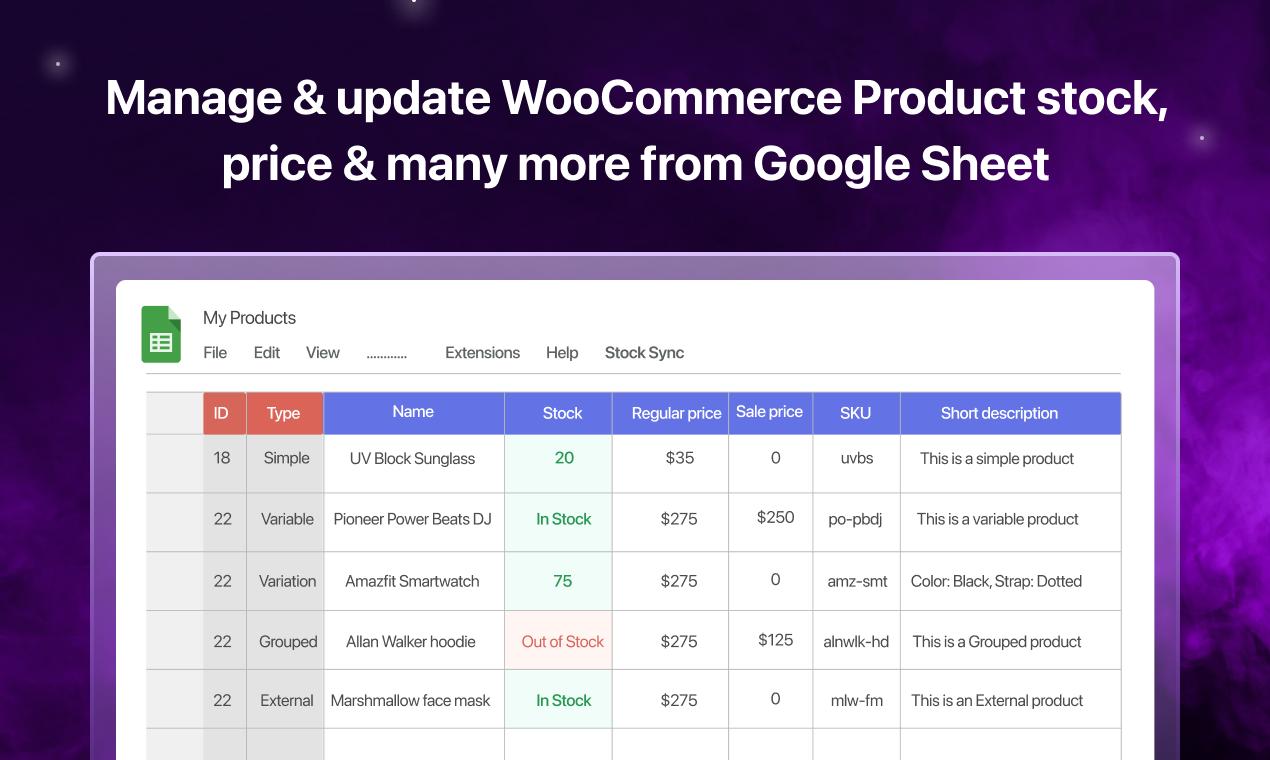
Create and edit WooCommerce products in bulk with our stock management plugin. You can bulk edit most of the product details from Google Sheets. Working with products in bulk is incredibly easy when you use our bulk editor plugin!
Perform the following WooCommerce bulk edit operations:
- Bulk edit product names
- Bulk edit product stock
- Bulk edit regular price
- Bulk edit sales price
- Bulk edit product image (Ultimate)
- Create new products in bulk (Ultimate)
- Bulk edit custom fields (Ultimate)
? STOCK SYNC FOR WOOCOMMERCE WITH GOOGLE SHEETS FREE FEATURES
-
Two-Directional Product Sync: The WooCommerce stock sync plugin automatically syncs product stock and other details (name, regular price, sales price) in a two-directional way between WooCommerce and Google Sheets. You update your spreadsheet, and your website dashboard gets auto-updated. Also, if you update details on the site dashboard, your Google Sheets gets an automatic update. In the free version, you can sync up to 100 products. WooCommerce Stock management is getting simpler. ?
-
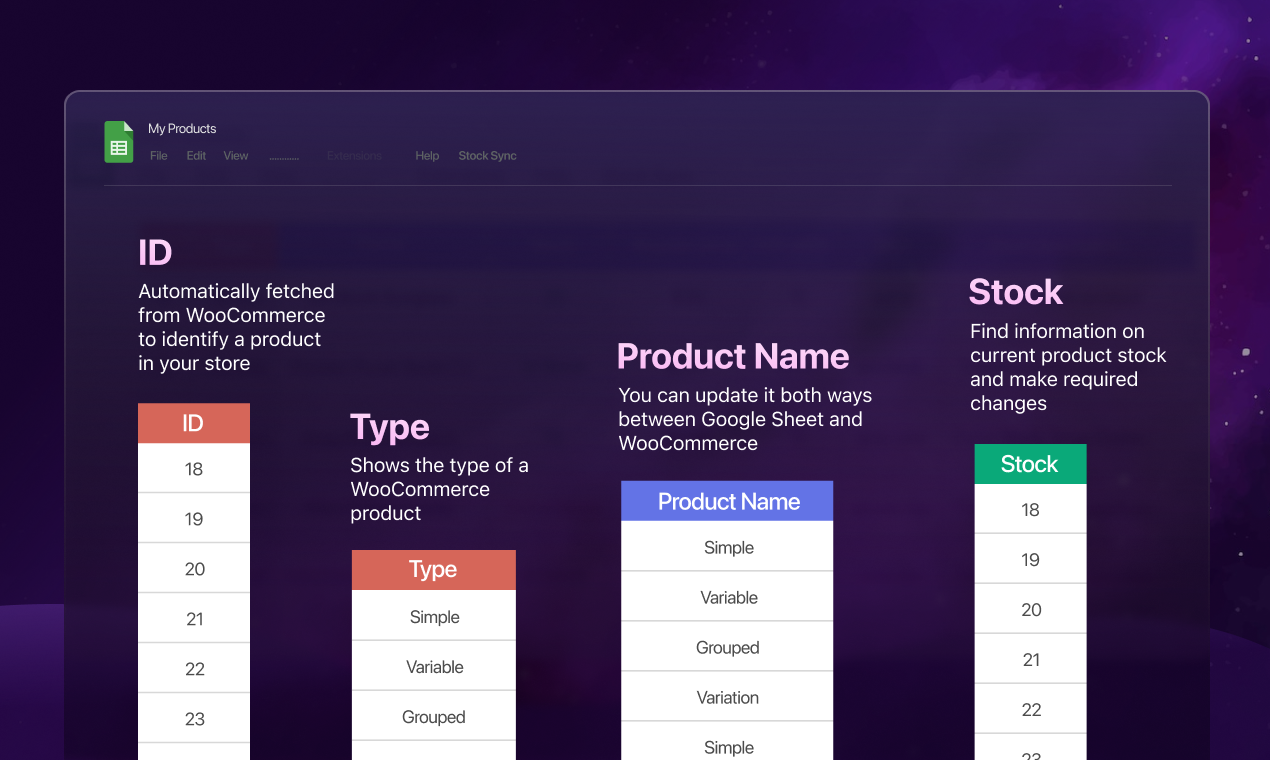
Edit Product Details: Easily update your stock status from the connected Google Sheet; they’ll be updated instantly on your WooCommerce store/WordPress site. You can edit product names, pricing, on-sale updates, product type, stock status, etc., from anywhere you want as long as you are connected to the internet. Take the WooCommerce bulk edit to the next level with this inventory manager.
-
Bulk Edit WooCommerce Products: Take full benefits of our bulk editor as you edit your product stock, name, and other details in bulk. This is a powerful feature for any business owner.
-
Export Products on Google Sheets: Get all your store product details in one place in an organized way with this stock manager plugin. All you need to do is activate and configure the plugin. And you will find a gorgeous and organized spreadsheet, pre-formatted with all your products for your convenience (up to 100 products on the free version).
-
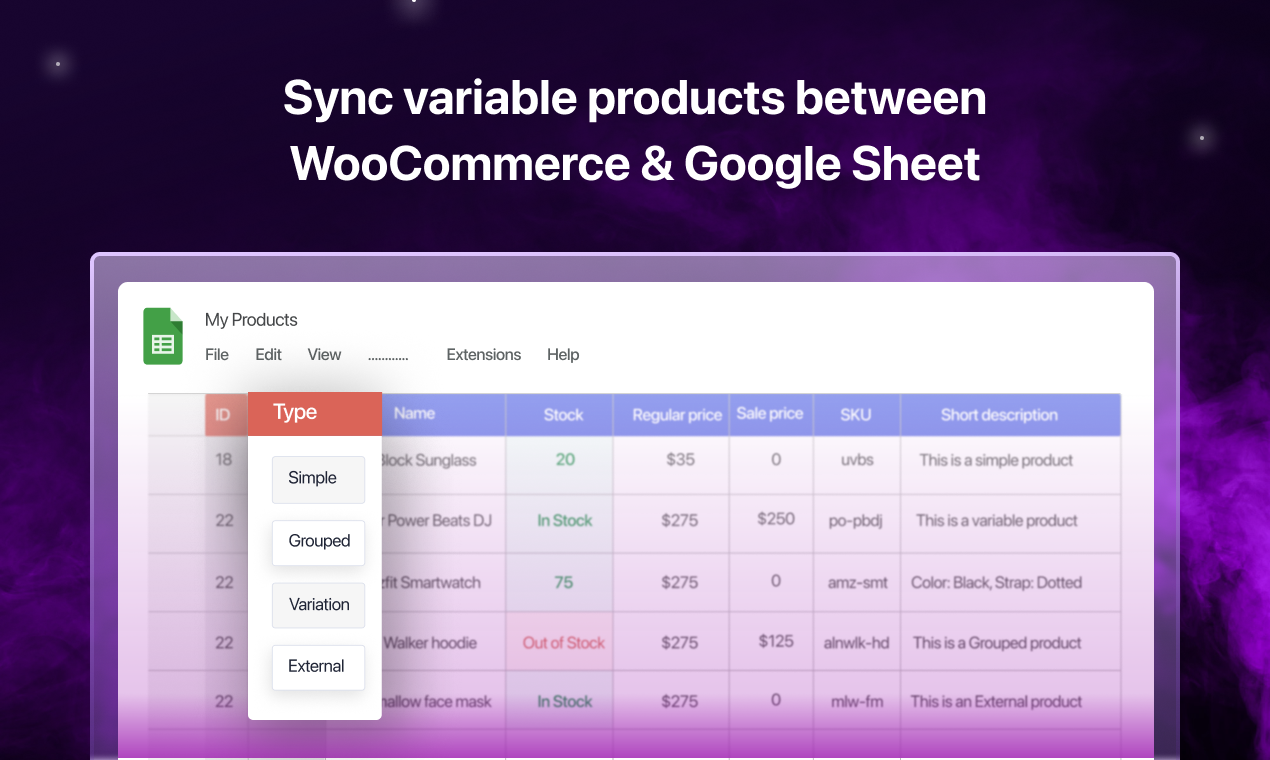
Variable Product Sync: Get different rows for variable products of your store. Variable products won’t confuse you anymore while making updates. Insert different data on the expertly crafted rows for variable products. Manage every type of variable product (simple, variable, and group) stock in one place.
-
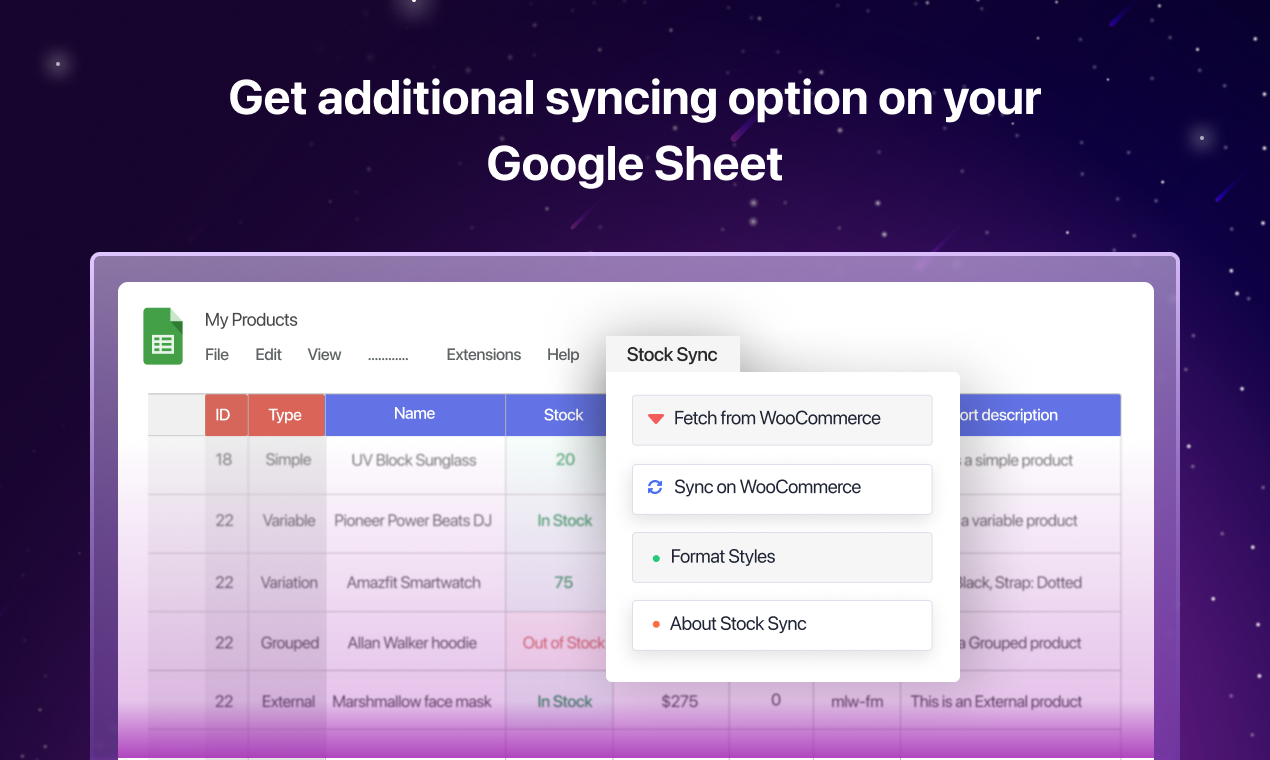
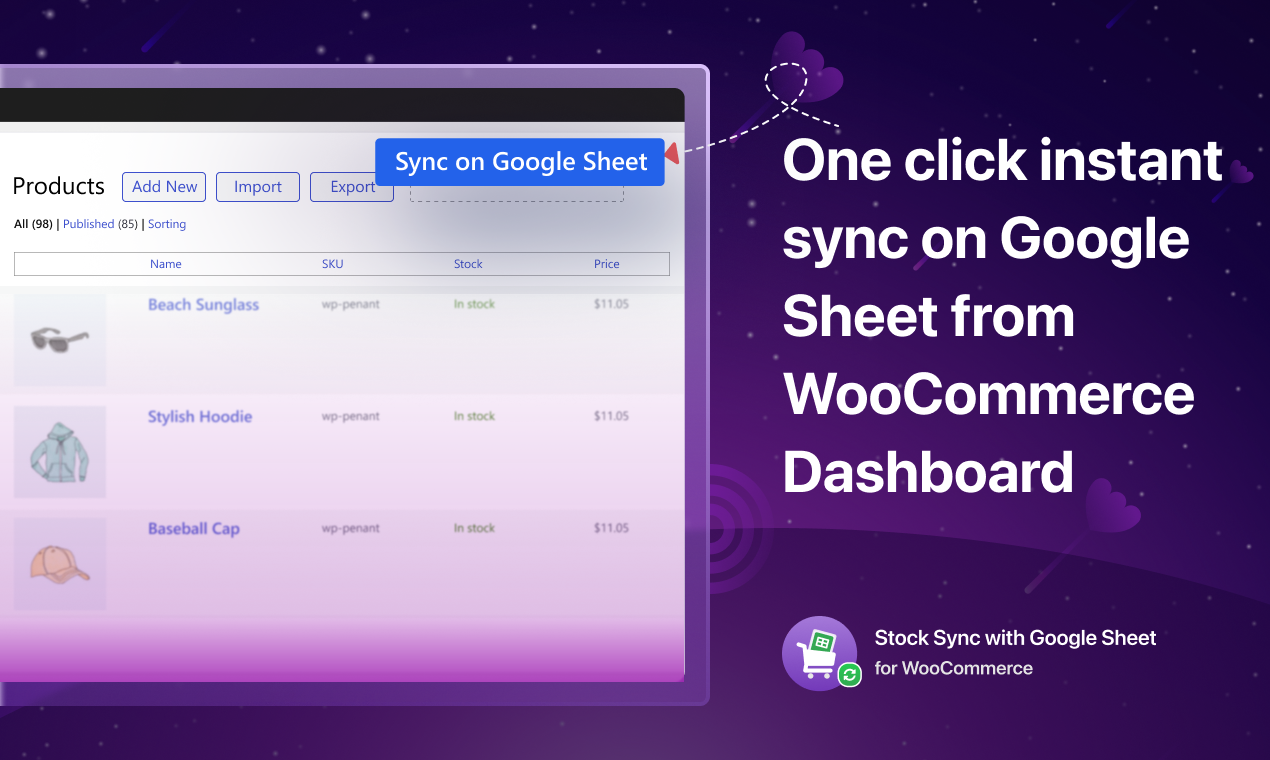
Manual Sync From WooCommerce and Google Sheets: Once you configure the plugin, you’ll find three buttons (Sync on Google Sheets, Fetch from WooCommerce, Sync on WooCommerce) to sync your product manually from both WooCommerce and the connected spreadsheet. Although every change on the spreadsheet reflects instantly on WordPress and vice versa, you can use these buttons if auto-sync does not happen correctly due to server issues.
-
Product removal restriction: You cannot remove products from the connected Google Sheet. We added this feature to avoid potential mistakes while working on the spreadsheet. To remove any product from your WooCommerce site, you’ll need to do it manually from the dashboard.
-
Freeze Google Sheet Header: Once you activate the plugin and complete the setup wizard, it will automatically format the spreadsheet. This formatting includes freezing the spreadsheet header. You can remove it from Google Sheets > View > Freeze > No rows.
-
Compatibility with Translation plugins: With WPML and Loco Translate compatibility, you can translate the plugins’s strings and access the settings in your local language. Also, using the WPML compatibility you can sync your translated products with Google Sheets.
?️ View Demo | ? Get The ULTIMATE Version
? STOCK SYNC FOR WOOCOMMERCE WITH GOOGLE SHEETS ULTIMATE FEATURES
-
Unlimited Two-Directional Product Sync: Keep all your store products in synced between WooCommerce and Google Sheets without any limit. The free version allows sync for up to 100 products.
-
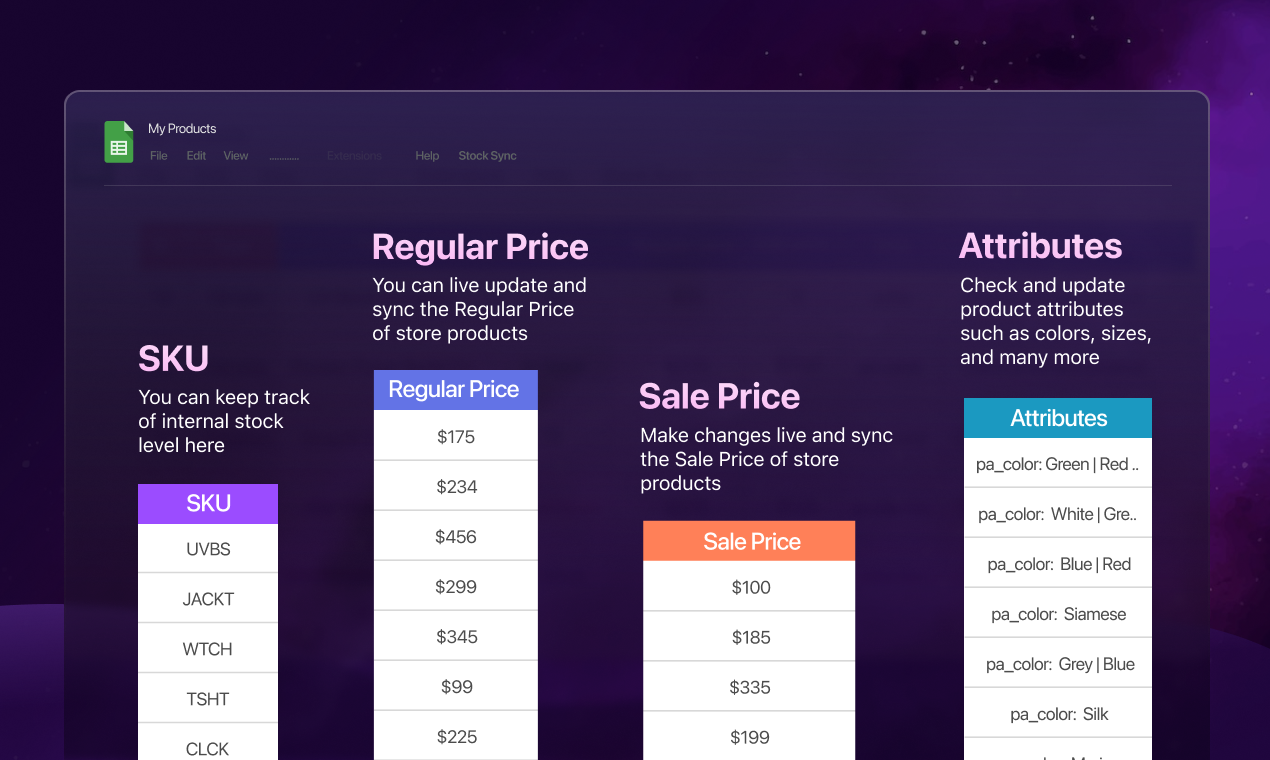
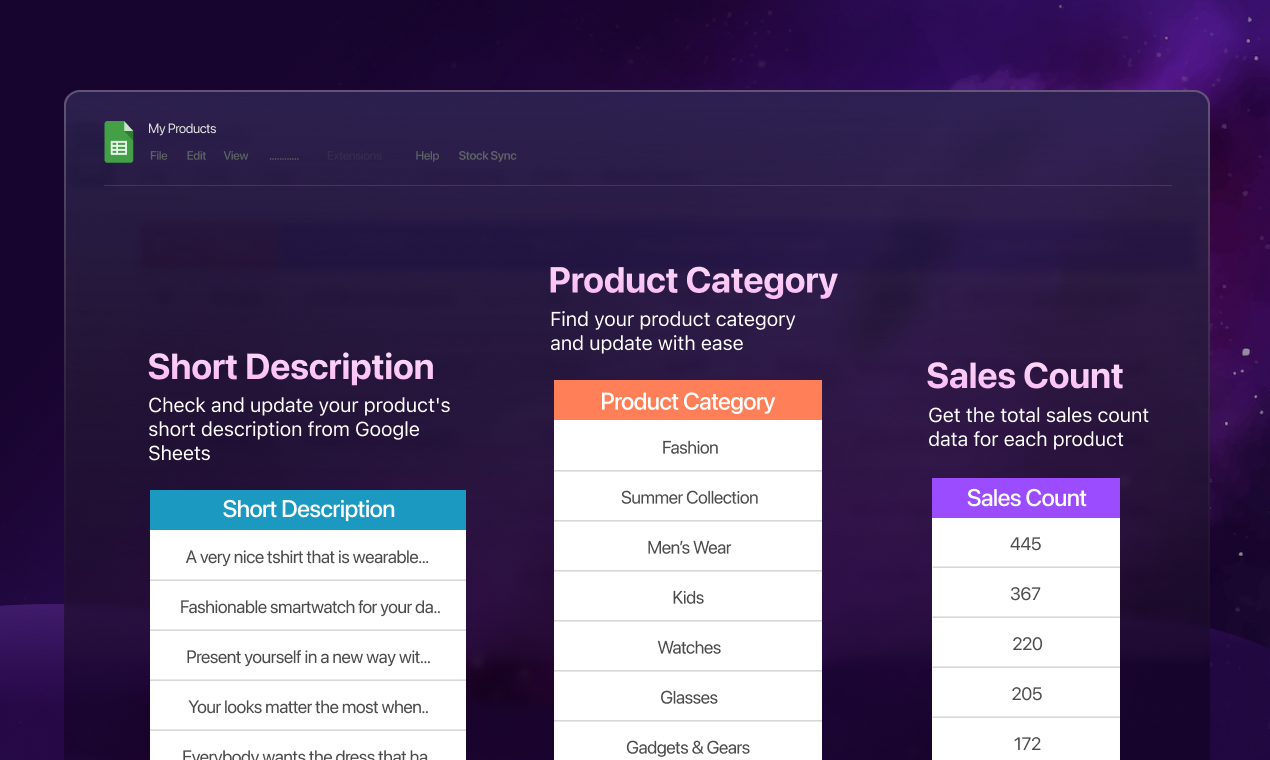
Unlimited Product Editing from Google Sheets: Edit most important product details (Name, Stock, Short Description, Price, SKU, Custom Fields) from the connected Google Sheets. Enjoy the full potential of the unique inventory management system for your WooCommerce store.
-
Unlimited New Product Addition from Google Sheets: Take stock management to the next level and add new products to your WooCommerce store from the connected spreadsheet. It gets added to your site dashboard automatically, instantly.
-
Unlimited WooCommerce Bulk Editing and Bulk Product Addition: Edit product details in bulk and create new products without thinking about the limit. The ultimate inventory management tool to supercharge your business from one place.
-
WooCommerce Custom Fields Sync: WooCommerce custom fields or metadata lets you display additional product data (size, color, etc.). With custom fields sync, you can edit your custom field data from Google Sheets and keep them in sync with your store.
-
Stock Keeping Unit (SKU) Sync: SKU helps keep track of your inventory and is a unique identifier for each product. You can update your WooCommerce product SKU from Google Sheets.
-
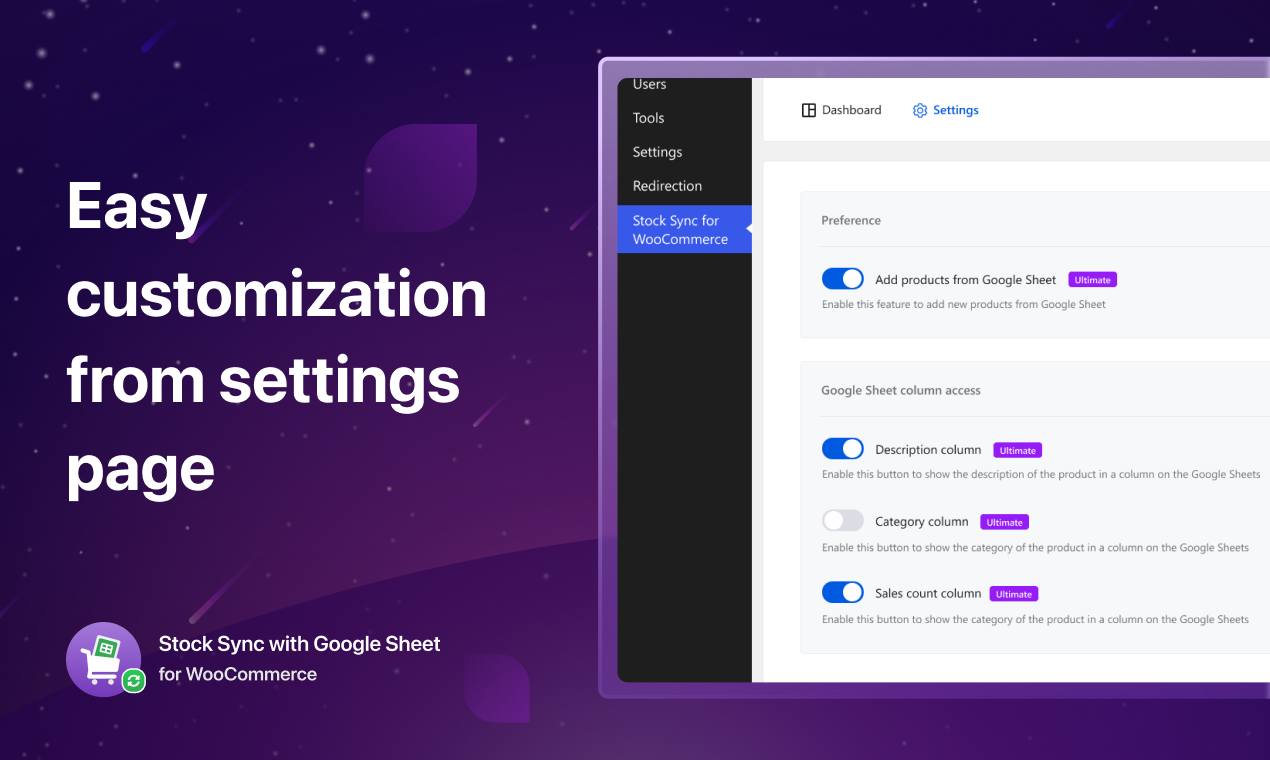
? Product Image Sync: You can now easily synchronize your store product image with Google Sheets and also update the image directly from the connected spreadsheet.
-
Display Total Sales Count: WooCommerce stock management has never been this easy. Take smart decisions from the total sales column within the Google Sheets.
-
Display Product Category: View product categories on the connected spreadsheet to easily categorize your products.
-
Display Product Attributes: View product attributes on the connected spreadsheet.
? More Awesome Plugins
If you like Stock Sync for WooCommerce, then consider checking out our other awesome projects:
-
? WP Dark Mode – Use the WP Dark Mode plugin to create a stunning dark version of your WordPress website. WP Dark Mode works automatically without going into any complicated settings.
-
? Sheets To WP Table Live Sync – Google Sheets allows you to input data on your Google sheet and show the same data on WordPress as a table effortlessly.
-
?️ Webinar & Video Conference with Jitsi Meet – Experience the best WordPress video conference plugin and live video chat solution. Get shortcode support with WooCommerce and BuddyPress integration.
Privacy Policy
Stock Sync with Google Sheet for WooCommerce uses Appsero SDK to collect some telemetry data upon user’s confirmation. This helps us to troubleshoot problems faster & make product improvements.
Appsero SDK does not gather any data by default. The SDK only starts gathering basic telemetry data when a user allows it via the admin notice. We collect the data to ensure a great user experience for all our users.
Integrating Appsero SDK DOES NOT IMMEDIATELY start gathering data, without confirmation from users in any case.
Learn more about how Appsero collects and uses this data.
Screenshots

Changelog
3.8.2 – 04 Apr 2024
- Improvement: Enhanced compatibility to support WordPress 6.5
3.8.1 – 23 Jan 2024
- Fix: Resolved simple product and variable product 0 stock update issue
3.8.0 – 21 Jan 2024
- New: Added function of recovery variation product
- Fix: Resolved variation product price range showing issue
3.7.1 – 20 Jan 2024
- Fix: Resolved auto short description update issue
- Fix: Resolved auto SKU update issue
3.7.0 – 14 Jan 2024
- New: Added product image feature. Users can display the WooCommerce products in Google Sheet.
- New: Compatibility with Loco Translation plugin.
- New: Compatibility with WPML plugin.
- New: Allowed any of the tabs of a spreadsheet to sync products.
- New: Introduced our own token for validation requests.
- Improvement: Performance update when creating and updating products from Google Sheets.
- Fix: Resolved conflicting issues with JWT Authentication for WP-API Plugin.
- Fix: Resolved issues with unlimited bulk product creation.
- Fix: Resolved the issue of inserting a price of 0 in Google Sheets.
- Fix: Resolved CSS conflicting issues.
3.6.1 – 4 Dec 2023
- Fix: Resolved “SyntaxError: Unexpected end of JSON input” error while clicking on “Sync on WooCommerce” CTA
3.6.0 – 29 NOV 2023
- New: Full compatibility with WooCommerce High-Performance Order Storage
3.5.1 – 23 Nov 2023
- Improvement: Font size fixing and UI improvement
3.5.0 – 20 Nov 2023
- New: Feature to add support popup
- New: Build pot files for translation
- Improvement: UI improvement for dashboard changes in step1
- Improvement: Updated popup design when sync
3.4.1 – 13 Nov 2023
- Fix: Fixed variation product name update issue
3.4.0 – 8 Nov 2023
- New: Added user friendly notices with new design
- Improvement: Enhanced AppScript and license top bar notice design
- Improvement: Updated the admin dashboard B&W plugin icon
3.3.4 – 2 Nov 2023
- Fix: Fixed an issue that caused a fatal error when calling the set_campaign method on null due to a conflict between the SDK and some plugin
3.3.3 – 25 OCT 2023
- Improvement: Updated popup design
3.3.2 – 22 OCT 2023
- Fix: Enhanced performance and fixed minor issues
3.3.1 – 9 OCT 2023
- Fix: Resolved bulk edit popup issue.
- Fix: Updated readme file with “Installation” tab
3.3.0 – 9 OCT 2023
- New: Introduced bulk edit feature in Google Sheet.
- New: Added top bar notice to notify users about the new Appscript updates.
- New: Implemented a popup in Google Sheet to display loading during bulk changes.
- New: Added a popup in Google Sheet after modifying view-only data.
- Improvement: Increased the product sync limit from 20 to 100 in the free plan.
- Improvement: Enhanced product syncing by updating specific products based on their index number in Google Sheets.
- Fix: Resolved a fatal error that occurred when installing another plugin from the WordPress dashboard if the stock sync plugin was already installed.
3.2.1 – 14 SEP 2023
- Improvement: Enhanced performance and fixed minor issues
3.2.0 – 14 SEP 2023
- Fix: Resolved the product type conflict for “variation” and “variable”
- Fix: Fixed “Invalid Access! Call undefined method GuzzleHttpUtils::chooseHandler()”
- Improvement: Enhanced performance by reducing the time complexity by transitioning Google SDK to Rest API.
- Improvement: Updated the WPCS to version 3.0
3.1.4 – 14 AUG 2023
- Improvement: Enhanced compatibility to support WordPress 6.3
3.1.3 – 12 Jul 2023
- Fix: SKU setting not working issue
3.1.2 – 26 June 2023
- Improvement: Enhanced performance and fixed minor issues
3.1.1 – 22 June 2023
- New: Syncing support of text-based custom fields of Advanced Custom Field
- Fix: Custom field syncing issues
- Improvement: Reserved keyword restriction for custom field
3.1.0 – 22 June 2023
- New: WooCommerce Custom Fields can be now synced and updated from Google Sheets
- New: Added notice bar for old users to update the new AppScript
3.0.5 – 7 June 2023
- Improvement: Enhanced performance and fixed minor issues
3.0.4 – 10 May 2023
- Improvement: Enhanced performance and fixed minor issues
3.0.3 – 17 April 2023
- Improvement: Enhanced performance and fixed minor issues
3.0.2 – 28 MAR 2023
- Improvement: Checked compatibility with WordPress 6.2
- Improvement: Enhanced performance and fixed minor issues
3.0.1 – 28 JAN 2023
- Improvement: Enhanced performance and fixed minor issues
3.0.0 – 30 JAN 2023
- Fix: Security issues and patches
- Improvement: Improved code quality and standard
- Improvement: Enhanced performance and fixed minor issues
2.1.4 – 15 DEC 2022
- Improvement: Enhanced performance and fixed minor issues
2.1.3 – 15 DEC 2022
- Fixed: Fixed total sales count
- Fixed: Fixed syncing products on activating/deactivating license
- Fixed: Added redirection on activating ultimate plugin
- Improved: Fixed some minor UX issues
- Improved: Enhanced performance and fixed minor issues
2.1.2 – 03 NOV 2022
- Improvement: Enhanced performance and fixed minor issues
2.1.1 – 04 OCT 2022
- Improvement: Enhanced performance and fixed minor issues
2.1.0 – 05 SEP 2022
- Improvement: Enhanced performance and fixed minor issues
2.0.9 – 25 AUG 2022
- Improvement: Enhanced performance and fixed minor issues
- Fixed: Class “GoogleAuthCacheTypedItem” not found
2.0.8 – 22 AUG 2022
- Improvement: Enhanced performance and fixed minor issues
2.0.7 – 16 AUG 2022
- Improvement: Enhanced performance and fixed minor issues
2.0.6 – 2 AUG 2022
- Improved: readme file
- Improvement: Enhanced performance and fixed minor issues
2.0.5 – 1 AUG 2022
- Fixed: Error: No product data
2.0.4
- Improvement: Enhanced performance and fixed minor issues
2.0.3
- Improvement: Enhanced performance and fixed minor issues
2.0.2
- Fixed: Fixed turning sale price forcefully zero
- Fixed: Fixed connecting custom Sheet Tab
2.0.1
- Added: Added SKU column
- Fixed: Fixed creating new products from Google Sheet
2.0.0
- Fixed: Revamped plugin backend.
- Fixed: Minor bugs.
- Fixed: Server is too busy
- Added: Revamped UI/UX
- Added: Revamped setup wizard.
- Added: Product addition from GS.
- Added: Display product short description.
- Added: Notifications on sync, add, update
1.2.1
- Added: Loader if server is too busy.
- Updated: Setup wizard steps design
- Fixed: minor bugs
1.2.0
- Updated: Installation video link
1.1.9
- Updated: Links & Labels
1.1.8
- Updated: Plugin title
- Updated: readme.txt & readme.md
1.1.7
- Updated: App Script video documentation link.
1.1.6
- Updated: Video documentation link.
1.1.5
- Improved performance and fixed minor issues
1.1.4
- Updated: FluentApi
- Improved performance and fixed minor issues
1.1.3
- Fixed: Despite not being connected to Google Sheet, the export button shows “%d products exported in google sheet”.
- Improved performance and fixed minor issues
1.1.2
- Update readme.txt
1.1.1
- Update readme.txt
1.1.0
- Introduced new UI
- Improved performance and fixed minor issues.
1.0.0
- Initial release

