
Advanced Custom Fields (ACF) helps you easily customize WordPress with powerful, professional and intuitive fields. Proudly powering over…
About Sticky Menu & Sticky Header
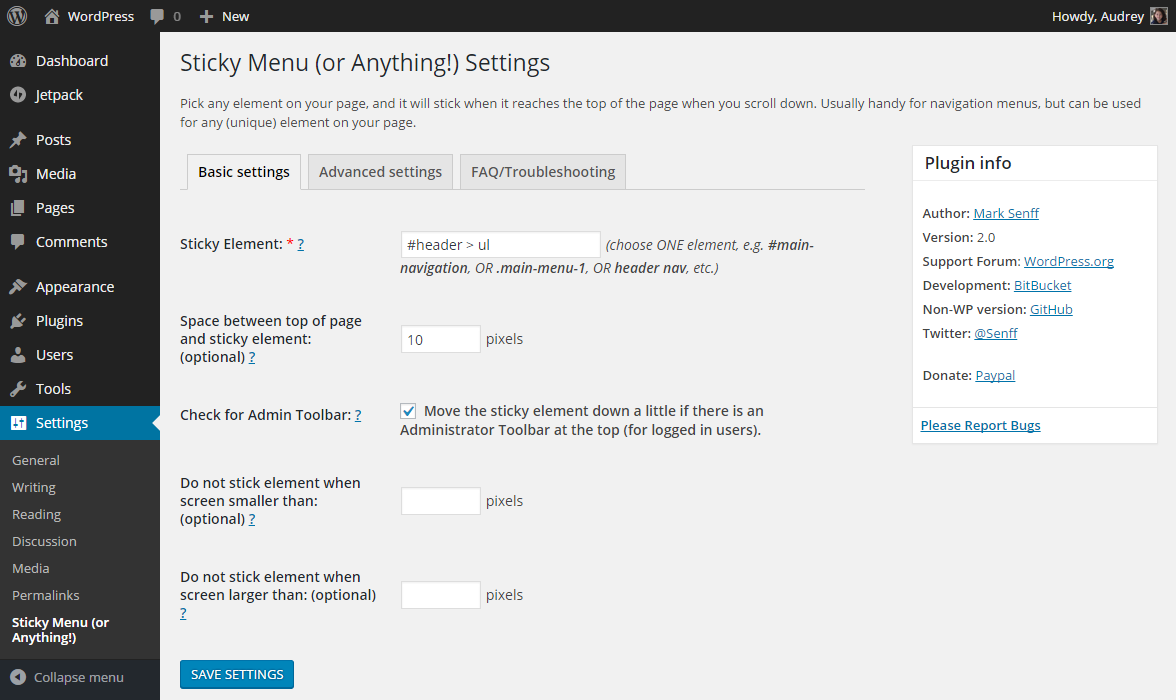
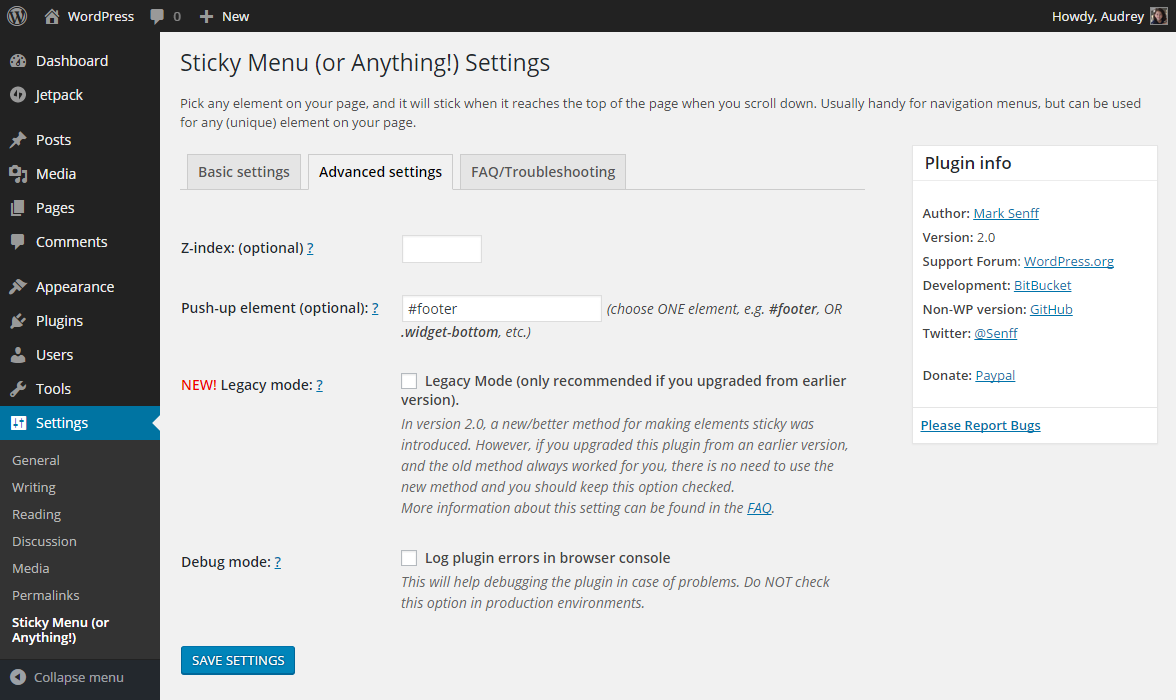
The WP Sticky Menu On Scroll plugin allows you to make any element on your website sticky, such as menus, headers, logos, and call-to-action buttons. You can customize the positioning, enable it for specific screen sizes or pages, and add a push-up element. It is also GDPR compatible and does not collect or process user data.Screenshots
Frequently asked questions
What is the purpose of the Sticky Menu & Sticky Header plugin?
The plugin allows you to make any element on your pages "sticky" at the top of the screen when you scroll down. It is commonly used for floating menus, sticky headers, or fixed widgets.
What kind of elements can I make sticky?
You can make any unique element sticky, such as navigation menus, headers, widgets, sidebars, logos, or call-to-action boxes. This is achieved by picking the right selector for the element.
Can I control the positioning of the sticky element?
Yes, you can optionally add space between the sticky element and the top of the page. This prevents the element from always being stuck at the very top.
Can I enable stickiness for specific screen sizes?
Yes, you can set a minimum and/or maximum screen size for when the stickiness should be active. This is useful for responsive websites.
How do I choose which element to make sticky?
You need to know how to pick the right unique selector (name, class, or ID) for the element you want to make sticky. Examples include "nav", "#main-menu", or more specific selectors like "header > ul:first-child".
Changelog
2.33
- 2024-07-08
- minor security fixes
2.32
- 2022-11-20
- minor security fixes
2.31
- 2021-02-19
- fixed one really really visible typo
- added custom footer text on plugin’s admin page
- lowered the price for the team package
2.30
- 2021-02-13
- better clean-up on delete and deactivate
2.29
- 2021-01-30
- added flyout menu
- added monthly price
2.28
- 2021-01-05
- minor bug fixes and improvements
- removed promo campaign for WP 301 Redirects
2.25
- 2020-10-16
- PRO version is here
- bug fixes and improvements
2.23
- 2020-10-01
- more CSS fixes
- added promo campaign for WP 301 Redirects
2.22
- 2020-09-08
- improvement for themes with !important rule at margin top and left within sticky element
2.21
- 2020-06-19
- security fix – thanks to Antony from Sucuri
2.2
- 2020-02-01
- bug fixes
- minor GUI improvements
- 100,000 users hit on 2020-01-31
2.1.1
- Fixed minification bug
2.1
- Sticky element has specific classes to target sticky/non-sticky state: “.element-is-sticky” and “.element-is-not-sticky”
2.0.1
- fixed padding calculation bug (percentages are off when sticky)
- fixed bug where assigned styles loop caused JS error
2.0
- Introduced a new/better method for making elements sticky
- Added Legacy Mode (for those who want to continue the old method)
- Split up settings screen in Basic and Advanced
- Debug mode uses uncompressed JS file for easier remote debugging
1.4
- Removed error notification if no pushup-element is selected
- Renaming class “cloned” to “sticky-element-cloned” and “original” to “sticky-element-original” to avoid conflicts with Owl Carousel
- Fixed bug where cloned element width would be rounded down if it contained sub-pixels
1.3.1
- Minor bug fix for push-up element
1.3
- Added functionality to move sticky element down in case there is an Administrator Toolbar at the top of the page
- Added functionality to push sticky element up by another element lower down the page
1.2.4
- Fixed small bug related to version number
1.2.3
- Bug with Dynamic Mode select box/label fixed
- Bug with Z-index fixed (thanks @aguseo for reporting)
- All text in plugin fully translatable
- Added FAQ tab to settings screen
- Added infobox to settings screen
- Added a few comments to source code
1.2
- Dynamic Mode added (addressing problems with dynamically created menus — see Frequently Asked Questions above for details)
1.1.4
- Ready for WordPress 4.1 (and TwentyFifteen)
- Fixes issue when element has padding in percentages
1.1.3
- Fixes width calculation bug introduced in previous version (sorry about that), box sizing now supported
1.1.2
- Fixes element width calculation bug
1.1.1
- Fixes viewport calculation bug
1.1
- Added functionality for optional minimum/maximum screen size
1.0
- Initial release (using v1.1 of the standalone jQuery plugin)

