

Site Kit is a one-stop solution for WordPress users to use everything Google has to offer to make…
About Simple Lightbox
Simple Lightbox is a customizable lightbox plugin for WordPress that can be easily added to your website. It has features such as automatically activating links, resizing the lightbox to fit the window, customizable themes and animations, and support for image attachment links and links in widgets. To use it, simply insert links to images or image attachments into your posts or pages, and the image will be displayed in a lightbox automatically.Screenshots


Frequently asked questions
What is Simple Lightbox?
Simple Lightbox is a very simple and customizable lightbox that is easy to add to your WordPress website.
Where can I customize the lightbox behavior?
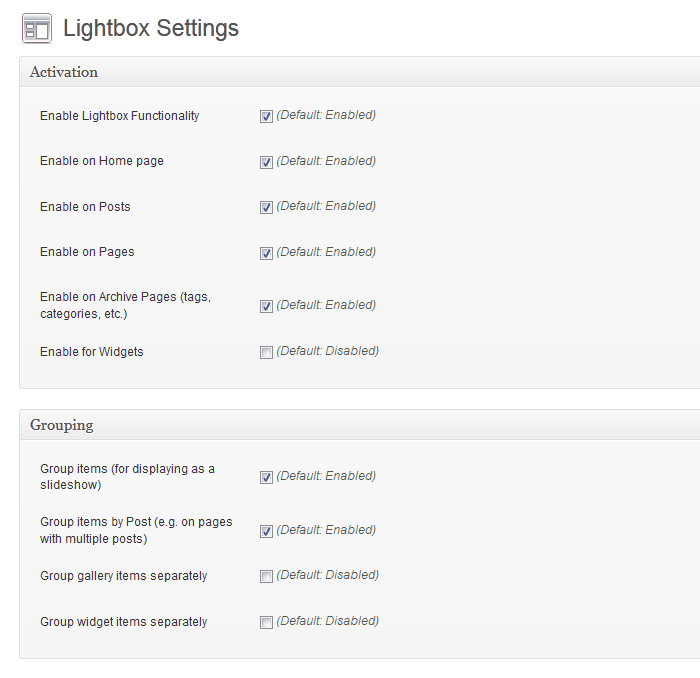
Options for customizing the lightbox behavior are located in the Appearance > Lightbox admin menu (or just click the Settings link below the plugin's name when viewing the list of installed plugins)
What are the features of Simple Lightbox?
Some of the features of Simple Lightbox include automatic activation of links, automatic resizing of lightbox to fit in window, customization with themes, mobile-optimized responsive themes, customizable lightbox animations, support for add-ons, support for WordPress image attachment links, support for links in widgets, keyboard navigation, display of media metadata in lightbox, enabling lightbox depending on page type, grouping of image links, and grouping of image links by post.
How do I use Simple Lightbox?
To use Simple Lightbox, you just need to insert links to images/image attachments into your posts/pages. The image will be displayed in a lightbox automatically.
Where can I find more information and documentation about Simple Lightbox?
For more usage tips, you can visit Simple Lightbox's official page at http://archetyped.com/tools/simple-lightbox/. You can also refer to Simple Lightbox's documentation at https://github.com/archetyped/simple-lightbox/wiki for in-depth information on using and customizing SLB.
Changelog
2.9.3
- Hotfix: WordPress 6.1
wp_rand()bug (32-bit platforms) (#974) - Update: Confirm WordPress 6.1 compatibility
- Optimize: Media item cache key generation
- Optimize: Prune build tasks
2.9.2
- Optimize: Symbolic link handing for file/directory paths.
2.9.1
- Fix: Validate hook priority values (Let’s Getz Prioritized)
2.9.0
- Add: Support WebP image format
- Add: Support AVIF image format
- Add: Documentation link to readme file
- Optimize: Code cleanup/refactoring
- Optimize: WPCS validation (Phase 1)
- Optimize: Activate links after all other filters
- Optimize: Plugin metadata retrieval
- Update: Confirm WordPress 6.0 compatibility
- Update: Build dependencies
- Update: GitHub issue templates
2.8.1
- Update: PHP 5.6 Compatibility
- Add: PHPCS configuration
- Add: GitHub Issue templates
2.8.0
- Update: WordPress 5.3+ required.
- Update: PHP 7.2+ required.
- Optimize: Link detection up to 2x faster.
- Optimize: Options data handling.
- Optimize: Default title filtering.
- Optimize: Standardize media item data structure to avoid conflicts with third-party data.
- Optimize: Load only necessary media item properties in browser.
- Optimize: Filter all media items (instead of each individual item).
- Filter Removed:
media_item_properties(single item). - Filter Added:
media_items(all items).
- Filter Removed:
- Fix:
areaelements included in link detection (This is Jim’s Area).

