

Improve your WordPress SEO: Write better content and have a fully optimized WordPress site using the Yoast SEO…

About Optimus – WordPress Image Optimizer
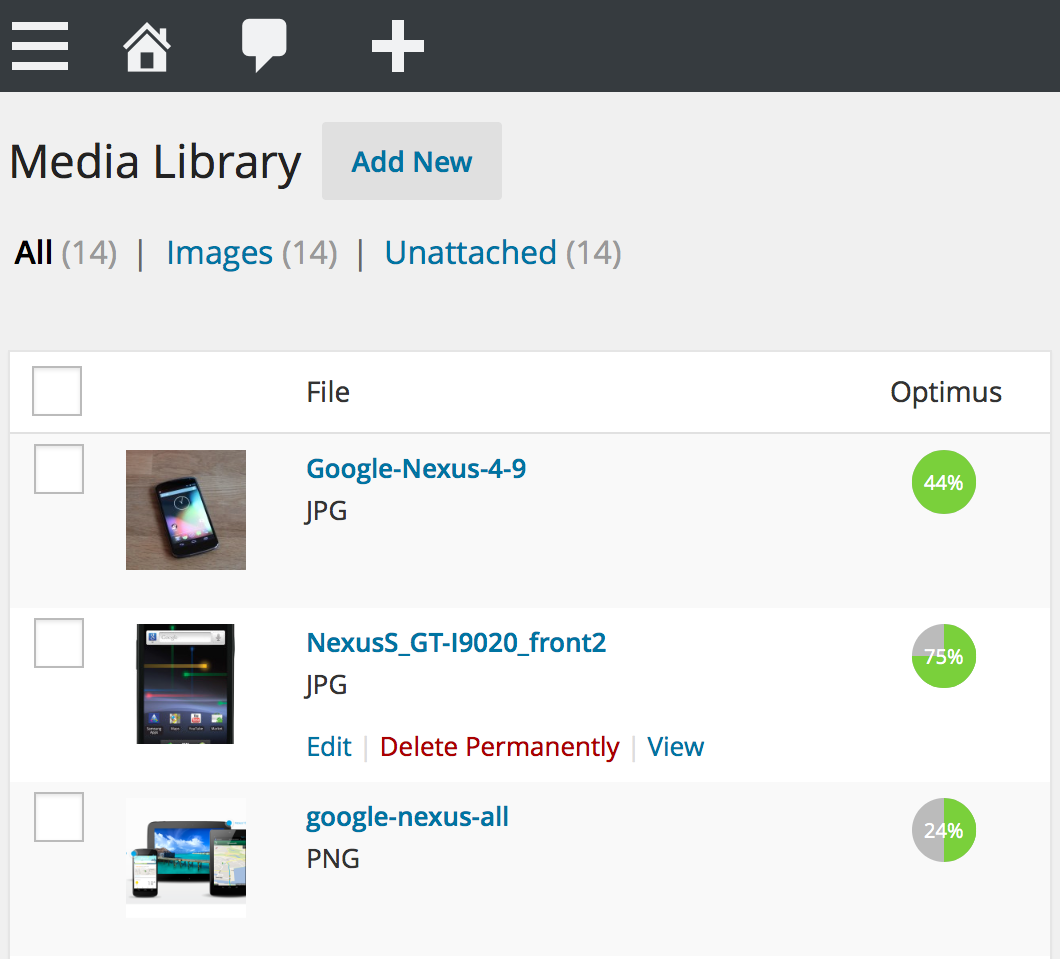
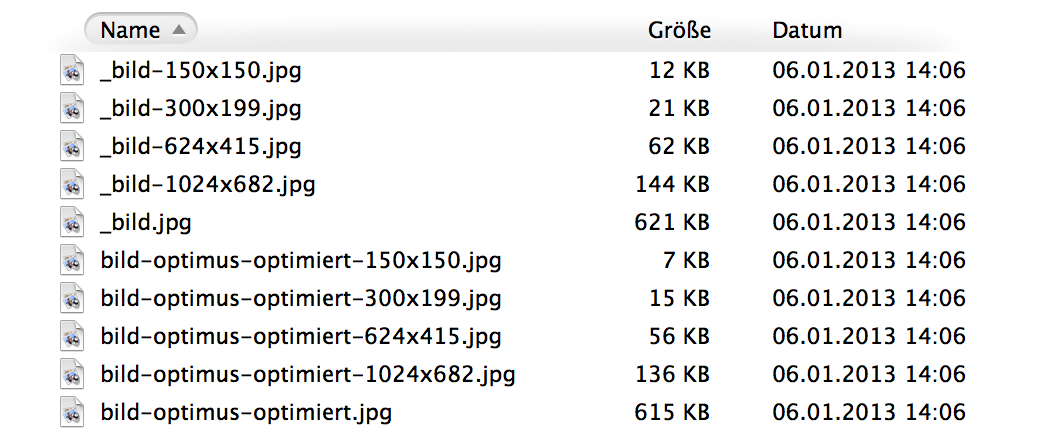
Optimus is a WordPress plugin that automatically reduces the file size of uploaded images, resulting in faster load times for your blog website. It offers three versions, including a free version with some limitations and two premium versions with expanded functionality. The plugin maintains the quality of the images while significantly reducing their file size.Screenshots
Frequently asked questions
What does Optimus do?
Optimus reduces the file size of uploaded media files automatically. Depending on the image and format, reductions in size of up to 70% are possible. The quality of the images is maintained.
How does Optimus work?
During the upload process, Optimus sends images to its server for processing and then saves the optimized version in your media library. This process, including thumbnail optimization, happens in the background. Superfluous information is extracted from image files, maintaining graphic quality while reducing size.
Does Optimus support WebP?
Yes, Optimus supports the conversion of images to the new WebP image format.
Changelog
1.6.3
- WordPress 6.1 compatibility
1.6.2
- WordPress 6.0 compatibility
1.6.1
- Fix bulk image optimization (#13 @tg247)
1.6.0
- Skip missing files
- Added wpcli command for bulk optimization
- Added option to append instead of replace file extension for webp files
1.5.0
- Unsupported image types are now gracefully skipped
- Renamed setting names and greyed out inapplicable settings to avoid confusion
- Increased size limit for Optimus HQ to 10MB
- Licences can now easily be extended
- Optimize images uploaded through the REST API
1.4.9
- Formatting updates
1.4.8
- Improved the handling of 204 errors
- Removed language files
1.4.7
- Improved the bulk optimizer
1.4.6
- Added support for WP Retina 2x
1.4.5
- Optimization to avoid conflicts with other plugins or themes
1.4.4
- Fixed static function warning in PHP 5.6
1.4.3
- Increased timeout value to 180 seconds
1.4.2
- Allow to generate WebP images on already optimzed images (bulk optimizer)
1.4.1
- Improves bulk optimization error handling
1.4.0
- Added PNG in the free version and the manual optimization setting
1.3.9
- Bug fixing and activation update
1.3.8
- Bulk optimization feature
1.3.7
- Erhöhung der Limits für alle Formate
- Limits auf optimus.io
1.3.6
- Neue Option: Keine Optimierung der Originalbilder
- Korrektur: Löschung der WebP-Bilder im AJAX-Modus
1.3.5
- Erhöhung des Limits für PNG-Dateien auf 512 KB (Optimus HQ)
1.3.4
- Umstellung des Plugins auf die neue Optimus API (cURL only)
1.3.3
- Kompatibilität zu WooCommerce
- Einführung von Optimus HQ PRO
1.3.2
- Anzeige der in WordPress registrierten Bildgrößen (Thumbnails)
1.3.1
- Anpassung für WordPress 3.9: Sicherstellung der Bildoptimierung im WordPress-Editor
1.3.0
- Überarbeitung der Kommunikation via cURL
- Implementierung von HTTPS (Optimus HQ)
- Zusätzliche Checks beim Versand und Empfang der Daten
- Vereinfachung der Feedback-Ausgabe in grünen Kreisen
- Kein Abgleich der Davor-Danach-Bildgrößen für 204-Header
- Connection-Timeout auf 10 Sekunden
- Tiefgehende Code-Revision
1.2.0
- Optimierungen am Plugin-Rechtemanagement
- Überarbeitung der Plugin-Hinweise
1.1.9
- Optimus HQ: Umbau der Lizenzverifizierung wegen einem Bug im W3 Total Cache Plugin
- Ausbau der Schnittstelle für binäre Datenübertragung
1.1.8
- Anzeige des Optimus HQ Ablaufdatums
- Admin-Hinweis bei abgelaufener Optimus HQ Lizenz
1.1.7
- Christmas-Edition (Code- & Performance-Optimierungen)
1.1.6
- Optimiert für WordPress 3.8
1.1.5
- Optimus HQ: Eingabe eines neuen Lizenzschlüssels möglich
- Selbstprüfung auf Erreichbarkeit der Upload-Bilder (Zugriffsschutz, etc.)
- Performance-Optimierungen
1.1.4
- Optimus HQ: Erhöhung des Limits für PNGs auf 200 KB
- Optimus HQ: Konvertierung der Bilder ins WebP-Format
1.1.3
- Unterstützung für WordPress Apps und Windows Live Writer
1.1.2
- Option: Bild-Metadaten nicht entfernen
1.1.1
- Interne Umstellung auf Mime-Type
- Code-Optimierungen
1.1.0
- Umstellung auf Freemium Modell
- Plugin Website: optimus.io
1.0.0
- Code-Freeze
- Vervollständigung der FAQ
- Filter für lokale Installationen
0.0.9
- Support für PNGs
0.0.8
- Beschränkung auf JPEGs (da fast keine PNG/GIF-Nutzung)
- Menge der optimierten Thumbnails als Diagramm
- Überarbeitung diverser Code-Fragmente
0.0.7
- Verbesserte Fehlerausgabe an den Nutzer
0.0.6
- Erweiterung der FAQ
- Unterstützung für WordPress 3.5
- Erhöhung des max. Limits auf 300 KB
0.0.5
- Zusatzabfrage für (korrupte) Bild-URLs
- Weiterer Screenshot
0.0.4
- Diverse Code-Optimierungen
- Reduzierung der Max-Größe
0.0.3
- Unterstützung für PHP 5.2.4
0.0.2
- Überarbeitung der GUI
0.0.1
- Init release

